Customer Ratings & Reviews



- Model:
- RADIUS 11 L15W-B1208
- SKU:
- 8342114
to a friend
Customers are saying
Customers commend the Satellite Radius 11.6" Touch-Screen Laptop for its portability, light weight, touchscreen capabilities, and compact size. They appreciate its affordability and user-friendly interface. However, some users have expressed concerns about its slow performance and occasional freezing issues.
This summary was generated by AI based on customer reviews.
Do not waste your money on this product!
Posted .This reviewer received promo considerations or sweepstakes entry for writing a review.I purchased this laptop and within a week the speakers blew out. A brand new laptop that remained intact on my desk and did not move from there, now how is that even reasonable? I am so upset, this is only the tip of the iceberg with problems I've had with it. I purchased this laptop specifically for school work, I do not download movies nor songs, I only have a handfull of simple documents stored. I only have exactly 3 photographs stored on it, now it's processing so slow and constantly crashing! I have lost several assignments because of it. It also heats up very quickly and the charger gets dangerously hot, keep in mind that I purchased this laptop in September of this year, I've only had 3 months with it! My last laptop lasted me 5 years and went through heck and back, speakers worked just fine, less memory and ram and I had hundreds of photos and documents stored on it and it ran perfectly. It's constantly restoring at random times and it's mandatory it will shut off on its own with no way out. Very complicated laptop cannot perform even the simple tasks. I absolutely regret making this purchase. This is the very last time I will ever purchase any toshiba products. They are pure and utter garbage!! Doesn't even deserve the 1 star!
No, I would not recommend this to a friend- Cons mentioned:Slow performance
Out of box problems
Posted .This reviewer received promo considerations or sweepstakes entry for writing a review.I bought this computer yesterday and as soon as I took it out of the box it was slow, it takes 5-10 mins to restart, and the wifi automatically disabled. When I go to network settings and click "enable" I receive a message that says "enabled. " However it continues to read "disabled" and display "no network connections." Never had so many problems with a computer before and I've used Acer, HP, and Mac. It goes back ASAP.
No, I would not recommend this to a friendBrand response from ToshibaStaff
Posted .Thank you for the review, Sazah00, and sorry to hear about the Wi-Fi and performance issues with your Satellite L15W-B1208.
I understand that you're planning to return the unit but it's possible that Windows Update has been busy downloading & installing updates. That's typically the case with brand new systems, and if so it will tax initial performance until the updating process is completed.
Regarding the Wi-Fi difficulty, Toshiba and Microsoft are aware that some customers are encountering an issue with Windows reporting limited or no connectivity, or no Internet access, and are working together to identify a permanent resolution. This problem is most likely not unique to Toshiba or this model, and the resolution will automatically be downloaded and installed by Windows Update once it is available. For now, the Toshiba Technical Support Bulletin at support.toshiba.com/sscontent?contentId=4008443 provides detailed instructions for working around the issue until the final resolution is in place.
Thanks again for the feedback and sorry for the difficulty.
Keyboard slows down your typing
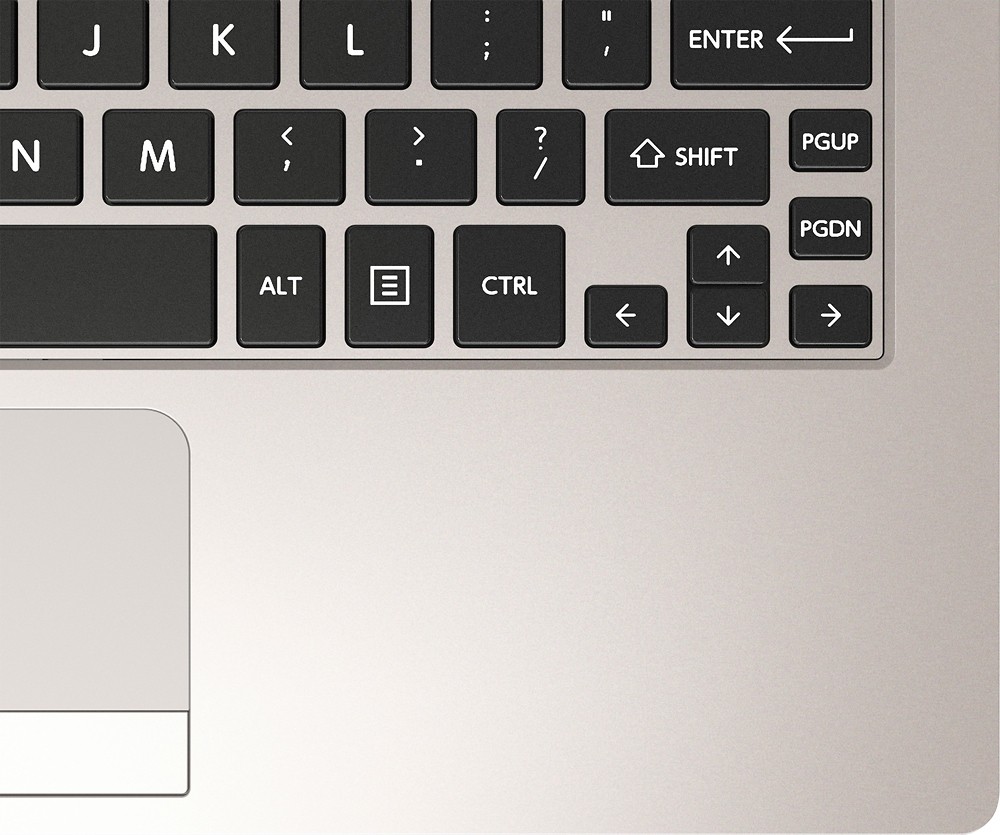
Posted .This reviewer received promo considerations or sweepstakes entry for writing a review.I wanted to like this laptop! It was small and convenient. But the keyboard is such an issue. it is very shallow, and I ended up mistyping almost every word. You also need to clack really hard to make sure the letters are registered. It was hard to take notes in school, so I returned it for a laptop with a better keyboard.
No, I would not recommend this to a friendBrand response from ToshibaStaff
Posted .Thank you for the review, Abril, and sorry that you had trouble with the keyboard on your Satellite Radius L15W-B1208.
I wonder if your unit may have had a defective keyboard, rather than a case of this model's keyboard not suiting your preferences. A quick test of an in-store demo unit would likely clarify that question, but I understand that you've already returned it and replaced it with something else.
Thanks again for the feedback and sorry for the trouble.
Dead
Posted .This reviewer received promo considerations or sweepstakes entry for writing a review.The computer was slow to start but wanted as a small travel computer for videos at work. It did the job for two days and quit charging. Now the computer is dead and won't start up with the charger in place now trying to find out if I have the warranty on it or if I'm stuck with a two month old broken garbage. :(
No, I would not recommend this to a friendBrand response from ToshibaStaff
Posted .Thank you for the review, Spencer, and sorry to hear about the charging problem with your Satellite L15W-B1208.
Please use Toshiba's Troubleshooting Assistant at support.toshiba.com/support/troubleshootSelfService?PRDTYPE=COMPUTERS to see if the instructions there might resolve the problem for you. If not, contact Toshiba support at 800-457-7777 for further troubleshooting help and, if needed, to make warranty repair arrangements.
Thanks for the feedback and sorry for the trouble.
Terrible Speakers
Posted .This reviewer received promo considerations or sweepstakes entry for writing a review.The speakers on this are TERRIBLE very low quality I watched lots of stuff on different apps to make sure it wasn't just the app and its not the sound is just terrible
No, I would not recommend this to a friendBrand response from ToshibaStaff
Posted .Thank you for the review, NightFury77 and sorry to hear about the audio issue with your Satellite L15W-B1208.
You may want to update or reinstall your Audio driver with the software you can find at support.toshiba.com/support/modelHome?freeText=1200010412 by clicking the "Drivers and Updates" tab and select the "Windows 8.1" and "Sound" filters.
If this doesn't resolve the problem, I recommend doing a Windows Reset to any problem that may have been introduced by configuration changes or software installations. If you do so, be sure to backup any personal data first since all personal files will be deleted in the process.
The Toshiba Forums community knowledge base article at forums.toshiba.com/t5/System-Recovery-and-Recovery/How-To-Understanding-System-Restore-Refresh-Reset-and-Recovery/ta-p/342690 has more details about the process.
For additional troubleshooting help, please call Toshiba support at 800-457-7777.
Thanks again for the feedback and sorry for the trouble.