Customer Ratings & Reviews


- Model:
- P55W-C5204
- SKU:
- 4203302
to a friend
Customers are saying
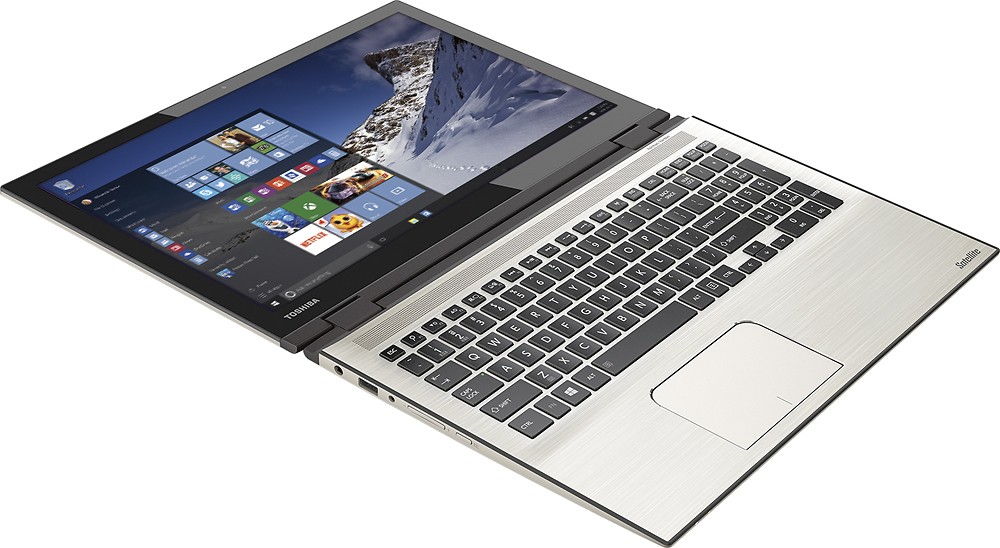
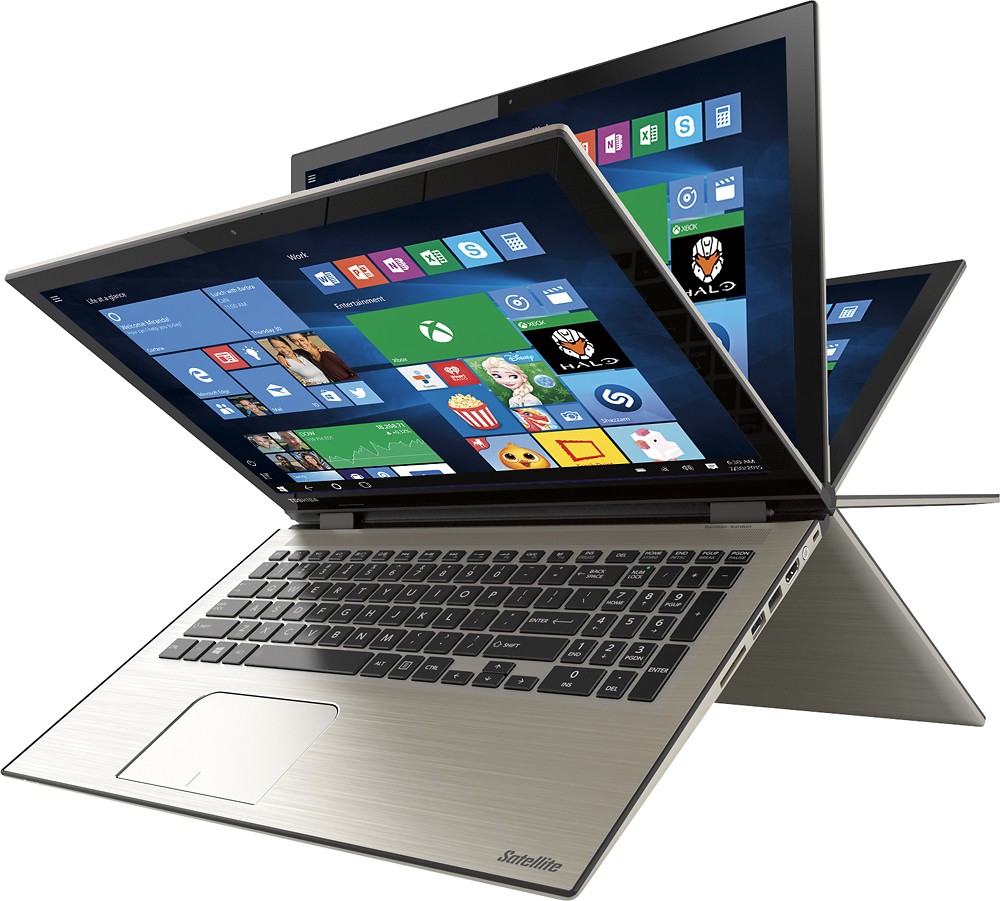
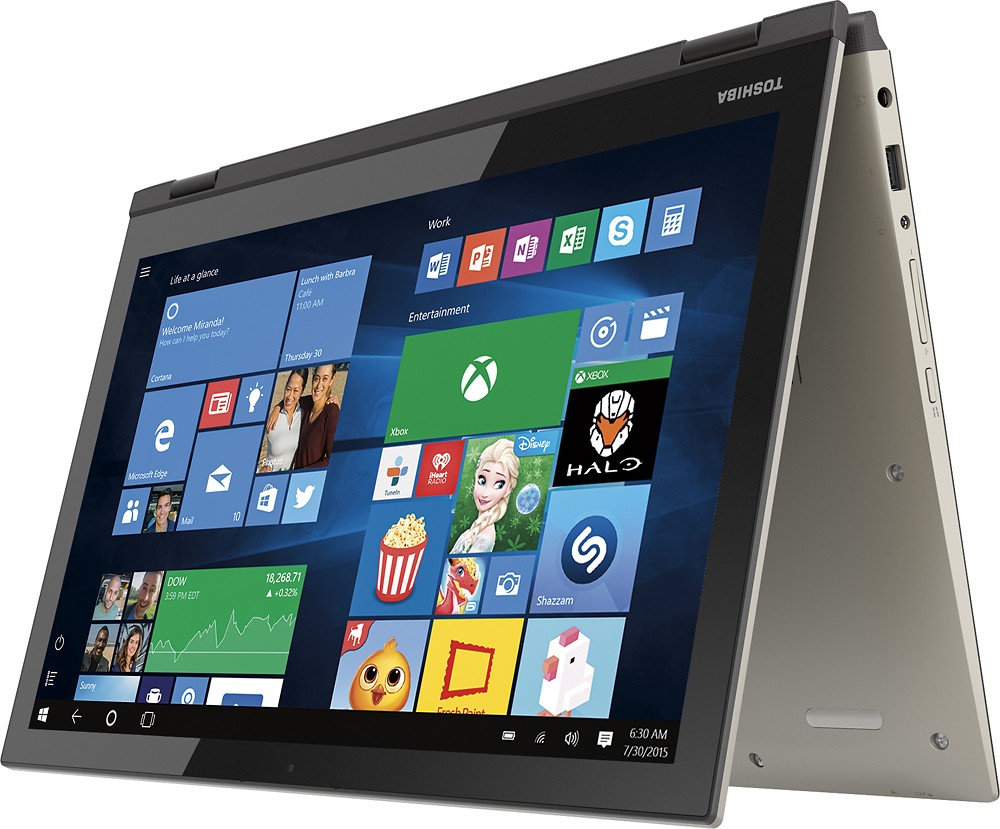
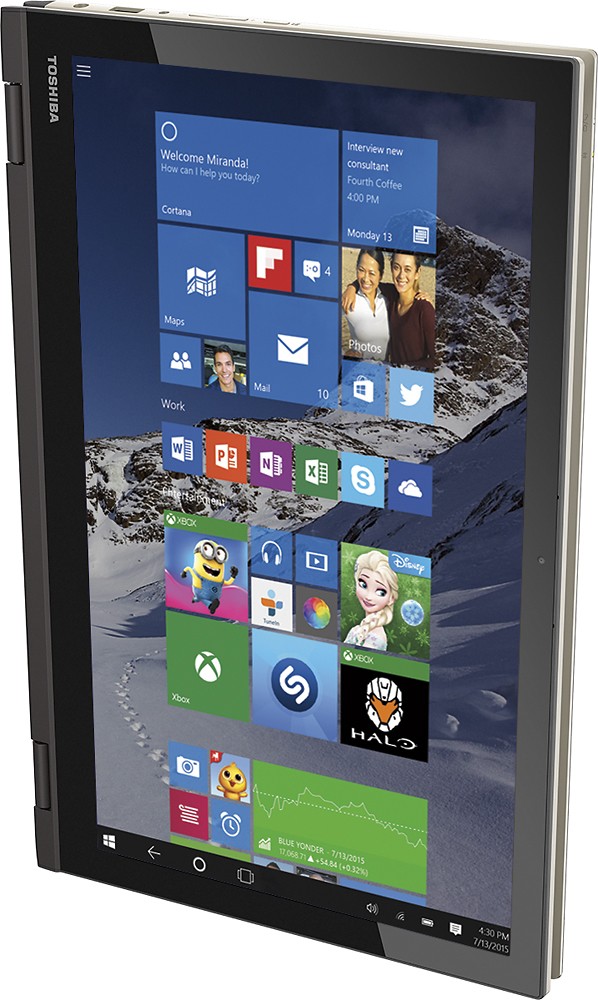
Customers find value in the Satellite Radius 2-in-1 laptop's touch screen, speed, Windows 10 operating system, and affordable price. They appreciate the laptop's memory and storage capacity, as well as its lightweight design and Toshiba's reputation for reliability. However, some customers have experienced issues with reliability, Wi-Fi connectivity, battery life, and defective units.
This summary was generated by AI based on customer reviews.
- Cons mentioned:Reliability, Wifi connectivity
Problem after problem!
Posted .This reviewer received promo considerations or sweepstakes entry for writing a review.We tried this computer two times and had problems with both. The first one we had problems with from the beginning, during set-up it froze and we had to force shut down (and no we didn't connect to the internet during set-up so the windows updates are not to blame like the Toshiba responses to people's reviews say); we had problems with the keyboard; the computer screen kept freezing, it would drop the wifi connection all the time (we have two other computers and a tablet connected to the wifi with no issues, so it's not the internet connection); when you place youtube videos on full screen it would freeze and you can't exit the full screen, you have to force shut down; it would just turn off by itself (we would be using it and bang the computer screen turns black and restarts); it's a piece of rubbish that doesn't even last past it's first day. We thought that maybe we had a defected computer and exchanged it for another after having problems with it for a week; the second one is just as bad with the same problems, unless by some weird odds two factory defected computers landed on us, this computer has some serious issues and should be recalled by Toshiba; we plan on returning the second one for a refund this time and looking for something else, we are disappointed in Toshiba for selling such a defected product.
No, I would not recommend this to a friend - Pros mentioned:Touch screen
Great Lptop
Posted .This reviewer received promo considerations or sweepstakes entry for writing a review.I had purchased this laptop for college and i absolutely love it. It has more than enough storage for not only my personal needs but school work and a bit of programming apps and what not. The touch screen and flexibility just adds the icing on the cake.
I would recommend this to a friend - Cons mentioned:Customer service
Not off to a good start
Posted .This reviewer received promo considerations or sweepstakes entry for writing a review.I just bought this laptop last night. Couldn't wait to get it going. Got through 2 screens of the set up, it froze...and has been continually restarting itself over and over again since last night. Sat on hold for GS for over an hour and by chat only to be told to take it back. Called Toshiba to see if they had a solution that didn't involve waiting until tomorrow and calling around to see who has the product in stock (most of the BB in my area don't have it.) Toshiba helped me reset my laptop which has been stuck on 99% for over an hour now. Was told by their rep that he had experienced it with his own laptop...same model...and that the Windows 10 has some glitches that have caused some issues. Soooo now I'm wondering....do I wait eternally for it to get to 100% or send my poor husband schlepping all over town trying to find a store that has one. Not really impressed with Geeksquad's expensive non-service, or with BB's inability to look in their system and tell me if there is a store in the area that can exchange with me. BTW-I did attempt to look online but it kept giving me stores that I could p/u in a few days and I kinda bought it NOW because I need it NOW. At the mercy of BB's poor customer service for a 2nd time. Never again.
No, I would not recommend this to a friendBrand response from ToshibaStaff
Posted .Thank you for the review, AnnoyedMermaid, and sorry to hear about the problem completed the Windows 10 initialization process with your Satellite P55W-C5204.
If you haven't exchanged this unit yet I recommend disconnecting from the Internet until the Windows 10 initialization process has completed. This technique avoids any possible issues that may occur if Windows 10 is updating itself in the background while it is still running its initial out-of-box configuration routine.
Thanks again for the feedback and sorry for the trouble.
nice pc
Posted .This reviewer received promo considerations or sweepstakes entry for writing a review.I'm not sure why the bad reviews as this had zero the other day and it was just released on the 29th. ..I love mine so far had it since the 29th..and as far as heat it runs cooler than other laptops I've had and laptop in general run warm to hot depending on how long and how heavy the use on the cpu..as far a WiFi issues maybe you have sucky Internet or other interference I've had no issues with mine...lose hinges maybe if you open and close it 200 times a day ...but will see after a month where I'm at but every manufacturer has a few bad ones....
I would recommend this to a friend0 to 100... REAL QUICK
Posted .This reviewer received promo considerations or sweepstakes entry for writing a review.I did a lot of research on this laptop, and it was the most affordable laptop with 1tb hard drive and 8gb ram. The fact that it was on sale on top of the $150 off student discount made me want it even more. I bought it and turned it on as soon as I got home. I froze on start up! So naturally I PANICKED! With no battery accessibility to remove it, I didn't know what to do. So I held down the power button and then let go. It restarted and froze again. The amount of aggravation isn't even describable. Ready to take the laptop back, I tried one more time. It came on and loaded, and allowed me to complete setup. I played around with it and kept turning it on and off just to make sure nothing else was wrong with it, and I had no problem. I guess there's just a startup glitch on them. I'm not sure. It works really well and is super fast. I did have some problems with the keypad. Every time I touched it, I kept accidentally zooming in on the screen.That was annoying. After a while, I learned how to touch the keypad so that doesn't happen. It's super sensitive, so you just have to make sure your palm doesn't drag. Overall, it's a real great laptop. I'm a writing, film and photography student, so I needed something that will allow me to run multiple editing programs without slowing down or freezing (other than when I first turned it on! Lol). This laptop gets the job done with ease. And it can turn into a tablet! Dope! I went from hating it to loving it! 0 to 100% Real Quick! I'm very satisfied!
I would recommend this to a friendNice machine, but....
Posted .This reviewer received promo considerations or sweepstakes entry for writing a review.Just bought the machine yesterday and initially it seemed great. Problems started after installing Webroot Secure Anywhere software. After installation and then rebooting the machine got stuck with the message "Automatic Repair. Your PC did not start correctly". Had to restore back to original settings and go thru the setup again. Eventually got a workaround from Webroot and that seems to have addressed the issue (knock on wood). So, nice machine but be careful which antivirus software to install.
I would recommend this to a friend- Cons mentioned:Battery life, Wifi connectivity
Don't buy this computer
Posted .This reviewer received promo considerations or sweepstakes entry for writing a review.I bought this computer to take it to college but after using it for a month I think I need to buy a different laptop. I can't connect to the Internet first off. Apparently it's a pretty common problem with this specific model and it has to do with the wifi chip inside the computer. Not every laptop has this problem but it's the luck of the draw. Secondly the battery life is awful and dies with no notice after about an hour of use. It also gets painfully hot after about half an hour. Also the touchpad stopped working all of a sudden and I can only use the laptop as a touchscreen. I really want to love this computer but it keeps letting me down.
No, I would not recommend this to a friendBrand response from ToshibaStaff
Posted .Thank you for the review, throwaway, and sorry to hear that you're experiencing issues with your Satellite P55W-C5204.
The touchpad can be toggled ON and OFF by using the 'F5' function key. If inadvertently pressed, it will disable the touchpad. The good news is that now that you know this you will be able to toggle the touchpad back on by pressing the F5 again to re-enable it.
Please see the Toshiba Forums knowledge base article at http://forums.toshiba.com/t5/Networking-Wi-Fi-Knowledge-Base/What-can-I-do-if-my-Wi-Fi-wireless-isn-t-working-in-Windows-10/ta-p/663603 for help troubleshooting Wi-Fi issues in Windows 10.
The unexpected and without warning shutdown of the system is concerning, since Windows should always warn you if it needs to shut down due to a low battery charge condition. I wonder if you've confirmed that the battery has actually died by trying to turn it back on after one of these shutdowns occurs. Since you're also reporting excessive heat, I recommend leaving it off for 5-10 minutes before turning it back to, to give it an opportunity to cool down a bit. If it turns back on and continues to operate for any significant period of time that would indicate that it may be strictly an overheating problem, rather than a battery problem.
In either case, I recommend reporting the details to Toshiba support at 800-457-7777 for further troubleshooting help and, if needed, to make warranty repair arrangements.
Thanks again for the feedback and sorry for the trouble.
Aggravating
Posted .This reviewer received promo considerations or sweepstakes entry for writing a review.I have had two Toshiba laptops in the past which I was extremely satisfied with. When I bought this one, I though it was a great deal and was sure it would be my primary machine for years to come. Unfortunately, after only one day, this one is going right back on the shelf at the store. My most immediate problem was the unresponsive touch-pad. Half of the time it would not recognize I was trying to use it, the other half it was randomly zooming in and out on the screen. I don't like using a mouse with my laptop as I like to move around with it and have become quite used to just using the touch-pads. This is by far the worst one I've ever encountered, and the fact that it doesn't have a side-scroll option further complicated my plight. The screen would also randomly freeze up for a few seconds for no apparent reason. Also, I was not able to connect to the Xbox app on Windows 10 despite spending hours chatting to a Microsoft representative. The last issue is most likely not related to the hardware on the computer, but it certainly did not make me like the computer more... No CD drive (expected), no Ethernet port (did I just not notice these getting phased out?), and no removable battery (maybe this is standard now as wel). For the price, you may as well save yourself the trouble and get a different machine.
No, I would not recommend this to a friendBrand response from ToshibaStaff
Posted .Thank you for the review, yaykob, and sorry to hear about the touchpad issues with your Satellite P55W-C5204.
I've been using this model for a few days and haven't experienced any problems whatsoever with the touchpad. I say that not to invalidate your experience but to assure you that what you described isn't normal so can be corrected either by restoring default configurations if you've made changes to Mouse settings or by exchanging the product if there's a hardware problem with your unit.
Scrolling with the touchpad, both vertically and horizontally, is very straightforward. To scroll horizontally just drag two fingers across the touchpad in the direction that you want the displayed content to move. So for typical use to read content that is beyond the right border of the application window, drag two fingers across the touchpad from right to left. Vertical scrolling is a similar gesture. To scroll down a page drag two fingers across the touchpad, towards the top of the touchpad. Of course, the window that you want to scroll has to first have the Windows "focus" -- in other words, it has to be the currently active application with the active cursor.
The zooming behavior that you mentioned is associated with holding down the Control ("Ctrl") key while using the vertical scroll gesture on the touchpad, so be sure to release the Ctrl key before vertically scrolling. The upward two-fingered gesture zooms out (makes the content smaller) and the downward gesture zooms in.
Also please note that the 'F5' function key can be used to toggle the touchpad OFF & ON. If you're accustomed to using the F5 key, for example, in browser apps to refresh the current page, you'll need to hold down the 'Fn' key while pressing F5 to get that refresh function. Pressing the F5 key alone will disable the touchpad until F5 is pressed again.
If you prefer for your laptop's Function keys to default to their legacy effects rather than the special functions for features like toggling the touchpad, controlling speaker volume, adjusting screen brightness, media player controls, etc., then you can change that using the Toshiba System Settings app. If you use that app to make the Function keys default to their legacy effects you can still hold down the Fn key while pressing a function key to access the special function controls.
Finally, one last remote possibility as a cause for touchpad difficulty is a plastic protective film that is normally removed at the factory when the laptop is assembled. If you look very closely and see that the plastic film is still on the touchpad, it should be removed.
If you'd like more help, please visit support.toshiba.com or contact Toshiba Support at 800-457-7777.
Thanks again for the feedback and sorry for the difficulty.
Nice but problem keyboard for me
Posted .This reviewer received promo considerations or sweepstakes entry for writing a review.I bought this in August as a replacement for my older Toshiba satelllite. I like it, havve not had issues with the wireless others havve written about (although I use it almost exxclusively at homme). What I have a terrible problem with is the keyboard. As you can see from my typing above, the keyboard is too sensitive. I get repeaated letters . I am a very good typist and have nevver had this problem with my other laptop and other pcs. I checked the manual and followed the steps they mmentioned,,and downloaded a new drivver. Have mmodified the repeat settings in the control panel. Then I recently spent 2 hours with tech support, which ran a diagnostic. Nothing has helped and I am bbeyond frustrated as word processing is a lot of what I do. I can hook up a wireless keyboard but would prefer not to. My only other complaint is that they preload it up with apps not wanted, which slows it down I think. Basically I'm sorry I bought it.
No, I would not recommend this to a friend- Pros mentioned:Fast
Very good computer and fast computer
Posted .This reviewer received promo considerations or sweepstakes entry for writing a review.Good and loud sound, fast computer, nice color. Everything is great so far, no complaint. No wifi problem. I did an update for Window 10 at beginning. It took a while but that is normal. Please update your computer for Window 10 and everything will be ok.
I would recommend this to a friend - Pros mentioned:Touch screen
Great 2 in 1
Posted .This reviewer received promo considerations or sweepstakes entry for writing a review.This is my first two in one and so far I have had no problems and love windows 10. Love how clear the webcam broadcasts on skype. The keyboard is so easy to type on and love the backlight.
I would recommend this to a friend It gets the job done.
Posted .This reviewer received promo considerations or sweepstakes entry for writing a review.No serious issues. Just some annoyances. The space bar only works if you hit it in the center (hit the left or right end and it won't register). Also, the touch pad is not very sensitive. I found it easier to just use a wireless mouse.
I would recommend this to a friendloose hinges and wifi issues
Posted .This reviewer received promo considerations or sweepstakes entry for writing a review.Do not buy this. Seems quite awesome from the specs but it has a lot of issues: 1. Annoying wifi disconnecting everytime it wakes up from sleep or converted from or to tablet mode. 2. Slow wireless internet signal reception. intel chips 7260 and 7265 are defective and undesirable throughout the market. 3. The screen is annoying too. Glared up and limited vertical viewing angles actually makes it tough to stare at the screen for long. 4. The hinges are loose. When you take the laptop and get up with it from the table, the screen portion actually falls off and almost becomes vertical. So much for a two in one. 5. All these flaws in just two days of buying it. God knows what will happen after 6 months. Returned it asap and would highly recommend NOT to buy it. Hope you find the review helpful. Thanks!
No, I would not recommend this to a friendBrand response from ToshibaStaff
Posted .Thank you for the review, Utkarsh, but this Satellite Radius P55W-C5204 was not available prior to the Windows 10 launch date of 7/29/15. It cannot be the product that you purchased because you mention having already had it for two days when you posted your review (on 7/29) and you couldn't have had this particular model for two days on that date.
I understand that you already returned your laptop, whatever model it was, which seems to have been the appropriate thing to do based on the experience and perceptions that you described in your review. That said, I encourage shoppers to visit a Best Buy store to see for themselves that your experience does not reflect what they will find with a Satellite Radius P55W-C5204.
Thanks again for the feedback.
Lovin my Toshiba
Posted .This reviewer received promo considerations or sweepstakes entry for writing a review.Just got it last night & so far I'm loving it.. Love how it sounds & picture quality is great & the Specs. are Awesome for the price! Like how the keyboard stays lit, but if your not on it for awhile it goes out, but you touch the keyboard & comes rite back on, to save power. Also, can be used as a laptop or a tablet! I Ordered it online, it was easy & Ready for Pick up, less then 15 minutes, I believe!
I would recommend this to a friendOnly for wireless internet
Posted .This reviewer received promo considerations or sweepstakes entry for writing a review.This computer was sold as a student special, and I bought this laptop for my son who is a college student. When I got it home I was surprised to find that it had no Ethernet port. I thought that not having one was absolutely bizarre, and at the store I had no idea to check for that. We still do not live in a world of complete wireless connectivity everywhere -- particularly in college dorms where wireless can be notoriously bad. At this point I guess I have to return it. The dorm wireless is not good and I do not want to set up my son with a kluged solution like with a USB/Ethernet adapter that will transfer slower than a computer with an Ethernet connect built into it.
No, I would not recommend this to a friendBrand response from ToshibaStaff
Posted .Thank you for the review, RonM, and sorry to hear that you were caught by surprise to find no Ethernet RJ45 port on the Satellite Radius P55W you purchased for your son.
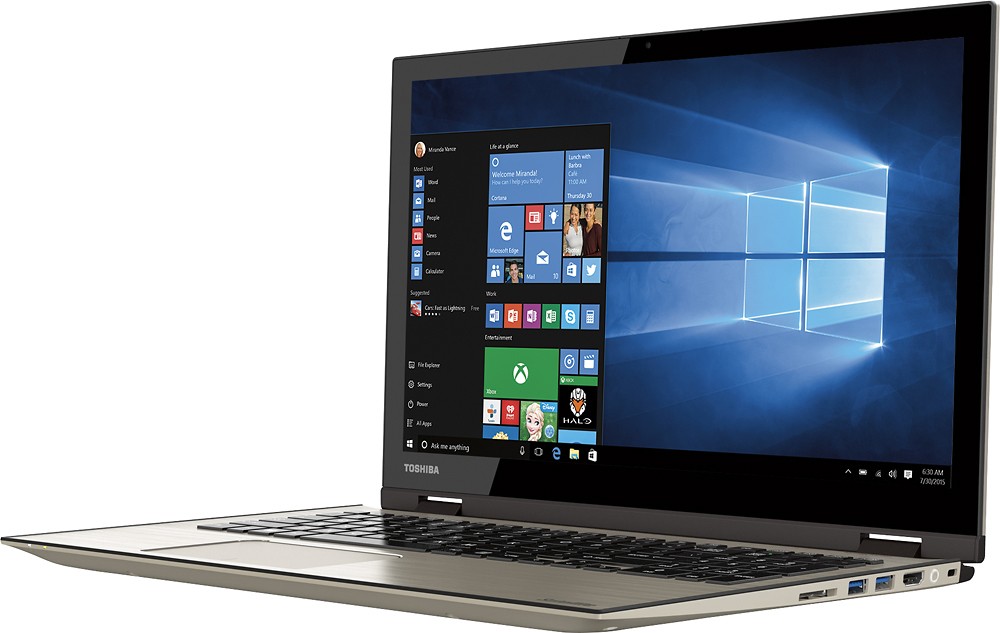
I think you'll find that most consumer laptops on the market today do not have Ethernet ports, but there are plentiful USB 3.0-to-Gigabit Ethernet adapters available. These are not kluged solutions but rather provide performance on-par with built-in Ethernet adapters. Adding one of these adapters to your son's Satellite Radius would allow him to enjoy the unique feature set of this model while giving him the Ethernet option while in his dorm
See USB 3.0-to-Gigabit Ethernet adapters available from Best Buy here: http://www.bestbuy.com/site/searchpage.jsp?st=usb+3.0+ethernet&_dyncharset=UTF-8&id=pcat17071
Toshiba does make models with Ethernet ports for business use but I suspect your son would prefer to stick with the flexibility of the Radius model and would get ample networking performance from a USB 3.0 adapter.
Thanks again for the feedback and for choosing Toshiba.
Great for A big laptop/tablet at work and home
Posted .This reviewer received promo considerations or sweepstakes entry for writing a review.Great looking metal Keyboard: Solid Above average touchpad Great Fine Detailed Display with high precision of touch screen Very good Battery life Graphics are more than expected for integrated graphics First time to use windows 10 >>> Better than 8.1 Microsoft edge is great, till now I didn't download chrome it is great also as tablet , transition bet laptop/tablet modes is very smooth and effective. That is what you get from Toshiba
I would recommend this to a friend2.4ghz not 3.0 ghz
Posted .This reviewer received promo considerations or sweepstakes entry for writing a review.the specs listed for this laptop put it at a 3.0ghz processor speed. I believe this to be a mistake as the one on my lap right now is 2.4ghz. i feel like i should 20% of my money back if i am only getting 80% of the processor speed i paid for.
No, I would not recommend this to a friendBUYER BEWARE
Posted .This reviewer received promo considerations or sweepstakes entry for writing a review.BUYER BEWARE – Quirky Power Management and Ineffective Support This is an additional and revised (downward) review of my P55W and a WARNING to others who may fall victim to my experiences. Apart from some odd color casting of the screen, I was reasonably happy with this laptop for the first few weeks. The screen is sharp. The keyboard has a nice feel. The touch pad works well. It is reasonably fast and in general, performed as expected—FOR A WHILE. After a few weeks though, the power management system rendered it (at worst) virtually useless in some work environments and (at best) maddeningly inconvenient in all other instances! The problem is simple and despite my best efforts and considerable time invested with Toshiba Customer Support, impossible to correct. When I deliberately put the laptop in the Sleep Mode, or if the laptop enters the Sleep Mode as a result of a variety of user-established power schemes, it REFUSES to Wake from the Sleep Mode. The only way to regain use of the laptop is to depress and hold the power button, FORCING a Windows shutdown. The laptop must then be rebooted from scratch. This is both time consuming and potentially problematic, as shutting down a Windows machine in this manner is typically considered an act of last resort to be avoided. With my Toshiba P55W 5220, I have no choice but to shut it down in this potentially harmful (to the OS) manner several times a day! In addition, there have been instances when while supposedly asleep (and placed in a laptop attaché) it has powered up on its own and become very hot. Topping things off, according to the battery condition indicator, it seems to have begun consuming meaningful amounts battery charge while fully OFF. I can shut it down completely (fully OFF) with the battery charged at 100%, leave it for just a few hours and power it up to find the battery has lost 15 to 20% of what was a full charge. Several sessions with Toshiba Support have been unproductive and a colossal waste of time. After one support call, the problem did seem to have been resolved, only to reappear the next day. During Toshiba support sessions, the Toshiba agents take remote control of my laptop and seem to just poke around at settings options in much the same way that I might. Two of the several agents I have spoken with have been rude and one went so far as to deem the session over by hanging up. Some have been very difficult to understand. A request to speak to Support Supervisor was met with what I perceived as hostility and the supervisor I did reach was unable to resolve the issue. I was told by one agent that a “fix was being developed” and that I would be contacted. Months have gone by and I have heard nothing. I recently tried to enlist the help of the Best Buy Customer Service Department. Using their website’s Contact Us portal, I sent a message requesting an email address to where I could send a letter in PDF format. 72 hours passed without a response from Best Buy. I called Best Buy on 10/17/2015 and asked again for an email address. The agent put me on hold, came back and informed me that my only option was to go back to the portal that (A) I had had no response from and (B) provided no means of attaching my letter (a PDF file). I thanked the agent a confirmed to her that their Consumer Firewall was working well. I will, of course, escalate my efforts to resolve this, but my time has value and I imagine that yours does too, so buyer beware.
No, I would not recommend this to a friendBrand response from ToshibaStaff
Posted .Thank you for the review, Gus11787, and sorry to hear about both the wake from sleep issue with your Satellite P55W and the sub-par support experience.
I wonder if customer support suggested performing a Windows Reset. That's the best way to determine whether a problem you're experiencing is caused by a hardware failure or rather by a software or configuration issue. See the Toshiba Forums community knowledge base article and its embedded video at forums.toshiba.com/t5/System-Recovery-and-Recovery/How-do-I-reset-my-Windows-10-computer-to-factory-defaults/ta-p/657990 for detailed instructions on how to perform a Windows Reset or System Recovery.
If the problem persists after performing a Windows Reset, please call Toshiba support at 800-457-7777 for next steps, and let them know that a Windows Reset didn't solve the problem.
Thanks again for the feedback and sorry for the trouble.
Nice Screen and Sound
Posted .This reviewer received promo considerations or sweepstakes entry for writing a review.Overall this laptop is very nice. The picture quality is very good. The speakers front firing is also a big plus. Laptop has performed good so far. There are two concerns I have with this unit. The specs on the Best Buy and Toshiba web sites say the GPU is a Intel 6000. But Windows 10 is reporting the GPU as a 5500? The second issue I can not get the WIFI speeds I had with my old laptop. I FIOS 50/50 plan. My wifes and my old laptop are able to get 50/50. I can only get 20/20. I have updated drivers and checked all setting. I also rebooted router. I would be inclined to give this model a higher score but these two issue are preventing me to do so at this time.
I would recommend this to a friendBrand response from ToshibaStaff
Posted .Thank you for the review, OldTimeGamer, and I'm glad to hear that you found the overall performance to be quite good.
Windows is reporting the correct GPU number for this as it's paired with the Intel Core i7-5500U Processor. The relevant parties have been notified of the specification error and it will be corrected very soon throughout toshiba.com as well as at bestbuy.com.
For further assistance with Wi-Fi performance please contact Toshiba support at 800-457-7777.
Thanks for the feedback and for choosing Toshiba.
Too many problems to deal with; not worth
Posted .This reviewer received promo considerations or sweepstakes entry for writing a review.I got my laptop in the summer of 2015. 8 months have passed, and I have SO many issues. First of all, the touchscreen and the 360 folding feature is very useless. I never needed to use it. Then my laptop had this problem of not charging and not turning back on. I called the Toshiba Support people, and they told me to use the reset button and try it again. After a couple of tries, I finally got my laptop to turn on. However, I had to use the reset button every time if I ever wanted to turn my laptop on. Eventually, I sent my laptop to the depot . After two weeks, I got it back and it was working fine. BUT when I got my laptop back from the depot, the keys "8", "i", "k", and "," (the comma key) stopped working. However, those keys worked fine when I use the touchscreen keyboard. So it must have been a hardware issue. I couldn't afford sending my laptop back to the depot because by then it was November, and I had so many projects and finals to study for in school. So I just bought myself a USB keyboard for the meanwhile. After December, even MORE of my keys on my keyboard stopped working (on my laptop). Some parts of my touchscreen just doesn't work (like a 1cm strip across my screen). And in addition to all of this, my laptop refuses to turn on AGAIN. Occasionally it will turn on if I wait half a day and try multiple times to turn it on. If I open my laptop up at an angle less than 45 degrees, I seem to get more successes. This is ridiculous. This laptop has so many problems. Now I'm looking for a new laptop to replace this one. The picture I uploaded is my set-up of how I have to use my laptop now. I lug around my USB keyboard around campus. But that's just my first world problem =__=;;
No, I would not recommend this to a friendBrand response from ToshibaStaff
Posted .Thank you for the review, Juliane, and sorry to hear about the trouble with your Satellite Radius P55W-C5204.
I recommend performing a Windows Reset to determine if the troubles disappear when the Windows installation is refreshed. If so, that would indicate that some sort of software installations or configuration changes are introducing problems. The Toshiba Forums community knowledge base article at forums.toshiba.com/t5/System-Recovery-and-Recovery/How-do-I-reset-my-Windows-10-computer-to-factory-defaults/ta-p/657990 has more details and step-by-step instructions for that process.
If this doesn't lead to a solution, please contact Toshiba support at 800-457-7777 for further help and, if needed, to make warranty repair arrangements.
Thanks for the feedback and sorry for the trouble.