Customer Ratings & Reviews


- Model:
- P55W-C5204
- SKU:
- 4203302
to a friend
Customers are saying
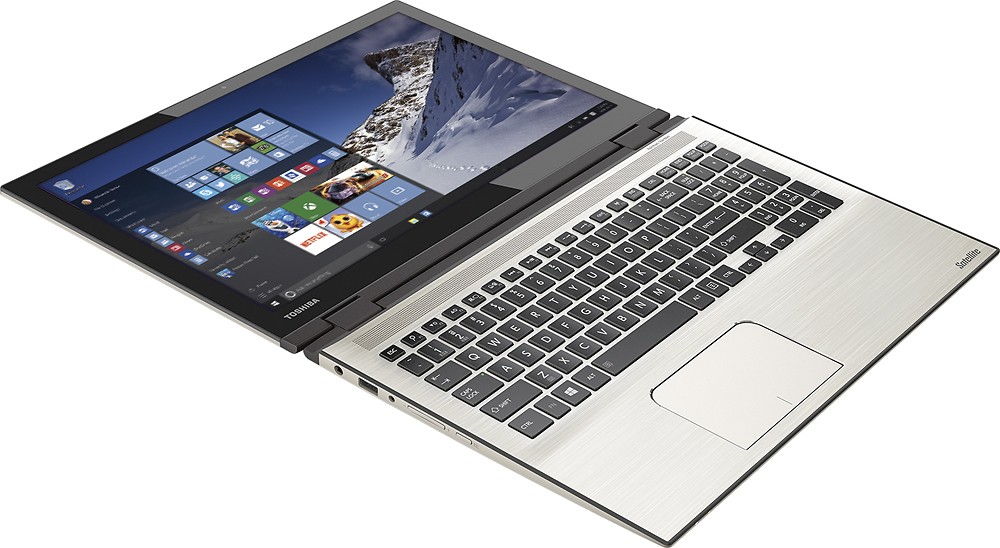
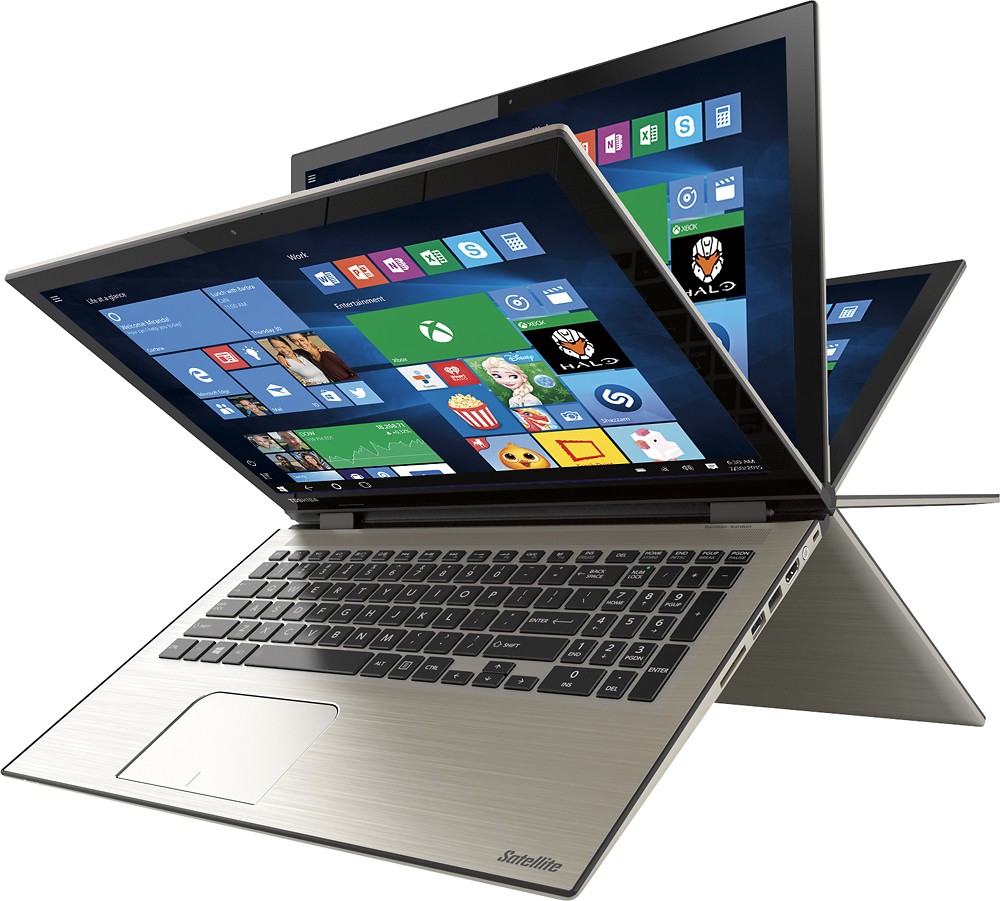
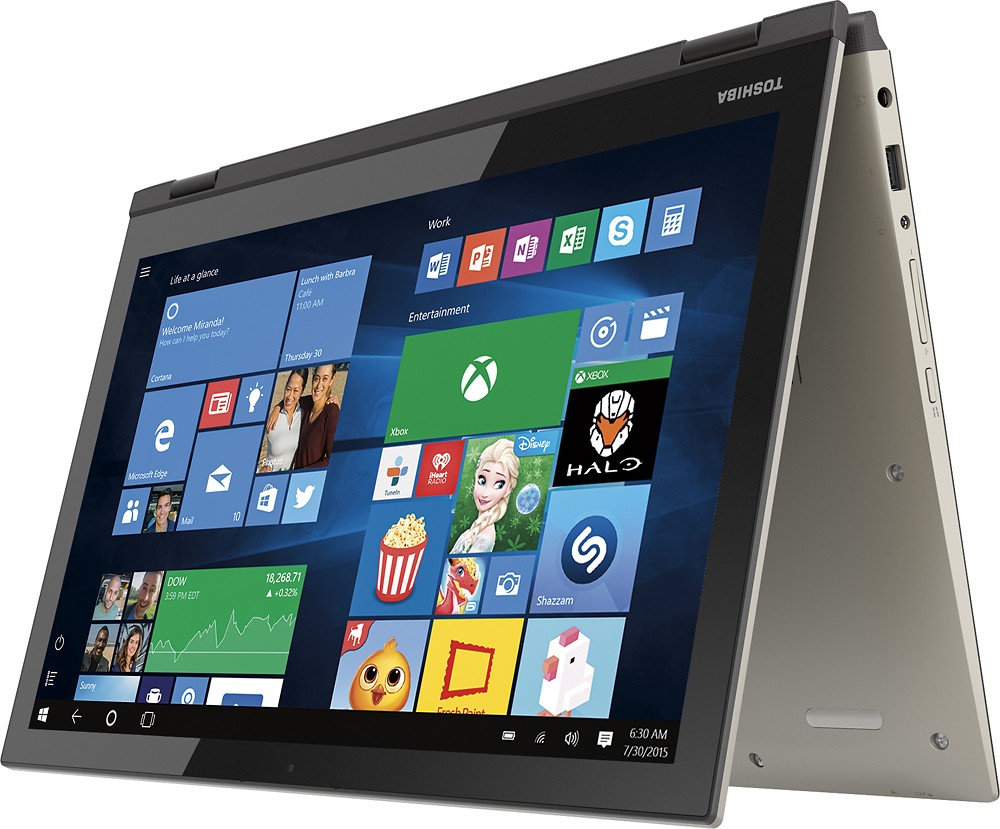
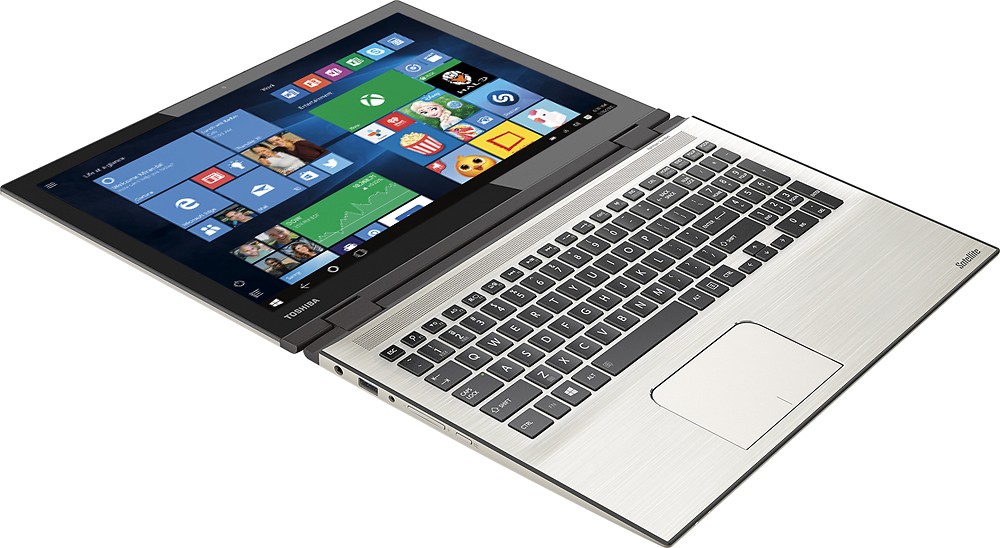
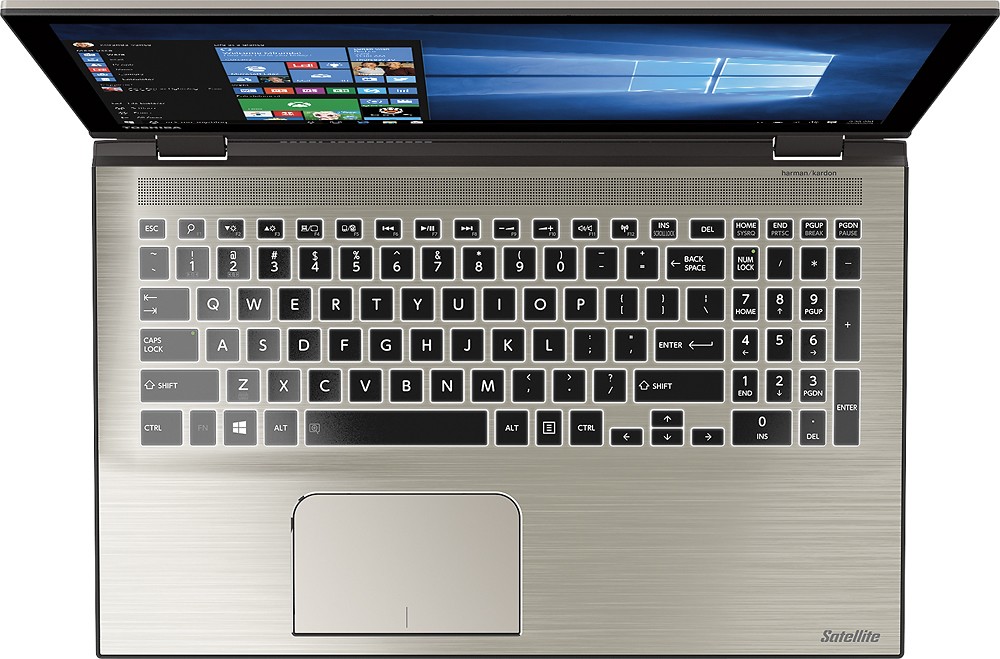
Customers find value in the Satellite Radius 2-in-1 laptop's touch screen, speed, Windows 10 operating system, and affordable price. They appreciate the laptop's memory and storage capacity, as well as its lightweight design and Toshiba's reputation for reliability. However, some customers have experienced issues with reliability, Wi-Fi connectivity, battery life, and defective units.
This summary was generated by AI based on customer reviews.
- Pros mentioned:Fast
Great Laptop for a family
Posted .This reviewer received promo considerations or sweepstakes entry for writing a review.I love it Fast, Beautiful, Cortana is the best I love it
I would recommend this to a friend - Cons mentioned:Wifi connectivity
Wifi : (
Posted .This reviewer received promo considerations or sweepstakes entry for writing a review.Bought the unit Saturday, set the computer up Sunday. It did connect to wifi but only to load Microsoft...... Took it to school would not connect to any wifi. Tried to connect to wifi at my house and nothing! So very disappointed in this product. I was really excited and just a big let down....
No, I would not recommend this to a friendBrand response from ToshibaStaff
Posted .Thank you for the review, computerlady, and sorry to hear that you've had trouble making some Wi-Fi connections with your Satellite P55W-C5204.
Please make sure first that the laptop was not accidentally put into "Airplane mode" by pressing the 'F12' Function key, which toggles that disconnected mode ON and OFF. (Note that if Airplane mode is ON then you will not be able to use Wi-Fi.) If you use software that utilizes the legacy function of the F12 key you can access that by holding down the 'Fn' key while pressing F12.
You can also check the Airplane Mode and available Wi-Fi connections by going into "Settings" and selecting 'Network & Internet'.
If checking Airplane mode and Network & Internet settings doesn't lead to a resolution to the problem, you may want to reinstall your Wi-Fi driver with the software available at support.toshiba.com/support/modelHome?freeText=1200010670 -- Click the "Drivers and Updates" tab, then select the "Windows 10" and "Wi-Fi" filters to see the relevant drivers and utilities.
If all else fails, try performing a Windows Reset to restore Windows to its default settings. See the Toshiba Forums community knowledge base article at forums.toshiba.com/t5/System-Recovery-and-Recovery/How-do-I-reset-my-Windows-10-computer-to-factory-defaults/ta-p/657990 for more details and step-by-step instructions for the Windows Reset process.
Thanks for the feedback and sorry for the trouble.
- Cons mentioned:Defective
Disappointed
Posted .This reviewer received promo considerations or sweepstakes entry for writing a review.After spending hours at Best Buy, this Toshiba seemed to be perfect; the specs and all were great. We brought it home and my husband started working on setting it up, as he was about to enter his e-mail for a Microsoft account, the screen went completely black. After it turned on again, it just kept having us complete the initial set-up over and over; we couldn't get pass the "Express Settings" page. We are so disappointed and irritated at trying to get this defective laptop to work. DO NOT be fooled by the specs!!! We're going back to Best Buy tomorrow to return it and purchase another brand.
No, I would not recommend this to a friendBrand response from ToshibaStaff
Posted .Thank you for the review, JAR2013, and sorry for the difficulty.
This symptom is related to Windows Update replacing the video driver during the initial Windows 10 configuration process. This issue is not unique to Toshiba and can be completely avoided by not connecting to the Internet until after Windows 10 has completed its first-time setup process. Once that process is complete and you're looking at the Windows 10 desktop you can go ahead and connect to the Internet, at which point (or shortly thereafter) Windows Update will run automatically.
Thanks again for the feedback and sorry for the trouble.
Won't boot up!
Posted .This reviewer received promo considerations or sweepstakes entry for writing a review.Purchased from Best Buy last night upon recommendations from sales people. Took it home, turned it on. It asked me to register, accept license, etc, then went to load Windows, and just stopped working. The screen was black, but the mouse cursor was there and working. Returned it this morning. A woman in line with me at Best Buy told me she was in the process of returning her second one of these that did the exact same thing! Said she had talked to manufacturer and apparently this computer has an issue with loading Windows 10. Good to know before I attempted an exchange! I'll be shopping around for a different brand.
No, I would not recommend this to a friendBrand response from ToshibaStaff
Posted .Thank you for the review, Abby, and sorry to hear that you had ran into a black screen issue with your Satellite P55W-C5204.
This symptom is related to Windows Update replacing the video driver during the initial Windows 10 configuration process. This issue is not unique to Toshiba and can be completely avoided by not connecting to the Internet until after Windows 10 has completed its first-time setup process. Once that process is complete and you're looking at the Windows 10 desktop you can go ahead and connect to the Internet, at which point (or shortly thereafter) Windows Update will run automatically.
Thanks for the feedback and sorry for the trouble.
Returning
Posted .This reviewer received promo considerations or sweepstakes entry for writing a review.Laptop is well built but has to many issues. Flip screen gets stuck so i have to manually activate the mouse. 1 out of 3 start ups get the dreaded watch dog error blue screen. the dedicated video is pathetic 128mb. no reason why it could not be at least 256mb. Toshiba has not yet created a driver for wireless screening for windows 10 which is important to me. over all the $800 computer is nothing more then a show. Great for every day use but nothing more. no where near worth the price tag
No, I would not recommend this to a friendIt will crash and very very soon
Posted .This reviewer received promo considerations or sweepstakes entry for writing a review.The worst possible laptop. I can’t believe how many issues I had with it in just 1-2 years. Prior to this laptop I had Sony Vaio, which was pretty basic, but it worked for 7 years and now serves my mom with minor overheating issues. THIS Toshiba laptop however has already replaced battery and HD; it crashes on average twice a day (blue screen is regular); it started overheating drastically; it freezes on average every 20 minutes. I have killed countless hours trying to detect the problem and fixing through logs and various tools - I cannot. I gave up. It’s not even the windows that’s being dumb, it’s this laptop - piece of junk. - Cortana - not working - Touch screen - had to be disabled, it started possesively clicking on its own - Star menu - not working - original battery - dead - original HD - dead, with close to max number errors - blue screen - at least once a day - overheats - feeezes - at least every 20 minutes - 100% CPU - at least every 20 minutes (when I don’t have ANY program running! Imagine that) - logs - errors - sleep mode - changes on its own as it please - many many more ...
No, I would not recommend this to a friendGreater 2in1
Posted .This reviewer received promo considerations or sweepstakes entry for writing a review.I bought it in last Sunday.This PC is great. Good price,easy to play,screen very clearly......everything is perfect!
I would recommend this to a friendReturned in two hours
Posted .This reviewer received promo considerations or sweepstakes entry for writing a review.Like many others this computer could not get past the set up. Enter which time zone, etc, then the initial set up and it was either a black screen or a continuous loop. I keep seeing, now, that you should not connect to the internet when prompted. Well, maybe the people selling 1K laptops might need to mention that. What a terrible system setup. I could not get back to the store fast enough. As it was best buy did not have any others in stock. They didn't have another laptop that was comparable in stock as well.
No, I would not recommend this to a friendBrand response from ToshibaStaff
Posted .Thank you for the review, PaulB, and sorry to hear that you had trouble completing the Windows 10 initial configuration on your Satellite P55W-C5204.
Sorry also to hear that your store didn't have another of these popular models on hand in order to replace it for you. Maybe they can notify you when one is available.
Thanks again for the feedback and sorry for the trouble.
Frustrated
Posted .This reviewer received promo considerations or sweepstakes entry for writing a review.I purchased this laptop earlier today. Attempted to get it up and running but the screen gave me an error message, said it was fixing the problem and then went into a loop of asking the same question screen of what time zone, language and then it would turn off, reboot and repeat. This happened 15 times or so. I returned it and got a replacement, same laptop. Got it home and this time I was able to get as far as signing into my Microsoft account...then poof...blank screen with a cursor only. Won't do anything else. I am soooo frustrated. I currently have an older toshiba laptop, five years old. Never had any problems with it. I can't even get on this laptop. So again I will travel 60 miles round trip to return this laptop when the store opens tomorrow. I think I would like it if I could get past the activation of it. I'm not happy and currently the store is closed.
No, I would not recommend this to a friendBrand response from ToshibaStaff
Posted .Thank you for the review, Shrny, and sorry to hear about the trouble.
This symptom is related to Windows Update replacing the video driver during the initial Windows 10 configuration process. This issue is not unique to Toshiba and can be completely avoided by not connecting to the Internet until after Windows 10 has completed its first-time setup process. Once that process is complete and you're looking at the Windows 10 desktop you can go ahead and connect to the Internet, at which point (or shortly thereafter) Windows Update will run automatically.
Thanks again for the feedback and for choosing Toshiba.
Waste of $1000+
Posted .This reviewer received promo considerations or sweepstakes entry for writing a review.This purchase was easily one of the worst tech decisions I've made. All in all, this computer cost me over a grand, I've used it no more than 150 times, and it hardly works. In my first month of purchasing it, the charger cord broke off and was stuck in my computer. When it was returned from geek squad, the curser pad was clearly damaged- that's on Best Buy but I still wonder why. Then the touch feature, the reason I paid so much, stopped working. Now, my key board doesn't work, nor the touch screen, nor the curser. I will never buy another Toshiba. Every time I go to use it, something new is wrong with it. Seriously, save your money.
No, I would not recommend this to a friendBrand response from ToshibaStaff
Posted .Thank you for the review, DisappointedStudent, and sorry to hear that you're experiencing multiple issues after having the broken plug of your Satellite P55W repaired.
I wonder if you've contacted Geek Squad about these issues. If you prefer, you also have the option to contact Toshiba support at 800-457-7777 for help making repair arrangements, though I'm sure Geek Squad is fully capable and would be happy to do the repairs for you.
Thank you for the feedback and sorry for the trouble.
Quite slow
Posted .This reviewer received promo considerations or sweepstakes entry for writing a review.I read reviews before I bought my Toshiba radius. The great reviews convinced me to Purchase it. I like the look of the laptop but it's annoyingly slow, and freezes to a black screen sometimes and I have to restart it, and it's loud there's the fan under it or what I don't know that makes a lot of noise and it's hard to concentrate, but I ended up keeping it because I didn't have time to go looking for a replacement before the expiration date of the receipt, and didn't have a backup if I returned this one. I gave it three stars because it's ok..but not good enough.
No, I would not recommend this to a friendIssues. :/
Posted .This reviewer received promo considerations or sweepstakes entry for writing a review.I would start out by saying that this is a beautiful and extremely smooth laptop, high performance, specs, touch screen. It has a plethora of useful features. I purchased this laptop yesterday and have been plagued with problems since. Starting out, this laptop has made it out of set-up once, since then set-up has ran an innumerable amount of times. Hi, We're setting things up for you, and Be back in a few; have been the words etched into my dreams. This has left me with an extremely bitter and distasteful first view of my purchase. I follow the on screen directions only to have it reboot. Again and again. Thoroughly disheartening and sickening, upsetting is another word I would strongly use.
No, I would not recommend this to a friendShould have read the reviews
Posted .This reviewer received promo considerations or sweepstakes entry for writing a review.Started it up as many of the others and the same problem! It came on and ran for about 15 mins then in the midst of setup got the black screen. Tried turning it off but no luck. Taking it back today to get another brand. I bought 2, this Toshiba and a Lenovo, which started up fine. May go back and get that brand!
No, I would not recommend this to a friendBrand response from ToshibaStaff
Posted .Thank you for the review, Notimpressed, and sorry to hear about the black screen problem.
I wonder if you're seeing a mouse cursor when the black screen problem occurs during the initial setup. If so, that indicates that Windows was performing a background update of the video driver during the initialization process. If so, a reboot should resolve the problem and will not present a problem for the initial Windows setup process, which will simply continue after rebooting.
Thanks again for the feedback and for choosing Toshiba.
Returned
Posted .This reviewer received promo considerations or sweepstakes entry for writing a review.On August 4, 2015 I bought Toshiba P55W-C5204. The laptop worked for 15 minutes and when I tried to create Microsoft account the screen went completely black. I tried turning it on/off without any success. I returned it the same day to Best Buy feeling disappointed. My previous Toshiba laptop (OS Vista) has been working since 2008. Now I may have to consider a different brand.
No, I would not recommend this to a friendBrand response from ToshibaStaff
Posted .Thank you for the review, aztuc, and sorry to hear that the Windows 10 setup process had a problem on your Satellite Radius P55W-C5204.
I understand that you already returned the product to Best Buy and hope you'll replace it with the same model soon and post an update review letting us know how you like a normally working unit.
Thanks again for the feedback and for choosing Toshiba.
Horrible
Posted .This reviewer received promo considerations or sweepstakes entry for writing a review.Horrible , cheap quality. Freezes all time. No viruses or malware. Cortana sucks. Keyboard sucks. Some keys will just stop working. Screen cracks easily. Replaced and cracked already. avoid . I teach tech. Not user friendly. Slow as molasses. No malware or viruses. Or overloaded either. Just bad
No, I would not recommend this to a friendWiFi doesn't work
Posted .This reviewer received promo considerations or sweepstakes entry for writing a review.I got this computer Dec. 16. Right after I did the set up, I was able to get online. I went to use it the next day and couldn't get online because no valid IP configuration. I don't understand why since 3 other computers can connect with no problems. For the money I paid for this computer I should be able to get online.
No, I would not recommend this to a friendBrand response from ToshibaStaff
Posted .Thank you for the review, itscheryl, and sorry to hear about the connectivity problem on your Satellite P55W-C5204.
Please see the Toshiba Forums community knowledge base article at forums.toshiba.com/t5/Networking-Wi-Fi-Knowledge-Base/What-can-I-do-if-my-Wi-Fi-wireless-isn-t-working-in-Windows-10/ta-p/663603
for Windows 10 Wi-Fi tips and troubleshooting help.
Should you need further assistance, please contact Toshiba Support at 800-457-7777.
Thanks for the feedback and sorry for the trouble.
Glitched Laptop
Posted .This reviewer received promo considerations or sweepstakes entry for writing a review.The laptop has nicefeatures, but has to many glitches: 1. Spacebar and certain keys+number keys don't work properly at times. 2. Wifi sumtimes bugs out and you have to restart to get it back and running. Overall I wouldn't buy it again.
No, I would not recommend this to a friendBrand response from ToshibaStaff
Posted .Thank you for the review, Daniel, and sorry to hear that you've experienced keyboard and Wi-Fi issues with your P55W-C5204.
When the Wi-Fi issue occurs, if Windows displays a "limited" or "no connectivity" message or indicates "no Internet access" even though you know that your Wi-Fi router is connected to the Internet, there's a fix for that which is normally installed automatically by Windows Update.
Microsoft's support article at support.microsoft.com/en-us/kb/3114149 explains details about the symptom, cause, and how to implement the solution. Toshiba also has a Support Bulletin at www.support.toshiba.com/sscontent?contentId=4008443 with detailed instructions on how to manually implement the solution.
If the keyboard problem persists please contact Toshiba support at 800-457-7777 for troubleshooting help and, if needed, to make warranty repair arrangements.
Thanks again for the feedback and sorry for the trouble.
Stay away it looks nice but its useless
Posted .This reviewer received promo considerations or sweepstakes entry for writing a review.I had it with this laptop (Satellite P55W-C5204). Too many problems. First the wifi, then the mouse would not work and finally it freezes. I have all the updates and try everything. My first and last Toshiba...worse laptop ever.
No, I would not recommend this to a friendLove This
Posted .This reviewer received promo considerations or sweepstakes entry for writing a review.I don't use this for anything beyond Microsoft Office, pictures, streaming movies, and internet but I have loved to so far.
I would recommend this to a friend