Customer Ratings & Reviews

- Model:
- Archer BE11000 Pro
- SKU:
- 6578375
Rating by feature
- Setup
Rating 4.6 out of 5 stars
- Range
Rating 4.5 out of 5 stars
- Signal Strength
Rating 4.5 out of 5 stars
Customers are saying
Customers frequently mention the Archer BE11000 Tri-Band Wi-Fi 7 Router's high speeds and excellent performance. Users also appreciate the easy setup process and the great coverage and range it provides throughout their homes. The router's design and strong signal strength are also well-received, however, some customers have reported experiencing inconsistent Wi-Fi connectivity.
This summary was generated by AI based on customer reviews.
- Pros mentioned:Coverage, Performance, Setup
⭐️⭐️⭐️⭐️⭐️ Excellent Wi-Fi 7 Router – Worth the Up
||Posted .This reviewer received promo considerations or sweepstakes entry for writing a review.I love this router. The TP-Link Archer BE11000 delivers incredibly fast speeds and very stable connections throughout my home. Setup was quick and easy, and performance has been flawless even with many devices connected at once. Streaming, gaming, and work-from-home are all smooth with no drops or buffering. Coverage is excellent, and the tri-band Wi-Fi 7 capability makes it feel very future-proof. Sleek design and strong performance make this a great buy.
I would recommend this to a friend - Pros mentioned:Speed

A router built for today and tomorrow
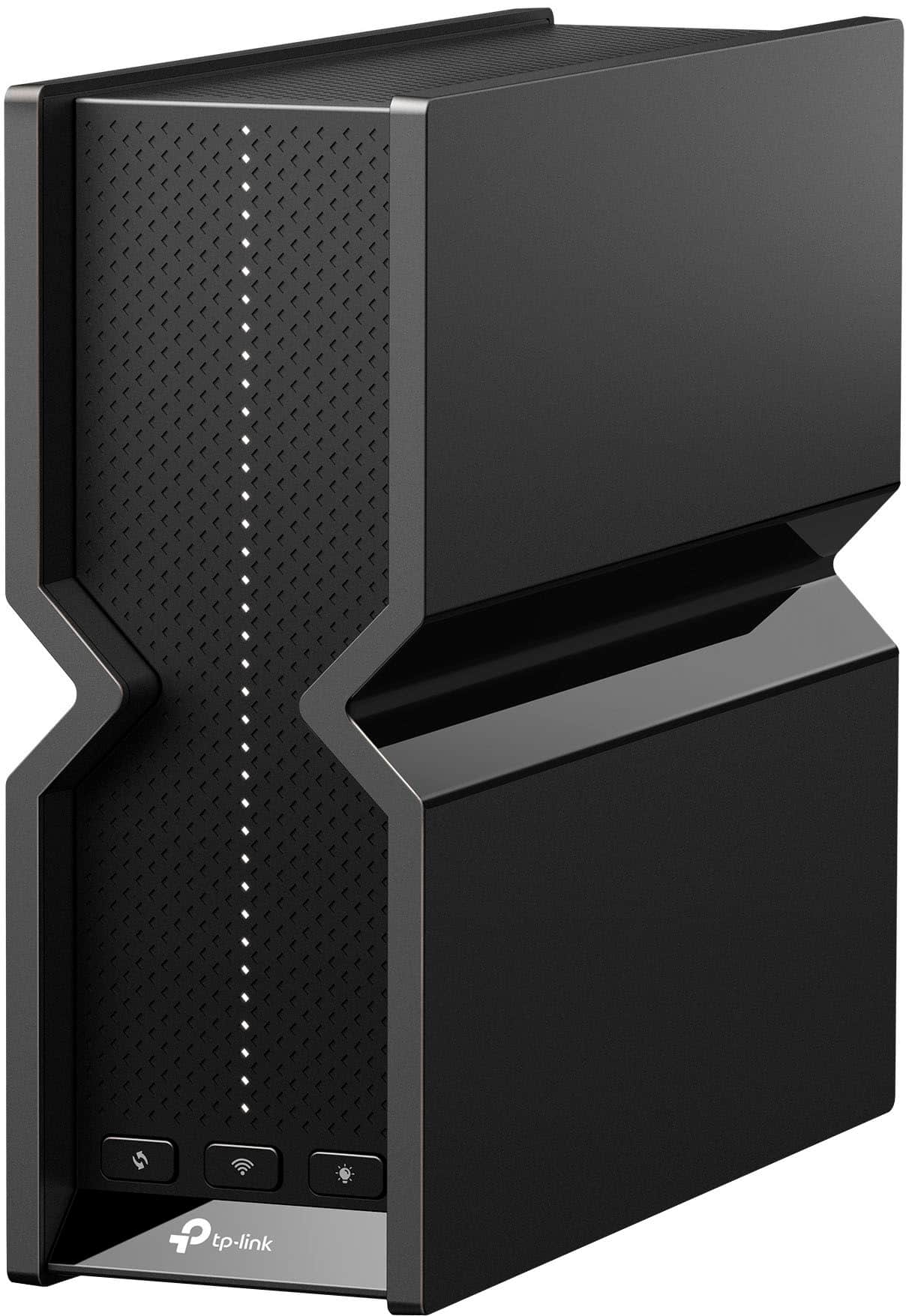
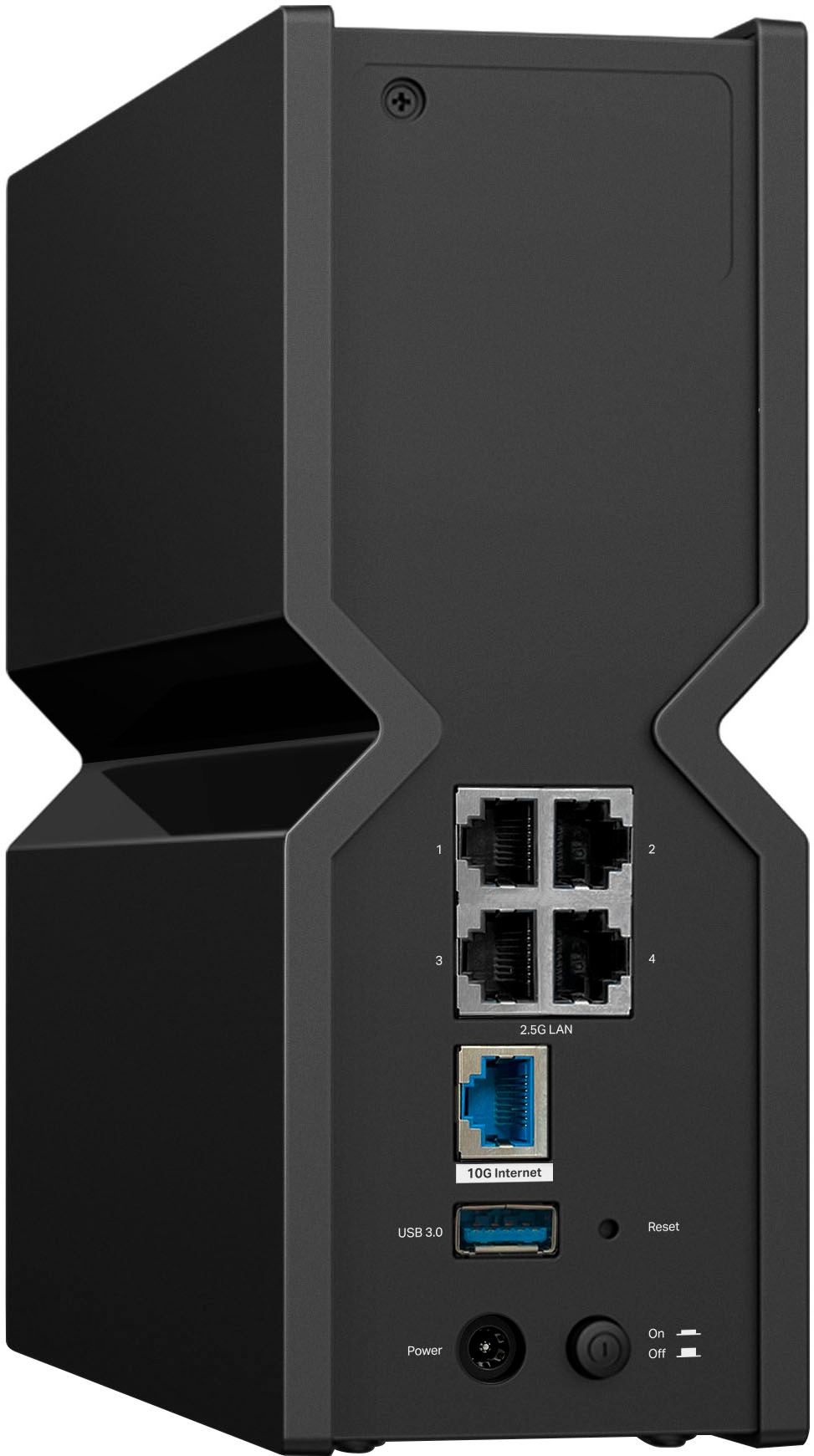
|Posted .This reviewer received promo considerations or sweepstakes entry for writing a review.The TP-Link Archer BE11000 Pro Wi-Fi 7 router is quite the router, it's built with great hardware and it has a plethora of software features available to the end-user. The Archer BE11000 Pro came wonderfully packaged and even included a reset tool which a lot of other competitors never include. After unpacking the Archer BE11000 Pro you are greeted with a large, well-designed router that almost resembles a gaming console but without the gawdy colors. One side effect of the larger design is that there is plenty of room for the heat to dissipate the router, after running the router for many hours is never was warm to the touch. This Wi-Fi 7 router has the ability to cast simultaneously over the 2.4/5/6 GHz bands to increase speeds and reliability. The included 10Gb network port is great for today and tomorrow's internet speeds as they become more prevalent and the 4 included 2.5Gb ports will allow your wired devices to connect at high speed and the lowest latency. Using the TP Tether mobile app was a breeze and it gave easy access to setup features like QoS (Quality of Service) and blocking devices for security as well as remote features for controlling the router when you are outside your network. I was a little skeptical about the internal antennas on the Archer BE11000 Pro compared to my old router but they were actually much better with range and speed compared to my old Wi-Fi 6 router. Being able to get the maximum speed of my broadband connection over Wi-Fi was amazing to me and having the ability to add more and more devices to my network without worrying about degradation is also comforting. All in all the TP-Link Archer BE11000 Pro is quite the contender on the high end of Wi-Fi routers and you can't go wrong in selecting it.
I would recommend this to a friend - Pros mentioned:Coverage
Wi-Fi 7 with Speed & Smarts
|Posted .This reviewer received promo considerations or sweepstakes entry for writing a review.TLDR: The TP-Link BE11000 offers all that Wi-Fi 7 promises to offer, supporting multi-gigabit wireless and wired connections and a robust suite of parental controls, security protocols and, customization options. KEY SPECS Wi-Fi 7 with backwards compatibility Up to 11Gb/s throughput One 2.5G WAN Port / Four 10G LAN ports TP-Link HomeShield Compatible (Full Features require a subscription) Easy-Mesh Wi-Fi Compatible INTITIAL CONFIGURATION The hardest thing of installing and configuring the new TP-Link router is accessing your ISP provided device and disabling all its half-baked hardware. I have never had an ISP provided router / gateway that could come close to what an aftermarket router has to offer. While setting up a new router can seem very intimidating, TP-Link's Tether app does its best to make it as hassle-free as possible. The end user needs to follow the directions specifically, as there is a first set-up step where the new router configures itself to work with your existing ISP provided hardware. Being somewhat efficient with networking, thinking I could skip all or part of the Tether process proved to be bitterly disappointing. Starting the initial configuration phase again, following the directions provided to the letter, eliminated most of my errors and frustrations. The Tether app configured the router without fuss and set many parameters automatically, doing its best to balance compatibility with security, making the process simple, efficient and mostly frustration-free. USE The Tether app is the go-to app to manage your entire home network easily from any Android or iOS device. The Tether app allows the user to configure a variety of functions within the BE11000. This, being a Pro model, includes many advanced features often left out in lesser models. Included are advanced Parental Controls to help keep kids safe online, the ability to configure a separate IOT network for those devices often vulnerable to IOT based attacks, and most importantly, the ability to run a VPN service, allowing specific devices to access the internet through a secure VPN channel, without the need for installing VPN software on each and every device. The BE11000 can function as an OpenVPN, WireGuard VPN, PPTP, or L2TP VPN Server. COVERAGE The BE11000 has 6 internal antennas and supports beamforming. Installed in a 4-bedroom house with about 3,300 square feet (about the area of a tennis court), the BE11000 had no problems providing Wi-Fi to all corners of the house. Granted at the farthest points of the house, Wi-Fi coverage did drop from the 5GHz band to the 2.4GHz band, which limited maximum speeds, but did not hinder connectivity. I'm hoping to improve the coverage by relocating the BE11000 in a more favorable location, but even in its unoptimized location, I have no complaints about coverage and throughput. A nice feature with the BE11000 is that it supports TP-Link's EasyMesh standard. The EasyMesh implementation is a great feature to have in that it can turn your standalone Wi-Fi device like the BE11000 into a full featured mesh network with the addition of a compatible EasyMesh router. This is a huge benefit for those with multi-story houses or those with large backyards where Wi-Fi signals struggle to reach. Having an EasyMesh enabled system allows the user to have only 1 Wi-Fi SSID and devices can easily roam and switch between devices seamlessly without user intervention. A mesh system is far better than a network that relies on repeaters and extenders to function properly. CONCLUSION The new BE11000 Pro is an awesome upgrade for existing home Wi-Fi networks. Currently, there are only a few Wi-Fi 7 enabled clients available, so most users can't and won't see the full benefits of a full Wi-Fi 7 infrastructure. However, rest assured those devices you have that support either Wi-Fi 6 or Wi-Fi 6E will see new speeds and throughput. There are so many details and features that I could expand on, but my review would be even longer and more boring than it already is. I know I have only touched the surface on what the BE11000 Pro offers and what it can do for a whole home network. A few years ago, I would have never considered using TP-Link devices in my home networks. I always used products from one of TP-Link's primary competitors. I am thoroughly impressed with TP-Link's products, and have had no hiccups, performance issues, network intrusions, or struggles with the app. To me, that speaks volumes. RECOMMENDED
I would recommend this to a friend - Pros mentioned:Setup, Speed
Nice stealthy look; bright LEDs & pro diagnostic
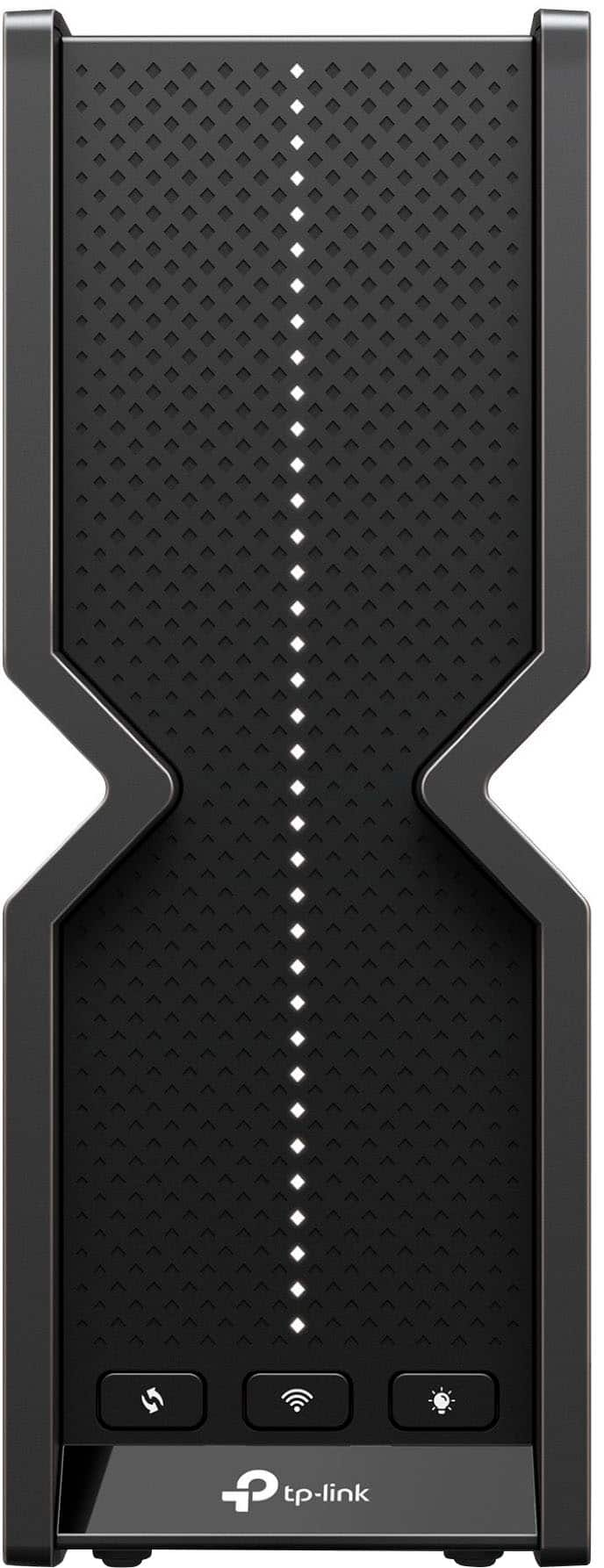
|Posted .This reviewer received promo considerations or sweepstakes entry for writing a review.The router doesn’t seem as big as I thought but a decent size. I’ve had several tp link routers in the past and they had external antennas; this design has them internally. Setup has always been easy with the tether app and you have your separate default configuration sticker inside the box as well as already on the router itself. It takes about no more than 10-15 minutes. I dont recall with my previous tp link router but with the app you’re able to see real time data traffic with a graphical representation of upload and download speeds, and total uptime. It’s new to me as with this pro series of a router. I have my devices wired and they operate at the speed promised; but depends on your ISP and what bandwidth plan you are on. This will be a great advantage when it comes to having speeds much faster than 2.5gbps. The LEDs by default, are bright. They may be a distraction to some but only bright when looked at straight head on. Luckily there’s settings in the app itself for night mode or to turn it off. Overall it’s a great router with a great look.
I would recommend this to a friend - Pros mentioned:Coverage, Performance, Setup
Blazing Fast and Rock Solid Connection
||Posted .This reviewer received promo considerations or sweepstakes entry for writing a review.The speed and coverage on this router are incredible. Streaming, gaming, and downloading all happen with zero lag or buffering, even with multiple devices connected. Setup was quick and painless, and the app makes it easy to manage settings. The modern design also looks great in my setup.
I would recommend this to a friend - Pros mentioned:Ease of use, Setup, SpeedCons mentioned:Connectivity
great device
||Posted . Owned for 1 year when reviewed.This reviewer received promo considerations or sweepstakes entry for writing a review.TP-Link Archer BE11000 Tri‑Band Wi‑Fi 7: very fast, strong range, and easy app-based setup, but some users note occasional connection instability and you only fully benefit if you own Wi‑Fi 7 devices.
I would recommend this to a friend - Pros mentioned:Ease of use, Setup
Excellent wifi router
||Posted .This reviewer received promo considerations or sweepstakes entry for writing a review.We have a large home and this router fixed some dead spots. Super easy to set up. Best router I have ever used!
I would recommend this to a friend - Pros mentioned:Ease of use, Setup
Amazing Speed and Range
||Posted . Owned for 1 month when reviewed.This reviewer received promo considerations or sweepstakes entry for writing a review.Router was so easy to setup and use. The rand and speed have been enough for my families 1Gb Internet. Future proofed for when my ISP increases the speed next year.
I would recommend this to a friend - Pros mentioned:Performance
EasyMesh is anything but...
|Posted .This reviewer received promo considerations or sweepstakes entry for writing a review.Preface: This will be the easiest review I've ever written... The TP-Link - Archer BE11000 Tri-Band Wi-Fi 7 Router is great stand-alone product. I've been a huge fan of their products, even with their push to make customers utilize the mobile app to get things setup. As a "Main Router", the BE11000 is a well-priced, WiFi 7 unit that performs above it's weight class vs. the competition. There are plenty of 2.5 GHz ports and a 10G Wan port, making this router a great option for people opting for newer Fiber connections in a demanding home network environment. TP-Link, in general principal, provides a wealth of information & settings inside their setup pages. All great stuff. But here is where I go from elated to thoroughly disgusted: EasyMesh & Great Compatibility - as printed on the box and echoed on their product web pages. For anyone eager to build a mesh network environment using TP-Link products, my advice is to look elsewhere. I own a BE800 power-house WiFi 7 router that I was looking forward to utilizing as my 'front end' to an EasyMesh setup. Unfortunately, this is where this latest TP-Link product falls completely flat! The only way to get this router to behave as a Satellite in a mesh environment is by way of connecting it to a hosting Router via an Ethernet cable. In other words - with a wired back-haul. The setup wizard instructions within the Tether is fairly straightforward and nothing complicated. But no matter how many times I tried to 'pair' the BE11000 as a satellite to the BE800 in a wireless mode, it could never be detected and would fault out - with the front display ending up showing an exclamation point. If TP-Link's idea of an easy setup experience is what they've provided in documentation and via the app, then they have utterly failed. Why isn't the WPS buttons the facility to link their two products together in the easiest obvious way? Or in lieu of that, why the absence of a blue tooth pairing mode that would be facilitated by the mobile app - like some of the competitors use? The marketing of EasyMesh is a complete failure and I cannot recommend this product for anyone aspiring to expand to anything resembling a true "mesh" system using TP-Link components. Need a single WiFi 7 router, capable of providing your moderately sized home with strong signal and one that does not break the bank? Then this is a decent & solid choice. I personally like the smaller foot print and built-in controls. But not a big fan of the LED light strip, which thankfully, you can turn off... But avoid the TP-Link - Archer BE11000 Tri-Band Wi-Fi 7 Router for anything "EasyMesh" related. EasyMesh - as defined by TP-Link - is completely misleading, false, untested and limited at best. Most people don't want to run Ethernet back-haul cabling!
No, I would not recommend this to a friendBrand response from TPLinkSupport
Posted .Hello,
We are thrilled that you are a fan of our product, but we are saddened that the EasyMesh feature did not meet your needs. EasyMesh is a standardized protocol so the compatibility and features are much better than if using OneMesh, which only supported one router and had to stay in TP-Link branded products to work.
EasyMesh does have two different connection options, Wireless and Wired Backhaul. You sound like you want Wireless, which is supported on all EasyMesh devices. It sounds like a simple tweak of the settings will get you setup the way you desire. We do have a FAQ that might help you: https://www.tp-link.com/us/support/faq/3581/, but also suggest contacting our live support to get assistance as well.
- Pros mentioned:Ease of use, Performance, Setup
High performing router at a good price
||Posted .This reviewer received promo considerations or sweepstakes entry for writing a review.The router was very easy to set up and is rather high-performing, with adequate Wifi coverage.
I would recommend this to a friend - Pros mentioned:Speed
Great wifi expansion
||Posted . Owned for 3 weeks when reviewed.This reviewer received promo considerations or sweepstakes entry for writing a review.I needed to upgrade my current Wi-Fi to today's standards. So I purchased this router and replace my current provider modem plus router. It also replace the extra pods that I had in other parts of the house that were hard to reach . So I like it so far. It was a little hard at first to set up but then I saw that I needed to connect it to the 10g port. After that, everything was flawless. My network now has incredible speeds since I upgraded to the 2 gigahertz internet and added this router. The app is easy to understand. And it notifies me when there are new devices that connect to my internet. That is a great addition plus the advanced securities.
I would recommend this to a friend - Pros mentioned:Coverage, Performance
So happy
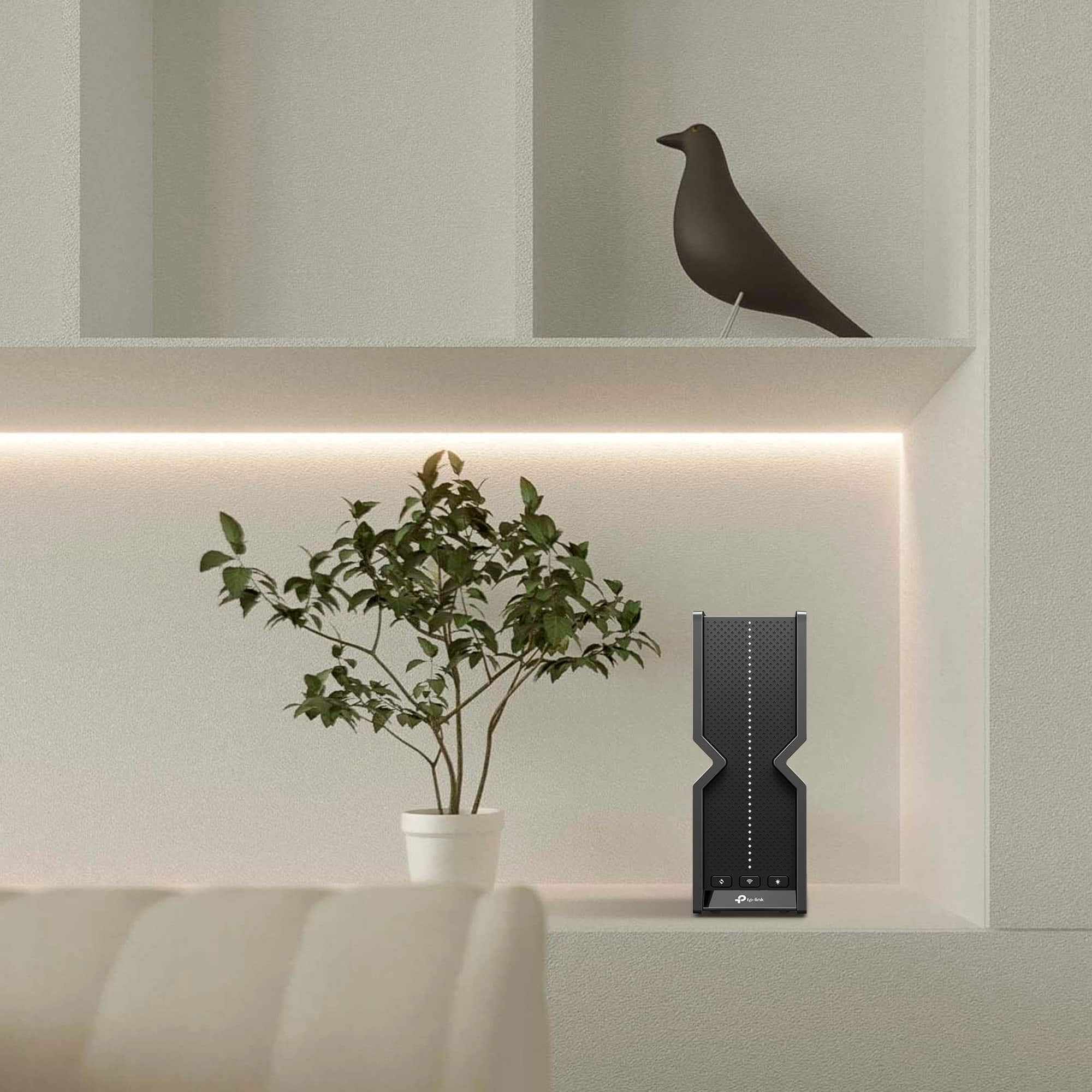
||Posted . Owned for 3 weeks when reviewed.This reviewer received promo considerations or sweepstakes entry for writing a review.It works better than my last router (Asus Wi-Fi 6). I love that it doesn’t have any antennas on hinges. The hinges weakened over time and the antennas would flop down every time someone walked past it. This router is compact and much more reliable. It was easy to set up and I have no dead spots in my house anymore.
I would recommend this to a friend - Pros mentioned:Coverage
Best Router I've Owned
||Posted .This reviewer received promo considerations or sweepstakes entry for writing a review.Fantastic router that has had great coverage since I installed it. No dropped signal around the house, strong connection even outside. The Tether app that goes with this is one of the best companion apps I've used, particularly coming from Asus. Extremely easy set-up process, the one App gripe I have is that finding the Passwords for each band is not intuitive.
I would recommend this to a friend - Pros mentioned:PerformanceCons mentioned:Connectivity
Super Fast, 99% Reliable
||Posted . Owned for 1 month when reviewed.This reviewer received promo considerations or sweepstakes entry for writing a review.It works fine most of the time, but occasionally it either disconnects from the internet or isnt allowing my devices to connect very well, which may be my specific devices. Pros: -It's fast and can utilize the 1 gbps speeds we pay for. -Future proof wifi-7 will allow us to use it for years to come -Tri-band wifi (2.5Ghz, 5Ghz, and 6Ghz) allows me to connect older devices and utilize the much faster 6Ghz on my faster devices. -App has many features that allow you to customize your wifi experience. Cons: -Connectivity is not 100%, so sometimes it is frustrating waiting for my devices to connect. -App doesn't provide very accurate speed tests, so I use another app.
I would recommend this to a friend - Pros mentioned:Speed
Great Multi-Gig Router
||Posted . Owned for 5 months when reviewed.This reviewer received promo considerations or sweepstakes entry for writing a review.If you have a multi-gigabit connection, then you'll need a router that can support the speed. The TP-Link Archer BE11000 Pro provides a 10 Gigabit WAN connection and four 2.5 gigabit LAN ports. This allows for 2.5 gigabit wired Internet speeds on supported devices and between 1.5 to 2 gigabits over wireless. It works great with my Ziply Fiber 2 Gig connection, but will also allow gigabit subscribers to get that extra 100 to 200 extra megabits from your cable or fiber provider. If you subscribe to multi-gigabit Internet, this router will do everything you need and has great range as well.
I would recommend this to a friend 
One of the best.
|Posted . Owned for 1 month when reviewed.This reviewer received promo considerations or sweepstakes entry for writing a review.I occupy 4 of the ethernet ports each one connected to a computer and hard gaming, at 2.2gig speed is what each one is averaging. Never once has the router giving me problems since purchasing it, super easy software configuration had it up and running with in minutes. Was doing research for multi gig xfinity plans, have this paired with Netgear CM3000 on the 2.5 plan under xfnity and on all the devices that can support 2+ gig speed I'm getting 2.2 download speeds and uploads. Couldn't be happier with the router.
I would recommend this to a friend- Pros mentioned:Ease of useCons mentioned:Connectivity
Excellent replacement for 4 YO Netgear router
||Posted . Owned for 1 week when reviewed.This reviewer received promo considerations or sweepstakes entry for writing a review.I purchased this router 2 weeks ago based on a positive review from Wirecutter of a similar model from TP- Link. Once I started receiving inconsistent WiFi connectivity and difficulty managing my Netgear WiFi6 router I decided to replace it with one employing WiFi7. This router has been great at providing internet connections to all my devices. It was super easy to setup and the management through the app is so much easier and more reliable than my Netgear unit. Overall I am very pleased with this device.
I would recommend this to a friend Gets the job done, but just missed the mark
|Posted .This reviewer received promo considerations or sweepstakes entry for writing a review.TP-Link has released a new line of Archer routers for high performance Wi-Fi 7 capabilities. I had high hopes for this one but I have to say that I just don't love it. It has potential and maybe some software updates can get it there, but it's not there yet. Packaging: Much of what you would expect, packed with a power cord, a thin Ethernet cable and some literature. The box itself is functional without being frilly. It gets the job done. Aesthetics: We're back to giant black book-shaped devices for routers it seems. It has a bright string of LEDs for status on the front that don't have any great definition as to what they mean. But they can be turned off in the settings. Setup: Setup is easy enough without being extra. That's an app and a web page for setup and it takes you through the basics of getting the router online. Simple settings like dynamic or static addressing and such are done at this point. Anything advanced needs to be done after setup. Usage: Here's where we start to fall down. After setup I went in and configured DHCP, NAT forwarding, changed some Wi-Fi settings, messed with VPN and connected it to my TP Link cloud account. The router does support VPN client and server and both are easy to configure, for good measure I tested them but didn't leave them connected. I was bugged for a code upgrade as soon as I set up the device but chose to put it off and let it auto upgrade overnight. This was a little bit of a mistake because when i got up in the morning the web interface was no longer accessible (though the Internet still worked). Even after a power cycle. I was worried I'd have to hard reset it but in a last ditch effort I downloaded the app and it found it through the cloud login. Strangely there's was another code upgrade waiting, so i kicked that off. Fortunately this fixed the web interface. The app is strange, if looks a lot like the TP Link deco app but it's missing some key features, and strangely there's no way to change LAN settings from the app, for that you need to be in the web interface, so it was critical to get the web interface working again. The mesh functionality is nice to have but again confusing. TP Link has two opposing mesh technologies. EasyMesh which is included in this one, and Deco mesh. They are not compatible with one another. So coming from a Deco device which can connect to all other Deco devices in mesh, I'd assumed I'd be able to use this with it, I was wrong. Overall: It's a nice device, once I got it all set up it's fine. But the app is less than functional except as an emergency rescue service since it's missing critical features and settings, the mesh is incompatible with other TP Link mesh, and the web interface is unstable. I can't really say it's worth getting this device over many others on the market at this time.
No, I would not recommend this to a friend- Pros mentioned:Ease of use, Setup
Great
||Posted . Owned for 2 weeks when reviewed.This reviewer received promo considerations or sweepstakes entry for writing a review.Great product! Easy setup and app works great. Bridged from Oprimum
I would recommend this to a friend Great Replacement for ISP-issued fiber router
||Posted . Owned for 1 month when reviewed.This reviewer received promo considerations or sweepstakes entry for writing a review.Since AT&T acquired Quantum the standard issue for an ONT and Router has been from their partner, Lumen. It performed poorly so I went looking for a replacement and TP-Link won out over NetGear products. In addition to reaching every corner of the house with Tri-Band coverage (2.4, 5 & 6 G) the admin software is very customizable and provides a lot of control over the router. If you have fiber and already have a separate ONT then this is a great choice!
I would recommend this to a friend