Customer Ratings & Reviews

- Model:
- Archer BE800
- SKU:
- 6537387
Rating by feature
- Setup
Rating 4.4 out of 5 stars
- Range
Rating 4.2 out of 5 stars
- Signal Strength
Rating 4.2 out of 5 stars
Customers are saying
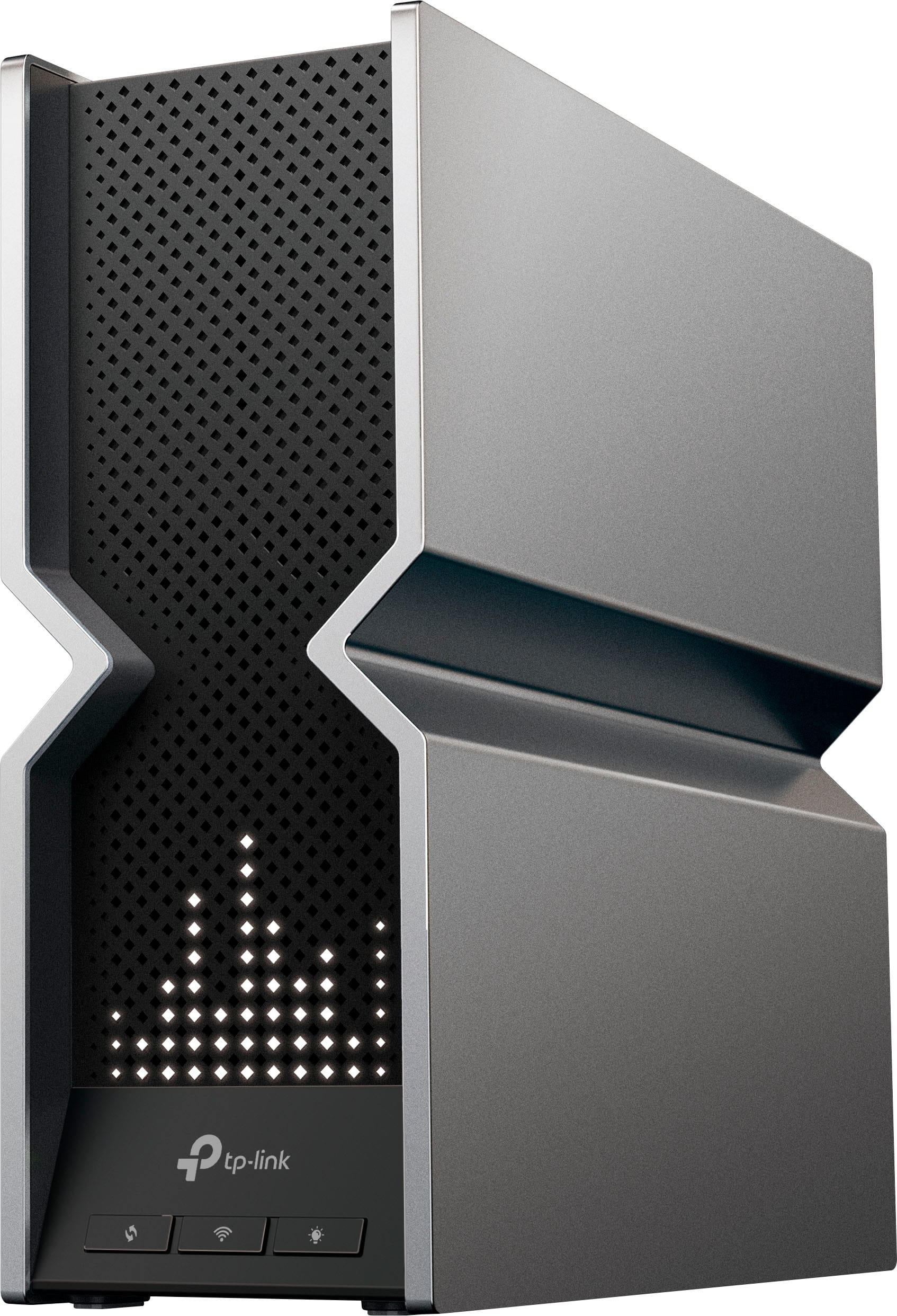
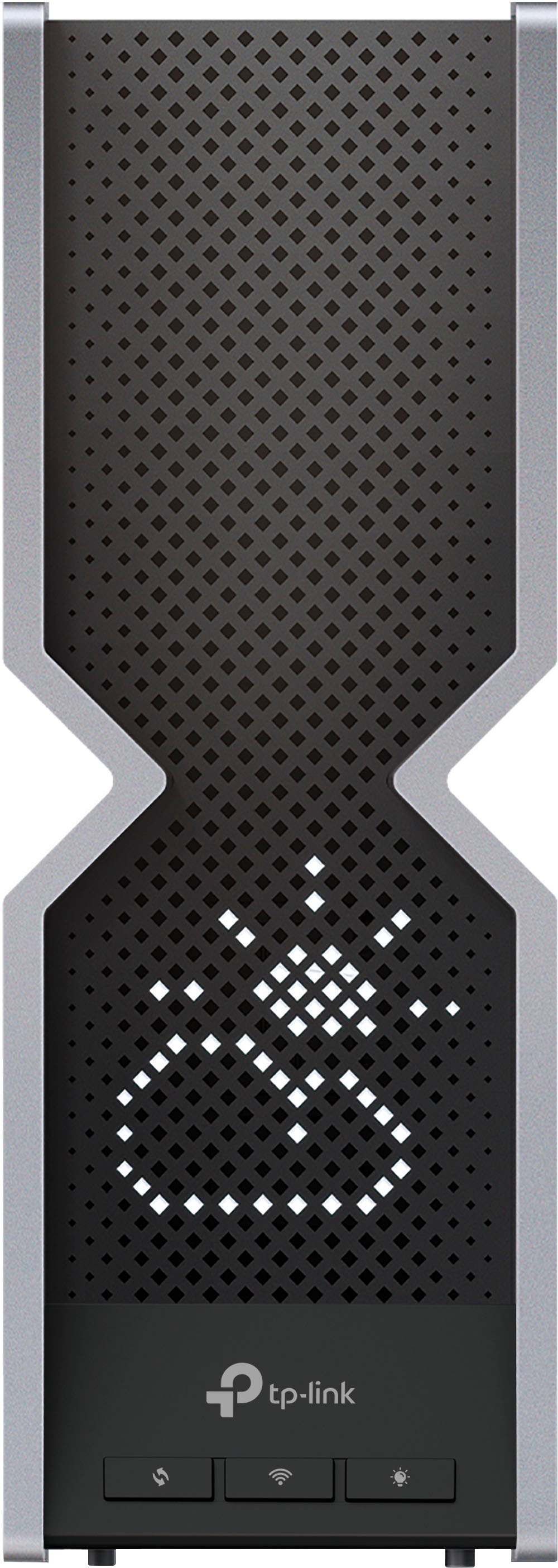
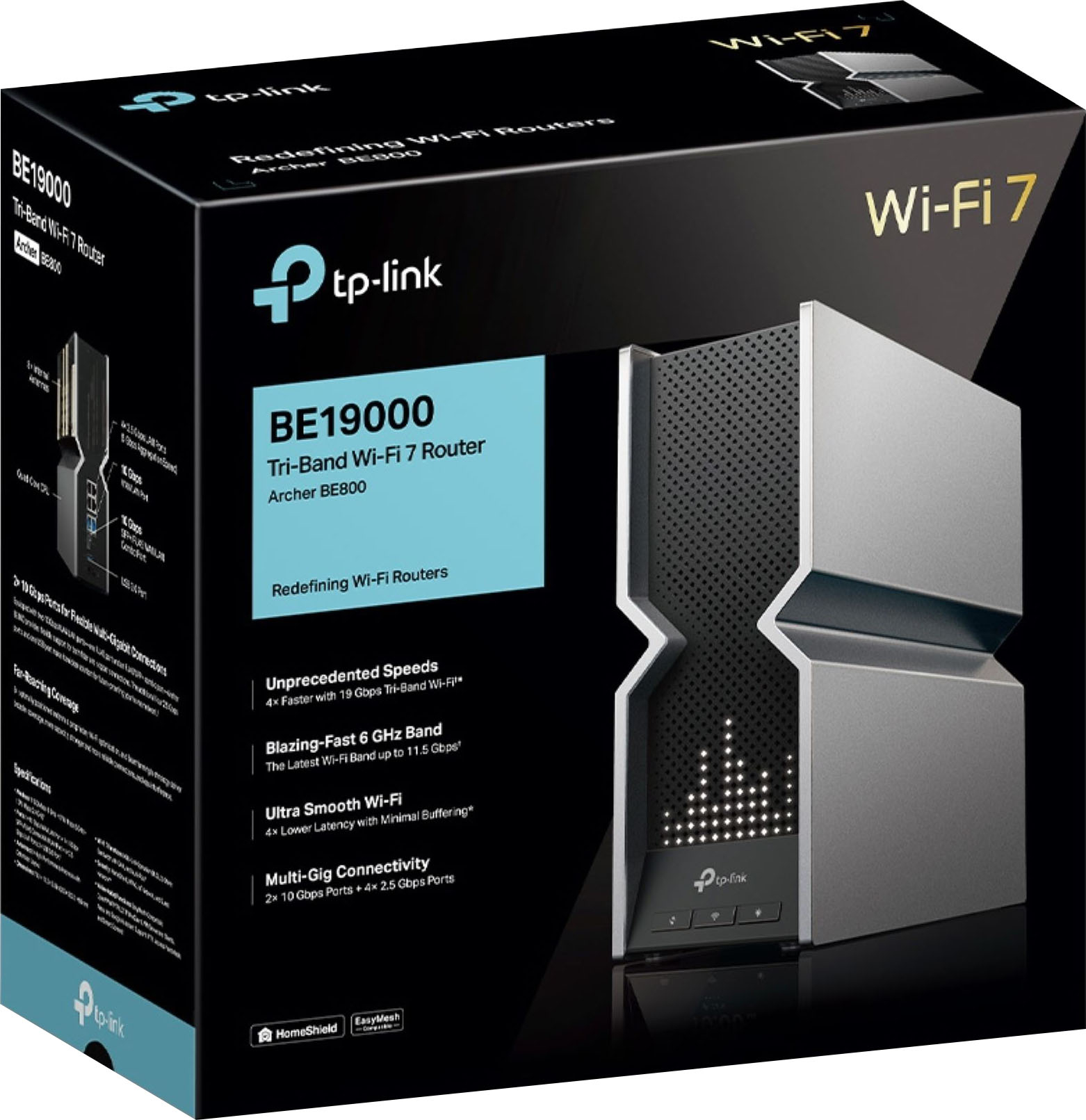
Customers have good things to say about the Archer BE19000 Tri-Band Wi-Fi 7 Router, particularly its speed, performance, and ease of setup. Users appreciate the wide range, sleek design, and multiple Ethernet ports. The cutting-edge WiFi 7 technology and strong signal strength are also well-received. Some customers find the router to be large, and others feel it is a bit expensive.
This summary was generated by AI based on customer reviews.
- Pros mentioned:Speed
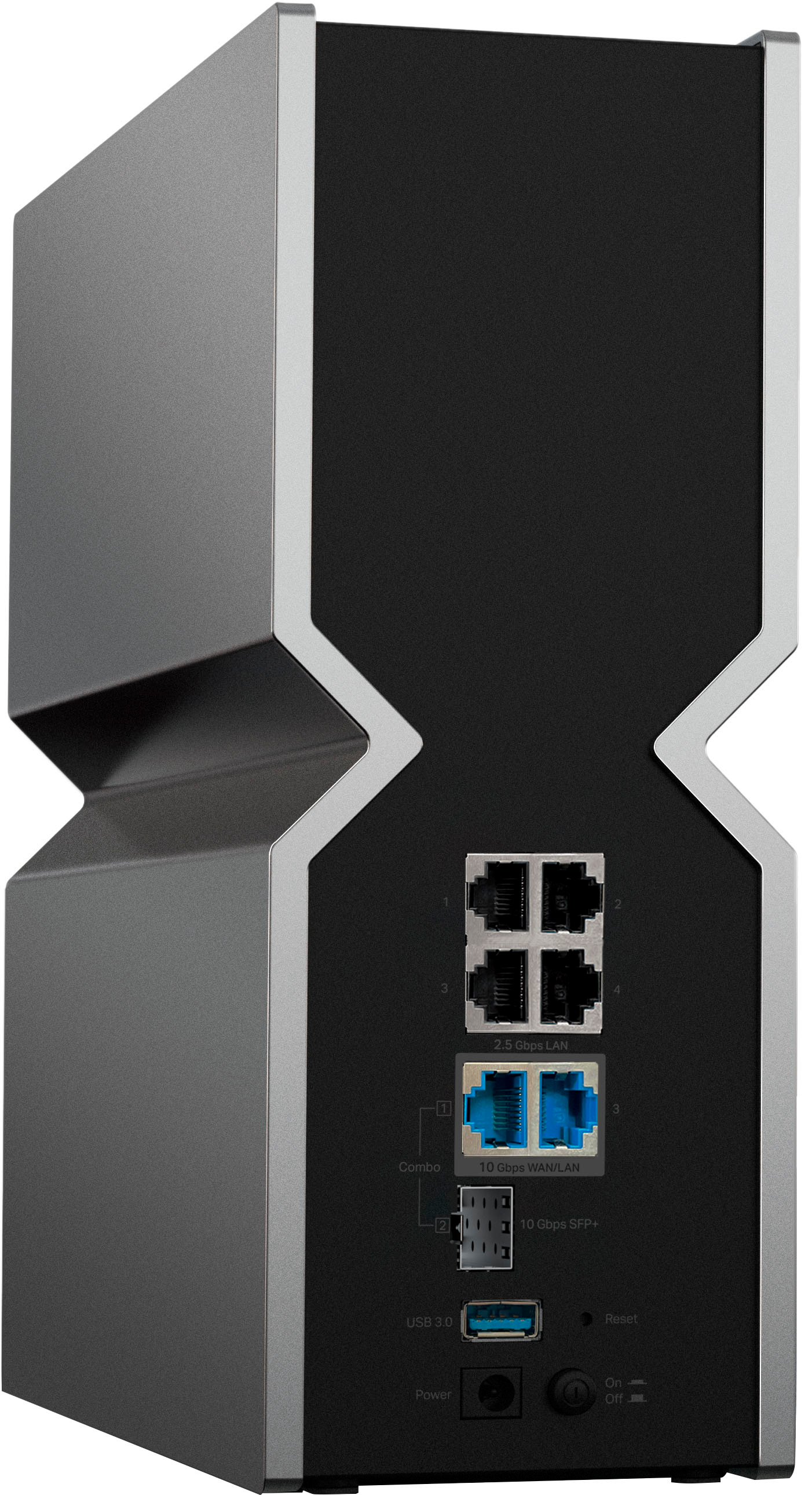
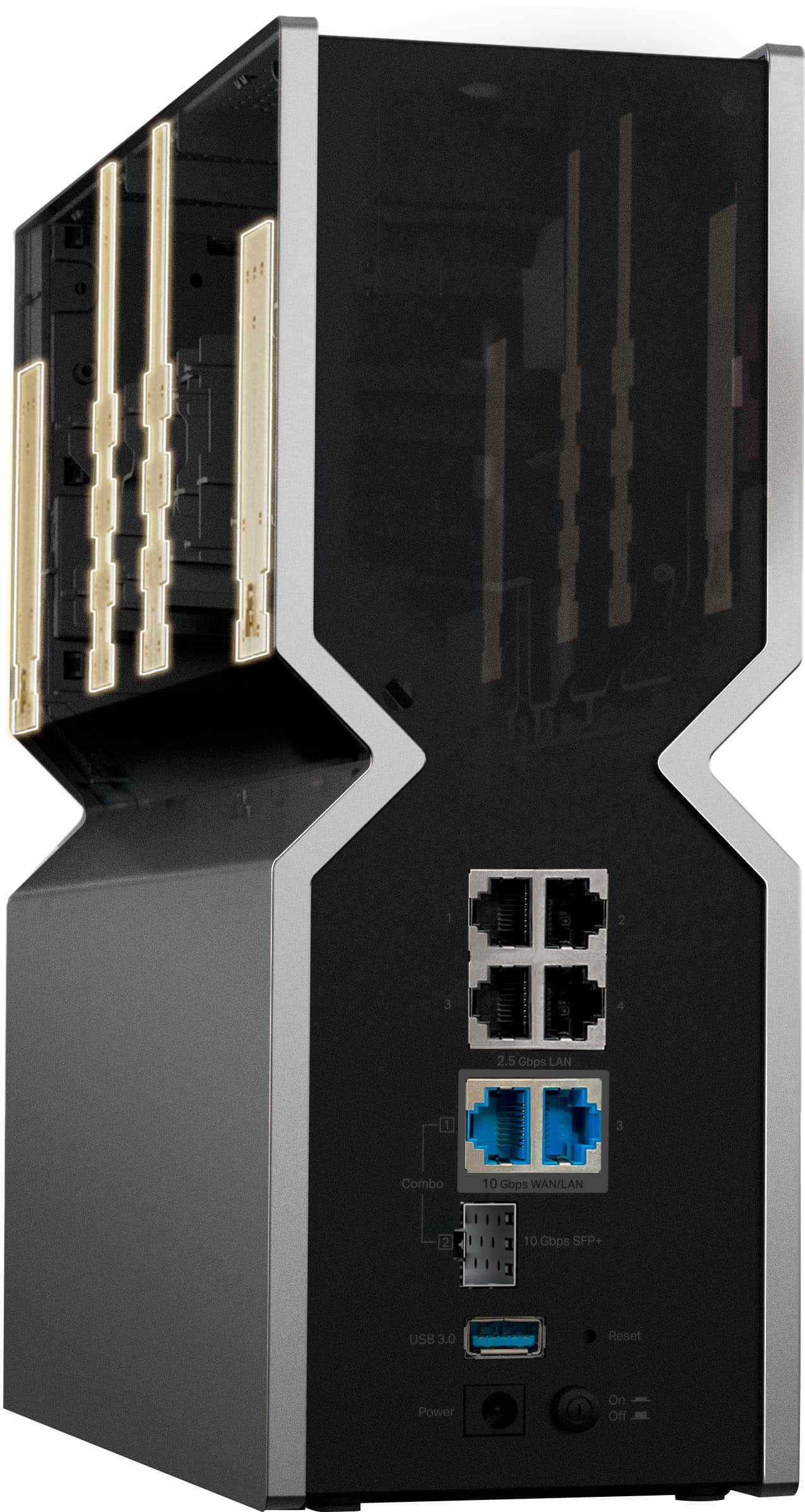
WiFi Router and 2.5 Gb switch all in one
||Posted . Owned for 3 weeks when reviewed.This reviewer received promo considerations or sweepstakes entry for writing a review.I've been extremely happy with this router. I think the best part to me is that with the BE19000 there is no need for a 2.5 Gb switch, as it includes four 2.5 Gb lan ports, not to mention two additional 10 Gb ports. I've been very impressed with the software and mobile app. It's nice to get a notification on my phone if something tries to access my network. The TP-Link software also makes it very easy to set up a separate IoT network (never connect IoT devices to your main network). My only complaint is the range of the 5ghz network. I knew that 6ghz would have limited range (that's just a given and a shortcoming of 6 ghz). The 5 ghz network does lose more speed over distance than my old router, but the speed benefit to WiFi 6 protocols vs. WiFi 5 still give an overall benefit. For devices that are not very far, the new router is MUCH faster, and with lower latency.
I would recommend this to a friend - Pros mentioned:Speed
Such a good router!
||Posted .This reviewer received promo considerations or sweepstakes entry for writing a review.I really like this router. I've had it for almost a year and haven't had any problems so far. 1GB wireless download and 980 upload. I was skeptical before buying this, as people had concerns about dropped bits, unreliable connections, and slow speeds, but so far none were true.
I would recommend this to a friend Great Unit
||Posted . Owned for 1 week when reviewed.This reviewer received promo considerations or sweepstakes entry for writing a review.I’m on Xfinity in Cape Coral, Fl. I had an Xfinity router/modem device and added 2 tp-link extenders. Everything worked fine then one day the extenders disappeared, and other signal issues. I swapped Xfinity device and it happened again. Swapped, and happened again, so bought surfboard modem and this router and couldn’t be happier. Seamless installation, and no hiccups. Rock Solid. If you do decide to use your own equipment, it’s important to ensure your Xfinity modem is returned to prevent conflicts.
I would recommend this to a friend- Pros mentioned:Speed
Expensive but worth the speeds.
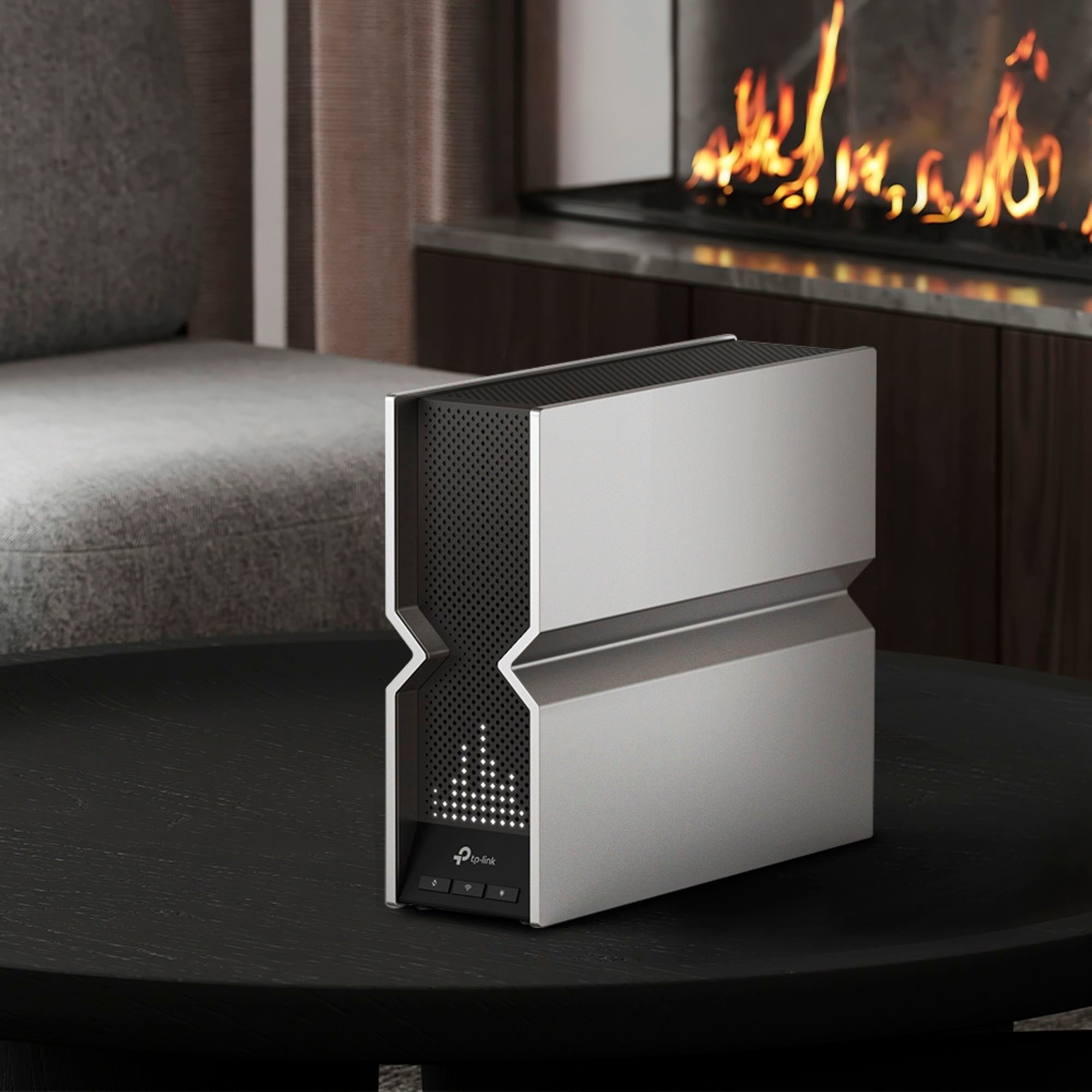
||Posted . Owned for 1 month when reviewed.This reviewer received promo considerations or sweepstakes entry for writing a review.Bought this to replace the Nest Wi-Fi Pros that I bought, and it has been fantastic ever since. Needed one firmware update, great wired throughput, has four 2.5Gbps ports, and THREE(!!!) 10Gbps ports, two ethernet and one SFP. The customizable led lights is just a bonus on top. Getting over 1.4Gbps down with my Comcast service.
I would recommend this to a friend - Pros mentioned:Range, Speed
Great speeds…when you’re near the router
||Posted . Owned for 2 months when reviewed.This reviewer received promo considerations or sweepstakes entry for writing a review.I upgraded my AXE300 to this router and overall I have found the AXE300 to be faster for all that I use it for. I have also found the range and speeds at further distances to be better on the AXE300. Maybe if to have a wifi7 device it makes sense, but if not, I recommend the AXE300 or a mesh Wi-Fi system.
I would recommend this to a friend - Pros mentioned:Speed
Not ready yet.
||Posted . Owned for 5 months when reviewed.This reviewer received promo considerations or sweepstakes entry for writing a review.So, when i first purchased this my speeds were insane, but within hours it would start rebooting on its own and within a day or 2 i would have to reinstall the backup config. I went through 3-4of these with the exact same problem and finally gave up.
No, I would not recommend this to a friend - Pros mentioned:Speed
Much faster than my old router
||Posted .This reviewer received promo considerations or sweepstakes entry for writing a review.I pay for 1gbps speeds and would only hit around 700/750 on average with speed tests. This was due to my old router not being fast enough to handle all the current connections and pull down the full 1gbps at the same time. I switched to this router and I'm exceeding my 1gbps connection by about 50mbps (so about 1050gbps speeds). Works great and is fast.
I would recommend this to a friend - Pros mentioned:Speed
Perfect Number of Ethernet Ports and Speeds
||Posted . Owned for 3 weeks when reviewed.This reviewer received promo considerations or sweepstakes entry for writing a review.Rather expensive, but has the exact the number of ethernet ports and speeds I wanted for my home system. WiFi is working well within my house and external garage, albeit with an access point at the far end. It is WiFi 7ish, awaiting the final standard,
I would recommend this to a friend - Pros mentioned:Speed
This router is Awesome!
||Posted .This reviewer received promo considerations or sweepstakes entry for writing a review.Just got the TP Link BE800 today and it is fast fast FAST. I set it up offline through Google chrome on my pc. The gui is very easy to navigate through and custom setup was a breeze. Wired 2.5gbps lan connection gives my full isp bandwidth of over 1400mbps and wireless range is at the top of the network list on my TV across my house. It's a keeper.
I would recommend this to a friend - Pros mentioned:Speed
worked well for a couple weeks then it didnt.
||Posted .This reviewer received promo considerations or sweepstakes entry for writing a review.So i got this router in mid december, worked great for about 2 weeks, great speed etc. After that, it started dropping internet at least 5 times a day. Called comcast and everything on thier end was fine, even had them replace connections and add a weatherproof box to the connections. Still didnt fix it. Took it back yesterday to best buy, returned it and got a new one. It has been a little less than 24 hours now and its working flawlessly. Maybe it was just a bad one. I will update in a month or so if it stops working
No, I would not recommend this to a friendBrand response from TPLinkSupport
Posted .Hi,
Thank you for your review. We regret to hear you encountered this unusual circumstance; however, we're glad that it has been resolved by replacing the unit with a new one.
For future reference, your TP-Link Wi-Fi 7 Router comes with a 2-year manufacturer's warranty. If you have any questions or concerns regarding your experience with the device, we would greatly appreciate the opportunity to help address them. Feel free to contact our support team using any of the resources included with the product, or from our official website, and we'll gladly have a Support Agent follow up with you directly.
Thank you,
TP-Link Support
- Pros mentioned:Performance
Outstanding product
||Posted . Owned for 1 month when reviewed.This reviewer received promo considerations or sweepstakes entry for writing a review.The Archer BE800 Hot Buys BE19000 Tri-Band Wi-Fi 7 Router is a formidable contender in the high-end router market, offering a blend of high-speed performance, extensive coverage, and advanced features. Its forward-thinking design, coupled with cutting-edge Wi-Fi 7 technology and robust security features, makes it an excellent investment for those looking to future-proof their home network. Whether for gaming, streaming, or just ensuring a seamless internet experience across a multitude of devices, the Archer BE800 is designed to meet the demands of the modern, connected home.
I would recommend this to a friend Great on Paper, TERRIBLE IN PRACTICE!
||Posted . Owned for 1 month when reviewed.This reviewer received promo considerations or sweepstakes entry for writing a review.I had a rock solid ASUS gigabit network for years that annoyingly came to be compromised due to a network intrusion. Moving forward, I felt I had to move away from the vendor as a whole and so at the same time, in an attempt to upgrade my home network to something approaching 10gbE for the critical data-moving devices and 2.5 gbE for the remaining media consumers (with 30 or so IoT devices thrown in for good measure), I decided to go with this router as it was the only device with 4 x 2.5gbE LAN (for my four wall jacks) plus 2x10gbE WAN/LAN ports (one being a sfp+ port). On paper, it was a dream come true for my needs. I proceeded to invest in all the requisite NIC cards, switches, DAC cables, and on and on (I even used the opportunity to shell out for a new QNAP NAS). I have symmetrical gigabit that does 950 mbps up/down without breaking a sweat. I rarely have bad network days. That all changed when I connected this flakey disappointment. The first thing that made me scratch my head was the separate IoT network feature whose default setting was to be both visible and controllable by the main network. You know, the opposite of the whole reason you’d setup a separate IoT network in the first place? There is an add-on feature called “device isolation” that you can enable on a per device basis, but in doing so you’ll add what should be a completely unnecessary, but unfortunately is absolutely necessary, layer of complexity to a home network that, last I checked, hasn’t gotten simpler on its own over the years. There were many other problems, annoyances, poorly implemented good ideas, underselling documentation/explanations, and on the whole the entire Wi-Fi system was maddeningly unreliable. Connecting 8 kasa smart plugs reliably and incorporating them into HomeKit took, I kid you not, 9 hours. Oh never mind, two of the plugs have disappeared as I type this. I’m done here. This router sucks and I’m very annoyed I had to travel for work so it’s now beyond the return period. Look elsewhere! The stars
No, I would not recommend this to a friendBrand response from TPLinkSupport
Posted .Hi,
Thank you for sharing your experience with our Archer BE800 Tri-Band Wi-Fi 7 Router. We appreciate your feedback regarding its features - including the IoT network - and we will gladly forward your experiences to our development team. In the meantime, we highly recommend ensuring the firmware of your Archer BE800 is fully up to date to ensure it has the latest features and optimizations.
If you would like assistance with any of these steps, please reach out to our free support team using any of the resources included with the product, or from our official website, and we'll gladly have a Support Agent follow up with you directly.
Thank you,
TP-Link Support
TP-Link wi-fi router future proof my home.
||Posted . Owned for 3 weeks when reviewed.This reviewer received promo considerations or sweepstakes entry for writing a review.I wanted to pair this TP-Link - Archer BE800 BE19000 Tri-Band Wi-Fi 7 Router with my 1Gb fiber internet service and to replace my 10-year old ASUS RT-AC87R router which I made it as an access point for my numerous existing SmartThing, Ring, Nest devices. Did my usual extensive research which included being able to future proof my wi-fi speeds beyond 6e, feature 10G and/or 2.5Gb ports to support my 1Gb+ fiber download/upload speeds as well as connecting to my Synology 10Gb NAS. This TP-Link router purchase from BestBuy was one of my best decisions. The router was available at my local store for same day purchase. The nice person at the store made the purchase very smooth and I was out the door in under 10 minutes. The installation process literally took less than 2 hours to complete including the firmware upgrade. I have the router for about 30 days and have not experienced any glitches. It is connected to a 1200W UPS to protect the device and continuous internet service from the occasional electrical surges or brownouts. The router has two 10Gb ports - one is connected to the 5Gb outbound port on my AT&T gateway while the second 10Gb goes to my 10Gb ethernet port on my NAS. One of the four 2.5Gb ports is connected to an 8-port 2.5Gb switch in my basement which in turn provides reliable down/upload speeds to key end devices in my home network. One of the other port of this 2.5Gb switch is linked to the other two 24-port 1Gb switches that serves to the rest of my house. No issues seen with the hardwired part of this router. Been testing with speedtest app which confirms this. The wifi 6 range for the router is able to reach past several walls in the house and stayed strong and stable. My mobile phones, iPad, tablets, Windows 11 and MacBook Pro are running on wifi 6 and speedtest results show over 300Mbps down/up speeds which is a lot quicker than my old (understandably so) ASUS wi-fi router. No regrets with this purchase and will update if anything changes.
I would recommend this to a friendReliable Router
||Posted . Owned for 1 month when reviewed.This reviewer received promo considerations or sweepstakes entry for writing a review.So far I have not had any issues with Wi-Fi disconnects.
I would recommend this to a friendWorked great till the firmware update
||Posted . Owned for 7 months when reviewed.This reviewer received promo considerations or sweepstakes entry for writing a review.Worked great initially. But since the most recent firmware update in April 2024, using the router is like playing russian roulette. It keeps restarting randomly. So far the support team was able to provide a beta build that only reduced the restarts. This was replacing the TP-Link Deco system which had faced similar issues. Was hoping for a better experience with the newer device. But it seems its time to move on from TP-Link.
No, I would not recommend this to a friendBrand response from TPLinkSupport
Posted .Hi,
Thank you for your review. We regret to hear your experience with the latest firmware update has been anything less than satisfactory. In your case, we would suggest following up with our support team regarding the beta firmware you have received to see if any other beta firmware options are available, or so they can address any other questions or concerns you may have.
Best Regards,
TP-Link Support
- Pros mentioned:Speed
Great Way to Upgrade Your Home Internet Experience
||Posted . Owned for 1 month when reviewed.This reviewer received promo considerations or sweepstakes entry for writing a review.Has dramatically improved the strength of our internet signal, its consistency, and its speed.
I would recommend this to a friend - Pros mentioned:Ease of use, Speed
Solid Router
||Posted . Owned for 3 weeks when reviewed.This reviewer received promo considerations or sweepstakes entry for writing a review.This router is the fastest router I ever owned. It was easy to setup and it has been solid as a rock.
I would recommend this to a friend Amazing fast internet
||Posted . Owned for 2 weeks when reviewed.This reviewer received promo considerations or sweepstakes entry for writing a review.This is an extraordinary router! Blazing fast! Easy to use! Made for a family that loves to stream! Fast delivery and it all came at a good price
I would recommend this to a friendWorth it!
||Posted .This reviewer received promo considerations or sweepstakes entry for writing a review.I replaced three Wi-Fi 6 Nighthawk Mesh APs with wired backhaul with this, and I couldn't be happier. I get my full gigabit internet speed throughout the whole house where before I could only get those speeds right next to an AP. I run it in AP mode as I use PFSense for my router/firewall. But with the 10 and 2.5G ports I can now use the 10Gb ports on that and I'm ready for multi gigabit internet!
I would recommend this to a friendGreat WIFI router with the newest technology!
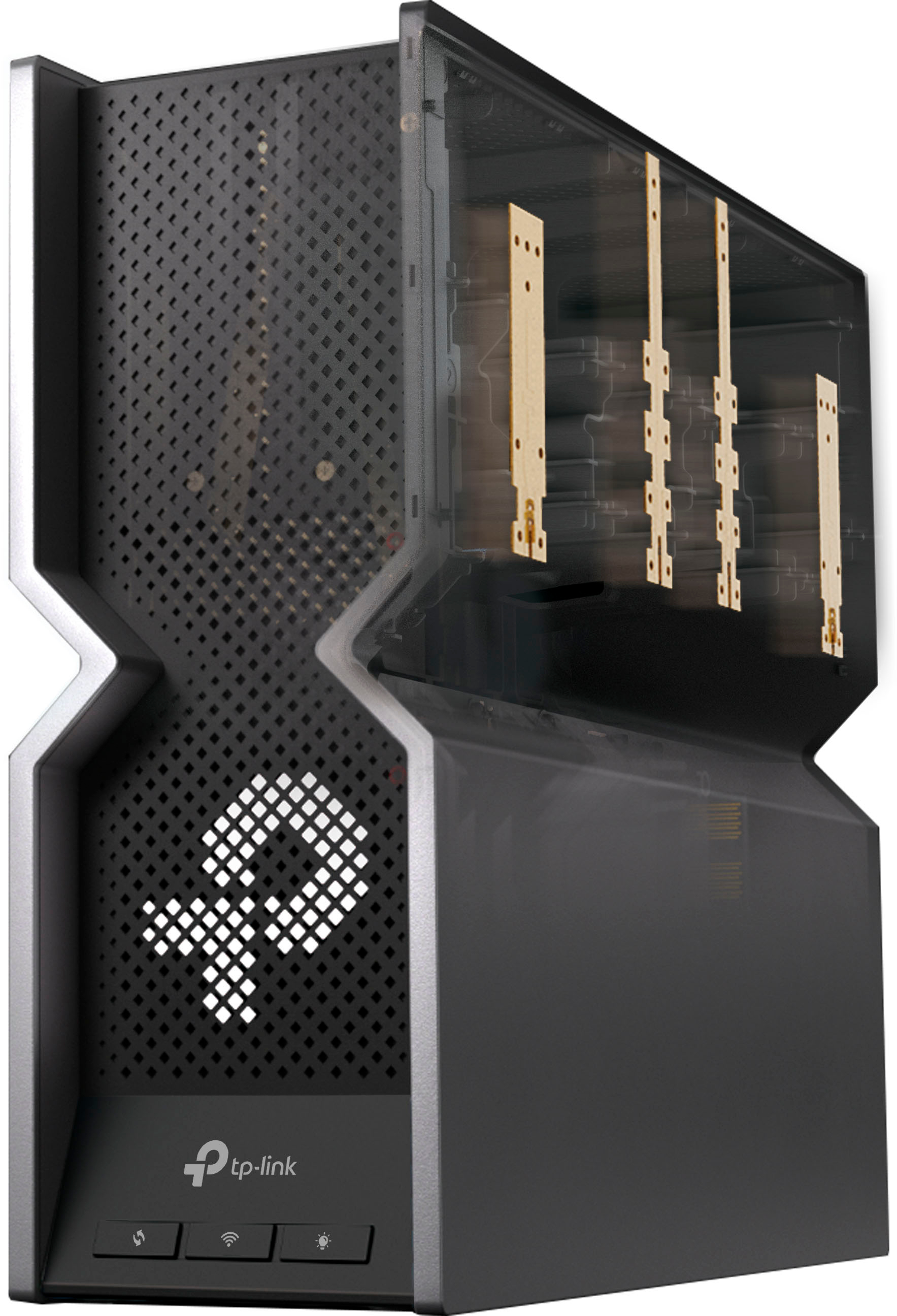
||Posted . Owned for less than 1 week when reviewed.This reviewer received promo considerations or sweepstakes entry for writing a review.This router is awesome, It covers my whole 1600 ranch home and it has all the wireless bands 2.5, 5ghz and 6ghz So devices that use WIFI 6E can use MLO for combining radio channels. The 10G network works are great to give the router the greatest wired connectivity. My gaming tower loves it along with the Arris cable modem for Internet access. I just upgraded from my old ATT uverse 80mbps down to over 800mbps down with xfinity 10G service. I think it is funny when people say it has a plastic case yea! you can not have a metal box with WIFI radio antennas, genius. This my first TP-Link router and I can say they did a great job with the hardware and software. I am now all set for WIFI 6E and soon WIFI 7 devices.
I would recommend this to a friend