Save up to 50% on 3-Day Sale deals.Ends 12/7.Shop now

Skip to content
Gift Ideas
Main Content

Customer Ratings & Reviews
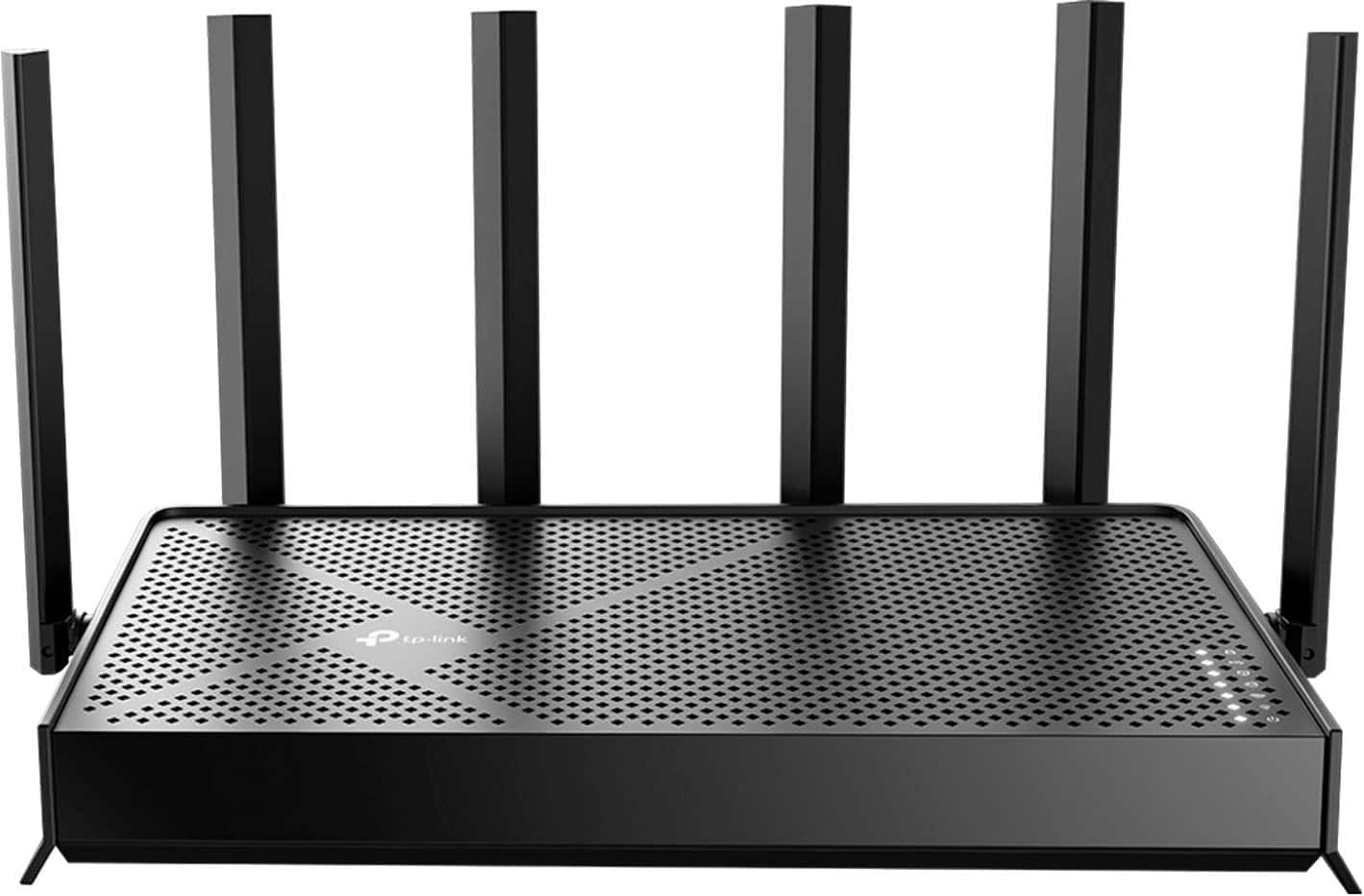
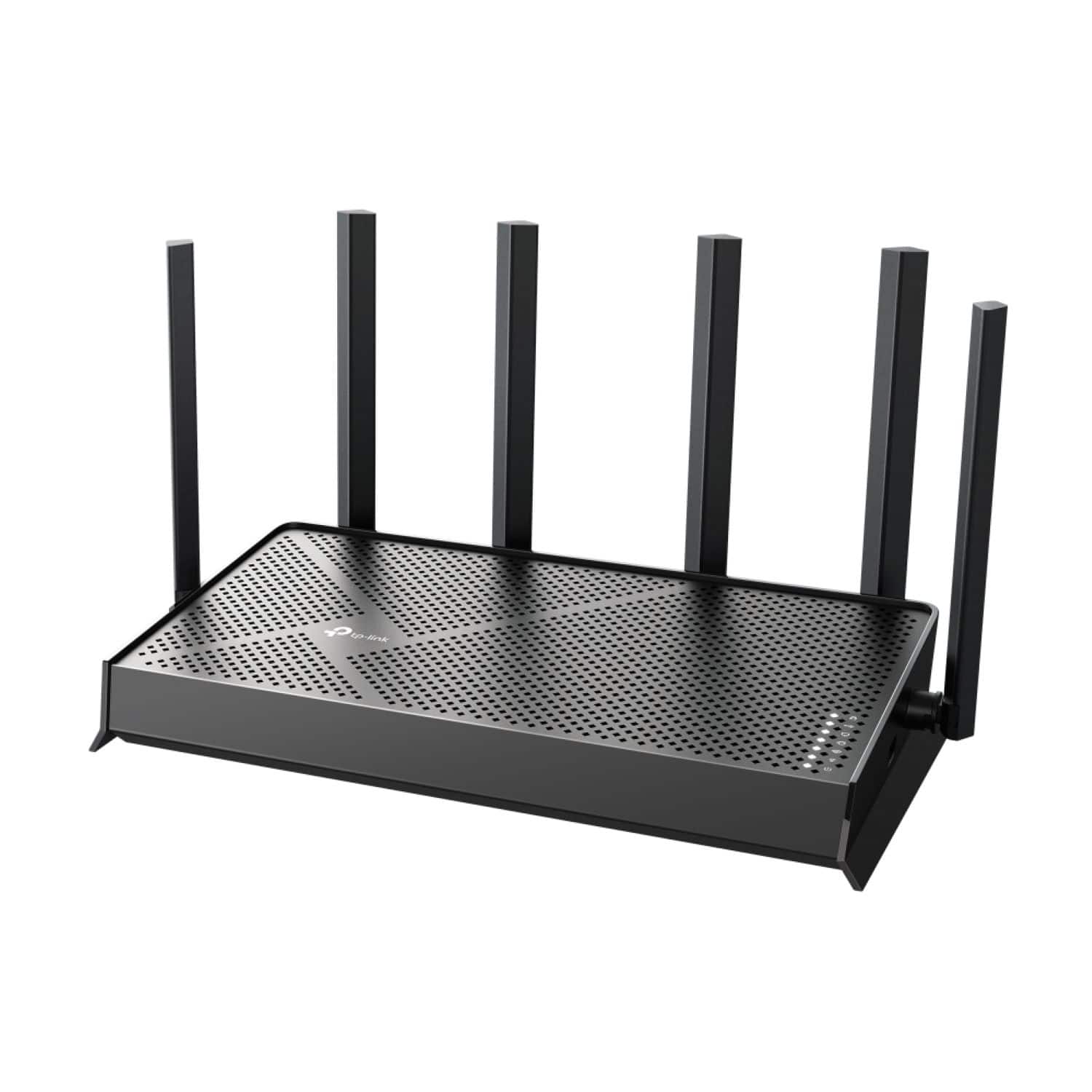
Your price for this item is $179.99

Customer reviews

Rating 4.6 out of 5 stars with 212 reviews

Rating Filter

Rating by feature

  • Setup

    Rating 4.7 out of 5 stars

  • Range

    Rating 4.7 out of 5 stars

  • Signal Strength

    Rating 4.7 out of 5 stars

Pros mentioned filter

Cons mentioned filter

There aren't enough negative mentions yet.
91%would recommend to a friend

Customers are saying

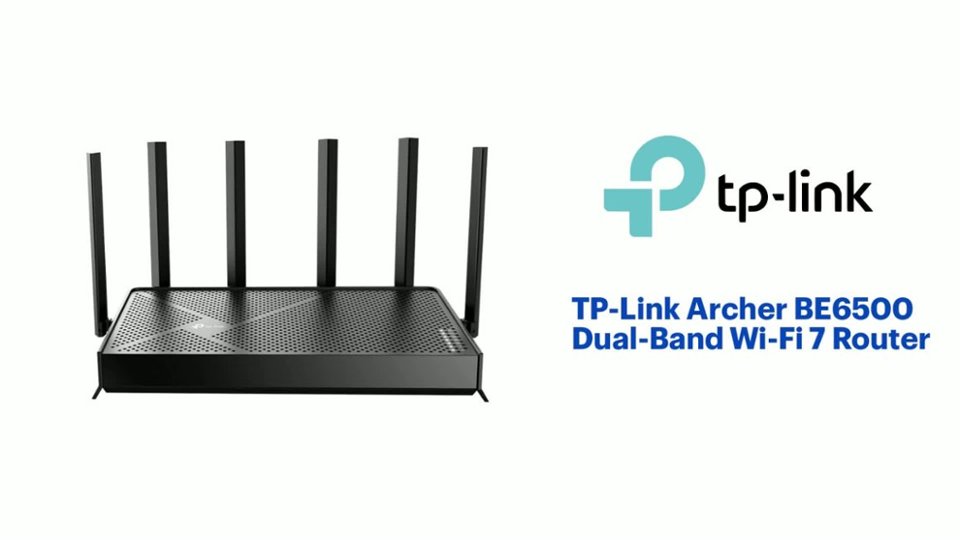
Customers highly value the Archer BE6500 Dual-Band Wi-Fi 7 Router for its easy setup, reliable speed, and overall performance. The router also receives positive feedback for its range and signal strength, ensuring seamless connectivity throughout the home. Additional features like the USB port and standard security are appreciated, contributing to a positive user experience. There were no CONS mentioned about this product.

This summary was generated by AI based on customer reviews.

The vast majority of our reviews come from verified purchases. Reviews from customers may include My Best Buy members, employees, and Tech Insider Network members (as tagged). Select reviewers may receive discounted products, promotional considerations or entries into drawings for honest, helpful reviews.
Page 10 Showing 181-200 of 212 reviews
  • Rated 5 out of 5 stars

    Best mesh supporting router for the price.

    |
    |
    Posted . Owned for 2 weeks when reviewed.
    This reviewer received promo considerations or sweepstakes entry for writing a review.

    Just what I needed. Easy to set up and love the MESH network. No complaints

    I would recommend this to a friend
  • Rated 1 out of 5 stars

    Disappointed – Worse Coverage and Unreliable App

    |
    |
    Posted .
    This reviewer received promo considerations or sweepstakes entry for writing a review.

    I bought this router to replace my Google Nest, but the coverage is actually worse. My son can’t get a stable connection for his PS5 even in the next room—latency is a constant issue. The parental controls were one of the main reasons I chose this router, but they’ve been a major disappointment. The app frequently fails to recognize that a router is even connected, and it often doesn’t register my paid subscription for the “premium control” features. Overall, I regret switching to this router. The performance, reliability, and app experience are all below expectations.

    No, I would not recommend this to a friend
    • Brand response from TPLinkSupport
      Posted .

      Hi MichaelJ,

      Thank you for your review. To ensure the best possible signal, optimal placement is important. Reducing obstructions and placing the router in a central location will help ensure your signal reaches the needed areas. If coverage is a concern, we suggest considering an EasyMesh setup using two or more of our Wi-Fi Routers for a more seamless Wi-Fi experience throughout your home.

      To ensure optimal performance of your wireless router, please check, and if needed, update its firmware using the steps outlined in FAQ 2139 on our official website: https://www.tp-link.com/us/support/faq/2139/

      Our support team is always available and happy to assist with any questions you may have about our products. Feel free to contact us through any of the resources provided with the product or on our official website, and a Support Agent will follow up with you directly.

      Thank you,
      TP-Link Systems Support tplink

  • Rated 2 out of 5 stars

    Not good for gaming

    |
    |
    Posted . Owned for 2 weeks when reviewed.
    This reviewer received promo considerations or sweepstakes entry for writing a review.

    I replaced an old router (Nighthawk) with this, thinking obviously this would work great because costs $200. Nope, gaming was super spikey, almost unplayable. Replaced with old router, spikes went away. Bought a new ASUS router, also running like butter. Maybe okay for non-gaming?

    No, I would not recommend this to a friend
    • Brand response from TPLinkSupport
      Posted .

      Hi RichardT,

      Thank you for your review. To ensure the best possible signal, optimal placement is essential. Reducing obstructions and placing the router in a central location will help ensure your signal reaches the needed areas.

      For optimal performance of your wireless router, please check, and if needed, update its firmware using the steps outlined in FAQ 2139 on our official website: https://www.tp-link.com/us/support/faq/2139/

      If you would like assistance with any of these steps, please reach out to our support team using any of the resources included with the product, or from our official website, and we'll gladly have a Support Agent follow up with you directly.

      Thank you,
      TP-Link Systems Support tplink

  • Rated 5 out of 5 stars

    Better WiFi

    |
    |
    Posted . Owned for 1 month when reviewed.
    This reviewer received promo considerations or sweepstakes entry for writing a review.

    Amazing product, WiFi is stronger farther, highly recommended

    I would recommend this to a friend
  • Rated 5 out of 5 stars

    Works great

    |
    |
    Posted . Owned for 2 weeks when reviewed.
    This reviewer received promo considerations or sweepstakes entry for writing a review.

    Works great as a router. Blah, Blah, Blah, Blah, Blah.

    I would recommend this to a friend
  • Rated 2 out of 5 stars

    Flaws that need to be addressed

    |
    |
    Posted . Owned for less than 1 week when reviewed.
    This reviewer received promo considerations or sweepstakes entry for writing a review.

    My ISP upgraded my 1 gig to a 2 gig connection recently. The ISP rental did well but I wanted to adjust QOS and have 2.5 gig ports to utilize my connection. Sometimes the Wifi limits my speeds down to a bare 10 Mbps download/upload. Turning QOS on or off doesnt change this. Also I wanted to use the limit speed feature for certain devices and it just crashes the Internet connection for that device all together. I contacted TP Link support and they deem the router defective. Very disappointed

    No, I would not recommend this to a friend
    • Brand response from TPLinkSupport
      Posted .

      Hello Kabi,

      Defects can happen. This is why we offer limited warranties. They ensure your investment is protected. Once you complete the RMA process and get your new product we would love to see an update to your review to see if the concerns have been resolved. tplink

  • Rated 3 out of 5 stars

    Not big improvement

    |
    |
    Posted . Owned for 2 weeks when reviewed.
    This reviewer received promo considerations or sweepstakes entry for writing a review.

    Thought a new router would make a bigger difference. Heard about WiFi 7 and expected more of a difference. The Synology router worked but after 6 years thought I should switch. Maybe that was a mistake.

    No, I would not recommend this to a friend
    • Brand response from TPLinkSupport
      Posted .

      Hi JSam35,

      Thank you for your review. The Archer BE6500 is designed to provide fast, powerful, reliable Wi-Fi 7 connectivity and features for your home network. To ensure the best possible signal, optimal placement is important. Reducing obstructions and placing the router in a central location will help ensure your signal reaches the needed areas.

      To ensure optimal performance of your wireless router, please check, and if needed, update its firmware using the steps outlined in FAQ 2139 on our official website: https://www.tp-link.com/us/support/faq/2139/

      If you would like assistance with any of these steps, please reach out to our support team using any of the resources included with the product, or from our official website, and we'll gladly have a Support Agent follow up with you directly.

      Thank you,
      TP-Link Support tplink

  • Rated 3 out of 5 stars

    Wireless

    |
    |
    Posted . Owned for 1 month when reviewed.
    This reviewer received promo considerations or sweepstakes entry for writing a review.

    Doesn’t have the range I expected. Had to use an extender

    No, I would not recommend this to a friend
    • Brand response from TPLinkSupport
      Posted .

      Hi StevenC,

      Thank you for your review. To ensure the best possible signal, optimal placement is important. Reducing obstructions and placing the router in a central location will help ensure your signal reaches the needed areas.

      For optimal performance of your wireless router, please check, and if needed, update its firmware using the steps outlined in FAQ 2139 on our official website: https://www.tp-link.com/us/support/faq/2139/

      If you would like assistance with any of these steps, please reach out to our support team using any of the resources included with the product, or from our official website, and we'll gladly have a Support Agent follow up with you directly.

      Thank you,
      TP-Link Systems Support tplink

  • Rated 2 out of 5 stars

    the new world

    |
    |
    Posted . Owned for 1 month when reviewed.
    This reviewer received promo considerations or sweepstakes entry for writing a review.

    Ask the managers if all of the technicians have had training on handling Windows 10 and 11 on the same router so they can share files with each other

    I would recommend this to a friend
    • Brand response from TPLinkSupport
      Posted .

      Hi Anvic,

      Thank you for your review. One of the many features offered by the Archer BE6500 is its USB file sharing capabilities. If you have any questions about how to use this feature on the router, please reach out to our support team using any of the resources included with the product, or from our official website, and we'll gladly have a Support Agent follow up with you directly.

      Thank you,
      TP-Link Systems Support tplink

  • Rated 2 out of 5 stars

    We do have Wi-Fi, but . . . . .

    |
    |
    Posted . Owned for 3 weeks when reviewed.
    This reviewer received promo considerations or sweepstakes entry for writing a review.

    I'm not sure it's installed correctly. The Geek Squad tech set it up, but I have some questions. I'm not sure if he coordinated the router to the WiFi extender we bought from Best Buy previously.

    I would recommend this to a friend
    • Brand response from TPLinkSupport
      Posted .

      Hello Dave,

      Well if you have questions we have answers. Please reach out to our support team at either support.usa@tp-link.com or call us at 866-225-8139 and we would be happy to address any questions you may have.

      Best Regards

      TP-Link Systems Technical Support tplink

  • Rated 1 out of 5 stars

    Bad product - worse service!

    |
    |
    Posted . Owned for 7 months when reviewed.
    This reviewer received promo considerations or sweepstakes entry for writing a review.

    Absolute disaster of a router - disconnected every few hours forcing us to manually reboot. Pathetic customer support - almost non-existent. I would get a different one!!!

    No, I would not recommend this to a friend
    • Brand response from TPLinkSupport
      Posted .

      Hello Bzn1

      We would like to review your specific experience within our support management team. If you can send us an email to support.usa@tp-link.com with a copy of this email and a subject Best Buy Review Complaint, we will assign the case to a supervisor to review and address.

      Best Regards

      TP-Link Systems Support tplink

  • Rated 1 out of 5 stars

    Failed with no replacement

    |
    |
    Posted .
    This reviewer received promo considerations or sweepstakes entry for writing a review.

    Failed in less that 4 months. TP-Link still hasn't sent me a replacement a week later.

    No, I would not recommend this to a friend
    • Brand response from TPLinkSupport
      Posted .

      Hello Samuel,

      Replacements aren't just sent. A product needs to be registered and an RMA needs to be approved. Then the customer needs to select their shipping method for that RMA. That will determine how and when a replacement is sent. If you have chosen your shipping method, please return to the warranty portal and choose that as soon as possible. Also, if you have any questions, you can contact support at 866-225-8139 24 hours a day.

      Best Regards

      TP-Link Systems Support tplink

  • Rated 1 out of 5 stars

    Garbage

    |
    |
    Posted . Owned for 7 months when reviewed.
    This reviewer received promo considerations or sweepstakes entry for writing a review.

    Has trouble making ip adresses tp link tech support system is horrendous the unit stoped working and there tech support system stoped helping me

    No, I would not recommend this to a friend
    • Brand response from TPLinkSupport
      Posted .

      Hi ConnorA,

      Thank you for your review. We regret to hear that your initial setup and support experience was anything less than satisfactory. The Archer BE6500 is designed to provide robust and reliable Wi-Fi 7 connectivity for all of your home's wireless devices and comes with a 2-year manufacturer's warranty. Our support team is always available and happy to help via phone, live chat, or email. We would be delighted to have another opportunity to address any remaining questions or concerns you may have.

      Best Regards,
      TP-Link Systems Support tplink

  • Pros mentioned:
    Ease of use, Range, Speed
    Tech Insider Network Member

    Rated 4 out of 5 stars

    A great choice if you don't need the extras

    |
    Tech Insider Network Member
    Posted .
    This reviewer received promo considerations or sweepstakes entry for writing a review.

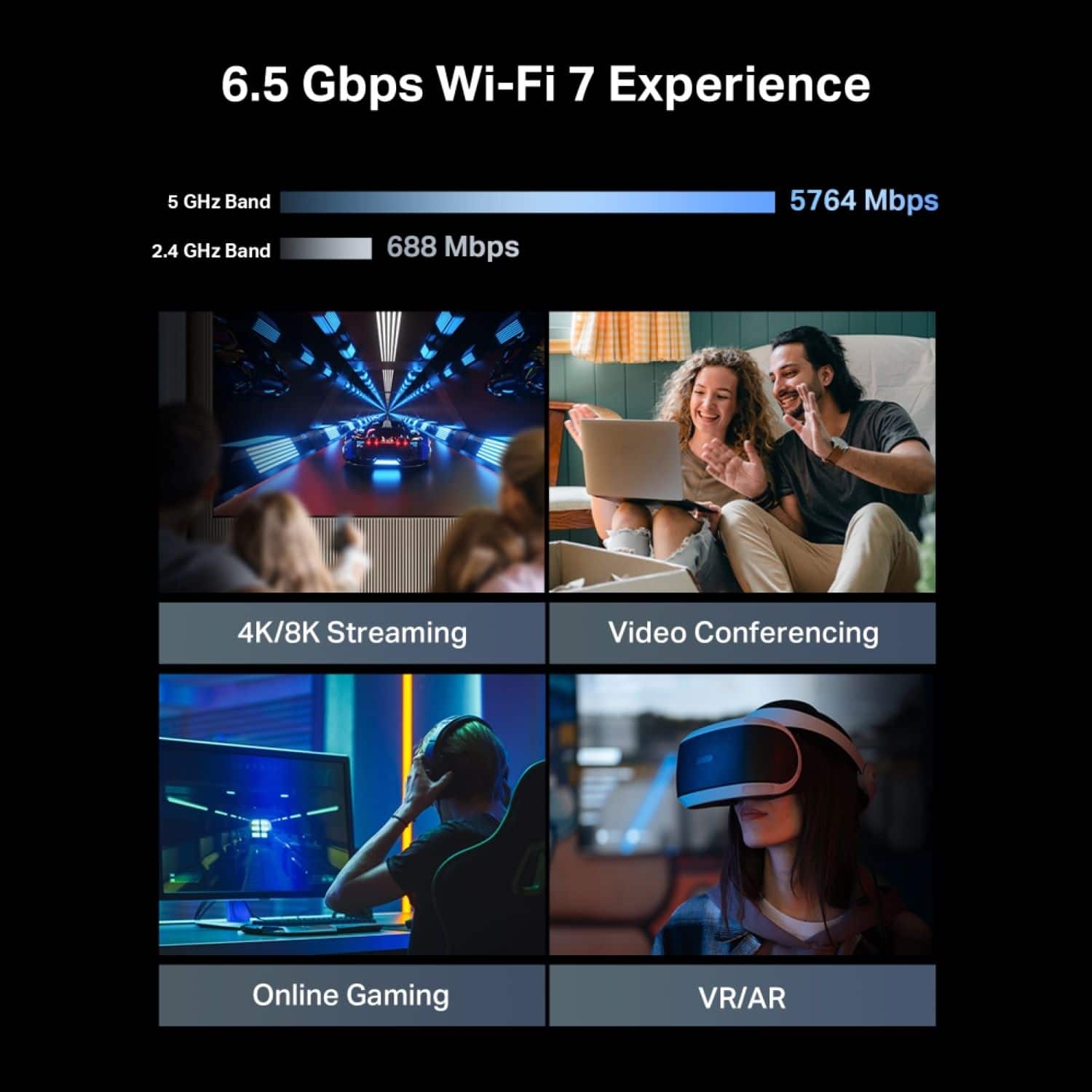
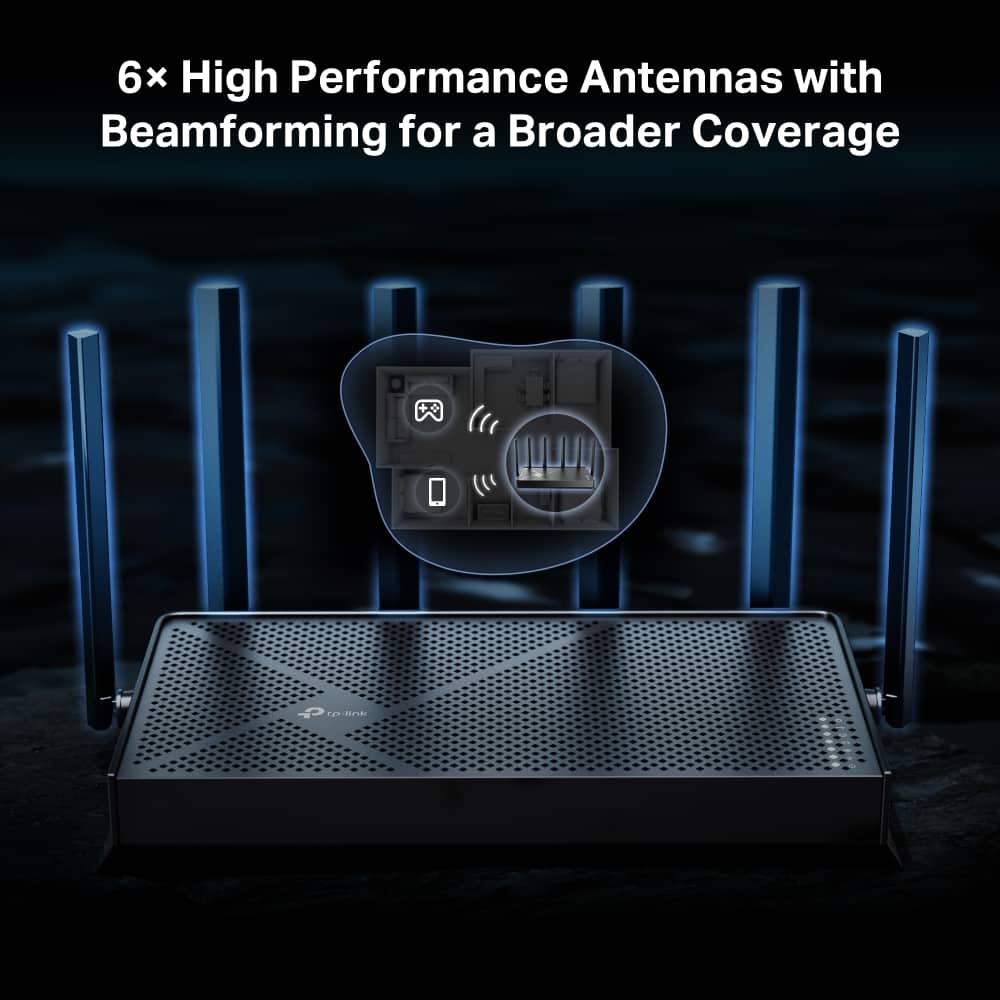
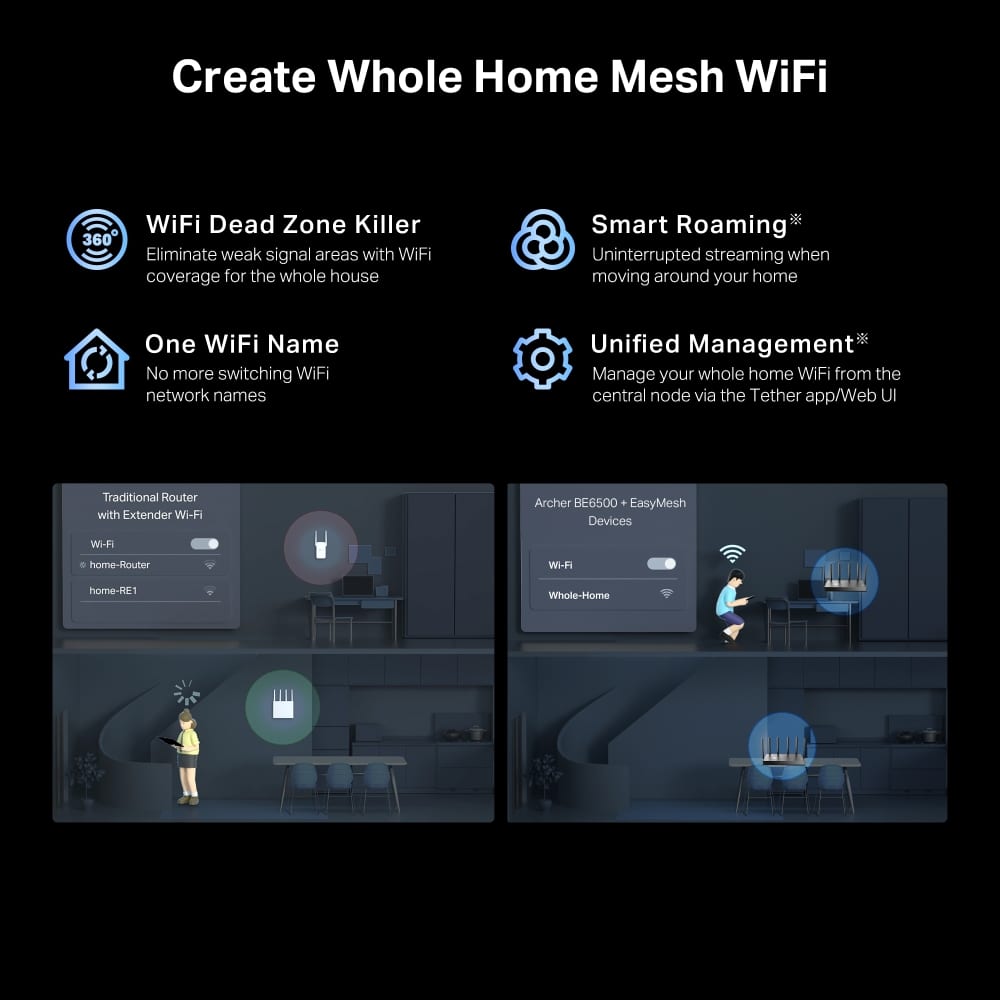
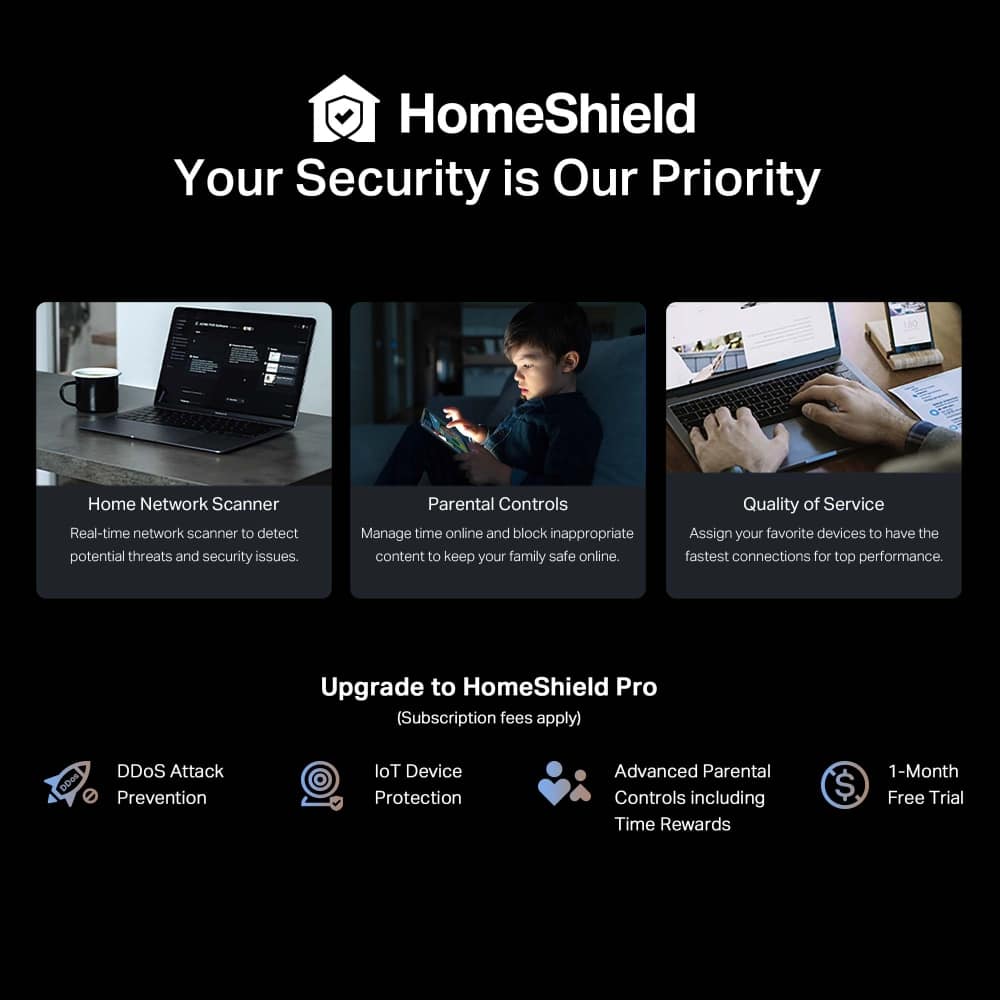
    When it comes to choosing a router, I have several important criteria to consider: Speed and latency, range, easiness to setup and features. This router checks almost all the boxes. The Archer BE6500 is a Wifi 7 router that offers coverage up to 6500 square feet. Being a Wifi 7 MLO router, this router offers the latest and greatest Wifi standard and that’s why it’s suitable for gaming and 4K video streaming for multiple devices. The router connects to your gigabit internet modem, and it includes a LAN cable to do so. This router is fairly easy to setup, and it is intuitive enough to do so meaning you don’t really have to refer to the manual especially if you have some experience setting up a wireless router in the past. There’s an app that you can download and guide you smoothly to make the router up and running in just minutes. Performance-wise, with Wifi 7 and MLO’s tech this router offers great speed and latency, and it is backward compatible with the older Wifi standards so compatibility should not be an issue. In terms of coverage, the signal is stable and powerful enough to cover the second floor of my house and the front yard, so a medium size home won’t need a mesh system installed. The app deserves special mention here. It is easy to use and navigate functions such as creating a profile for family members. Say you have a minor that needs to have proper sleep, the app allows you to program bedtime during which time the internet connection will not be made available. However, if you need to set a time limit for a family member, the app requires you to subscribe. There’s another subscription to consider, that is Total Security package, and it gives you both terminal antivirus and cyber intrusion defenses to protect your home from both cyber intrusions and malwares. You can opt for subscribing to cyber intrusion package only, which brings the cost cheaper. I don’t like multiple subscription models where all the great potential of the router can only be unleashed by a number of different subscriptions. Aside from the subscriptions matter, this is a solid, easy to setup router that provides great range coverage, stability and speed. Like: Easy to setup Easy to navigate app Performance Don’t Like: Advance feature such as time limit requires subscription Multiple subscription models

    I would recommend this to a friend
  • Pros mentioned:
    Speed
    Tech Insider Network Member

    Rated 5 out of 5 stars

    Great value router with separate nets + WiFi 7!

    |
    Tech Insider Network Member
    Posted .
    This reviewer received promo considerations or sweepstakes entry for writing a review.

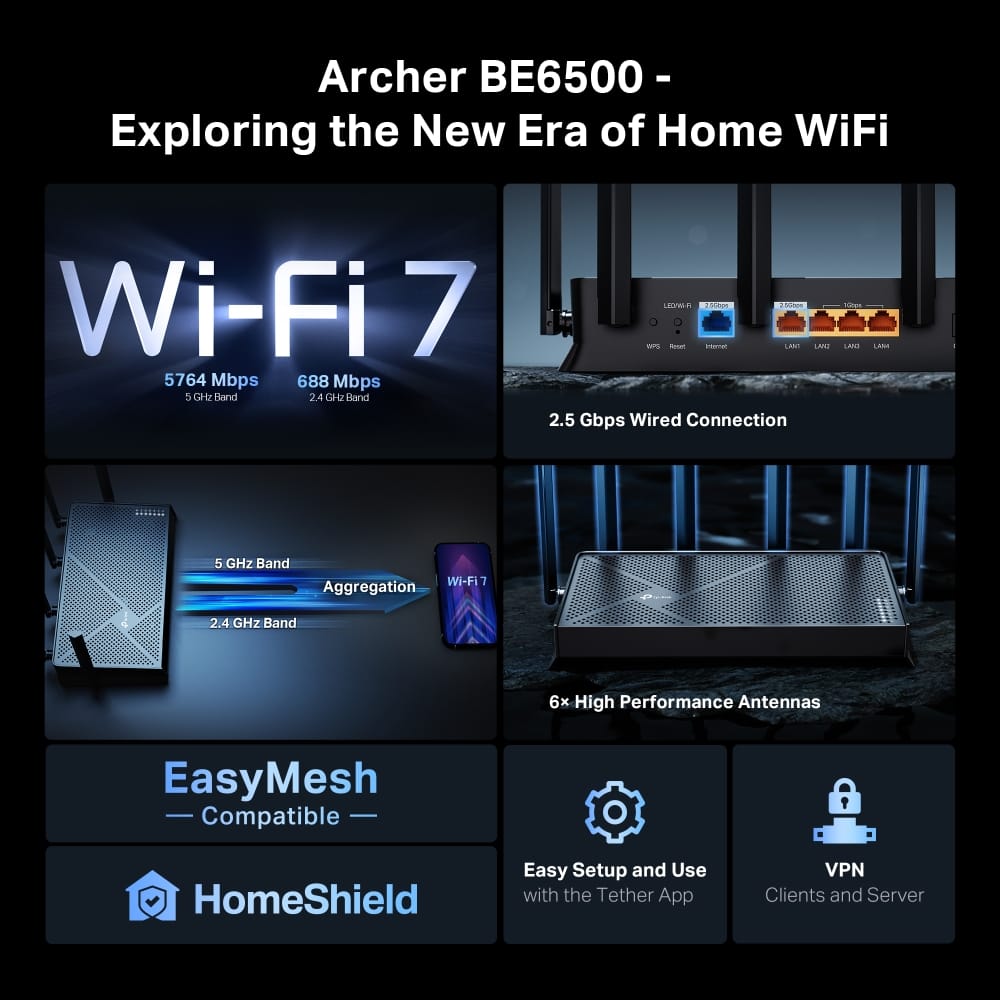
    This router packs a lot of features into a single package. It has nearly all “Best Practice” recommendations for a home router. This includes WiFi 7, end point security reviews, separate IOT & separate guest network, as well as a VPN client option. Many of these features are implemented effectively, but some are less than they could be. WiFI 7 allows for several enhancements that increase speeds throughout your house. For this router, this means you can use it effectively in areas where you might otherwise need a mesh router for. I was able to max out my download speed 3 rooms and 1 level away from the router. However, upload speed was more limited. I got the 300 Mbs speed with only a couple of devices on the router. After adding all my light switches, and similar devices, speeds dropped considerably. This made sense as the network is generally drop to the slowest supported speed when devices of different types are connected. TP Link has a solution: Enable the IOT (Internet of Things) network and your speed problems disappear! After reconnecting my lights, door locks, and cameras, and printer to the IOT network, speeds on the main network went back to what I had first experienced. They stayed this way over multiple days of testing while the IOT devices had no reliability issues. This feature alone is probably worth the price, as all devices can share the network without slowing each other. The Archer BE6500 has other useful features as well. A guest network can be set up in addition to the IOT. Both the IOT network and Guest network can be set up to use either 1Ghz or 5Ghz bands. They can be set to use both interchangeably by setting the network name the same for both bands. While TP Link supports some channel size expansion, it’s not as large as the specs allow. The router uses 80 Hz channels instead fo 160Hz or 320Hz. This constrains the maximum link speeds, but doesn’t impact every day usage as my internet connection is far slower than the maximum WiFi connection this router allows. This router is very useful for those looking to utilize a whole house VPN. You can configure the router to act as VPN client. All (or selected) clients connected to the router can be set up to use the VPN by default. This allow usage by devices that don’t normally allow VPNs (like streaming devices). I tried this with my Fire TV stick, and it worked perfectly for both Netflix and MLB. Hulu & Disney didn’t like the VPN. Fortunately, it’s an easy configuration to turn it off, without requiring swapping any wires. Configuration was pretty straightforward either through the web or with the Tether app that TP link suggests you use. It was not as reliable as the Netgear app I used with my previous router, but still did the job for all the settings I wanted. The only challenge was that it occasionally disconnected. VPN setting is only available when logged in locally. The app would sometimes connect locally and sometimes through the cloud. Connecting through the web was reliable, however, and is how I configured the router most times. This router is capable of “easy mesh” connections with mesh satellites made by TP Link or potentially others. The satellites I have are for Netgear and Linksys. They did not connect to the TP Link router. As the router provides high throughput, even distant from the base in my house, I’m not worried about satellite usage. Overall, this is a very high value router beyond just the WiFi 7 capability. It’s well worth the price as I expect to have it running the network in my house for many years to come.

    I would recommend this to a friend
  • Rated 1 out of 5 stars

    What The Heck?

    |
    |
    Posted . Owned for 2 weeks when reviewed.
    This reviewer received promo considerations or sweepstakes entry for writing a review.

    This product was working fine until one morning, I woke up with it not working. It was in the position I left it in, but it was off. So I power-cycled it, and it was running fine. So, I am going to return the item to the store for a refund.

    No, I would not recommend this to a friend
    • Brand response from TPLinkSupport
      Posted .

      Hello Bogo,

      It could have been something as simple as a network outage, which would usually be ISP related. Especially if it was just once it should not be a big concern. However, we would be happy to help discuss this with you and troubleshoot if needed. Please contact our support team at 866-225-8139 or support.USA@tp-link.com.

      Best Regards

      TP-Link Systems Technical Support tplink

  • Rated 2 out of 5 stars

    bad software

    |
    |
    Posted . Owned for 2 weeks when reviewed.
    This reviewer received promo considerations or sweepstakes entry for writing a review.

    content filter does not work. I try to block some websites that I don't want my son to view it,

    No, I would not recommend this to a friend
    • Brand response from TPLinkSupport
      Posted .

      Hi lg27gn850,

      Thank you for your review. For detailed instructions on how to set up Parental Controls using the HomeShield feature of your Archer BE6500 Wi-Fi 7 Router, please refer to our FAQ here: https://www.tp-link.com/us/support/faq/2996/

      If you would like assistance with any of these steps, please contact our support team using any of the resources included with the product, or from our official website, and we'll gladly have a Support Agent follow up with you directly.

      Thank you,
      TP-Link Support tplink

  • Rated 1 out of 5 stars

    Internet

    |
    |
    Posted .
    This reviewer received promo considerations or sweepstakes entry for writing a review.

    Can’t say I’d recommend this router only bc I’ve heard so many people in the last few months get hacks on this router

    No, I would not recommend this to a friend
    • Brand response from TPLinkSupport
      Posted .

      Hello Scott,

      TP-Link has not received any reports about the Archer BE6500 getting hacked. If you have some we would examples we would of course like to have those presented so we can help address such serious concerns. Please reach out to support at support.usa@tp-link.com and share anything you may have on this matter.

      Best Regards

      TP-Link Support tplink

  • Rated 1 out of 5 stars

    No good product, It causes a lot of problems.

    |
    |
    Posted . Owned for 11 months when reviewed.
    This reviewer received promo considerations or sweepstakes entry for writing a review.

    No recommend this product. Is very special for the devices.

    No, I would not recommend this to a friend
    • Brand response from TPLinkSupport
      Posted .

      Hi Elizabeth,

      Thank you for your review. To ensure the best possible signal, optimal placement is essential. Reducing obstructions and placing the router in a central location will help ensure your signal reaches the needed areas.

      To ensure optimal performance of your wireless router, please check, and if needed, update its firmware using the steps outlined in FAQ 2139 on our official website: https://www.tp-link.com/us/support/faq/2139/

      If you need help with any of these steps, contact our support team using the resources provided with the product or on our official website, and a Support Agent will follow up with you directly.

      Thank you,
      TP-Link Systems Support tplink

  • Rated 1 out of 5 stars

    Very unsatisfactory

    |
    |
    Posted . Owned for 2 months when reviewed.
    This reviewer received promo considerations or sweepstakes entry for writing a review.

    The geek squad guy stole one of my one of the kind manga plus he changed the orginal admin bc after he left he changed the password n kicked me out

    No, I would not recommend this to a friend
    • Brand response from TPLinkSupport
      Posted .

      Hello Stephana,

      If you have concerns about how Geek Squad provided you support I would strongly suggest talking with Best Buy. Geek Squad is associated with them and they may be able to address your concern. For concerns with TP-Link product we do provide free 24 hour support via phones, chat or email. If you need assistance with your product please call us at 866-225-8139.

      Best Regards

      TP-Link System Technical Support tplink