Customer Ratings & Reviews
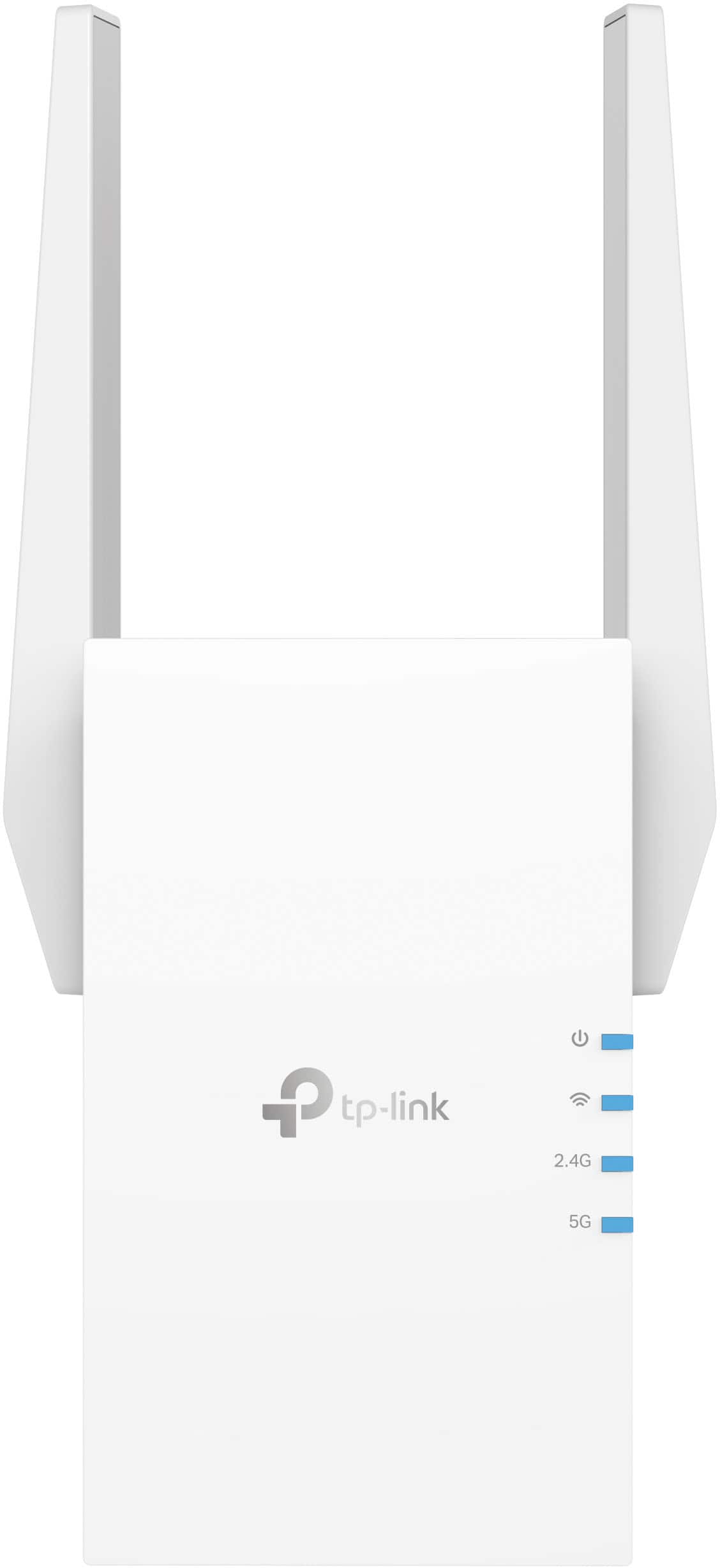
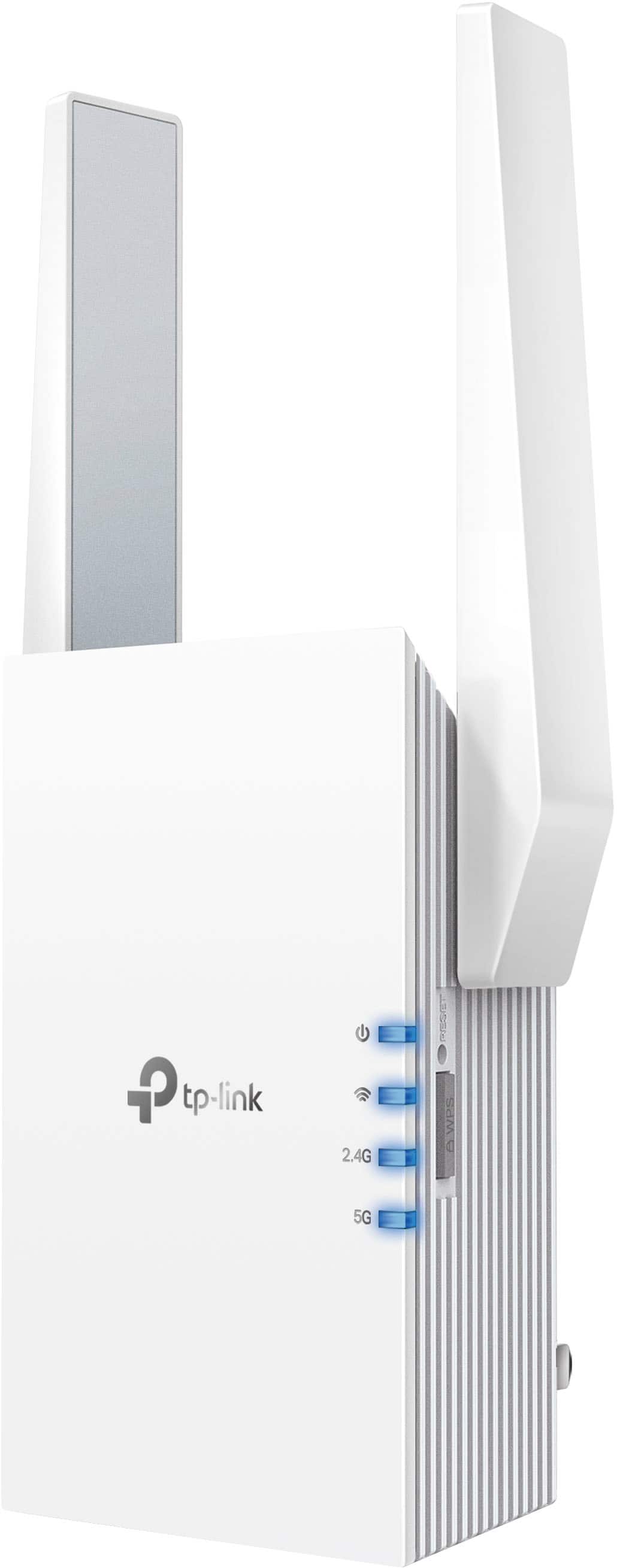
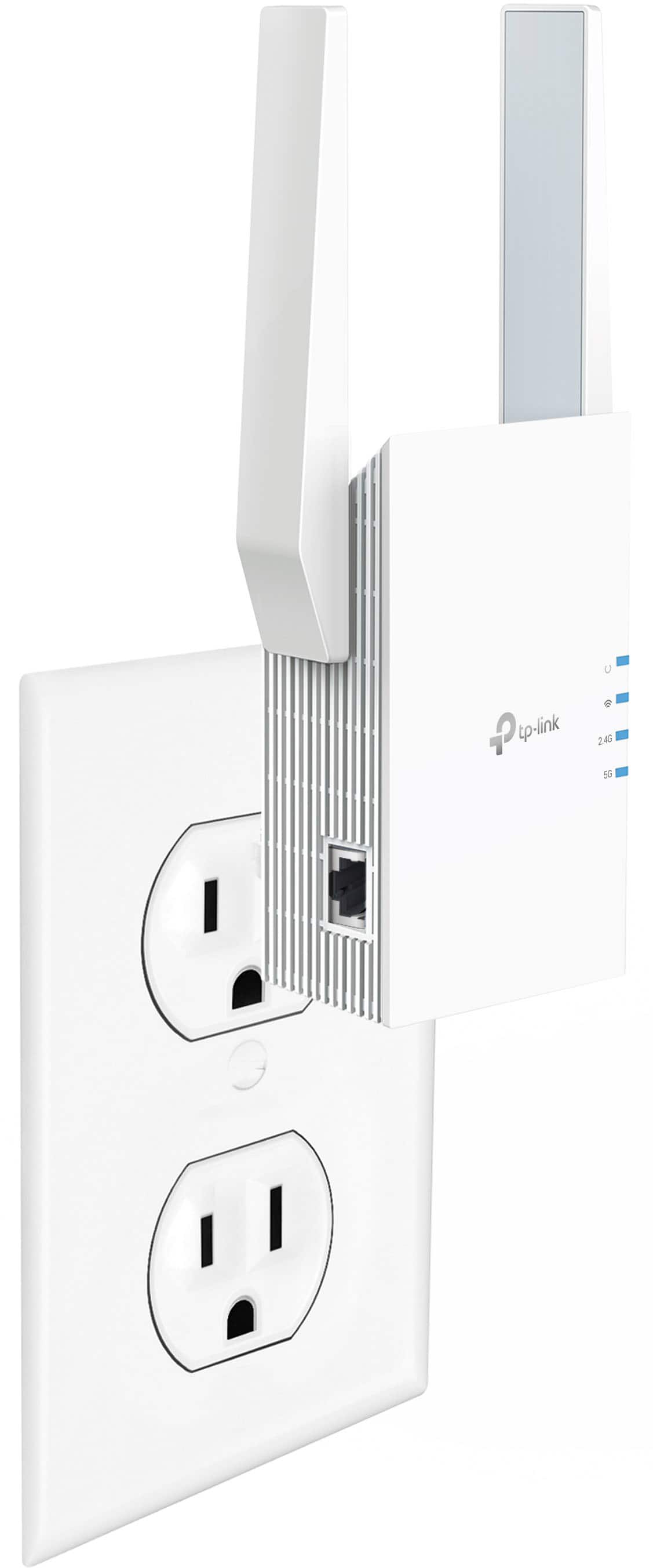

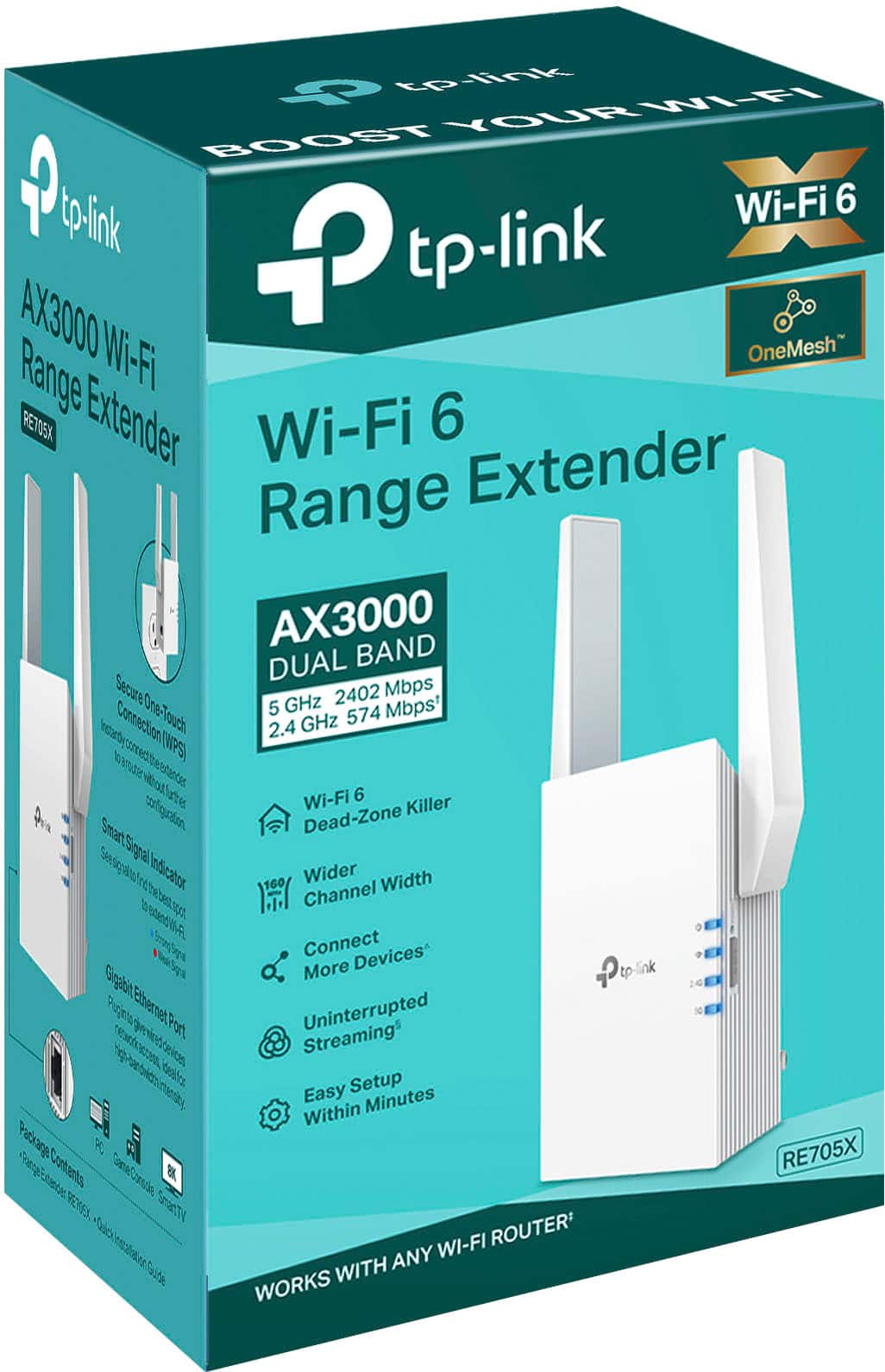
- Model:
- RE705X
- SKU:
- 10736281
Rating by feature
- Value
Rating 4.5 out of 5 stars
- Quality
Rating 4.6 out of 5 stars
- Ease of Use
Rating 4.6 out of 5 stars
Customers are saying
Customers are positive about the product's ease of use, overall performance, and strong signal strength, often highlighting its impressive range and simple setup. They also appreciate its reliable connectivity, fast speeds, and effective coverage. However, customers express some concerns regarding its compatibility with certain systems, the device generating heat, and its physical size.
This summary was generated by AI based on customer reviews.
- Pros mentioned:Range, SetupCons mentioned:Size

*** Bye Bye Wi-Fi Dead Zones ***
|Posted .This reviewer received promo considerations or sweepstakes entry for writing a review.Most everyone who has ever renovated a back yard living space has likely encountered a far weaker WiFi signal than inside the home. Our family is no different. We like to entertain outdoors, but even simple music streaming was frustrating when the signal drops and interrupts the party. I wasn’t sure this product would work with my existing WiFi (Ubiquiti UniFi) but verified on TP-link website with live chat agent that it in fact Edie’s work with any existing WIFi system, and I can say they’re right. This had to be the easiest install ever, … download the app, enter WiFi password, and hit Next. Plug in Extender where you want to extend from Wait for 4 lights to turn Blue and that’s it. That was 5Ghz, rinse, and repeat for 2.4Ghz. The system creates an extension network of the same name ( Network-EXT) and it just works. I was absolutely amazed to now have glitch free music all around thr back yard, even beyond the pool which I’d never had even a whiff of a signal previously. I lunched separate WiFi Signal Mapper (WiFi Man) and received Fair signal where I’d had nothing before, and even Strong still 40 plus feet from the unit. Pros + WiFi 6 Mesh + ease of setup + form factor + eliminates WiFi dead zones + saves device battery + shorter transmission distance + gigabit ethernet if you have wired + set it and forget it Cons -Wish I’d bought this years ago -size requires a bottom outlet plug, or surge protector Conclusion *easy. 5-star here for me, love this product. Super simple. Just works, and now we have WiFi where we spend a majority of our summer and fall time. Thank you TPLink. Strong Buy
I would recommend this to a friend Not working
||Posted . Owned for 6 months when reviewed.This reviewer received promo considerations or sweepstakes entry for writing a review.I don’t think it’s working at all. It’s warm and seems to be sucking a lot of electricity out of the wall. But I don’t think it’s extending any wifi
No, I would not recommend this to a friendBrand response from TPLinkSupport
Posted .Hello Michelle,
Please consider contacting TP-Link support, support.usa@tp-link.com. Our support staff can assist you in most situations.
- Pros mentioned:Setup, Signal strength
Best extensor WiFi
||Posted . Owned for 3 weeks when reviewed.This reviewer received promo considerations or sweepstakes entry for writing a review.I recently purchased this TP-Link AX3000 Wi-Fi 6 Range Extender and it has made a huge difference in my home. The setup was quick and easy, and it connected to my router without any issues. The signal is now much stronger in areas that previously had weak coverage. Speeds are fast and stable, even with multiple devices connected. Excellent performance and great value for the price. Highly recommended!
I would recommend this to a friend - Pros mentioned:Ease of use, Range, Setup
Compact, Awesome Range, Easy Setup and customize
|Posted .This reviewer received promo considerations or sweepstakes entry for writing a review.I was looking for a good extender that would be able to boost my 5G network throughout my home and came across this product. I decided to try it out and was very impressed with how easy it was to setup, access the customizations and plug it into compact areas throughout my house. The setup was very easy with an available app to download from the play store. The app walked through everything with ease and quickly detected the device. Upon initial setup you are only giving the basics until after completion you can go back in and fully customize the settings. After the easy setup installation that's where the real fun begins. You can go back in and customize each band along with power settings or disabling a band. I chose to disable the 2.4 band since everything is on the 5 and found it very easy to do. I also like the range finder feature to determine if the extender is in a good location. It has the ability to enable "OneMesh" but unfortunately my router does not have the capability so was unable to test that specific feature. Otherwise all other settings was fun to modify/tweak to your hearts content. One of my worries was how it would fit in small areas in the house. I was glad to see how they setup the plug it does not take up too much space and able to plug additional items in the top socket. Overall this is a great product and I strongly recommend this for anyone who is in need of an extender for their home to boost their network range.
I would recommend this to a friend - Pros mentioned:Signal strength
Powerful and reliable Wi-Fi Extender
|Posted .This reviewer received promo considerations or sweepstakes entry for writing a review.>> Overview The TP-Link RE705X Wi-Fi 6 AX3000 Dual Band Range Extender does its job at extending and enhancing your Wi-Fi coverage. I use it for areas where the signal is not as good as desired, as well as for some dead zones outside my house, areas where we gather with friends and family and where good Wi-Fi support comes in handy. Connecting the device with your router through WPS is as easy as it gets. The RE705X is easy to move around to try different coverage configurations, just needs a power outlet and connectivity to the main router and that’s it. - Pros: very good and reliable signal. - Cons: couldn’t configure using Tether App, a little too heavy. >> Setup Do yourself a favor and just use the WPS Button method to connect the TP-Link extender to your router. When I opened the box, I looked at the “Quick Installation Guide” and chose to follow the Tether App method to configure the Extender, as it seemed to be the more prominent or noticeable method in the booklet. I had to download the Tether App on my phone and create an account at the TP-Link site, which I didn’t want to do at first, but ended up doing anyways, in order to use the App. Next, I followed the instructions in the App to add the Extender to the list of device, then I gave the Wi-Fi password for the 2.4Ghz and 5Ghz bands and finished the setup, or so I thought. But no, the TP-Link RE705X Extender wouldn’t connect to my Linksys Hydra AX6000 router at all. I tried setting it up multiple times, removed the device, added the device, placed it close to the router, placed it side to side, etc., to no avail. Finally, I chose the WPS Button technique, and it connected right away! In summary, just save some time, and also save yourself the burden of adding a TP-Link account if you already don’t have one, and use the WPS method. Perhaps the only trouble you might have is keeping the RE505X from falling when plugged in to your wall electrical outlets. I might need to replace them since so far, there is no electrical outlet that can hold the device, which is a little heavy, in place. Perhaps I will use some extension cords. >> Placement and Signal What matters most at the end of the day for extenders is how fast, strong, and reliable the signal is for the devices connecting to it. My main goal in getting the TP-Link Extender was to allow the opposite side of the house of where the main router is placed, to get a better Wi-Fi experience. I tried different locations for the Extender, and I still need to perform a few tests before I finally settle on where to place the Extender. I currently have the device in the corner of the house where the Wi-Fi signal from the main router is the weakest (not a dead zone, but the Wi-Fi there feels wacky.) I am surprise, it has been between a 3x and 5x increase in download speeds and reliability, both inside and outside the house. Dead zones outside the house are reachable now as well. I have connected phones and laptops to the Extender with good results; however, our main use for the Extender has been connecting the TV on that corner of the house to it. That TV is located in our main entertainment area, given that it is a big room we use it for hanging out with our friends and family and together like to watch online videos. So far, the TV has been connecting beyond our expectations, no loss of connectivity, no more video buffering issues, no more pixelated videos. Watching Netflix and YouTube and other Roku apps on that TV has been a pleasant experience. Even my friends have noticed the improvement (they were not aware I had the Extender.) Besides being useful for our family/friends’ room TV, other reason to place the RE705X Extender in the farthest corner of the house was to cover the outside of the house where we have our patio and where we also frequently hang out with friends and family. That area is getting good Wi-Fi coverage now. I am planning on using a projector in the patio to watch videos over Wi-Fi in the Summer, now that we have the Extender we won’t be needing any network cables. That being said, I am still going to do some tests and place the Extender a little closer to the router for hopefully faster speeds. My goal is to have at least 150Mbps in the patio area, and with this device, it seems possible to do so. Finally, just to throw some specific numbers, I have a 600Mbps internet connection (well max connection, not that speed all the time.) The main router is on the second floor, and the Extender on the opposite side of the house on the first floor, around 45ft or so apart crossing a few walls. In one test, I positioned my phone about 4 feet on top of the Extender and connected both to the router and to the Extender. When connecting to the router I got around 21Mbps, and when connecting to the Extender, I got around 108Mbps, about a 5x improvement! Other tests, placing the router in different locations and connecting devices at different distances away from it, have shown between 3x to 5x improvement.
I would recommend this to a friend - Pros mentioned:Range
Excellent WiFi Extender!
||Posted .This reviewer received promo considerations or sweepstakes entry for writing a review.I couldn’t be happier with this WiFi extender. The setup was quick and straightforward, and within minutes, I noticed a huge improvement in coverage throughout my home. The range is outstanding—every corner now has a strong, reliable signal, even areas that used to be complete dead zones. Connectivity is rock-solid with no drops or slowdowns, perfect for streaming, gaming, and working from home. Build quality feels premium, and it delivers exactly what it promises: top performance and stability. Highly recommend to anyone looking to boost their network!
I would recommend this to a friend - Pros mentioned:Signal strength
Large coverage area, great for outdoor cameras
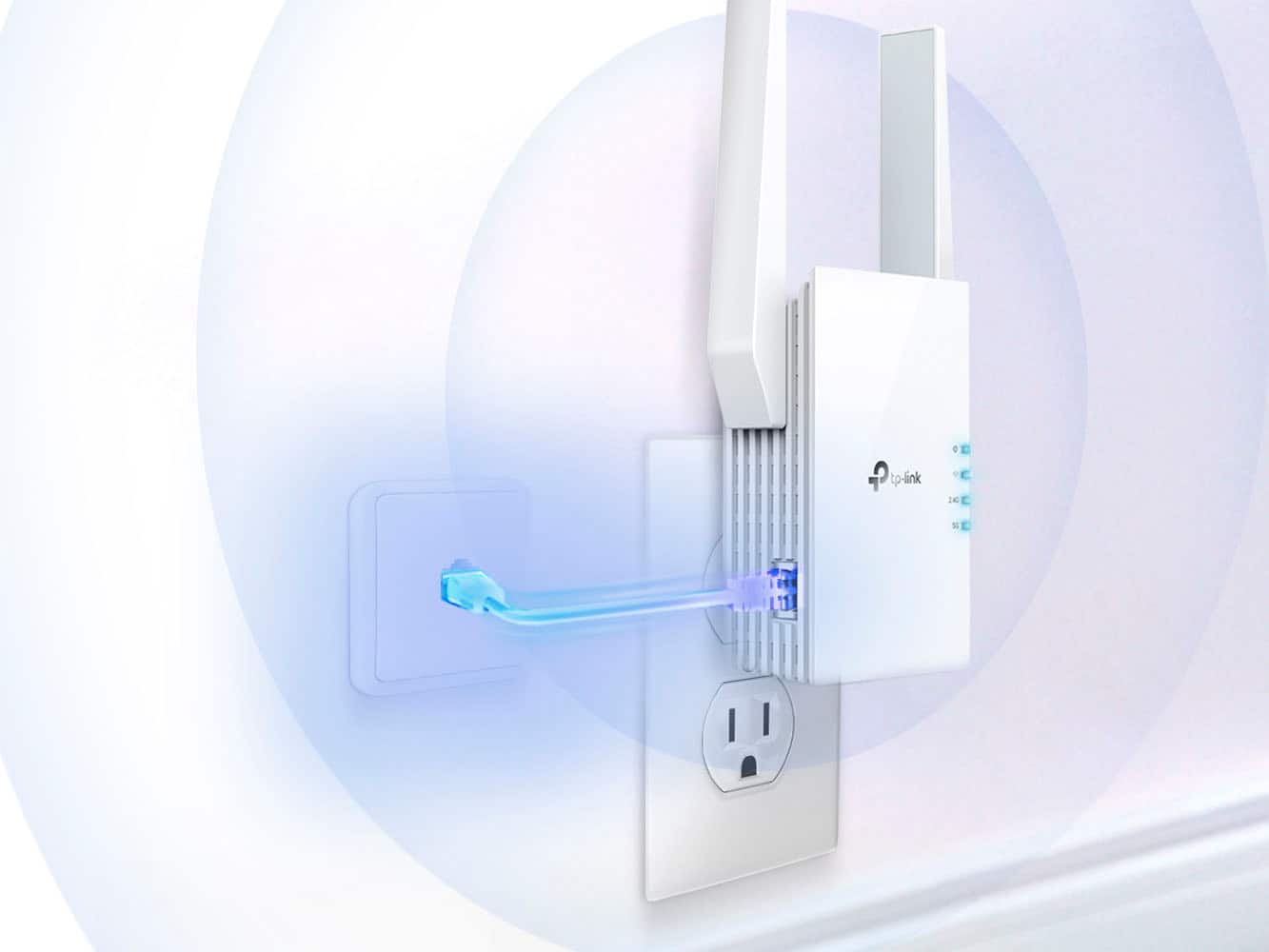
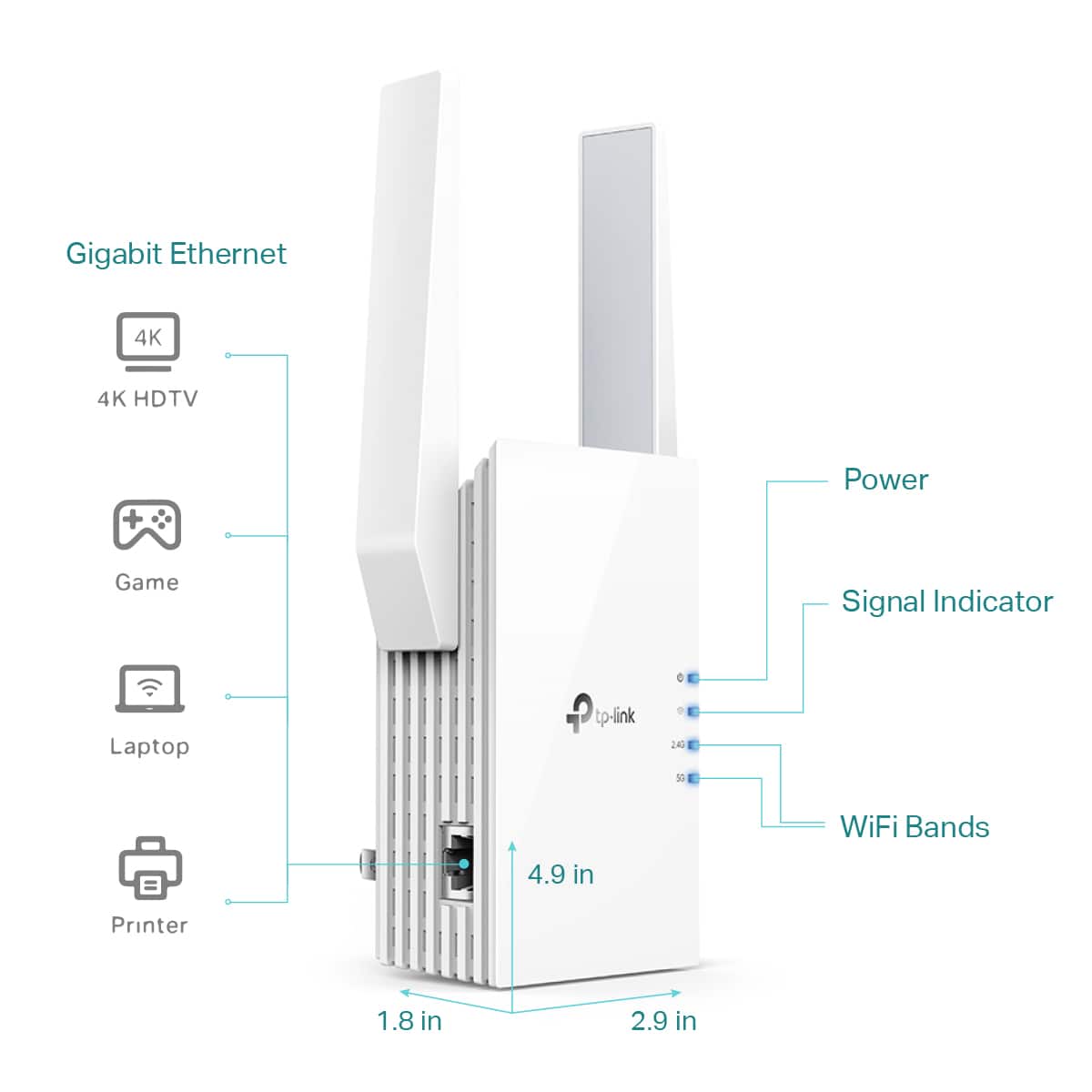
|Posted .This reviewer received promo considerations or sweepstakes entry for writing a review.I have a traditional farmhouse that spans three levels, with exterior cameras on the opposite corner from the router, gaming consoles upstairs directly above the router, and music and video streaming in the basement below the router. I've tried many different mesh router and extender configurations, however nothing has been as easy and performed as well as the TP-Link AX3000 range extender. In the box is the extender and a quick install guide. The extender plugs directly into the wall, and is 5" x 3" with two movable antennas extending another ~3" above the router. This is important to note if you have limited space around your outlet. Setup takes less than 5 minutes, install the TP-Link tether app, search for device and follow instructions. The app will need the router password, and the rest of the setup is seamless, including the setup of dual bands, which is necessary if you have IoT or older devices that run on 2.4G only. The app is intuitive, connect your phone to the extender network, open the app, and you can view both the 2.4G and the 5G network strength, see hardware / software versions and IP address of the extender, and view devices connected to the extender on each band. There is a third tab with settings, access control, and a location assistance to find the optimal placement. Another great feature is 'night mode' allowing you to turn off the status LEDs between set hours if you need to place the extender in a bedroom or other area where light pollution isn't desired. If you live in a situation such as an apartment where a limited wireless range is desired, the settings tab also allows for coverage to be adjusted from minimum, to intermediate, to maximum. As far as performance goes, the extender provides signals to all areas of my house, and on all floors. I used the app to find optimal placement, which was 25', almost line of sight, from the router. The wall outlet is only a few inches below the window sill so the antenna are required to sit at an angle under the window ledge (see photo). From that placement I have 75% signal on 5G at 30' away, through an exterior wall. The outdoor security cameras have full signal on 2.4G at 35' away, through two exterior walls. I still have a strong enough signal for streaming music and video both upstairs and in the basement from the current placement. Overall, I think this is a great extender for large coverage with multiple devices. If you have a gamer in the family, take note that there is a high speed access point for ethernet connection on the side of the extender. My teen takes the extender when he goes to friend's houses to game, he likes the portability and the ease of moving the extender between networks.
I would recommend this to a friend - Pros mentioned:SetupCons mentioned:Size
Easy to setup and great range extender!
|Posted .This reviewer received promo considerations or sweepstakes entry for writing a review.Very good wifi range extender. It was very easy to setup. You just plug it into power and then download Tplink's tether app on your phone. Once you create an account and then select to add the extender. It will connect to your phone and then you enter you select the wifi networks you want to extend (2.4 Ghz and 5 Ghz are possible), then you enter your current networks credentials. The extender will connect to them and then you can create new credentials for your extended networks, very easy. Then you can move the extender somewhat in between your current router/modem and the area you have poor wifi coverage and bam! You have strong and fast wifi on that "black' spot. BTW, you can also use the extender as an AP (access point), where, if you have a long ethernet cable, you can hook it up to it and it will take access from your cable and then radiate it as wifi too. I had poor coverage on my kitchen (router is on my bedroom) and generally would have very slow and poor streng on my wifi there and my smart TV would struggle to stream videos from apps. Once I installed this range extender, my wifi is strong there and I'm watching 4K videos with no problems at all, highly recommend it if you have dead zones on your home, its super easy to install and setup with their phone app. One thing though, it's not that big, but I will definitely block any other power outlets you may have where you are plugin it into power. I would highly recommend you get one of those power outlet multi outs as that would free up some (check my pic). I wish it had like passthrough though, that's the only con.
I would recommend this to a friend - Pros mentioned:Signal strength
Great Extender That Thinks of The Little Things
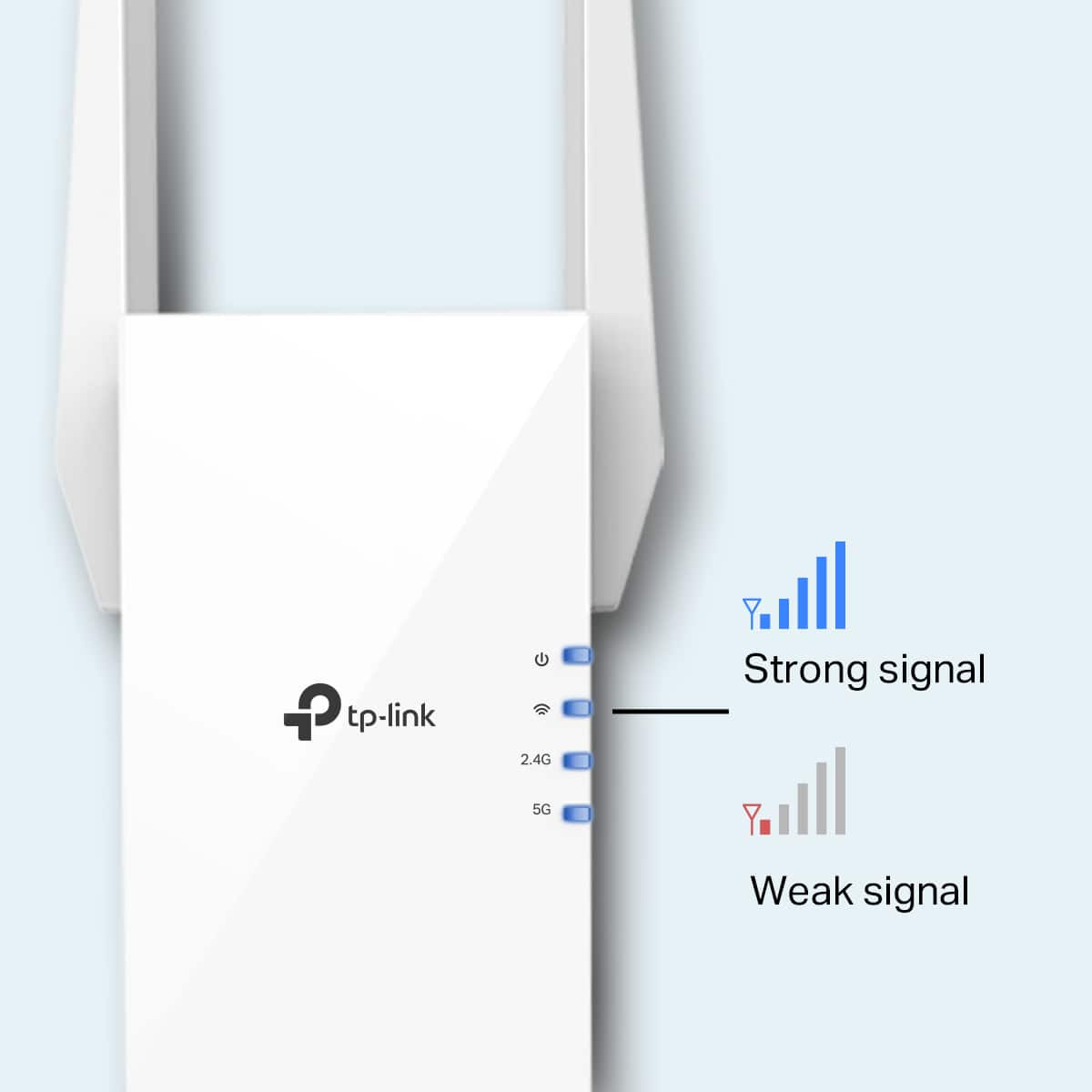
|Posted .This reviewer received promo considerations or sweepstakes entry for writing a review.I personally got this device because I have an NVR system in my Garage that requires an ethernet connection. This has worked as an excellent solution for my problems as it is nearly plug and play preventing me from needing to buy a long CAT5e ethernet cord and run it from the middle of my house in the basement (where my router is) to the garage. For reference my home is approximately 2200 square feet and I get a strong connection. According to the app “Perfect signal your extender is in a great location”. Since I don’t have a TP-Link router I’m unable to make this a MESH network so instead it setup an additional wireless network and separated it into 2.4 and 5 GHz bands which I can manually connect to when needed. I get about 50% connection rate from the 5 Ghz band from the middle of my home (in the basement) and nearly full bars for the 2.4 Ghz anywhere. But the speeds do suffer from what I’m supposed to be getting (even when I’m close by) at ~100 down and ~30 up (either band) compared to 364 down 30 up when connected to my main router (paying for 300 down 30 up). If you would prefer you can set it so it has “Maximum Coverage”, “Intermediate Coverage” or “Minimum Coverage”. I have mine set to Maximum but should probably switch it over to minimum as I only really want that connection for the garage. This Extender Router has some really neat features. - Such as the ability to go into the app and share a QR code to your friends/family that they can scan and automatically connect too. It also tells them the Wifi Name and Password if they need to type it in manually. - You can turn OFF the LEDs if you happen to have it in a room that is dark or you sleep. Additionally, they have a NIGHT MODE that when enabled turns off the LEDs automatically during a set period (which you can select manually) and then turns them back on when out of that period. More companies need to do that as this is absolute fire. You can also schedule a time where it will turn off and then turn back on again. - You have LAN settings and DHCP Settings that most people won’t touch. - This can be part of a MESH network if you have the correct Wireless Router (which you need to get from TP-Link). I personally use a different brand (Aeris Wi-Fi 6) and it works just fine by extending my network with a new 2.4 and 5 GHz band. But if you have a supported TP-Link router then it would put it all as a single network and automatically switch to whatever has the strongest signal based on your location. - You are able to see what devices are connected to which bands via the app. Along with block some if you wish. Setup is straightforward and easy. You plug the device in close to your existing Wireless Router and download the TP-Link Tether App (which they give a QR code for quick downloading) upon which you accept the usual permissions and sign privacy policies that nobody ever reads but probably should. Then you create an account and it walks you through the rest of the setup. Which is basically connecting to your existing network, setting up the new network (as it creates two separate 2.4 and 5 Ghz wireless bands) if you don’t already have a supported TP-Link Router for the MESH mode (which you can turn on or off) and then tells you to take it wherever you need your Wi-Fi extended to. Where it will tell you if you have a good connection or not. On the front of the device you have multiple LED’s. When they are all BLUE you are getting a good signal and it is a good place to put it. If some of them are RED then it means the connection is too weak and should be moved closer to your Router. Overall setup was maybe 5 minutes. Overall, I think this is a good device. It has great build quality, setup is easy and straightforward, it has wonderful settings, by thinking of a lot of little things most other manufactures overlook. The only con I have is that my speeds suffer greatly on it. Unfortunately, this is a doozy of a con as this is the main reason for getting this type of device. Due to this I have to deduct a star giving it 4/5 stars over 5/5. I would assume that if you have TP-Link router already that speeds would be a lot better. But for my purposes is more than enough for what I need.
I would recommend this to a friend - Pros mentioned:Overall performance
niceeee
||Posted . Owned for 1 week when reviewed.This reviewer received promo considerations or sweepstakes entry for writing a review.The AX3000 router has been a great upgrade for my home network. Setup was quick and easy, and the Wi-Fi coverage is excellent throughout the house. Speeds are fast and stable, even with multiple devices connected at the same time. Streaming, gaming, and video calls all work smoothly without interruptions. The performance and value for the price are outstanding. I highly recommend it to anyone looking for a reliable and powerful router.
I would recommend this to a friend - Pros mentioned:Ease of use, Setup
Glad we got it!
||Posted .This reviewer received promo considerations or sweepstakes entry for writing a review.This works well as an extender and was fairly easy to install. (We had one hiccup but I think that was our internet more than the range extender). We had ordered a different brand that was meant to be top of the line but we could never get it to work so we got this one to replace it. Love it. Does exactly what it should without any issue.
I would recommend this to a friend - Pros mentioned:Ease of use
Great, inexpensive wi-fi extender!
|Posted .This reviewer received promo considerations or sweepstakes entry for writing a review.I've tried a few wi-fi extenders with some luck, but haven't gotten much consistent over the years. My in home internet service is a little tricky with other companies modems and extenders, so that has caused a few issues over the years. They use a proprietary modem that doesn't play well with other devices, unfortunately, so most extenders I've used that had to be plugged into the modem or get direct service would require changes in the modem settings (not easy) and being reset every few months if the internet company reset the service or I had to reboot the main modem (pain in the butt). In my two story house the wifi signal downstairs is terrific, but the upstairs playroom doesn't get much of a signal and isn't direct-wired. I had my doubts this little device would do the trick, but I'm happy to say it's worked very well to connect all of our devices upstairs, and at a much faster speed than straight connections do. Out of the box the set-up is pretty simple. You can either use the app designed for the device or go online on a computer for set-up. I highly recommend the app. It's a small app, and walks you through step-by-step set up in a very easy to understand manner. You will plug the device in close to your modem first, then open the app and connect. On a side note, it was nice to have the app handle disconnecting my phone from wi-fi, connecting it to the device and then re-connecting when I was done. Most apps have you do all that manually when walking through setting-up a device that will be connected to wi-fi, so it was a pleasant surprise when the app simply asked for my home network's name, confirmed that's what I wanted and did all the connecting for me. After the initial set up is done you can move the device closer to the area you want better wi-fi in by simply unplugging it, and then plugging it in at a closer outlet. So long as it's in range of your modem it reconnects as soon as it has power, then starts sending wi-fi out. Reconnect your devices and hopefully you'll get the same results I did--2 to 3 times better speed! Seriously, for how cheap and easy to use this is I was really not expecting much, but the signal was almost the speed I was getting from a more expensive mesh system that kept having to be reset. Now, it's only been a week or so--if this develops the same issue then I'll update my review, but for now I'm very impressed with this device. It does what I need it to do while being inexpensive, easy to use and unobtrusive (mostly--there's no wires or anything coming off the device, but it will take up most of an outlet, so you may have to plan around that). Highly recommended!
I would recommend this to a friend - Pros mentioned:Ease of use, Range, Setup
TP-Link AX3000 Dual Band Wi-FI Range Extender
||Posted . Owned for 1 month when reviewed.This reviewer received promo considerations or sweepstakes entry for writing a review.Works great. Placed it in the second story of my home and it really increased the range of my modem. It was also very easy to set up.
I would recommend this to a friend - Pros mentioned:Ease of use, Setup
Easy to set up and works great
||Posted .This reviewer received promo considerations or sweepstakes entry for writing a review.Very easy to use and set up. Works as advertised and definitely helps cover the entire home.
I would recommend this to a friend - Pros mentioned:Signal strength
Cool concept
|Posted .This reviewer received promo considerations or sweepstakes entry for writing a review.Very cool concept for Wi-Fi extension and tethering devices to your network. We have a 3300 sq ft house with our router in a bedroom upstairs. Down stairs away from the router we have two TV’s and Sonos audio along with some smart lights. We also sometimes work from our laptops downstairs so we do require decent bandwidth from our home to power all devices. We have three people living here full time all with smart phones and tablets / laptops / smart televisions. Our current internet plan is for up to two hundred gigabytes and testing shows we get more or get less depending. We did not experience drop outs in our Wi-Fi probably because our 3300sq Ft home is two stories so the routers signal travels through everything. Anyways that’s our living situation so we got this Wi-Fi extender hoping that we would notice a difference or at least to make our signal stronger. It was very easy to set up you simply plug it into your router and then you plug it half way between your router and the rest of your home. After testing the signal I determined that we maintain a constant signal in the downstairs area much better then prior installation. We feel comfortable streaming on multiple devices without fear of a drop out. The unit looks nice and is not no I able except at night there is a blue light that illuminates on the side of the unit. The packing was nice and the instructions were simple which I appreciated. I would recommend to a friend and for the price I think it’s good insurance for your homes media especially if you live in a larger home.
I would recommend this to a friend Reliable Wi-Fi Boost with Wi-Fi 6 Performance
||Posted . Owned for 3 weeks when reviewed.This reviewer received promo considerations or sweepstakes entry for writing a review.The TP-Link AX3000 Wi-Fi 6 Range Extender is an excellent solution for eliminating dead zones around the house. Setup was simple and quick using the TP-Link app, and within minutes my devices had a stronger and more stable connection. The dual-band performance is fantastic—both 2.4GHz and 5GHz signals are strong, and the Wi-Fi 6 technology makes streaming, gaming, and video calls smooth with no lag. I noticed a big improvement in speed and coverage, especially in areas where my router signal used to be weak. The design is clean and compact, blending easily into the wall without being bulky. It also supports gigabit Ethernet, which is perfect for hardwiring a console or smart TV for even faster speeds. Overall, this extender delivers excellent performance at a great value. If you’re looking to extend your Wi-Fi coverage with the latest technology, this is a perfect choice.
I would recommend this to a friend- Pros mentioned:Setup, Signal strength
This Is A Must Buy!
||Posted . Owned for less than 1 week when reviewed.This reviewer received promo considerations or sweepstakes entry for writing a review.I dont leave many reviews but!!! This Is A Must Buy! I purchased xfinity Xfi Pods to help my ring doorbell devices get a better signal. They were horrible did not even connect or help. I googled best extender and this was rated 1. When i got it setup was super fast with the app. It immediately connected and improved the signal. I did have to move the extender around the house to get the best signal example: bedroom, bathroom, garage. I found the garage provided the best reception. There is a test signal option in the app that tells you if your extender is in a good spot. Once i found the golden spot it was perfect and unbelievable speeds. Highly recommended.
I would recommend this to a friend - Pros mentioned:Ease of use, Setup
WiFi extender
||Posted . Owned for less than 1 week when reviewed.This reviewer received promo considerations or sweepstakes entry for writing a review.It had a very good connection and the connection process is very smooth and easy
I would recommend this to a friend - Pros mentioned:Ease of use, Setup, Signal strength
Amazing
||Posted . Owned for 3 weeks when reviewed.This reviewer received promo considerations or sweepstakes entry for writing a review.Great for upstairs hard to reach wifi signals. Easy to set up
I would recommend this to a friend - Pros mentioned:Ease of use, Overall performance
VERY SATISFIED
||Posted . Owned for 3 weeks when reviewed.This reviewer received promo considerations or sweepstakes entry for writing a review.This was very easy to set up and it works perfect . I needed it because of my ring cameras and I’ve had it going for about a month now. I would highly recommend it!
I would recommend this to a friend