Customer Ratings & Reviews



---
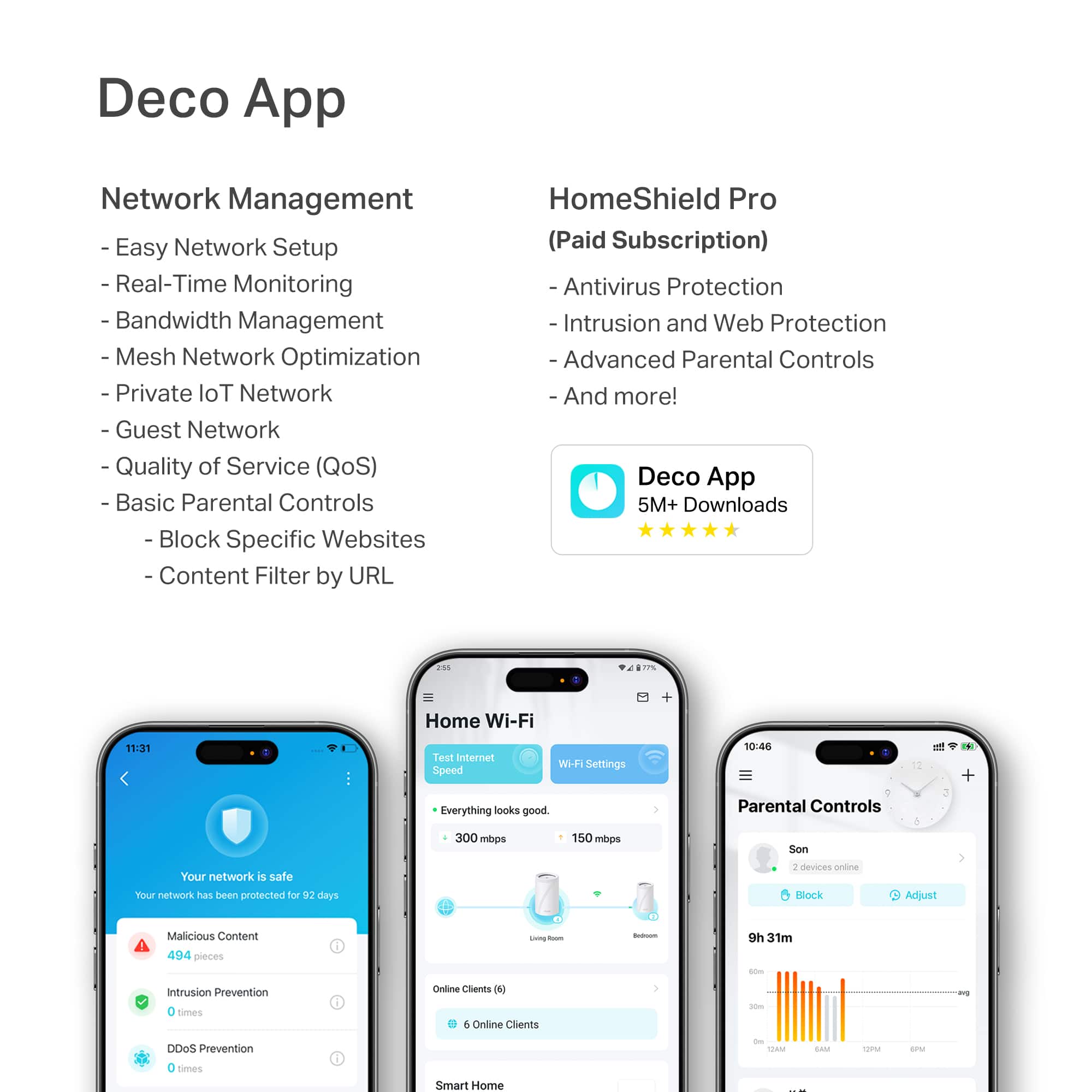
**HomeShield**
HomeShield is a built-in service, available in all HomeShield routers and Deco mesh products.
- Router Security Scan
- Wireless Security Scan
- IoT Device Identification
- Basic Parental Controls
- IoT Protection*
- Web Protection*
- Intrusion Prevention*
- Antivirus Protection*
*Included with HomeShield premium subscription service](https://pisces.bbystatic.com/image2/BestBuy_US/images/products/29e59d96-9e3f-47a7-92bb-86d133c84d45.jpg)




- Model:
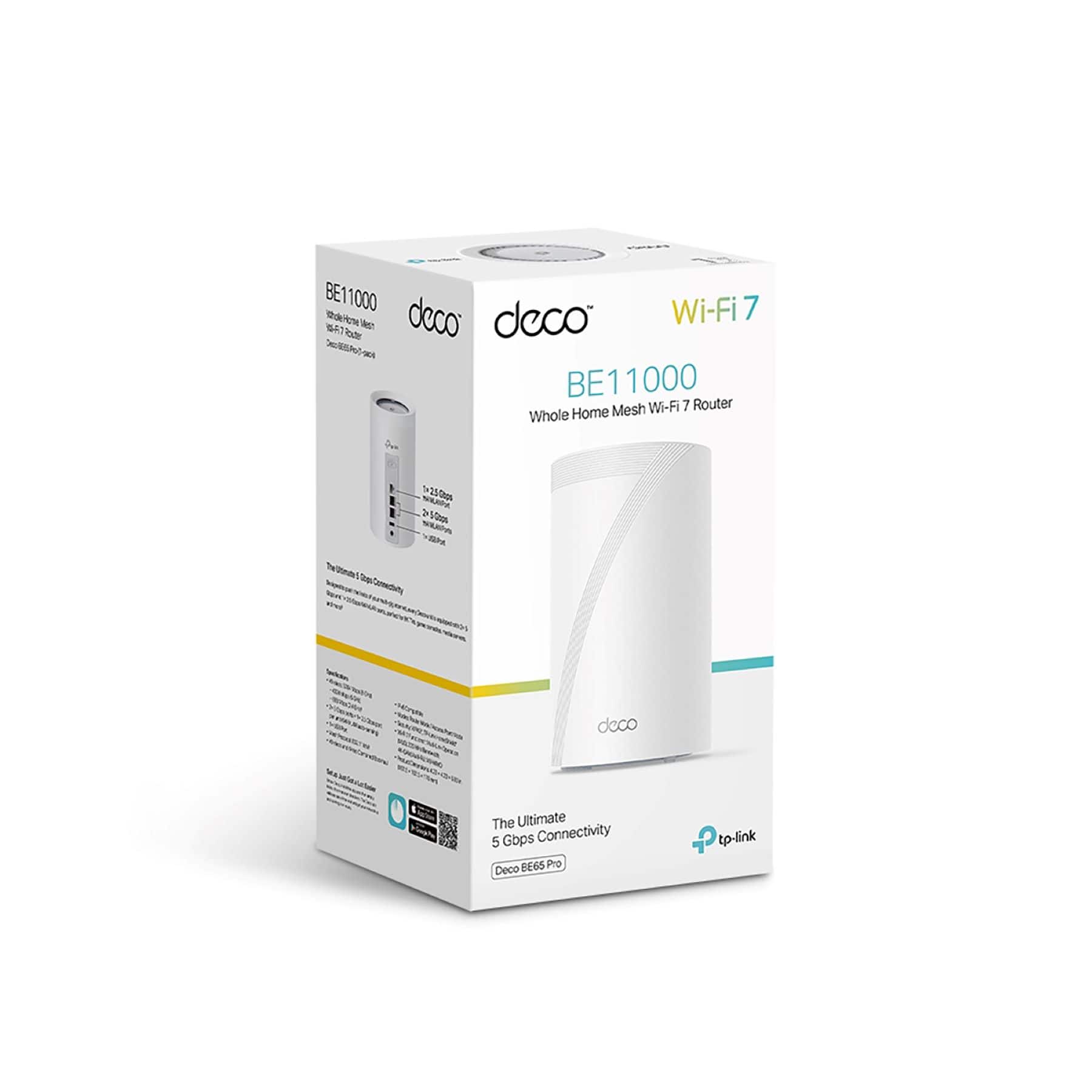
- Deco BE65 Pro(1-pack)
- SKU:
- 6582070
Rating by feature
- Setup
Rating 4.8 out of 5 stars
- Range
Rating 4.8 out of 5 stars
- Signal Strength
Rating 4.8 out of 5 stars
Customers are saying
Customers often highlight the Deco BE65 Pro's excellent speed and performance, alongside its easy setup and great coverage. Many appreciate its ease of use and reliable connectivity. While the design is considered sleek, a few customers noted that the units themselves are quite large.
This summary was generated by AI based on customer reviews.
Deco Mesh Review
||Posted .This reviewer received promo considerations or sweepstakes entry for writing a review.Good product and significant upgrade to past mesh router systems.
I would recommend this to a friendNice Product
||Posted . Owned for 2 months when reviewed.This reviewer received promo considerations or sweepstakes entry for writing a review.Works as expected. Space saver compatible and nice look
I would recommend this to a friendGood mesh system for giga bit speeds
||Posted .This reviewer received promo considerations or sweepstakes entry for writing a review.Used these as a replacement for the Google Fiber mesh routers. Work better than those and also works great with a MOCA connection using my home's in wall coaxial cables.
I would recommend this to a friendSimple setup and decent system
||Posted . Owned for 3 weeks when reviewed.This reviewer received promo considerations or sweepstakes entry for writing a review.It was simple to install and start using. The app is pretty straightforward to use and manage. I do have some issues where people cannot stay connected to the router. They get booted frequently. We have not been able to figure that out yet.
I would recommend this to a friendCan't customize at all!!!
||Posted . Owned for less than 1 week when reviewed.This reviewer received promo considerations or sweepstakes entry for writing a review.If you have a basic setup at your home, you're not savvy at setting up a network and want it to install easily, then this is for you. I was completely blown away at how little you can customize this network. You can't even change a wireless channel!!! Just about every parameter is set automatically with no option to change it! Really??? I read all the positive reviews and thought I'd try this as an upgrade from my Trustworthy Orbi. (I've installed dozens of them for clients over the last 4 years and they have been rock solid. And yes you can completely customize all the settings.) With this TP-Link you can only change a few basic parameters. After finding out these limitations, I researched this online and their tech support response is that our software knows the best settings. Again, really? Also, a few other observations. After installing this network, some of my devices were not connecting and I did not see any improvement of the Wi-Fi speed over my Orbi mesh. And of course I could'nt change any settings to try to correct it. Back in the box and back it goes. I'll be sticking with Orbi. I was hoping this would be a great solution and upgrade, but unfortunately it was a huge letdown.
No, I would not recommend this to a friendBrand response from TPLinkSupport
Posted .Hi,
Thank you for your review. Our Deco Mesh Wi-Fi systems are designed to provide robust, seamless Mesh Wi-Fi for your whole home. In your case, we first recommend ensuring your Deco app and firmware are both fully up to date and your Deco units are optimally positioned within your home and in proximity to each other.
Our support team is always happy to help answer any questions you may have about our products. Please feel free to reach out using any of the resources included with the product, or from our official website, and we'll gladly have a Support Agent follow up with you directly.
Thank you,
TP-Link Support
Good router, overkill for most people in 2024
||Posted . Owned for 1 week when reviewed.This reviewer received promo considerations or sweepstakes entry for writing a review.Full disclosure: I have no Wi-Fi 7 devices yet. This is an upgrade to my Archer AX11000. Like the Archer, setup is easy. I am not an advanced user (e.g. no proxy servers or NAT configured) but options for standard networks are easy. Speed is fast, even without a hardwired backhaul. Connection has been rock solid for the past week. No resets needed.
I would recommend this to a friendGood system
||Posted . Owned for 1 week when reviewed.This reviewer received promo considerations or sweepstakes entry for writing a review.Pretty happy with these so far. Had them in for about a week. The setup was very easy. Went through the app for the main router and the satellites all added automatically. Went from an old Google Wifi mesh system to this and the wifi speed doubled. So far so good.
I would recommend this to a friend- Pros mentioned:Coverage
Nice mesh system
||Posted . Owned for 1 week when reviewed.This reviewer received promo considerations or sweepstakes entry for writing a review.Nice mesh system everything i need to cover my entire house
I would recommend this to a friend Great router
||Posted . Owned for 3 months when reviewed.This reviewer received promo considerations or sweepstakes entry for writing a review.Fantastic range, super ready setup. Speed is great
I would recommend this to a friendGreat WiFi speeds
||Posted .This reviewer received promo considerations or sweepstakes entry for writing a review.These are great WiFi routers. I have been able to get over a gig a second on most devices using these. I would highly recommend.
I would recommend this to a friendGreat wifi mesh system
||Posted .This reviewer received promo considerations or sweepstakes entry for writing a review.Great wifi mesh system. I first bought the be5000 that was on sale for 250 and it was dropping connections- underpowered for our 65+ devices on our network. Exchanged it for this- night and day difference. It's awesome!!
I would recommend this to a friendDO NOT TRUST TP DECO BE65 PRO
||Posted .This reviewer received promo considerations or sweepstakes entry for writing a review.Summary: I emailed the complaint below to TP Deco -- the maker of this product, only AFTER I had asked BestBuy for a return (I realize my request was 3 months after purchasing, but I am exasperated at this point). UPDATE: TP Deco has also rejected my return request and instead sent me down a rabbit hole of endless tech support. So I wasted $600. Thanks (sarc) BestBuy and TP Deco. Dear TP Deco: This product, the TP Deco BE65 Pro, is unfortunately defective. It drops connection at least a dozen times each day. My previous mesh router system was an orbi RBR850 plus two satellites that never dropped connections. I ensured all settings on the BE65 are correct. I rebooted easily over a hundred times over the last three months. First I ensured the firmware was updated on all 3 decos. I checked the ethernet cable to the AT&T fiber modem and even replaced it with another high quality cable. I moved around the 3 decos. I triple checked the settings on my AT&T fiber gateway settings (turning off its own wifi), to which the base Decos is connected via ethernet. I sometimes turned off one or two of the three Deco units to try to isolate the problem to a specific unit. Sometimes I tried just ethernet only, or sometimes wifi only. But no matter what I did, the constant dropping recurred. The dropping occurred among all computers and devices. The problem has led to significant family stress and frustration. At this point I would like a refund. I do not want another BE65 Deco Pro or any other TP Deco product. I have hooked up the old Orbi RBR850 which just works. I do not wish to leave lots of negative reviews online but I will if necessary to get an appropriate resolution. I paid $496.11 at Best Buy Dublin and am very disappointed. Thank you for your understanding. I am happy to ship back the product in the original box with all contents.
No, I would not recommend this to a friendBrand response from TPLinkSupport
Posted .Hi Todd,
Thank you for your review. We regret to hear that your support experience was anything less than satisfactory, and we would appreciate the opportunity to follow up with you. Please send an email referencing this review and your existing support ticket ID (TKID) to USSupportTeam@TP-Link.com, and a member of our Support Team will gladly assist you.
Thank you,
TP-Link Systems Support
Great mesh router overall
||Posted . Owned for 1 month when reviewed.This reviewer received promo considerations or sweepstakes entry for writing a review.Super reliable wifi and speeds the backhaul works perfectly it make you feel like its connected through cable you start losing some speed if you have a moderate distance between the nodes but thats pretty much normal and you will see some disconnect of wifi when moving around since the device will connect to a different node but it doesnt take thar much time to reconnect
I would recommend this to a friendEasy, Fast, Reliable
||Posted . Owned for 1 week when reviewed.This reviewer received promo considerations or sweepstakes entry for writing a review.Really fast and easy to setup. Consistency with connection speed as well
I would recommend this to a friendExcellent Performance, Glad I Bought
||Posted . Owned for 3 weeks when reviewed.This reviewer received promo considerations or sweepstakes entry for writing a review.I bought this to replace wifi 6 router. Performance has been great, Zero buffering. The app is also so much better letting me to make configuration changes and monitor each satellite node. Worth the investment, plus bonus was $300 off.
I would recommend this to a friendGreat simple system
||Posted . Owned for 3 weeks when reviewed.This reviewer received promo considerations or sweepstakes entry for writing a review.I got this after returning a much more expensive competitor system. I saved $1500 and this really does seem to work just as well my usage. I've a normal amount of things connected and everything seems to be working as expected.
I would recommend this to a friend- Cons mentioned:Size
Great, but a Little Too Big
||Posted . Owned for 1 week when reviewed.This reviewer received promo considerations or sweepstakes entry for writing a review.Pretty good, speed fast, but they are kind of big on display on a desk.
I would recommend this to a friend Wifi7 Mesh Does Not Dissapoint.
||Posted . Owned for 3 months when reviewed.This reviewer received promo considerations or sweepstakes entry for writing a review.Love the speed of this Wifi7 Mesh Router system. I previously had the Wifi5 version so it was ultra easy to convert/setup the new system. Love the new features like remote access too.
I would recommend this to a friendWiFi all the time
||Posted . Owned for 1 month when reviewed.This reviewer received promo considerations or sweepstakes entry for writing a review.The speed on this is literally uncapped. Your ISP might be limiting if you're. speeds after purchasing this product are still slow. If you download the TP link app, you will see a lot of beneficial features that will expand your Wi-Fi range and your knowledge on how the system works.
I would recommend this to a friendInternet coverage
||Posted . Owned for 2 weeks when reviewed.This reviewer received promo considerations or sweepstakes entry for writing a review.Network coverage is good for my house size inside and outside
I would recommend this to a friend