Customer Ratings & Reviews
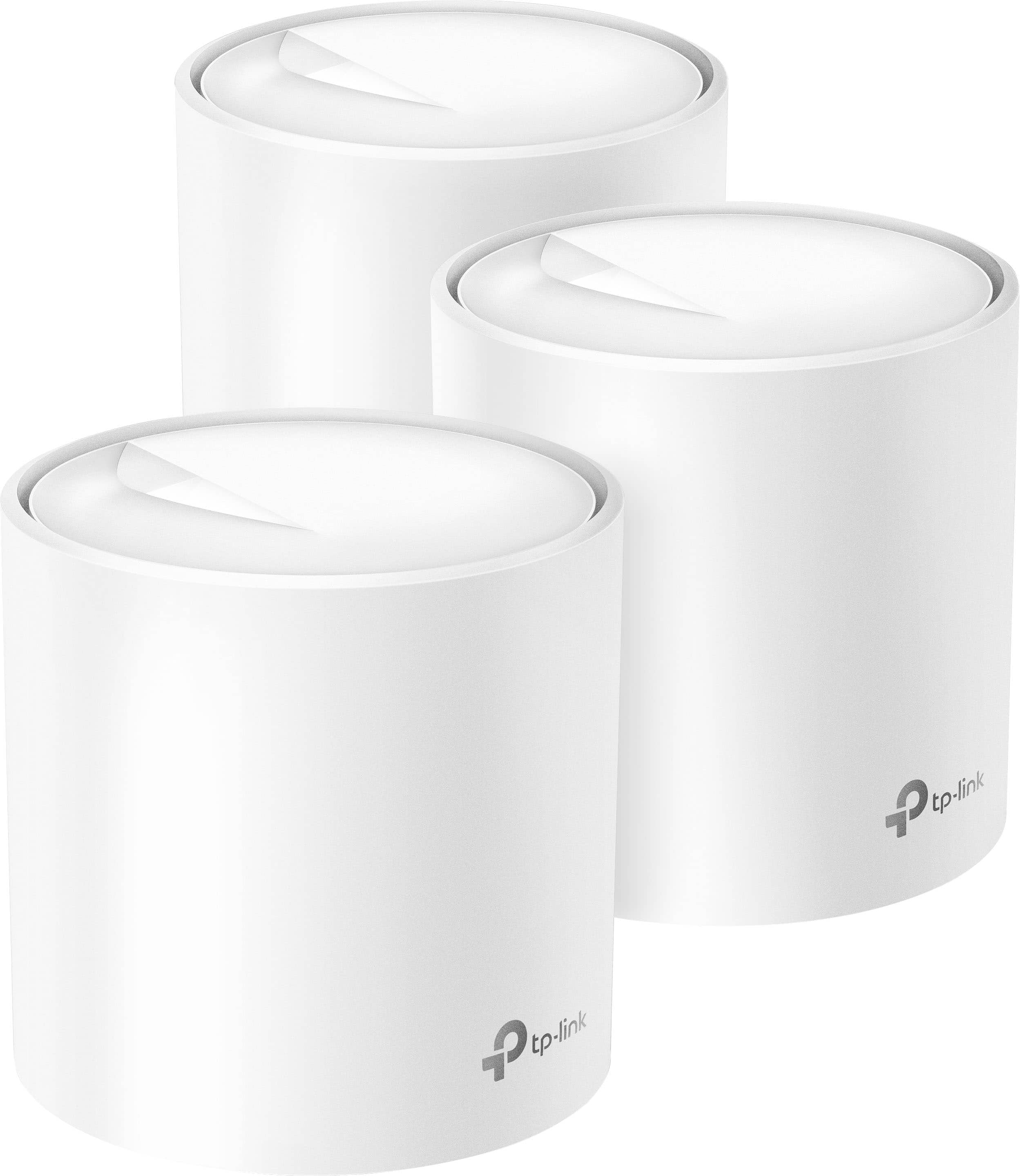
- Model:
- Deco AX3000 (3-pack)
- |
- SKU:
- 6479600
Customer reviews
Rating 4.6 out of 5 stars with 1048 reviews
(1,048 customer reviews)Rating by feature
- Setup4.7
Rating 4.7 out of 5 stars
- Range4.7
Rating 4.7 out of 5 stars
- Signal Strength4.7
Rating 4.7 out of 5 stars
Customers are saying
Customers are positive about the Deco AX3000 mesh Wi-Fi system, frequently praising its ease of use, extensive coverage, and reliable setup process. Many users highlight the strong signal strength and improved connectivity throughout their homes, leading to better performance. The accompanying app also receives positive feedback for its user-friendliness and helpful features. Overall, the product is lauded for its ability to deliver a seamless and high-performing Wi-Fi experience.
This summary was generated by AI based on customer reviews.
- Pros mentioned:Setup
Rated 4 out of 5 stars
Works Well Most of the Time
||Posted . Owned for 2 weeks when reviewed.This reviewer received promo considerations or sweepstakes entry for writing a review.It works well, really easy to set up, and looks good in the house. However, mu phone and computer would occasionally drop WIFI connection qhich I'm still trying to troubleshoot.
I would recommend this to a friend - Pros mentioned:Speed
Rated 5 out of 5 stars
Deco Mesh System
||Posted . Owned for 1 month when reviewed.This reviewer received promo considerations or sweepstakes entry for writing a review.My new Deco router works great and was easy to install; the speed is remarkably faster than my prior router.
I would recommend this to a friend Rated 1 out of 5 stars
Huge mistake
||Posted .This reviewer received promo considerations or sweepstakes entry for writing a review.Greatly regret this purchase; spent more time setting up this network repeatedly than actually being able to us it within the first 8 hours. Returning this as soon as possible. Was able to successfully report issues 3 different occasions to their customer service, which says they'll get back with me within 1 to 2 business days. Don't know how you will be able to get back with me if I cannot stay connected to the internet to actually check my email. Oh that's right you already know people are going to go back to their older routers till they get around to purchasing something different from this after returning it. Worked with someone through their live chat, device worked for less than 1 hour. Side note, signal is to weak to run a PS5 that's literally less than 8 feet away from it and the only device on the entirenetwork. First thing I tried to establisha network connection with. All-round one of the worst purchases I have made for 2023. Don't purchase this unless you enjoy having to redo the network on a repeated basis and create a new network everytime.
No, I would not recommend this to a friendBrand response from TPLinkSupport
Posted .We do indicate that email is considered for non-urgent matters. For a case like yours, I would suggest phone or chat support. You did mention Chat support but it only worked for an hour. Our team would need to look at this again and see what specifically is going on in your situation. There could be a number of factors. Placement of the nodes, distance from nodes, client hardware, the Deco themselves, and Software. All could be factors. I would recommend calling our support 866-225-8139 before you decide to return the units.
Rated 3 out of 5 stars
Not worth it
||Posted . Owned for 5 months when reviewed.This reviewer received promo considerations or sweepstakes entry for writing a review.This product is not as good as it has been set to be. The wifi coverage is not any different than just having one router
No, I would not recommend this to a friendBrand response from TPLinkSupport
Posted .Hi,
Thank you for your review. Our Deco Mesh Wi-Fi systems are designed to provide robust, seamless Mesh Wi-Fi for your whole home. In your case, we first recommend ensuring your Deco app and firmware are both fully up to date and your Deco units are optimally positioned within your home and in proximity to each other.
Our support team is always happy to help answer any questions you may have about our products. Please feel free to reach out using any of the resources included with the product, or from our official website, and we'll gladly have a Support Agent follow up with you directly.
Thank you,
TP-Link Support
- Pros mentioned:Ease of use
Rated 5 out of 5 stars
Big Recommend
||Posted . Owned for 3 weeks when reviewed.This reviewer received promo considerations or sweepstakes entry for writing a review.These things are rad. The Wifi in my three-floor condo is excellent. Pretty easy to set up as well.
I would recommend this to a friend - Pros mentioned:Ease of use
Rated 5 out of 5 stars
Great product
||Posted .This reviewer received promo considerations or sweepstakes entry for writing a review.They work flawlessly. Very intuitive to set up and connect to all existing devices within minutes.
I would recommend this to a friend - Pros mentioned:Range, Setup, Speed
Rated 4 out of 5 stars
Solid mesh router system for non-power users
|Posted .This reviewer received promo considerations or sweepstakes entry for writing a review.This router has been a pretty solid replacement for my old system so far, but it’s not designed for high end users. The setup was a breeze. It took less than a minute to download the app, and all three units were ready to go withing 10 min. I did plug them all in and set them up in the same room and then moved the other 2 units to their final location. If you have any issues with getting the other units to connect and have them placed all around your house, that may make a difference. Speeds are solid and the wifi maxes out my internet speed since I haven’t paid for the highest possible. I can consistently get 100Mbps on any device. I also have a home server so I tested the speed within the system and I got up to 500Mbps wirelessly to any computer, but averaged around 350. I got around 300Mbps to our better mobile devices as a top speed, but averaged closer to 250. I get just over a gig hardwired if I force the signal through the unit’s wired ports which shows that a higher internet speed into my house would be able to be distributed to they system and I may have been able to get higher if my home’s wiring were a little more extreme. My hardware for my devices is pretty good and fairly new. I’d say this is a pretty good representation of the actual speeds you’d get with the unit. I would only count on realistically getting 1-2 gigs hardwired if you have nicer wiring in your home, 300Mbps for a computer device and 200-250 for a mobile device. This is more than enough for most people, but the rated info on the box is extreme ideal situations where they have gotten the best and most compatible components to max out the speeds. But to put that in perspective, this unit should be more than enough for nearly anyone. For example, a bluray 4k movie would be between 40-80 GB. To convert that to megabits, that means that a 80 GB movie would be around 640,000 Megabits. At 300Mbps, your computer could download that movie in 35 to 40 minutes. And if you can download a 2.5-3 hour, 80 GB, 4k super high resolution movie in only 40 min, well you have more than enough speed to stream it at full HD. In fact, you probably have enough speed for 5 people to stream that movie on different devices at the same time. The signal is nice and strong all over my house. My place is only around 4,000 sqft and this is rated at 7,000, but that’s about right for my place. 7,000 is an optimistic number based on ideal circumstances and since people rarely pick where the internet company places their drop in the house, no one ever get the ideal setup. With this setup I get a good clear signal in my entire house with no dead spots where my old 5,000 sqft setup had issues even though it was rated more than my house size. As a general rule I usually suggest people go with a mesh system rated at least 50% bigger than their actual home. A plus I also found was this is a good enough signal that I can get pretty good speeds outdoors over my entire yard. I used to have to switch to mobile data to listen to music while mowing the lawn since the signal was week, but with this I’ll be able to stay on wifi the whole time (once the weather warms up). The app works well to get things set up and any novice will be able to get it going without any problems. It is app only controlled so anyone that gets into the details of the device knows what that means. For me I thought the app was a bit irritating on how they organize things and not super intuitive, but I’m sure once I’m used to it then it won’t bother me anymore. The big issue is that its a bit overly simplistic. If you’re not super techy you won’t care, but if you are looking to set up anything slightly more advanced like port forwarding or IP reservations, TP-Link made some choices that are just irritating. For example, you can’t filter or search devices at all, you just scroll through to find the device you want. If you fill this up to all 150 possible, it could take forever to find what you are looking for. The naming convention when a device adds to the network is also a bit short sighted. I used the same name and password as my old network so I didn’t have to reconfigure every internet enabled device in my house. When I went it to check the devices, the app had named half of them “Unknown”. It didn’t even number them. So as I’m trying to figure out which one is which, I have to click into the device information then check the MAC address and go back and match it up. But guess what? It doesn’t highlight which device you just went into so if you have the Mac address of the device you’re looking for you have to check Unknown devices one by one and count down the list to see which one you are on. And if a new unknown devices adds to the network in the meantime you’ll just have to start over since it isn’t clear which one the new one was. Finding our Nintendo Switch to put a time limit through the internet took 20 min. Also, if you wanted to identify all the devices that are hardwired instead of using wireless, there’s no way to search for it, and you have to click each device to look at its settings to see how its connected. Overall if you are looking to just get the internet to work in your house and log in they way you would at a Starbucks, this works no problem. If you’re trying to do something a bit fancier, it will probably work, but it may be a pain. If you’re looking to really control all the minor details possible, look somewhere else. As for the parental controls. These were obviously added because everyone is adding them now days and if they don’t have an option, they think they’ll lose out on a marketing advantage. The actual parental controls are just garbage. Blocking websites works if a site falls into a category that they have premade for you. If you try to add one specific website, it only works on like 25% of the devices I tried to limit. Even then, not all the time and almost never on Youtube. Also, the limits were weird and included in their preset controls sites that really should not have been part of the parental controls, but there’s no way to whitelist sites. So, if for example you have a site that deals with medical issues that is blocked as a site that contains nudity (funny Best Buy's review program won't let you write the 4 letter word for this that starts with a p), your option is to not go to the site anymore or allow all types of nudity on the computer. Not great for your kid you want to keep safe from inappropriate pictures but has a biology class. Also, the time limiting function work pretty well so far, but is about the easiest thing to get around that I’ve seen in a parental control app. If you are looking to turn off the internet for your kid and they are at all tech savvy, they’ll figure out how to evade it in a couple of hours tops. If they aren’t tech savvy, they can google it and figure it out even faster. Also the parental control apps are done using groups which each device can only be a part of one group and each group can only have 16 devices. This makes setting things up annoying and trying to edit something for the whole household very tedious. Now here’s the thing about the parental controls though, they suck but they’re as good as everyone else’s built in controls. These are all added for marketing purposes to say they have it, but every company’s version sucks. The only ones I’ve seen that are even remotely good, require a monthly subscription or are placed on devices not the router. So this device is still a good one and I won’t take off stars for the horrible parental controls, but if you were interested in this specifically for the parental controls find a different option. Parental controls that will actually work are much more complex than what will be offered for free as a built-in add-on to a router. Overall: If you are just looking for something to plug in, get running and forget about afterward that delivers great coverage and speed, this is for you. If you are looking for a few advanced options, but nothing to complex, you should be happy as well. If you are a power user looking to take control of every aspect of the router, you may be disappointed. If your current router works just fine but you are looking for parental controls, don’t get this or any new router, look into setups that require a monthly or yearly subscription.
I would recommend this to a friend Rated 5 out of 5 stars
Total Improvement
||Posted . Owned for 2 weeks when reviewed.This reviewer received promo considerations or sweepstakes entry for writing a review.Increased connectivity throughout my house. A must-have if your modem is across the house.
I would recommend this to a friendRated 3 out of 5 stars
Nightmare if you lose power or it is unplugged
||Posted . Owned for 3 months when reviewed.This reviewer received promo considerations or sweepstakes entry for writing a review.I really like it but one thing to watch is when you lose power or if is unplugged on accident. It's loses connection where you have to reset it. Super time consuming. You can just simply refresh.
I would recommend this to a friendBrand response from TPLinkSupport
Posted .Hi,
Thank you for your review. Our Deco Mesh Wi-Fi systems are designed to provide robust, seamless Mesh Wi-Fi for your whole home. In your case we first recommend ensuring your Deco app and firmware are both fully up to date and your Deco units are optimally positioned within your home and in proximity to each other.
Our support team is always happy to answer any questions you might have about our products. Please reach out to our support team using any of the resources included with the product, or from our official website, and we'll gladly have a Support Agent follow up with you directly.
Thank you,
TP-Link Support
- Pros mentioned:Ease of use
Rated 5 out of 5 stars
Good Product
||Posted . Owned for 3 weeks when reviewed.This reviewer received promo considerations or sweepstakes entry for writing a review.Works great! Not difficult to set up. Easy to use. App offers lots of options.
I would recommend this to a friend Rated 1 out of 5 stars
Not reliable network connectivity
||Posted . Owned for 2 months when reviewed.This reviewer received promo considerations or sweepstakes entry for writing a review.Not a reliable device. I got a lot of problems with this device. The interconnectivity between them is not reliable and the internet speed is low. Even if you upgrade the firmware to latest version. I got two of these items because I wanted to give a 2nd shot but it was the same. I had to return them. No recommended at all.
No, I would not recommend this to a friendBrand response from TPLinkSupport
Posted .Hello Esenio,
This could be due to a myriad of reasons. All of which can be addressed by our support team. Support is free and available 24 hours a day. Please consider giving us a call at 866-225-8139 or send an email to support.usa@tp-link.com
Best Regards
TP-Link Systems Support.
Rated 3 out of 5 stars
Mediocre, don't recommend
||Posted . Owned for 1 month when reviewed.This reviewer received promo considerations or sweepstakes entry for writing a review.Wifi was pretty slow when I used it, ended up returning it for another router.
No, I would not recommend this to a friendBrand response from TPLinkSupport
Posted .Hi,
Thank you for your review. Our Deco Mesh Wi-Fi systems are designed to provide robust, seamless Mesh Wi-Fi for your whole home. In your case, we first recommend ensuring your Deco app and firmware are both fully up to date and your Deco units are optimally positioned within your home and in proximity to each other.
Our support team is always happy to help answer any questions you may have about our products. Please feel free to reach out using any of the resources included with the product, or from our official website, and we'll gladly have a Support Agent follow up with you directly.
Thank you,
TP-Link Support
Rated 1 out of 5 stars
No bueno for staying online
||Posted .This reviewer received promo considerations or sweepstakes entry for writing a review.Wished this worked well but it keeps shutting down on me and causing my connection to die Now I have to say to link is not what it used to be
No, I would not recommend this to a friendBrand response from TPLinkSupport
Posted .Hi JoshuaF,
Thank you for your review. Our Deco Mesh Wi-Fi systems are designed to provide robust, seamless Mesh Wi-Fi for your whole home. In your case, we first recommend ensuring your Deco app and firmware are both fully up to date and your Deco units are optimally positioned within your home and in proximity to each other.
Our support team is always available and happy to assist with any questions you may have about our products. Feel free to contact us through any of the resources provided with the product or on our official website, and a Support Agent will follow up with you directly.
Thank you,
TP-Link Systems Support
Rated 3 out of 5 stars
Its alright
||Posted . Owned for 7 months when reviewed.This reviewer received promo considerations or sweepstakes entry for writing a review.I bought them to out throughout my house and i connected all of them directly to ethernet and my internet is still similar. Just a little better. Ngl i barely feel a difference
No, I would not recommend this to a friendBrand response from TPLinkSupport
Posted .Hi,
Thank you for your review. Our Deco Mesh Wi-Fi systems are designed to provide robust, seamless Mesh Wi-Fi for your whole home. In your case, we first recommend ensuring your Deco app and firmware are both fully up to date and your Deco units are optimally positioned within your home.
Please also bear in mind that your Internet speed is determined primarily by your Internet service provider and speed plan/subscription.
Our support team is always happy to answer any questions you might have about our products. Please reach out to our support team using any of the resources included with the product, or from our official website, and we'll gladly have a Support Agent follow up with you directly.
Thank you,
TP-Link Support
Rated 3 out of 5 stars
Disappointed
||Posted . Owned for 1 week when reviewed.This reviewer received promo considerations or sweepstakes entry for writing a review.Range is no better than what you could get with rcn, but at a higher cost.
No, I would not recommend this to a friendBrand response from TPLinkSupport
Posted .Hi,
Thank you for your review. Our Deco Mesh Wi-Fi systems are designed to provide robust, seamless Mesh Wi-Fi for your whole home. In your case, we first recommend ensuring your Deco app and firmware are both fully up to date and your Deco units are optimally positioned within your home and in proximity to each other.
Our support team is always happy to help answer any questions you may have about our products. Please feel free to reach out using any of the resources included with the product, or from our official website, and we'll gladly have a Support Agent follow up with you directly.
Thank you,
TP-Link Support
Rated 5 out of 5 stars
Get this item now
||Posted . Owned for 4 months when reviewed.This reviewer received promo considerations or sweepstakes entry for writing a review.Ever since I got this my connection has been so much better love it
I would recommend this to a friend- Pros mentioned:Coverage
Rated 5 out of 5 stars
Great buy
||Posted . Owned for 1 month when reviewed.This reviewer received promo considerations or sweepstakes entry for writing a review.Provides great coverage throughout entire house of ~2500 sg ft.
I would recommend this to a friend - Pros mentioned:Ease of use
Rated 5 out of 5 stars
Easy
||Posted . Owned for 2 weeks when reviewed.This reviewer received promo considerations or sweepstakes entry for writing a review.Easy setup and the app to go along with it works well.
I would recommend this to a friend Rated 2 out of 5 stars
Wouldn’t work with Arris XFinity Modem
||Posted . Owned for 2 weeks when reviewed.This reviewer received promo considerations or sweepstakes entry for writing a review.Couldn’t get them to connect to my Arris xFinity modem after trying for hours. Returned for eero’s and they connected within minutes.
No, I would not recommend this to a friendBrand response from TPLinkSupport
Posted .Hello Anthony,
We apologize for the inconvenience. We hope that before you returned the product you reached out to our support team. We are confident our teams would be able to help resolve such a concern.
Rated 5 out of 5 stars
Terrific
||Posted . Owned for 3 weeks when reviewed.This reviewer received promo considerations or sweepstakes entry for writing a review.Easy setup, fantastic performance. Loving it so far
I would recommend this to a friend