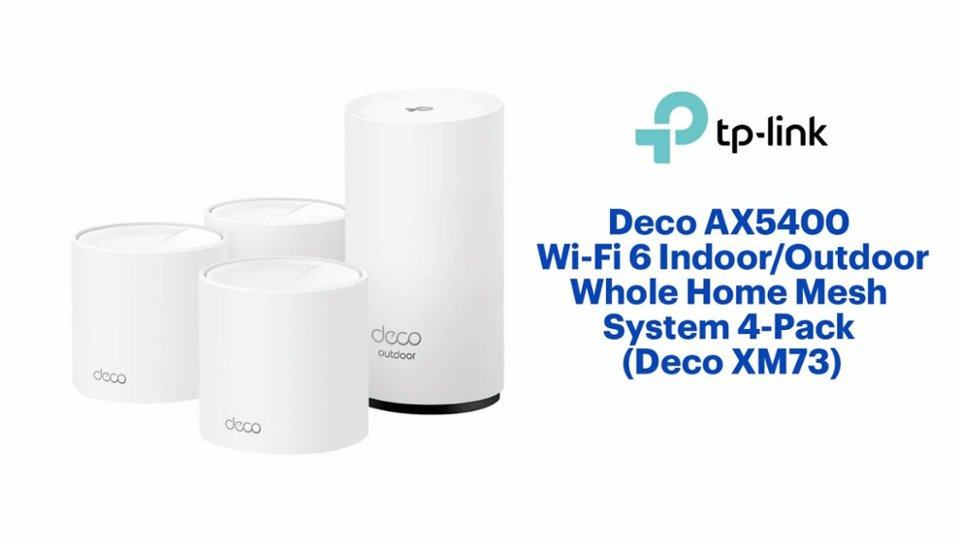
Customers praise the TP-Link Deco AX5400 Wi-Fi 6 Indoor/Outdoor Whole Home Mesh System 4-Pack (Deco XM73) for its extensive coverage, easy setup process, and versatility with indoor and outdoor usage. The mesh system provides a strong Wi-Fi signal throughout the entire house, even reaching outdoor areas, and the Deco app makes the setup process incredibly simple.
This summary was generated by AI based on customer reviews.
The vast majority of our reviews come from verified purchases. Reviews from customers may include My Best Buy members, employees, and Tech Insider Network members (as tagged). Select reviewers may receive discounted products, promotional considerations or entries into drawings for honest, helpful reviews.
Page 2 Showing 21-40 of 42 reviews
Pros mentioned:
Speed
Rated 5 out of 5 stars
Great product!
|
|
Posted . Owned for 3 weeks when reviewed.
This reviewer received promo considerations or sweepstakes entry for writing a review.
Was a snap to setup and has great range and speed. The outdoor one works great in our back area.
I would recommend this to a friend
Pros mentioned:
Coverage
Rated 5 out of 5 stars
Works well
|
|
Posted . Owned for 1 month when reviewed.
This reviewer received promo considerations or sweepstakes entry for writing a review.
It was able to extend our wifi to where we needed it to reach. When we bought it the sales person said it might be close, but reached just fine.
I would recommend this to a friend
Rated 5 out of 5 stars
Amazing product to increase WiFi range/strenght
|
|
Posted . Owned for 1 month when reviewed.
This reviewer received promo considerations or sweepstakes entry for writing a review.
Amazing. I creased my wifi range and signal strength immensely. No longer have issues with lagging signal or weak wifi connections. Have a strong signal whether in or outside of the house. Super happy with this purchase. Solved all of my WiFi issues. Highly recommended!!
I would recommend this to a friend
Pros mentioned:
Setup
Rated 5 out of 5 stars
Good product
|
|
Posted . Owned for 3 weeks when reviewed.
This reviewer received promo considerations or sweepstakes entry for writing a review.
This system is easy to setup. The WiFi signal is strong very corner in the house and the connections are reliable.
I would recommend this to a friend
Rated 5 out of 5 stars
Easy setup
|
|
Posted . Owned for 2 months when reviewed.
This reviewer received promo considerations or sweepstakes entry for writing a review.
Fast easy install with good distance and ways to change settings
I would recommend this to a friend
Rated 5 out of 5 stars
good coverage and easy to setup
|
|
Posted . Owned for 3 weeks when reviewed.
This reviewer received promo considerations or sweepstakes entry for writing a review.
this product was on sale and i am glad it was. It was easy to setup and continues to extend the range of my WIFI at the house
I would recommend this to a friend
Rated 5 out of 5 stars
Game changer!
|
|
Posted . Owned for 1 month when reviewed.
This reviewer received promo considerations or sweepstakes entry for writing a review.
I live in an area where there is minimal cell coverage. So I depend heavily on internet coverage. The IT guy Al that installed the system was very impressed! He said “They really stepped up their game!
Oh and we have tried 3 other systems with no success.
I would recommend this to a friend
Rated 5 out of 5 stars
Great system
|
|
Posted . Owned for 1 month when reviewed.
This reviewer received promo considerations or sweepstakes entry for writing a review.
Great system!!! I wish I would’ve seen this product two years ago. Works better than my supplier provided modem and allows me to save on the monthly charge.
I would recommend this to a friend
Rated 5 out of 5 stars
WIFI MESH
|
|
Posted . Owned for 1 week when reviewed.
This reviewer received promo considerations or sweepstakes entry for writing a review.
Bought this espeically for thebsegment feature for IOT devices on the hoke network and it worked great
I would recommend this to a friend
Rated 5 out of 5 stars
Great product
|
|
Posted . Owned for 1 month when reviewed.
This reviewer received promo considerations or sweepstakes entry for writing a review.
I have some disconnection issue at first due to incorrectly setup. Everything is running fine after the correction with decent wifi range and speed. Love it.
I would recommend this to a friend
Rated 5 out of 5 stars
Farm expsnsion
|
|
Posted . Owned for 1 week when reviewed.
This reviewer received promo considerations or sweepstakes entry for writing a review.
So far...awesome.
It reached a tiny house 100 yds from the main. Did not even hook up the outdoor one yet!
I would recommend this to a friend
Pros mentioned:
Security, Setup, Speed
Rated 4 out of 5 stars
Wealth of advanced features
|
Posted .
This reviewer received promo considerations or sweepstakes entry for writing a review.
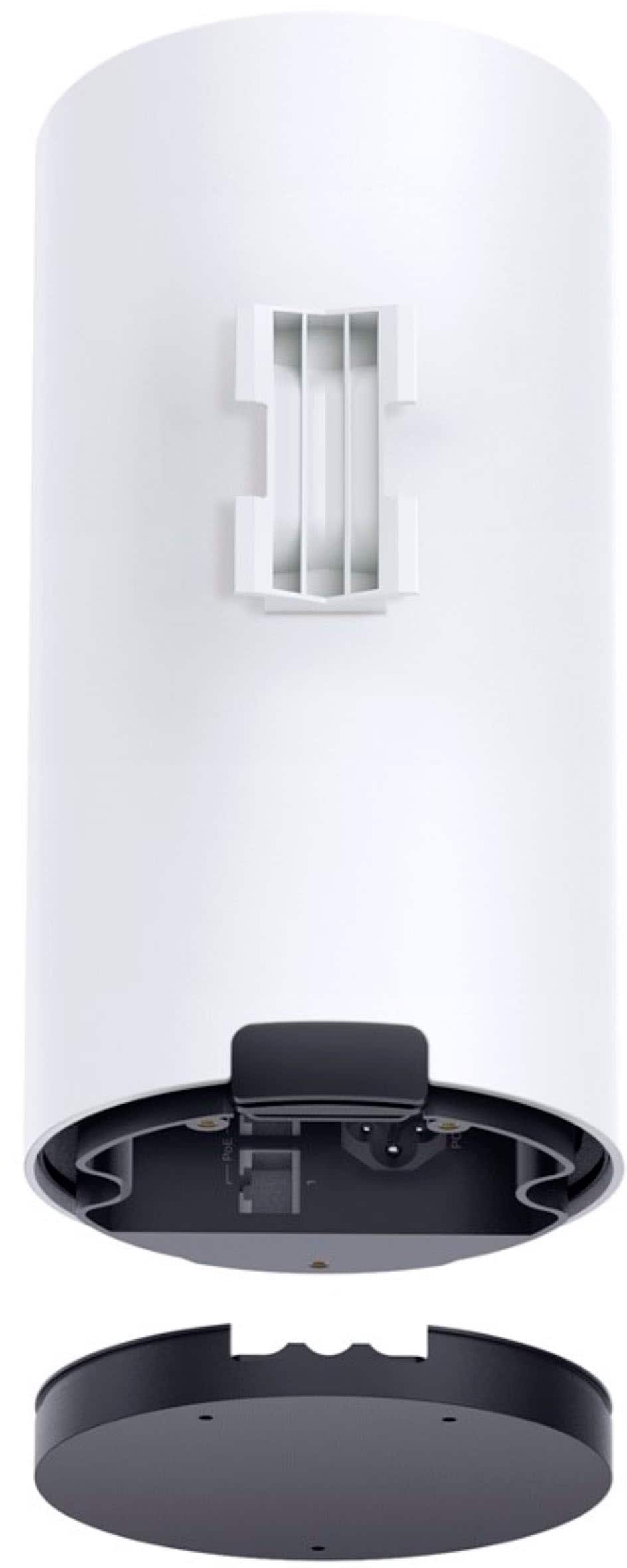
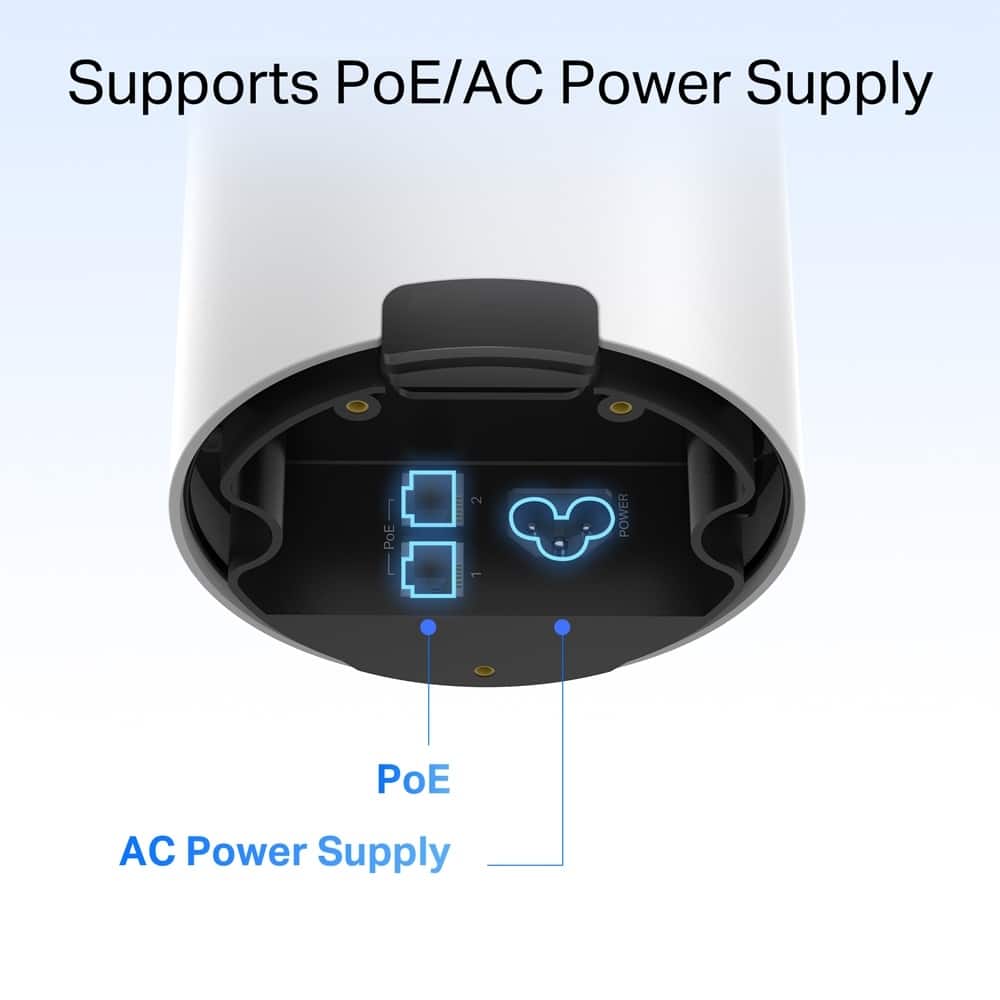
This router has the best of features for a Wi-Fi 6 system. I was a little skeptical at first switching from a Wi-Fi 7 tri-band mesh router system. However, I'm pleasantly surprised of the features and performance in Wi-Fi 6 dual band mesh system. Everything comes well packed and organized in the box. Setup is very easy and straightforward for the regular Deco nodes. The waterproof outdoor node is a different story. The instructions on the app are vague on how to get to the power and ethernet connection. There are no visible ports and only a large rubber gasket on the lower side. At first, I thought it popped open, but it does not. I had to search TP-Link's support site to discover you have to remove three screws on the bottom of the unit to get to the connections. The screws are very small, and I had a difficult time getting them loose they were so tight. Once you get the bottom removed, the rubber gasket comes out and you can plug in the power and ethernet connection. The power cord is rather large since it is rated for outdoor use. It is a little tight getting the gasket back on and the bottom connected, but it is securely protected from any elements. I took a slightly different approach and used the outdoor unit as my main unit and placed in my basement. It can get damp there and I like the fact that it is water and dust proof. You also have the option of using power over internet as well for power. This didn't seem to work on the outdoor unit, connected directly to the modem, and I had to use the power cord. This does seem to be an option with all the other regular nodes.
Like most routers now, setup is done exclusively through the mobile app. Other than how to connect the outdoor unit, the instructions are simple and easy to understand. I had a few initial issues with the first node connection, but I believe this was due to my modem needing reset on the new network. After a few restarts and connections, it connected Ok. Adding additional nodes is very easy, however I lost connection on the first attempt and had to restart my modem again. After connecting, it worked fine, and the additional nodes connected with no issues. The connection issues could have been caused because the firmware was out of date, and it was easy to update from the app. The update took less than five minutes, and the system worked without issues after updating.
Adding devices was easy and I really like the fact you can set each device to connect on either the 2.4 or 5 GHz bands or have it load balance between the two automatically. In addition, you can have dedicated IoT band that only connects on the 2.4 band. This is great for devices such as lights, switches, etc. that can only work on this network. This will leave all your other devices to switch to the optimal steam for best performance. When a new device connects, you can set to get an alert and rename the device and assign a category. The app shows the connection strength and which node each device is connected. You can enable Fast Roaming which allows newer devices to quickly switch between nodes when moving around your house. There are other advance features which improves performance such as Beamforming and Smart Antenna. Network Optimization scans your network for Wi-Fi interference and automatically picks the channels for the best performance. There is a wealth of additional features such as QoS and support for IPV6 and WPA3 encryption. Speed performance test was excellent and matched what I was getting on my previous Wi-Fi 7 tri-band mesh system.
In addition to all the basic features, you have the option to subscribe to Security + / Total and Advanced Parental Controls. Security + gives you more advanced filtering, security and protection for IoT devices. Total gives you even more with an Internet Security subscription through Avira. I have used Avira for a long time, and it is a great product. VPN is and a Password Manager is included in Total as well. The regular Parental Controls gives basic filtering and screen time control. I highly recommend getting the Advanced Parental Controls if you have kids. Both are very economically priced with similar products. There is a 30-day free trial of each, and you can get big discount for a yearly subscription.
Overall, this system is all that is required for the needs of the average home user. It is an excellent value for the number of nodes included and the additional option of being able to place the waterproof unit outdoors, or an area of your house that may be damp or dusty. I've been so impressed that I plan to permanently replace my previous system and continue to use this is my primary network.
I would recommend this to a friend
Pros mentioned:
Setup, Speed
Rated 5 out of 5 stars
Truly Whole Home Coverage and Yard
|
Posted .
This reviewer received promo considerations or sweepstakes entry for writing a review.
Pros:
Easy Setup through Deco App
Integrates well with Alexa, Google home and Home shield
Outdoor Component is Waterproof and Dust Proof!
Mounting Versatility
Massive Coverage Area over 7,100 sqft indoors plus another 2900 sqft outdoors!
The TP-Link AX 5400 is a small form factor Wi-Fi 6E system that is powered through 3 small stations plus an outdoor station. They have the ability to deliver up to 5400 Mbps, this is broken down to roughly 570 Mbps on 2.4Ghz channel and the ability to get 4800+Mbps on 5GHz which is a dual band system.
My testing saw around 350ish Mbps on my Xbox 1500 feet away from the station on 2.4Ghz. While My iPhone was getting blazing Gig speeds on 5Ghz.
I have Ring Camera Systems and Doorbells which actually got full bars of reception, which surprised me because this replaced a system that cost almost 2K. It actually was able to penetrate the concrete blocks and multiple walls way better.
I installed the outdoor station to a Pool pole post in the center of the yard and was able to have full reception of Wi-Fi and not lose any calls outside! This was a first for me ever with any Wi-Fi mesh system.
The manual states you can connect up to and over 150 devices! I have 62 devices connected from TVs to tablets, and all sorts of gadgets and I notice zero slow down or sluggishness in the signals or system. With it being a Wi-Fi 6 system, it is backwards compatible with all other signals and modes ( AX, AC, N).
In closing, Technology is always evolving, and yes Wi-Fi 7 is out, but not many products can take use of the technology and its insane speeds that aren't even being offered at scale. If you want the bets system that's stable and will give your whole home and yard coverage this system will fit the bill at the fraction of the cost of others.
I would recommend this to a friend
Pros mentioned:
App
Rated 5 out of 5 stars
Powerful Wi-Fi with Easy Setup
|
Posted .
This reviewer received promo considerations or sweepstakes entry for writing a review.
This was probably the easiest mesh system I have set up so far. I got the initial node set up with the app and then for the remaining three nodes you just plug in and let them find the network. It was that easy with nothing needed in the app to add the additional nodes. Once they were found I renamed them with the app and then they all found there was an update to install.
The outdoor one is waterproof, but the design to get there could be a little better. To plug the power cord into the unit, there are three very small screws that you need to remove to get the bottom cover off. Then when I pulled that off, the rubber gasket fell off and I had no idea how to get it back on. After some trial and error I got it back on and all sealed tight. That was my only complaint about the outdoor unit. It installed itself to the network just like the other two nodes and it works great as if it was indoors.
The app for everyday use and maintenance of the system is great. As you open it, it shows the status of the network and each of its nodes, along with a list of online clients. My favorite part of the app is the parental controls. There is a free trial and then $17.99 a year subscription for those controls, but I quickly set up my kids, turned on how much time they get per day for their devices, what times they could be on, and then gave restrictions on what websites they could get to. The app then shows me how long they have been on for the day and where they have been. I can take away their access or give them a reward for more time. It really is a great option for keeping tabs on them.
Overall the system has been great and the only hiccup was getting the power cord attached to the outdoor unit by taking the bottom cover and screws off. But that is not a deal breaker.
I would recommend this to a friend
Pros mentioned:
Coverage, Setup, Speed
Rated 4 out of 5 stars
Does a lot well, Correct Configuration is Key
|
Posted .
This reviewer received promo considerations or sweepstakes entry for writing a review.
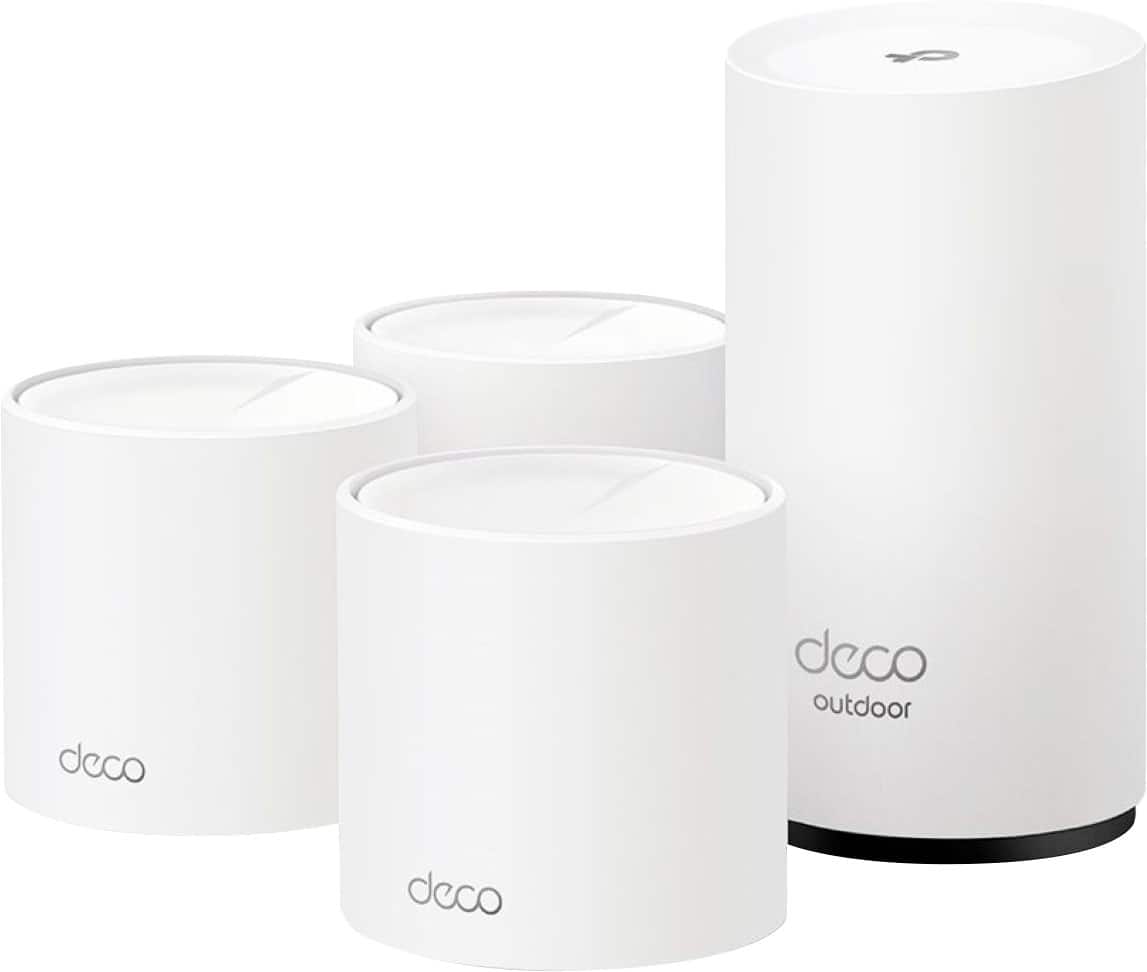
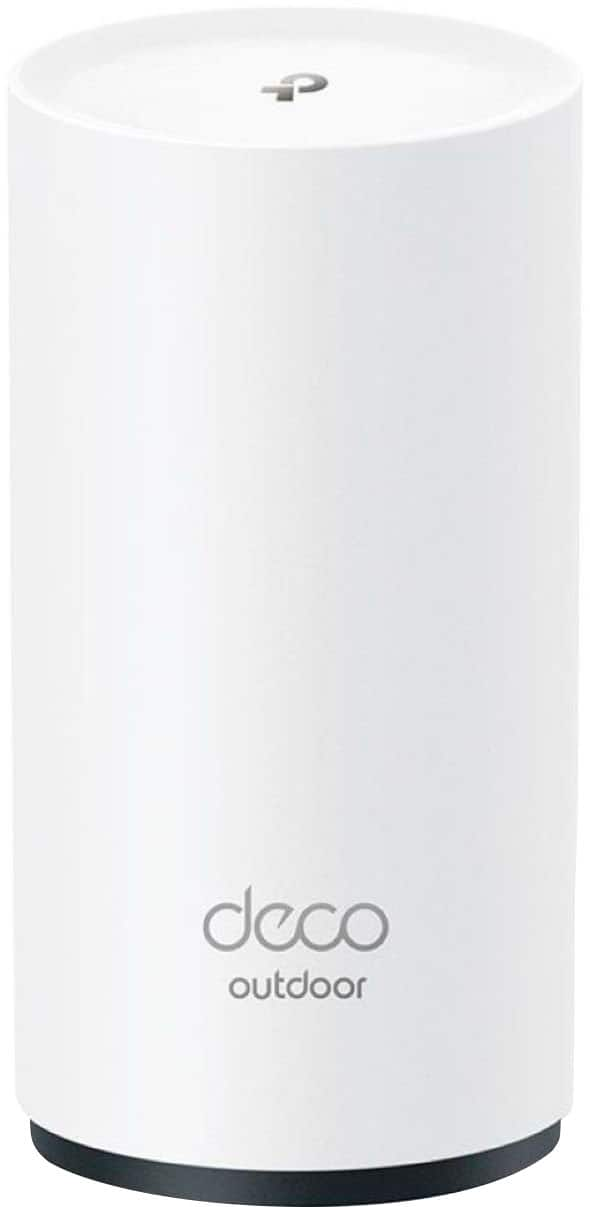
This is a review for the 4-pack TP-Link Deco AX5400 indoor/outdoor mesh wifi system in white. Three of the units are the indoor mesh units and the fourth, taller unit is the outdoor one. All the units have one incoming ethernet connection and two outgoing except the outdoor unit which just has one. All units use wired power - no batteries.
Setup is pretty straightforward. From the Deco app, you’ll select the device model the configure your ISP settings after plugging it in to your ISP router and power. The devices must start off in a configuration mode so make sure only one is plugged in to configure at a time. The first configured device will the “main”. You’ll then setup the wifi network info and then can add additional devices. After setup, you can change the one that’s considered “main” but it will need to have an ethernet connection to your ISP router. The app is also nice with the info it displays about the Deco. You see the upload and download speeds at each Deco, devices that are connected to it, and can drill down into more details or adjust configuration for each Deco like whether it’s high priority or not. There’s also a mesh technology switch which essentially determines whether the Deco’s support devices auto switching as you move around or not. With this disabled, they’re just like individual access points and if a device is connected to one then it will try remaining connected to it even if far away and dropping packets. With mesh, your device is more likely to switch to a closer AP so you don’t really notice the transition.
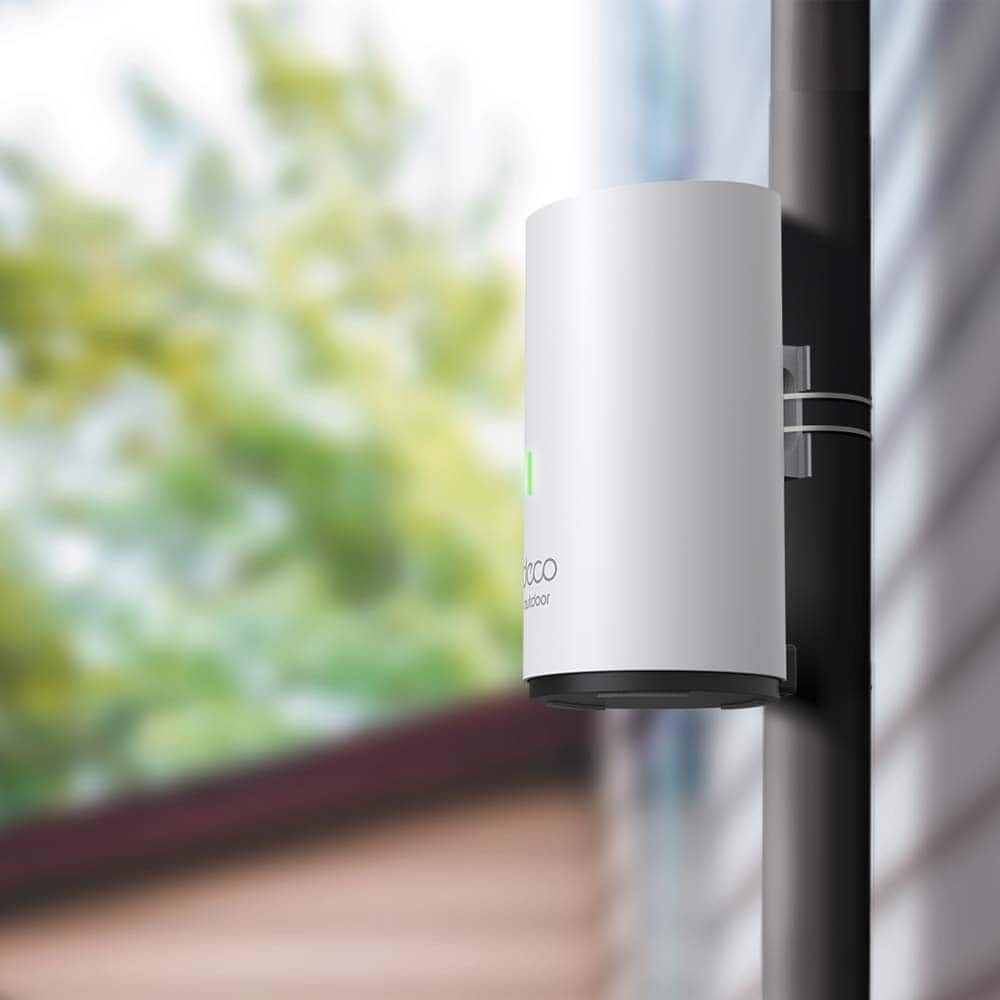
I like the utility of the 4 pack. My house is long enough that I with a typical three pack, I need all three to provide good coverage in the house, two which pretty much handle things along the length, then one in the middle that is mostly there to ensure I have good connection to the basement. But with the house settled, I then have issues with connectivity to my detached garage where I have some wifi enabled sensors. The outdoor unit seems purpose designed for the outdoors. While it doesn’t look super rugged, I feel comfortable that it’s water proof and things are designed where mounted upright, water should channel down, away from the power input. It’s also designed with mounting feature specifically make it easier to attach to a pole or other cylindrical surface. For me, without anything really between the house and garage to attach to and concerned about the backhaul connection needing to go through exterior walls anyway, the best attachment ended up being to the side of the house. Still, this improved connection to the garage. The normal once or twice a week that the garage door app seems to lose connection to the opener has gone away.
Not everything works well. I’ll start of by saying that as it is, this system performs on average just as well as what I had previously at home in terms of connection speed for most devices. There’s better coverage, in part due to simply having more units. I have very few things that had wired connections to routers and so was not at a disadvantage only having two downstream ports on the indoor Deco units. The things that are wired as essentially my home office, as previously, wifi down to the basement sucked, and a game system which does not have wireless functionality. So, while things worked well with the new Deco system, I did notice a couple things that did not quite live up to expectations (despite the system being mostly a step up for me). The first would be on the mesh handoff. It was normal that upstairs on the side of the house opposite from where the ISP wifi router was located, I’d generally have poor connection speed, especially since my phone wouldn’t auto switch from the 5Ghz connection to the 2.4Ghz one which has higher range though lower throughput. While my phone did seem to do the switch off more often (I could verify by checking the Deco app), there were still a fair amount of instances where it was struggling maintaining a bad connection before doing so.
The second was average connection speed with units that didn’t have a wired backhaul connection to the ISP router. I’m mostly not streaming video to my phone so the difference doesn’t matter, but still like to have the 5Ghz network available for the TV and video streaming devices and if I’d actually need it on my phone. Speed tests show that they were significantly lower than what I should be able to achieve with my ISP. So, while I can get about 1Gbps wired at the ISP router, and around 800Mbps wireless near any of the old routers, I was only replicating that with the main unit connected directly at the ISP. This became a problem for 4k streaming to my TVs. While they can be connected by ethernet, that’s just no ideal so I’m relying on good speed from the living room router. Due to how things were in my house, I’ve got moca adapters that let me connect over coax from the ISP router to an entertainment center where I had a second wifi router set up. I thought I could just connect an indoor Deco to that. Nope. Not exactly. While all the Decos can be connected using ethernet backhaul, the ethernet backhaul can only be connected to other Decos and only one can be connected to your ISP router! This subtle piece of information let me chasing down why things were not working. Ultimately, I ended up making the entertainment center one the main and leaving the rest wireless but as the main is connected to my ISP though the moca adapters, my max speed in the house is capped as there’s no wifi AP I can connect to which has a “direct line” so to speak to the ISP router.
In all, I’m pleased. Things work well and the devices that need speed are getting it. Connectivity and connection speeds are improved over what they were before and I’m just working on getting over being bothered by nitpicking things that didn’t work as well as expected even though for me, the experience is an overall improvement.
I would recommend this to a friend
Pros mentioned:
App, Coverage, Setup
Rated 5 out of 5 stars
Best Mesh System I Ever Had!!!
|
Posted .
This reviewer received promo considerations or sweepstakes entry for writing a review.
Upon opening the package, I do like the sleek and small design of the Deco units. I really do like that they do not take up a lot of space.
Setup via the app was very easy and pain free, just follow the instructions. I want to point out that the app was exceptional compared to other router apps I have used for both the initial setup and for tweaking and monitoring once everything is up and running.
Each module has three ethernet ports, so technically each one is a router and not a satellite.
Coverage is very good, I never had any dead spots in my home, but in the two bedrooms at the end of my house the speed was a tad bit slower than everywhere else.
I have over 50 connected devices in my home, a majority of them are smart switches and other smart home devices.
I used to different SSIDs, one was 2.4GHz for all of my smart home devices and the 5GHz was used for everything else. I am still in the process of creating a 6GHz network so I can see which devices I own that can take advantage of it.
I am giving this five stars and I have already recommended this to a friend.
I would recommend this to a friend
Pros mentioned:
Coverage, Speed
Rated 5 out of 5 stars
Excellent mesh WiFi system for large homes
|
Posted .
This reviewer received promo considerations or sweepstakes entry for writing a review.
The TP-Link Deco AX5400 Mesh WiFi System leverages the Wi-Fi 6 standard, which is now considered the mainstream standard offered on all desktop computers and smartphones, offering significant improvements over its predecessors. This technology provides faster speeds, lower latency, and better handling of multiple connected devices. In practice, this means smoother 4K streaming, responsive online gaming, and fewer WiFi bottlenecks during peak usage times.
A standout feature of the AX5400 is its weather-resistant design. Each unit is rated IP65, meaning it's protected against dust ingress and low-pressure water jets from any direction. This allows for flexible placement options, extending your network to patios, garages, or even pool areas without worry about environmental damage.
With four units included, this system can blanket up to 7,100 square feet indoors and 2,900 square feet outdoors with a strong WiFi signal. This makes it an ideal solution for larger homes, multi-story buildings, or properties with outbuildings that need connectivity. The mesh technology ensures a seamless connection as you move between areas covered by different units.
TP-Link has put considerable effort into making the AX5400 accessible to users of all technical levels. The accompanying smartphone app guides you through the setup process step-by-step. Once configured, the app provides an intuitive interface for managing your network, including features like guest networks, parental controls, and device prioritization.
The system employs artificial intelligence to optimize your network continuously. It analyzes usage patterns and signal strengths to connect each of your devices to the optimal Deco unit and choose the best WiFi channel. This results in faster speeds and more reliable connections throughout your property.
In real-world use, the AX5400 delivers impressive performance. Its tri-band design, with two 5GHz bands and one 2.4GHz band, allows for efficient traffic management. The system can deliver combined speeds up to 5400 Mbps (574 Mbps on 2.4GHz and 2402 Mbps on each 5GHz band). In practice, on my computer on a 1 GB home connection, I was getting speeds between 600-700 Mbps on my 5GHz WiFi network on my desktop computer.
I was also getting consistent high-speed connections even in previously problematic areas of my home and yard. The seamless roaming between units is very good, with devices switching between Deco units without any noticeable interruption in service.
For demanding applications like 4K video streaming or online gaming, the AX5400 proves more than capable. My household members often engaged in bandwidth-intensive activities like gaming on the PS5 and streaming 4K movies on multiple TV’s simultaneously without experiencing any slowdowns or buffering.
For large homes, properties with outbuildings, or those simply wanting to extend their WiFi to outdoor living spaces, the AX5400 mesh system provides a robust and user-friendly solution. The inclusion of Wi-Fi 6 technology also helps future-proof your investment for a few years before WiFi 7 goes mainstream.
However, for smaller homes or apartments, this system might be overkill. Additionally, networking enthusiasts looking for deep customization options might find the simplified interface limiting.
In conclusion, the TP-Link Deco AX5400 is an excellent choice for those who prioritize coverage, ease of use, and consistent performance across large areas. It successfully balances advanced features with user-friendliness, making it a strong contender in the premium mesh WiFi system market.
I would recommend this to a friend
Pros mentioned:
App, Security, Setup
Rated 5 out of 5 stars
Great Indoor & Outdoor MESH Wi-Fi for up to 1Gbps
|
Posted .
This reviewer received promo considerations or sweepstakes entry for writing a review.
Even though they are the older Wi-Fi 6 standard, I still love these Indoor/Outdoor TP-Link Deco XM73 Mesh Wi-Fi routers. They provide excellent coverage of our house and decent coverage of our yard. As a reference point, the internet speed we pay for maxes out at ~590Mbps. I was getting those speeds everywhere inside the house. Outside the house, near the outdoor router area, I was also getting full speed. On our back patio we also got full speed internet (550+Mbps), but further out in the back yard lawn (in areas 30 feet away from the outside router) I got closer to 350Mbps speeds. On our front porch, the speeds were comparable to our old network, or about 300-350Mbps.
While this wasn't necessary, I set it up with all three indoor routers wired to the Internet, ensuring that they would get the full wired speed in the event their incoming wireless signal was not perfect. Our outdoor router was placed close to the side of the house (to get a good incoming signal, and yet be behind a fence for security), but being near the house, the house insulates it from getting a great signal to most of the front or some of the back yard areas. This is still the first time we've had a router outdoor (zip-tied to a pole), and we have several outdoor security cameras plus a sprinkler system all of which need Wi-Fi. I will say the cameras (ring stick up cams) seem to open live views quicker than the older network they were connected to.
Once we had this network fully up and running, we took down the old Wi-Fi router which was powering just the outdoor devices, then renamed the SSID and Password of this network to match that one. Fortunately, things like the cameras reconnected to the new network without having to set them up from scratch again.
Setting the TP-Link Deco routers up is secure, the first (main) node you set up requires that you scan a QR code on the device itself, which is secure and ensures if they enter setup mode, no one without physical access to the routers can change their settings or set it up as their devices. Other nodes (which you "add") either set up automatically or you add from the app which knows your network is established before adding them.
It's worth noting that this Wi-Fi 6 router advertises its max speed at 5.4Gbps, while our Eero Max 7 (Wi-Fi 7) router advertised 4.3Gbps max speed - so just because it's an older Wi-Fi standard, doesn't necessarily mean it's slower (quite the opposite, here). However, its ethernet port is only 1Gbps so getting faster than that is "impossible" unless you add a main node that has a faster port (such as another TP-Link Deco node, such as their Wi-Fi 7 models, which at least one advertises 5Gbps ethernet ports). Doing that, in theory, would get you faster (if necessary) internet speeds on these existing nodes.
We were able to set it up as an access point from the app, which is comparable to setting it up in "bridged mode" on some other router dashboards. The app is great, and I like that it features usage meters (speed used) for each TP-Link Deco router on the network. That feature might make network troubleshooting much easier (if the network is crowded, I can trace down what's using the most).
I could easily recommend these routers, unless your internet speeds are over 1Gbps also known as 1000Mbps (or if you think you might upgrade to that soon) in which case I might recommend something with faster ethernet ports.
I would recommend this to a friend
Pros mentioned:
Coverage
Rated 5 out of 5 stars
Great coverage, fast speeds
|
Posted .
This reviewer received promo considerations or sweepstakes entry for writing a review.
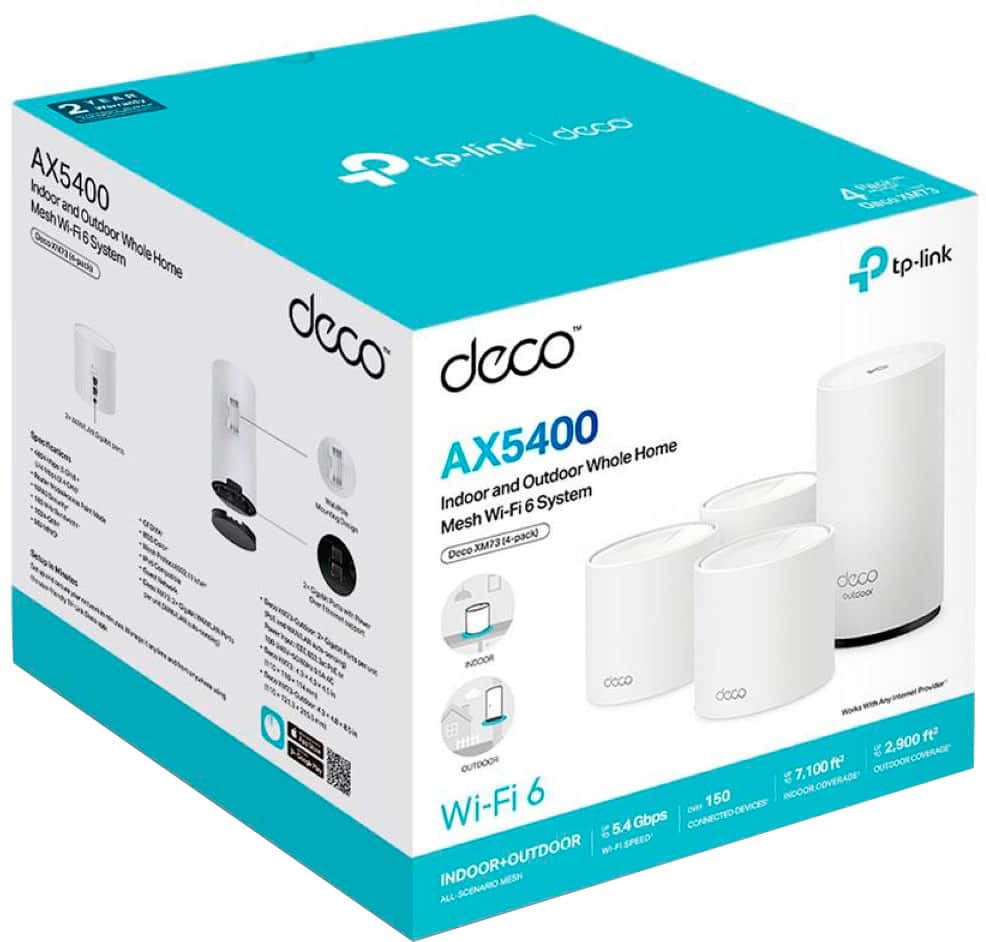
Included- 3 Indoor units, 3 power cords, and 1 Outdoor unit with 1 AC power cord and mounting hardware, Quick Set up guide
Installation- It was fairly easy for me. I referenced the quick set up guide and it prompted me to download the Deco App right away. I set up an account and then proceeded to disable my previous Wi-Fi system. I chose one of the smaller indoor units and plugged it in. It takes a couple minutes to boot up and the app will walk you through the set up. Create a new a new network name and password and it will set up the new one. The units are color coded to help you visually see its status. The yellow light is for start-up/resetting. Blue means it's setting up. Green means it's connected to the internet and red means it has an issue. Once my main unit was set up in my basement, then I continued to connect the other Deco units. I have a 2-story home with a full finished basement, about 4000 sq ft., so I placed one unit in my upper level in the loft, which is central to that floor. I put another one on my main level, close to my kitchen and living room. My outdoor unit is set up outside on my large deck (26' x 16'). Once it was all set up, the app prompted me to update the firmware on the units. It's as easy as a touch of a button and it was very quick. The biggest amount of work was to switch all of my electronic devices to the new network.
Pros-
- Covers up to 7,100 sq ft indoors and 2900 sq ft outdoors
- Wi-Fi 6 Mesh
- Up to 5.4 Gbps wi-fi speed
- Connects 150 devices
- Seamless roaming
- Guest network
- Outdoor unit is waterproof
- User friendly app
- Parental controls
Overall, I've been really happy with the TP-Link Deco AX5400 Wi-Fi 6 Indoor/Outdoor Whole Home Mesh System 4-Pack (Deco XM73). It's the first Mesh Wi-fi system I've installed in my home so I can only compare it to the previous Wi-Fi router but it seems faster and way more capable of keeping up with all the devices we keep connected. The system has the ability at any given time to connect up to 150 devices and I currently average 20+. I've been seriously considering updating my Wi-Fi system because there's been so much lagging and things hanging and not loading properly. I haven't experienced any of those issues with the new TP-Link Deco Mesh Wi-Fi so far. I like that the multiple satellite units can be placed around the house, inside and out to obtain the best coverage possible with super-fast Wi-Fi performance. All the devices have been streaming beautifully. I haven't had major lagging issues like I was previously having. Each indoor unit does offer 2 WAN/LAN ports as an option for wire high speed connections if needed. The coverage is great with having multiple units throughout the house. The TP-Link Deco AX5400 Wi-Fi 6 Indoor/Outdoor Whole Home Mesh System is truly a whole system for your entire house.
I would recommend this to a friend
Pros mentioned:
Coverage, Setup
Rated 5 out of 5 stars
Great little mesh system with lots of coverage
|
Posted .
This reviewer received promo considerations or sweepstakes entry for writing a review.
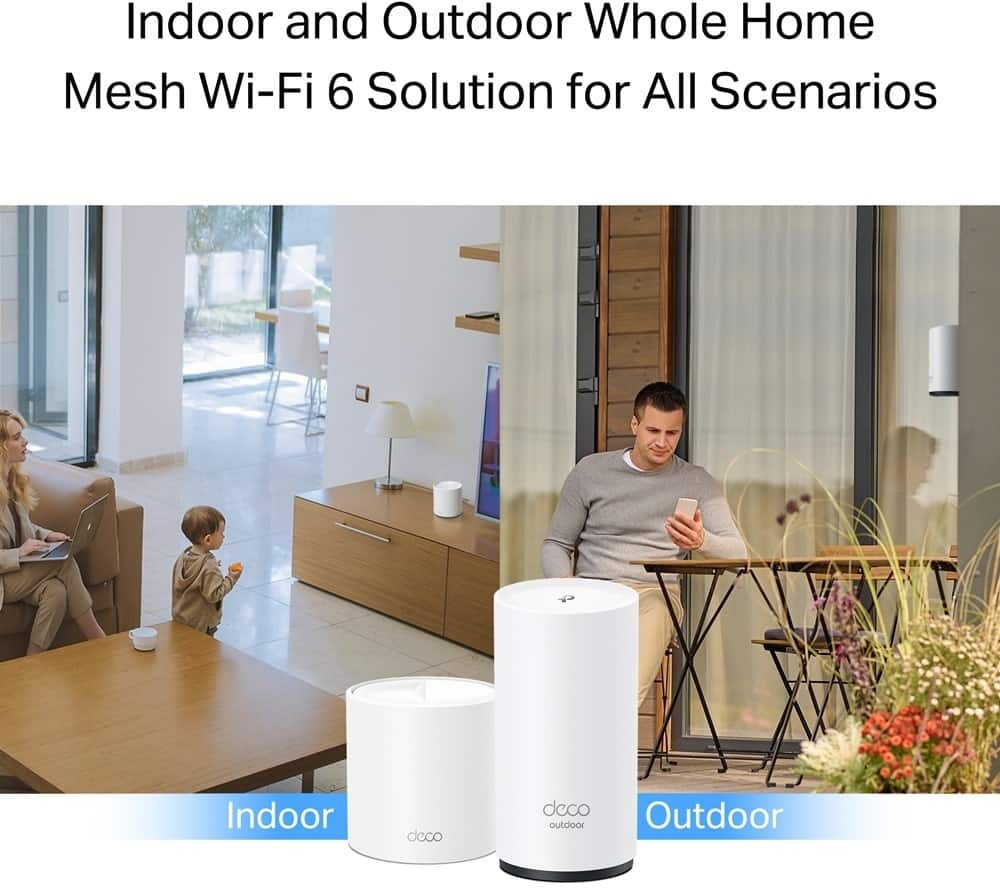
The AX5400 Outdoor/Indoor whole home mesh Wi-Fi System is a dual-band mesh system with up to 7,100 feet of indoor coverage and 2,900 square feet on 2.4 and 5 GHZ bands. The AX5400 comes with three Deco XM73 indoor nodes and an XM73 outdoor node that can be mounted outside to help extend range outside the house.
The AX5400 Mesh System keeps things simple. Yes, there is Wi-Fi 6 security, but it is only a dual band and not a tri-band system. That's not to say that the AX5400 mesh system doesn't work perfectly; in use I found it to be quite functional. Just know that there isn't the ability to have a dedicated wireless band for backhaul, which under high use conditions could result in slow downs. The AX5400 also has an option to create a separate network for the IOT devices that might struggle to connect to the automatic 2.4/5 GHZ bands.
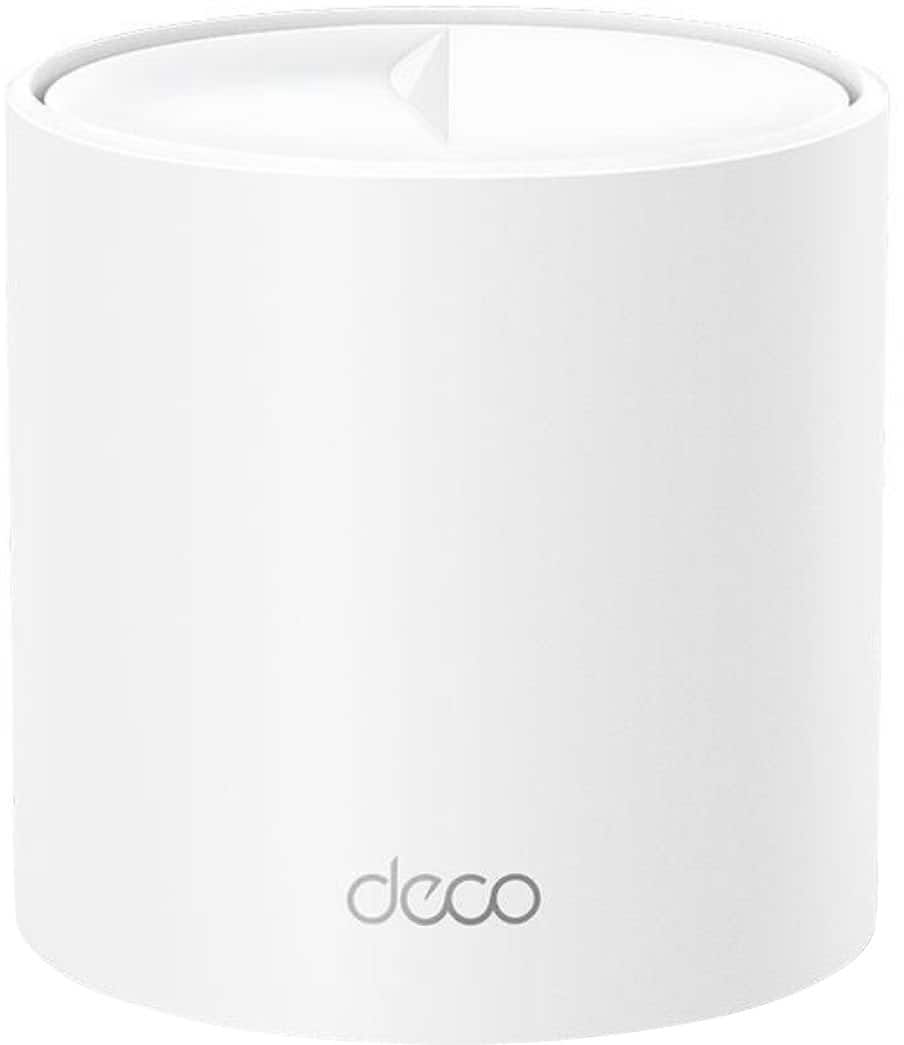
I like the design of the XM73 nodes. They are compact and fit in easily with the decor. Each node comes with two Ethernet ports, and I found this to be very convenient. One of my nodes is almost the entire house away from the main node, and I have a multi-port switch plugged into it with 5 or 6 devices that need to be wired. Works perfectly.
Set up was easy as could be. Download the Deco app, connect one of the nodes to the modem, plug it in, open the app, and follow the instructions. I had the system up and going in about 10 minutes. The longest part was installing the outdoor node.
In use, I found that the AX5400 Indoor/Outdoor mesh system provided solid 100-200 Mbps data connections no matter where I was at in my 3,000 square foot home (my internet speed is only 200 Mbps). I have a little over 50 smart bulbs and smart devices in the house, and I used the IOT capability of the AX5400 to specifically connect to those. All other devices in my house use the auto 2.4/5 GHZ capabilities of the AX5400. Of particular use is the outdoor node, which I was able to place closer to the cameras in my front yard. I've had challenges with the signal to my outdoor security cameras in the past, but the outdoor node being so close to them has helped exponentially. The outdoor node is water resistant and doesn't mind the heat.
All in all, a nice little mesh system, very affordable, and highly recommended.