Customer Ratings & Reviews

---
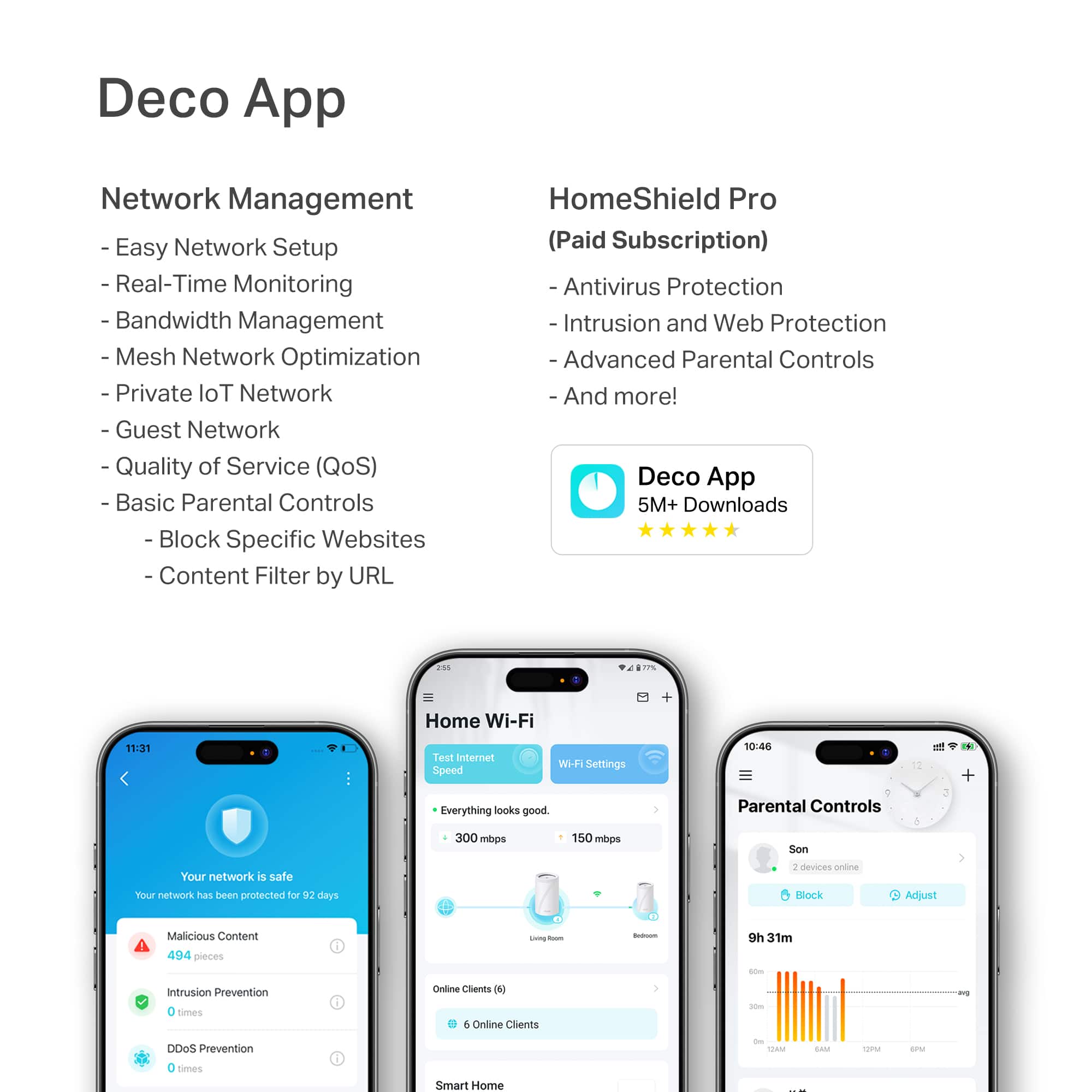
**HomeShield**
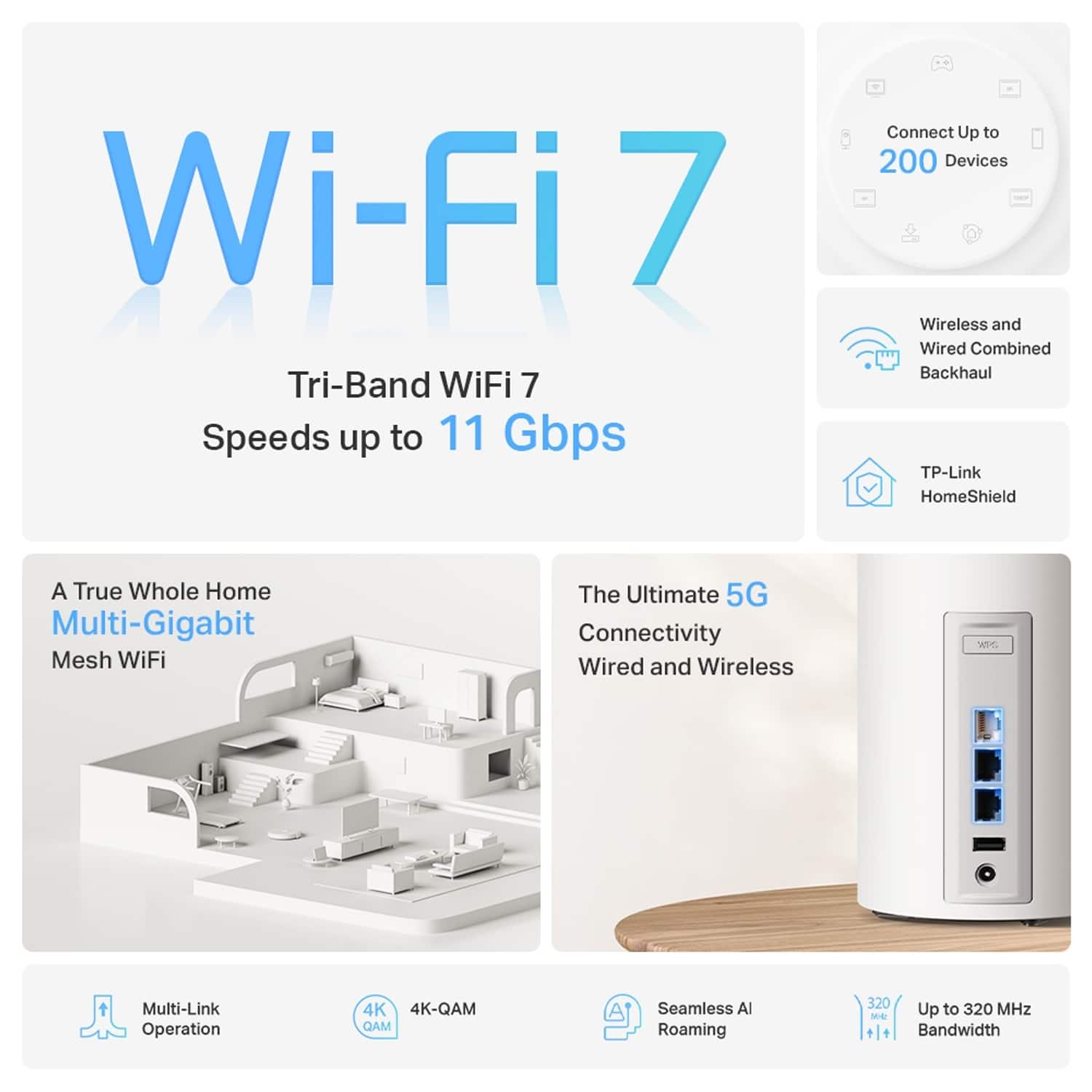
HomeShield is a built-in service, available in all HomeShield routers and Deco mesh products.
- Router Security Scan
- Wireless Security Scan
- IoT Device Identification
- Basic Parental Controls
- IoT Protection*
- Web Protection*
- Intrusion Prevention*
- Antivirus Protection*
*Included with HomeShield premium subscription service](https://pisces.bbystatic.com/image2/BestBuy_US/images/products/29e59d96-9e3f-47a7-92bb-86d133c84d45.jpg)

- Model:
- Deco BE65 Pro(1-pack)
- SKU:
- 6582070
Rating by feature
- Setup
Rating 4.8 out of 5 stars
- Range
Rating 4.8 out of 5 stars
- Signal Strength
Rating 4.7 out of 5 stars
Customers are saying
Customers frequently mention the Deco BE65 Pro for its speed, performance, and easy setup. The system also receives positive feedback for its coverage, connectivity, and user-friendly interface. While the design is appreciated, a few customers noted that the units are quite large.
This summary was generated by AI based on customer reviews.
- Pros mentioned:Connectivity, Performance, Speed

Easy to Use WiFi Mesh, Great Speed, Many Features
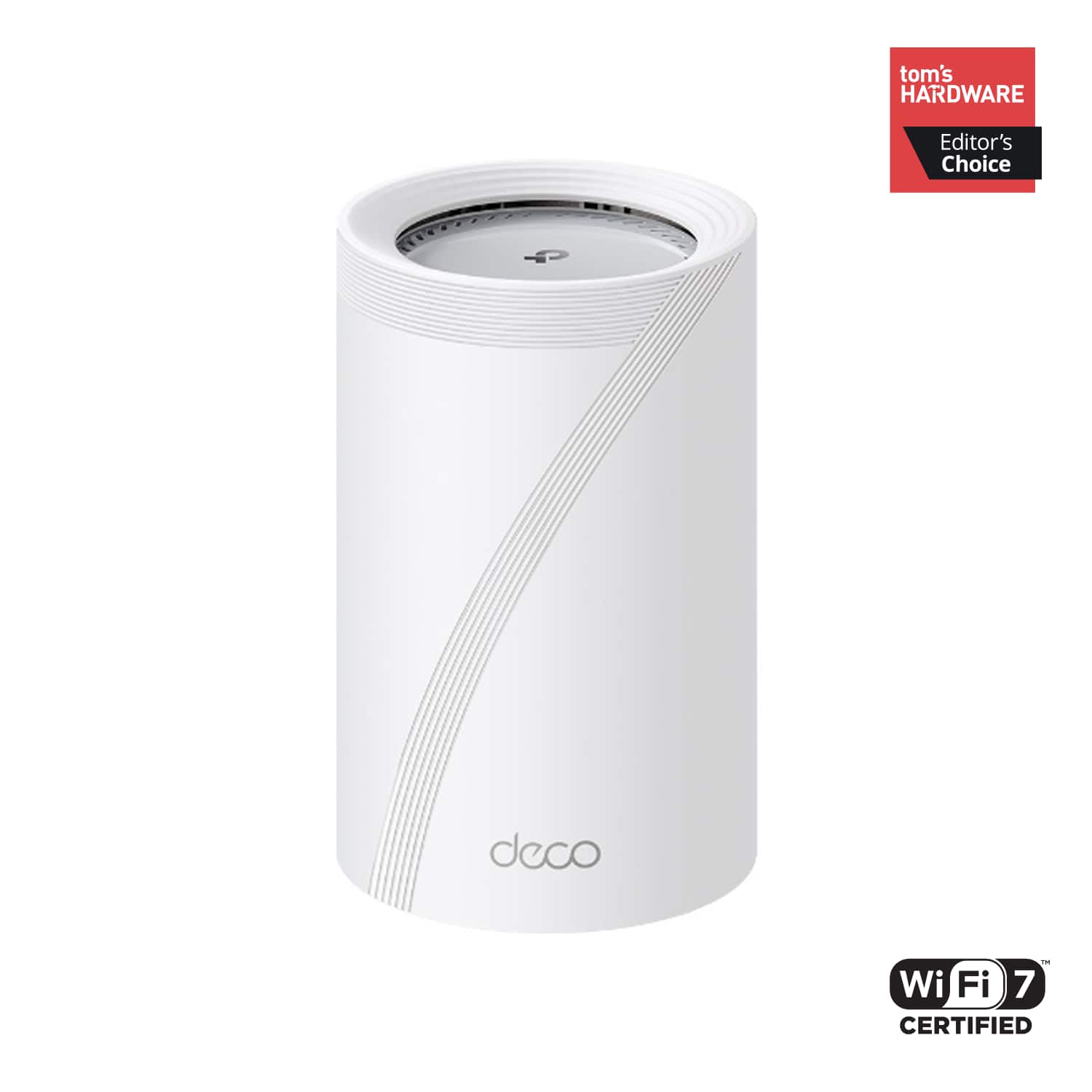
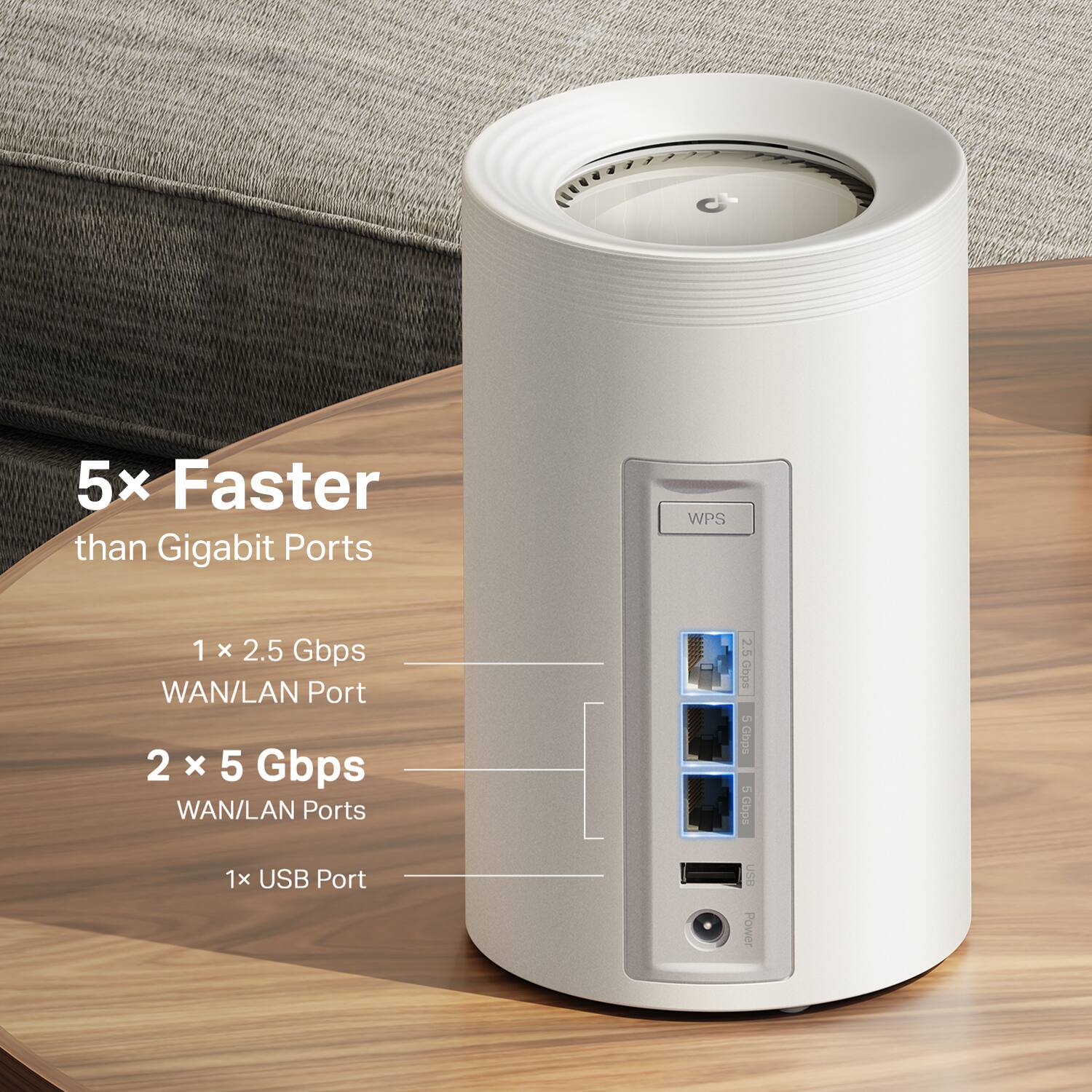
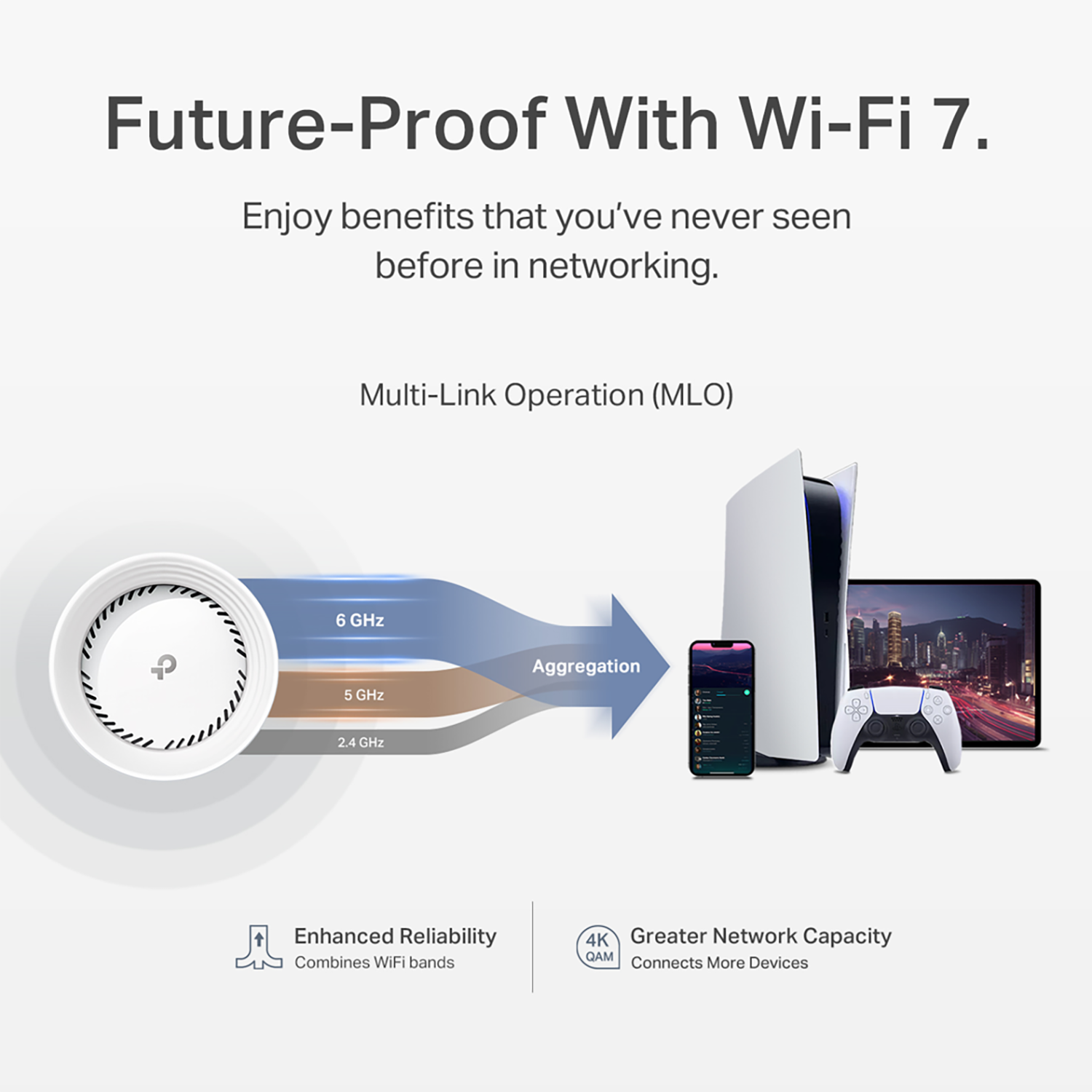
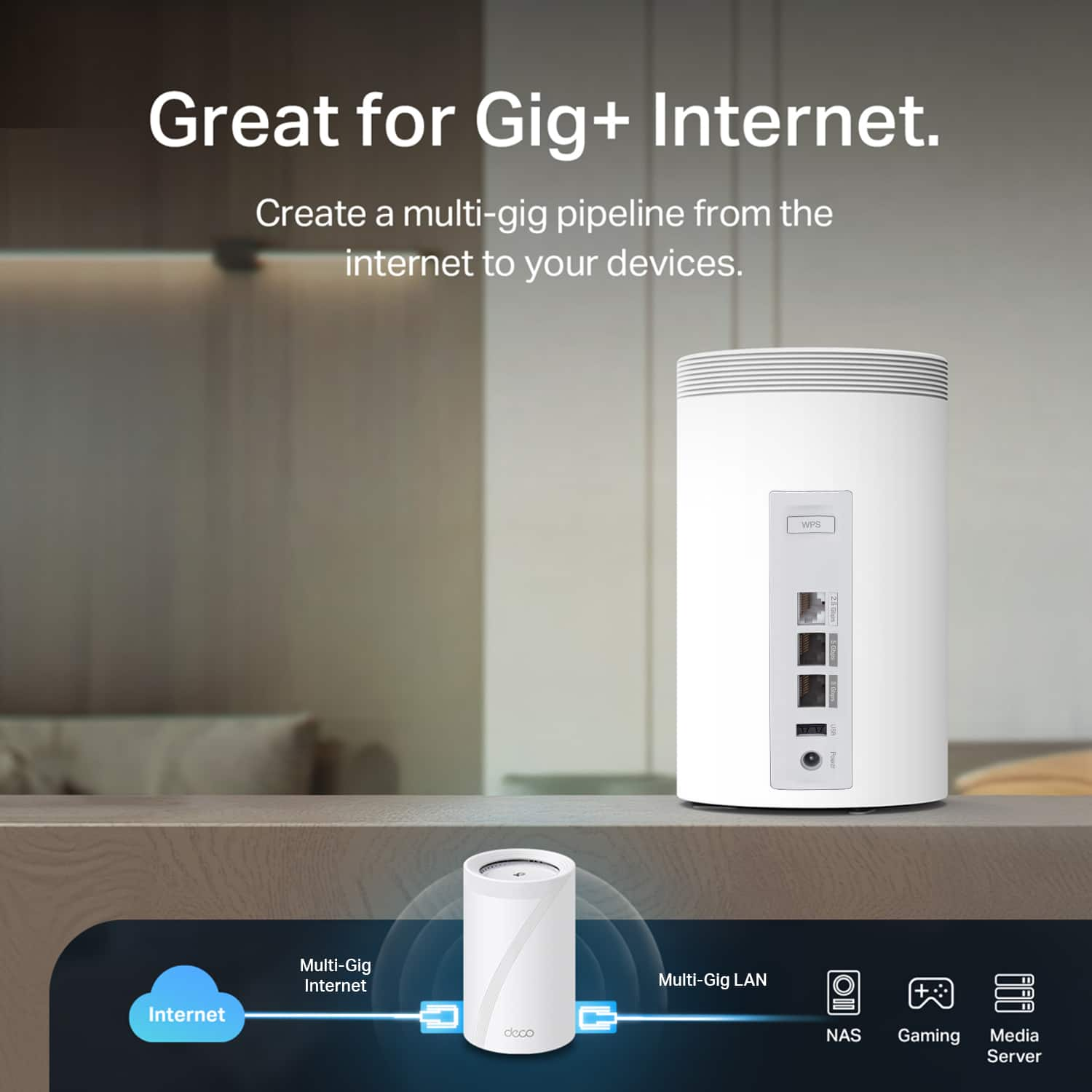
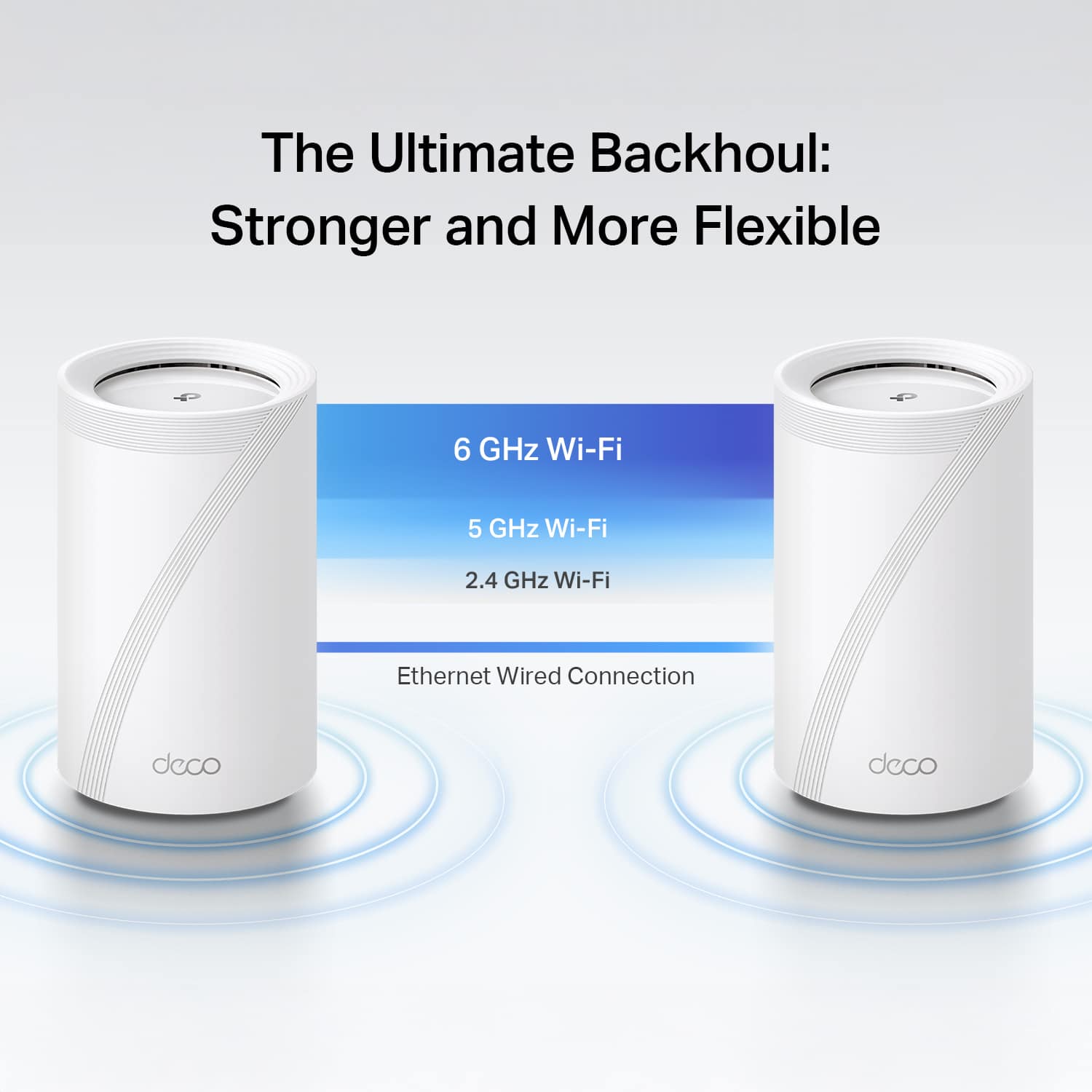
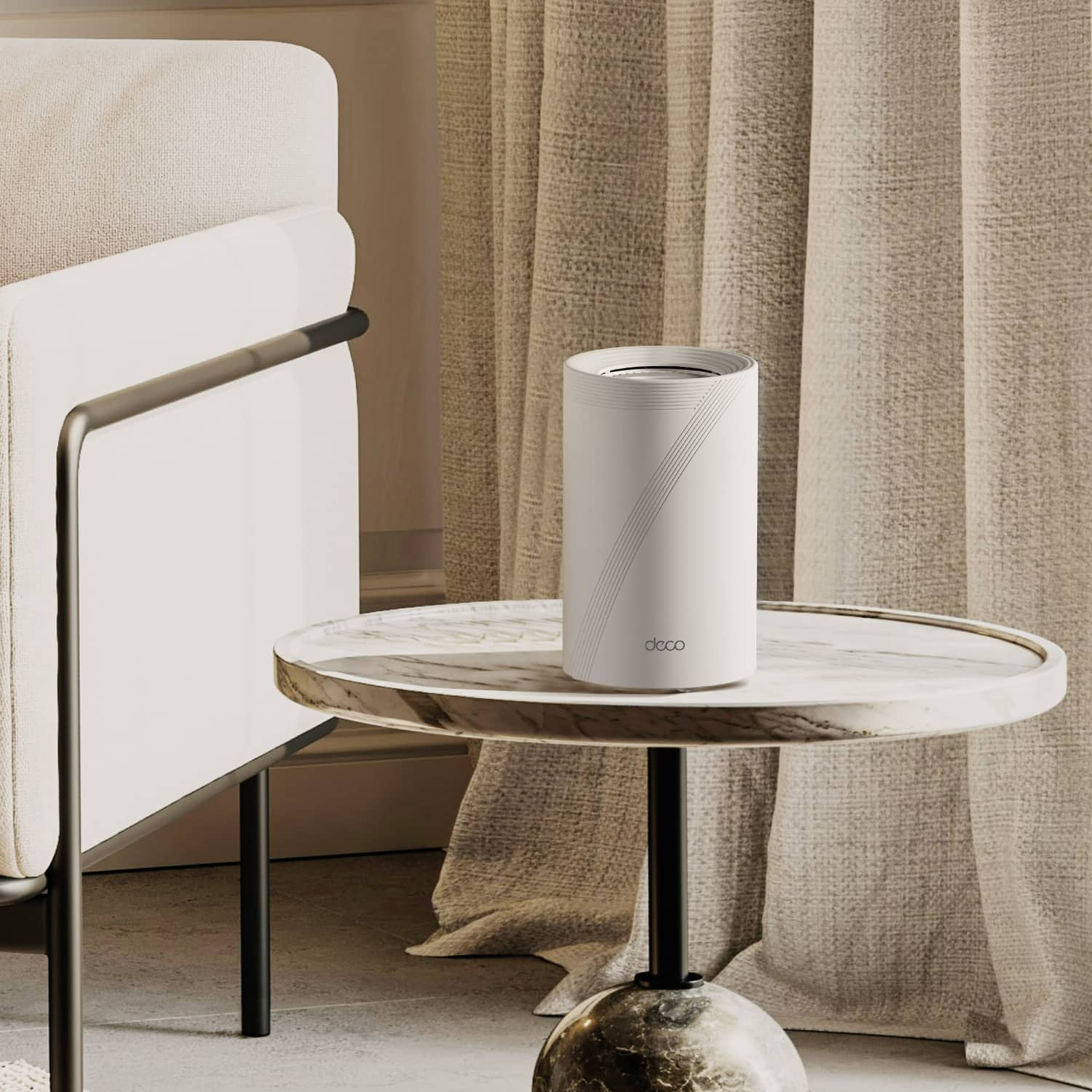
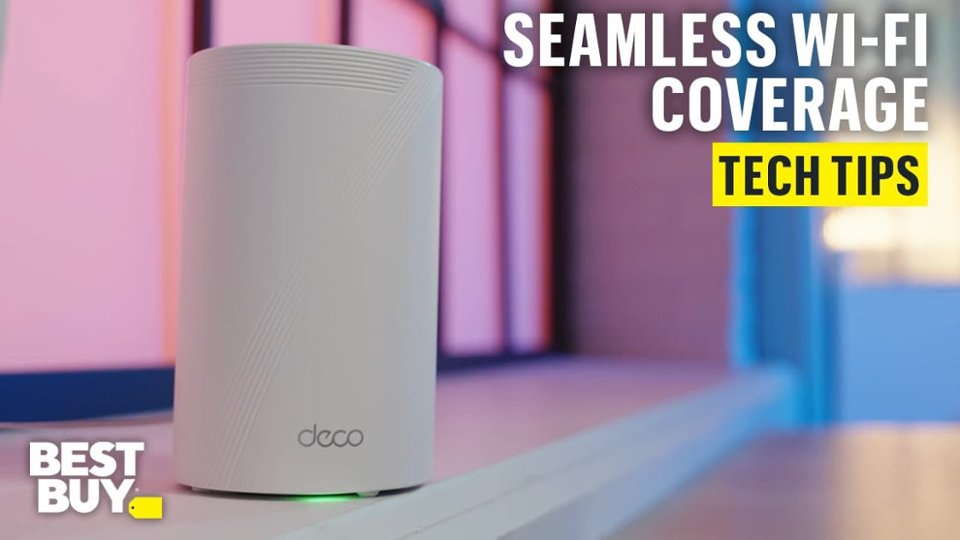
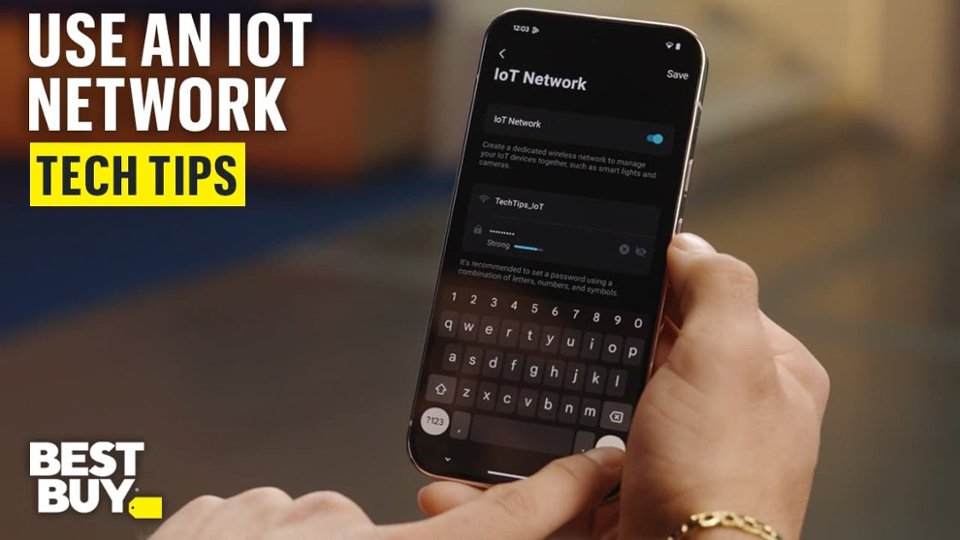
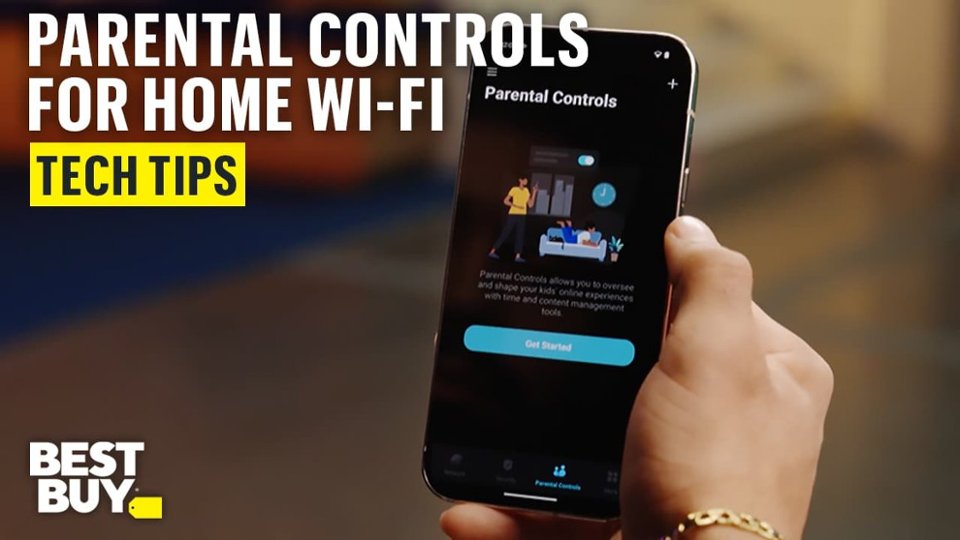
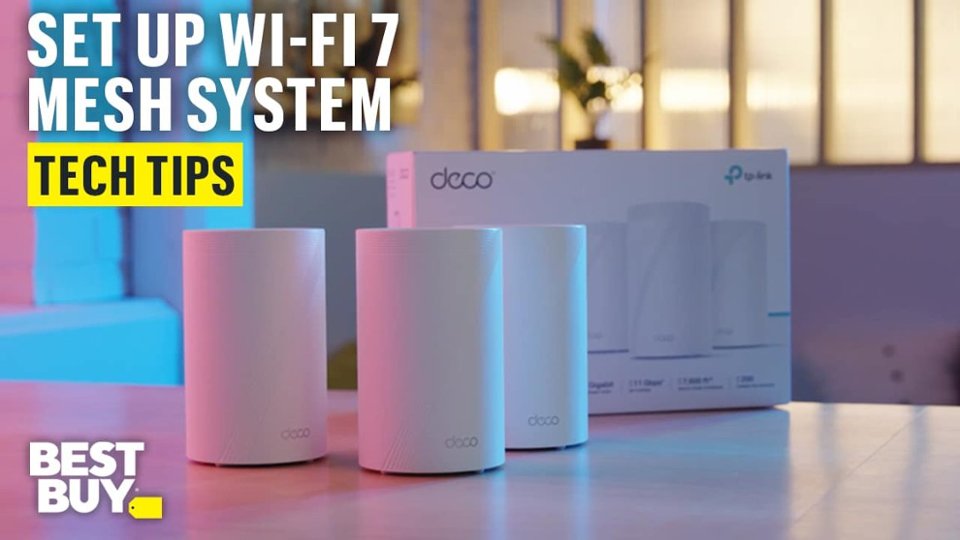
|Posted .This reviewer received promo considerations or sweepstakes entry for writing a review.The Deco BE65 Pro is easy to setup provided fast connectivity! Design I think it has a cool look to it. There are vents inset in on the top and sort of an embossed, and very large, "7" from top to bottom that make it more interesting to look at than just a white cylinder. The round vertical cylinders have two 2.5 Gb ports, one 5 Gb port, and one Type A USB port. The power cord plugs in just below the data ports. Opposite of the ports and at the bottom of the cylinder there's one indicator LED. All three units are identical so any one can be used as the "main" unit and the others have the same port available. Setup Was easy using their "Deco" smartphone app and watching the LED on each unit as you set it up. Anyone could set this up and be up and running pretty quickly. I was impressed when I looked at the setting afterward and realized it setup a subnet larger than a class C by default. I was able to set the IP address of the main unit easily as well as the DNS servers I wanted the built-in DHCP server to hand out. By default all bands are enabled, though it has options or separate bands or IoT or guest networks for instance. Each of the three units needed to be updated once they were setup. I updated them one at a time as I set them up but it's designed to update them automatically as needed over night. You can provide a window of time when it will update and restart them when needed. Features While this Deco BE11000 seems designed towards easy home use, I thought it worked very well and even has some more advanced features. - USB Data sharing You can plug a flash drive into the USB port of one or more of the units and it will act as a DLNA media server. I was able to stream MP3s from a flash drive using this and it worked well! It was easy to setup too. It can also be used for FTP, Network Neighborhood, or an Apple Time Machine backup device - Multi-Link Operation This will use more than one connection between the access points to improve performance, for instance 5 GHz and 6 GHz bands in parallel - IoT network option You can setup an Internet of Things network for devices like appliances that don't need a lot of bandwidth. This separates them from the rest of your network for security reason and can also let you run it at 2.4 GHz when the rest of your network is running at 5 GHz or 6 GHz. - There's a network optimization setting that tries to find the best way to configure your network (probably adjusts channels and maybe frequency ranges that are used). I didn't mess with it much but I ran it a few times once I had the APs setup and then when I changed their positions. It's a simple one touch option - Control WiFi Backhaul I was able to set this to 2.4 GHz. That worked best for my environment because of a metal wall two of the APs need to go through to mesh to each other. I still have the one most of my computers are on the most connected to a wired connection and all three still use 2.4 GHz, 5 GHz, or 6 GHz WiFi - Beamforming (enabled by default) - Fast Roaming (disabled by default) - Device isolation - Parental Controls This is easy to setup and lets you create a profile for each child, block content, monitor usage, set hours when internet access is allowed, force a block at anytime and review history. There are advanced features here that can be enabled for a subscription. Web Interface It has a web interface but it's very basic, mostly to see status, upgrade, reboot, or view logs. The web interface is missing most settings and features so you will need to use the app for this. Performance Wireless signal strength is great and speed has been great as well. I do have one connection that goes through a metal wall and that connection isn't as good as the others but it's still functional. As mentioned above it supports 5 GHz and 6 GHz bands for high performance. I got over 600 down and about 900 up on WiFi speed tests with my synchronis 1 GB fiber internet connection (which is great - It's hard to get numbers that match the actual speed). I didn't have any problems with a tablet, phones, Chromebooks, or Windows laptops. Connections worked very well. I was using two devices wired with it and had no problem there either. Summary This was very easy to setup and it works great! The performance is excellent and without any messing around I think it would be perfect for most people in most houses. I was going outside our house to a detached garage and going through a metal wall to do that and cinder block seemed to cause issues. Because of that I wanted to do a few things I couldn't. 1. Set the Backhaul (the link) between two of the three APs to 2.4 GHz (for better building penetration). I set all three to use a 2.4 GHz backhaul instead and that's ok for this situation because of the location of my Main AP that is wired. 2. I could not set only one AP to 2.4 GHz only. I can make a separate 2.4 GHz network but I didn't want to do that. I can set all three to be 2.4 GHz only but I didn't want to do that either. Oh well, it's working pretty well. Also, I have a static IP address for my printer and found that I cannot set an exclusion in the DHCP server, only a reservation. Those functions are similar but the one does not replace the other. There are a few ways to work around this but it seems it would be a very simple feature for them to add in an update so hopefully they will. Overall though, this is a feature rich WiFi Mesh system that works very well! Though if you need a good web interface, I would not recommend this. The app is great though. I had to give four stars instead of five due to the lack of IP Exclusions in the DHCP server, and the fact that the web interface can't do most of what the app can. I'm not too bothered by the 2.4 GHz settings I couldn't set. I think it does a pretty good job of managing all of that automatically. For most people in most homes none of these things will matter.
I would recommend this to a friend Decent Mesh Network - Easy Setup
||Posted . Owned for 3 weeks when reviewed.This reviewer received promo considerations or sweepstakes entry for writing a review.Very easy to setup. Performance lower than expected but good.
I would recommend this to a friend- Pros mentioned:Connectivity, Performance, Setup
Very fast, strong, easy
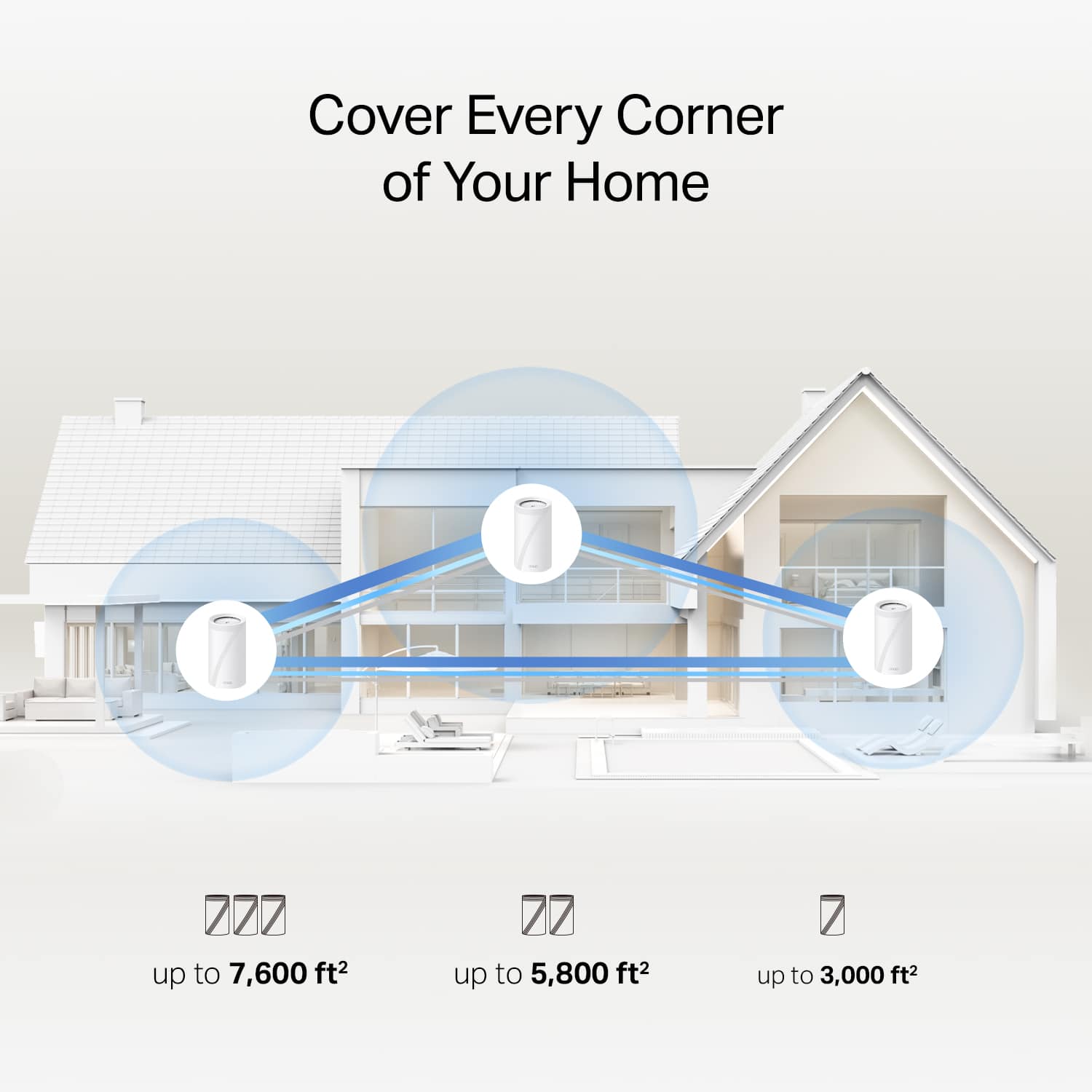
|Posted .This reviewer received promo considerations or sweepstakes entry for writing a review.This Tri-band Whole Home Mesh system is super fast. The 3 included Deco BE65 Pro units provide up to 7600 square feet of home coverage, although this will depend on the configuration of your house and any interferences in-between the units that may be present. The AI-driven mesh technology keeps you connected seamlessly from room to room as you move around with your mobile devices. I connected these units to my existing Deco network that I have always been very happy with. The initial Deco set-up to my Internet service was really easy with the tp-link app. Adding these units was as easy as plugging them in and clicking a button on my phone. These units have completely removed any dead spots I had in my house and have extended strong coverage into my garage and most of my yard even. I have a 3800 square feet house that had always had a dead corner near our entryway that is at the other end of the house from the router. Not anymore. My yard is an acre, and I can get WiFi signal in the majority of it. The system provides encrypted security built-in to the network. The app allows parental controls to be set up easily if needed. I have had multiple devices connected at the same time with streaming, gaming, more streaming, and other less-demanding draws on the signal and have noticed no lag or buffering. We are fortunate to have (usually) good Internet service in our area (>1gbps). This system is backwards compatible with all WiFi generations and devices. This system should provide practically any home with fast, reliable, and strong WiFi coverage. I would highly recommend.
I would recommend this to a friend Expensive for the range you get
||Posted . Owned for 1 month when reviewed.This reviewer received promo considerations or sweepstakes entry for writing a review.I’m getting a buffering issues at 1GB. It seems like the range is a real problem with this setup.
No, I would not recommend this to a friendBrand response from TPLinkSupport
Posted .Range can be affected by multiple factors. It would be best to reach out to our support team so we can help isolate, troubleshoot, and resolve this concern. Please call 866-225-8139 or email us at support.usa@tp-link.com. Support is available 24 a day and is free. I am confident that our team can help so please reach out.
Best Regards
TP-Link Systems Technical Support
- Pros mentioned:Connectivity, Performance, Setup
Great coverage so far
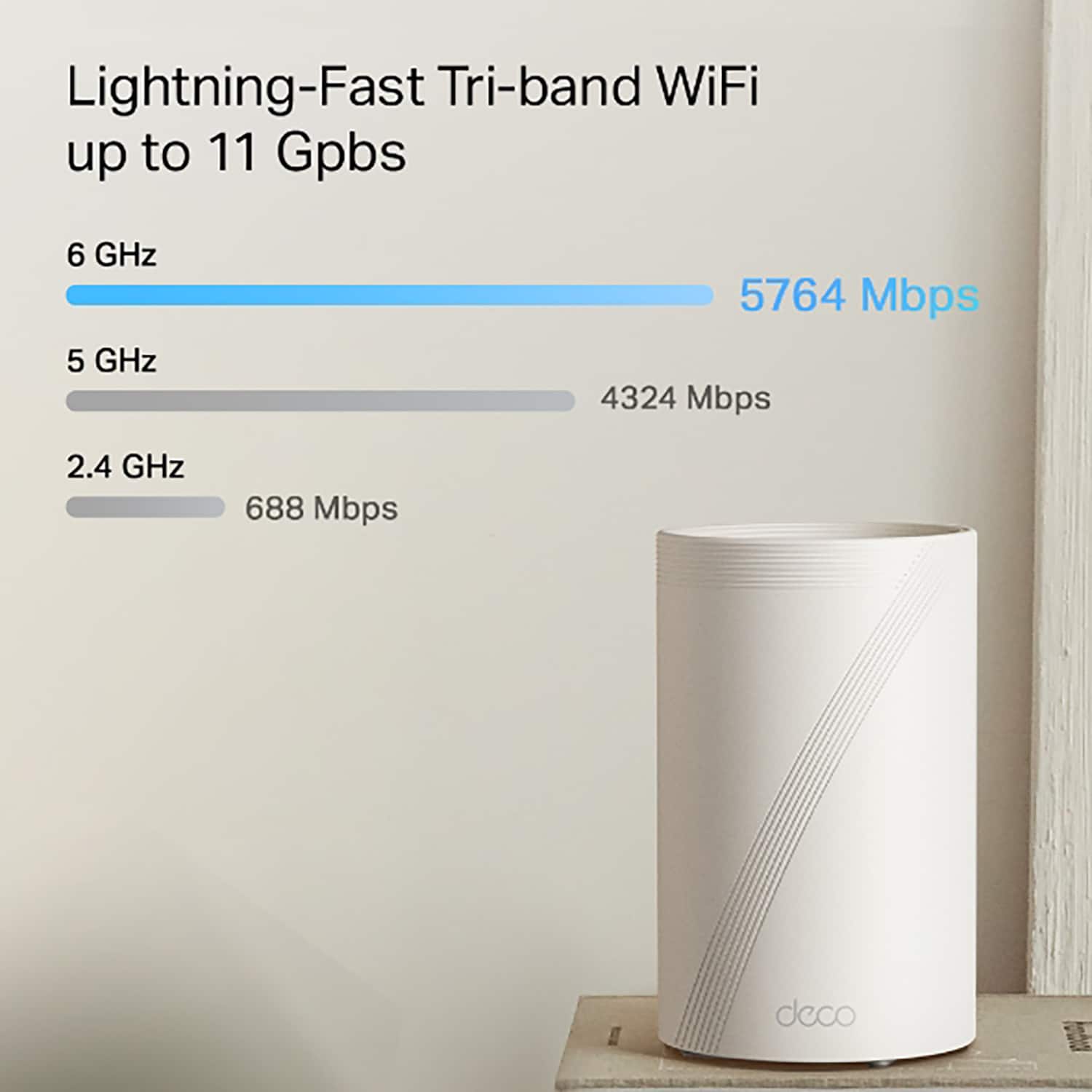
|Posted .This reviewer received promo considerations or sweepstakes entry for writing a review.I have owned and used several products from TP-Link both at home and at the office I work in. In all instances, I have had exceptionally good luck with them. So far, even though it is early in the game, The TP-Link BE 11000 Multi-Gig whole home mesh Wi-Fi system (what a mouth full) has lived up to the same high standards I have seen in TP-Link's other products. The TP-Link BE 11000 comes with three mesh Wi-Fi nodes that can be positioned around your home to fine tune your Wi-Fi coverage and eliminate dead spots. The "Deco" series from TP-Link BE 11000 is advertised to cover up to 7,600 square feet of area and is compatile with any ISP. The Deco BE 11000 is a tri-band mesch system that covers true 6GHz, 5GHz and 2.4 GHz and is fully backward compatible with older devices. This system uses Wi-Fi 7 technology. After installing the system and updating the app, I received a message that this unit now meets the universal Wi-Fi 7 standards, so should be compatible with future Wi-Fi 7 devices. You set up your mesh system using the Deco app. I will say, setting up the system was super easy with the app and only took a few minutes to have all the nodes positioned and connected to the internet. After things were set up, the app automatically downloaded the firmware updates to each of the units. The whole thing was just following the app directions. Of course, the hard part is moving all of your wireless devises from an existing network to the new Deco network. I guess I didn't realize how many wireless devices I have in my home until I started reconnecting. At least the Deco BE 11000 allows for up to 200 devices, so there should be plenty of available spots for people like me that have a lot of wireless devices. I have used this setup for several days and so far, have not had any issues with connectivity or slow internet speeds. I have been totally happy with this system so far. If you need better coverage and faster wireless speed, I think this is a really good option to consider.
Continuously disconnects having to reset
||Posted . Owned for less than 1 week when reviewed.This reviewer received promo considerations or sweepstakes entry for writing a review.I have only owned this since January. Twice in the last 2 months, the main router has gone to a solid red light overnight. I have tried troubleshooting and ultimately had to delete the Deco app from my phone because it wouldnt let me delete the network. Once I was able to delete the network, I had to set everything up again and it worked for a month before doing the same thing. I’m currently on my second attempt to reset the network. I cant get the Deco app to recognize the main Deco unit so I can create a new network. This is terribly frustrating. I confirmed with my ISP that the modem and internet are functioning and the issue is entirely related to the Deco routers. Would not recommend
No, I would not recommend this to a friendBrand response from TPLinkSupport
Posted .Hello ABC,
Not entirely. The test that the ISP runs is just service to the modem. That does not rule out maintenance issues like errors, noise or issues at the plant. So just because they say it's the router doesn't mean that it is because they don't generally have access to the tools to run a line quality test. That is not to say that its isn't the router just that its not always the router just because the ISP tech says it is. There are ways it could still be on the service side. The best way to test this is to contact TP-Link support, where our team of agents can help troubleshoot and identify the concern. Please Reach out to TP-Link systems support at 866-225-8139 or support.usa@tp-link.com
Best Regards
TP-Link Systems Support
Lots of glitches, software is bad
||Posted . Owned for 2 months when reviewed.This reviewer received promo considerations or sweepstakes entry for writing a review.Need to restart manually all routers at least twice a week, regretting not to buy a reliable brand like Eero not sure if they will go to the trash on the near future. Not recommended at all.
No, I would not recommend this to a friendBrand response from TPLinkSupport
Posted .Hi,
Thank you for your review. Our Deco Mesh Wi-Fi systems are designed to deliver robust, seamless Mesh Wi-Fi throughout your home. In your case, we first recommend ensuring that your Deco app and firmware are fully up to date, and that your Deco units are optimally positioned within your home and in close proximity to each other.
Our support team is always available and happy to assist with any questions you may have about our products. Feel free to contact us through any of the resources provided with the product or on our official website, and a Support Agent will follow up with you directly.
Thank you,
TP-Link Systems Support
Not ready
||Posted . Owned for 2 weeks when reviewed.This reviewer received promo considerations or sweepstakes entry for writing a review.These are not Ready for prime time. Wireless works great until you introduce a switch to the mix on any of the routers. This causes the routers to become unstable and any connection to the switch to become unstable. I was unable to get a switch working with these. Would not recommend buying yet.
No, I would not recommend this to a friendBrand response from TPLinkSupport
Posted .Hi JackM,
Thank you for your review. Ethernet switches are a great way to expand wired connectivity on a Deco Mesh network. In your case, we first recommend making sure there are no network loops when connecting the switches to your Deco Mesh System.
If you plan to use the Ethernet Backhaul feature of your Deco Mesh System, please refer to our FAQ with helpful information and network diagrams here: https://www.tp-link.com/us/support/faq/1794/
Additionally, please make sure your Deco app and firmware are both fully up to date. If you would like help with any of these steps, our support team is always available and happy to help. Feel free to reach out using the contact methods (phone, chat, email) on our official TP-Link website's support page: https://www.tp-link.com/us/support/contact-technical-support/
Best Regards,
TP-Link Support
Unreliable junk
||Posted . Owned for less than 1 week when reviewed.This reviewer received promo considerations or sweepstakes entry for writing a review.Save your money and invest in other wifi 7 mesh systems. I was dumb enough to give this product a 2nd chance seeing it on sale. Consistent buffering issues, unreliable connectivity left my security camras randomly going offline. Range is poor. This item really needs work, don’t think its ready for the main consumer market yet.
No, I would not recommend this to a friendBrand response from TPLinkSupport
Posted .Hi,
Thank you for your review. Our Deco Mesh Wi-Fi systems are designed to provide robust, seamless Mesh Wi-Fi for your whole home. In your case, we first recommend ensuring your Deco app and firmware are both fully up to date and your Deco units are optimally positioned within your home and in proximity to each other.
Our support team is always happy to help answer any questions you may have about our products. Please feel free to reach out using any of the resources included with the product, or from our official website, and we'll gladly have a Support Agent follow up with you directly.
Thank you,
TP-Link Support
Definitely not the greatest
||Posted . Owned for 2 weeks when reviewed.This reviewer received promo considerations or sweepstakes entry for writing a review.Worst Wi-Fi system definitely was not worth the money that I spent on it. Easy to set up though very very slow. Two TVs couldn’t run at the same time even hardwired was a little sketchy.
No, I would not recommend this to a friendBrand response from TPLinkSupport
Posted .Definitely not the normal experience for a TP-Link Router, especially this model. We would like you to work with support to determine the source of your concerns and, hopefully, if it's in our power, to resolve them. support can be reached at support.usa@tp-link.com or 866-225-8139.
Best Regards
TP-Link Systems Support
Horrible service provider
||Posted . Owned for less than 1 week when reviewed.This reviewer received promo considerations or sweepstakes entry for writing a review.Did not work for me, but i could have been my sevice provider.
I would recommend this to a friendBrand response from TPLinkSupport
Posted .Hi,
Thank you for sharing your experience with our product. If you ran into any difficulty accessing the Internet while setting up the Deco Mesh Wi-Fi System, it may be that your modem's MAC (Media Access Control) binding needs to be released and renewed so it can provide an IP address (and Internet) to the Router. This can typically be done using the following steps:
1. Unplug the power from both your router and cable modem
2. Unplug the coax cable from the modem
3. Re-connect power ONLY to your cable modem
4. Wait until the cable modem is fully booted, then re-connect coax
5. Re-connect power to the router and connect it to the modem via Ethernet
This process should release and renew the MAC binding, so your modem can provide connectivity to the router. If you'd like assistance with any of these steps, please reach out to our toll-free support team using any of the resources included with the product, or from our official website, and we'll gladly have a Support Agent follow up with you directly.
Thank you,
TP-Link Support
Simple mesh setup!
||Posted . Owned for 2 weeks when reviewed.This reviewer received promo considerations or sweepstakes entry for writing a review.Uniform speed throughout my 3500 sqft home with wireless backhaul
I would recommend this to a friendBrand response from TPLinkSupport
Posted .Hi,
Thank you for your review. We're delighted to hear that our Deco Mesh Wi-Fi 7 System is providing uniform speed throughout your whole home, with its quick and intuitive setup via the Deco app.
Our support team is always happy to help answer any questions you may have about our products. Please feel free to reach out using any of the resources included with the product, or from our official website, and we'll gladly have a Support Agent follow up with you directly.
Thank you,
TP-Link Support
Not a Pro device, wouldn't buy
||Posted . Owned for less than 1 week when reviewed.This reviewer received promo considerations or sweepstakes entry for writing a review.Just received to replace Google Pro due to being on sale and WiFi 7. Web UI is mininal at best, guess by design. The two units are supposed to be able to do 5800sq ft. I just dont see it, one of my outside camera keeps going off line. The app interface is better then the GUI, but still lacks that prosumer level. For the price level and to be a "PRO" product just isn't ready. Can't justify expense of this. Will be returning as soon as I can.
No, I would not recommend this to a friendBrand response from TPLinkSupport
Posted .Hello PoolGuy,
The up to 5,800 sq feet is dependent on several factors that include placement of the nodes, how far apart the nodes are and other environmental factors like walls and interference. If you feel like the system is not providing adequate coverage i would recommend contacting support at either 866-225-8139 or support.usa@tp-link.com. Support for TP-Link is 24 hours a day and free so please don't go on thinking the product can't meet your need. Reach out to support and let us help you. Most Mesh systems on the market were built around a simplified network management model based on a application that allows access anywhere you have a connection. Deco is no different. While the Pro in the model name is related to the Multi-Gig Ports I do very much like your idea about the product having more prosumer level features. I have relayed this to our development team.
Best Regards
TP-Link Systems Technical Support
- Pros mentioned:Connectivity, Setup
Great upgrade!
|Posted .This reviewer received promo considerations or sweepstakes entry for writing a review.I’m replacing a Wifi 6 mesh network because I just couldn’t get the full range of connectivity and speeds that I needed around my house. Our house is 2500 sq/ft but I also need coverage in my yard because of my cameras and times when I need wifi for streaming videos or music, also more of my new devices are supporting Wifi 6e and higher connections now. Setup was very simple, you just need the Deco app and it walks you through it. You do need a TP Link account to setup and manage your network which I’m not a big fan of, I think end-users should have full control of their own hardware without needing to be tied to the manufacturer’s account database. I ran both my old mesh network and new mesh network side by side to get a good comparison of range. Typically when a wireless network detect another network it’ll use different channels to avoid any interference between both networks. They also offer a built-in Network Optimization feature within the app that will allow you to manually scan and automatically fix frequency and channel issues for you. The overall results….were better by decent amount. I went to the 4 corners of my lot (about ¼ acre), and compared internet speeds between both networks. I noticed around a 40-70% increase in internet speeds. There are still many options I have yet to attempt to use within the Deco app to adjust for setting improvements. I did use the MLO feature to use multiple frequencies at once with a device, but I’m not sure if my phone is compatible with it, but seems to be a great feature. There’s also a feature that dedicates the 6GHz frequency to be used for the access point communication only (aka your wifi nodes), basically disabling MLO and devices being able to use it, but if your mesh node locations are right, could definitely provide much higher throughput. Switching between my old mesh network and new one was really simple, just use the same SSID and password as before and all your home devices should be able to connect automatically. The Deco app lets you set notifications when new devices join the network to confirm they are switching over. It is also able to detect some Smart Devices on my network and have them categorized within the app. There is a nice list of options to really customize your network, especially if you are more advanced than the average user in network setup. So the app is built well in my opinion. Additional features include Block listing clients or allowing only certain clients to connect to your network, network isolation allowing sensitive devices not being able to be accessed from your main network, create a Camera Mode options for your home cameras, and allows you limited access to Parental Controls and other Security options without the premium subscription. The list of features goes on, but so far I’m really enjoying the TP Link Wifi 7 Mesh network. Oh, and once you do the main setup on the first Deco node/access point, all you do is power up the others and they automatically sync to one another….very easy. This Wifi 7 system is also a better price point at others I’ve seen recently released, so I think it holds a lot more value. And with the new Wifi 7 technology and the added 2.5 & 5Gbps compatibility, this system will hopefully future proof your network for many years. I’m currently on Gigabit speeds but now I’m looking to upgrade for higher network speeds as I do a lot of data transfers within my home network. I do highly recommend this system.
I would recommend this to a friend - Pros mentioned:Connectivity, Performance, Setup
Easy, Fast and Feature Packed
|Posted .This reviewer received promo considerations or sweepstakes entry for writing a review.Set Up Experience Setting up the TP-Link User Account was very difficult as the verification code always arrived after the time out. Some how it finally worked and I was set up. Down loaded the app and started on my journey. Setting up the mesh was just the opposite. Very easy and super quick. This breathed new life into my network. Noticed TV’s, Phones, Laptops, Printers, streaming devices all working at fast speeds. Performed a speed Test and was satisfied with the results. User Interface Kudos to TP-Link for allowing the user to tweak the network. The preferred WiFi band Is set to auto, However, I could change the router preferred band to my preferred band If desired. You can do this for each individual device! The choices are 2.4 GHz, 5 GHz and 6 GHz. Providing that the device being changed supports the selected band otherwise Just let the router choose the correct band and it does a good job of selecting the correct one. You can also select which node you want your device connected to so if your in another room with no node, you can change which node to connect to if desired. Other brands that I own do not allow this. As with all routers these days, you can give a particular device high priority such as a TV for streaming so you have the best possible performance and connection. You can add smart devices and control them from the TP-Link Deco App. Such as a Smart thermostat etc… Added Benefits TP-Link also offers a security upgrade for a better watch dog experience to keep hackers Out. It is a paid subscription. Upgrades are Security+ Web Protection, Intrusion prevention and IoT Protection. All start with a free trial. There is Parental Controls so you can dictate internet content and time on the internet. You can also turn the nodes led lighting off completely or set a desired off and on time. You can set up USB sharing. Each node has a USB port. Another available feature is being Able to add a VPN server in the app. You can also change how you want the router to roam For devices. Summary I find this to be a feature packed, well organized mesh package. Very happy with the performance and usability of this System. The App is also very easy to navigate.
I would recommend this to a friend I think mine is defective
||Posted . Owned for less than 1 week when reviewed.This reviewer received promo considerations or sweepstakes entry for writing a review.This has been a nightmare. I had an older TP link 5400 6e that stopped working so I bought this one. I set everything up and placed the satellite s in the exact same places and it is so much slower. I disconnected the satellite from the bedroom and the tv in there runs better on the run in the office. The whole system is slow and was much better before. I have Spectrum internet with 1g service and they came out to confirm that the old router was bad. I hope to exchange it.
No, I would not recommend this to a friendBrand response from TPLinkSupport
Posted .Hi,
Thank you for your review. Our Deco Mesh Wi-Fi systems are designed to provide robust, seamless Mesh Wi-Fi for your whole home. In your case, we first recommend ensuring your Deco app and firmware are both fully up to date and your Deco units are optimally positioned within your home and in proximity to each other.
Our support team is always happy to help answer any questions you may have about our products. Please feel free to reach out using any of the resources included with the product, or from our official website, and we'll gladly have a Support Agent follow up with you directly.
Thank you,
TP-Link Support
warning dont get with starlink or best buy
||Posted .This reviewer received promo considerations or sweepstakes entry for writing a review.does not work with starlink and out of return period, ill be buying from amazon from here on
No, I would not recommend this to a friendBrand response from TPLinkSupport
Posted .Hi StevenElf,
Thank you for your review. Our Deco Mesh Wi-Fi systems are designed to provide robust, seamless Mesh Wi-Fi for your whole home. In your case, we first recommend visiting our helpful Community Article on how to set up Starlink with Deco Mesh Systems, where you can find detailed instructions and tips on how to enjoy seamless Wi-Fi Mesh with your Starlink Internet service: https://community.tp-link.com/us/home/kb/detail/412676
Our support team is always happy to help answer any questions you may have about our products. Please feel free to reach out using any of the resources included with the product, or from our official website, and we'll gladly have a Support Agent follow up with you directly.
Thank you,
TP-Link Systems Support
- Pros mentioned:Coverage
Great Coverage and easy to use app!
|Posted .This reviewer received promo considerations or sweepstakes entry for writing a review.The TP Link BE11000 mesh system is incredible. We have a two-story house and getting a solid connection to all the upstairs rooms was always difficult. We have used mesh systems before and this one is the best we have used. Setup is very simple using the Deco app. The app is so good and easy to navigate. Just follow the instructions on your phone and it will have you up and running very quickly. It will notify you if you need to update firmware and I strongly recommend doing that once all your Deco's are connected. The update process is very easy and quick. I also recommend naming your network the same as your previous network and keeping the same password. That way all your smart stuff can connect without having to go to each "internet of things" device and reconnect it. Coverage is excellent throughout our entire house and we haven't experienced any drops or disconnects like we did with our last mesh router. The design, build quality and packaging are all top notch as well. The Deco's are MUCH smaller than our last router and they blend in nicely with everything. I did initially have an issue with a game I was playing on PC. I could not connect to the in-game shop in Overwatch. I ended up having to restart the router a couple times and that cleared everything up. So, if you run into any issues with anything just give the system a reboot. It may help. Overall, I definitely recommend this amazing mesh router. The coverage and ease of use are excellent!
I would recommend this to a friend Most unreliable wifi router I have ever had.
||Posted . Owned for 4 months when reviewed.This reviewer received promo considerations or sweepstakes entry for writing a review.Most unreliable wifi router I have ever had. I have to restart the Wi-Fi mesh quite frequently.
No, I would not recommend this to a friendBrand response from TPLinkSupport
Posted .Hello Danny, There could be several reasons why this is happening. We would like to work with you and help improve your current experience. Please reach out to support via 866-225-8139 or support.usa@tp-link.com when you are able to. We are available 24/7 so please contact us at your leisure.
Best Regards
TP-Link Systems Technical Support.
- Pros mentioned:Performance
Very Easy To Set Up In Minutes Using The App
|Posted .This reviewer received promo considerations or sweepstakes entry for writing a review.This is the first mesh system I have set up where I was done with the process in less than 20 minutes AND it actually worked correctly after that 20 minutes and within 20 percent of my fiber speed in rooms with router or satellites. This is also the first mesh system I was able to set up entirely with the App AND have it work correctly. Sure, there are quite a few things to fine tune things in the App like Network Optimization, choose whether you want to reserve the 6ghz band for backhaul only and the like, but it really "just worked" after the setup was done. I don't have any WiFi 7 clients (that I know of), but this setup has helped my WiFi 6E gear really get higher speeds wirelessly. I got my near full fiber bandwidth plugged into the router (as you would expect), but I also got within 5 percent of my full fiber bandwidth using my WiFi 6E laptop sitting in the same room as the router, sitting in the same room as satellite 1, and sitting in the same room as satellite 2 (after further tweaking and optimizing). That has never happened before, and I'm guessing I owe that to 1) this is my first WiFi 6E or WiFi 7 capable Mesh system I have tried and 2) the excellent performing wireless backhaul. I like the option to hook it up wired backhaul and wireless at the same time and it will use whatever is best, but if I was using wired backhaul, I'd just use good Access Points instead, they are far cheaper. I'm very happy with the way this wireless backhaul handles the materials in my home, when a signal killer floor between my basement and ground level main area causes problems, I can just tell it to use the other satellite for its signal instead of the router, or leave it on Auto for it to figure it out on its own. I'm very happy with this three pack, and when a single unit is available, I'll get one to extend to my garage/workshop area. I recommend this for fiber speed service 1gig up/down and above.
I would recommend this to a friend