Customer Ratings & Reviews

- Model:
- TGR1900BLK
- |
- SKU:
- 4409400
Customer reviews
Rating 4.6 out of 5 stars with 779 reviews
(779 customer reviews)to a friend
Customers are saying
Customers enjoy the Google OnHub AC1900 Dual-Band Wi-Fi Router's ease of use, range, and performance, with many praising its simple setup and strong signal. Positive feedback also highlights the router's design and helpful app. However, some customers express disappointment with the limited number of Ethernet ports and the relatively high price point. A few users also mention a lack of advanced features compared to other routers on the market.
This summary was generated by AI based on customer reviews.
Rated 2 out of 5 stars
reception
||Posted .This reviewer received promo considerations or sweepstakes entry for writing a review.poor reception outside my house! Salesman told me it would be very good reception!
No, I would not recommend this to a friend- Pros mentioned:Setup
Rated 4 out of 5 stars
Perfect for a Non-Tech Person/Simple Network
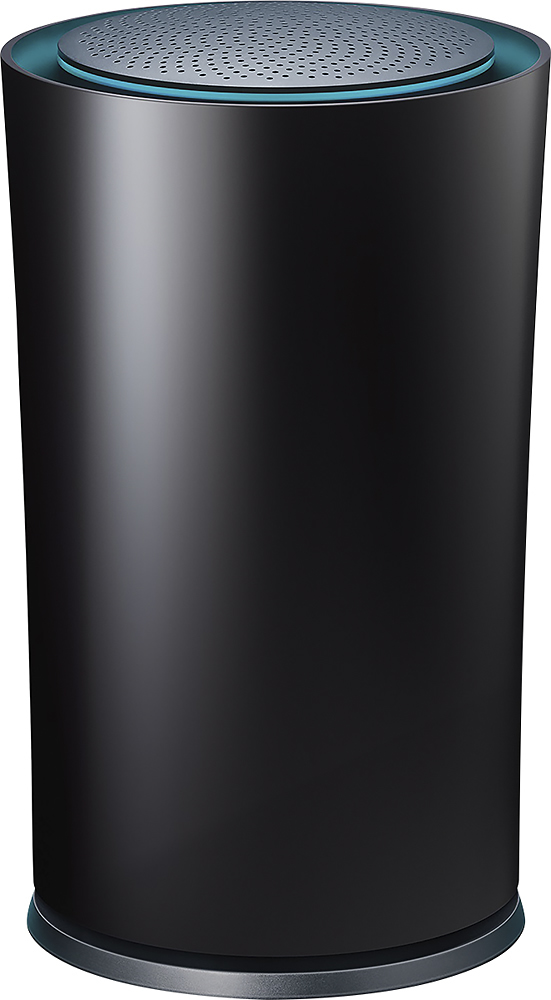
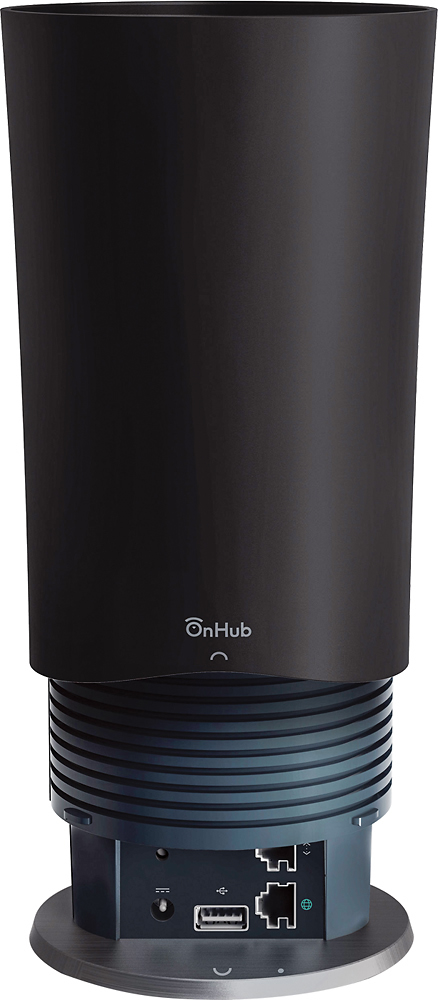
Posted .This reviewer received promo considerations or sweepstakes entry for writing a review.(This is a review of a free product received from TP-LINK as part of the review program.) This TP-LINK hardware and Google app software router is a breeze to set up as long as you have an Android or iOS smart phone and a Google account. All you need to do is download the app, plug the OnHub router into your modem using the included ethernet cable, and plug the router into a wall outlet. The app finds the router for you and guides you through the few steps to set it up and get it online. After that, it's as simple as connecting your devices to the OnHub by selecting the new wireless network on each. I had my new network working in less than fifteen minutes, including waiting for a firmware update to download and install. The network speed is good, and the range is best for a small to medium-size residence, although you can always increase the range using a Wi-Fi extender. The router has one ethernet/LAN port for hard-wiring a computer or device and one USB port for content. If you are replacing another router, you might want to rename the OnHub to match your old network name and use the same password, provided both are safe, to maximize the number of devices that will connect automatically. I could not find a WPS button for easy connections to devices, and that could cause problem for devices that use that protocol exclusively. You must have a Google account/email address for this to work, and fortunately, that's free. As most people know, however, Google accounts come with a price -- data mining -- so if you are super-sensitive about privacy, stay away. If you have an Android phone or tablet, you are already on Google, so there's nothing to lose. Besides,supposedly Google collects the data anonymously. It's not like Google will hack into your home network. This router also has a speaker, which took me by surprise when I was setting it up, although I don't know if you can play anything through it. Maybe someday. After all, it looks a lot like Amazon's Echo. I love that the OnHub has a small footprint and that it will update its firmware automatically so you don't have to do anything. The interface and settings are relatively bare-bones, and that means that the non-technologically-inclined won't be confused by what certain settings mean and what to do with them. The flipside, of course, is that the technologically-demanding will find it lacking. The OnHub isn't made for that group, though, and it isn't made for households with multiple teens doing online gaming. It's a good router for those who don't want to think about what a router does and who want their new wireless network up-and-running as soon as possible.
I would recommend this to a friend Rated 1 out of 5 stars
Don't buy it, it doesn't work
||Posted .This reviewer received promo considerations or sweepstakes entry for writing a review.I am returning it, it doesn't work. It interferes with any other wifi extenders and the router. It didn't help and made it worse. I worked with everyone to try and make it work, it doesn't , I am returning it.
No, I would not recommend this to a friend- Pros mentioned:SetupCons mentioned:Ethernet ports
Rated 5 out of 5 stars
Superb coverage in a largish house
Posted .This reviewer received promo considerations or sweepstakes entry for writing a review.I've owned this now for about a month. Installation was easy. While not in the IT field, I consider myself to pretty advanced when it comes to the home variety of routers. I was frankly looking forward to getting into the guts of this thing, but there was really no need. Since it doesn't look like what we've all come to expect a router to look like, I was able to convince my wife that it would not look out of place sitting on the bookshelf in the den. So a couple of holes later, I had this plugged into my modem. I pay for 100/10 down/up, and I was getting that on my old set up when plugged directly into the router. Wifi, unless very close, would never get beyond 30 or 40 mbps down. And that was with three older wifi routers re-purposed as access points placed strategically throughout the house. The issue wasn't just speed...if I moved through the house, the likelihood of a seamless hand-off was almost nil. If I moved from upstairs to downstairs, I would have to toggle wifi off and on to get the stronger downstairs signal. But my problems became amply apparent when I installed a couple of Ring Video doorbells. My house is brick with double pane argon filled windows, which are a beast for wifi signals to get through. So I finally threw in the towel and decided to get a new router. Being the geek that I am, I was more interested in some other models by better known router manufacturers. But the unsightly appearance of them (my wife's opinion...I say the more antennae sticking out the better!) means it would be relegated to the wiring closet. Aside from being in a not very central location of the house, it's also full of, well, wires and electronics. Those interfere with the wifi signal, which is part of the reason for my problem in the first place. I settled on the TP-link OnHub because I have some TP-Link switches I've been fairly impressed with, but I probably would have been equally happy with the Asus version. I plugged it in, and within 10 minutes I had internet. The information available through the app, while probably doable with my old set up, would not have been nearly as visual and easy to get to. I had no idea my den Chromecast was using so much data, especially since we primarily use the Roku. I had it streaming a 24/7 slideshow as a background that changed every 5-10 seconds, which I turned off immediately. I did require some intermediate features, such as port forwarding, which the OnHub was able to accommodate. There are users far more advanced than me that will require features this probably doesn't have - at least not yet. But let me get to the coverage, which is where this thing outshines anything I've ever owned. My house is three stories, about 3,400 square feet. At the farthest distance inside the house, I'm getting 25 mbps down. Five feet from the router, I'm getting 110 mpbs down. But where it really shines is outside the front and back doors where the Ring Doorbells are. From outside the door, I'm getting at least 40 mbps down, which is up from 10-12 mbps on my old set up. Not only that, I can get decent signal at the end of the driveway. This has proven useful (in a first world problem sort of way) because when we have cul-de-sac parties, I can bring a wifi speaker down to the street and stream Pandora. I'm probably going to spring for the Google Wifi 3-pack the first time it goes on sale just to ensure I can get these blistering speeds all over the house, but due to the performance of this router, I'm not in any rush. As to the cons, same as have already been mentioned by others. The inputs on the bottom back of the router are really too tight if you use any Ethernet cable other than the flat variety that came with it. I made do by not pushing the cylindrical cover all the way down. As to not having multiple ports, I've got plenty of switches so that wasn't an issue. This works really well if your house is already wired for Ethernet through a central hub - especially if that allows you to place it in an open space. If you don't have that, I would recommend a TP un-managed switch or two to go along with it for hardwired requirements.
I would recommend this to a friend - Pros mentioned:Ease of use, Range, Speed
Rated 4 out of 5 stars
A good router that is easy to set up
Posted .This reviewer received promo considerations or sweepstakes entry for writing a review.I upgraded to the Google Onhub because my old router was never giving me the speeds that I was supposed to be getting. I agree with everyone that setup is very easy. You do need to download an app, but for most people having another app to control a device should be no problem. I like the look of this router compared to other routers that are boxes with antennas sticking everywhere. The range of the product and the speed delivered is great. I only live in a one story house, but we wanted to be able to get the internet outside and in the shed which it does easily. I even have a little service two houses down from mine. I always get the internet speed I paid for now. The only issue I have had is that my network will drop out from time to time, but it reconnects right away. It is enough of a problem for me to try to reset my network.
I would recommend this to a friend - Pros mentioned:Range, Speed
Rated 5 out of 5 stars
How a router should be
Posted .This reviewer received promo considerations or sweepstakes entry for writing a review.Exactly how a router should be. Virtually plug and play. Range is awesome and I can eliminate the RE I was using previously. iNet speeds are maxed out at my top service speeds with 6 devices connected and while watching Roku or onDemand Directv. Finally found thr perfect router!
I would recommend this to a friend Rated 5 out of 5 stars
Fixed all of my Wifi Issues
Posted .This reviewer received promo considerations or sweepstakes entry for writing a review.I'm paying for 25 Mbps from the cable company (they upped our speeds to 100+Mbps) but with a Motorola SBG6580 router / modem combo we were getting anywhere from 3 Mbps to 20 Mbps given the time of day / location. Decided to give the Google OnHub a try and found it to be worth the $200! Setup is really easy - the hardest part was setting the gateway into bridge mode (shuts off the wifi portion of the modem/router combo, not a necessary step if you just have a broadband modem). After that I fired up the OnHub app and it took over. We now get the 100 Mbps we were promised by the cable company and there is consistently good signals throughout the entire house (1700 sqft). Heck, the signal reaches a few houses down the street. I also love being able to manage and monitor the router from the OnHub app. In there you can see which devices are connected and even prioritize bandwidth (watching Netflix? You can make your set-top box the priority).
This review is from TP-Link - Google OnHub Dual-Band Wireless-AC1900 Gigabit Router - Blue
I would recommend this to a friendRated 1 out of 5 stars
Awful
||Posted .This reviewer received promo considerations or sweepstakes entry for writing a review.I was excited about this product to be able to use this in hotels because I travel for a living.. You had to connect to your modem.. Ridiculous
No, I would not recommend this to a friendBrand response from TPLinkSupport
Posted .Dear JMV84,
Thank you for the feedback along with your review for OnHub.
We're sorry to hear that our device was unable to support your intended application.
However, we currently have more suitable products available for you which are also designed to support your travel needs as well.
If you have any questions or concerns regarding our products in the future, please feel free to contact our support team at the number and/or email provided for you below and an available technician will be happy to assist you.
Best Regards!
TP-LINK Support Team
866) 225-8139
[email protected]
- Pros mentioned:Setup, Speed
Rated 5 out of 5 stars
Pricey but perfect
Posted .This reviewer received promo considerations or sweepstakes entry for writing a review.Looking for a no hassle, easy to configure router with great coverage for your 3 story Colonial? Your search is over. This is it. Quick and easy set up via a smart phone app - less than 15 minutes. Coverage (2400 sq ft) is rock solid. Speed on TWC/ Spectrum router/ modem moved from 35 Mbps to 59 Mbps. Monthly cable bill decreased by $12. There are currently 16 devices running fast and smooth on my network. This is strictly a router so you'll have to purchase a cable modem ... TP Link TC 7620 works nicely. Highly recommended.
I would recommend this to a friend - Pros mentioned:Ease of use
Rated 5 out of 5 stars
the easiest router set up ever
Posted .This reviewer received promo considerations or sweepstakes entry for writing a review.I love this item. I hate having to set things up. I'm not a "techi" and i always feel as though the instructions are missing something. This sets itself up! Download the app. Open the box. Plug it in. Your on! it talks to your cell phone. No more trying to read little numbers and codes. It does that itself to the phone with a song. Truly amazing.
I would recommend this to a friend Rated 4 out of 5 stars
Clever channel optimization and good signal.
Posted .This reviewer received promo considerations or sweepstakes entry for writing a review.Originally I had the newest Airport Express, which worked adequately until I moved to Brooklyn. Now I'm sandwiched between 20 other apartments and a coffee shop in an apartment with brick walls. This means a lot of the wifi channels are being used and the signal couldn't get far with the Apple router (even the high channel 5ghz). I have 100mbps internet and I was getting about half that around most of my apartment. I had my doubts about this router being able to intelligently navigate around the brick walls in such a high traffic area, but so far it's doing an amazing job. In the bedroom where I was getting ~60mbps down, I'm now getting 115. Even on my non-AC devices it's getting a strong signal and high speeds. Whatever algorithm Google is using seems to be working. The app is also very straightforward and easy to use. Sure, you lose some advanced features for now, but I just wanted solid, low-maintenance wifi through my apartment...and this delivers. I'm also big into home automation...and this device has the potential to unlock really cool features down the road.
I would recommend this to a friendRated 5 out of 5 stars
good for beginners
Posted .This reviewer received promo considerations or sweepstakes entry for writing a review.OnHub The world simplest router. I say this because the setup for this router took literally 1 minute. All I had to do was pull it out of its amazing box which was absolutely gorgeous by the way. Plug in 3 wires and sit back and watch it set itself up. Slid the cover down on the antenna base and it’s finished. Simple and easy, gorgeous as hell to. Has Bluetooth 12 antennas for best connection is an easy setup. The background information on this router is that it has 12 antennas that actually push the Wi-Fi and 1 to detect congestion on the 2.4 and 5.0 gHz bandwidths and switches between these bandwidths to make sure that you have the best Wi-Fi. This feature works wonderfully and so far I’ve not experienced any problems with Wi-Fi speeds. The Bluetooth connectivity is amazing and also really easy to setup. Pros • Easy setup • Stylish design • Good Wi-Fi connections • Really good speeds I did find some issues with it as well the gui is limited and google has a lock on the software, so that no changes or hacks can be made which severely limits futures options. It also can’t be issued as a media network which is also a limiting for the future. Also it has a speaker on that is only used for the setup up, it would be nice to use as a speaker for media. • No media options • Gui is locked • No future proofing In conclusion this router is a simple and easy to setup, it allows for easy password changes, networks setups and easy password sharing. It when all the features it has are activated or changed this router will be best router on the market allowing you to always find the best bandwidth.
I would recommend this to a friendRated 1 out of 5 stars
On hub for cell reception
||Posted .This reviewer received promo considerations or sweepstakes entry for writing a review.Didn't change anything. Didn't help improve the quality of my cell phone reception.spent 200.00 for nothing.
No, I would not recommend this to a friend- Pros mentioned:Range
Rated 5 out of 5 stars
Excellent Wireless Access Capability
Posted .This reviewer received promo considerations or sweepstakes entry for writing a review.There is not much to say that has not been reported already. This router is outstanding for its current purpose and capabilities. Meaning if you are looking for a simple/solid wireless router for challenging home locations where you may be experiencing drops or blind spots, this is the router for you! If your looking for advanced router configuration to include firewall/ACL, advanced port filter/forwarding,NAT,QOS, etc. this is "currently" not the router for you.
I would recommend this to a friend - Pros mentioned:Ease of use
Rated 5 out of 5 stars
Works well for me...
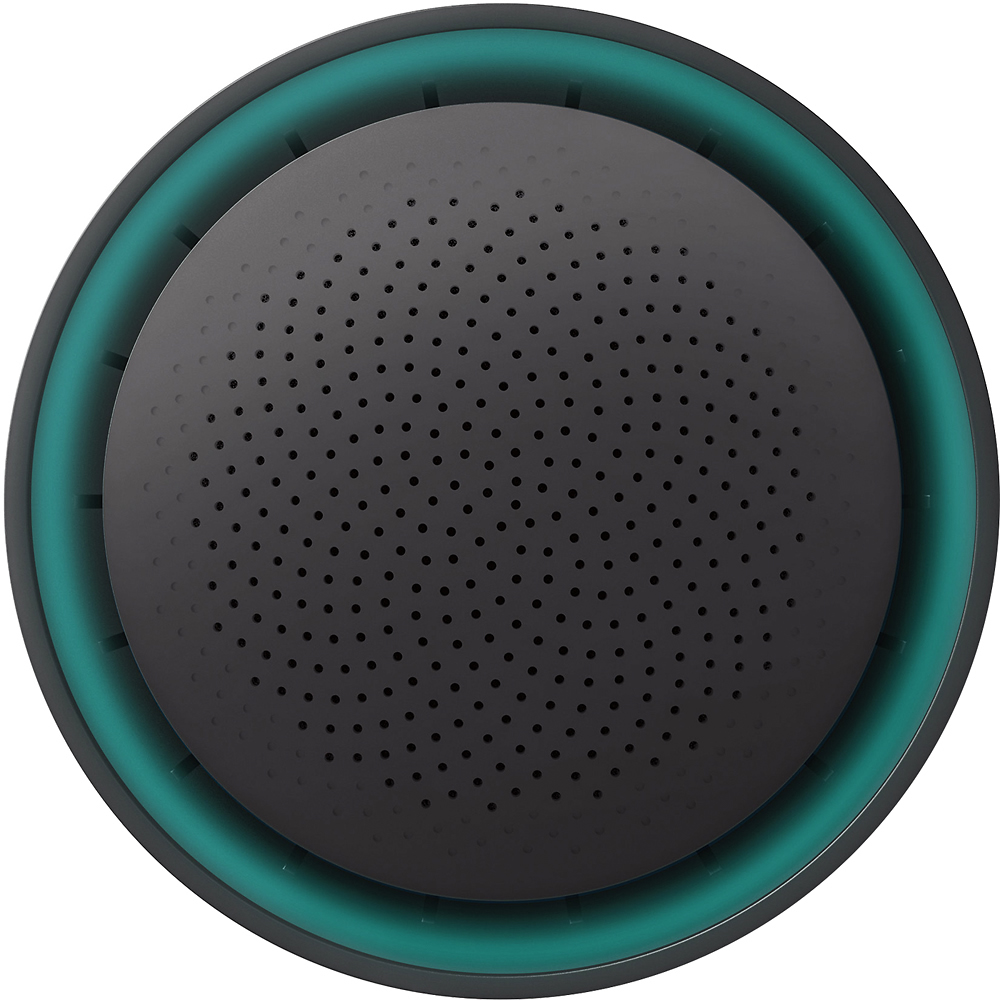
Posted .This reviewer received promo considerations or sweepstakes entry for writing a review.Before I get into my review, I'll briefly describe my living situation as it relates to this device. I live in an apartment complex with 96 3 story units on the second floor. These apartments are mostly drywall walls and I live in a 3 bedroom unit with a wife and two daughters that all use WiFi daily. Previously, the issues I'd been having is getting a strong, fast connection in my bedroom on my MacBook (2009 model). Tablets had a hard time maintaining a connection as well as my XBOX. I had to strategically place my XBOX near the side of the room closest to the router by the bedroom door to get at least half of a signal. My bedroom is located down a 15 foot hallway toward the rear of the apartment. My daughter's room is across from mines but the router in the living room has a visual line of sight to her computer whereas my room is around a corner and across from hers. This router works well in my current living situation. It's really easy to setup and to add devices. The app on my iPhone 6Plus works seamlessly and provides instant information about upload and download speeds as well as how many devices are connected. You can even prioritize what device you want to receive the most bandwidth and for what duration you want for that device to receive it. You also use the app to increase the brightness of the light on the router. It takes up very little space and it looks like a sort of modern art decoration. For the price, it a very capable and versatile device. I highly recommend it.
I would recommend this to a friend - Cons mentioned:Ethernet ports
Rated 5 out of 5 stars
Great Piece of Kit - Great for Beginner and Expert
Posted .This reviewer received promo considerations or sweepstakes entry for writing a review.Everything you could want in a package that takes 5 minutes to either set up as a router or a bridged access point. Easy instructions, great app and everything backed up to your Google Cloud. Looking forward to seeing where Google takes this... The only thing that would have made this better would be the addition of 3 more Ethernet Switch Ports - connecting all your IoT hubs will take a small switch in addition to the OnHub.
I would recommend this to a friend - Pros mentioned:Ease of useCons mentioned:Ethernet ports
Rated 4 out of 5 stars
Great Router For Anyone
Posted .This reviewer received promo considerations or sweepstakes entry for writing a review.Really easy to set up, I was a bit hesitant to purchase this because it seemed too easy to install but must say, it's working like a charm. The router automatically changes your device between the 5 and 2.4 frequency ---you do get some slowness when it's switching bands. But you don't have to create a separate network, you can create a Guest Network. I have AT&T U-Verse and I had to input additional information when setting up the internet (IP Address, Sub Address, and so forth) but with trial and error, it worked. Only negative comment I have, is that the hub only has one Ethernet port, so if you have multiple devices that are wired, you might have to get another device in addition to the hub. I have 4 wired devices, so what I did, I left 3 connected to my U-Verse and I connected my AppleTV directly to the hub and all devices work perfectly. However, you cannot see or set the priority for the devices that are NOT connected to the hub.
I would recommend this to a friend - Pros mentioned:Range
Rated 5 out of 5 stars
Currently the best router to purchase
Posted .This reviewer received promo considerations or sweepstakes entry for writing a review.This router has awesome range and automatically prioritizes traffic so you do not have to worry about dropping voip calls or lagging in games if someone is downloading, streaming (music or video), or torrenting. My favorite feature is that it has a dedicated antenna to see what channel is congested and will automatically switch to the best channel for optimal throughput.
I would recommend this to a friend - Pros mentioned:Ease of use, SpeedCons mentioned:Ethernet ports
Rated 4 out of 5 stars
great for average consumer
Posted .This reviewer received promo considerations or sweepstakes entry for writing a review.Really seamless setup using the mobile app. I would personally like a little more advanced controls but it's not a dealbreaker. Also want more than one ethernet port... Speed and reliability is absolutely amazing though. This model is a little old and I'd recommend going for the newer google wifi, but at the right price this one is still good.
I would recommend this to a friend - Pros mentioned:Ease of use
Rated 5 out of 5 stars
Great for a power user or a beginner.
Posted .This reviewer received promo considerations or sweepstakes entry for writing a review.I replaced a n750 netgear router with the onhub and my wireless network has never been better. It is so easy to setup I bought one for my Dad. I get a great signal all throughout my 3000sqft house.
I would recommend this to a friend