Customer Ratings & Reviews


- Model:
- HS200
- SKU:
- 5687933
Rating by feature
- Value
Rating 4.8 out of 5 stars
- Quality
Rating 4.8 out of 5 stars
- Ease of Use
Rating 4.7 out of 5 stars
Customers are saying
Customers praise the Kasa Wi-Fi Smart Light Switch for its ease of use and compatibility with smart speakers like Alexa and Google Assistant. They also appreciate the easy installation and reasonable price point, making it a well-received smart home device.
This summary was generated by AI based on customer reviews.
Good
||Posted . Owned for 1 week when reviewed.This reviewer received promo considerations or sweepstakes entry for writing a review.It works for new homes, older homes without the proper wires it won’t properly work.
I would recommend this to a friendDoesn’t work all the time
||Posted . Owned for 1 month when reviewed.This reviewer received promo considerations or sweepstakes entry for writing a review.The product is so easy to set up however it is not consistent and has several glitches
I would recommend this to a friendLove it
||Posted . Owned for 10 months when reviewed.This reviewer received promo considerations or sweepstakes entry for writing a review.Very good product for the money spent. Great gift Ideas
I would recommend this to a friendPoor integration with Siri
||Posted . Owned for 10 months when reviewed.This reviewer received promo considerations or sweepstakes entry for writing a review.The switch integrates well with Google Home and Alexa, but not Siri. Since I wanted to control the porch light from outside the home "Hey Siri, turn the porch light on" as we're driving up, Siri is the best choice. Sadly, the only way to integrate is an ugly programming hack, that I'm unwilling to do.
No, I would not recommend this to a friendBrand response from TPLinkSupport
Posted .Hi Toby,
In the latest Kasa app release (2.21.0), we've added support for Siri Shortcuts for devices and scenes so you can control your Kasa devices from Siri (even using HomePod). Download the Shortcuts app to get started.
Our Support Team is always happy to answer any questions you might have about our products. Please feel free to email Kasa.Support@TP-Link.com and we'll gladly have a Support Agent follow up with you directly.
Thank you,
TP-Link Support
Great packaging, but lower quality
||Posted . Owned for 1 month when reviewed.This reviewer received promo considerations or sweepstakes entry for writing a review.I am somewhat disappointed with this purchase. I have been unable to connect this to my Wifi. Seems that the electronics are substandard, since my Ring Doorbell connected with ease and is further away from my router. Wish I can return it!
No, I would not recommend this to a friendBrand response from TPLinkSupport
Posted .Hi,
Thank you for your review. In your case we recommend following the steps outlined in our FAQ here to connect your smart WiFi light switch to your home network: https://www.tp-link.com/us/support/faq/946/
Our Support Team is always happy to answer any questions you might have about our products. Please feel free to e-mail Kasa.Support@TP-Link.com and we'll gladly have a Support Agent follow up with you directly.
Best Regards,
TP-Link Support
Switch
||Posted . Owned for 3 weeks when reviewed.This reviewer received promo considerations or sweepstakes entry for writing a review.It is an average switch, internet connection should be stronger
No, I would not recommend this to a friendSmart switch
||Posted . Owned for 10 months when reviewed.This reviewer received promo considerations or sweepstakes entry for writing a review.Wi-Fi kicks out the switches and have to reset multiple times
No, I would not recommend this to a friend- Cons mentioned:Neutral wire
Not for most American homes
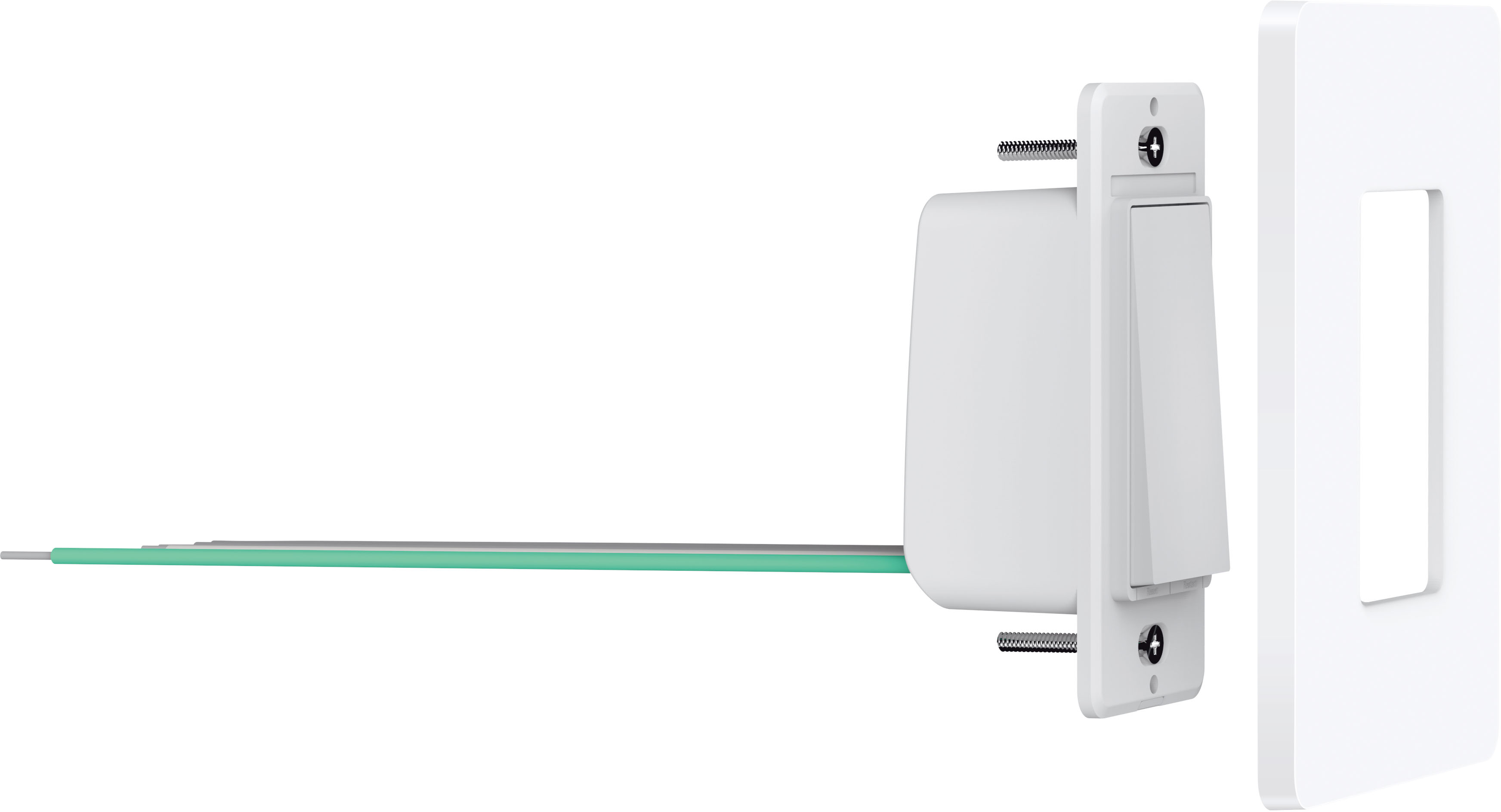
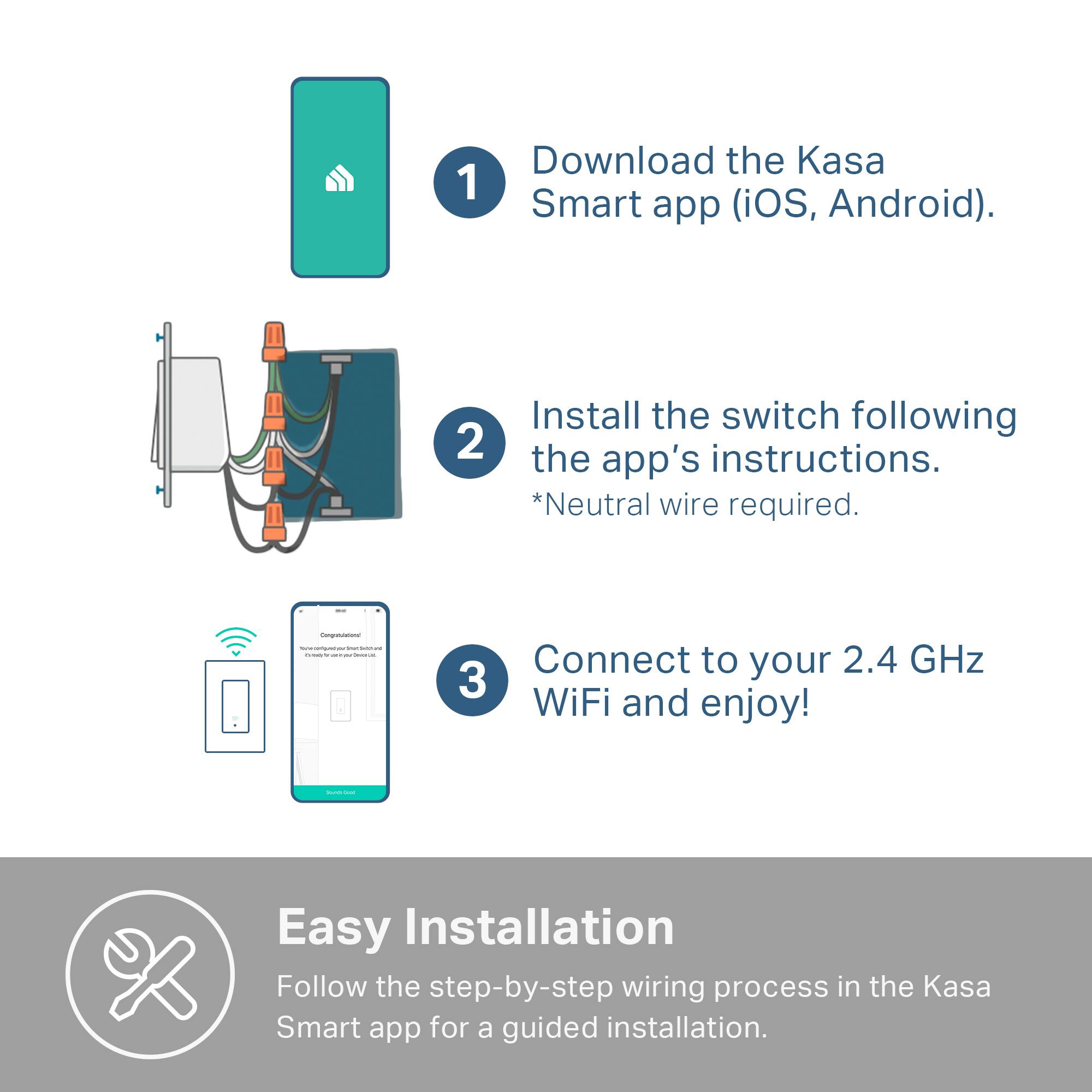
||Posted . Owned for less than 1 week when reviewed.This reviewer received promo considerations or sweepstakes entry for writing a review.This switch CANNOT be used if your light switches only have a hot, neutral and ground wire. It requires a 4 wire setup, not very common in the US. Make sure you check your house wiring situation beforehand, this is not on the packaging at all.
No, I would not recommend this to a friendBrand response from TPLinkSupport
Posted .Hi,
Thank you for your review. The HS200 requires at least 3 lines for operation: Live, Load, Neutral. If your home's wiring does not meet these requirements, we recommend consulting with a licensed electrician to discuss what options are available to you. If you're ever unsure which smart home products are best suited for your home, our support team is always happy to help. Feel free to email Kasa.Support@TP-Link.com and a support agent will gladly follow up.
Best Regards,
TP-Link Support
Kasa.Support@TP-Link.com
Easy installation
||Posted . Owned for 1 week when reviewed.This reviewer received promo considerations or sweepstakes entry for writing a review.It was an easy installation but needed to return because the light was dim compared to the regular light switch.
I would recommend this to a friendLove it!
||Posted . Owned for 7 months when reviewed.This reviewer received promo considerations or sweepstakes entry for writing a review.Easy to install and use. App is also very comprehensive! Just be sure to triple check it will work with your wiring.
I would recommend this to a friendWorked great
||Posted . Owned for 11 months when reviewed.This reviewer received promo considerations or sweepstakes entry for writing a review.Got this in March By December the spring mechanism Has worn down and it doesn’t turn and on off as well. You have to click it on and off We have four of these in the house and higher traffic ones are having more issues
No, I would not recommend this to a friendBrand response from TPLinkSupport
Posted .Hi,
Thank you for your review. Our smart WiFi light switches come with a 2-year warranty, and we would greatly appreciate the opportunity to follow up with you and address your concerns. At your earliest convenience, please send an e-mail with your contact information and a link to this review to Kasa.Support@TP-Link.com and we'll gladly have a Support Agent follow up with you directly.
Best Regards,
TP-Link Support
Kasa.Support@TP-Link.com
Good buy
||Posted . Owned for 3 weeks when reviewed.This reviewer received promo considerations or sweepstakes entry for writing a review.Works well. Affordable. The only problem is that it’s difficult to find affordable in the store.
I would recommend this to a friendLost Wi-Fi
||Posted . Owned for 11 months when reviewed.This reviewer received promo considerations or sweepstakes entry for writing a review.It works but I had I reset the WiFi couple of times
No, I would not recommend this to a friendDoes always stay connected
||Posted . Owned for 1.5 years when reviewed.This reviewer received promo considerations or sweepstakes entry for writing a review.It’s a cool product, but it will disconnect from WiFi at times
No, I would not recommend this to a friendGreat Product for a good price
||Posted . Owned for 1 month when reviewed.This reviewer received promo considerations or sweepstakes entry for writing a review.Switched out a bathroom switch for this product and love it! Slowly migrating all the lights to Kasa.
I would recommend this to a friendWe’ll, I’m lazy so…
||Posted . Owned for 9 months when reviewed.This reviewer received promo considerations or sweepstakes entry for writing a review.Have several of these switches and love each and every one… convenient for someone lazy like me
I would recommend this to a friendGreat If Youre Looking for a Smart Switch
||Posted . Owned for 2 weeks when reviewed.This reviewer received promo considerations or sweepstakes entry for writing a review.This is a great product if youre looking for a smart switch without a hub neccessary.
I would recommend this to a friendWorks great right out of the box
||Posted . Owned for 6 months when reviewed.This reviewer received promo considerations or sweepstakes entry for writing a review.Works well with no problems. I hooked it up to garage spotlight, and have it set for Dusk to Dawn,
I would recommend this to a friendGreat value, great quality
||Posted . Owned for 3 weeks when reviewed.This reviewer received promo considerations or sweepstakes entry for writing a review.I’m always so surprised that these are so reasonably priced. I love these switches!
I would recommend this to a friendNo neutral
||Posted .This reviewer received promo considerations or sweepstakes entry for writing a review.Cannot be used unless you have a neutral. Older houses won’t work.
No, I would not recommend this to a friend