Customer Ratings & Reviews


- Model:
- HS200
- SKU:
- 5687933
Rating by feature
- Value
Rating 4.8 out of 5 stars
- Quality
Rating 4.8 out of 5 stars
- Ease of Use
Rating 4.7 out of 5 stars
Customers are saying
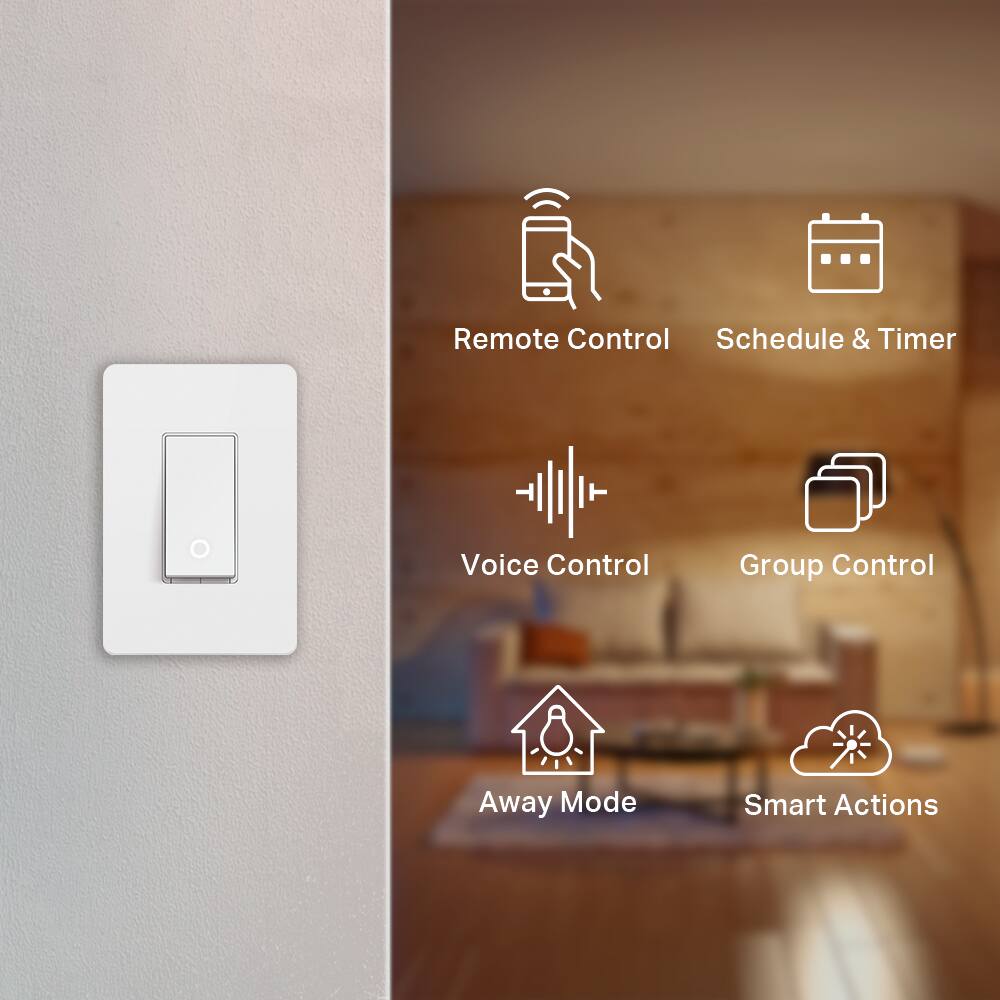
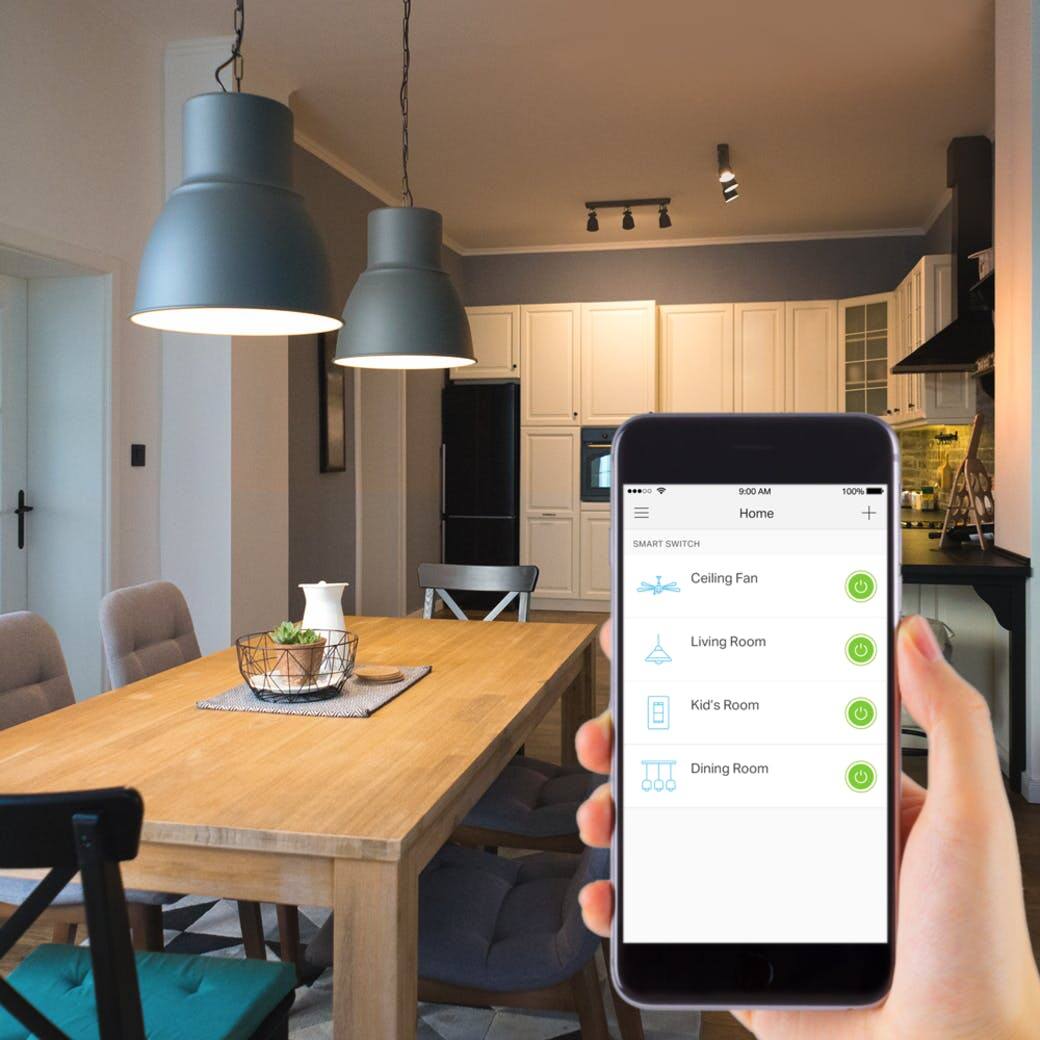
Customers praise the Kasa Wi-Fi Smart Light Switch for its ease of use and compatibility with smart speakers like Alexa and Google Assistant. They also appreciate the easy installation and reasonable price point, making it a well-received smart home device.
This summary was generated by AI based on customer reviews.
bought 2, beware...
||Posted .This reviewer received promo considerations or sweepstakes entry for writing a review.I bought two of these switches with little personal research, only to find out that bestbuy's information was not complete. My lack of research made this purchase useless in my home because all my rooms use 3 and 4 way switches which these switches do not support.
No, I would not recommend this to a friendBrand response from TPLinkSupport
Posted .Hi JeepManJim,
Thank you for your feedback. our HS200 is designed for single-pole switch scenarios. While we don't currently have 4-way Smart Switches; however for 3-way switch scenarios, we recommend our HS210.
Our Support Team is always happy to listen, and answer any questions you might have about our products. Please feel free to e-mail Kasa.Support@TP-Link.com and we'll gladly have a Support Agent follow up with you directly.
Best Regards,
TP-Link Customer Support
Returned
||Posted . Owned for 1 week when reviewed.This reviewer received promo considerations or sweepstakes entry for writing a review.Nowhere on the box does it say if your house was built before 1985, this will not work due to an extra wire. Had I known, I would have not purchased it.
No, I would not recommend this to a friendBrand response from TPLinkSupport
Posted .Hi,
Thank you for your review. The HS200 Kasa Smart Light Switch requires Line, Load, and Neutral wires for functionality. Our support team is always happy to answer any questions you might have about our products. Please reach out to our free support team using any of the resources included with the product, or from our official website, and we'll gladly have a Support Agent follow up with you directly.
Thank you,
TP-Link Support
Junk
||Posted . Owned for 3 weeks when reviewed.This reviewer received promo considerations or sweepstakes entry for writing a review.Doesn't work will not connect to alexa. Spoke to kasa customer care and alexa Noone can figure it out. It works with kasa app but will not turn on and off with alexa
No, I would not recommend this to a friendBrand response from TPLinkSupport
Posted .Hi,
Thank you for your review. In your case we highly recommend reviewing the steps outlined in our Alexa integration FAQ for Kasa products, which is available on our official website here: https://www.tp-link.com/us/support/faq/944/
If you would like assistance with any of these steps, please reach out to our free support team using any of the resources included with the product, or from our official website, and we'll gladly have a Support Agent follow up with you directly.
Thank you,
TP-Link Support
- Pros mentioned:Ease of use
Surprisingly Easy to Setup!
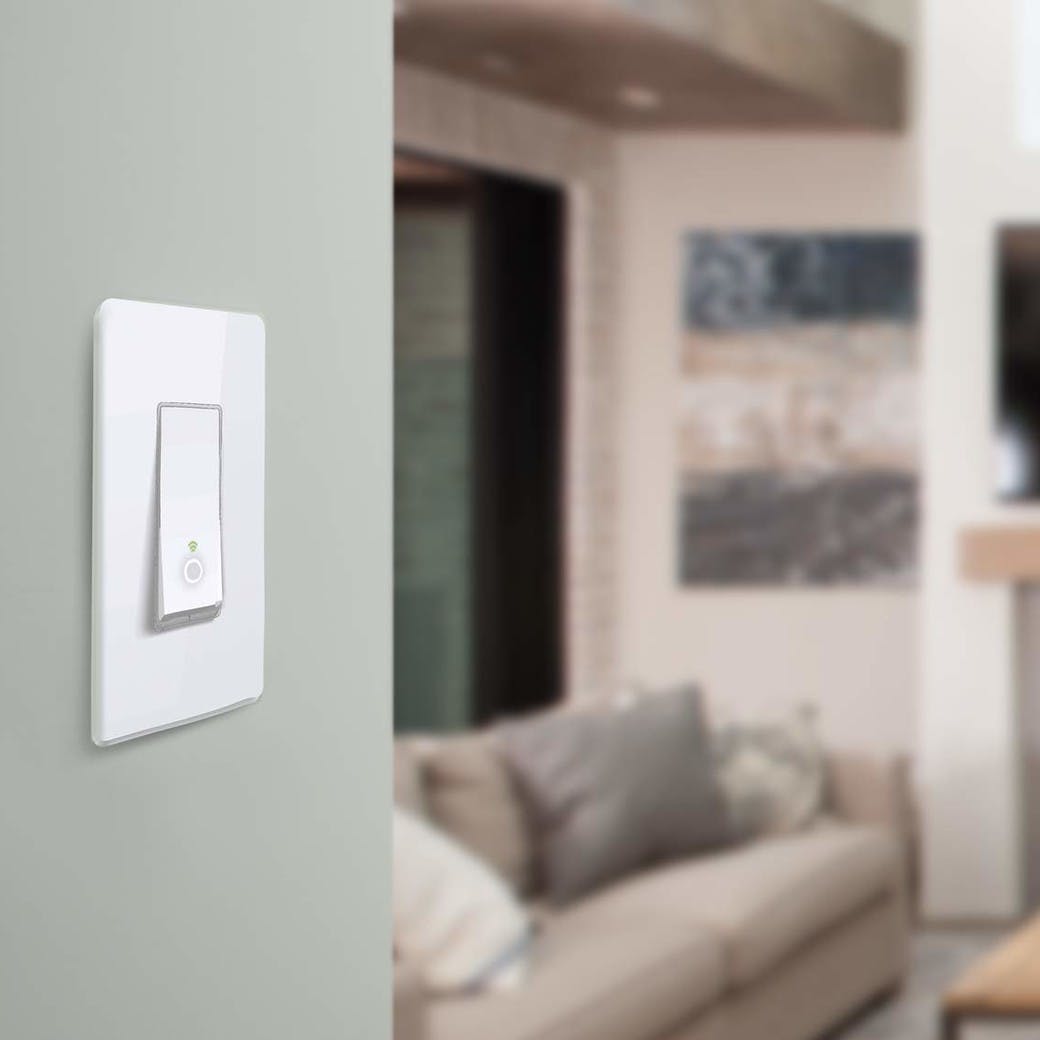
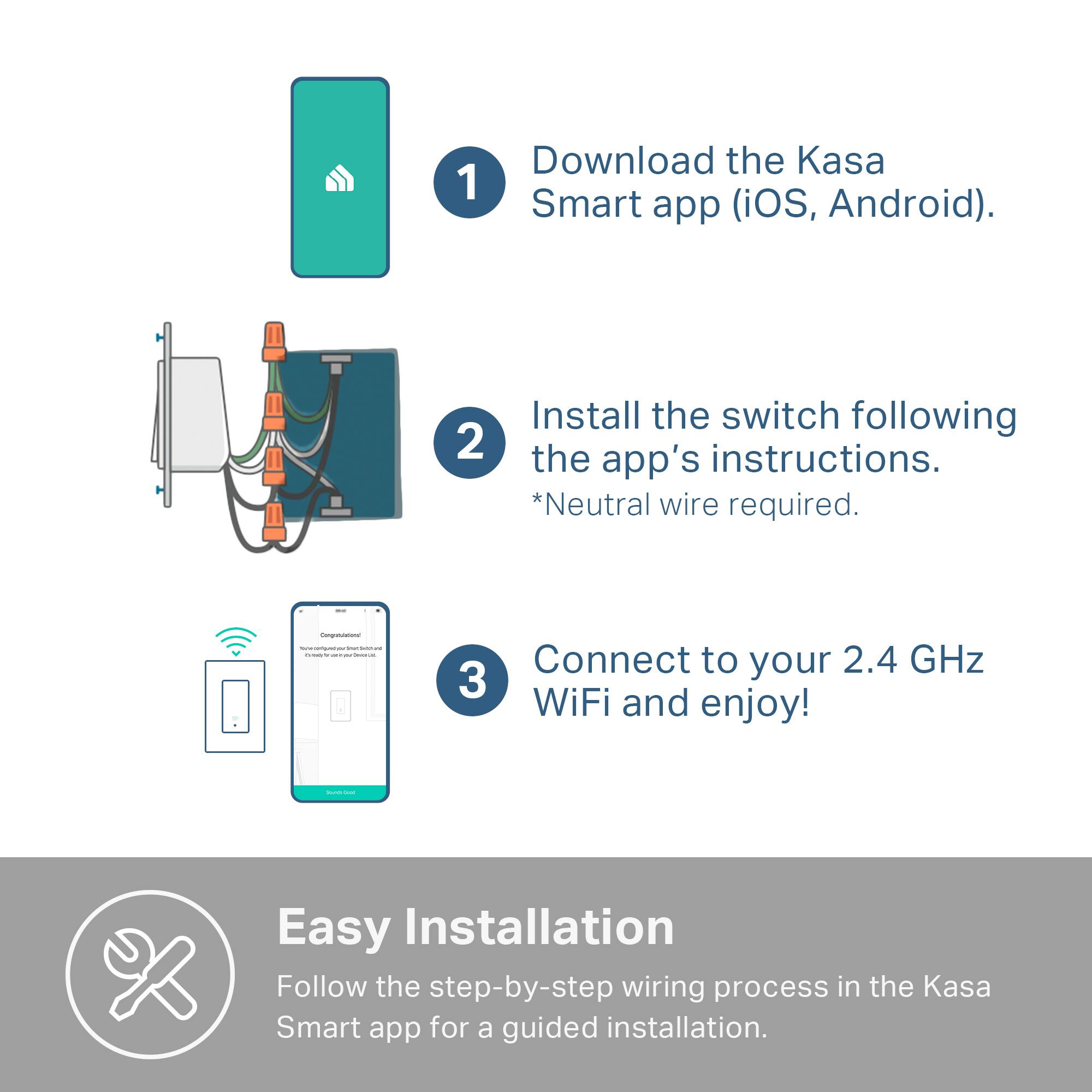
Posted .This reviewer received promo considerations or sweepstakes entry for writing a review.Compared to the smart plugs and smart light bulbs, I initially felt that installing this switch would be a little intimidating or that I would need a qualified electrician. However, the Kasa App guided me through the entire process, which was surprisingly easy. There are also great videos on Youtube, in case you want a more visual guide or to get a little comfortable with the process before you begin. TP-Link also include wire connectors so you do not need anything extra to install this light switch. Speaking of which, this is not quite a switch, it is more of a button that looks like a switch. It takes some getting used to, when using it in the manual mode. In terms of design, this switch is very sleek and looks modern. This switch is perfect for controlling an array of lights controlled by a single switch, or even devices that do not have a “smart” alternative yet, like a ceiling fan. Alexa integration works great, and the scheduling feature within the KASA App is fantastic. You have so much flexibility in scheduling/automatic/controlling the light switch. Two things that I would like to see in the next model is the ability to dim lights, and also the ability to turn off the LED indicator. Overall, this is a very versatile switch and though it may seem intimidating, both the installation and configuration are very easy. Submitted as part of a free sample program.
I would recommend this to a friend Terrible
||Posted .This reviewer received promo considerations or sweepstakes entry for writing a review.Terrible Application for operating online system. After HOURS of re installing outlets and re installing Phone applications. Switched to Lutron one install one download app and one setup NO PROBLEMS SINCE.
No, I would not recommend this to a friendBrand response from TPLinkSupport
Posted .Hi Jack,
Thank you for sharing your experience with our HS200 Smart Light Switch. If your home's wiring meets the installation requirements (1 Line, 1 Load, 1 Neutral, Single Pole), setting up the HS200 should be quick and easy. Simply download the Kasa app and follow the on-screen instructions. To fully utilize all of your HS200's features, you'll need to create a free Kasa account, which can be done using the steps outlined in our FAQ here: http://www.tp-link.com/us/faq-948.html
You can then add the HS200 to your network using the steps here: http://www.tp-link.com/us/faq-946.html
If you’d like assistance with any of these steps, please send an e-mail with your contact information and a copy of this review to Kasa.Support@TP-Link.com and we'll gladly have a Support Agent follow up with you directly.
Best Regards,
TP-Link Customer Support
Wouldn't connect
||Posted . Owned for 3 months when reviewed.This reviewer received promo considerations or sweepstakes entry for writing a review.Ordered 3 of these and they would only work on site, would not connect remotely using app
No, I would not recommend this to a friendBrand response from TPLinkSupport
Posted .Hi,
Thank you for your review. If you would like to fully utilize the features of your smart device, including its Remote Control feature, you'll need to create a free Kasa account, which can be done using the steps outlined in our FAQ here: http://www.tp-link.com/us/faq-948.html
Once the smart device is added to your network and account you should be able to control it remotely, as long as the network has Internet access. If you still encounter any difficulty with remotely controlling the devices, we recommend taking a few moments to read through our FAQ on the subject here: https://www.tp-link.com/us/support/faq/2243/
If you’d like assistance with any of these steps, please send an e-mail with your contact information and a link to this review to Kasa.Support@TP-Link.com and we'll gladly have a Support Agent follow up with you directly.
Best Regards,
TP-Link Support
No manual, Need electrician to install the switch
||Posted . Owned for less than 1 week when reviewed.This reviewer received promo considerations or sweepstakes entry for writing a review.I unable to contact technical support by phone or chat. This is company is located in China. The manufacturer company label in California but the location is China.
No, I would not recommend this to a friendBrand response from TPLinkSupport
Posted .Hi John,
Thank you for your review. Our smart WiFi light switches are designed for quick and easy setup. In your case, we recommend watching our helpful installation video, which will guide you through the setup process: https://www.tp-link.com/us/support/download/hs200/#video
If you’d like assistance with any of these steps, please send an e-mail with your contact information and a link to this review to Kasa.Support@TP-Link.com and we'll gladly have a Support Agent follow up with you directly.
Best Regards,
TP-Link Support
Returned item
||Posted . Owned for 3 weeks when reviewed.This reviewer received promo considerations or sweepstakes entry for writing a review.It takes forever to connect even we have good connection. Hard to install and can’t be off thru this, it’s only ur phone. Returned all of them
No, I would not recommend this to a friendBrand response from TPLinkSupport
Posted .Hi,
We always recommend ensuring your router's WiFi signal is adequately strong in the smart device's location. Within the Kasa Smart app there's a feature that allows you to measure WiFi signal strength of your smart devices. When the app is connected, please check the signal strength in the Device Settings menu.
If the signal is within the ideal range and you're still experiencing these symptoms, please ensure your Kasa Smart app is up to date, then update your smart device's firmware by selecting Home → Settings → Firmware Update within the Kasa app.
If you'd like assistance with any of these steps, please reach out to our free support team using any of the resources included with the product, or from our official website, and we'll gladly have a Support Agent follow up with you directly.
Thank you,
TP-Link Support
Returned
||Posted . Owned for 1 month when reviewed.This reviewer received promo considerations or sweepstakes entry for writing a review.I was hoping this switch would work out. It kept dropping the signal and the router was 10feet away. Another issue was that it kept resetting on its own.
No, I would not recommend this to a friendBrand response from TPLinkSupport
Posted .Hi,
We always recommend ensuring your router's WiFi signal is adequately strong in the smart device's location. Within the Kasa Smart app there's a feature that allows you to measure WiFi signal strength of your smart devices. When the app is connected, please check the signal strength in the Device Settings menu.
If the signal is within the ideal range and you're still experiencing these symptoms, please ensure your Kasa Smart app is up to date, then update your smart device's firmware using the steps in our FAQ: http://www.tp-link.com/us/faq-1256.html
If you'd like assistance with any of these steps, please send an e-mail with your contact information and a link to this review to Kasa.Support@TP-Link.com and we'll gladly have a Support Agent follow up with you directly.
Best Regards,
TP-Link Support
Be sure you have the proper wiring
||Posted . Owned for 1 month when reviewed.This reviewer received promo considerations or sweepstakes entry for writing a review.The wiring in our home which was built in 2007 does not have the correct wiring for these switches so we were not able to install them.
No, I would not recommend this to a friendBrand response from TPLinkSupport
Posted .Hi,
Thank you for your review. The HS200 smart light switch requires two hot wires (Line & Load) and a a neutral wire for installation and operation. If your home's wiring does not meet this requirement, we suggest speaking with a licensed electrician to discuss what options are available to you.
Our Support Team is always happy to answer any questions you might have about our products. Please feel free to email Kasa.Support@TP-Link.com and we'll gladly have a Support Agent follow up with you directly.
Thank you,
TP-Link Support
Ok
||Posted . Owned for 4 months when reviewed.This reviewer received promo considerations or sweepstakes entry for writing a review.Only works if you have upgraded electrical. does not work in older buildings
I would recommend this to a friendBrand response from TPLinkSupport
Posted .Hi,
Thank you for your review. The HS200 Smart WiFi Light Switch has the following wiring requirements:
- Two hot wires (line and load)
- Neutral wire
- Single pole switch
If your wiring does not meet these requirements, we recommend consulting with a licensed electrician to discuss what options are available. Our Support Team is always happy to answer any questions you might have about our products. Please feel free to e-mail Kasa.Support@TP-Link.com and we'll gladly have a Support Agent follow up with you directly.
Best Regards,
TP-Link Support
Requires tplink smart router
||Posted .This reviewer received promo considerations or sweepstakes entry for writing a review.What I was looking for no where did it say you had to have a tp-link smart router for it to connect to most smart home devices.
No, I would not recommend this to a friendBrand response from TPLinkSupport
Posted .Hi,
Thank you for your review. One of the many great benefits of our Kasa Smart products is that they do not require a smart router or smart hub -- they seamlessly integrate with your existing WiFi router. There are some advanced options or features that may require a smart router; however all of the standard features, such as scheduling, away mode, voice integration, IFTTT and more can be easily and conveniently used without a smart router or smart hub.
Our Support Team is always happy to answer any questions you might have about our products. Please feel free to e-mail Kasa.Support@TP-Link.com and we'll gladly have a Support Agent follow up with you directly.
Best Regards,
TP-Link Support
Kasa.Support@TP-Link.com
Didn’t work
||Posted . Owned for 9 months when reviewed.This reviewer received promo considerations or sweepstakes entry for writing a review.It didn’t work and best buy wouldn’t take it back. So I ended up throwing it away
No, I would not recommend this to a friendBrand response from TPLinkSupport
Posted .Hi,
Thank you for your review. We regret to hear you encountered this unusual circumstance. For future reference, the HS200 Kasa Smart Light Switch comes with a 2-year warranty. If you have any questions about our products, please reach out to our free support team using any of the resources included with the product, or from our official website, and we'll gladly have a Support Agent follow up with you directly.
Thank you,
TP-Link Support
Hard to connect
||Posted .This reviewer received promo considerations or sweepstakes entry for writing a review.It was hard to connect. It didn't work perfectly and I returned it.
No, I would not recommend this to a friendBrand response from TPLinkSupport
Posted .Hi,
Thank you for your review. Our smart plugs, bulbs, and switches are designed for quick and easy setup using the Kasa app. If you're having difficulty connecting them to your network during setup, please ensure your router's 2.4GHz Wi-Fi signal is sufficiently strong at the smart device's location.
Please also ensure your smartphone is not connected to a VPN during setup, as this may interfere with the installation process.
If you would like assistance with any of these steps, please reach out to our free support team using any of the resources included with the product, or from our official website, and we'll gladly have a Support Agent follow up with you directly.
Thank you,
TP-Link Support
Not working for me
||Posted . Owned for 1 week when reviewed.This reviewer received promo considerations or sweepstakes entry for writing a review.I’m sure they work grea but my house which was built in 2016 did not have neutral wires
No, I would not recommend this to a friendOops!
||Posted . Owned for 11 months when reviewed.This reviewer received promo considerations or sweepstakes entry for writing a review.Tjhis switch quit after about a year. Would not buy again.
No, I would not recommend this to a friendDid not work on my fireplace
||Posted .This reviewer received promo considerations or sweepstakes entry for writing a review.I tried to purchase this and have it replace my switch for the fireplace, but it would not work properly.
No, I would not recommend this to a friendBrand response from TPLinkSupport
Posted .Hi,
Thank you for your feedback. Please bear in mind our Smart WiFi Light Switch is designed for 100 - 120VAC 60Hz. Electric fireplaces typically require low voltage, outside the standard specification of a light switch. In your case, we recommend consulting with a licensed electrician to discuss what type of switch you need for your application.
Our Support Team is always happy to answer any questions you might have about our products. Please feel free to e-mail Kasa.Support@TP-Link.com and we'll gladly have a Support Agent follow up with you directly.
Best Regards,
TP-Link Support
Kasa.Support@TP-Link.com
Waste of time!
||Posted .This reviewer received promo considerations or sweepstakes entry for writing a review.I am terminally ill and these survey's waste my precious time!
No, I would not recommend this to a friendNo range!
||Posted . Owned for 1 week when reviewed.This reviewer received promo considerations or sweepstakes entry for writing a review.Minimal range! Won't work one room over from router.
No, I would not recommend this to a friendBrand response from TPLinkSupport
Posted .Hello DOAMachine,
We regret that you are having a negative experience with the HS200. While every network environment is different we would like to work with you to see if your concerns are related to the product, how it is setup, or your network environment. Please reach out to our support team at Kasa.Support@tp-link.com when you have a chance.
Best Regards
TP-Link US Support Team.
Horrible
||Posted . Owned for 1 month when reviewed.This reviewer received promo considerations or sweepstakes entry for writing a review.I am no longer buying from Best Buy. Horrible customer service
No, I would not recommend this to a friendBrand response from TPLinkSupport
Posted .Hi,
Thank you for your review. Our Kasa smart light switches are designed to provide convenient, smart automation features for your home's lighting. We would appreciate the opportunity to follow up with you and help address any questions or concerns you might have. At your earliest convenience, please email Kasa.Support@TP-Link.com and we'll gladly have a Support Agent follow up with you directly.
Best Regards,
TP-Link Support