Customer Ratings & Reviews


- Model:
- HS200
- SKU:
- 5687933
Rating by feature
- Value
Rating 4.8 out of 5 stars
- Quality
Rating 4.8 out of 5 stars
- Ease of Use
Rating 4.7 out of 5 stars
Customers are saying
Customers praise the Kasa Wi-Fi Smart Light Switch for its ease of use and compatibility with smart speakers like Alexa and Google Assistant. They also appreciate the easy installation and reasonable price point, making it a well-received smart home device.
This summary was generated by AI based on customer reviews.
- Cons mentioned:Instructions
Poor Instructions and Wiring
Posted .This reviewer received promo considerations or sweepstakes entry for writing a review.No details on why in the US, post yr 2000 a 2nd black wire is needing to be wired. It is just doubled-up. Zero instructions, Zero support (other than markitecture sales junk). Really poor. Their instructions for wiring it up are "See an electrician!" . Ridiculous, I am an electrician! Poor Design.
No, I would not recommend this to a friendBrand response from TPLinkSupport
Posted .Hi Oddeoh,
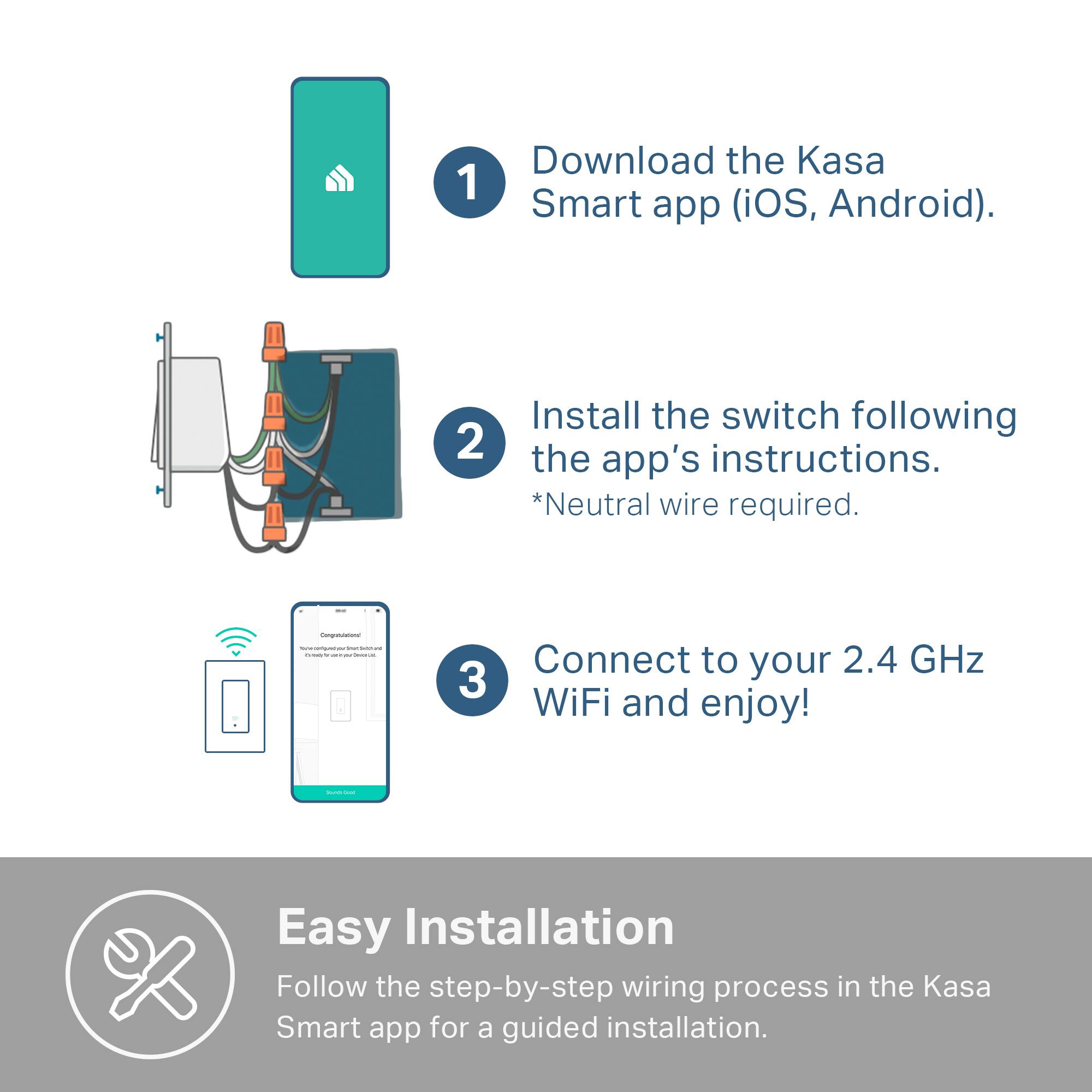
Our HS200 is a great way to introduce smart automation features to your home's lighting. The Smart Wi-Fi Light Switch has the following wiring requirements:
- 2 Hot Wires (Live & Load)
- 1 Neutral Wire
- Single Pole Switch
If you home meets these requirements and you're still encountering difficulty, please send an e-mail to Kasa.Support@TP-Link.com and a Support Agent will gladly follow up with you.
Thank you,
TP-Link Customer Support
- Pros mentioned:Ease of use
Great Value
Posted .This reviewer received promo considerations or sweepstakes entry for writing a review.Easy to install and set up on the phone and with Alexa
I would recommend this to a friend Erratic performance.
Posted .This reviewer received promo considerations or sweepstakes entry for writing a review.Very erratic. The app will say unresponsive and then turn on or off. Works sometimes. Never works with Alexa voice, sometimes from Alexa app, sometimes from kasa app. Hard to tell if the light(outside light in this case) is on or off from the switch. Biggest problem is there is no remote button option like competing products.
No, I would not recommend this to a friendBrand response from TPLinkSupport
Posted .Hi,
Thank you for your review. We always recommend ensuring your router's Wi-Fi signal is adequately strong in the smart device's location. Within the Kasa Smart app there's a feature that allows you to measure Wi-Fi signal strength of your smart devices. When the app is connected, please check the signal strength in the Device Settings menu.
If the signal is within the ideal range and you're still experiencing these symptoms, please ensure your Kasa Smart app is up to date, then update your smart device's firmware by selecting Home → Settings → Firmware Update within the Kasa app.
If you'd like assistance with any of these steps, please reach out to our free support team using any of the resources included with the product, or from our official website, and we'll gladly have a Support Agent follow up with you directly.
Thank you,
TP-Link Support
Nice switch
Posted .This reviewer received promo considerations or sweepstakes entry for writing a review.The Kasa wifi switch works as advertised and is easy to install.
I would recommend this to a friendHorrible
Posted .This reviewer received promo considerations or sweepstakes entry for writing a review.Always loses connection and I have to delete and rediscover it...my other devices don’t lose connection so it’s not an issue with my WiFi...easy to set up in the beginning but annoying because you have to always re-do it!!!!
No, I would not recommend this to a friendBrand response from TPLinkSupport
Posted .Hi,
Thank you for your review. Within the Kasa Smart app there's a feature that allows you to measure WiFi signal strength of your smart devices. When the app is connected, please check the signal strength in the Device Settings menu. Ideally, the reading should be greater than -70 dBm.
If the signal is within the ideal range and you're still experiencing these symptoms, please ensure your Kasa Smart app is up to date, then update your smart device's firmware using the steps in our FAQ: http://www.tp-link.com/us/faq-1256.html
If you'd like assistance with any of these steps, please send an e-mail with your contact information and a link to this review to Kasa.Support@TP-Link.com and we'll gladly have a Support Agent follow up with you directly.
Best Regards,
TP-Link Support
Kasa.Support@TP-Link.com
faceplate cannot be removed
Posted .This reviewer received promo considerations or sweepstakes entry for writing a review.Totally no way to understand where the good review comes, the faceplate is so tight, there is no way to remove it without breaking it. Such a terrible design. Will return the one I got.
No, I would not recommend this to a friendBrand response from TPLinkSupport
Posted .Hi,
Thank you for your review. Our Kasa Smart light switches are equipped with removable face plates. Please utilize the tabs on the rear of the face plate to apply appropriate (not excessive) pressure to pop the face plate off the unit.
If you’d like assistance with any of these steps, please send an e-mail with your contact information and a link to this review to Kasa.Support@TP-Link.com and we'll gladly have a Support Agent follow up with you directly.
Best Regards,
TP-Link Support
No Homekit compatability
Posted .This reviewer received promo considerations or sweepstakes entry for writing a review.This device is not compatible with Apple HomeKit or Siri.
No, I would not recommend this to a friendDo Not Purchase
Posted .This reviewer received promo considerations or sweepstakes entry for writing a review.Product did not work and the product’s website did not have a troubleshooting for the issue I was experiencing. Best Buy also wouldn’t let me return the faulty item b/c I attempted to install it after the 21 day(I believe) return window. Will not be purchasing from this manufacturer or Best Buy in the future.
No, I would not recommend this to a friendBrand response from TPLinkSupport
Posted .Hi,
Thank you for your review. Your HS200 Kasa Smart Light Switch comes with a 2-year warranty, and we would greatly appreciate the opportunity to follow up with you and address your concerns. At your earliest convenience, please reach out to our free support team using any of the resources included with the product, or from our official website, and we'll gladly have a Support Agent follow up with you directly.
Thank you,
TP-Link Support
No info
Posted .This reviewer received promo considerations or sweepstakes entry for writing a review.No place does it tell you it only works with smart bulbs. I live in a converted garage with florecent lights. After mounting the switch I only found out that it only works with smart bulbs when I downloaded the app. Ugh
No, I would not recommend this to a friendBrand response from TPLinkSupport
Posted .Hi,
Thank you for your review. The HS200 Smart Light Switch is designed for use with non-smart bulbs. In fact, using smart bulbs with a smart light switch is not recommended, since it would introduce redundancies and potential conflicts.
Please ensure your installation environment meets the required specifications of the HS200, as shown below.
Input Voltage: 100 - 120 VAC, 50/60 Hz, 15 A
Neutral wire required
Maximum Load: 15 A General Use, 600 W Incandescent/ LED/CFL
Our support team is always happy to answer any questions you might have about our products. Please reach out to our support team using any of the resources included with the product, or from our official website, and we'll gladly have a Support Agent follow up with you directly.
Thank you,
TP-Link Support