Customer Ratings & Reviews

- Model:
- RE505X
- SKU:
- 10115850
Rating by feature
- Value
Rating 4.5 out of 5 stars
- Quality
Rating 4.5 out of 5 stars
- Ease of Use
Rating 4.5 out of 5 stars
to a friend
RANGE EXTENDER
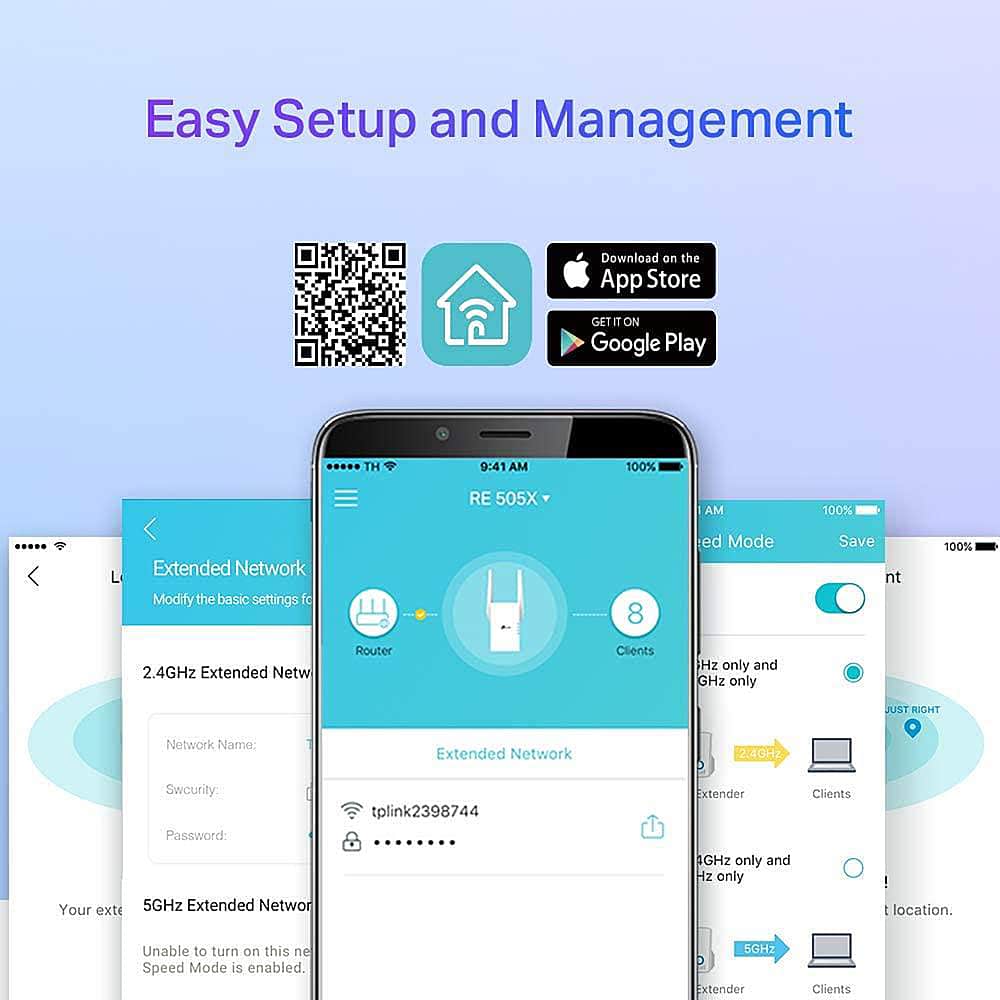
||Posted .This reviewer received promo considerations or sweepstakes entry for writing a review.Seemed like a good idea; however it cannot overcome a weak input signal; setup procedure not obvious and prominent enough; requires larger font size and signage saying SETUP!
I would recommend this to a friendBrand response from TPLinkSupport
Posted .Hi JamesB,
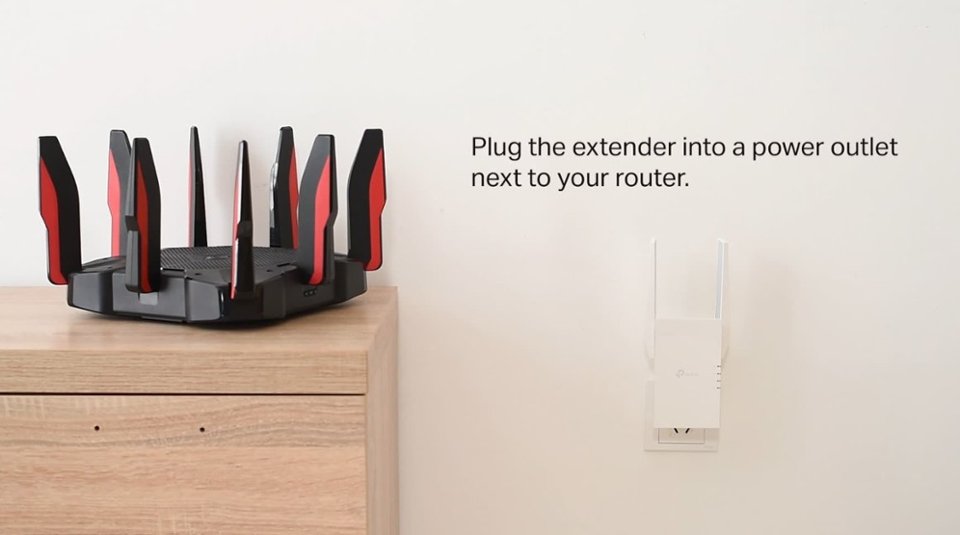
Thank you for your review. If you haven't noticed a significant improvement in Wi-Fi coverage after installing the extender, we recommend relocating the unit to a position within your home where the router's Wi-Fi signal is sufficiently strong, yet far enough away from the router to extend its range effectively. Please verify that the RE status LED is indicating a solid connection.
We also recommend that you ensure the extender's firmware is fully up to date by following the steps outlined in FAQ 1406 on our official website: https://www.tp-link.com/us/support/faq/1406/
If you need assistance with any of these steps, please contact our support team using the resources included with the product or our official website, and we'll be happy to have a Support Agent follow up with you directly.
Thank you,
TP-Link Systems Support
Helium Miner
||Posted . Owned for 1 month when reviewed.This reviewer received promo considerations or sweepstakes entry for writing a review.Works great. Got it for my off the grid RAK 2 Helium Miner
I would recommend this to a friendrange extender
||Posted . Owned for 3 weeks when reviewed.This reviewer received promo considerations or sweepstakes entry for writing a review.helps extend the range from our bedroom to the front of the house
I would recommend this to a friendSpecial
||Posted . Owned for 3 weeks when reviewed.This reviewer received promo considerations or sweepstakes entry for writing a review.Works well..,,,,,,,,,,,,, ,,,,,,,,,,,,,,,,,,,,,
I would recommend this to a friendWiFi booster
||Posted . Owned for less than 1 week when reviewed.This reviewer received promo considerations or sweepstakes entry for writing a review.Easy to hook up works good have good reception in my garage now
I would recommend this to a friendAwesome speeds and range
||Posted . Owned for less than 1 week when reviewed.This reviewer received promo considerations or sweepstakes entry for writing a review.I like the range and wifi doesn't hurt either, good product
I would recommend this to a friendGreat product and easy setup
||Posted . Owned for 1 month when reviewed.This reviewer received promo considerations or sweepstakes entry for writing a review.Easy setup. Does a great job enhancing wi-fi connectivity in dead zones.
I would recommend this to a friendWi-Fi 6 Range Extender TP-Link
||Posted . Owned for 1 month when reviewed.This reviewer received promo considerations or sweepstakes entry for writing a review.Does exactly as the name states, no more connectivity issues
I would recommend this to a friendExtender
||Posted . Owned for 3 weeks when reviewed.This reviewer received promo considerations or sweepstakes entry for writing a review.Great product highly recommended product for the price
I would recommend this to a friendGreat Product
||Posted . Owned for 1 month when reviewed.This reviewer received promo considerations or sweepstakes entry for writing a review.Does it’s job as published Great product!!!!!!!!!!
I would recommend this to a friendGreat Connection.
||Posted . Owned for 4 months when reviewed.This reviewer received promo considerations or sweepstakes entry for writing a review.- Hooked - up - many - more - additional - devices.
I would recommend this to a friendRange Extender
||Posted . Owned for 3 weeks when reviewed.This reviewer received promo considerations or sweepstakes entry for writing a review.I guess it works. I have not noticed any difference since I plugged it in.
I would recommend this to a friendVery good wifi extender.
||Posted . Owned for 1 week when reviewed.This reviewer received promo considerations or sweepstakes entry for writing a review.Works as promised. Easy setup. Would definitely recommend.
I would recommend this to a friendDecent wifi extender for indoor use
||Posted . Owned for less than 1 week when reviewed.This reviewer received promo considerations or sweepstakes entry for writing a review.I purchased this to connect to an outdoor camera. The setup with simple and straight forward. Unfortunately, I had signal/interference issues with the camera, it was connected using 2.4GHz, loosing connection and had to return it.
No, I would not recommend this to a friendBrand response from TPLinkSupport
Posted .Hi BobD,
Thank you for your review. If you haven't noticed a significant improvement in Wi-Fi coverage after installing the extender, we recommend relocating the unit to a position within your home where the router's Wi-Fi signal is sufficiently strong yet far enough from the router to extend its range effectively. Please verify the RE status LED is indicating a solid connection.
We also recommend ensuring the extender's firmware is fully up to date using the steps outlined in FAQ 1406 on our official website: https://www.tp-link.com/us/support/faq/1406/
If you would like assistance with any of these steps, please reach out to our support team using any of the resources included with the product, or from our official website, and we'll gladly have a Support Agent follow up with you directly.
Thank you,
TP-Link Support
Works great
||Posted . Owned for 3 weeks when reviewed.This reviewer received promo considerations or sweepstakes entry for writing a review.Working great as it should. Easy to set up and use
I would recommend this to a friendUnsure
||Posted . Owned for 1 month when reviewed.This reviewer received promo considerations or sweepstakes entry for writing a review.Not sure how much it helps. Difficult to set up. So so.
No, I would not recommend this to a friendBrand response from TPLinkSupport
Posted .Hi,
Thank you for your review. If you haven't noticed a significant improvement in Wi-Fi coverage after installing the extender, we recommend relocating the unit to a position within your home where the router's Wi-Fi signal is sufficiently strong; yet far enough from the router to effectively extend its range. Please verify the RE status LED is indicating a solid connection.
We also recommend ensuring the extender's firmware is fully up to date using the steps outlined in FAQ 1406 on our official website: https://www.tp-link.com/us/support/faq/1406/
If you would like assistance with any of these steps, please reach out to our support team using any of the resources included with the product, or from our official website, and we'll gladly have a Support Agent follow up with you directly.
Thank you,
TP-Link Systems Support
Exactly what we needed
||Posted . Owned for 3 weeks when reviewed.This reviewer received promo considerations or sweepstakes entry for writing a review.This is exactly what we needed and was easy to set up.
I would recommend this to a friendReview
||Posted . Owned for 4 months when reviewed.This reviewer received promo considerations or sweepstakes entry for writing a review.Great product work perfectly fine without any errors.
I would recommend this to a friendI tried to make use of it, But….
||Posted . Owned for 1 month when reviewed.This reviewer received promo considerations or sweepstakes entry for writing a review.Not worth all the false claims on their website, it covers a lot of square footage, i plugged it and installed it less than 10,9,8,7,6,5,4,3,2 and 1 foot away from my WiFi router and not a chance to get any better wifi at home. Do not waste your money on any wifi extenders, They never ever work. I even tried the $1,000 netgear ones and nada.
No, I would not recommend this to a friendBrand response from TPLinkSupport
Posted .Hi,
Thank you for your review. If you haven't noticed a significant improvement in Wi-Fi coverage after installing the extender, we recommend relocating the unit to a position within your home where the router's Wi-Fi signal is sufficiently strong; yet far enough from the router to effectively extend its range. Please verify the RE status LED is indicating a solid connection.
We also recommend ensuring the extender's firmware is fully up to date using the steps outlined in FAQ 1406 on our official website: https://www.tp-link.com/us/support/faq/1406/
If you would like assistance with any of these steps, please reach out to our support team using any of the resources included with the product, or from our official website, and we'll gladly have a Support Agent follow up with you directly.
Thank you,
TP-Link Support
Not the best
||Posted . Owned for 1 year when reviewed.This reviewer received promo considerations or sweepstakes entry for writing a review.I purchased this to extend my WI Fi while temporarily living in a condo during my move across the state, the had its own Wi Fi and I needed a boost It was not the best. Had trouble connecting. When I bought my house, I needed a boost of Wi Fi. This was not the best choice. Needed stronger signal
No, I would not recommend this to a friendBrand response from TPLinkSupport
Posted .With Range Extenders, placement is everything. Extenders can only provide what they receive so to get a good signal, you need to place the extender in an open, unobstructed area with a strong signal from the host AP/Router. If you do have the product in such an area then please make sure its fully updated on the latest firmware and if you need to reach out to TP-Link support for assistance.