Customer Ratings & Reviews

- Model:
- RE505X
- SKU:
- 10757592
Rating by feature
- Value
Rating 4.5 out of 5 stars
- Quality
Rating 4.5 out of 5 stars
- Ease of Use
Rating 4.5 out of 5 stars
Customers are saying
Customers recognize the TP-Link RE505X AX1500 Wi-Fi 6 Range Extender for its ease of use, range, and overall performance, with many highlighting the simple setup process and improved signal strength. Several customers also appreciate the connectivity and speed enhancements it provides. A few customers mention experiencing lag issues, but overall, the device is well-received.
This summary was generated by AI based on customer reviews.
Great product and easy setup
||Posted . Owned for 1 month when reviewed.This reviewer received promo considerations or sweepstakes entry for writing a review.Easy setup. Does a great job enhancing wi-fi connectivity in dead zones.
I would recommend this to a friendTP Link
||Posted . Owned for 1 month when reviewed.This reviewer received promo considerations or sweepstakes entry for writing a review.Excellent product, very good price/ Value relationship
I would recommend this to a friendI tried to make use of it, But….
||Posted . Owned for 1 month when reviewed.This reviewer received promo considerations or sweepstakes entry for writing a review.Not worth all the false claims on their website, it covers a lot of square footage, i plugged it and installed it less than 10,9,8,7,6,5,4,3,2 and 1 foot away from my WiFi router and not a chance to get any better wifi at home. Do not waste your money on any wifi extenders, They never ever work. I even tried the $1,000 netgear ones and nada.
No, I would not recommend this to a friendBrand response from TPLinkSupport
Posted .Hi,
Thank you for your review. If you haven't noticed a significant improvement in Wi-Fi coverage after installing the extender, we recommend relocating the unit to a position within your home where the router's Wi-Fi signal is sufficiently strong; yet far enough from the router to effectively extend its range. Please verify the RE status LED is indicating a solid connection.
We also recommend ensuring the extender's firmware is fully up to date using the steps outlined in FAQ 1406 on our official website: https://www.tp-link.com/us/support/faq/1406/
If you would like assistance with any of these steps, please reach out to our support team using any of the resources included with the product, or from our official website, and we'll gladly have a Support Agent follow up with you directly.
Thank you,
TP-Link Support
RANGE EXTENDER
||Posted .This reviewer received promo considerations or sweepstakes entry for writing a review.Seemed like a good idea; however it cannot overcome a weak input signal; setup procedure not obvious and prominent enough; requires larger font size and signage saying SETUP!
I would recommend this to a friendBrand response from TPLinkSupport
Posted .Hi JamesB,
Thank you for your review. If you haven't noticed a significant improvement in Wi-Fi coverage after installing the extender, we recommend relocating the unit to a position within your home where the router's Wi-Fi signal is sufficiently strong, yet far enough away from the router to extend its range effectively. Please verify that the RE status LED is indicating a solid connection.
We also recommend that you ensure the extender's firmware is fully up to date by following the steps outlined in FAQ 1406 on our official website: https://www.tp-link.com/us/support/faq/1406/
If you need assistance with any of these steps, please contact our support team using the resources included with the product or our official website, and we'll be happy to have a Support Agent follow up with you directly.
Thank you,
TP-Link Systems Support
Range Extender
||Posted . Owned for 3 weeks when reviewed.This reviewer received promo considerations or sweepstakes entry for writing a review.I guess it works. I have not noticed any difference since I plugged it in.
I would recommend this to a friend- Pros mentioned:Overall performance
Wifiextender
||Posted . Owned for 3 weeks when reviewed.This reviewer received promo considerations or sweepstakes entry for writing a review.This product is great. Works better than i thought
I would recommend this to a friend - Pros mentioned:Setup
Decent wifi extender for indoor use
||Posted . Owned for less than 1 week when reviewed.This reviewer received promo considerations or sweepstakes entry for writing a review.I purchased this to connect to an outdoor camera. The setup with simple and straight forward. Unfortunately, I had signal/interference issues with the camera, it was connected using 2.4GHz, loosing connection and had to return it.
No, I would not recommend this to a friendBrand response from TPLinkSupport
Posted .Hi BobD,
Thank you for your review. If you haven't noticed a significant improvement in Wi-Fi coverage after installing the extender, we recommend relocating the unit to a position within your home where the router's Wi-Fi signal is sufficiently strong yet far enough from the router to extend its range effectively. Please verify the RE status LED is indicating a solid connection.
We also recommend ensuring the extender's firmware is fully up to date using the steps outlined in FAQ 1406 on our official website: https://www.tp-link.com/us/support/faq/1406/
If you would like assistance with any of these steps, please reach out to our support team using any of the resources included with the product, or from our official website, and we'll gladly have a Support Agent follow up with you directly.
Thank you,
TP-Link Support
works fine
||Posted . Owned for 1.5 years when reviewed.This reviewer received promo considerations or sweepstakes entry for writing a review.this works i have my main one in the room and i have this in my living room. this can only go to 50mbps on a 5g and about 20mbps on a 2.4 still is all you need for web browsing and or netflix
I would recommend this to a friendGood device.
||Posted . Owned for 3 weeks when reviewed.This reviewer received promo considerations or sweepstakes entry for writing a review.Decent product. It took a while to find the optimal location but one I relented and places it there, all devices that were not able to connect are doing well. Used to extend coverage outside to ring cameras. Once I placed it using the locator tool, it worked fine.
I would recommend this to a friendGood but can be better.
||Posted . Owned for 2 months when reviewed.This reviewer received promo considerations or sweepstakes entry for writing a review.Setup was bit difficult. Connectivity does drop randomly and I have like setup up about 2 rooms down from the router.
No, I would not recommend this to a friendBrand response from TPLinkSupport
Posted .Hi,
Thank you for your review. If you haven't noticed a significant improvement in Wi-Fi coverage after installing the extender, we recommend relocating the unit to a position within your home where the router's Wi-Fi signal is sufficiently strong; yet far enough from the router to effectively extend its range. Please verify the RE status LED is indicating a solid connection.
We also recommend ensuring the extender's firmware is fully up to date using the steps outlined in FAQ 1406 on our official website: https://www.tp-link.com/us/support/faq/1406/
If you would like assistance with any of these steps, please reach out to our support team using any of the resources included with the product, or from our official website, and we'll gladly have a Support Agent follow up with you directly.
Thank you,
TP-Link Support
great wireless extender
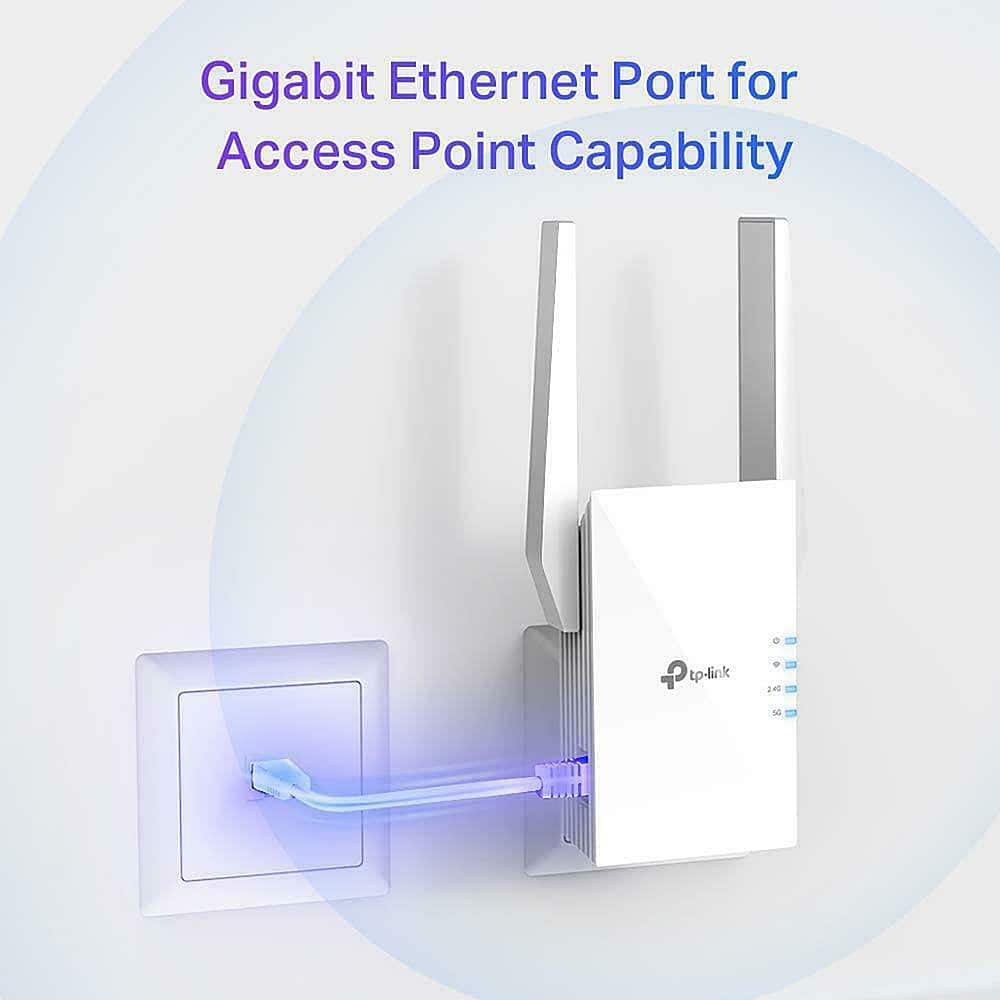
||Posted . Owned for 1 month when reviewed.This reviewer received promo considerations or sweepstakes entry for writing a review.I bought this to be used in a printer without wifi. Installed it as a wifi extender and used the ethernet port for the printer. Reliable connection. No problems so far.
I would recommend this to a friendExactly what we needed
||Posted . Owned for 3 weeks when reviewed.This reviewer received promo considerations or sweepstakes entry for writing a review.This is exactly what we needed and was easy to set up.
I would recommend this to a friendNot the best
||Posted . Owned for 1 year when reviewed.This reviewer received promo considerations or sweepstakes entry for writing a review.I purchased this to extend my WI Fi while temporarily living in a condo during my move across the state, the had its own Wi Fi and I needed a boost It was not the best. Had trouble connecting. When I bought my house, I needed a boost of Wi Fi. This was not the best choice. Needed stronger signal
No, I would not recommend this to a friendBrand response from TPLinkSupport
Posted .With Range Extenders, placement is everything. Extenders can only provide what they receive so to get a good signal, you need to place the extender in an open, unobstructed area with a strong signal from the host AP/Router. If you do have the product in such an area then please make sure its fully updated on the latest firmware and if you need to reach out to TP-Link support for assistance.
Great product
||Posted . Owned for 2 weeks when reviewed.This reviewer received promo considerations or sweepstakes entry for writing a review.Great product made my internet stronger in all the areas needed
I would recommend this to a friend- Pros mentioned:Range
Extends range at a cost
||Posted .This reviewer received promo considerations or sweepstakes entry for writing a review.Creates its own SSID based on your connection to pair too. Once paired it'll extend the range easily but at the cost of Internet speed. Went from 1gig speeds to less than 90 mbs with it.
No, I would not recommend this to a friendBrand response from TPLinkSupport
Posted .Hi MichaelA,
Thank you for your review. Wi-Fi extenders utilize half-duplex transmission to receive and retransmit your router's Wi-Fi signal. As a result, throughput when connecting to the extender may be lower than when connecting to the router. This is an industry standard for Wi-Fi extenders and is not exclusive to TP-Link.
In your case, we recommend relocating the unit to a spot in your home where the router's Wi-Fi signal is sufficiently strong yet far enough from the router to extend its range effectively. We also recommend ensuring the extender is extending the router's 5 GHz band and that your devices are connecting to 5 GHz for best results.
If you'd like assistance with any of these steps, please reach out to our support team using any of the resources included with the product, or from the support portal on our official website, and we'll gladly have a Support Agent follow up with you directly.
Thank you,
TP-Link Systems Support
Great product
||Posted . Owned for 3 months when reviewed.This reviewer received promo considerations or sweepstakes entry for writing a review.Works well and does what it’s supposed to do haven’t had any issues with it yet
I would recommend this to a friendA MUST BUY
||Posted . Owned for 1 week when reviewed.This reviewer received promo considerations or sweepstakes entry for writing a review.THIS IS A GREAT PRODUCT JUST WHAT I NEEDED... GREAT PRICE
I would recommend this to a friendNot fully working either not compatible or error
||Posted . Owned for 3 weeks when reviewed.This reviewer received promo considerations or sweepstakes entry for writing a review.Unknown on quality It has problems connecting to emery telecom Either not close enough or not connecting to fiber optic wifi
I would recommend this to a friendBrand response from TPLinkSupport
Posted .Hi AlexanderH,
Thank you for your review. If you haven't noticed a significant improvement in Wi-Fi coverage after installing the extender, we recommend relocating the unit to a position within your home where the router's Wi-Fi signal is sufficiently strong; yet far enough from the router to effectively extend its range. Please verify the RE status LED is indicating a solid connection.
We also recommend ensuring the extender's firmware is fully up to date using the steps outlined in FAQ 1406 on our official website: https://www.tp-link.com/us/support/faq/1406/
If you would like assistance with any of these steps, please reach out to our support team using any of the resources included with the product, or from our official website, and we'll gladly have a Support Agent follow up with you directly.
Thank you,
TP-Link Systems Support
Works great
||Posted . Owned for 10 months when reviewed.This reviewer received promo considerations or sweepstakes entry for writing a review.Great for getting internet to device that require Ethernet connection and running wire is not an option
I would recommend this to a friendUnsure
||Posted . Owned for 1 month when reviewed.This reviewer received promo considerations or sweepstakes entry for writing a review.Not sure how much it helps. Difficult to set up. So so.
No, I would not recommend this to a friendBrand response from TPLinkSupport
Posted .Hi,
Thank you for your review. If you haven't noticed a significant improvement in Wi-Fi coverage after installing the extender, we recommend relocating the unit to a position within your home where the router's Wi-Fi signal is sufficiently strong; yet far enough from the router to effectively extend its range. Please verify the RE status LED is indicating a solid connection.
We also recommend ensuring the extender's firmware is fully up to date using the steps outlined in FAQ 1406 on our official website: https://www.tp-link.com/us/support/faq/1406/
If you would like assistance with any of these steps, please reach out to our support team using any of the resources included with the product, or from our official website, and we'll gladly have a Support Agent follow up with you directly.
Thank you,
TP-Link Systems Support