Customer Ratings & Reviews

- Model:
- RE505X
- SKU:
- 6440341
Rating by feature
- Value
Rating 4.5 out of 5 stars
- Quality
Rating 4.5 out of 5 stars
- Ease of Use
Rating 4.5 out of 5 stars
Customers are saying
Customers recognize the TP-Link RE505X AX1500 Wi-Fi 6 Range Extender for its ease of use, range, and overall performance, with many highlighting the simple setup process and improved signal strength. Several customers also appreciate the connectivity and speed enhancements it provides. A few customers mention experiencing lag issues, but overall, the device is well-received.
This summary was generated by AI based on customer reviews.
Not for me
||Posted . Owned for 3 months when reviewed.This reviewer received promo considerations or sweepstakes entry for writing a review.Thought that this would give me better extended range out to my detached garage. It really didn't work any better than the TPLINK RE450 I already had. Took this one back an bought at 2nd RE450 to put in a sweet spot inside the house.. I think that the wifi phones and smart TV's need to be newer for them to work well with this WIFI-6 equipment for them to really make any difference.
I would recommend this to a friendBrand response from TPLinkSupport
Posted .Hi,
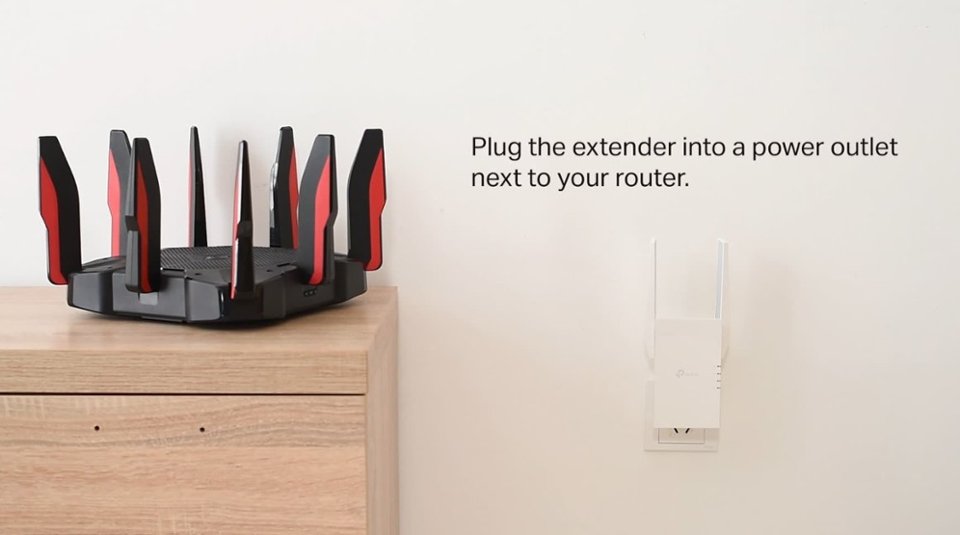
If you haven't noticed a significant improvement in Wi-Fi coverage after installing the extender, we recommend relocating the unit to a position within your home where the router's Wi-Fi signal is sufficiently strong; yet far enough from the router to effectively extend its range. Please verify the RE status LED is indicating a solid connection.
We also recommend ensuring the extender's firmware is fully up to date using the steps outlined in FAQ 1406 on our official website: https://www.tp-link.com/us/support/faq/1406/
If you would like assistance with any of your TP-Link products, please reach out to our free support team using the resources included with the product, or from our official website, and we'll gladly have a Support Agent follow up with you directly.
Thank you,
TP-Link Support
Extender
||Posted . Owned for 1 week when reviewed.This reviewer received promo considerations or sweepstakes entry for writing a review.This product solved my problem with the tv and I’m now enjoying my sports.
I would recommend this to a friendRange Extender Really Works
||Posted .This reviewer received promo considerations or sweepstakes entry for writing a review.I bought a ring and my Wi-Fi was not strong enough. I bought this Tp Link ranger extender and my ring works perfect. Best Buy I have bought.
I would recommend this to a friendChallenging but works
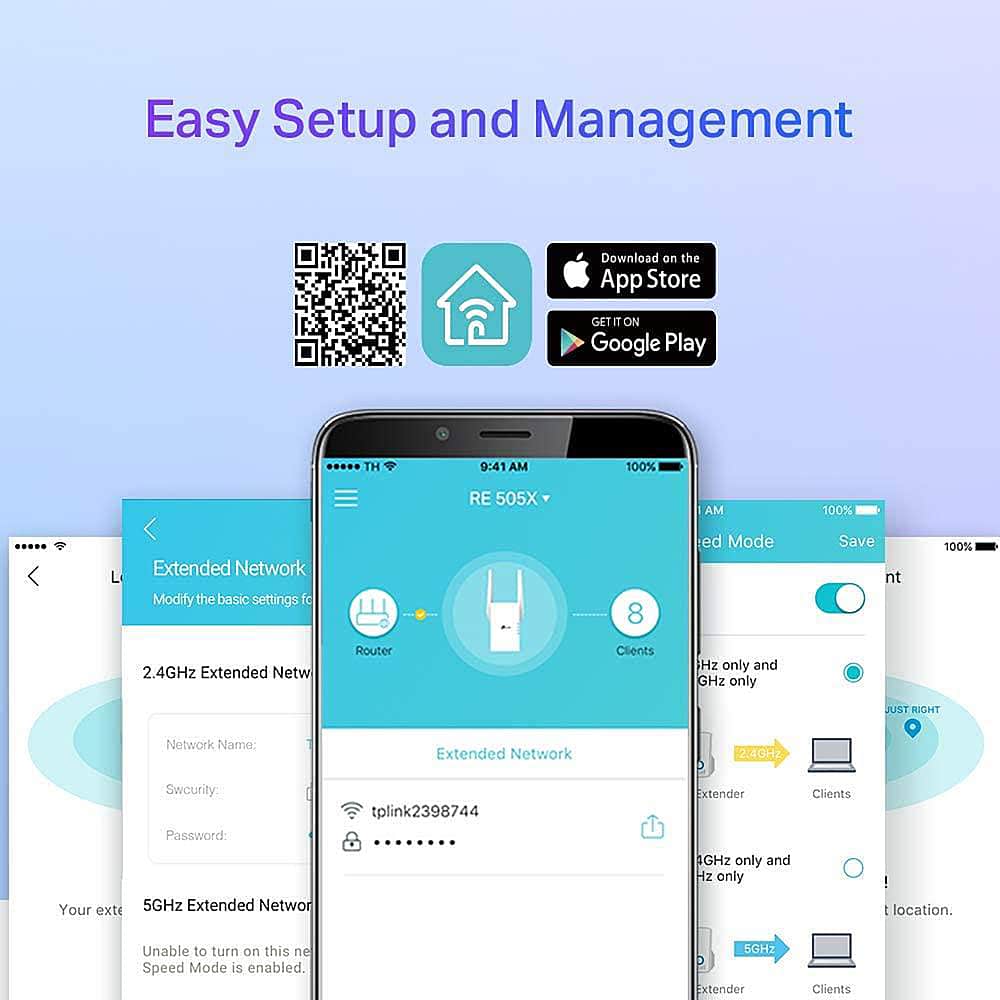
||Posted . Owned for 1 month when reviewed.This reviewer received promo considerations or sweepstakes entry for writing a review.A little bit challenging, have to download an app for setting up. Once there, does well.
I would recommend this to a friendWifi solved
||Posted . Owned for 3 weeks when reviewed.This reviewer received promo considerations or sweepstakes entry for writing a review.Finally solved the internet & wifi dropping off the tv. Thanks for the help.
I would recommend this to a friendGreat device
||Posted . Owned for 1 month when reviewed.This reviewer received promo considerations or sweepstakes entry for writing a review.Works great setup thru app seamless my signal almost double happy with this extenderalso wifi6 win win.
I would recommend this to a friendWorks okay
||Posted . Owned for 3 weeks when reviewed.This reviewer received promo considerations or sweepstakes entry for writing a review.It works pretty good. I had hoped it would be faster. It wasn't real easy to set up but I finally got everything working.
I would recommend this to a friendWorth the Price.
||Posted . Owned for less than 1 week when reviewed.This reviewer received promo considerations or sweepstakes entry for writing a review.So far so good! A huge difference in wireless speed in our upstairs office. Easy setup. I bought another after the first one worked so well.
I would recommend this to a friend- Pros mentioned:Range
Best Choice
||Posted . Owned for 3 weeks when reviewed.This reviewer received promo considerations or sweepstakes entry for writing a review.Easy set up, great range, got it on sale so great price.
I would recommend this to a friend Ease of setup
||Posted . Owned for 1 month when reviewed.This reviewer received promo considerations or sweepstakes entry for writing a review.Definitely worth the money, will buy again, incredibly easy to setup
I would recommend this to a friendGreat Product
||Posted . Owned for 3 weeks when reviewed.This reviewer received promo considerations or sweepstakes entry for writing a review.Terrific product we had a dead zone in our home we are now able to receive the Internet and plus outside of a home were able to receive the Internet also
I would recommend this to a friendTP-Link
||Posted . Owned for 1 month when reviewed.This reviewer received promo considerations or sweepstakes entry for writing a review.Love my TP-Link it really worked with the strength of my Wii-Fi .
I would recommend this to a friendNonono
||Posted . Owned for 3 weeks when reviewed.This reviewer received promo considerations or sweepstakes entry for writing a review.A little hard to set up and internet connection not consistant.
No, I would not recommend this to a friendTp link
||Posted . Owned for 1 month when reviewed.This reviewer received promo considerations or sweepstakes entry for writing a review.Bought this to be able to work from home. Installation was a snap. Just updated the firmware, added it to my network and was off and running
I would recommend this to a friendWorks!
||Posted . Owned for 5 months when reviewed.This reviewer received promo considerations or sweepstakes entry for writing a review.Have a nighthawk downstairs to help with connection once added this kids couldn’t be happier.
I would recommend this to a friendStill Undecided
||Posted . Owned for 1 month when reviewed.This reviewer received promo considerations or sweepstakes entry for writing a review.I'm not entirely certain this device has helped much to be honest. My bedroom and office are unfortunately a bit further from where we have to keep our router, so I got this device to set up there. It basically provides another connection for you, so I switch between the "EXT" versions and the original dependent on the signal strength. I suppose I'd rather have it than not.
No, I would not recommend this to a friendNice extender
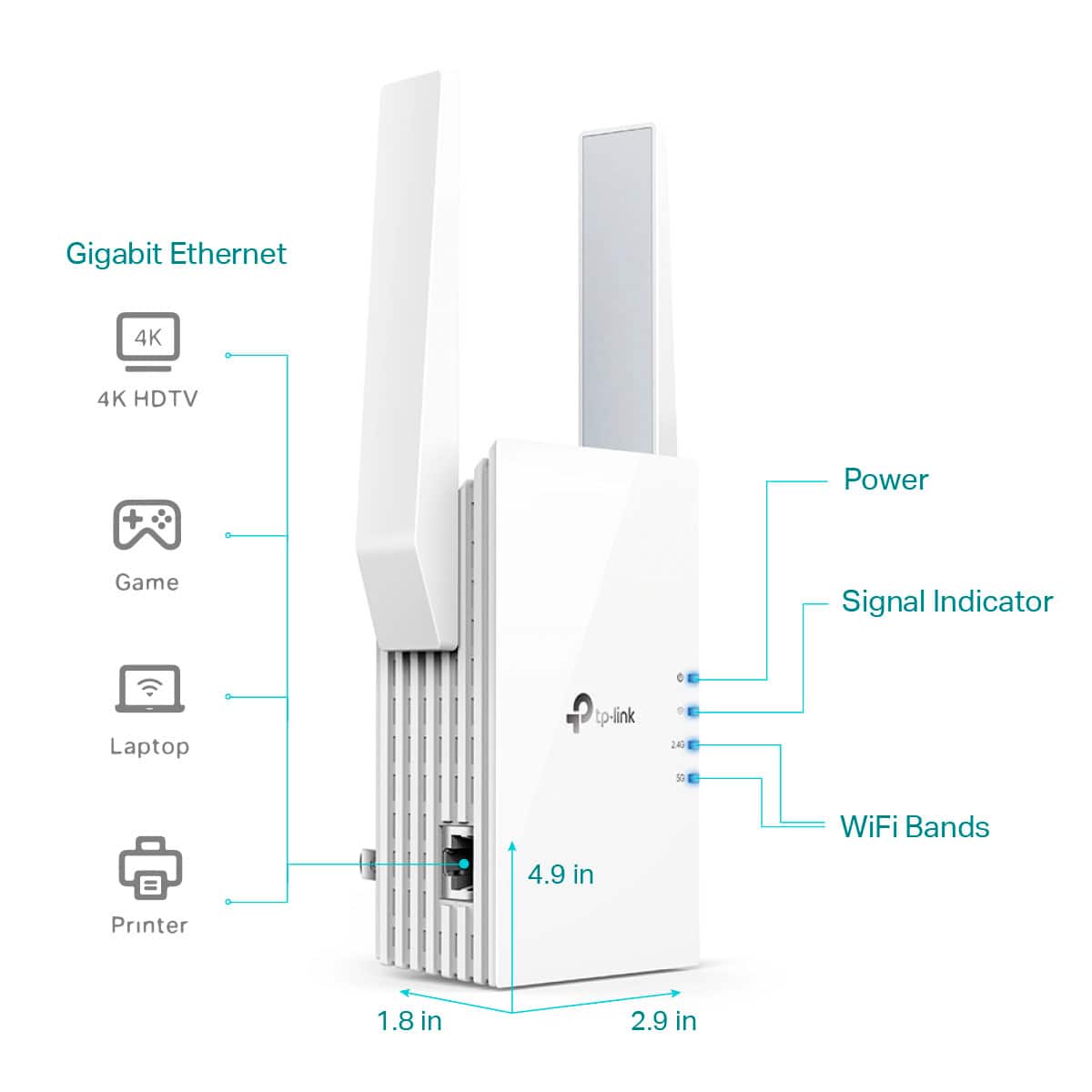
||Posted . Owned for 3 weeks when reviewed.This reviewer received promo considerations or sweepstakes entry for writing a review.Set up was easy, works with my ASUS router. Needed a wired connection to my TV. You can also add a switch to get extra Wired ports
I would recommend this to a friendDisappointing
||Posted . Owned for 6 months when reviewed.This reviewer received promo considerations or sweepstakes entry for writing a review.Needed a boost to my wi-fi coverage and this seemed to be the answer. Sadly, I am not getting the boost I required.
No, I would not recommend this to a friendBrand response from TPLinkSupport
Posted .Hi bristolpj,
Thank you for your review. If you haven't noticed a significant improvement in Wi-Fi coverage after installing the extender, we recommend relocating the unit to a position within your home where the router's Wi-Fi signal is sufficiently strong; yet far enough from the router to effectively extend its range. Please verify the RE status LED is indicating a solid connection.
We also recommend ensuring the extender's firmware is fully up to date using the steps outlined in FAQ 1406 on our official website: https://www.tp-link.com/us/support/faq/1406/
If you would like assistance with any of these steps, please reach out to our support team using any of the resources included with the product, or from our official website, and we'll gladly have a Support Agent follow up with you directly.
Thank you,
TP-Link Support
Great
||Posted . Owned for 7 months when reviewed.This reviewer received promo considerations or sweepstakes entry for writing a review.Works great. Bought to extend internet throughout my property.
I would recommend this to a friendextender
||Posted . Owned for 1 month when reviewed.This reviewer received promo considerations or sweepstakes entry for writing a review.managed to improve my streaming upstairs, having my router in the basement
I would recommend this to a friend