Customer Ratings & Reviews

- Model:
- RE505X
- SKU:
- 6440341
Rating by feature
- Value
Rating 4.5 out of 5 stars
- Quality
Rating 4.5 out of 5 stars
- Ease of Use
Rating 4.5 out of 5 stars
Customers are saying
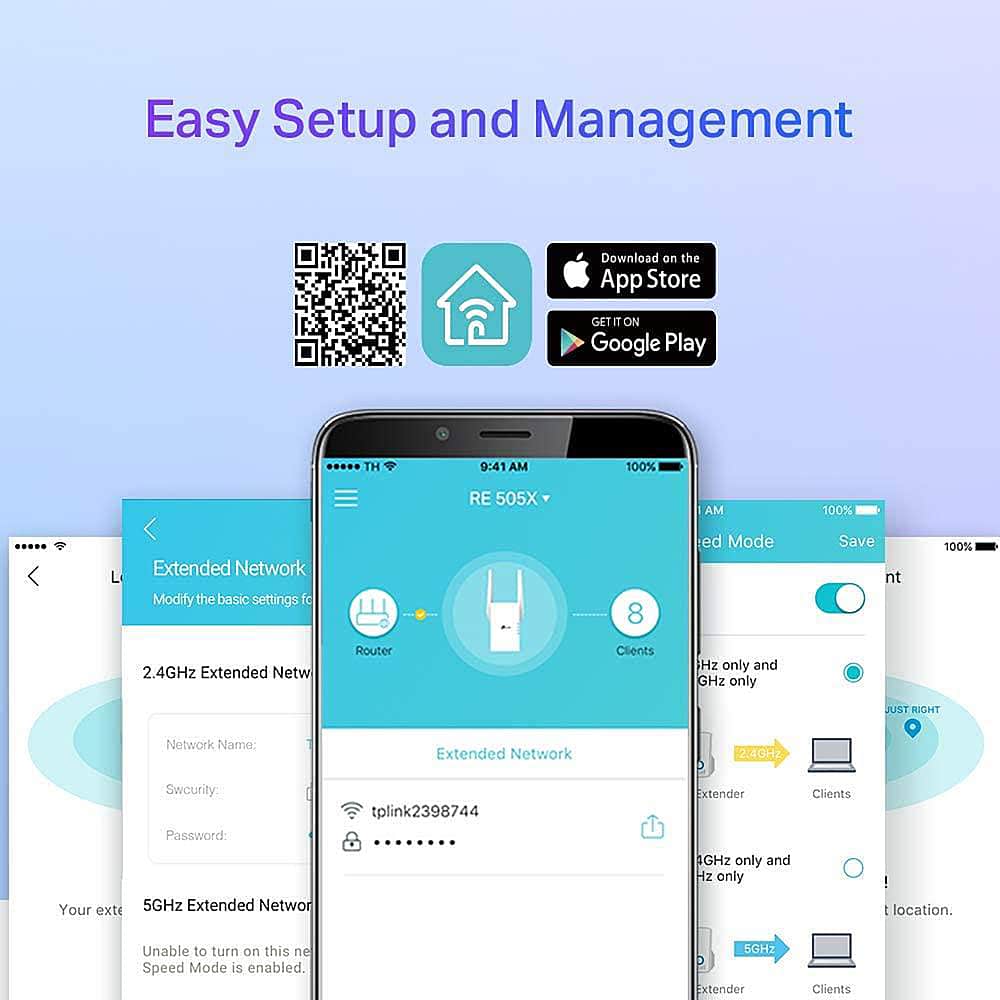
Customers recognize the TP-Link RE505X AX1500 Wi-Fi 6 Range Extender for its ease of use, range, and overall performance, with many highlighting the simple setup process and improved signal strength. Several customers also appreciate the connectivity and speed enhancements it provides. A few customers mention experiencing lag issues, but overall, the device is well-received.
This summary was generated by AI based on customer reviews.
Works great
||Posted . Owned for 2 weeks when reviewed.This reviewer received promo considerations or sweepstakes entry for writing a review.Bought it for a family member who had a deadzone. No deadzone, no buffering. Easy set up.
I would recommend this to a friendowner
||Posted . Owned for 1 month when reviewed.This reviewer received promo considerations or sweepstakes entry for writing a review.It was what it expected to better internet receptions. Thank you very much
I would recommend this to a friendThis was a lifesaver when my old extender stopped
||Posted . Owned for 2 weeks when reviewed.This reviewer received promo considerations or sweepstakes entry for writing a review.Perfect replacement and upgrade from my previous extender.
I would recommend this to a friendVery cool
||Posted . Owned for 5 months when reviewed.This reviewer received promo considerations or sweepstakes entry for writing a review.Toooooooooooooooooooooooooooooooooooooooooooo good
I would recommend this to a friendQuality
||Posted . Owned for 3 weeks when reviewed.This reviewer received promo considerations or sweepstakes entry for writing a review.The signal reception is good, but sometimes it is disconnected. Good overall quality!
I would recommend this to a friendBrand response from TPLinkSupport
Posted .Hi,
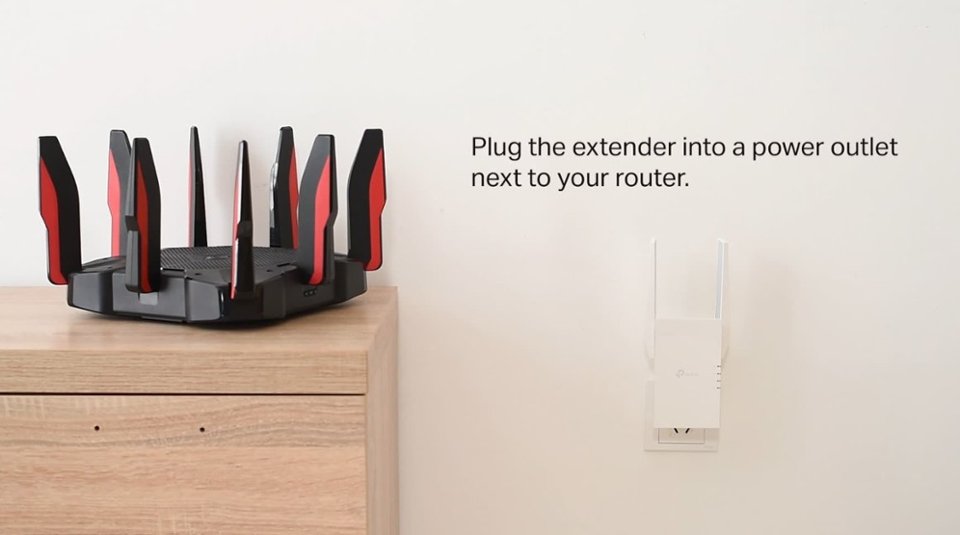
Thank you for your review. In your case, we recommend relocating the unit to a position within your home where the router's Wi-Fi signal is sufficiently strong; yet far enough from the router to effectively extend its range. Please verify the RE status LED is indicating a solid connection.
We also recommend ensuring the extender's firmware is fully up to date using the steps outlined in FAQ 1406 on our official website. To locate this FAQ, visit our website and enter 1406 in the top-right search field, then click the corresponding FAQ in the search results.
If you would like assistance with any of these steps, please reach out to our free support team using any of the resources included with the product, or from our official website, and we'll gladly have a Support Agent follow up with you directly.
Thank you,
TP-Link Support
Good product, but not if you live in an apartment.
||Posted . Owned for 2 months when reviewed.This reviewer received promo considerations or sweepstakes entry for writing a review.Not a great product if you live in an apartment complex, too much interferance.
I would recommend this to a friendBrand response from TPLinkSupport
Posted .Hi Jimbo,
Thank you for your review. Apartment complexes are often heavily congested with overlapping Wi-Fi signals. In your case, we recommend ensuring your router's Wi-Fi channels on each supported Wi-Fi band are set to the least congested options. Then, please ensure your Range Extender's firmware is fully up to date using the steps in our FAQ here: https://www.tp-link.com/us/support/faq/1406/
However, if the original concern you attempted to address with the Wi-Fi Extender was congestion or connectivity-related and not range or coverage-related, adding the Wi-Fi Extender may have increased congestion.
Our support team is always happy to help answer any questions about our products. Please feel free to reach out using any of the resources included with the product or from our official website, and we'll gladly have a Support Agent follow up with you directly.
Thank you,
TP-Link Support
Wifi boster
||Posted . Owned for 3 weeks when reviewed.This reviewer received promo considerations or sweepstakes entry for writing a review.Helped me out where areas in my 2 story house had very weak signals
I would recommend this to a friendWiFi extender
||Posted . Owned for 1 month when reviewed.This reviewer received promo considerations or sweepstakes entry for writing a review.The wifi range extender works beautiful, I used it on the second floor the signal works excellent.
I would recommend this to a friendWorks for working
||Posted . Owned for 2 weeks when reviewed.This reviewer received promo considerations or sweepstakes entry for writing a review.Had my doubts but my wife's VPN for work was cutting in and out so we tried this. No problems whatsoever since.
I would recommend this to a friend- Pros mentioned:Range
Wi-Fi extender.
||Posted . Owned for 1 week when reviewed.This reviewer received promo considerations or sweepstakes entry for writing a review.So far it’s working as it should and I’m impressed
I would recommend this to a friendBrand response from TPLinkSupport
Posted .Hi,
Thank you for your review. We're delighted to hear our Wi-Fi extender is working well for you. Our support team is always happy to answer any questions you might have about our products. Please feel free to reach out to our support team using any of the resources included with the product, or from our official website, and we'll gladly have a Support Agent follow up with you directly.
Thank you,
TP-Link Support
WI-FI VPN
||Posted . Owned for 1 month when reviewed.This reviewer received promo considerations or sweepstakes entry for writing a review.This product really served our purpose. This product works great.
I would recommend this to a friendWorks ok
||Posted . Owned for 2 weeks when reviewed.This reviewer received promo considerations or sweepstakes entry for writing a review.Works better than my old company provided pc internet adapter in my signal crowded apartment. Temporary fix until I upgraded the internet USB adapter itself. 300 mbps to 150 ish in best case scenario.
I would recommend this to a friendBrand response from TPLinkSupport
Posted .Hi,
Thank you for your review. If you haven't noticed a significant improvement in Wi-Fi coverage after installing the extender, we recommend relocating the unit to a position within your home where the router's Wi-Fi signal is sufficiently strong; yet far enough from the router to effectively extend its range. Please verify the RE status LED is indicating a solid connection.
We also recommend ensuring the extender's firmware is fully up to date using the steps outlined in FAQ 1406 on our official website: https://www.tp-link.com/us/support/faq/1406/
If you would like assistance with any of these steps, please reach out to our support team using any of the resources included with the product, or from our official website, and we'll gladly have a Support Agent follow up with you directly.
Thank you,
TP-Link Support
Wifi
||Posted . Owned for 1 month when reviewed.This reviewer received promo considerations or sweepstakes entry for writing a review.This product actually worked out and improved my internet connection.
I would recommend this to a friendVery satisfied
||Posted . Owned for 1 week when reviewed.This reviewer received promo considerations or sweepstakes entry for writing a review.I’m very satisfied with my Wi-Fi extender, it has increased my Wi-Fi capabilities!!
I would recommend this to a friendTwo thumbs DOWN would not recommend!
||Posted . Owned for 1.5 years when reviewed.This reviewer received promo considerations or sweepstakes entry for writing a review.We bought this for our garage to have extended wifi from out house since our garage is all metal on the outside. We did a lot of research and this one said it would work. It is awful! Our tv that hangs right above it in the garage still doesn't get a good signal and the moment I walk into the garage even though I am connected to this my cell phone does not work
No, I would not recommend this to a friendBrand response from TPLinkSupport
Posted .Hi,
Thank you for your review. If you haven't noticed a significant improvement in Wi-Fi coverage after installing the extender, we recommend relocating the unit to a position within your home where the router's Wi-Fi signal is sufficiently strong; yet far enough from the router to effectively extend its range. Please verify the RE status LED is indicating a solid connection.
We also recommend ensuring the extender's firmware is fully up to date using the steps outlined in FAQ 1406 on our official website: https://www.tp-link.com/us/support/faq/1406/
Please note that metal structures will significantly block Wi-Fi signals, both from routers and repeaters attempting to connect to the router to extend the signal.
If you would like assistance with any of these steps, please reach out to our support team using any of the resources included with the product, or from our official website, and we'll gladly have a Support Agent follow up with you directly.
Thank you,
TP-Link Support
Really good product
||Posted . Owned for 1 month when reviewed.This reviewer received promo considerations or sweepstakes entry for writing a review.Excellent wifi extender just what I needed to extend my internet
I would recommend this to a friendWi-Fi extender
||Posted . Owned for 10 months when reviewed.This reviewer received promo considerations or sweepstakes entry for writing a review.It works well in my husband’s woodworking shop to give him better Wi-Fi.
I would recommend this to a friendPoor connection
||Posted . Owned for 1 month when reviewed.This reviewer received promo considerations or sweepstakes entry for writing a review.It is not good weak sign I need to disconnected and connected again to working it is apartment with only 2 bedroom I will return
No, I would not recommend this to a friendBrand response from TPLinkSupport
Posted .With range extenders, placement is everything. Make sure the extender is placed in an area that is open, unobstructed and has a strong signal from the router. This location should also be between the router and where service extension is needed. If you need assistance, please reach out to support at 866-225-8139.
Best Regards
TP-link Systems Support
Strength helper
||Posted . Owned for 1 month when reviewed.This reviewer received promo considerations or sweepstakes entry for writing a review.Was a good add to helping the connection. It is better
I would recommend this to a friendK.T
||Posted . Owned for 1 month when reviewed.This reviewer received promo considerations or sweepstakes entry for writing a review.Great product , good quality for a wonderful price.
I would recommend this to a friend