Customer Ratings & Reviews
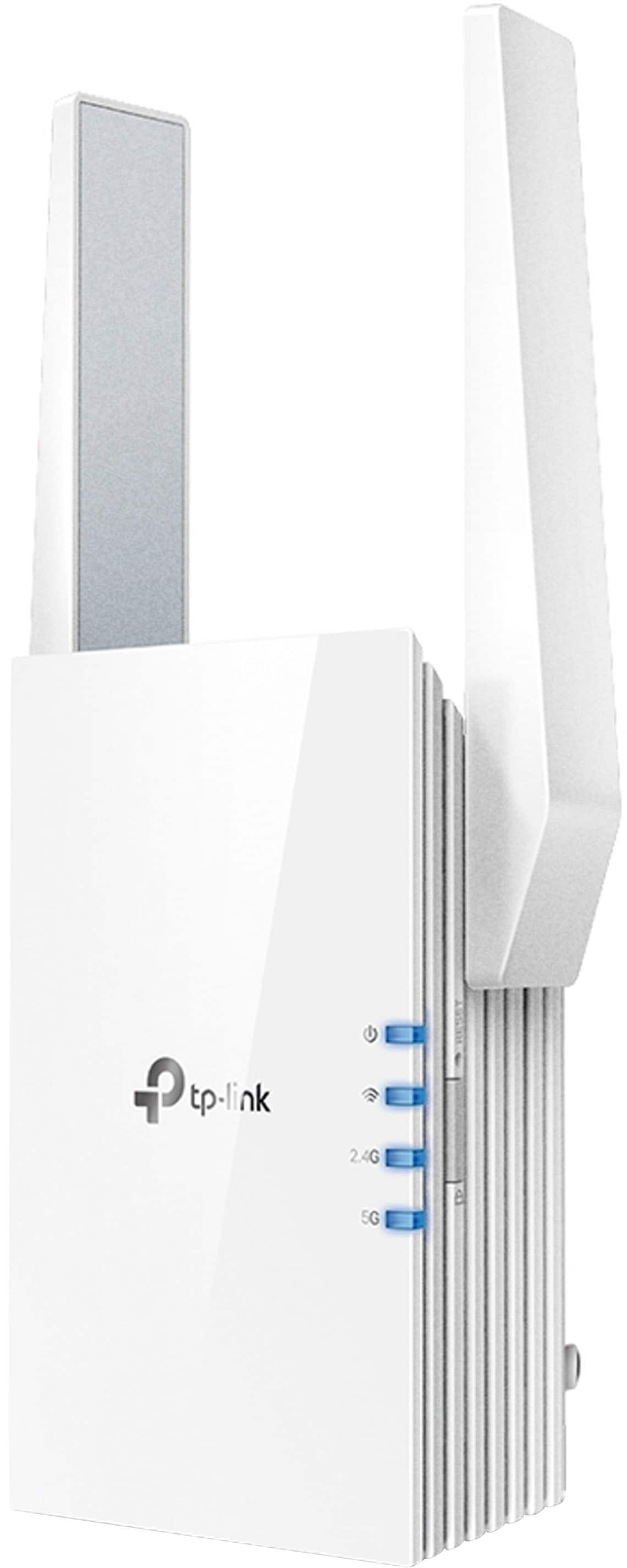
- Model:
- RE505X
- |
- SKU:
- 6440341
Customer reviews
Rating 4.4 out of 5 stars with 1545 reviews
(1,545 customer reviews)Rating by feature
- Value4.4
Rating 4.4 out of 5 stars
- Quality4.5
Rating 4.5 out of 5 stars
- Ease of Use4.5
Rating 4.5 out of 5 stars
Customers are saying
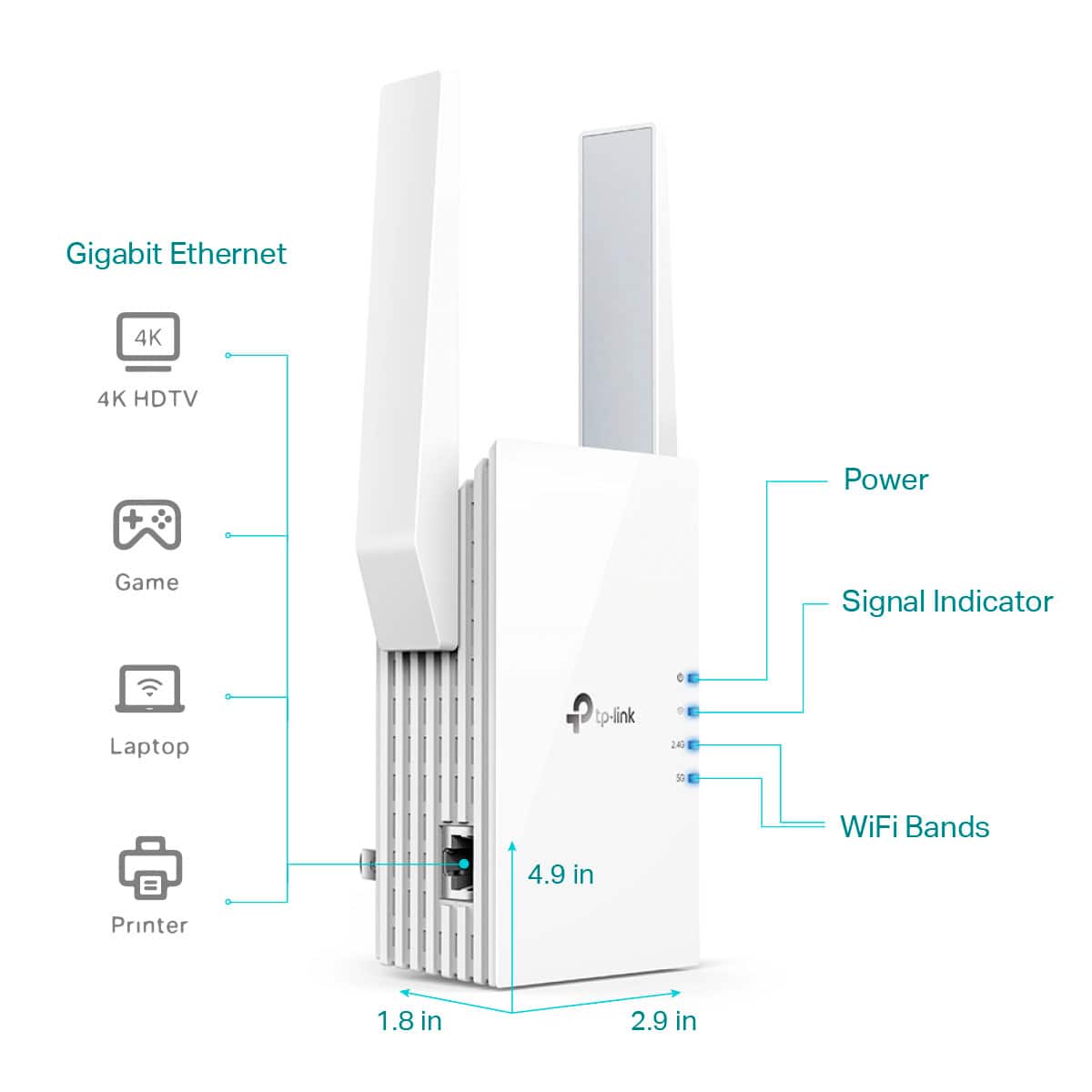
Customers often highlight the TP-Link RE505X AX1500 Wi-Fi 6 Range Extender's ease of use, extended Wi-Fi range, and improved signal strength. Many appreciate its simple setup and strong performance, finding it effective in addressing connectivity issues. However, some users reported occasional connection problems and lag. The price point is also frequently praised as reasonable.
This summary was generated by AI based on customer reviews.
Rated 2 out of 5 stars
Internet ext
||Posted . Owned for 2 weeks when reviewed.This reviewer received promo considerations or sweepstakes entry for writing a review.Its okey not working well my internet is still not wokring well i dont know if it has to do with this or not
No, I would not recommend this to a friendBrand response from TPLinkSupport
Posted .With range extenders, placement is everything. Ensure the extender is located in an open and unobstructed area with a strong signal from the host AP/Router. Also, remember that extenders are not designed to provide faster internet speeds. They are primarily designed to improve signal reception. Extenders can only transmit in one direction at a time: to the router or to the client. Because of this, speeds can be and often are a bit slower than when the client is connected to the router with a signal of similar strength.
Rated 3 out of 5 stars
didn't work for me
||Posted . Owned for 1 week when reviewed.This reviewer received promo considerations or sweepstakes entry for writing a review.For me it was really slow, range boost minimal.... latency high, spend a little more and get a better wifi 6 router and cut out the middle man.
No, I would not recommend this to a friendRated 3 out of 5 stars
No wifi 6
||Posted . Owned for 1 month when reviewed.This reviewer received promo considerations or sweepstakes entry for writing a review.Mine absolutely does not have wifi 6. But this is saying it does.. did I get robbed
No, I would not recommend this to a friendBrand response from TPLinkSupport
Posted .Hi,
Thank you for your review. The TP-Link RE505X is a Dual-Band Wi-Fi 6 (802.11ax) Range Extender. Wi-Fi 6 designates the 6th generation of the Wi-Fi protocol, which is also known as IEEE 802.11ax. This extender features Wi-Fi 6 technology, dual-band Wi-Fi connectivity, and robust performance and features for your home.
However, if by "Wi-Fi 6" you are instead referring to the 6GHz wireless spectrum, then please note that 6GHz is known as Wi-Fi 6 Extended, or Wi-Fi 6E. If you are seeking Wi-Fi 6E (6GHz) connectivity, we suggest considering our RE815XE model, instead: https://www.bestbuy.com/site/tp-link-axe5400-tri-band-mesh-wi-fi-6e-range-extender-white/6519763.p?skuId=6519763
Thank you,
TP-Link Support
Rated 1 out of 5 stars
Wifi issue
||Posted .This reviewer received promo considerations or sweepstakes entry for writing a review.Had to return. Does not connect to the updated software on the AT&T wifi modem.
No, I would not recommend this to a friendBrand response from TPLinkSupport
Posted .The Software of the ATT Gateway should not affect the ability for the range extender to connect to the Wi-Fi network. What may have happened is that an ACL or Firewall setting prohibited the Range Extender from connecting to the internet.
Best Regards
TP-Link Systems Support.
Rated 1 out of 5 stars
Don’t waste your money
||Posted . Owned for less than 1 week when reviewed.This reviewer received promo considerations or sweepstakes entry for writing a review.I use the old tp-link 450 and it works flawlessly. I also have a netgear nighthawk that I’ve had zero issues with for the last 2 years. I bought 2 of these tp-link 505x models and they are horrible. Both of them will get near the end of set-up before saying my network can’t be found, even though it had to find both 2.4 and 5ghz networks to start the process in the first place. I would suggest looking at another brand or just going with one of their older models and hooking devices up directly via the Ethernet cable. Returning both tomorrow.
No, I would not recommend this to a friendBrand response from TPLinkSupport
Posted .Hi,
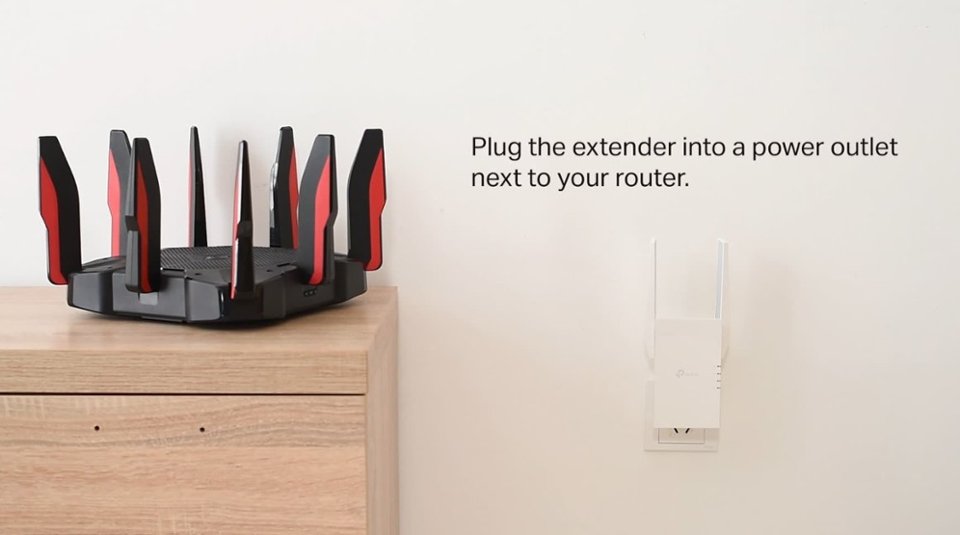
Thank you for your review. If you're experiencing difficulty connecting the extender to your router, we recommend setting up the device in the same room as your router, then relocating it after setup is complete. We also suggest re-verifying your router's WiFi password during setup, or if using the WPS setup method, ensuring the WPS process is performed in the correct order. The extender's indicator LEDs will help you determine which position in your home is ideal.
We also recommend ensuring the extender's firmware is fully up to date using the steps outlined in our FAQ here: https://www.tp-link.com/us/support/faq/1406/
If you'd like assistance with any of these steps, please reach out to our free support team using any of the resources included with the product, or from our official website, and we'll gladly have a Support Agent follow up with you directly.
Thank you,
TP-Link Support
Rated 5 out of 5 stars
Works well
||Posted . Owned for 3 weeks when reviewed.This reviewer received promo considerations or sweepstakes entry for writing a review.Works perfectly for my application. Needed to strengthen wifi signal for outdoor cameras.
I would recommend this to a friendRated 3 out of 5 stars
Extender
||Posted . Owned for 1 month when reviewed.This reviewer received promo considerations or sweepstakes entry for writing a review.Did not really enjoy this product as it would reduce my speeds.
I would recommend this to a friend- Pros mentioned:Ease of use
Rated 5 out of 5 stars
TP-Link AX1500 Wifi Extender
||Posted . Owned for 1 month when reviewed.This reviewer received promo considerations or sweepstakes entry for writing a review.Was very easy to setup. Does what it says it will. Our pool lights are now reliable.
I would recommend this to a friend Rated 2 out of 5 stars
Not much of a boost
||Posted . Owned for less than 1 week when reviewed.This reviewer received promo considerations or sweepstakes entry for writing a review.Not much of a boost in an 1800 sf home. When the unit is more than 10 ft away, it tells me to move it closer to the router. Kind of stupid when the part of the home needing the boost is 30 ft away. Don’t waste your money. Spend a little more to get a better unit.
No, I would not recommend this to a friendBrand response from TPLinkSupport
Posted .Hi,
If you haven't noticed a significant improvement in Wi-Fi coverage after installing the extender, we recommend relocating the unit to a position within your home where the router's Wi-Fi signal is sufficiently strong; yet far enough from the router to effectively extend its range. Please verify the RE status LED is indicating a solid connection.
We also recommend ensuring the extender's firmware is fully up to date using the steps outlined in FAQ 1406 on our official website: https://www.tp-link.com/us/support/faq/1406/
If you would like assistance with any of these steps, please reach out to our support team using any of the resources included with the product, or from our official website, and we'll gladly have a Support Agent follow up with you directly.
Thank you,
TP-Link Support
Rated 2 out of 5 stars
Let down
||Posted . Owned for less than 1 week when reviewed.This reviewer received promo considerations or sweepstakes entry for writing a review.This product states that it works with any router. This may be true but my results weren't the best. I performed a speed test on my router and the extender. The router results and the extender results were drastically different. Router: 305Mbs (Download) 21Mbs (Upload) Extender: 25Mbs (Download) 12Mbs (Upload) I completed several tests and these were the best results from each device. Very disappointing for a Wi-Fi 6 device.
No, I would not recommend this to a friendBrand response from TPLinkSupport
Posted .Hi,
Thank you for your review. Please bear in mind WiFi extenders utilize half-duplex transmission. As a result, throughput when connecting to the extender may be reduced when compared to the router. This is an industry standard for WiFi extenders and is not exclusive to TP-Link.
In your case, we recommend relocating the unit to a position in your home where the router's WiFi signal is sufficiently strong; yet far enough from the router to effectively extend its range.
We also highly recommend ensuring the extender's firmware is fully up to date using the steps outlined in FAQ 1406 on our official website. To locate this FAQ, visit our website and enter 1406 in the top-right search field, then click the corresponding FAQ in the search results.
If you would like assistance with any of these steps, please reach out to our free support team using any of the resources included with the product, or from our official website, and we'll gladly have a Support Agent follow up with you directly.
Thank you,
TP-Link Support
- Pros mentioned:Range
Rated 5 out of 5 stars
Easy use
||Posted . Owned for 2 months when reviewed.This reviewer received promo considerations or sweepstakes entry for writing a review.Overall, I really like it. It helps with the range in the house I would recommend it.
I would recommend this to a friend - Pros mentioned:Signal strength
Rated 1 out of 5 stars
Keeps disconnecting ethernet from laptop
||Posted . Owned for less than 1 week when reviewed.This reviewer received promo considerations or sweepstakes entry for writing a review.This is so frustrating! All the lights are showing blue on the extender with good signal. I connect my ethernet cord to the extender and then to the laptop and it pops up for the first 5mins and then switched back over to wifi. This is so frustrating trying to work from home
No, I would not recommend this to a friendBrand response from TPLinkSupport
Posted .Hi,
Thank you for your review. Your laptop's network adapters are controlled by their drivers and software configuration within the laptop's operating system. For example, the laptop will choose when to connect to either medium based on the drivers of the adapters in your laptop.
We would first recommend ensuring your laptop's network adapter drivers are fully up to date. If the symptom persists, you can also consider temporarily toggling your laptop's Wi-Fi off while it is connected via Ethernet, to prevent it from attempting to force the Wi-Fi connection while wired.
Our support team is always happy to help answer any questions you may have about our products. Please feel free to reach out using any of the resources included with the product, or from our official website, and we'll gladly have a Support Agent follow up with you directly.
Thank you,
TP-Link Support
Rated 2 out of 5 stars
What title do you want?
||Posted . Owned for 3 weeks when reviewed.This reviewer received promo considerations or sweepstakes entry for writing a review.So far, it has very little help in making Comcast signals more available. It only tells me when it is available and when it is not. Comcast just stalls and give us little help in resolving the issue of fair to poor signals.
No, I would not recommend this to a friendBrand response from TPLinkSupport
Posted .Hi,
Thank you for your review. If you haven't noticed a significant improvement in Wi-Fi coverage after installing the extender, we recommend relocating the unit to a position within your home where the router's Wi-Fi signal is sufficiently strong; yet far enough from the router to effectively extend its range. Please verify the RE status LED is indicating a solid connection.
We also recommend ensuring the extender's firmware is fully up-to-date, using the steps outlined in FAQ 1406 on our official website: https://www.tp-link.com/us/support/faq/1406/
If you would like assistance with any of these steps, please reach out to our support team using any of the resources included with the product, or from our official website, and we'll gladly have a Support Agent follow up with you directly.
Thank you,
TP-Link Support
Rated 3 out of 5 stars
Not too powerful.
||Posted . Owned for 1 month when reviewed.This reviewer received promo considerations or sweepstakes entry for writing a review.It didn’t work out for me. I returned it for one more powerful.
No, I would not recommend this to a friendBrand response from TPLinkSupport
Posted .Hi,
Thank you for your review. If you haven't noticed a significant improvement in Wi-Fi coverage after installing the extender, we recommend relocating the unit to a position within your home where the router's Wi-Fi signal is sufficiently strong; yet far enough from the router to effectively extend its range. Please verify the RE status LED is indicating a solid connection.
We also recommend ensuring the extender's firmware is fully up to date using the steps outlined in FAQ 1406 on our official website: https://www.tp-link.com/us/support/faq/1406/
If you would like assistance with any of these steps, please reach out to our support team using any of the resources included with the product, or from our official website, and we'll gladly have a Support Agent follow up with you directly.
Thank you,
TP-Link Support
- Pros mentioned:Ease of use
Rated 4 out of 5 stars
Network
||Posted . Owned for 1 week when reviewed.This reviewer received promo considerations or sweepstakes entry for writing a review.Affordable easy to installed and used durable convenient
I would recommend this to a friend - Pros mentioned:Range
Rated 5 out of 5 stars
Works good
||Posted . Owned for 1 month when reviewed.This reviewer received promo considerations or sweepstakes entry for writing a review.Works good does this job. Helps with hard to reach spots in the home for Wi-Fi.
I would recommend this to a friend Rated 1 out of 5 stars
Terrible
||Posted . Owned for 1 week when reviewed.This reviewer received promo considerations or sweepstakes entry for writing a review.Impossible to connect to my router. Did not connect and I tried multiple times and reset it multiple times.
No, I would not recommend this to a friendBrand response from TPLinkSupport
Posted .Hi,
Thank you for your review. If you are experiencing difficulty connecting the extender to your router, we recommend setting up the device in the same room as your router and then relocating it after setup.
We also suggest you re-verify your router's Wi-Fi password during setup or, if using the WPS setup method, make sure the WPS process is performed in the correct order. The extender's indicator LEDs will help you determine which position in your home is ideal.
It is also suggested to make sure the extender's firmware is fully up to date using the steps outlined in FAQ 1406 on our official website: https://www.tp-link.com/us/support/faq/1406/
If you would like assistance with any of these steps, please get in touch with our support team using any of the resources included with the product or from our official website, and we'll gladly have a Support Agent follow up with you directly.
Thank you,
TP-Link Support
Rated 3 out of 5 stars
Norm
||Posted . Owned for 1 month when reviewed.This reviewer received promo considerations or sweepstakes entry for writing a review.I am giving it a 3 because it doesnt go out as far as i would like. But overall it is pretty good
I would recommend this to a friendRated 1 out of 5 stars
Quality i'm not good
||Posted . Owned for 1 week when reviewed.This reviewer received promo considerations or sweepstakes entry for writing a review.The quality, no good never connected. Wifi it's more complicate the connect
No, I would not recommend this to a friendBrand response from TPLinkSupport
Posted .Hi MICHAELN,
Thank you for your review. If you are experiencing difficulty connecting the extender to your router, try setting up the device in the same room as your router first, then move it after setup. We also recommend double-checking your router's Wi-Fi password during setup, or if you're using the WPS setup method, making sure the WPS process is done correctly. The extender's indicator LEDs can help you find the best spot in your home.
We also highly recommend ensuring the extender's firmware is fully up to date using the steps outlined in FAQ 1406 on our official website: https://www.tp-link.com/us/support/faq/1406/
If you need assistance with any of these steps, please contact our free support team using the resources included with the product or our official website, and we'll be happy to have a Support Agent follow up with you directly.
Thank you,
TP-Link Systems Support
Rated 3 out of 5 stars
Did not help that much
||Posted . Owned for 3 weeks when reviewed.This reviewer received promo considerations or sweepstakes entry for writing a review.Didn't really notice a difference. The first day it worked okay but after that is dropped back down.
No, I would not recommend this to a friendBrand response from TPLinkSupport
Posted .Hi,
If you haven't noticed a significant improvement in Wi-Fi coverage after installing the extender, we recommend relocating the unit to a position within your home where the router's Wi-Fi signal is sufficiently strong; yet far enough from the router to effectively extend its range. Please verify the RE status LED is indicating a solid connection.
We also recommend ensuring the extender's firmware is fully up to date using the steps outlined in FAQ 1406 on our official website. To locate this FAQ, visit our website and enter 1406 in the top-right search field, then click the corresponding FAQ in the search results.
If you would like assistance with any of these steps, please reach out to our free support team using any of the resources included with the product, or from our official website, and we'll gladly have a Support Agent follow up with you directly.
Thank you,
TP-Link Support