Customer Ratings & Reviews

- Model:
- TBS-2780-01
- SKU:
- 6422347
Rating by feature
- Value
Rating 4.0 out of 5 stars
- Quality
Rating 4.2 out of 5 stars
- Ease of Use
Rating 4.3 out of 5 stars
Customers are saying
Customers are satisfied with the sound quality, comfort, and battery life of the Stealth 700 Gen 2 headset. Many appreciate the Bluetooth connectivity and bass response. However, some users experienced connection issues and found the fit to be a bit tight or the headset somewhat heavy. The overall experience appears to be positive, despite some reported drawbacks.
This summary was generated by AI based on customer reviews.
- Pros mentioned:Sound quality
Not for PS5, even though it is advertised
Posted .This reviewer received promo considerations or sweepstakes entry for writing a review.Had nothing but problems with this headset for the past 3 days I've owned it. Tried everything. After I updated the firmware as recommended, it's constantly either disconnecting from my PS5 mid game and disconnecting/failing to pair with the transmitter. I tried a hard reset (push bluetooth and mode buttons for 20 seconds) and it did nothing. Tried to reset them using the software but can't! Since the headset constantly is disconnecting from the transmitter and both need to be connected to a PC. Just a nightmare... Otherwise they sound great when they work.
No, I would not recommend this to a friendBrand response from Turtle Beach Support
Posted .Hello there,
We’re sorry to hear about your experience; however, please allow our Support Team to assist you with your Stealth 600 GEN 2. We’re always happy to help, and we can be reached right from the support section of the Turtle Beach website as needed.
Thank you.
- Cons mentioned:Connection
Not working in less than a month
Posted .This reviewer received promo considerations or sweepstakes entry for writing a review.Ive probably used less than 10 hrs a week for under a month and theyre not transmitting audio anymore. Not working after less than a month of light use. I tried restoring the software. Hard reset. Making sure the audio is set to output to the headset in my settings. Nothing is resolving the issue. And im jot sure best buy will replace them since its after 15 days. Maybe buy them somewhere else. At least get 1 month return window.
No, I would not recommend this to a friendBrand response from Turtle Beach Support
Posted .Hey there Hector,
We’re sorry to hear about this inconvenience; however, please note that our headsets are each sold with a one-year manufacturer's warranty, and we have a dedicated Support Team available to provide assistance as needed. We’re always happy to help, and we can be reached right from the support section of the Turtle Beach website.
Best regards!
Bluetooth headset
Posted .This reviewer received promo considerations or sweepstakes entry for writing a review.The headphones do the job. They have diff game modes which i love because you can hear diff audios from the game chat to party chat
I would recommend this to a friendNot what I was expecting!
Posted .This reviewer received promo considerations or sweepstakes entry for writing a review.Bought these to go with my new consoles. I first paired them to my Xbox Series S and they worked great for the first 2-3 hours I used them. A week later I paired them to my Xbox Series X for their second use and they completely went out after 30 minutes. I tried turning them off but they were stuck in on mode and wasn't able to re-pair them either. Pretty upset them stopped working after their second use and only 3 hours on them. Should have known something bad was bound to happen when there was static sounds and the sound also glitched in and out.
No, I would not recommend this to a friendBrand response from Turtle Beach Support
Posted .Hi there Gram,
We’re sorry to hear about your experience; however, please try out the following with your Stealth 700 GEN 2:
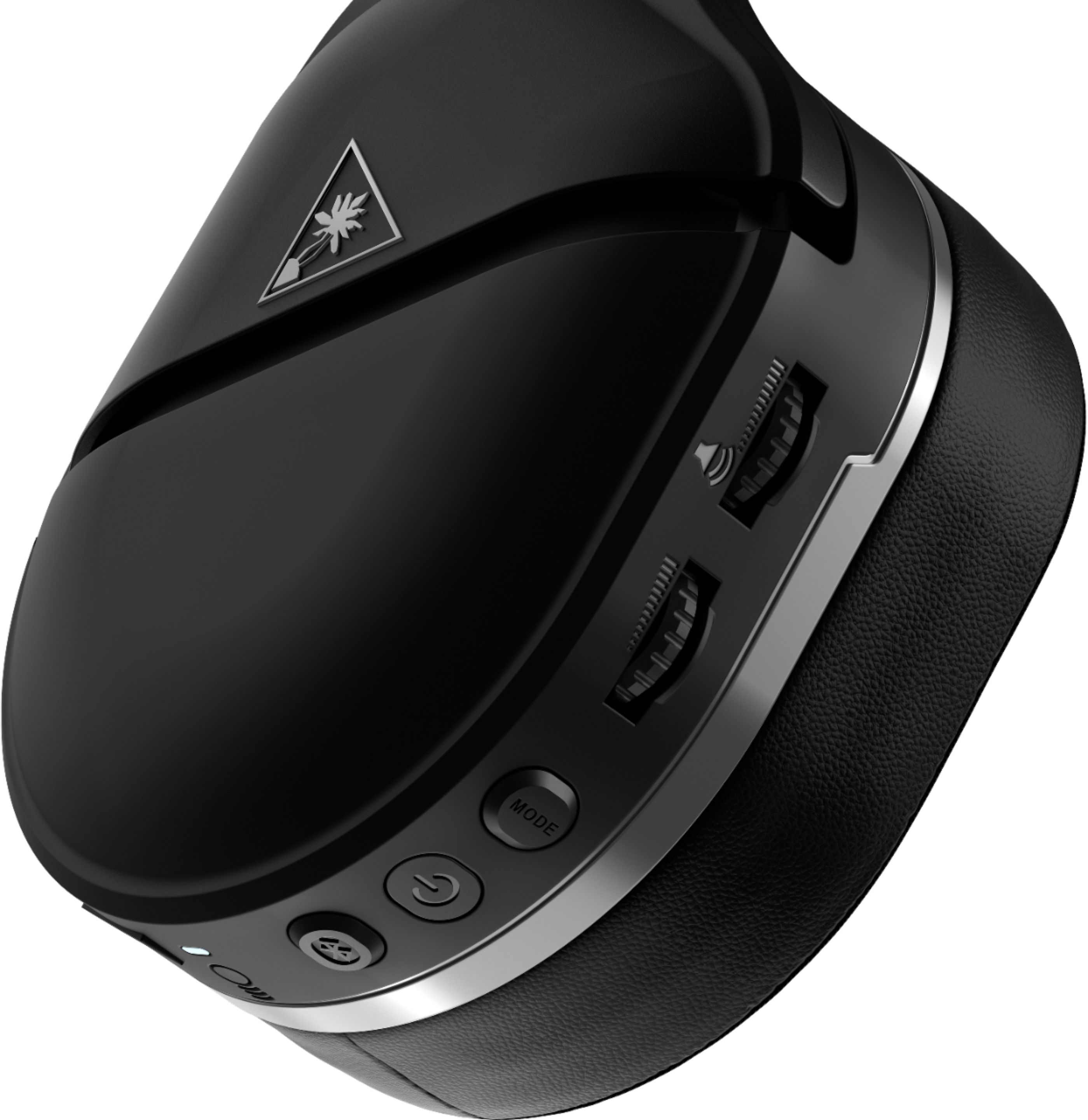
Press and hold down the Bluetooth Pairing Button + Mode Button on your headset for 20 seconds. This is a very long press, please make sure that you do not release it early, holding it down too long is better than too short.
This should hard reset the headset and may clear up what you are experiencing. After performing these steps, make an attempt at updating the headset via the Audio Hub for Windows or MacOS.
If you continue to have the same experience after going over the steps provided here; please know that our dedicated Support Team can assist you further with this under your product's warranty, and they can be reached right from the support section of the Turtle Beach website as needed.
Thanks!
Cheap plastic
Posted .This reviewer received promo considerations or sweepstakes entry for writing a review.Broke within 8 months of use plastic snapped on ear support
No, I would not recommend this to a friendGreat when it works.
Posted .This reviewer received promo considerations or sweepstakes entry for writing a review.If these actually worked consistently they would be great. I went through 2 pairs in 4 days. The first one kept having issues syncing with the dingle. The second worked until I came home today and took them off the charger. The led wouldn't turn on anymore or power up. They apparently can brick from charging. Look at other reviews on reddit to see other people who have the same complaints. Save yourself the hassle and just go with Steelseries.
No, I would not recommend this to a friendBrand response from Turtle Beach Support
Posted .We’re sorry to hear about your experience; however, please try out the following with your Stealth 700 GEN 2:
Press and hold down the Bluetooth Pairing Button + Mode Button on your headset for 20 seconds. This is a very long press, please make sure that you do not release it early, holding it down too long is better than too short.
This should hard reset the headset and may clear up what you are experiencing. After going over those steps; please ensure that your headset has been updated to the most recent firmware via the Audio Hub on Windows or MacOS.
If you continue to have the same experience; please know that we’re always happy to help, and we can be reached right from the support section of the Turtle Beach website as needed.
Thanks!
Great
Posted .This reviewer received promo considerations or sweepstakes entry for writing a review.Great headset a must have for anyone with an xbox and needs a headset
I would recommend this to a friendBought two today and both won’t do anything
Posted .This reviewer received promo considerations or sweepstakes entry for writing a review.They started out charging as expected, but both stopped charging and won’t show any signs of life after about 15 minutes of being plugged in. No Bluetooth pairing, no powering on, and my computer can’t detect them. I’ll be returning both pairs within 24 hours of owning them. I wanted to spend a little extra and get these since they seemed really nice, but they’re literally useless right out of the box. I’m very disappointed, to say the least.
No, I would not recommend this to a friendBrand response from Turtle Beach Support
Posted .Hello JoshSeriesX,
We’re sorry to hear about your experience; however, please allow our Support Team to assist you with your Stealth 700 GEN 2. We’re always happy to help, and we can be reached right from the support section of the Turtle Beach website as needed.
Thank you!
- Cons mentioned:Connection
Not worth a third the price
Posted .This reviewer received promo considerations or sweepstakes entry for writing a review.Controls don’t always function properly. Also headset will disconnect from Xbox at random times and you have to turn it off and on multiple times to get it working again.
No, I would not recommend this to a friendBrand response from Turtle Beach Support
Posted .Hello there! We’re sorry to hear about this inconvenience; however, please allow us to assist you with your headset! We have a dedicated Support Team available to provide assistance as needed. We’re always happy to help, and we can be reached right from the support section of the Turtle Beach website. Best regards!
Would be fine if it didn't constantly skip, pop,
Posted .This reviewer received promo considerations or sweepstakes entry for writing a review.Did a firmware update. Inconsistent Bluetooth connections. My pixel 3xl only was able to detect it once and would not connect. Using on windows 10 it would randomly shut off. Sound on Xbox constantly skips and pops, with no clear reason. Very, very disappointed as I had stealth 600s and was hoping for a better quality product for the price.
No, I would not recommend this to a friendBrand response from Turtle Beach Support
Posted .Hey there Joey,
We’re sorry to hear about this inconvenience with your Stealth 700 GEN 2; however, please allow our team to assist you further. Our Support Team is always happy to help as needed, and we can be reached right from the support section of the Turtle Beach website.
Thanks!
Great at first, but 10 mins later all down hill
Posted .This reviewer received promo considerations or sweepstakes entry for writing a review.Great experience at first. Took them out of the box and a simple pair to my Xbox. But after a few minutes, the audio started to cut in and out and would last until I turned off the headset. When I turn them back on I will have clear audio for another 5 mins or so, then the audio cuts in and out. It is very annoying to have to power them off 2 or 3 times every 10 mins. I am sitting less than 2 feet from my Xbox with no WiFi router near me to cause interference.
No, I would not recommend this to a friendBrand response from Turtle Beach Support
Posted .Hey there,
We’re sorry to hear about your experience; however, please allow our Support Team to assist you with your Stealth 700 GEN 2. That team is always happy to lend a hand as needed, and we can be reached right from the support section of the Turtle Beach website.
Thanks!
- Cons mentioned:Connection
Tons of trouble
Posted .This reviewer received promo considerations or sweepstakes entry for writing a review.If it dies or losing connection you have to Hard reset you console to get it back connected
No, I would not recommend this to a friendBrand response from Turtle Beach Support
Posted .We are sorry to hear about the inconvenience you've had. Please ensure that your headset has been updated to the most recent firmware via the Audio Hub for Windows or MacOS. Operating on the newest firmware should clear up what you're experiencing.
If you're still in need of assistance after that; our Support Team is always happy to help and they can be reached right from the support section of the Turtle Beach website.
Thanks!
Did NOT last
Posted .This reviewer received promo considerations or sweepstakes entry for writing a review.Got these for my bf on like October 5th 2020. Worked great until yesterday (so like 3 months in). They just completely stopped working and work even charge. Looked it up and apparently many people have had the same problem. They literally just stopped working!... called and they said they won’t replace them either which sucks. waste of money. Would rather spend a little more on a headset that will actually last.
No, I would not recommend this to a friendBrand response from Turtle Beach Support
Posted .Hello,
We’re sorry to hear about your experience; however, please try out the following with your Stealth 700 GEN 2:
Press and hold down the Bluetooth Pairing Button + Mode Button on your headset for 20 seconds. This is a very long press, please make sure that you do not release it early, holding it down too long is better than too short.
This should hard reset the headset and may clear up what you are experiencing. After performing these steps, make an attempt at updating the headset via the Audio Hub for Windows or MacOS.
If you continue to have the same experience after going over the steps provided here; please know that our dedicated Support Team can assist you further with this under your product's warranty (whether it be with further troubleshooting or replacement service), and they can be reached right from the support section of the Turtle Beach website as needed.
Thanks!
Prone to dying for no reason
Posted .This reviewer received promo considerations or sweepstakes entry for writing a review.I had the gen1 and they just suddenly stopped working after 6 months. I bought the gen 2 9/2020 and they just stopped working last night. I got the extended warranty and it was never explained to me that the extended warranty has to be repurchased any time you use the warranty for replacement. Save your money. These die sooner than a year so plan on using the manufacturers warranty.
No, I would not recommend this to a friendBrand response from Turtle Beach Support
Posted .We’re sorry to hear about this inconvenience!
Our Support Team has put together a recovery process that is listed within the Support section of the Turtle Beach website that may assist in clearing up what you're experiencing.
If you continue to have the same experience with your headset, please reach out directly to our Support Team for assistance. Our headsets are each sold with a one-year manufacturer's warranty, that team is available to lend a helping hand as needed. They reached right from the support section of the Turtle Beach website.
Thanks and have a great day!
Beware! Brick in weeks
Posted .This reviewer received promo considerations or sweepstakes entry for writing a review.Don't turn on or charge after a few days of not using. I updated firmware, tried all the troubleshooting, and the headset was bricked. It's unfortunate that this is a common issue because the features and build are great. I wouldn't buy this until they publicly announce a fix. I wouldn't be surprised if there isn't a class action given how prevalent and irreversible this issue is.
No, I would not recommend this to a friendBrand response from Turtle Beach Support
Posted .Good morning!
We’re sorry to hear about this inconvenience! Please allow our dedicated Support Team to assist you further with your GEN 2 headset. That team is always happy to help and they can be reached right from the support section of the Turtle Beach website. Thank you!
Poorly made
Posted .This reviewer received promo considerations or sweepstakes entry for writing a review.We bought these for our son and he loved them. We were standing in the game room and watched as he placed them over his head and they snapped in his hands. He wasn’t being rough with them. These are very poorly made and we have no recourse because we threw away the packing when he was so pleased with the performance. I don’t recommend any one buy these.
No, I would not recommend this to a friendBrand response from Turtle Beach Support
Posted .Good morning MomInTexas,
We’re sorry to hear about your experience; however, please allow our Support Team to assist you with your son's Stealth 700 GEN 2. Our products are sold with a manufacturer's warranty and our team would be more than happy to assist you with a replacement claim under that warranty. That team can be reached right from the support section of the Turtle Beach website as needed.
The team can also be contacted via Live Chat between 9:30 AM EST and 4:30 PM EST from Monday through Friday. That's available directly on the main Turtle Beach website. Keep an eye on the lower right hand corner of your screen for the live chat icon when filling out the form or visiting another page on our site. Best regards!
Less than a star
Posted .This reviewer received promo considerations or sweepstakes entry for writing a review.Garbage!!! Less than 6 months old and want even power on. Looks like the only fox is to download software to a computer that I dont have. Will never buy Turtle Beach again
No, I would not recommend this to a friendBrand response from Turtle Beach Support
Posted .Hello there,
We’re sorry to hear about this inconvenience; however, please note that our headsets are each sold with a one-year manufacturer's warranty, and we have a dedicated Support Team available to provide assistance as needed. We’re always happy to help, and we can be reached right from the support section of the Turtle Beach website.
Best regards!
No power
Posted .This reviewer received promo considerations or sweepstakes entry for writing a review.Took two pair back in 48 hrs. both pair would not even power up after the Initial power up
No, I would not recommend this to a friendBrand response from Turtle Beach Support
Posted .Hey there,
We’re sorry to hear about this! Please allow our Support Team to assist you with what you're experiencing with your Stealth 700 GEN 2 headsets. The Support Team can be reached right from the support section of the Turtle Beach website and they are always happy to assist our customers as needed under their manufacturer's warranty with us.
Thanks!
Dont buy
Posted .This reviewer received promo considerations or sweepstakes entry for writing a review.When I bought there's they were great for a week then all of the sudden they just stop working cant turn them on or nothing
No, I would not recommend this to a friendBrand response from Turtle Beach Support
Posted .We’re sorry to hear about your experience; however, please try out the following with your Stealth 700 GEN 2:
Press and hold down the Bluetooth Pairing Button + Mode Button on your headset for 20 seconds. This is a very long press, please make sure that you do not release it early, holding it down too long is better than too short.
This should hard reset the headset and may clear up what you are experiencing. After performing these steps, make an attempt at updating the headset via the Audio Hub for Windows or MacOS.
If you continue to have the same experience after going over the steps provided here; please know that our dedicated Support Team can assist you further with this under your product's warranty, and they can be reached right from the support section of the Turtle Beach website as needed.
Thanks you!
Bricked after 5 minutes
Posted .This reviewer received promo considerations or sweepstakes entry for writing a review.Bricked after initial setup with the app. Exchanged for Astro all good now.
No, I would not recommend this to a friend