Customer Ratings & Reviews
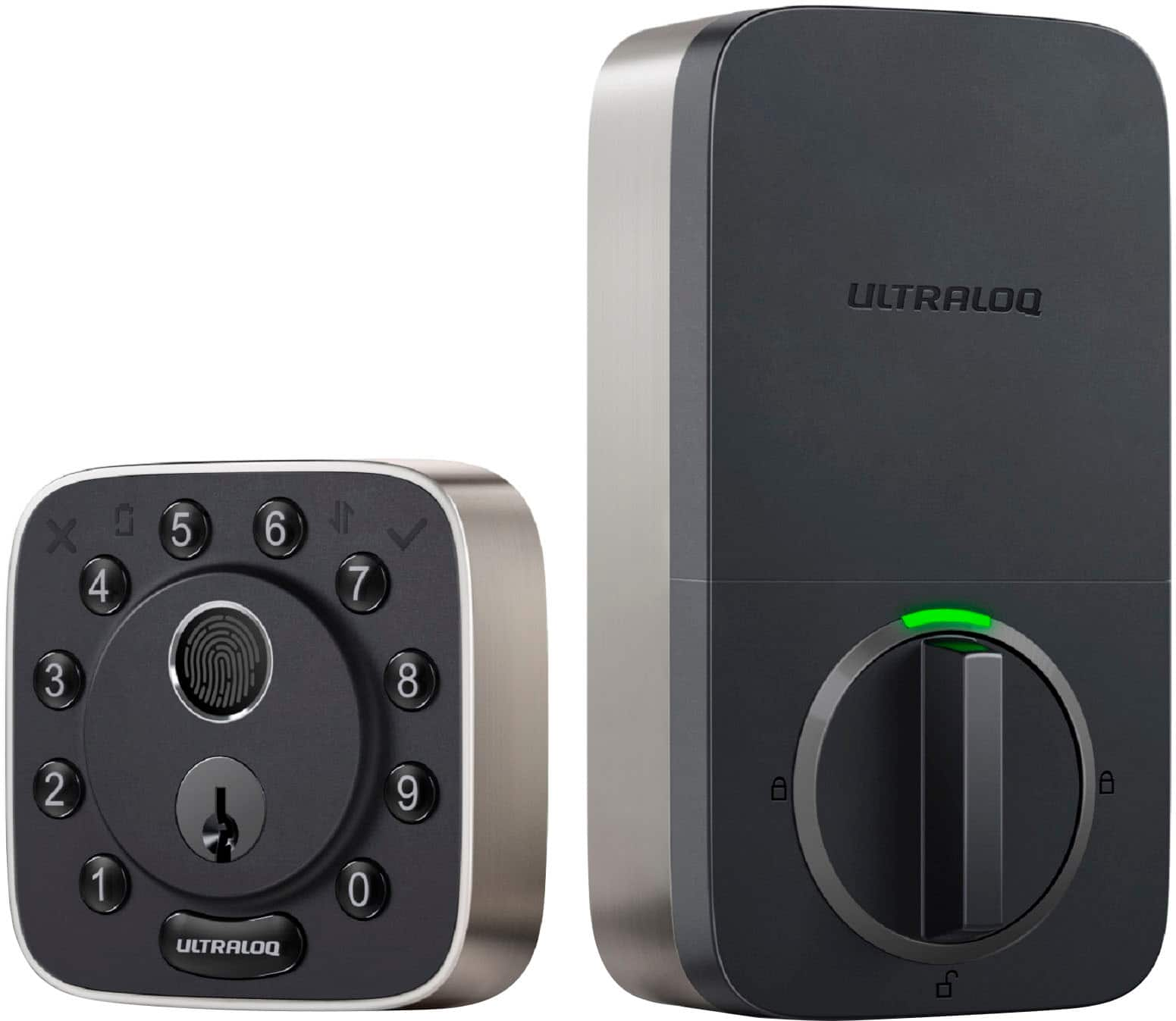
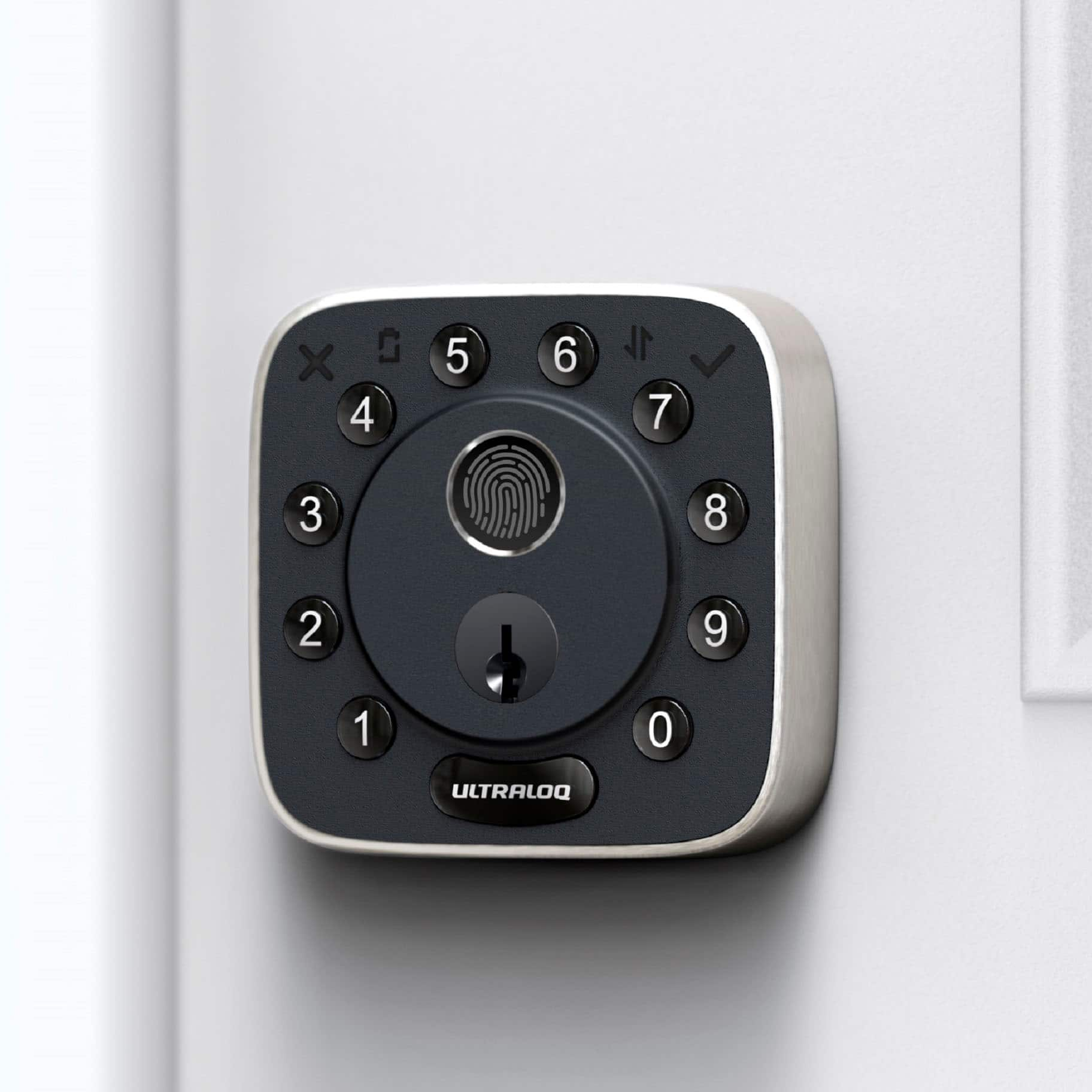
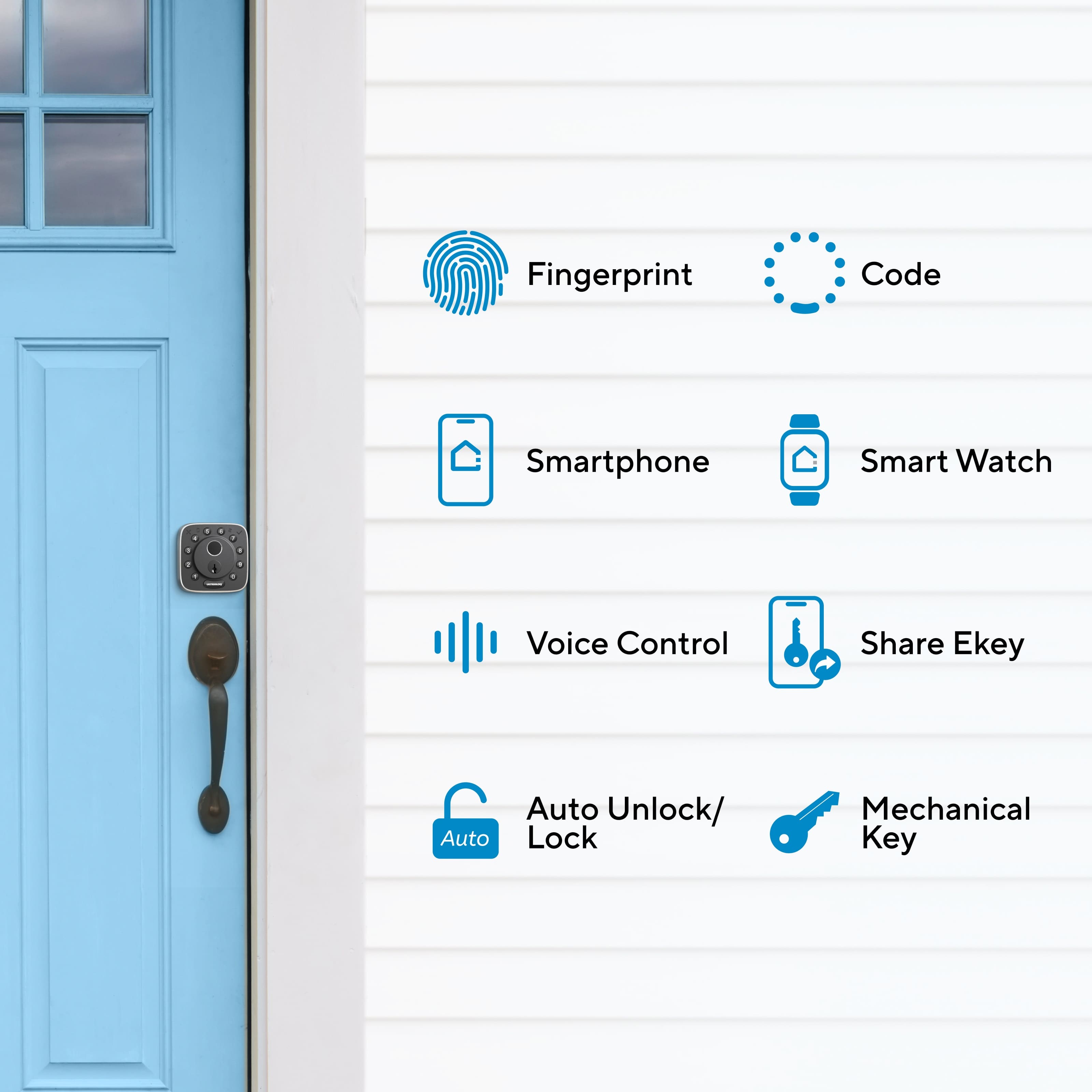

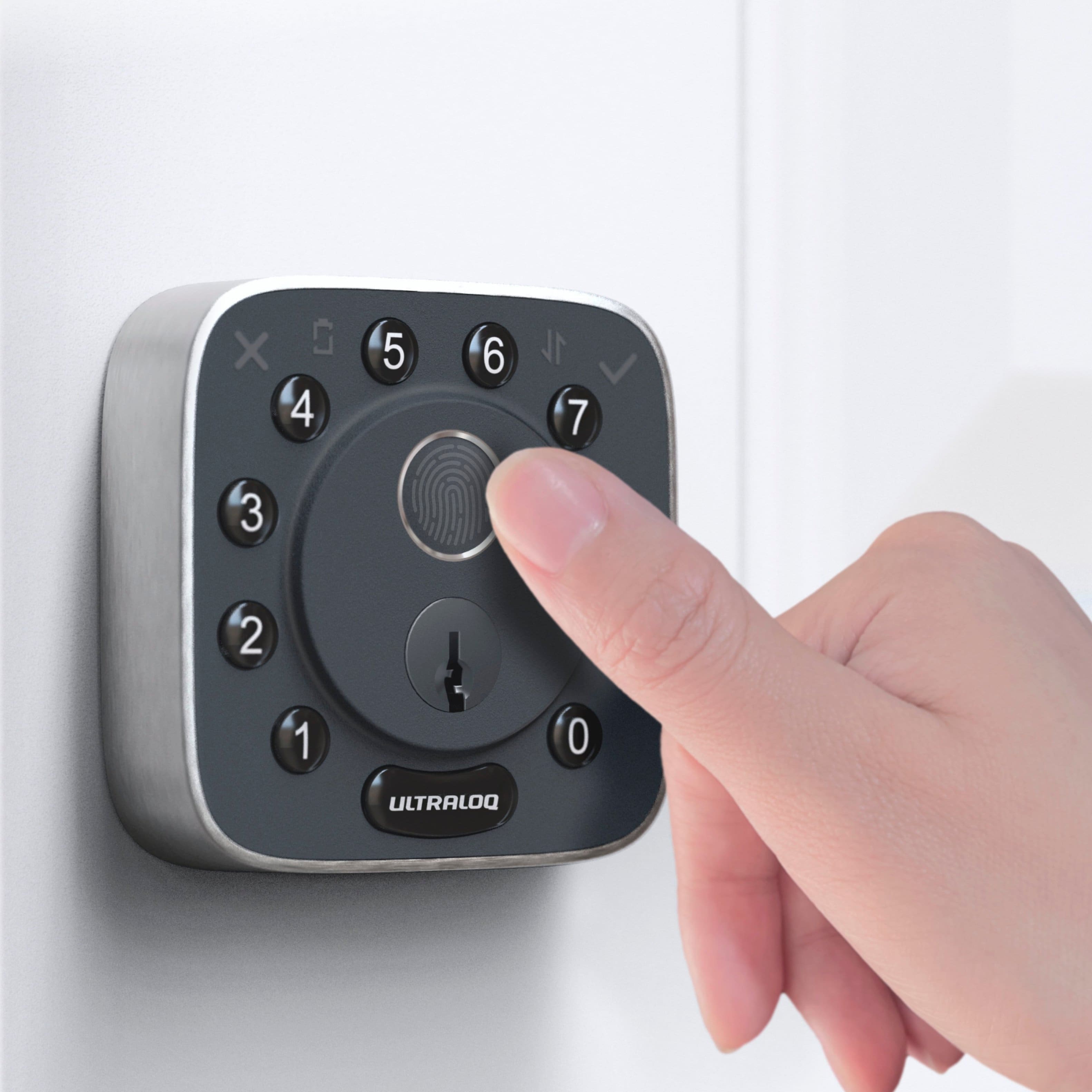
- Model:
- BOLT-F-NK
- SKU:
- 6600183
to a friend
Customers are saying
Customers are satisfied with the Bolt Fingerprint WiFi Smart Lock's fingerprint scanner, ease of installation, and user-friendly design. Many appreciate the auto-lock feature and the functionality of the accompanying app. However, some concerns were raised regarding battery life and the need for frequent battery replacements. A few users also experienced challenges with WiFi connectivity and firmware updates.
This summary was generated by AI based on customer reviews.
- Pros mentioned:App, Ease of use, Fingerprint

Smart Loq Indeed
|Posted .This reviewer received promo considerations or sweepstakes entry for writing a review.Ive had an Ultraloq before and I thought it was good. Even had a finger print sensor on it that was pretty accurate. I know for a fact now that Ive used this for a week that this has a far superior sensor for the finger print than the older model I had. This comes with everything you need to get this installed/mounted and set up with the app on your phone. It was straight forward and simple. Luckily I didn't need to cut any holes or modify anything to get this installed on my front door. I love the Apple home integration and for the entire house to be able to use it is great. Also love the Ultraloq app, easy to use and friendly. It doesn't take long to register all the families fingerprints and set them each with their own special code....forget the code then you have your fingerprint and the Apple home app. You'll never be locked out again. This lock really helps me finish my smart home, it's the ultimate companion to everything else I have around my house. I think if you are in the market then Ultraloq is the direction Id go.
I would recommend this to a friend Eats batteries, buttons stopped working.
||Posted . Owned for 2 months when reviewed.This reviewer received promo considerations or sweepstakes entry for writing a review.Bought this in January, and have replaced the batteries three times since installing it because the fingerprint and buttons wouldn’t work and I had to use the physical key to unlock the door which makes the device useless. Now the lock button has stopped working and the key is needed to lock the door! The return window has closed and so far trying the manufacturer for support has been unsuccessful. I’d look elsewhere for a smart lock, this one is a fail.
No, I would not recommend this to a friend- Pros mentioned:App, FingerprintCons mentioned:Wifi strength
Sophisticated Smart Lock, Good App, Easy Install
|Posted .This reviewer received promo considerations or sweepstakes entry for writing a review.I'd never heard of Ultraloq, but have used a variety of other smart locks from very well known brands. The Ultraloq is a step up from other brands, offering you smarts, keypad, fingerprint, and backup key all in one package. Plus Apple HomeKit compatibiity!! In the box - Ultraloq Keypad/Fingerprint External Unit (IP65 rated) - Ultraloq Internal Lock/Latch - Deadbolt - Striker Plate - Mag/Reedswitch Door Open Detectors - 2 x 4 Packs of AA Batteries - Keys (long!) - Mounting Screws + Instructions Setup/Installation I decided to setup the Ultraloq on a Saturday afternoon, replacing an external back door lock. Installation took about an hour and a half. The hardest part was that the Ultraloq is a full replcement lock, deadbolt and everything. I needed to chisel out some extra space for the deadbolt. Fortunately, when it comes to mounting the lock, there is an included template and the rest was easy enough - just a little fiddly connecting the wire from the keypad/fingerprint sensor to the internal lock. That last part was definitely a two person job! Once this was all done, in go the batteries (8xAA in total!) and after a quick test of the key - it was time to setup the smarts. Ultraloq Smarts Setting up the Ultraloq Smarts is easy if you are a HomeKit user. TIP, setup of HomeKit needs to be done within 10mins of installing the batteries. If you time it wrong, I did the first time, then remove the battery and start again. Ignoring my mistiming of the battery, I was connected to HomeKit in under 3-5min. If you want to use the fingerprint capability, you need the (free) Ultraloq U Home app. It requires registration (free!) and is clean, intuitive, and has a similar UI style to HomeKit. I am using the fingerprint as an alternative unlock to HomeKit - a great backup when you don't have your phone or can't grab it from your pocket. Other Thoughts There's no need for a hub, which is nice. I'm not sure on battery life, it has been about half a day. So it's too early to tell, but the 8xAA batteries should do a much better job compared to other brands that rely on a single battery. I also can't comment on it's WiFi strength, as luck would have it, my router and back door are in close proximity. I do wish the included keys were shorter, the are really long keys. Verdict For a brand I didn't know of before I began, I'm impressed with the Ultraloq. The lock is solid, the mobile app is good, setup is not too hard, and not needing a hub is a big plus. The fact that you have key, fingerprint, pinpad, and app support is market leading. I would definitely recommend the Ultraloq over single battery alternatives. The only real catch is it's very obvious to anyone that this is a smart lock, so recommend back, side, or basement doors if you want to keep your door looking clean - the pin pad just adds just a little too much bulk and obvious "smart" looks to be perfect for the front door.
I would recommend this to a friend - Pros mentioned:InstallationCons mentioned:Battery life
So many batteries
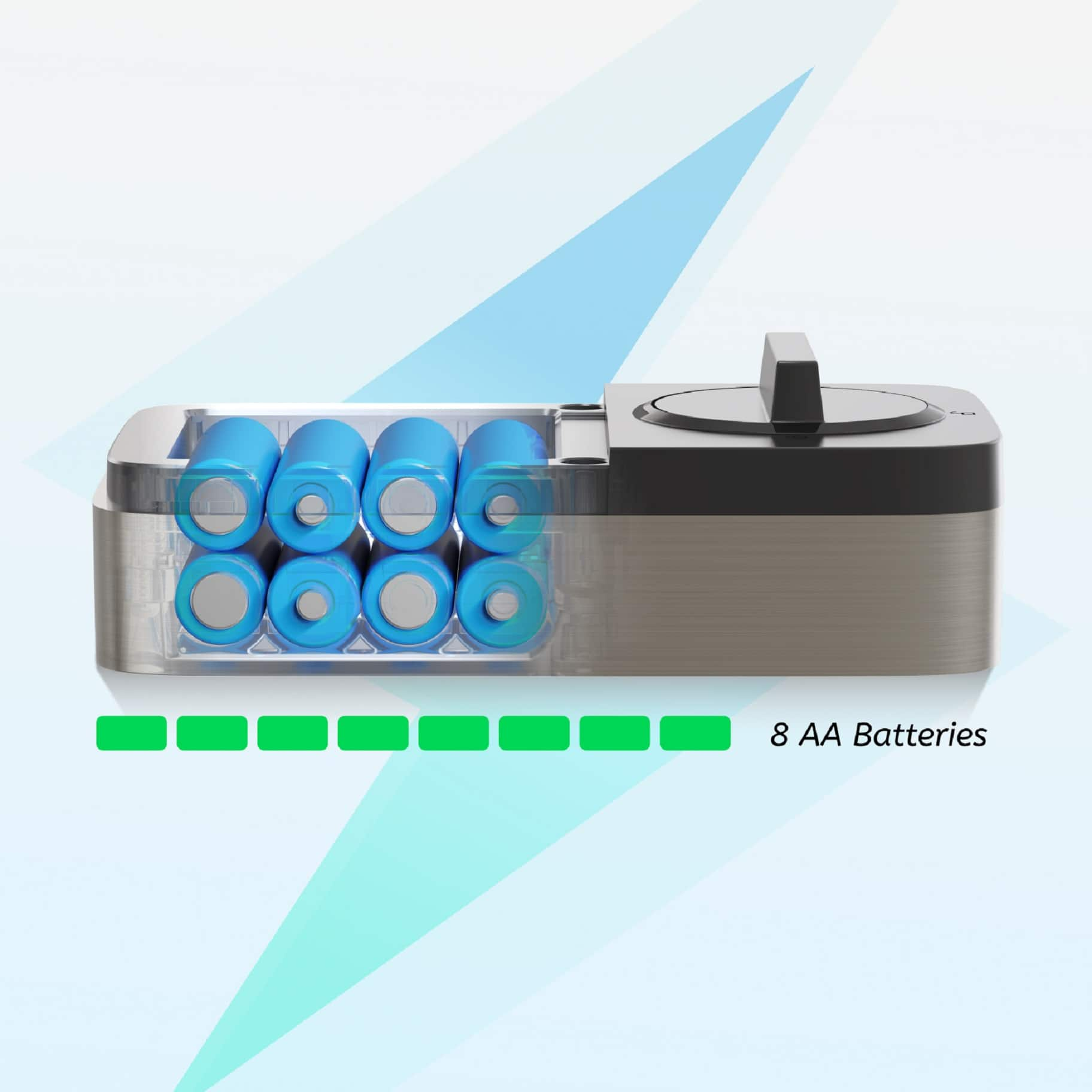
|Posted .This reviewer received promo considerations or sweepstakes entry for writing a review.The Bolt is my second smart home lock, and so far, my second favorite. It works fine, but my biggest complaint about this one is that it looks very much like a smart home lock. I prefer the more sleek design of the Level Lock, where the 'smarts' of the device are all incorporated into the bolt itself, including the power source. That said, here's a quick run down of the Ultraloq Bolt. Installation is easy, if you're comfortable with some basic home maintenance (changing locks, replacing outlets/switches, hanging a TV on your wall, etc). The instructions were very well written, but lacking in one area: physical installation versus Homekit setup. If you're comfortable with basic smart home device configuration, especially in Apple's ecosystem, it almost doesn't matter what order you do it in--although the instructions beg to differ. Once installed, setup is easy, whether utilizing the app or configuring the lock in stand alone mode. Probably the biggest shock for me (and perhaps this is standard for the stereotypical smart lock) was the 8-AA battery requirement for power. I understand the concept of a device requiring 12V of power, especially in a home network setting, but this requirement requires a substantial amount of real estate on your door. It's fine if you install it in a place that doesn't get a lot of attention or traffic, but it is a bit of a chonky boi and some might find it to be a bit of an eyesore. It is (obviously) also very "smart lock" looking on the exterior (pin pad) side, which some people may not like. Of course if you're considering this device that's probably a non-issue, but I find that I much prefer the 'looks like a normal lock' type of smart lock that still operates with a normal looking key. The provided keys for the Bolt are, to say the least, a bit funky looking. It's not a deal breaker as the physical key is the backup/failsafe if the device loses power or connection, but still worth mentioning. The U Home app is fine, albeit a bit on the laggy side, but it does the job. Once added to Homekit you'll probably not do much in the app, unless you need to provide temporary or user access to the lock. I'll admit, being able to provide a temporary code for a neighbor to (for instance) put a package inside your house when you're not home is a nice little perk of these smart locks, and setting that access up in the U Home app is very easy to configure. And, all user activity is logged within the app so you can see who accessed the lock and when. The lock is available for around $200... I'm unclear what the true retail cost is as Best Buy's list price doesn't seem to match the list price on Utec's website. Still, for $200 and a couple of pounds of AA batteries, I don't have any huge complaints for the features you get, the simplicity of installation, and the ease of setup with Apple Homekit.
I would recommend this to a friend - Pros mentioned:Fingerprint, Installation
Great smart lock with Fingerprint, Key and Code
|Posted .This reviewer received promo considerations or sweepstakes entry for writing a review.Unboxing was straightforward. Included is was the lock and installation parts. I liked the quick start guide and QR code to scan for installation instructions and the app needed to set up the lock. Then the instructions were simple. Remove the old lock and strike plate and you are ready to install. I have a newer home, so I did not have to make any adjustments to the lock like moving the locking mechanism or removing the lock plate for a smaller lock opening. You then install the front which connects to the back and plugs in. I screwed it in then installed the 8 AA batteries that were included. Finally slide on the batter cover and install the new strike plate. There is also a Door sensor for when the lock auto locks. It will only lock when the door is closed. I did not have that on my old lock, so we left it off. Then the instructions talk about running a calibration and such, however I installed the app which was just an easy account creation and creating a master password. Then I proceeded to set up the Apple Home feature and there is a QR code you scan for that. Then it showed in my Apple Home app. From there I added more users and set up their individual codes and fingerprints. What is nice about this is that the family can walk to the door and hold their finger for just a second and you see a green check mark. The lock opens. I prefer this over just a code since the numbers can wear out and people behind you can technically see. I could not get my watch to auto unlock when I walk to the door but if I pull up the app on my watch I can remotely unlock the door. Also included are 2 physical keys that are a good backup as my wife feels like it is good to have in case the batter fails or dies. I could not find how to get the lock keyed to my other house keys but I really did not dig that hard. There was also an update to the firmware of the lock and that was pretty fast and painless. In summary I like the lock a lot compared to my previous smart lock. I think the price is very fair for all that it offers. I just wish that the lock was offered in other colors like all black and either bronze/gold. Also, I feel like the deadbolt on the back is unusually thin compared to a standard lock. Finally, it seems loud for a lock but again that is just picking out a minor detail. The fingerprint is fast, and it performs well. I would buy more locks or products from this company. I just wish they offered complimentary Doorbell Cam, lighting and other items to operate under the same app.
I would recommend this to a friend - Pros mentioned:Fingerprint, InstallationCons mentioned:Battery life
Quirky Setup, but Overall a Great Apple Home Lock
|Posted .This reviewer received promo considerations or sweepstakes entry for writing a review.I have tried many smart locks, many of them offering features like remote management for unlocking and locking. None so far that I have tested have offered a fingerprint function along with Apple Home capability ( a big plus for me since I run fully on the Apple Home ecosystem for automation). So, I was curious to test out the Ultraloq bolt. As far as the physical installation of the door lock, it is very simple, it is no different than any other standard deadbolt you would install, minus the one cable you have to attach. All in all, the physical part took 10 minutes to do. Now comes the bad part.... Setup was very dodgy for me. When I had first initially set it up, it had issues joining the WiFi network, even though my SSID broadcasts both a 2.4 and a 5 GHZ signal. I then, set up a dedicated IOT network that only uses 2.4GHZ and then it joined, but then features like Apple Home did not work, and the firmware kept failing to update. Not only that, but the door would not auto lock like it should and would falsely detect it was open. I then ended up doing a factory reset and starting over. This helped fix all the issues except the firmware! But then days later, the firmware magically updated on its own, and so far, no issues since. Besides the rocky setup process, the lock has been great so far. It is very sturdy, made of a good quality metal, I absolutely love how they are actually tactile buttons and not some LCD display that is impossible to press the right numbers on, and really love having a keyhole for when the battery dies or if the device fails, that way you aren't stranded outside your house, or forced to leave the knob unlocked at all times. I was able to set up my fingerprint within a minute, and have not had an issue with it detecting my fingerprint at all. Code sharing works very easily within the app or Apple home. All in all, great lock for Apple Home's ecosystem, just be weary of setup and initial hiccups.
I would recommend this to a friend - Pros mentioned:Auto lock, Installation
Amazing lock with Physical Buttons - hooray!
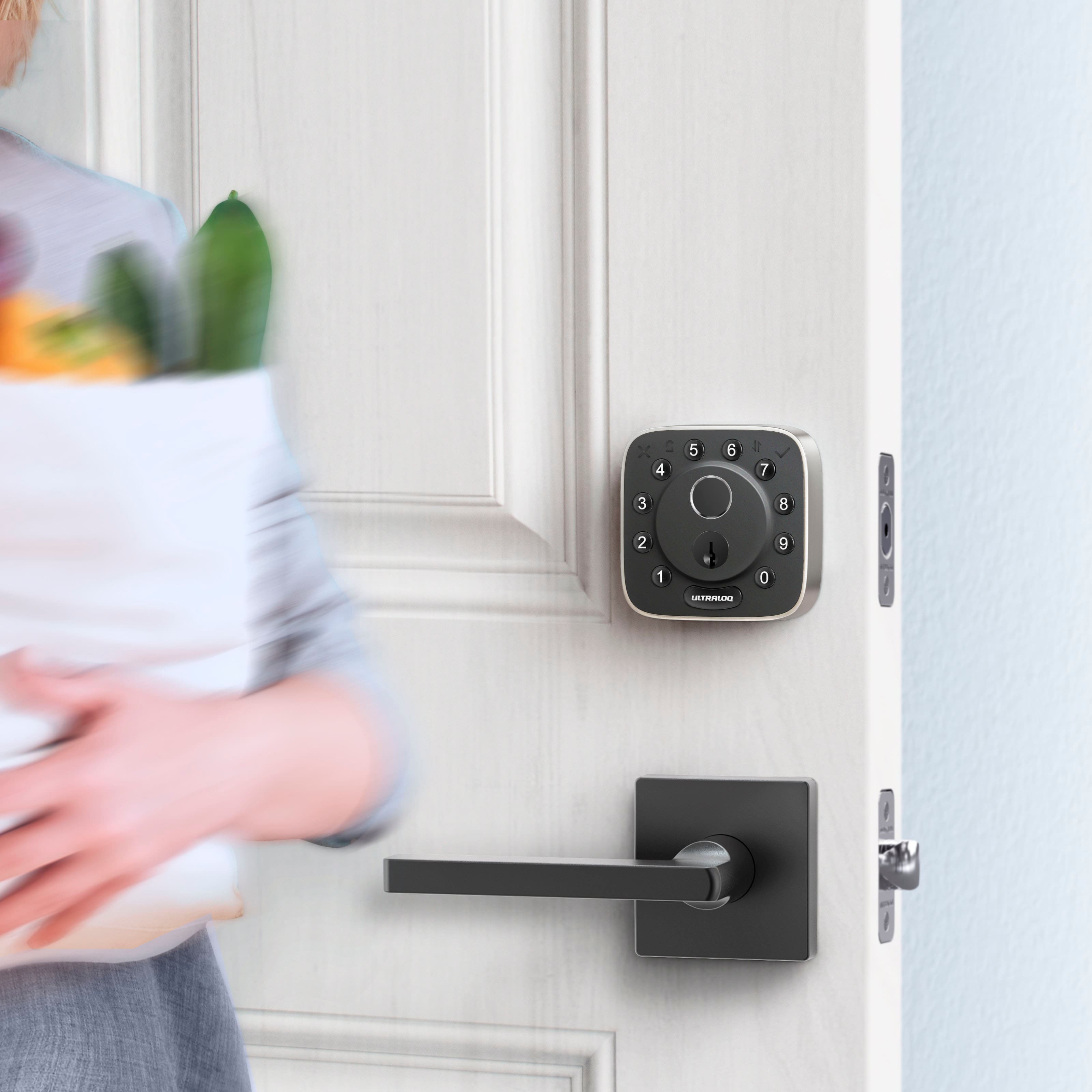
|Posted .This reviewer received promo considerations or sweepstakes entry for writing a review.I’ve used a few different smart locks in my home the past few years and once you have one you won’t go back to traditional locks. When I saw this Ultraloq model I knew right away I wanted to give it a try for one main feature that you don’t really see in the smart lock space – PHYSICAL BUTTONS! More on that later. Installation is incredibly easy, even if you’ve never swapped out a deadbolt before or don’t consider yourself “handy”. It even comes with video instructions to follow along with if you need them. a novice could install this lock in less than 15 mins using only a screwdriver, if you have a standard entry door sizing. If you have a door or existing locks that are odd size, you might want to consult with someone for help. The lock does say it’s Black and while the front facing panels of the exterior lock fact and interior panel are black, the lock is actually a silver metal color all around the casing/frame on both sides. So there’s actually more silver in black. A small nitpick sure, but my front door is all black and I like having all block locks, so the shiny silver frame was something to get used to. But in no way a deal breaker. Setup is also incredibly easy. Open the associated Utec app and pair the lock to it. It found it incredibly fast and after joining your wifi network and performing a quick firmware updated, you can then associate the lock to your home and start granting access to yourself and family/friends. The app has you create your first account which it default assigns as the Admin user. From there you can create pin codes for yourself, scan your fingerprints, etc. Also using the app and available smart home systems to unlock directly from the app, etc. You can then create additional Admin users that can read/write settings, Normal users who have all the features but cannot change settings, and then Temporary users who you determine when they can use the lock and with what associated method. Super easy. Fingerprint scanning is super fast and takes 6 different scans of your fingerprint to ensure that however you place your finger on the scanner it will work. Auto lock is incredible and so far over the last week has worked 100% of the time. The lock does make a slight motor noise, a little louder than my previous lock did, but nothing too drastic. You can even geofence the lock to lock and unlock when you leave the house and return home, no need to even fingerprint or open the app, the lock will sense your phone is nearby and lock/unlock based on your settings. You have all the expected settings in the app at your disposal. From Battery percentage and smart notifications to Auto Lock and Unlock and HomeKit pairing. It also comes with a Door Sensor that you place on the door frame so the lock knows exactly when the door is open and closed. It will show the status in the app and can even have different alarms or notifications set for open door duration times, great for when people are coming and going outside of normal traffic so you can confirm the door was shut. Also great for temporary users to ensure they shut the door behind them. You can also view detailed logs of all the locks activity. Pairing to Apple HomeKit was super fast as well. Simply scan the QR code on the lock and Apple HomeKit recognized it right away and added it to my Apple Home so I can quickly use my iPhone Home shortcuts to immediately lock and unlock the door. Now back to the physical buttons I mentioned earlier. Outside of the apps and fingerprints, you get two machined physical keys as well, but the buttons on the keypad are physical buttons. They have a nice firm click and good travel, and the keypad lights up so you can see what you’re doing in the dark. But the reason I really wanted to try this lock is because the previous locks I’ve used had all digital keypads. They are great for sure, but being on my front door, they do get exposed to different amounts of sunlight throughout the year. Well what can happen is an all digital keypad display can begin to delaminate from the lock. What does that mean? It means the touchpad begins to unseal itself from the sensors behind it, and that can lead to ghost touches and then the lock not being able to be used as a smart lock at all because the keypad constantly thinks something is touching it. With this Ultraloq, that cannot happen because the buttons are physical! I love this about this lock, it’s my favorite feature. All screen devices are great, but sometimes, it’s nice to have physical buttons… In my use the Ultraloq has been quite the performer. I love this lock and expect it to be on my front door for years to come.
I would recommend this to a friend - Pros mentioned:Auto lock, Fingerprint
Save the included directions, this lock is SOLID!
|Posted .This reviewer received promo considerations or sweepstakes entry for writing a review.Smart door locks are the best invention since sliced bread. Ok...maybe not. But they are really cool and add a level of convenience that I never knew I needed. In my last home I had another brand of smart lock that was about double the price of this Smart Lock offered by Ultraloq. I attribute this extra cost to the other lock coming with a bridge that was needed to make it work with other IoT devices. I sold that home about 5 years ago and haven't had a smart lock since I really didn't feel like shelling out the money necessary to buy another one. Enter Ultraloq and its much more budget friendly option that from unboxing to everyday use does not feel like a budget option at all! Starting off with installation and the only negative I could find from this smart lock...the instructions are terrible. They are beyond terrible. I am fairly certain that they wrote one set of instructions for their entire lineup and include them with each lock, but don't distinguish between which lock they apply to. However, with any handy-person type experience and with smart home experience, it should not be an issue for the average techy to install. That being said, I always attempt to follow the directions for these products I review so the product is used as the manufacturer intends, however this one is not one of those times. Despite this hurdle, I was able to get this installed and programmed in under an hour while replacing an existing deadbolt. After install and connecting to Wifi (2.4ghz only!), the U HOME app has proven easy to use. It allowed me to collaborate the locking mechanism, program the auto lock function, and allow the Unlock Upon Arriving Home setting. Pro-Tip with this arrive home setting, make sure the auto lock timer is set long enough that it wont relock before you get all the way up to the door. I originally had it set to one minute (the door will lock after being idle and closed for 1 minute, however as I got to my door it would already have auto locked again. After setting up my admin account and programming my code and fingerprint, I set up passwords and fingerprints for all the members of my family. which was incredibly simple. I prefer everyone having their own code as opposed to a universal code so that it records who unlocks the door and when. This way I know when my child gets home from school, if my brother picked up an item I had waiting for him, or if someone gave their friend/significant other their code and that friendship/relationship went south, I would know which code to change and that I would only have to change their code. Another benefit is if you are trusting enough, you can give your baby/dog/house sitter a temporary code and restrict days and times of when it cam be used, then terminate the code upon the need of their services expiring. Overall, this is a GREAT door lock and functions at a level far greater than its price point. No Ultraloq, please do not raise your prices. I want to buy more of these. But where it currently is listed, it is an amazing product!
I would recommend this to a friend - Pros mentioned:Auto lock, Fingerprint
Superior Apple home integration A+
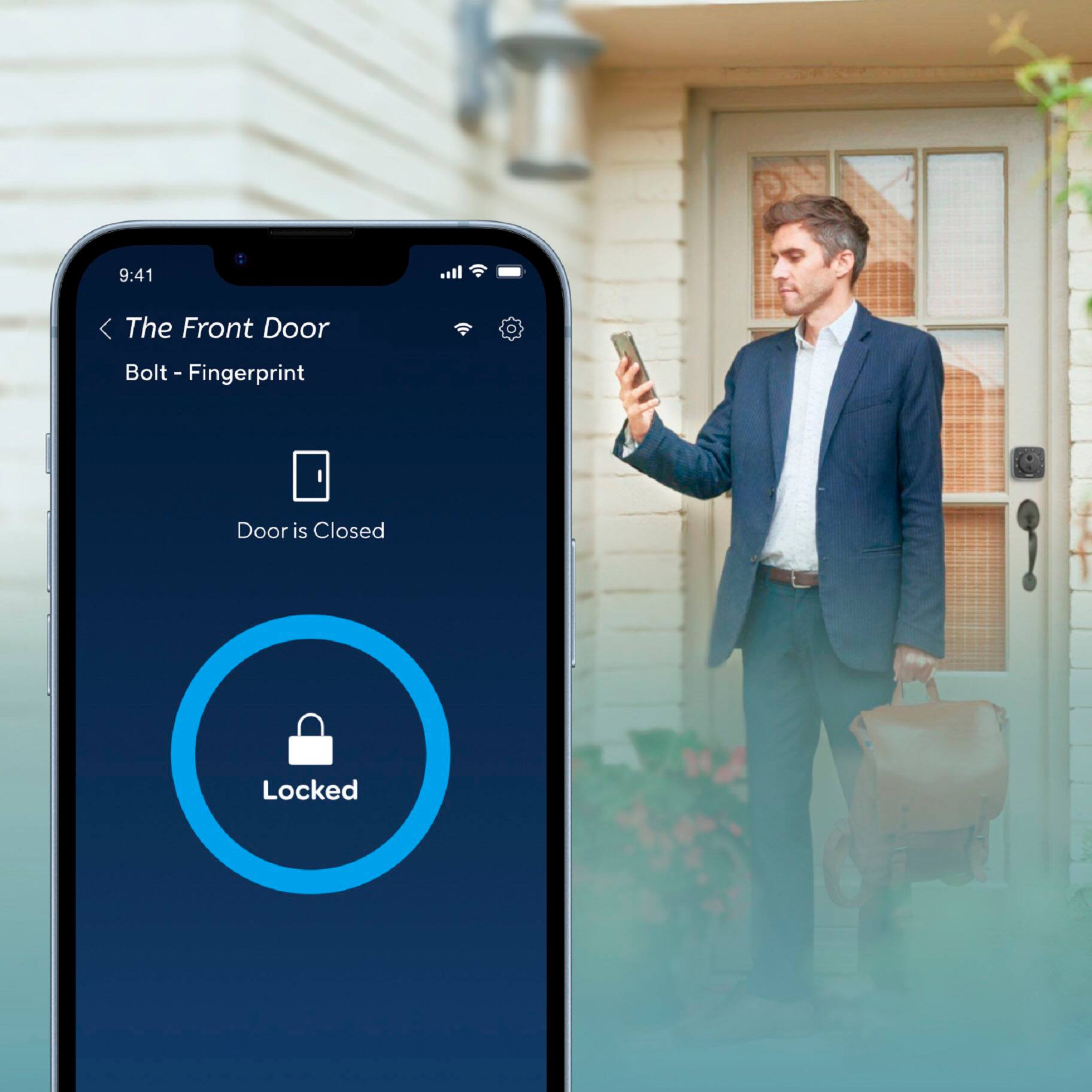
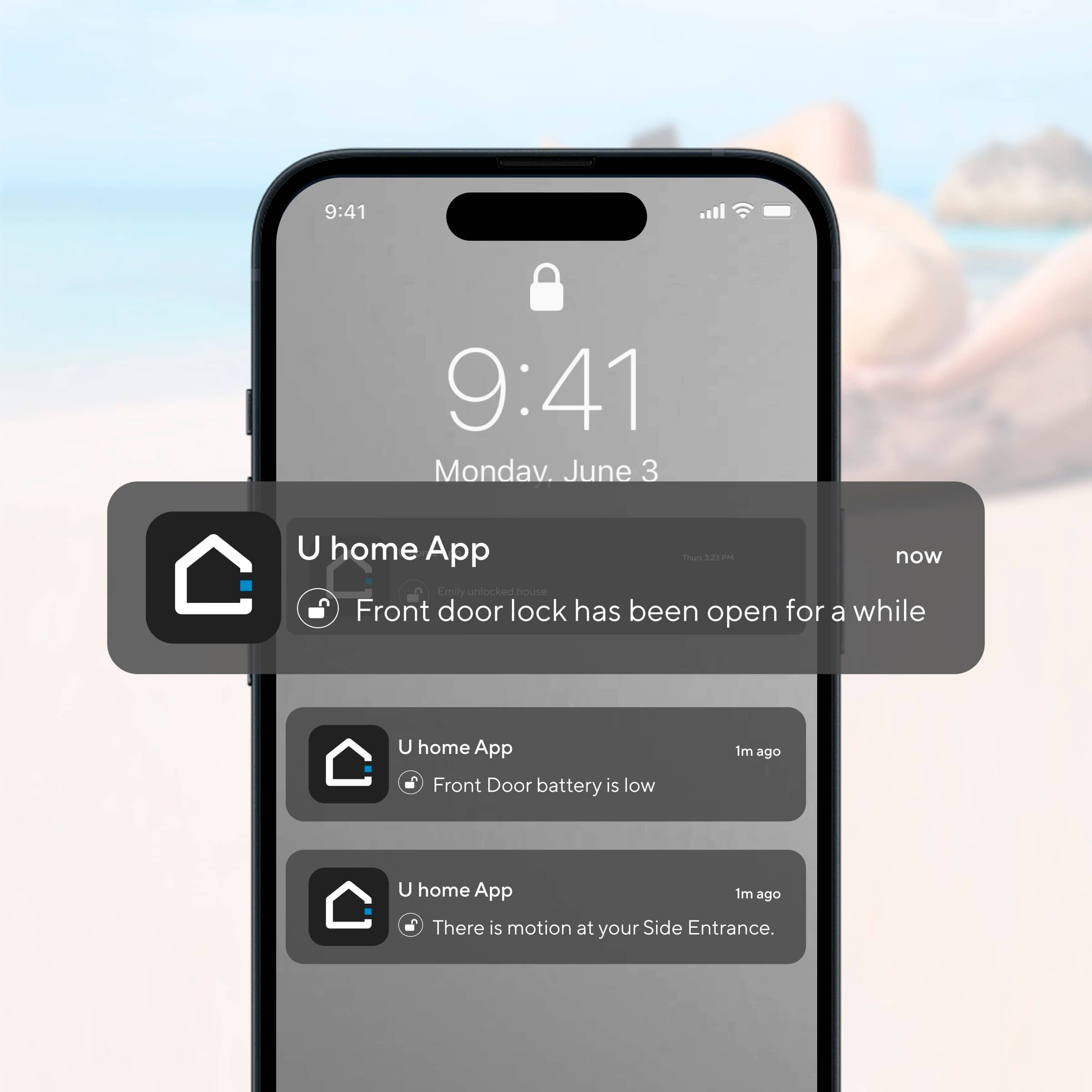
|Posted .This reviewer received promo considerations or sweepstakes entry for writing a review.As an apple home user with a ton of those devices already I’m happy to say that this smart wifi deadbolt fits perfectly with the rest and is fully compatible with apple home. There is a lot of these out there that say they work with home but then you realize there is something missing and it becomes very frustrating so I just want to say off the bat this is not one of those. Things I really liked about this is that it was a very straightforward install only 4 screws, fit my standard door perfectly. That said, no drilling or any messing around which is nice. It does use AA batteries, 8 of them and they are slated to last up to a year of daily use which is always a plus there. The fact the fingerprint sensor actually has a high hit rate and works basically every time. Most of all the apple integration so I can check on my phone, watch, computer, even Apple TV if the door is locked or not to the point I always know which I’ve switched to only locking the deadbolt and not even the actual door handle now because I can trust that its just working. The fact I can use it in this manner makes it so much easier to juggle coming inside the house with groceries and kids and anything on any given day to the point now I couldn’t live without it. You can set it up to know you’re coming up to the door and Auto Unlock making it perfect for these situations. It will also auto lock for you when you walk away. There is an app called U home and it has everything you’d expect from an app and was simple to set up. You can monitor lock status, set timers, pass codes including one time codes, see a log of lock and unlock along with who did it if you register your families devices or set specific passcodes. You can have this send you notifications to your devices if and when it’s locked or unlocked if you so choose which makes it a complete package. The integration with apple home provides basically the same functionality and honestly I mostly use it from my Apple Watch and Apple TV. There is a couple of cool features like if somebody is watching you enter your passcode you are permitted to enter random numbers before and after and have it still work effectively just to hide your actual passcode which I thought was a pretty nifty touch depending on the situation. You can unlock this with your fingerprint, the app, mechanical key, passcode, and even voice control which I think covers everything. sense it integrates so well with Apple home I just can ask Siri to do whatever automation that I have set up safe for example going to bed and all of my devices including this lock go to my preset settings which of course would be lock overnight. If you cant tell I'm big on Apple home so this was a real treat to get and use given the strong integration in a world we not many are able to do such things. With a strong pedigree like they have as well as ease of use I would have no problems highly recommending this to anybody who is also in this ecosystem.
I would recommend this to a friend - Pros mentioned:Fingerprint, Installation
Excellent smart lock
|Posted .This reviewer received promo considerations or sweepstakes entry for writing a review.At this point I've owned more smart locks than any one person probably should. A big reason for that is when I've moved houses and apartments, I've left my previous ones with the places I have vacated, necessitating the need for new ones, and with changing technology, it's always worth another look. Each of them have their qualities and the Ultraloq Fingerprint smart deadbolt really combines the best of many worlds. Packaging: To start, the packaging is straightforward, it's a white box with some basic instructions on the outside that help you determine if it'll work for your situation. I will note that the 'apple home' version is not limited to apple home and will work with the other smart home ecosystems, but it does take the apple home version to work with apple home. Installation: It's fairly straightforward if you've ever installed any lock or smart lock, remove your existing lock, place the bold and lock pieces, run the screws through and install the batteries. I will say that if you haven't done it before it can be a little bit complicated, but most DIYers should be capable of doing it. Deadbolt alignment is better than most I've used in recent memory which is great as it is difficult to find a perfectly aligned door. Setup: Installation of the app is straightforward. Register your account, then register your fingerprints, set up a code, and you can use the app to lock or unlock the door. As it can be set up with Alexa, it can also be locked with your voice if you have one. I had little to no issues with this configuration, it seems these smart home devices are getting easier and less cumbersome to install and set up than years past. Overall: Honestly it's a pretty excellent smart lock. The aesthetics can leave something to be desired if it's not the clean outside look you're looking for, but it is a lot smaller than other keypad or fingerprint style door locks so it does have that going for it. If you're in the market for a smart lock that integrates well with the multiple smart home ecosystems, this is definitely worth a look.
I would recommend this to a friend - Pros mentioned:Auto lock, Fingerprint
Excellent Lock.
|Posted .This reviewer received promo considerations or sweepstakes entry for writing a review.I was mostly interested in this lock because it has physical buttons, multiple ways to unlock, and supports Apple Home. It’s also low profile and attractive. Making it a solid choice. Works great. I really enjoy it. PROS: • Can unlock in multiple ways (keypad, fingerprint, app, key, or voice). • Buttons feel great and are responsive. • Fingerprint reader works well and quickly. Much faster than others I’ve tried. • Supports auto unlock (get close with Bluetooth or similar and lock will automatically unlock). • Can monitor when the door opens via the app. Along with limiting when a code will work or won’t (for example someone coming into your home for something during a certain time period like over lunch the code only works from 12 pm – 1 pm or whatever you set). • Has wi-fi built into it. Don’t have to get something external like some other locks. Makes it a lot easier to manage and operate. • Works with Alexa, Google, and Apple Homekit (which is the harder one to find). • Has remote access so you can unlock even if you’re away from home. Or notify you if someone has opened your lock and shouldn’t have. • I love this feature. If someone is watching you while you’re putting in the code you can put random digits before and after (as long as the correct code is in the middle) the door will unlock and the watcher won’t know your code. Fantastic feature. • Fits any standard door. Meh: • I would have liked to see a bit longer of a warranty than 18 months. • Some lag with auto unlock, cloud functions, etc. Which is pretty common for these. CONS: • Plastic turn for deadbolt is unacceptable at this price range. Artificially limiting the life of a product is shady business. But unfortunately common. • While it supports Apple Homekit does not support Apple Homekey.
I would recommend this to a friend - Pros mentioned:Fingerprint, Installation
MUST HAVE SMART LOCK
|Posted .This reviewer received promo considerations or sweepstakes entry for writing a review.OMG! Amazing and SUPER EASY to install and use. WOW this is by far my favorite smart lock. If you are new to the smartlock world or have used them in the past this is a MUST have. The installation instructions are super easy to follow. There is a guide provided to help you measure the size of the bolt you need (the bolt provided can be set to two different depths). Once you have that figured out it is super easy to set up. Once you secure the unit to the door, you will install the batteries and it begins the process of identifying if i tis a left or right lock. BAM you are all set. Now you can add it to the mobile app and begin customizing the settings and adding users and fingerprints. I was SHOCKED how quicklY I could add users (pin codes) and Fingerprints. And I was even more shocked at how FAST the unit reads the fingerprint when you unlock the door. WOW…. it is faster than the face recognition on my phone. Genius technology. My kids are all set up and have a fingerprint and code set up in minutes. They can come and go as they need now. You have multiple ways of locking and unlocking the door. You can use a code, a fingerprint, the U Home app, Apple Home or even a physical key. Wow. You can set up multiple users even temporary users. What a great feature especially if you have a rental and have different people coming and going all the time.
I would recommend this to a friend - Pros mentioned:Fingerprint
Quality Lock
|Posted .This reviewer received promo considerations or sweepstakes entry for writing a review.This is my first experience with Ultraloq. Having never heard of them before, I was a little weary. nAfter doing some research, I discovered they do design and manufacture decent quality equipment. They are sed in Califirnia but manufactured in China. That is not uncommon. My first hands on experience backed my research up. This is a quality lock with a good mass aand build qualiy. Install was as expected, pretty easy. That being said, I have installed several locks and door handles over the years. If you are not very experienced or handy, I would reccomend buying a handy neighbor or friend a nice adut libation in return for their experience and let them install it for you. I didn't necessarily "time" the install, but it was probably twenty minutes or so. Once insstalled, set up and operation took another few minutes between the app and setting up wifi, codes and fingerprints. Once it was operational, the lock was surprisingly robust in build quality and confidence. It also offfered a great deal of flexability in granting one time or temporary codes. The fingerprint capability is also a nice feature. End of the day, this is a great choice and I wouldreccomend it to a friend.
I would recommend this to a friend - Pros mentioned:Ease of use, Installation
Fantastic Smartlock that works with Apple!!!!
|Posted .This reviewer received promo considerations or sweepstakes entry for writing a review.My house is a mishmash of different smart home products and for the most part, we make it "work"... however our phones are Apple, and have been since the iPhone 4 days. Most of the Smartlocks we've seen are either google or some other app-ready devices and not easily paired with an iphone. This new Ultraloq Bolt works really well with our iPhone 15s. Installing it took a little under and hour (our house is almost 100 years old, and smartlocks weren't a thing back then). Setup and connection to our Homekit was a simple as most Apple products are. The build quality is excellent, and the look is very modern without looking too "techie" so as to draw attention to our house. Being installed on an outside door that is exposed to late afternoon sun, I'm slightly concerned about the longevity of the fingerprint sensor, but that's something that time will tell how well that will work. I do love the various other options from ekey, physical key, keycodes, iphone proximity, and AppleWatch to connect to the smart lock. This is one lock you have no excuse for locking yourself out of your house. Highly recommend!!!!
I would recommend this to a friend - Pros mentioned:Ease of use
Fast fingerprint recognition, easy install
|Posted .This reviewer received promo considerations or sweepstakes entry for writing a review.The Ultraloq Bolt Fingerprint Wifi lock offers a welcome new take on modern smart lock features. For a brand that I wasn't previously familiar with, I think U-tec have really knocked it out of the park with the Ultraloq. I've used smart locks from several brands by now, and I think the Ultraloq might be the best yet. #Unboxing and first impressions# The Ultraloq Bolt Fingerprint came in a simple cardboard box. Most of the packaging is recyclable other than a plastic wrapping around the lock itself and some dense cell foam for shipping protection. The Ultraloq came with 8 AA batteries and all the accessories needed for a full install. I also appreciated that they include a template for drilling the holes in a new door, should that be needed. Build quality of the lock feels very good. The physical buttons on the outside part of the lock have a nice clicky feel to them. #Setup and use# Install of the Ultraloq was a breeze. It followed a very similar process to other smartlocks I have installed. One thing I noted about the design is that several things which felt like afterthoughts with previous generation locks I've sued were integrated fully into the design of the Ultraloq - for example, there are rubber pads on all surfaces that touch your door. Instead of there being a separate pad that you have to line up before you tighten the lock down, the Ultraloq had these pre-applied to those surfaces. I appreciated that for sure. I was able to download the U-home app and set up the Ultraloq for wifi very easily. Ultraloq integrates with Apple Home out of the box, and I was able to add it to Smartthings as well. Unfortunately there wasn't a pre-built app/integration that I could find for Homey, but that isn't terribly suprising. After adding the Ultraloq to Smartthings, it also immediately showed up in the Alexa app. The fingerprint recognition is super fast and seems pretty reliable. I haven't had it fail to recognize my finger yet in multiple orientations (even upside down, not that I plan to unlock my door in that orientation). I also think their method of securing PIN codes is pretty unique and easy to grasp. Rather than randomizing the layout via a digital display, with Ultraloq you enter a random number of characters before and after your actual PIN. I think this is easier to convey to non-techy people. #Conclusion# I think the Ultraloq Bolt Fingerprint Wifi smart lock has a lot to offer for a smart deadbolt. The only thing that is kind of difficult to review in the time span we are given is the battery life, and since the Ultraloq holds 8 AAs (but only actually uses 4 at a time) I have a feeling this will last for at least 3-4 months between needing to swap batteries. All of the other functions of the lock seem to work well and were easy to integrate into my existing smart home ecosystem. Kudos to Ultraloq for a smart product that checks all the boxes.
I would recommend this to a friend - Pros mentioned:Fingerprint
Insanely Convenient!!!
|Posted .This reviewer received promo considerations or sweepstakes entry for writing a review.To start, this is the first smart home lock I've ever used, and it has been a great experience! Luckily, my door was compatible so set up was a breeze. It was extremely intuitive and required zero technical know-how. You unscrew your old deadbolt, secure this one, and follow the setup process on your phone. It's very straightforward and I had zero issues getting it all set up with my Apple home. Now, daily use-wise, this lock has been reassuring, to say the least. I have zero anxiety about if I lock the door or if I need to leave a key for a family member to access my home. Now I just set up a guest code and it's a breeze. No more trying to coordinate with anyone about anything. And the fact that I can set it to auto-lock immediately is perfect. Being able to unlock my door with just my finger has also been extremely beneficial. Now I can actually make the one huge grocery trip from my car to the door without having to put anything down haha. My biggest fear was running out of battery and needing to uninstall the whole thing to replace them. Well, crisis averted because this thing holds 8 AA batteries, and accessing them is a piece of cake. You slide the cover off and you have complete access to the batteries from the inside. Lastly, in my experience, the fingerprint scanner has performed perfectly except for one instance but I'd say it's pretty negligible in the grand scheme of things. I definitely recommend giving this smart lock a try if you're in the market for one!
I would recommend this to a friend - Cons mentioned:Firmware update
The firmware will make or break your experience.
|Posted .This reviewer received promo considerations or sweepstakes entry for writing a review.What Worked Great: • Video instructions (minus the annoying background music). • Quality hardware (the battery cover is a little flimsy). • Responsive support (usually replied within 30-60 minutes). • In households where everyone is NOT “techie” there’s a method of operation for everyone: physical key, physical code, fingerprint or via smart phone (via ‘U home’ app/HomeKit). • HomeKit notifications are great, instant and very visible. What Could’ve Been Better: • Print instructions. • Requires 8 batteries (yet the lock still powers on with just 4?!), • No Home Key support. This would’ve been quicker and more convenient and wouldn’t even require opening apps. • The U home app needs to be reworked to make the locking/unlocking functionality easier to get to. Instead of having to go into the app, find the lock (thankfully I only had one) and then tap on the lock to get to the lock/unlock - there should be a simple, fast way (from the main app screen) to perform these functions. The same goes for viewing logs. • The fingerprint reader did not work out of the box. It was showing a “fingerprint registration failed” error. • The number pad was also not working out of the box. The keypad would light up but when you attempted to input codes it was non-responsive. • After emailing support, they were very fast to respond and told me to update the firmware for the door lock thru the app and as you could probably guess by now…that did not work. It produced a ‘Failure to update firmware. Please try again’ error message. • After a lot of back and forward support emailed me and stated they did the firmware update for me over-the-air. Now wait a minute, WHY would this NOT be the DEFAULT way of pushing out updates if you KNOW there’s issues with the firmware loaded on the products you shipped out and they REQUIRE this firmware upgrade to restore broken functionality? And mind you, I couldn’t even get the firmware updates to work without asking support to step in and do it for me. • The bottom door lever should be included for exterior door installations. • The battery connector cable is too long and makes it a PITA to get the rear part of the lock flush. TLDR • Great hardware (minus the lack of Home Key). The software needs a lot of work to make getting to lock functionality and logs easier and over-the-air updates should be standard and would’ve made my initial experience and opinions with this lock more positive. Support was amazing and very responsive and that turned the experience around, but you wouldn’t need to contact support if the software issues were fixed. Prior to the firmware upgrade I would NOT have recommended this product, but after all of the expected functionality is working. Honestly, most people that went thru the initial experience I did, would’ve turned right on around and returned this for a different brand. When you’re coming into an established and crowded market your product needs to be polished out of the box. “Pro Tips” • After installing the lock, downloading the app and setting up the lock within the app (note even if you’re using Home Kit you still need the U home app for firmware updates) I would jump right into doing the firmware update to the latest version (support said if you go to the Settings gear and next to firmware see a red dot the current version is out of date). If you’re unable to perform the update, I’d email support and let them know and be prepared that half the functionality of the lock (e.g. fingerpints, keypad) are going to be impacted. • When you’re enrolling your fingerprints, similar to Touch ID, a lot of people make the mistake of not moving their finger around so you’re taking a photo of a specific part of your finger. When you have things in your hand or you don’t touch the reader with this same part, this creates reading errors so it’s a good practice to move the finger you choose around a little to capture better initial fingerprints (the app has you take 6).
I would recommend this to a friend Useless fingerprint functionality. Do not buy.
Posted .This reviewer received promo considerations or sweepstakes entry for writing a review.The lock's physical quality is good. Looks like its made of high quality materials. It's the functionality that is not good. The main function, fingerprint recognition is utterly useless. I've bought two of these locks, and the fingerprint recognition is beyond useless. Unless you place your finger 100% in the same position and pressure as when you enrolled your fingerprint, it will not work. For my family, the fingerprint recognition works, maybe once in every 20-30 attempts. Its quicker to just enter the code to unlock the door. Which then begs the question, why even have a fingerprint scanner? They should've just added NFC reading capabilities so we could use a phone, or an RFID fob or something. Also the auto-lock function depends on a wonky and easy to break external magnet that you mount to the door jamb. The positioning f this magnet also has to be extremely precise, else it doesn't work. All in all, if you're expecting the fingerprint reader to work as well as the ones on your phone, then save your money skip this lock and get a basic code entry lock. That's all this lock is. It is a basic code entry lock, with a barely functioning fingerprint reader add ed so that they can sell it for twice the price of their basic locks.
No, I would not recommend this to a friend