Customer Ratings & Reviews
- Model:
- HON787800F259
- SKU:
- 8428539
to a friend
Customers are saying
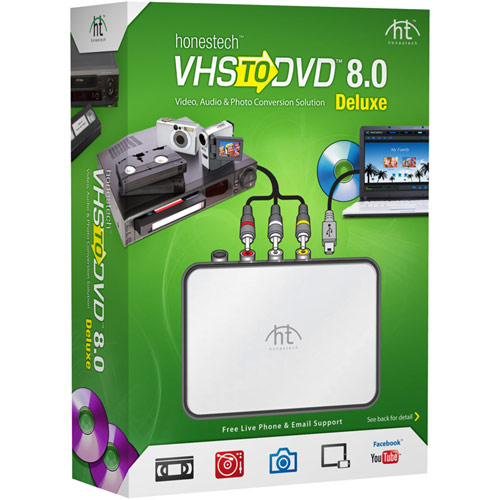
Customers appreciate the VHS to DVD 8.0 Deluxe for its user-friendly interface and easy setup process. Many users found the software simple to use and were pleased with the ability to transfer VHS home movies to their PCs. While some customers mentioned minor glitches and concerns about video quality, overall, customers were satisfied with the product's performance and compatibility with Windows 10.
This summary was generated by AI based on customer reviews.
works well
||Posted .This reviewer received promo considerations or sweepstakes entry for writing a review.good products, meets my required needs. products have versatility.
I would recommend this to a friendVHS to DVD is awesome!
||Posted .This reviewer received promo considerations or sweepstakes entry for writing a review.This is awesome, I can take all my old VHS tapes and 8MM tapes and transfer them onto DVD. I really recommend this.
I would recommend this to a friend- Pros mentioned:Ease of use
Works great!
||Posted .This reviewer received promo considerations or sweepstakes entry for writing a review.I purchased this several years ago and have so far made at least transfers of home videos and classic movies that I want to keep. The software is very very easy to use. I have not had a transfer failure yet. I fast forward the tape to the end to get the tape tine duration , enter it, rewind the tape, press play on the player and then "Record" in the app. Then I go something else and after the time is up take the DVD from the now open disk tray and label it.
I would recommend this to a friend It is fine
||Posted .This reviewer received promo considerations or sweepstakes entry for writing a review.I have not been able to use it yet. I'm hoping though
I would recommend this to a friend- Pros mentioned:Ease of use
Good Product
||Posted .This reviewer received promo considerations or sweepstakes entry for writing a review.It's simple to use. Just need S-Video cord (not included)
I would recommend this to a friend Converter
||Posted .This reviewer received promo considerations or sweepstakes entry for writing a review.Product works good! Easy to use and setup!!!!!!!!!
I would recommend this to a friendUnstable
||Posted .This reviewer received promo considerations or sweepstakes entry for writing a review.From the first video I tried to capture from a VCR I know this was a mistake. After 10 Minutes of video the software crashed. So I deleted the file and started over, and this time it lasted for about 15 minutes before once again no response from the program. Found out after several tries, nothing else can be done on the computer while the capture was in process. Once the capture completed, I once again restarted the software and worked the file. Save options for the file are minimal, and when processing, the software uses only one core of the processor... While I should have taken the whole thing back, I opted to just buy a Dazzle with Studio 18 and get the job done right the first time, and it uses all 8 cores of my processor. Intel I-7-3770 16Gigs of RAM
No, I would not recommend this to a friendBrand response from Honestech Support
Posted .Dear Customer,
We are sorry to hear that you had trouble using VHStoDVD 8.0 Deluxe. We understand it's very frustrating when the software crashes. If you would like to give it one more shot, we recommend that you give our customer care team a call to troubleshoot the problem.
<U.S.-based customer care team>
U.S. Toll Free: 1-877-484-6246
Domestic/International: +1-512-346-3700
Monday thru Friday: 9 am - 9 pm CST
Saturdays: 10 am - 3 pm CST
Thank you,
Honestech, Inc.
- Pros mentioned:Ease of use
works well
||Posted .This reviewer received promo considerations or sweepstakes entry for writing a review.this is a great solution that works well for transferring old VHS and 8mm tapes to digital.
I would recommend this to a friend VHS to MPEG
||Posted .This reviewer received promo considerations or sweepstakes entry for writing a review.The device works fine. Although not advertised as Windows XP compatible, it installed and works just fine.
I would recommend this to a friend- Pros mentioned:Video quality
Use this to rescue data from your VHS tapes
||Posted .This reviewer received promo considerations or sweepstakes entry for writing a review.We have lots of footage of our son's activities during school that we wanted to rescue before the VHS tapes deteriorate to much. This did the trick.
I would recommend this to a friend - Pros mentioned:Video quality
Good product for someone with an older camcorder
||Posted .This reviewer received promo considerations or sweepstakes entry for writing a review.I have been trying to figure out how to convert older DV tapes to DVD and this product seems to work pretty well.
I would recommend this to a friend - Pros mentioned:Video quality
Gets it done with time.
||Posted .This reviewer received promo considerations or sweepstakes entry for writing a review.I purchased this to convert vhs movies to dvd. I run Windows 10 and what a challenge.I don't know why but the software would lock up for no reason while recording, so therefore I would have to re-record to be able to burn a disc. The video quality was ok. I would recommend but with knowin that you would possibly have to put time into it to get what you want.
I would recommend this to a friend it does the job
||Posted .This reviewer received promo considerations or sweepstakes entry for writing a review.It is a very awkward process. It takes a very long time to read the vhs. It is in reall time. If your computer times out you have to start all over.
I would recommend this to a friendVERY GOOD VHS to DVD SETUP
||Posted .This reviewer received promo considerations or sweepstakes entry for writing a review.This VHS to DVD 8.0 Deluxe - Windows works very good in windows 10, the software is easy to install and setup.
I would recommend this to a friendUnable to get operational to-date
||Posted .This reviewer received promo considerations or sweepstakes entry for writing a review.Have tried on two different tv's but unable to get it operational. Got different cable and able to get sound but no picture. Now appears may need to download drivers to get the picture.
No, I would not recommend this to a friend- Pros mentioned:Ease of use
Did the job I wanted to do
||Posted .This reviewer received promo considerations or sweepstakes entry for writing a review.Did exactly want I wanted to do. Picture quality was very good. I have made copies for my family and will give to them as xmas presents this year.was very easy to set up on my computer. Only took a couple of minutes and I was copying my vhs tapes.
I would recommend this to a friend - Pros mentioned:Ease of use
Works Well
||Posted .This reviewer received promo considerations or sweepstakes entry for writing a review.Still don't understand some of the finer points, but I've been making digital copies of my old VHS tapes and it's worked well.
I would recommend this to a friend can't get it to work
||Posted .This reviewer received promo considerations or sweepstakes entry for writing a review.I bought this with high hopes of simplicity and ease. It was an easy hook up but I had trouble from the start getting the software to load correctly. After many attempts, it finally loaded but now I am running into other issues such as sound no picture, picture with no sound, and not recognizing the inputs. I am reading online for help . . .
No, I would not recommend this to a friendGood product for the price
||Posted .This reviewer received promo considerations or sweepstakes entry for writing a review.It works well enough. The only drawback is that you have to play the entire video before you can record to DVD because you have to enter the length of the recording. Bummer, makes it take a very long time.
I would recommend this to a friendWorks good!
||Posted .This reviewer received promo considerations or sweepstakes entry for writing a review.Purchased this to help convert old video to DVD to show for family reunion. This worked great, and helped preserve our family memories.
I would recommend this to a friend