Customer Ratings & Reviews





- Model:
- E43U-D2
- SKU:
- 4988400
to a friend
Customers are saying
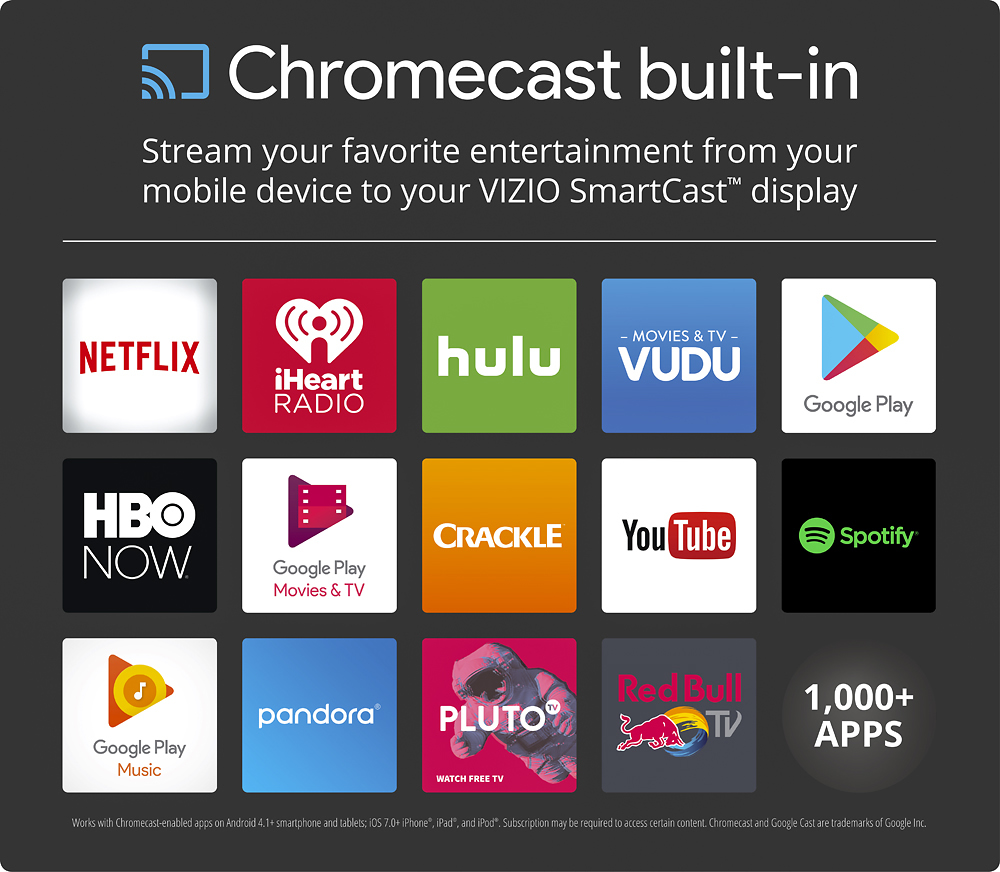
Customers appreciate the excellent picture quality and ease of use of this 43" 4K Ultra HD TV, frequently praising the Chromecast built-in and the affordability. However, some users have noted issues with the remote control and the accompanying app. A few also mentioned the lack of a built-in tuner as a drawback.
This summary was generated by AI based on customer reviews.
- Pros mentioned:Picture quality
Stunning Picture, Excellent Price
Posted .This reviewer received promo considerations or sweepstakes entry for writing a review.First let me say I bought this to watch movies only. I do not have tee-vee (cable or dish) and have no interest in viewing internet content on a 4K screen, I just watch on my Chromebook. So all the complaints about the Vizio app and having to use your smartphone/tablet as a remote I cannot address. So: It is an amazing experience to watch Blu rays in 4K. I have a friend who has a Vizio 43" HD and there is no comparison between the two. The color and sharpness on the 4K are eye-popping. You are left with a choice of video pre-sets instead of a menu of color level, sharpness etc, but the "vivid" setting is perfect for me.I have 200 Blu rays and watching them on a 4K is like having my own movie theater. Animation like classic Disney (Snow White, Pinocchio) and CGI (Monsters U, Toy Story) are absolutely amazing, but the best upgrade is with black and white movies. The annoying sparkle/grey scale issues are reduced considerably. I recently bought "The Big Sleep" and was disappointed in the quality when I watched it on my Asus HD monitor; watching it on this was a distinct improvement. So for about $800 I have a 43" Vizio 4K, a Sony Blu ray player and a Sony soundbar. Just amazing. My family had a television store from the 1950's to the early 80's and what $800 will buy today compared to 40 years ago is like being able to buy an Escalade for $2000. I cannot speak highly enough of this product. Very happy with my purchase.
No, I would not recommend this to a friend - Pros mentioned:4kCons mentioned:App
Requires a (buggy) phone app to change settings
Posted .This reviewer received promo considerations or sweepstakes entry for writing a review.I have zero interest in the “smart” components of this TV since I already have an Android TV that works great and does more. I bought this TV because it’s a good 4K TV for the price and it supports CEC. I had planned to simply not connect the TV to my network, since I don’t want to have two cast devices on one TV (the Android TV and the built-in one). However Vizio has decided to *remove the settings menu* from the TV, so you can only make settings changes from the smartphone app. And CEC (a feature I really wanted to use) is disabled by default, so I had to go through the (buggy) process just to make that change. To add insult to injury, the app is atrociously buggy - crashed on me twice and was unbelievably slow when it managed to work. It gets worse. I decided to connect, make my settings change, and disconnect to avoid the multiple Cast device problem. Hah, not so simple. Once you set up your network, there’s no option to disconnect. You’d think this wouldn’t be a problem - the TV has an ethernet port, so just unplug it. NOPE! Even though the device has an ethernet port, you are FORCED to set up a WiFi network during set up even if you plug in via ethernet. Then when you unplug the ethernet port cable it falls back to WiFi - still showing multiple cast devices on my phone and PC. I worked around this problem by factory resetting the TV, setting up a temporary WiFi network via my PC, going through the setup, enabling CEC, and then killing the temporary WiFi network. CEC works, and I only see my Android TV’s cast device. Although my problem is fixed, I’m considering returning this TV out of sheer disgust. I should not have to fight this hard to get my TV to just *WORK*. My 2013 Vizio TV was a breeze to use and was *cheaper* at the time I bought it. Also, the app requires a connection to Vizio’s servers to work. This means they can decide to “stop supporting” old models at any time, meaning you’ll have to buy a whole new TV if you want to do something as basic as, say, rename an HDMI input. The TV itself is decent, but these flaws ruin it. They’ve taken something that used to be braindead simple and ruined it.
No, I would not recommend this to a friendBrand response from VIZIOEntertainmentExpert
Posted .Thanks for your purchase and feedback on the all-new VIZIO SmartCast™ E43u-D2. We’re happy to share that we recently made changes to the product setup experience in order to make it easier and more intuitive. Because VIZIO SmartCast™ puts control of the display into your mobile device, we’re now able to make updates much faster and more frequently, right to your VIZIO SmartCast™ app. The great thing about the casting feature is it allows you to select the device you would like to cast from. We apologize that you experienced a problem with the Vizio SmartCast app. We strive to deliver the highest quality product to our customers. Please contact us at 844.254.8088 and we would be happy to help you out with any questions that you may have. We realize this is brand new technology and it takes some time to get used to it. That’s why we’re committed to continuous improvement which is going to make VIZIO SmartCast™ the best streaming experience and easiest way to control your display from anywhere in your home. If you have any questions or concerns, we encourage you to reach out to our Support team at 844.254.8088. – Maddy

- Pros mentioned:Picture quality
an educated review
Posted .This reviewer received promo considerations or sweepstakes entry for writing a review.Most people have been complaining that the tv doesnt have a coax and tuner which makes no sense to use with 4k anyways. Also that only has casting ability which actually gives you more features than the old smart system with only a handful of useful apps. The picture on this tv is what everyone is happy with. I myself love the casting option because it enables 1000's of other apps and more 4k content a traditional smart tv could offer. GREAT TV GREAT PIC....
I would recommend this to a friend - Pros mentioned:Picture quality
So far, it's awesome. Great picture.
Posted .This reviewer received promo considerations or sweepstakes entry for writing a review.At first, it was a little different getting used to with no tuner, no TV app downloads and no TV settings on the TV itself or remote. It took me a bit to get the Smartcast app to work. Once I figured out to turn my phone network signal off and just leave it on WiFi for setup, it worked perfectly. I'm getting used to the functions and use of this new platform. I have a PlayStation 4 hooked up through HDMI, so with that, I have gaming, Blu Ray and apps like Hulu, Netflix, YouTube, etc. Some network channels have their own apps that you can Cast to the TV (like The CW). Some networks you have to have a cable subscription to watch this way. So far the picture is fantastic. And the sound good. Gaming is awesome. Overall a good purchase. Happy that I choose this when I was searching. Not a conventional TV, per se, but it works as intended. Welcome to the digital, streaming world.
I would recommend this to a friend - Cons mentioned:App, Remote control
Decent Display Horribly APP
Posted .This reviewer received promo considerations or sweepstakes entry for writing a review.If you are looking for a decent but cheap 4K monitor this is one to consider. That being said, they app you have to download to adjust picture settings, input, and cast is an absolute pile of garbage. IT will not stay paired to the TV a common complaint at the google play store. I have installed and uninstalled the app on two android phones and an IPAD all with the same result. It work once and then the next time it just hangs there and does nothing. I have excellent internet and am tech savy so it is not user error. This app is horrible and when it doesn't work it renders your TV useless for casting or making adjustments. I have a little time before I have to decide if I will keep this purchase. If Vizio doesn't fix this app back it goes. Vizio really screwed up by not putting all functions on a remote. IF you can't design an app that works give a full function remote. Read the other reviews across the internet for the same complaints. All you get is lip service from Vizio customer service.
No, I would not recommend this to a friend - Pros mentioned:Picture qualityCons mentioned:Motion blur
Motion blur is horrible
Posted .This reviewer received promo considerations or sweepstakes entry for writing a review.The picture quality is nice but the motion blur destroys this tv. The description lies and says its 120 hzs. It's actually 60. I want to return this tv because this blur is so bad. I will take any suggestions to help with the motion blur.
No, I would not recommend this to a friendBrand response from VIZIOEntertainmentExpert
Posted .We're very sorry to hear this! This is definitely not what we'd expect, and want to help you with this. Please contact our support team at VIZIO at 844-254-8088 so we can help you with this. -Collin
- Cons mentioned:Motion blur
Its an alright T.V.
Posted .This reviewer received promo considerations or sweepstakes entry for writing a review.Picture quality is alright, 4K is still limited. Don't get this tv just because its 4k. You'll be settling with average picture quality and motion blur during high action movements. Playing my Xbox One console was rather disappointing on this TV. 1080P isn't as good as I was expecting. I hate how this TV is VERY INDEPENDENT of a smart phone device. There is no apps built in on the tv, you must cast it on the iphone... which is cool and all (having your phone as the controller), but the connectivity between the iphone/android to the Vizio TV is horrendous. You have to connect your phone to the tv then the tv connects to wifi. If your internet connection speed is slow, the phone-as-a-controller experience becomes dreadful. Your phone has to reconnect to the tv every time you disable wifi, and while having to experience the lag/wait time it takes your phone to connect. I applaud Vizio for trying to make everything convenient, but its connection gives you the headaches.
No, I would not recommend this to a friendBrand response from VIZIOEntertainmentExpert
Posted .Thanks for your purchase and feedback on the all-new VIZIO SmartCast™ E43u-D2. We’re happy to share that we recently made changes to the product setup experience in order to make it easier and more intuitive. Because VIZIO SmartCast™ puts control of the display into your mobile device, we’re now able to make updates much faster and more frequently, right to your VIZIO SmartCast™ app. We apologize that you experienced a problem with your home theater display. We realize this is brand new technology and it takes some time to get used to it. That’s why we’re committed to continuous improvement which is going to make VIZIO SmartCast™ the best streaming experience and easiest way to control your display from anywhere in your home. If you have any questions or concerns, we encourage you to reach out to our Support team at 844.254.8088. Thanks again! -Maddy
Incredible display
Posted .This reviewer received promo considerations or sweepstakes entry for writing a review.First off I want to point out this is NOT a TV, it is a Display. No TV Tuner included. As I am using this as a PC monitor, that is perfectly fine. Highest Resolution is 4096 x 2160 @ 60hz with HDMI 2.0. My GPU unfortunately only has HDMI 1.4, so I am running @ 1440p. The remote control does not have a menu option, so the SmartCast App is required if you want to tinker with the advanced menu options. Overall it is a significant upgrade to my old LG with 1080p, and I do recommend this for anyone looking for an affordable 4k ready display.
I would recommend this to a friendBrand response from VIZIOEntertainmentExpert
Posted .Thanks for your purchase and feedback on the all-new VIZIO SmartCast™ E43u-D2. We’re happy to share that we recently made changes to the product setup experience in order to make it easier and more intuitive. Because VIZIO SmartCast™ puts control of the display into your mobile device, we’re now able to make updates much faster and more frequently, right to your VIZIO SmartCast™ app. In order to achieve the best picture quality and to take advantage of the 4K Ultra HD technology, it is recommended to use the HDMI connections. Most high definition cable or satellite boxes have an HDMI output. If using the coaxial cable is a must, there are external turners that can be purchased.We realize this is brand new technology and it takes some time to get used to it. That’s why we’re committed to continuous improvement which is going to make VIZIO SmartCast™ the best streaming experience and easiest way to control your display from anywhere in your home. If you have any questions or concerns, we encourage you to reach out to our Support team at 844.254.8088. – Maddy
- Pros mentioned:Ease of use
Bold Vivid Colors.
Posted .This reviewer received promo considerations or sweepstakes entry for writing a review.Bold vivid colors, although not out of the box. Had to tweak the settings a bit. Smartphone app simple to use. Great TV, especially for the price.
I would recommend this to a friend - Cons mentioned:Remote control
Better options out there
Posted .This reviewer received promo considerations or sweepstakes entry for writing a review.Picked this TV up didn't expect much just looking for TV for an extra room. But boy what a disappointment positive price and picture isn't to bad. But if you don't like using your phone to control you TV don't get this!!, if have to download an app Vizio smart cast this TV runs via smart cast for all apps no apps are built into TV must do everything thru your phone. They include a remote but it's a joke hardly any functions. This is also more of an monitor there is no tuner or place for an antenna. Took TV back and just paid an extra 100.00 for an LG 49" 4K yea I paid more but now have peace of mind and LG looks better and apps are built into TV no need to use your phone.
No, I would not recommend this to a friendBrand response from VIZIOEntertainmentExpert
Posted .Thank you for your feedback. VIZIO SmartCast Display's allow our customers access to thousands of cast-capable applications including streaming services, major network applications, and home media apps. The VIZIO SmartCast App is designed to turn any compatible Android or iOS device into a powerful remote that is capable of controlling multiple SmartCast devices on the same network so our customers aren't having to switch between remotes.
Checks all the boxes and meets expectations.
Posted .This reviewer received promo considerations or sweepstakes entry for writing a review.I purchased this tv because I wanted something that was above 40", 4K, and had relatively low input lag for console gaming. I came from a mid-tier monitor so I had a decent baseline. This tv has 4-stars in every category; contrast, input lag, color accuracy, features. If you're looking for a 4K tv that checks all the boxes without breaking the bank then look no further. But keep in mind that this tv does not have a tuner, thus, no coax input for cable.
I would recommend this to a friendBrand response from VIZIOEntertainmentExpert
Posted .Thanks for your purchase and feedback on the all-new VIZIO SmartCast™ E43u-D2. We’re happy to share that we recently made changes to the product setup experience in order to make it easier and more intuitive. Because VIZIO SmartCast™ puts control of the display into your mobile device, we’re now able to make updates much faster and more frequently, right to your VIZIO SmartCast™ app. In order to achieve the best picture quality and to take advantage of the 4K Ultra HD technology, it is recommended to use the HDMI connections. Most high definition cable or satellite boxes have an HDMI output. If using the coaxial cable is a must, there are external turners that can be purchased.We realize this is brand new technology and it takes some time to get used to it. That’s why we’re committed to continuous improvement which is going to make VIZIO SmartCast™ the best streaming experience and easiest way to control your display from anywhere in your home. If you have any questions or concerns, we encourage you to reach out to our Support team at 844.254.8088. – Maddy
- Pros mentioned:Picture quality
Great looking TV once configured properly
Posted .This reviewer received promo considerations or sweepstakes entry for writing a review.Took a little getting used to, but once paired with my iPhone 7 plus I could get into settings and configure this TV. Overall it's good, I have FiOS quantum so 1080i is the norm and it looks great. My PlayStation looks phoenomenal on it as well. I have a home theater surround sound hooked up to it and it's playing well, overall a great buy!
I would recommend this to a friend - Pros mentioned:Ease of use
Great Value
Posted .This reviewer received promo considerations or sweepstakes entry for writing a review.Very happy with this purchase. Easy to use and set up.
I would recommend this to a friend - Cons mentioned:Remote control
Useless TV if you do not have an i-Phone
Posted .This reviewer received promo considerations or sweepstakes entry for writing a review.I bought this TV and the 55" model as well, only to realize that a remote control is not provided - I mean the old fashioned remote. You can only use it if you have a smart phone from specific brands. For us using other brand smart phones, the TV is useless. I just can not understand how does the company limits its market potential with an idea like that. In my opinion, this should be an additional, not a default option. I just can not understand how would someone operate the TV when for example is talking over the phone? Or for example, you have kids at home without a smart phone while you are away? How can they operate the TV? Or for example people not using smart phones at all - difficult to imagine but there are such people as well. Just a complete nonsense. Anyway, I had no other option then to return both TVs back to the shop and order two others from Samsung, with an "old fashioned" remote controls. What a shame for Vizio, but good luck with your new system.
No, I would not recommend this to a friendBrand response from VIZIOEntertainmentExpert
Posted .Thanks for your purchase and feedback on the all-new VIZIO SmartCast™ E43u-D2. We’re happy to share that we recently made changes to the product setup experience in order to make it easier and more intuitive. Because VIZIO SmartCast™ puts control of the display into your mobile device, we’re now able to make updates much faster and more frequently, right to your VIZIO SmartCast™ app. We realize this is brand new technology and it takes some time to get used to it. That’s why we’re committed to continuous improvement which is going to make VIZIO SmartCast™ the best streaming experience and easiest way to control your display from anywhere in your home. If you have any questions or concerns, we encourage you to reach out to our Support team at 844.254.8088. – Collin
- Pros mentioned:Picture quality
Vizio
Posted .This reviewer received promo considerations or sweepstakes entry for writing a review.Great tv for the price. This replaced a smaller version of the same brand, and I’m pleased.
I would recommend this to a friend SmartCast App takes getting used to
Posted .This reviewer received promo considerations or sweepstakes entry for writing a review.First and foremost, this is a great display with great quality. I have not had the chance to test out 4K using a 4K player/movies, however, with Netflix, it wasn't that great. I get 150Mbps/10Mbps with Comcast Internet and I was surprised that "Santa Clarita Diet" (which is supposed to be playing in UHD) was nowhere near the quality that Zootopia (plays in 1080). The SmartCast "remote" on your phone/tablet takes some getting used to. It's kind of annoying to have to open up the Netflix app and pause from there.
I would recommend this to a friend- Pros mentioned:Picture quality
I don't hate this TV...but......
Posted .This reviewer received promo considerations or sweepstakes entry for writing a review.If you plan on buying a 4k Smart TV with a "tile-like" application that lets you pick choices through the TV and play whatever you like, you are going to hate this TV...because Chromecast works by, finding and selecting a video on your phone / computer, hit "cast" and it goes to the TV. An extra step which at first, didn't really bother me. Now, it's another story, this thing, at least mine, CONSTANTLY loses connection. I end up re-activating the video multiple times, also, through using the Chromecast, i don't think it's ever truly hit that 4k resolution, simply because the internet is so strange, and i'd also like to point out, i'm in real time doing a speed test, roughly 34 mbps. So i don't think my wifi could be to blame in this. Point is, if you are dead set on buying this TV, understand, that if you want to watch video in a Smart TV type fashion, you're going to have to buy an Amazon Fire Stick, or an Apple TV that can also in itself do 4k. Don't bet on this TV being able to play Netflix / Youtube in 4k itself, cuz it doesn't Overall though, it is a cheap price, and an extra $100 isn't too bad, the TV itself is light, and the picture is clean.
No, I would not recommend this to a friendBrand response from VIZIOEntertainmentExpert
Posted .This SmartCast display does play any application cast to it with the highest resolution the application is sending to the display. This includes Netflix and other chromecast capable applications like youtube. The SmartCast platform opens the user experience to thousands of cast capable applications instead of limiting the experience to a few pre installed apps.
- Pros mentioned:Picture quality
Good TV but lousy remote function
Posted .This reviewer received promo considerations or sweepstakes entry for writing a review.Lousy smart app. You need to download the Smartcast app on tablet or phone to use the TV and adjust settings. The app is not very good and poorly designed - for those who are not tech-savvy it will be a pain learning to use it. The supplied hand remote is inadequate for adjusting settings. It is a good TV, picture and sound wise but the remote app makes me not want to recommend.
No, I would not recommend this to a friend The price and quality
Posted .This reviewer received promo considerations or sweepstakes entry for writing a review.I don't know why people are giving it bad reviews, the reason its so cheap because it doesn't have a physical processor to host apps and a digital converter by removing those the price is much cheaper. This TV is made for people like me who have a console, tablet, phone and can use those as streaming devices. As for the digital coaxial, if your using a over the air antenna this isn't for you their is alternative if you own consoles like the Xbox one they have a digital USB coaxial adapter. Also any TV provider usually provides a external box.
I would recommend this to a friend- Pros mentioned:Price
GOOD ONLY AS A TV. BUT NOT AS A SMART TV!
Posted .This reviewer received promo considerations or sweepstakes entry for writing a review.If you only want a 4K TV then go with this. If you want a SMART TV that comes with apps already preinstalled like Netflix, Pandora, Youtube and etc then go with a brand like Samsung or LG. I bought this TV and thought the price was great. I talked to the sales consultant and asked if it came with Netflix and such; he said it did so I was sold on it. When I took it up and started to watch I didn't see ANY apps installed. So i called Vizio themselves and to my belief this doesn't come with any apps installed. I returned it the next day and went with a Samsung TV instead.
No, I would not recommend this to a friendBrand response from VIZIOEntertainmentExpert
Posted .For our VIZIO SmartCast displays there are no on board apps. Instead of opening the app on your TV you instead open the app on your Smart Device such as a Smart Phone or Tablet and “Cast” the app to the display itself. This allows you to access thousands of popular applications such as Netflix, Pandora, and YouTube. You can also cast content to your display from the VIZIO SmartCast Application as well as adjust settings on the display. Thank you! -Drew