Customer Ratings & Reviews








- Model:
- CS321AK
- |
- SKU:
- 5731102
Customer reviews
Rating 4.3 out of 5 stars with 4938 reviews
(4,938 customer reviews)Rating by feature
- Value4.2
Rating 4.2 out of 5 stars
- Quality4.4
Rating 4.4 out of 5 stars
- Ease of Use4.3
Rating 4.3 out of 5 stars
Customers are saying
Customers often highlight the ease of use, compatibility with multiple devices, and the quality of the Bamboo Ink Smart Stylus. Many appreciate its comfortable weight and the precision it offers for drawing. However, some users mention concerns about battery life and occasional connectivity issues. A few also reported challenges with the initial pairing process and the stylus button.
This summary was generated by AI based on customer reviews.
- Pros mentioned:Ease of use
Rated 5 out of 5 stars
Easy to use
||Posted .This reviewer received promo considerations or sweepstakes entry for writing a review.It's easy to use and easy to setup. No complaints.
I would recommend this to a friend Rated 5 out of 5 stars
Fantastic Smart Stylus
||Posted .This reviewer received promo considerations or sweepstakes entry for writing a review.I purchased this when I bought my 2 in 1. The stylus comes with three buttons that I was able to customize to my needs. Which I love, because it makes my work more efficient. Not to mention the battery lasts a really long time. I've had it for about 6 months and I'm still on the original battery that came with it.
I would recommend this to a friendRated 5 out of 5 stars
Excellent product
||Posted . Owned for more than 2 years when reviewed.This reviewer received promo considerations or sweepstakes entry for writing a review.Pen nib is soft enough to where you don't feel like you're going to scratch the surface of your nice screen, unless some piece of dirt gets underneath and you drag it across. Pen sensitivity & pressure works. I can create fine or thick lines without problems.
I would recommend this to a friendRated 5 out of 5 stars
Great value for older Pro owners
||Posted .This reviewer received promo considerations or sweepstakes entry for writing a review.I own a Surface Pro 4. Since only the latest generation supports the tilt sensitivity for the 99 dollar Surface Pen, I felt like this Wacom pen was a much better value, for 30% less and it includes multiple tips. I believe for the Surface Pen you have to buy a kit for 20 bucks to try different tips.. Very happy with it.
I would recommend this to a friend- Pros mentioned:Ease of use
Rated 5 out of 5 stars
Great pen to use for computers or tablet
||Posted .This reviewer received promo considerations or sweepstakes entry for writing a review.Amazing!! Love to be able to write on my computer.
I would recommend this to a friend - Pros mentioned:Ease of use
Rated 5 out of 5 stars
Love It!
||Posted .This reviewer received promo considerations or sweepstakes entry for writing a review.This stylus works great. Makes taking notes so easy.
I would recommend this to a friend Rated 5 out of 5 stars
Big Upgrade Over The Lenovo Pen
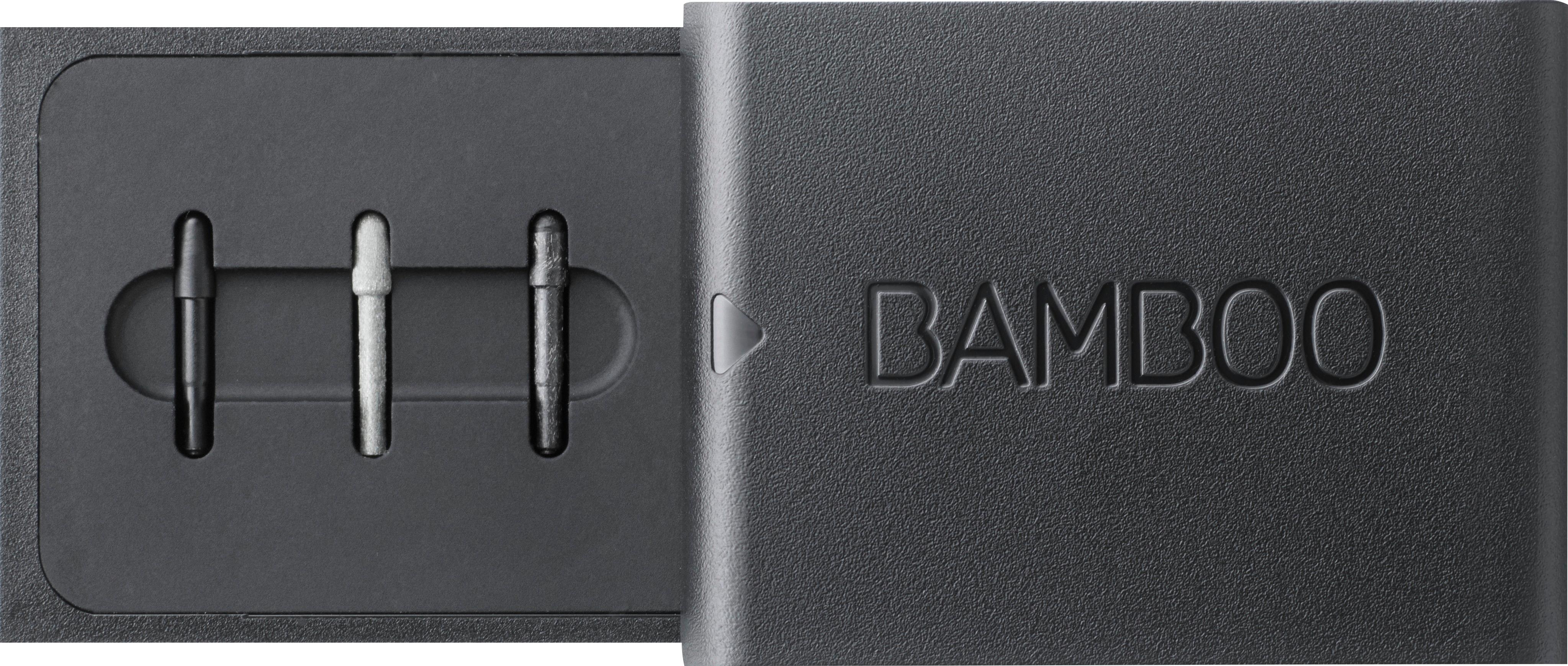
||Posted .This reviewer received promo considerations or sweepstakes entry for writing a review.The included pen tips allow you to adjust how the pen writes. I personally went with the hardest tip and my notes come out crisp and exactly how my handwriting on paper looks like. The buttons are positioned comfortably, easy to find, and yet isnt prone to accidental pressing. I highly recommend this pen.
I would recommend this to a friend- Pros mentioned:Compatibility
Rated 5 out of 5 stars
Works great
||Posted .This reviewer received promo considerations or sweepstakes entry for writing a review.Together with my Lenovo, this is a great combination
I would recommend this to a friend - Pros mentioned:Ease of use
Rated 5 out of 5 stars
Must have with Windows ink
||Posted .This reviewer received promo considerations or sweepstakes entry for writing a review.Easy to use and durable. No reason to use the mouse.
I would recommend this to a friend - Pros mentioned:Ease of use
Rated 5 out of 5 stars
smooth for my use
||Posted .This reviewer received promo considerations or sweepstakes entry for writing a review.easy to configure and use was smooth to my needs ...
I would recommend this to a friend Rated 5 out of 5 stars
Great stylus
||Posted . Owned for 3 weeks when reviewed.This reviewer received promo considerations or sweepstakes entry for writing a review.Great stylus when paired with a good laptop/tablet with accurate touchscreen. I absolutely use this more than pencil and paper now. I can markup pdf files and use it instead of a mouse in tablet mode. Case for stylus bits is in need of re-engineering, but I do find it that big of an issue.
I would recommend this to a friend- Pros mentioned:Ease of use
Rated 5 out of 5 stars
Nice accessory.
||Posted .This reviewer received promo considerations or sweepstakes entry for writing a review.This stylist makes drawing on the touch screen fun.
I would recommend this to a friend - Pros mentioned:Ease of use
Rated 5 out of 5 stars
Works great!
||Posted .This reviewer received promo considerations or sweepstakes entry for writing a review.Works well with my HP Spectre and very easy to use.
I would recommend this to a friend - Pros mentioned:Ease of use
Rated 5 out of 5 stars
i was missing this from my outside purchase
||Posted .This reviewer received promo considerations or sweepstakes entry for writing a review.Makes the use of tablet much better. Like the pen.
I would recommend this to a friend Rated 5 out of 5 stars
bamboo does it again
||Posted .This reviewer received promo considerations or sweepstakes entry for writing a review.cheaper than a surface pen and does the same thing
I would recommend this to a friend- Cons mentioned:Battery life
Rated 3 out of 5 stars
Not so great
||Posted . Owned for 1 week when reviewed.This reviewer received promo considerations or sweepstakes entry for writing a review.Charge doesn't last. Medium point interrupts several times when writing. Still useful when your phone doesn't have an S-pen.
No, I would not recommend this to a friend - Pros mentioned:Ease of use
Rated 5 out of 5 stars
Love it!
||Posted .This reviewer received promo considerations or sweepstakes entry for writing a review.Great price, great functionality, easy to install.
I would recommend this to a friend Rated 1 out of 5 stars
Does not work with HP Pavilion X360 M3 Convertible
||Posted .This reviewer received promo considerations or sweepstakes entry for writing a review.I'm an artist so I wanted a decent active pen/stylus to draw with on my laptop. I have Microsoft Ink on my laptop, so I was advised by a CSR in store that this stylus would work with it. I brought it home and right off the bat, when trying to figure out how to install the battery, the pairing button snapped right off. However, it still functioned so I paired it anyway to see how it would work. Needless to say, it wouldn't write AT ALL!! I mean I tried everything I could to get this t work with my laptop, searched the HP website, the Wacom website and even Google to see if there were any options to get it to draw or write SOMETHING but it didn't. Eventually I pressed really hard on my screen and it drew a few little dots then stopped and didn't draw anymore. So I think it's safe to say that this thing is a hunk of crap that's going back to the store asap. So much for getting to draw with anything except my finger tip...
No, I would not recommend this to a friend- Pros mentioned:Ease of use
Rated 3 out of 5 stars
It’s ok
||Posted .This reviewer received promo considerations or sweepstakes entry for writing a review.Not exactly what I was looking for but it works ok and maybe I will draw with it one day. Would have preferred a simpler stylus though.
No, I would not recommend this to a friend Rated 4 out of 5 stars
Easy to use with touch screen
||Posted .This reviewer received promo considerations or sweepstakes entry for writing a review.I bought this to use with my 2-in-1 laptop. Syncing via Bluetooth was easy and the travel case for the tips is handy. Bought another one for my mother-in-law to use too.
I would recommend this to a friend