Customer Ratings & Reviews








- Model:
- CS321AK
- |
- SKU:
- 5731102
Customer reviews
Rating 4.3 out of 5 stars with 4938 reviews
(4,938 customer reviews)Rating by feature
- Value4.2
Rating 4.2 out of 5 stars
- Quality4.4
Rating 4.4 out of 5 stars
- Ease of Use4.3
Rating 4.3 out of 5 stars
Customers are saying
Customers often highlight the ease of use, compatibility with multiple devices, and the quality of the Bamboo Ink Smart Stylus. Many appreciate its comfortable weight and the precision it offers for drawing. However, some users mention concerns about battery life and occasional connectivity issues. A few also reported challenges with the initial pairing process and the stylus button.
This summary was generated by AI based on customer reviews.
- Pros mentioned:Drawing, Ease of use
Rated 4 out of 5 stars
Fun for doodling
||Posted .This reviewer received promo considerations or sweepstakes entry for writing a review.This pen makes drawing a lot easier and so much fun.
I would recommend this to a friend - Pros mentioned:Compatibility, Ease of use
Rated 5 out of 5 stars
Simple and easy
||Posted .This reviewer received promo considerations or sweepstakes entry for writing a review.Very simple pen, very easy to change the points. Works great with our laptop, it's just like using a pen or penicillin on paper. Love it.
I would recommend this to a friend - Pros mentioned:Compatibility
Rated 3 out of 5 stars
It is what it is...
||Posted .This reviewer received promo considerations or sweepstakes entry for writing a review.It's a digital pen. Most of the time it works. I suppose it depends on the laptop/tablet vs the pen.
I would recommend this to a friend - Pros mentioned:Drawing, Ease of use
Rated 5 out of 5 stars
Great accessory
||Posted .This reviewer received promo considerations or sweepstakes entry for writing a review.This pen is a must have I thought I didn't need it but I wouldn't trade it now love being able to color and draw capture images with a click
I would recommend this to a friend - Pros mentioned:Ease of use
Rated 4 out of 5 stars
Good For Notes!
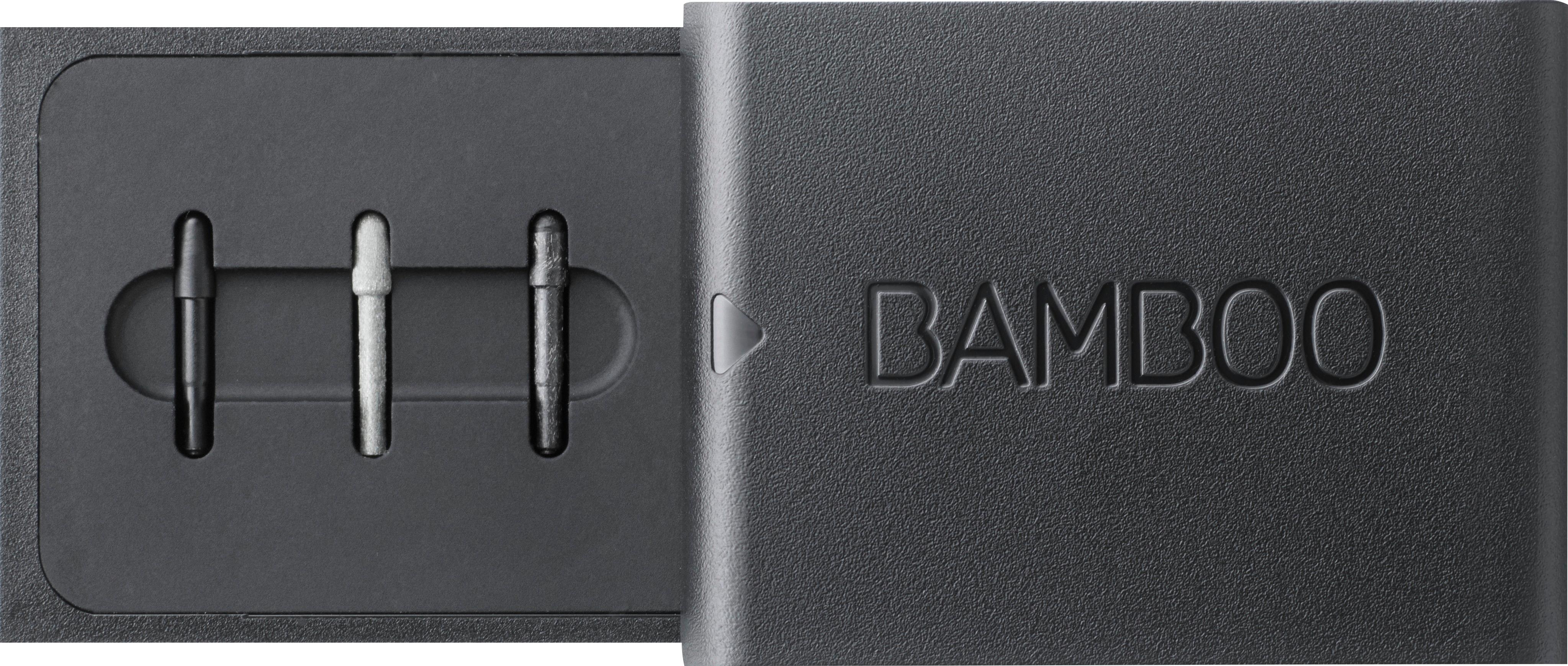
||Posted .This reviewer received promo considerations or sweepstakes entry for writing a review.This pen is definitely for people who use tablets to take notes, but not so much for artists! It came with multiple points to use, and I have been working with medium (I cannot differentiate between hard or soft, but I'm sure they're great). Easy to setup with personalized button options which is cool!
I would recommend this to a friend - Pros mentioned:Compatibility
Rated 4 out of 5 stars
Works but seems basic with windows ink
||Posted .This reviewer received promo considerations or sweepstakes entry for writing a review.This works with windows ink but seems very limited... Notations on documents are very wide, so hard to write small... Try to mark music, but cannot do neatly... and must do in PDF.. Hopefully can find an app that will make it function better... However, better than nothing.. Still neater to print, notate, and rescan documents for use.
I would recommend this to a friend - Pros mentioned:Ease of use
Rated 5 out of 5 stars
The Equal of other Pens
||Posted .This reviewer received promo considerations or sweepstakes entry for writing a review.This was an unplanned purchase to go with new computer than has some extra features.. The whole system is pretty new so I have not used it allot so far, but do like what I have seen from it thus far. I am only using the computer part time for work until after the holiday then I expect to ramp it up... this is a great tool to allow me to be more creative and write more rapidly and directly transfer data/ info... I am excited about how it might help me to be more efficient also. Will be sure to update after I am more engaged with it.
I would recommend this to a friend - Pros mentioned:Compatibility, Ease of use
Rated 5 out of 5 stars
Bamboo Smart Stylus
||Posted . Owned for 1.5 years when reviewed.This reviewer received promo considerations or sweepstakes entry for writing a review.Works well with my Dell Inspiron laptop. Does the job that it's supposed to do. What more can you ask for?
I would recommend this to a friend Rated 5 out of 5 stars
Very cool Pen for a Windows System
||Posted .This reviewer received promo considerations or sweepstakes entry for writing a review.I purchased this pen to go with a new Windows 10 ink Laptop I purchased. I wasn't expecting much but was absolutely blown away by how precise this pen is. The bluetooth connected quickly and the pen is responsive. I would absolutely buy it again.
I would recommend this to a friendRated 4 out of 5 stars
Good choice for stylus
||Posted .This reviewer received promo considerations or sweepstakes entry for writing a review.The bamboo stylus is a great alternative to the Microsoft stylus. It's just as good as the MS product and appears to be very well built.
I would recommend this to a friend- Pros mentioned:Quality
Rated 4 out of 5 stars
An Indispensable Tool but Difficult to Set Up
||Posted .This reviewer received promo considerations or sweepstakes entry for writing a review.Cons: This stylus lacked adequate set up instructions. Therefore, pairing it to my computer and getting to write required several web searches. Pros: This stylus has been indispensable for taking class notes and meeting minutes. Not only does it clearly write on my computer, but it also allows me to highlight text within certain applications.
I would recommend this to a friend - Pros mentioned:Compatibility
Rated 5 out of 5 stars
Great Stylus
||Posted .This reviewer received promo considerations or sweepstakes entry for writing a review.Great Stylus. I used it for my Lenovo Yoga 720 and it worked perfectly. Feels great in hand and works great. A lot better than the Lenovo Active Pen.
I would recommend this to a friend Rated 3 out of 5 stars
Didn't work for my HP Spectre 360
||Posted .This reviewer received promo considerations or sweepstakes entry for writing a review.Best Buy employee told me I could download the driver online for my computer if the stylus didn't work. I was disappointed to find out that wasn't the case. Fair warning... If your computer isn't listed... It probably won't work! It's a really nice active stylus with interchangeable nibs. They should make it compatible with more laptops.
I would recommend this to a friend- Pros mentioned:Drawing, Weight
Rated 5 out of 5 stars
Wacom - Ink Stylus
||Posted .This reviewer received promo considerations or sweepstakes entry for writing a review.Is compatible with the pressure sensitive Asus screen. Can be used for drawing, Photoshop, navigating the screen. Is light and easy to use.
I would recommend this to a friend Rated 5 out of 5 stars
A New product that really works
||Posted .This reviewer received promo considerations or sweepstakes entry for writing a review.I bought the stylus to go along with the new computer. It work like I was told which was unusual. I think a little to expense but a good product. Not everyone will use it but a nice tool if needed. I like it and use it along with computer .
I would recommend this to a friendRated 4 out of 5 stars
Works well for one device at a time.
||Posted .This reviewer received promo considerations or sweepstakes entry for writing a review.Maybe I'm not setting this up correctly, This stylus works awesome with my Spectre Laptop, but am unable to get it to work with IOS.
I would recommend this to a friend- Pros mentioned:Quality
Rated 4 out of 5 stars
Great pen for Dell laptop
||Posted .This reviewer received promo considerations or sweepstakes entry for writing a review.It’s great pen for use on a Dell Inspiron 7568 laptop. It’s a 15 inch touch screen laptop built with Wacom AES protocol for touch. Palm rejection works half the time (hence 4 stars). The writing is smooth and not laggy. I mainly use the pen for some light sketching and note taking in one note for my engineering classes.
I would recommend this to a friend - Pros mentioned:Ease of use
Rated 4 out of 5 stars
Great alternative!
||Posted . Owned for 1 month when reviewed.This reviewer received promo considerations or sweepstakes entry for writing a review.I have a surface book 2 and I really didn’t want to buy a $70+ Surface pen. It’s great but the only annoying thing is that it sometimes glitches my surface book when I use the on-screen keyboard. Other than that it’s pretty good; I use it for note taking and sketching. Pretty straightforward with the directions.
I would recommend this to a friend Rated 5 out of 5 stars
Very useful tool
||Posted .This reviewer received promo considerations or sweepstakes entry for writing a review.I bought this stylus for my wife to use with her laptop/tablet two-in-one for art projects. It works very accurately and she’s been very happy with it. The ability to change the tip thickness using the multiple included tips is nice too.
I would recommend this to a friendRated 4 out of 5 stars
Stylus
||Posted .This reviewer received promo considerations or sweepstakes entry for writing a review.It comes with different tips to get the job done the right way. So many options to go with; I am still discovering different uses.
I would recommend this to a friend