Customer Ratings & Reviews

- Model:
- DTK1660K0A
- |
- SKU:
- 6330449
Customer reviews
Rating 4.7 out of 5 stars with 352 reviews
(352 customer reviews)Rating by feature
- Value4.4
Rating 4.4 out of 5 stars
- Quality4.7
Rating 4.7 out of 5 stars
- Ease of Use4.5
Rating 4.5 out of 5 stars
Customers are saying
Customers enjoy the Cintiq 16 Creative Pen Display Drawing Tablet for its ease of use as a drawing tablet, its screen size, and its quality. However, some customers have experienced issues with the connection, setup, and compatibility. Some customers have also mentioned lag and parallax, but this seems to be less of a concern overall.
This summary was generated by AI based on customer reviews.
- Pros mentioned:Screen size
Rated 5 out of 5 stars
Terrific artist's tablet
||Posted . Owned for 2 weeks when reviewed.This reviewer received promo considerations or sweepstakes entry for writing a review.Wacom continues its line of fantastic art tablets with the Cintiq 16, a great size with great precision -- and at a terrific price! I've used one at the office for so long that I just had to have one for home as well.
I would recommend this to a friend - Pros mentioned:Ease of use
Rated 4 out of 5 stars
Good product minimal directions
||Posted . Owned for 3 weeks when reviewed.This reviewer received promo considerations or sweepstakes entry for writing a review.Useful product, unnecessarily thin directions. Wacom hides info on the 16 under the picture for Pen Displays, so you hunt and peck just to find information on it. Very difficult to figure out how to call up a new page. You Tube helps, but not much. If you figure out how to use it, it s a time saver. But you waste a lot of time figuring it out. A you tuber could make money doing a decent class on it.
I would recommend this to a friend - Pros mentioned:Quality, Screen size
Rated 5 out of 5 stars
Good product
||Posted . Owned for 1 month when reviewed.This reviewer received promo considerations or sweepstakes entry for writing a review.Good product for drawing. Color quality good. Good size.
I would recommend this to a friend Rated 5 out of 5 stars
Excellent Displpay
||Posted . Owned for 2 months when reviewed.This reviewer received promo considerations or sweepstakes entry for writing a review.Bought this as a gift for my girlfriend. She is a novice graphic designer and she had been wanting one of these for a long time. The installation was easy but there is a bit of a learning curve. There are some limitations on some functions but overall very happy with it.
I would recommend this to a friendRated 5 out of 5 stars
Amazing service when you go there
||Posted . Owned for 3 weeks when reviewed.This reviewer received promo considerations or sweepstakes entry for writing a review.They were amazing at the store and helped me out tremendously. There’s no other place I would go for my appliances or computers stuff …
I would recommend this to a friend- Pros mentioned:Quality
Rated 5 out of 5 stars
Perfect drawing tablet!
||Posted . Owned for more than 2 years when reviewed.This reviewer received promo considerations or sweepstakes entry for writing a review.Amazing display! Love the sensitivity (adjustable) & overall compatibility with my applications. Been drawing with the pen for over a year & hardly worn down the tip - subject to usage obviously. Love this tablet!
I would recommend this to a friend Rated 2 out of 5 stars
Cords Ruin This Product
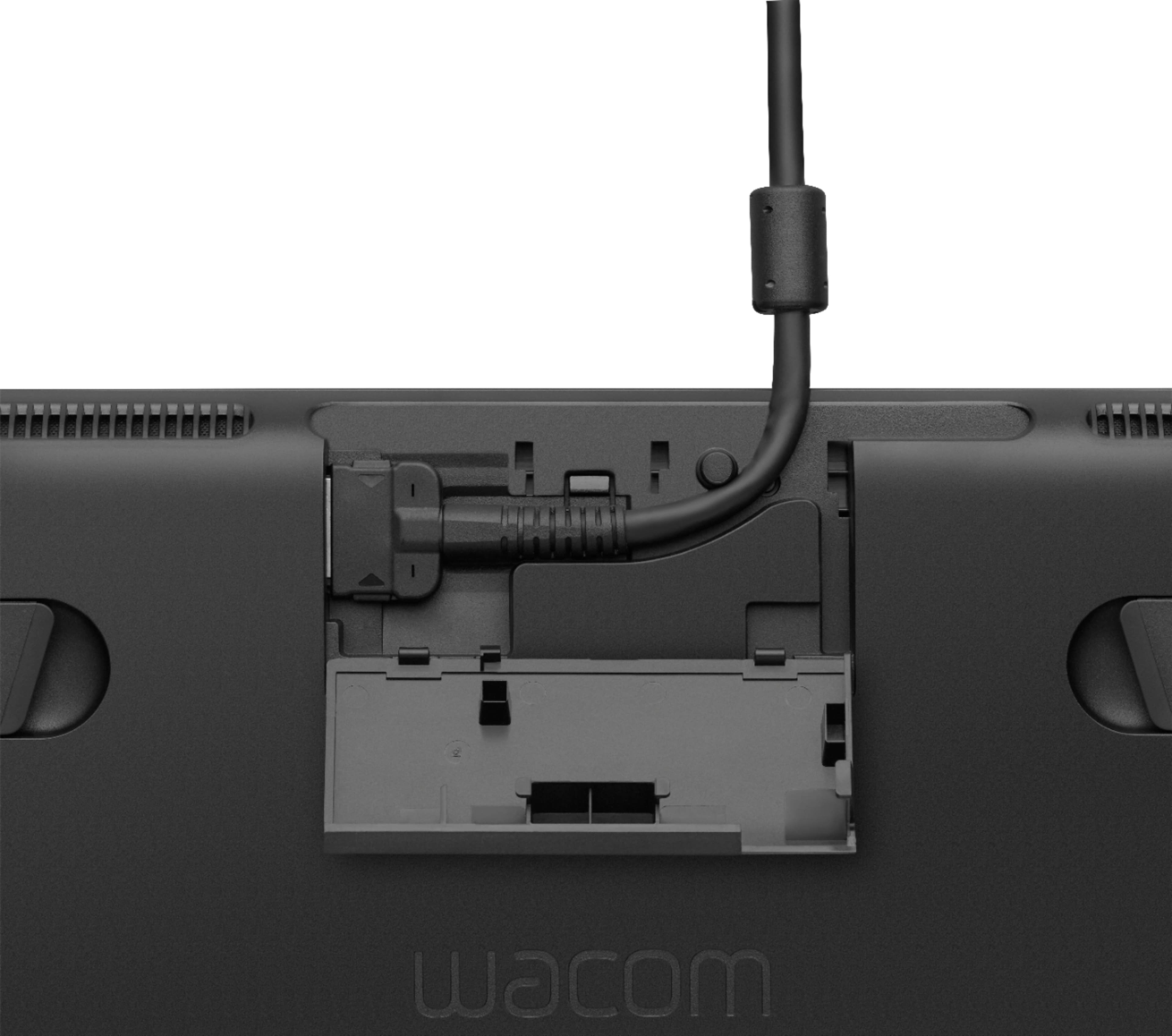
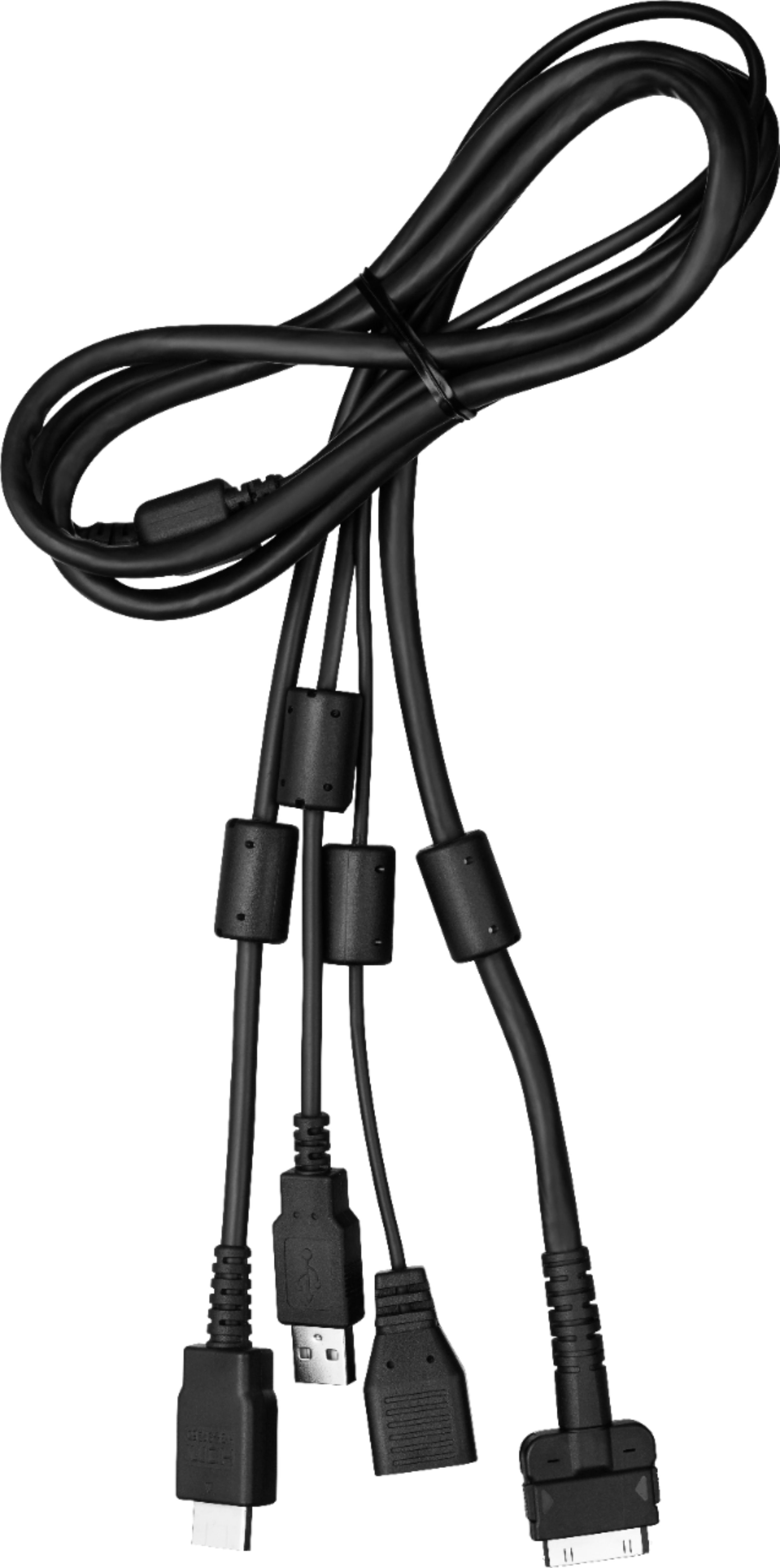
||Posted . Owned for 2 weeks when reviewed.This reviewer received promo considerations or sweepstakes entry for writing a review.As the title says, the cords ruin this product. There is one central cord the connects to the top of the Wacom display. It is about 4ft long. From the central cord, it has 3 cords that come off it. Where these three cords split off from is about 3ft into a 4ft long cord. Meaning, you only have three 1ft cords to plug into the follow: The first cord plugs into a power supply. The power supply is good because it has a power brick and about 6 feet of cordage. That is the best part of the cords because it gives the user plenty of space to have your powering system (surge proctor) and it doesn't have to be extremely close. The second cord is an hdmi that plugs into your display port on your computer (where your monitor will plug into). The last cord is a usb that plugs into your computer (where peripherals would go). That is a lot of wiggle room needed for all of this. A good foot of the central cord is used to plug peripherals and hdmi/display port in. This leaves about 3 feet of cordage...that 3 feet has to work with your computer set up. If you have a laptop, it isn't so bad (unless your display port and USB are on different sides of the laptop...you might run into trouble). However, if you're plugging this into a desktop, it is almost impossible to plug it in, wrap cords around everything, and still have room to prop the screen up in a comfortable location and still be able to use your mouse/keyboard if needed. It is way too cluttered. Beware when purchasing. It does not work very well with my set up. I have a gaming set up on a gaming desk that does not have a lot of room to put this on my desk and use it comfortably along with my mouse and keyboard. IF you have a set up that has enough room, maybe a table on the side or something...it will probably work with you. Highly recommend measuring your set up and make sure you have enough wiggle room for a 3 foot cord that is thick and stiff to maneuver around your desk/monitors/keyboard/mouse/etc.
No, I would not recommend this to a friend- Pros mentioned:Drawing tablet
Rated 5 out of 5 stars
Nice
||Posted . Owned for 1 year when reviewed.This reviewer received promo considerations or sweepstakes entry for writing a review.Lovely texture on the screen that allowed for exceptionally smooth pen motion. The pen has phenomenal pressure sensitivity and ergonomic grip. Screen colors seemed accurate and were vibrant.
I would recommend this to a friend - Pros mentioned:Drawing tablet
Rated 5 out of 5 stars
Awesome step up from non-display models
||Posted . Owned for 3 weeks when reviewed.This reviewer received promo considerations or sweepstakes entry for writing a review.I have owned a wacom tablet since 2010, it's an older model without a display. I have always wanted to upgrade and finally decided to purchase the Cintiq 16 and it has been great! Same high quality my older model was in its day. Wacom leads the industry in tablets for good reason. Simple instructions to install and get to work.
I would recommend this to a friend - Pros mentioned:Screen size
Rated 5 out of 5 stars
Cintiq 16"upgrade from Bamboo 2011
||Posted . Owned for 1 month when reviewed.This reviewer received promo considerations or sweepstakes entry for writing a review.I was using a Wacom Bamboo Fun 2011 model for the longest time, so for my bday this year i treated myself to this cintiq 16". So far im loving it. Its definitely an upgrade, the extra screen just enhances my technique. Wacom never fails. Overall great products for all skill levels.
I would recommend this to a friend - Pros mentioned:Drawing tablet
Rated 5 out of 5 stars
Amazing Product!
||Posted . Owned for 1 month when reviewed.This reviewer received promo considerations or sweepstakes entry for writing a review.I've been meaning to use a Cintiq for quite a while, and I am astonished at how incredible the display has been. I recently transitioned from a Bamboo tablet to a Cintiq and my drawing experiences have improved tenfold. I would recommend this to any seasoned artist who is looking to upgrade their art tools of the trade :-)
I would recommend this to a friend - Pros mentioned:Drawing tablet
Rated 5 out of 5 stars
Great Introductory Drawing Tablet
||Posted . Owned for 10 months when reviewed.This reviewer received promo considerations or sweepstakes entry for writing a review.Absolutely excellent for an art student. I recommend getting an extended warranty (we have had no problems). My daughter got this as a high school junior for AP art classes and it was just was she needed starting out. We upgraded her as her skills developed, but it’s the perfect introductory drawing. tablet
I would recommend this to a friend - Pros mentioned:Ease of use
Rated 5 out of 5 stars
Fantastic for drawing!
||Posted . Owned for 1 month when reviewed.This reviewer received promo considerations or sweepstakes entry for writing a review.An excellent product! Fantastic to work with!! Does everything I need.
I would recommend this to a friend Rated 5 out of 5 stars
Great gift for the artist in your family
||Posted . Owned for 1 month when reviewed.This reviewer received promo considerations or sweepstakes entry for writing a review.Best gift I ever got for my child. They absolutely love it and it was a great deal
I would recommend this to a friend- Pros mentioned:Drawing tabletCons mentioned:Setup
Rated 3 out of 5 stars
Decent but cables and set up ruin it.
||Posted .This reviewer received promo considerations or sweepstakes entry for writing a review.Decent. Great pen, great picture quality. But just like everyone else has complained about the set up. Just horrible. Too many cables just doesn’t cut it for me. I like 1 cable max so I decided to return this and order the Wacom intuos Pro. One cable does it for me. Will be looking forward to reviewing that as aswell.
No, I would not recommend this to a friend - Pros mentioned:Screen size
Rated 5 out of 5 stars
Great size!
||Posted . Owned for 11 months when reviewed.This reviewer received promo considerations or sweepstakes entry for writing a review.Perfect space for a small room/desk. The only downside was I had to buy an adapter for the HDMI cable and you have to buy a different one depending on the computer you are using. It would have been nice to have a universal one included to seamlessly transfer from working on a desktop to a laptop.
I would recommend this to a friend - Pros mentioned:Screen size
Rated 5 out of 5 stars
Great, professional tool
||Posted . Owned for 3 weeks when reviewed.This reviewer received promo considerations or sweepstakes entry for writing a review.Very cool tablet, in a huge box.It does what it's supposed to, and does it well.
I would recommend this to a friend - Pros mentioned:Screen size
Rated 5 out of 5 stars
Fantastic Art Tablet
||Posted . Owned for 9 months when reviewed.This reviewer received promo considerations or sweepstakes entry for writing a review.I use Clip Studio Paint for illustrations on a Windows PC, and this thing works perfectly alongside it. If you're doubting whether or not an art tablet with a screen is worth it, try this thing out. You won't be disappointed.
I would recommend this to a friend - Pros mentioned:Ease of use
Rated 5 out of 5 stars
Cintiq 16
||Posted . Owned for 5 months when reviewed.This reviewer received promo considerations or sweepstakes entry for writing a review.When I first opened it and tried it I fell in love with it. I've been using the intuos tablet before the cintiq and it's a lot more easier to draw being able to use the pen directly on the screen. If you're a college student and find this affordable, I recommend the buy
I would recommend this to a friend - Pros mentioned:Screen size
Rated 5 out of 5 stars
Happy Customer
||Posted . Owned for 9 months when reviewed.This reviewer received promo considerations or sweepstakes entry for writing a review.I bought this awhile ago. SO far so good. I'm not an artist I'm an educator and transitioned all my classes online. I liked it because it has a bigger screen to write on. For the price this is really good product. Once I have time it has inspired me to draw!!!
I would recommend this to a friend