Rating 4.7 out of 5 stars with 353 reviews
4.7- Ease of use (73)
- Drawing Tablet (57)
- Screen Size (39)
- Quality (29)
- Connection (5)
- Setup (5)
- Compatibility (4)
- Lag (3)
- Parallax (3)
Customer Images
The vast majority of our reviews come from verified purchases. Reviews from customers may include My Best Buy members, employees, and Tech Insider Network members (as tagged). Select reviewers may receive discounted products, promotional considerations or entries into drawings for honest, helpful reviews.
- Rated 5 out of 5 stars
Great Affordable Cintiq!
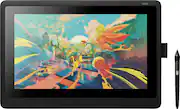
This Cintiq has made work easier to accomplish on Photoshop. It was very easy to set up, all you have to do aside from the automatic setup process is download the required driver in order for this tablet to run correctly and be recognized by your computer. • You have to have a computer to run this tablet, it is not like an iPad. • This tablet has a 72% NTSC color display, which, some artists are rather sensitive about that sort of thing but the slight color difference doesn’t bother me. • This tablet does not come with a stand or the express key remote, there are no express keys built onto the tablet. (Instead of spending $80 on the Cintiq 16–specific stand, I purchased a $10 laptop stand on Amazon instead. This Cintiq is thin enough to fit on any standard laptop stand! This will save you extra! (I have attached a picture of it)) All in all, a very lovely tablet! I have always stuck with Wacom, and they’ve always exceeded my expectations. This is my third Wacom tablet that I’ve owned. To me, the difference between Wacom and other drawing tablet brands is like the difference between Apple and Android. I prefer quality, and Wacom seems to hold the standard for best quality. Don’t hesitate, get this drawing tablet!
Posted by Gilly
- Rated 5 out of 5 stars
Artist Friendly!
Best purchase I have ever made. Perfect gift for an artist friend or yourself. It was easy to set up and the instructions were very clear. Setting it up with my dual monitors and downloading programs was easy. The screen and overall device is durable and the pen is great! Overall a 10/10. Im glad i got it for myself as a birthday present.!! I use Clip Studio Ex on my wacom! also a recommend
Posted by Ashley
- Rated 5 out of 5 stars
Good pen display for artists of all types.
Great display for someone on an average budget. Good for 3D texturing and sculpting. Response time is great. Pen pressure works great. It doesn't have any buttons on the display itself, but I use keyboard shortcuts so that hasn't affected me. The more you use it the more small scratches will appear on the screen. It probably happens more as the pen nibs wear out and get flat spots. You'll want to have extra nibs for a smooth experience. Overall it's good for the price. I recommend getting the Wacom adjustable Landscape stand if you want to use it in a better position as a second monitor, or if you want to use it hanging off the edge of your desk.
Posted by DrowningChao
- Rated 5 out of 5 stars
Best drawing tablet I've used
I love it, very precise and easy to use, the software provided is excellent and easy to use as well, the pen and it's functions are smooth and act fast to the touch providing great drawing and techniques, would recommend
Posted by martz
- Rated 4 out of 5 stars
Great for graphic design! Must have computer!
Bought this for my girlfriend for graphic designing! She absolutely loves it! She says the pen is amazing and does exactly what she wants the strokes to look like all based on the pressure she uses! Her favorite programs to use it with are Adobe illustrator, creative cloud and photoshop! Only thing I didn’t know was that it had to be used with a separate computer and once you download the free software it comes with you can’t download it to another computer! I didn’t know that when I purchased it. I wonder now if an iPad would have been better. She loves it though and that is all that matters. We did end up buying a laptop for her to use it with as well. Just don’t love that it all has to have cords to be used not making it an on the go item. Again depends on what you are looking for. The capabilities it offers however with drawing are incredible!
Posted by NicoleD