Customer Ratings & Reviews


- Model:
- CS500PK0
- |
- SKU:
- 1884014
Customer reviews
Rating 4.1 out of 5 stars with 50 reviews
(50 customer reviews)to a friend
Customers are saying
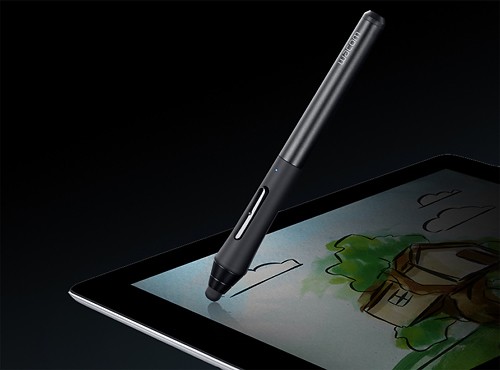
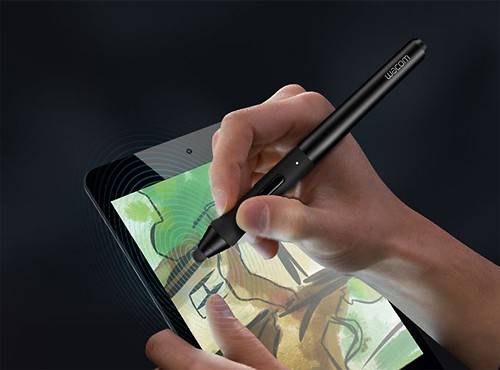
Customers enjoy the pressure sensitivity, finding it extraordinary and adding a new dimension to their drawings. The stylus itself is praised for its ease of use and accuracy in various apps, making it ideal for writing and drawing. However, some users experienced issues with battery life and the stylus tips wearing down quickly. Concerns were also raised about the placement of the buttons, leading to accidental clicks.
This summary was generated by AI based on customer reviews.
- Cons mentioned:Tips
Rated 1 out of 5 stars
good idea bad delivery
||Posted .This reviewer received promo considerations or sweepstakes entry for writing a review.I'm new to drawing on an IPAD but with the huge tip on this thing It was driving me nuts, so I returned it within a few days.
No, I would not recommend this to a friend Rated 1 out of 5 stars
not worth the price
||Posted .This reviewer received promo considerations or sweepstakes entry for writing a review.I would expect more for the price. This takes AAAA batteries...not triple, Quattro and it's very unresponsive. My daughter uses this for drawing and we returned it, bought a $20 stylus at Wal-Mart (her decision) and it works on no batteries and is very responsive.
No, I would not recommend this to a friend- Pros mentioned:Pressure sensitivityCons mentioned:Buttons, Tips
Rated 2 out of 5 stars
A little pricey for its let down
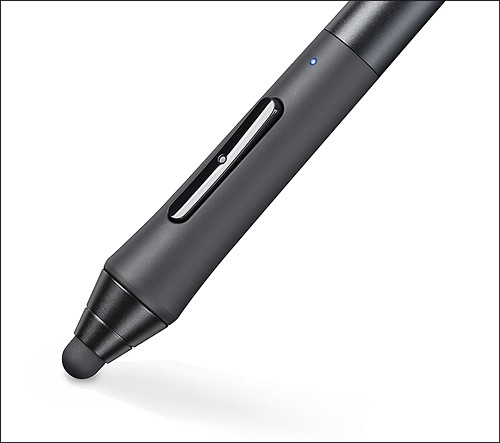
Posted .This reviewer received promo considerations or sweepstakes entry for writing a review.I bought this stylus for its pressure sensitive feature. The pen is a little bulky but feels comfortable once you use it for a while. The buttons are a nice feature but are located in a bad spot. I was constantly clicking the undo and had to change the button functions in app to avoid this. The case it comes with is nice. The sleek design made it easy to carry around. I think my main concern is the tips. I draw a lot and I went through all tips provided in about a month. It seemed to me that they wore down fast and very easily. Also I noticed they had left their residue all over my iPad screen. It left dead spots on my iPad that would not recognize my other styluses due to this residue all over it. I had a heck of a time getting it completely cleaned off. Now it seems I'm having trouble finding more tips so the pen is useless without them. Overall I was dissatisfied with this pen and the price I paid for it. I'm back to using a cheapo Targus stylus which I should of stayed with from the beginning. Also hurts to see that the price is now half what I paid for it. Probably due to its bad feedback.
No, I would not recommend this to a friend - Pros mentioned:Pressure sensitivity
Rated 4 out of 5 stars
Extremely nice pen with surprising functionality
Posted .This reviewer received promo considerations or sweepstakes entry for writing a review.I'm probably a little too picky when it comes to digital pens. I like a pen with pin-point accuracy, a solid and sturdy body, weight and high responses with pressure sensitivity. Anything less than near-perfect, and I move on with frustration. I bought this pen with great hesitancy. At first glance it looks like a toy. In addition, I've never considered the iPad to be a good tool for artists. It simply lacks the complexity of a real computer. I think things have finally changed. I've used this pen on my iPad Air, with the app "Procreate" and I'm absolutely astonished as to how well it works. The pressure sensitivity (when configured) is extraordinary. It's smooth and responsive. My only complaint is that it's a little hard to get that pin-point accuracy. The tip is pretty blunt / wide, so when you're trying to make some very fine strokes near other elements, it's very easy to miss your mark. But honestly, it doesn't bother me as much as I thought it would. This pen is just straight-up fun to use and feels great to hold. It won't compete with a Cintiq, but it's an extremely functional tool that makes me re-examine what an iPad is capable of.
I would recommend this to a friend - Pros mentioned:Accuracy
Rated 5 out of 5 stars
best in class
Posted .This reviewer received promo considerations or sweepstakes entry for writing a review.The bar is low for powered styli, but this one works extremely well for note-taking on my iPadAir. When I upgraded from an earlier iPad, my old Bamboo stylus did not work well with the retina display. This one is quite good. I use it for note taking--not art. My app of choice is noteshelf. For mind-mapping and note-taking in meetings, this is quite good. By comparison, the new Adonit / Evernote powered stylus is very disappointing. It is noisy--tapping against the glass--and does not give a consistent line when I use it.
I would recommend this to a friend Rated 4 out of 5 stars
Very cool pen
Posted .This reviewer received promo considerations or sweepstakes entry for writing a review.I really like the pen overall, and it felt rely good to handle and like how the apps like bamboo allowed me to keep my palm down on the face of the iPad while drawing and it didn't not mess up the pen & drawing. Bluetooth some times lagged, but overall it is very cool.
I would recommend this to a friendRated 3 out of 5 stars
Not a Replacement for a Wacom Tablet
Posted .This reviewer received promo considerations or sweepstakes entry for writing a review.Even with Wacom's own Bamboo Paper app, this pen's sensitivity is limited and nothing remotely close to what their Intuos tablets are capable of. Wacom just this month improved their palm recognition so that I can now draw without the unintended palm marks on the canvas. Overall, I expect improvements in other app software, but most conspicuous in its absence is the Photoshop app, which does not work with the pressure sensitivity. I would recommend this stylus with reservations.
I would recommend this to a friendRated 5 out of 5 stars
Great Item
Posted .This reviewer received promo considerations or sweepstakes entry for writing a review.Great product from a trusted manufacturer. Lacks a little precision but nothing you can't get used too still probably the best stylus you can get for an Ipad. I use this to draw on my Ipad Mini and works great carrying case comes in handy when on the go not to mention it comes with 2 extra tips.
I would recommend this to a friendRated 5 out of 5 stars
great
Posted .This reviewer received promo considerations or sweepstakes entry for writing a review.works as described! It was a little hard to be precise with it though.
I would recommend this to a friendRated 1 out of 5 stars
Awful
Posted .This reviewer received promo considerations or sweepstakes entry for writing a review.I used this product for less than a day then returned it. It kept loosing the Bluetooth connection etc. just go buy a cheapy standard one, it will work just as well for much less the cost.
No, I would not recommend this to a friend