Customer Ratings & Reviews
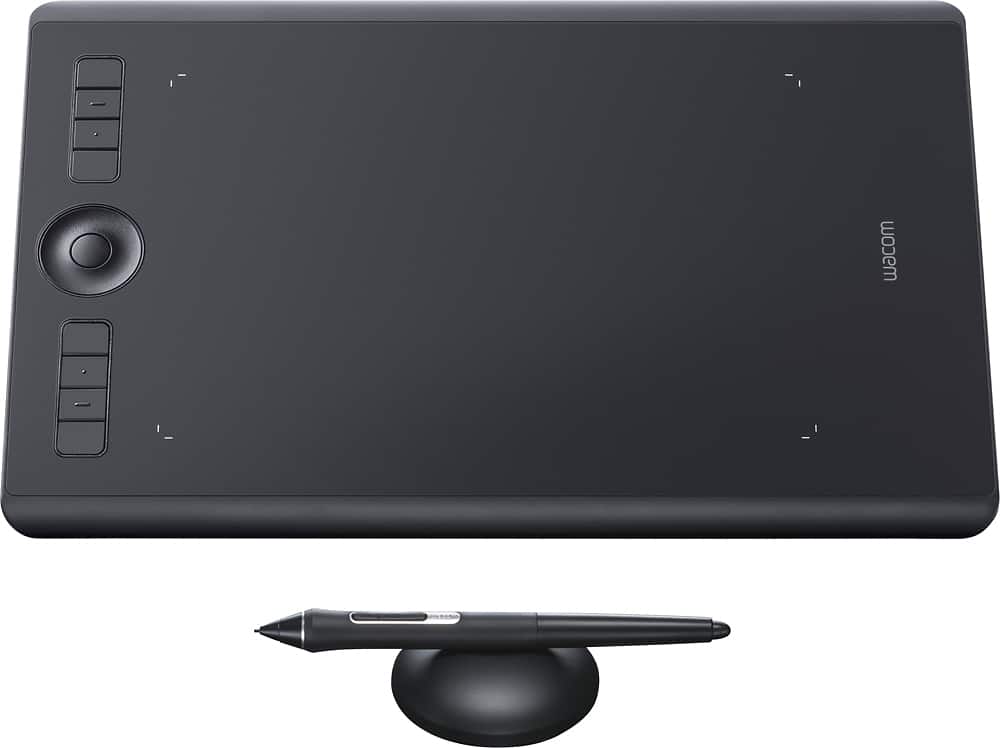
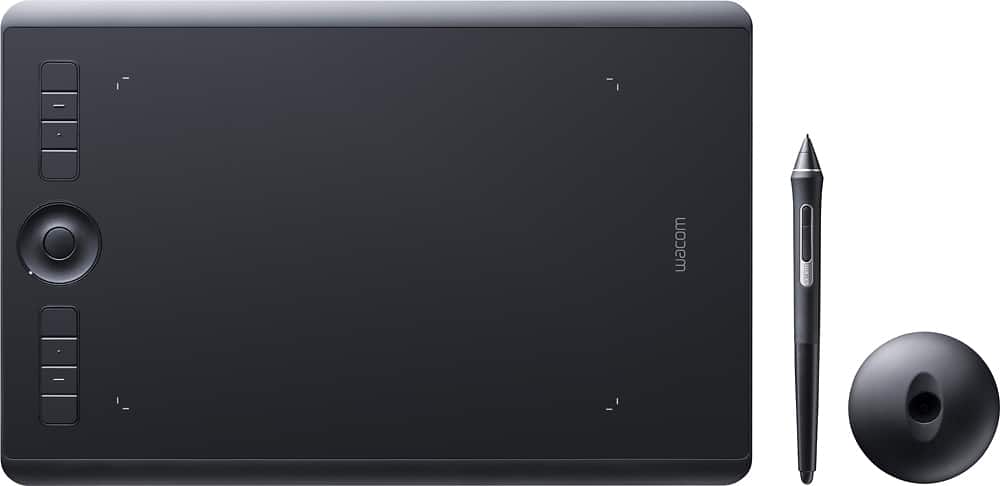




- Model:
- PTH660
- |
- SKU:
- 5708931
Customer reviews
Rating 4.7 out of 5 stars with 678 reviews
(678 customer reviews)Rating by feature
- Value4.5
Rating 4.5 out of 5 stars
- Quality4.8
Rating 4.8 out of 5 stars
- Ease of Use4.5
Rating 4.5 out of 5 stars
Customers are saying
Customers love the Intuos Pro Pen Drawing Tablet (Medium) for its ease of use, precise sensitivity, and the quality of the pen and Bluetooth connectivity. Many appreciate the medium size, perfect for personal use, and its compatibility with various software. However, some users find the tablet surface to be rough and have noted issues with the included software. A few also mentioned experiencing occasional lag.
This summary was generated by AI based on customer reviews.
Rated 4 out of 5 stars
Simple tablet, works but..
||Posted . Owned for 2 weeks when reviewed.This reviewer received promo considerations or sweepstakes entry for writing a review.Check other brands like Hueion with tablets with display.
No, I would not recommend this to a friendRated 1 out of 5 stars
Don't Get It
||Posted .This reviewer received promo considerations or sweepstakes entry for writing a review.Try before you buy. Delayed and iffy on speed even when plugged into my computer. I use lightroom and photoshop often and was not happy at all with the feel or speed of this tablet.
No, I would not recommend this to a friend- Cons mentioned:Software
Rated 1 out of 5 stars
A Year later, Still Can't Use!
||Posted .This reviewer received promo considerations or sweepstakes entry for writing a review.No instructions, USB cord or no software attached.
No, I would not recommend this to a friend Rated 1 out of 5 stars
To much hype
||Posted .This reviewer received promo considerations or sweepstakes entry for writing a review.If you will not use the key board along with this pad then this is a good purchase. Otherwise, don't waste your time. It has a large foot print and uses large amount of work space. I returned the item and purchased a less expensive and medium pad that works just as good.
No, I would not recommend this to a friendRated 1 out of 5 stars
Don't buy this tab!
||Posted . Owned for 2 months when reviewed.This reviewer received promo considerations or sweepstakes entry for writing a review.Hated this thing! There are such WAY LESS EXPENSIVE digital art boards out there WITH SCREEN on it where you draw. This was most difficult to set up, no customer support help, HORRIBLE!
No, I would not recommend this to a friendRated 1 out of 5 stars
glitchy device
||Posted . Owned for 1 month when reviewed.This reviewer received promo considerations or sweepstakes entry for writing a review.very disappointed. had to return it because kept glitching. found out other users had the same problem.
No, I would not recommend this to a friendRated 4 out of 5 stars
An incredible tool for the digital artist
Posted .This reviewer received promo considerations or sweepstakes entry for writing a review.I've been doing digital art since 1997 (including a degree in multimedia & website development). I've used a mouse since the beginning for all of my (for example) Photoshop work. I picked up a Wacom Intuos Pro (size large) approximately 5 months ago and am finally at a point where I'm capable of writing a proper review. I say "finally" because this drawing tablet most certainly has a learning curve to it... and I didn't want to rush a review until I felt comfortable with all of it's attributes; both good and bad. The Wacom Intuos Pro is an incredible tool for the digital artist. The craftsmanship is terrific... from the packaging to the actual tablet, pen, and stand - it's all well done. Nothing feels cheap. When picking up the pen, you immediately get a sense that this tool will last you a very, very long time. Initial setup is relatively straightforward - if you can find your way through a new grocery store on vacation, you can set this tablet up on your computer. Customization, on the other hand, takes a bit of trial-and-error. For instance, you can set specific commands to buttons on both the pen and tablet for every software program you use... and it takes some time to figure out what you'll like/don't like and how to set them up. I personally recommend youtube to get some nice, professional recommendations on this subject. The tablet comes with a multitude of buttons on the side you can use. I frankly am quicker with keyboard shortcuts so don't use them that often... but there are a couple that are terrific (for example: the precision button which lets you control the pen in a much more finite way when doing detail work). Most go unused however. I'd rather see them shrink these buttons by 50% (or more) and give me that real estate on the table for a larger drawing surface. Speaking of the surface - it feels great when drawing! No complaints there. It's incredibly "natural" though there is ONE thing that takes quite a bit to learn: when moving a mouse, the pointer on screen is always in the spot you left it (regardless if you pick up the mouse and move it to a new spot on your table). However, with a Wacom tablet it's quite different: your tablet is a physical layout of your computer monitor: if you leave the mouse curser in the bottom left of your computer screen, your mouse will jump to a completely different position if you drop your hand (and stylus) down on the tablet somewhere else. This may not make the most sense, but you will immediately understand what I'm saying soon as you get this tool. In no way am I saying this is a dealbreaker... but it definitely takes a bit to retrain your brain to treat the stylus differently than the mouse. I really only have two complaints (and both I can live with). 1) A mouse is way, WAY easier to use when navigating websites (for example). The reason is simple: most mice out there have a scroll wheel allowing you to quickly scroll up/down. I really wish the Wacom stylus had this feature built right in (a little scroll wheel would be AMAZING for navigating websites or even adjusting brush sizes). 2) The tablet supports touch sensitivity (ie: your finger) which has worked great (and is a good way to quickly swipe/slide/nav websites and pages using multi-touch gestures. My only complaint is I've had this feature break on me twice requiring me to remove the hardware and reinstall. I've finally given up after the 2nd break and am just living without the key features: I can still move my mouse around using a finger, but can't double-tap or multi-finger gesture. Ug... maybe I'll get around to reinstalling b/c these features are good. All-in-all, I have one piece of advice that you should strongly consider if purchasing a Wacom tablet of your own: hide your mouse for a few weeks and force yourself to use the stylus/tablet. Trust me on this! If your mouse is easily at hand, it'll be easy to pick up whenever you first struggle with learning the tablet... and then you have to start all over again with the learning process. Hide the mouse... use the tablet exclusively and you'll see after about 3 weeks that you're a pro! Trust me. :)
I would recommend this to a friendRated 1 out of 5 stars
This item not purchase by me. I informed store
||Posted .This reviewer received promo considerations or sweepstakes entry for writing a review.This item purchase by someone named chris,lives in Texas and on a close account.
No, I would not recommend this to a friendRated 4 out of 5 stars
Solid hardware, bluetooth not working
Posted .This reviewer received promo considerations or sweepstakes entry for writing a review.I'm an enthusiast who has owned an earlier Wacom tablet (Intuos 3) for many years. Times have changed and I purchased this model (PTH 660) so I can hand off my older tablet to my daughter in college. Pro(s): The hardware is excellent. Both the tablet and pen are sturdy and precise. The touch feature is quite nice when I want to navigate without my mouse and the radial and buttons are highly customizable and responsive. Con(s): The tablet works perfectly with the wired connection. The wireless cable that came with the unit is not a standard mini-usb. It uses a slightly different sized connector (perhaps an Apple connector - not sure because I don't own any Apple products). This isn't a big deal except that if I lose or break the included charging/connecting cable I'll have to go out and buy one. This underscores a problem that is entirely Wacom's doing. Namely that there doesn't seem to be a manual for the tablet (aside from a single folded piece of paper without any text to show how to plug the unit into the computer) at all. There was nothing included in the box (aside from the tri-fold) and their website links to the manual for the previous generation of products. So...no manual or instructions. The above criticisms are annoying but not, once everything is connected, reason enough to return the tablet. What is reason enough to return the tablet is that the wireless (Bluetooth) functionality does not work. The tablet relies on the user having an existing Bluetooth capable computer (if they don't they'll have to I assume (due to lack of documentation) buy a Bluetooth dongle). My computer, which is Bluetooth capable, can pair with the tablet but not connect. After extensive troubleshooting I can only conclude that the tablet itself is the culprit (everything else I own that is Bluetooth capable works fine). That said, I imagine Wacom (who, to their credit, have already released several firmware updates) will fix the Bluetooth connectivity problem eventually. Can I wait until the return policy expires is another question.
No, I would not recommend this to a friendRated 5 out of 5 stars
Draws like a tablet
Posted .This reviewer received promo considerations or sweepstakes entry for writing a review.working great for me, wireless works fine- the website shows which bluetooth connection to connect to , when you plug it in it automatically goes to the download load drivers page. draws and does what it supposed to. I have really enjoyed being wireless with it. the touch also works great and has a switch on the side to turn it off. side note: i did not have any previous versions of drivers on the computer i installed it onto.
I would recommend this to a friendRated 5 out of 5 stars
Wacom Pro. Tablet
Posted .This reviewer received promo considerations or sweepstakes entry for writing a review.I just purchased this Wacom Pro tablet from Best Buy so that I can retouch my photos and this is the most amazing and reliable tablet for retouching photographs and I'm very satisfied with all the help and customer service that Best Buy always offers for there customers,. They have great customer support and staff that are knowledgeable about what products are sold at Best Buy
I would recommend this to a friendRated 5 out of 5 stars
Review
Posted .This reviewer received promo considerations or sweepstakes entry for writing a review.Didn't get a chance to open it as it wasn't with the screen but I know this is a great product from all the review from my friends who purchased it.
I would recommend this to a friendRated 5 out of 5 stars
I love it!!!
Posted .This reviewer received promo considerations or sweepstakes entry for writing a review.Product was shipped on time, right in time for Christmas. This tablet is awesome! I am absolutely happy with it.
No, I would not recommend this to a friendRated 4 out of 5 stars
Good tablet, poor details on what's included
Posted .This reviewer received promo considerations or sweepstakes entry for writing a review.This is a great tablet, but if you want to connect it to a Macbook, you're going to have to buy a different cable than what comes with it. Apparently Wacom didn't get the memo that Macbooks don't have USB Type A ports (the big rectangular one that's been around forever). If you buy this to use with a Macbook, be sure you have a USB-C to USB-C cable for it...sold separately.
I would recommend this to a friendRated 4 out of 5 stars
Don’t install without a wired mouse!
Posted .This reviewer received promo considerations or sweepstakes entry for writing a review.First of all, do NOT try to install this without a mouse (wired preferred). You need to access a web site then download the drivers. It does not auto-install, which is a complete miss by Wacom.
I would recommend this to a friendRated 2 out of 5 stars
Product/software faulty
Posted .This reviewer received promo considerations or sweepstakes entry for writing a review.If and when the tablet actually works, it is awesome. The drivers always have bugs. I had to send in my stylus to be replaced (at my own expense) and now I have to send the tablet back to wacom (also at my expense) to be replaced after Bluetooth issues. Also have to unplug/plug back in after an hour of inactivity to use it. This would be an awesome product if it worked, but Wacom has much to improve upon regarding reliability. I've only had the tablet 3 months, purchased brand new and it is the most recent model. Extremely frustrating and disappointing.
No, I would not recommend this to a friendRated 2 out of 5 stars
Wacom Tablet
Posted .This reviewer received promo considerations or sweepstakes entry for writing a review.When it works it’s great, but once I set down the pen, the pen no longer works.
No, I would not recommend this to a friendRated 1 out of 5 stars
Totally did not live up to the hype in my opinion.
Posted .This reviewer received promo considerations or sweepstakes entry for writing a review.Died after 4 years. Not what I was expecting. Wacom was unwilling to assist with the cost.
No, I would not recommend this to a friend