Customer Ratings & Reviews




- Model:
- DTC133W0A
- |
- SKU:
- 6393542
Customer reviews
Rating 4.4 out of 5 stars with 853 reviews
(853 customer reviews)Rating by feature
- Value4.3
Rating 4.3 out of 5 stars
- Quality4.5
Rating 4.5 out of 5 stars
- Ease of Use4.2
Rating 4.2 out of 5 stars
Customers are saying
Customers recognize the One drawing tablet's ease of use and convenient screen size as significant advantages. Many appreciate its responsiveness and the included pen, while some find the setup process challenging and the cable management cumbersome. The compatibility with various operating systems is also a point of discussion, with some users experiencing difficulties. Overall, the price-to-performance ratio receives positive feedback.
This summary was generated by AI based on customer reviews.
- Pros mentioned:Ease of use
Rated 5 out of 5 stars
Tablet for Design and 3D Software
||Posted . Owned for 3 months when reviewed.This reviewer received promo considerations or sweepstakes entry for writing a review.This is a nice table to use with a PC. My grandson uses this for creating designs. He is 11 years old and had no problems paring it with my Windows 10 HP laptop. I plan on using this with Tinker Cad 3D design software.
I would recommend this to a friend - Pros mentioned:Ease of use
Rated 5 out of 5 stars
great art pad!
||Posted . Owned for 2 months when reviewed.This reviewer received promo considerations or sweepstakes entry for writing a review.I love my Wacom One drawing Tablet, I've been using it to draw on photoshop and it really makes it so much easier than using a mouse, feels just as good as drawing with a pencil on paper.
I would recommend this to a friend Rated 3 out of 5 stars
Not bad but could be so much better.
||Posted . Owned for 1 week when reviewed.This reviewer received promo considerations or sweepstakes entry for writing a review.This tablet works well when it works; however, the pen stopped working and the wire broke.
I would recommend this to a friend- Pros mentioned:Ease of use
Rated 5 out of 5 stars
For photo workflow.
||Posted . Owned for 1 month when reviewed.This reviewer received promo considerations or sweepstakes entry for writing a review.I am a wildlife photographer and this addition to my workflow is second to none. I use it in Lightroom mainly and the ease of using the pencil for accessing the sliders and if any brush work is needed just can’t be matched.
I would recommend this to a friend Rated 3 out of 5 stars
Review details
||Posted . Owned for 1 month when reviewed.This reviewer received promo considerations or sweepstakes entry for writing a review.Please review all details everything is great except the fact that you need a desktop
No, I would not recommend this to a friendRated 3 out of 5 stars
Calibration issues
||Posted . Owned for 1 month when reviewed.This reviewer received promo considerations or sweepstakes entry for writing a review.This Wacom is nice. However I’m only a couple months into having it and I’m having trouble calibrating it. And the cursor is off a considerable amount.
I would recommend this to a friend- Pros mentioned:Screen size
Rated 5 out of 5 stars
Great for a first time Wacom tablet
||Posted .This reviewer received promo considerations or sweepstakes entry for writing a review.My daughter goes to an art high school and focuses on visual arts. We decided to purchase this Wacom tablet because it has a screen (which is what she really wanted). She set it up herself and said it was quick and easy. She loves it!
I would recommend this to a friend Rated 4 out of 5 stars
Delightful Fun for drawing
||Posted . Owned for 2 weeks when reviewed.This reviewer received promo considerations or sweepstakes entry for writing a review.I found this tablet to be very nice and fun to use but there were a few tiny issues with the writing experience. This is a new field for me and I was interested to see how this thing performs and it did not disappoint. Maybe some more time spent getting used to it would be have better but it was a quality piece and really fun to use. I have no use for a second screen when I have a laptop with pen support but this can be an awesome addition for beginning artists.
I would recommend this to a friend- Pros mentioned:Ease of use
Rated 4 out of 5 stars
Works As Expected
||Posted . Owned for 1 year when reviewed.This reviewer received promo considerations or sweepstakes entry for writing a review.This needs a computer to hook up to. Its very cool to use and for a beginner its not too complocated especially because you can YouTube beginner videos.
I would recommend this to a friend - Pros mentioned:Ease of use
Rated 4 out of 5 stars
This thing is great!
||Posted . Owned for 1 week when reviewed.This reviewer received promo considerations or sweepstakes entry for writing a review.Simple set up, works great straight out of the box. I'm sure the $2000 and up models are even better, but at this price point, and including the Wacom brand reliability, it can't be beat.
I would recommend this to a friend Rated 4 out of 5 stars
Pretty good
||Posted . Owned for 2 months when reviewed.This reviewer received promo considerations or sweepstakes entry for writing a review.Its pretty good for its value. this is my first digital tablet thats not an ipad and it works fairly well. I dont have many big gripes with it. Thoguh etting it setup was difficult and idk why it has to be that hard but it took a while because the website was not finding it. Once i did get it setup though it was pretty awesome. Getting clip studio free for a little while was a plus. A con i have with this is that the texture of the screen is different.. Like it is smooth on some parts and kind of rough at other parts. Its weird and i dont know if its supposed to be like that or if its just my tablet. All in all its a good graphics tablet for its price.
I would recommend this to a friend- Pros mentioned:Screen size
Rated 5 out of 5 stars
'Wacom One' 13.3" Graphics Tablet is GREAT!
||Posted . Owned for 1 week when reviewed.This reviewer received promo considerations or sweepstakes entry for writing a review.This tablet is the best I've ever owned! Not only does it have it's own display screen, but also you can use it with a very similar result to real paper!! It's excellent. A gigantic choice of colors, and the price is nice also. 5 out of 5 stars!
I would recommend this to a friend - Pros mentioned:Ease of use
Rated 5 out of 5 stars
Amazing
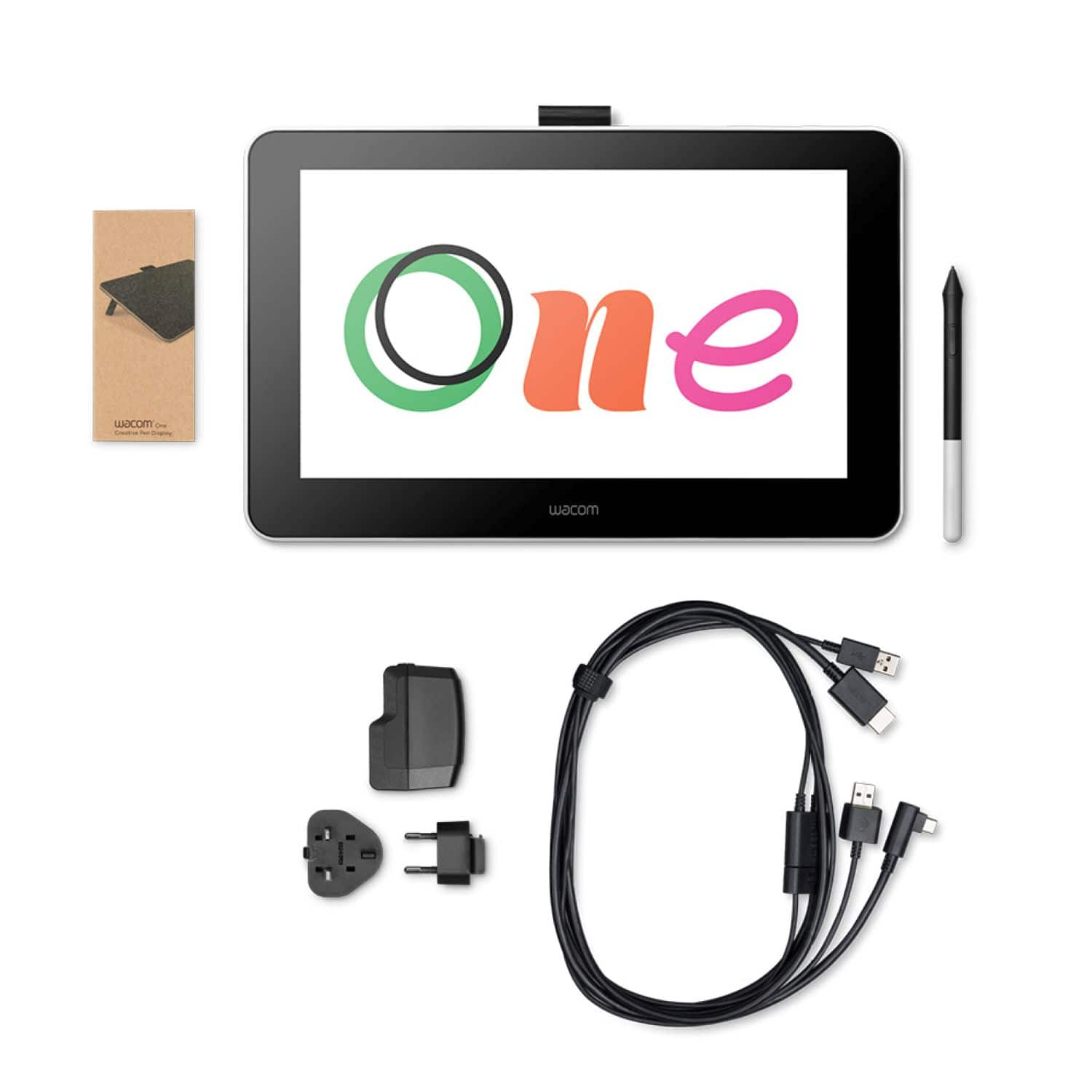
||Posted . Owned for 3 weeks when reviewed.This reviewer received promo considerations or sweepstakes entry for writing a review.It’s a good tablet for those who are just getting started it does have a lot of wires to connect which take a bit of space other than that it’s a great tablet!
I would recommend this to a friend - Pros mentioned:Ease of use
Rated 5 out of 5 stars
Wacom One Tablet
||Posted . Owned for 3 weeks when reviewed.This reviewer received promo considerations or sweepstakes entry for writing a review.Great for artists of Lk levels. Easy to sync with art programs. Gives excellent levels of pen and visibility options for great detail and customization . Would recommend the tablet for artists of all levels.
I would recommend this to a friend - Pros mentioned:Ease of use
Rated 5 out of 5 stars
Great item
||Posted . Owned for 1 month when reviewed.This reviewer received promo considerations or sweepstakes entry for writing a review.My child loves their new tablet. It was easy to set up and they draw on it every day. It's a little pricey so I wouldn't recommend it for small children, but my 13-year old is very pleased.
I would recommend this to a friend Rated 3 out of 5 stars
Not exactly
||Posted . Owned for 1 month when reviewed.This reviewer received promo considerations or sweepstakes entry for writing a review.I really thought this tablet could be used independently of the laptop....
No, I would not recommend this to a friend- Pros mentioned:Ease of use
Rated 4 out of 5 stars
good for the price
||Posted . Owned for 1 month when reviewed.This reviewer received promo considerations or sweepstakes entry for writing a review.great product although I did not realize I would dislike having to keep it plugged in to my pc the entire time.
I would recommend this to a friend Rated 5 out of 5 stars
Excellent for mid-budget drawing pad.
||Posted . Owned for 1 week when reviewed.This reviewer received promo considerations or sweepstakes entry for writing a review.Bought this for my kids birthday. Great purchase. It was easy to setup and get started. Several cords but still easy to plug in proper locations on a laptop. Works with different drawing programs. Drawing line only activates with touch from pen. So you can lay your wrist on it without the problems of a normal touch screen. It projects your art on the tablet and on the monitor so you can see not only what your drawing but where your lines are unlike with the <$150 models. You can save your work each time. You can download free pictures to color or draw whatever is in your imagination. Software with the device is good, mostly trial software but, there are lots of free programs on the Microsoft Store that work great. Only draw back is the protective case is a crappy cloth bag.
I would recommend this to a friend- Pros mentioned:Drawing
Rated 5 out of 5 stars
Excellent Drawing experience
||Posted . Owned for 1 week when reviewed.This reviewer received promo considerations or sweepstakes entry for writing a review.I've been using this tablet with Photoshop CS4 for several days now and must say that the experience has been great! The feel is smooth yet crisp. It is a very robust build that should hold up for years of use. I really love it!
I would recommend this to a friend - Pros mentioned:Ease of use
Rated 5 out of 5 stars
Perfect budget tablet
||Posted . Owned for 1 week when reviewed.This reviewer received promo considerations or sweepstakes entry for writing a review.By far one of the best I’ve used and would easily recommend to a friend. I wouldn’t recommend this to my enemy, because I would want them to purchase something terrible. I don’t want my enemy using something this good. Ever.
I would recommend this to a friend