Customer Ratings & Reviews



- Model:
- WDBBYV0020BNC-WRSN
- SKU:
- 11530045
Rating by feature
- Value
Rating 4.8 out of 5 stars
- Quality
Rating 4.9 out of 5 stars
- Ease of Use
Rating 4.9 out of 5 stars
Customers are saying
Customers value the product's ease of installation, which makes transferring files straightforward. Its storage capacity is also a positive aspect, with some users anticipating they will need even more, indicating the product's usefulness.
This summary was generated by AI based on customer reviews.
Internal Drive
||Posted . Owned for 3 weeks when reviewed.This reviewer received promo considerations or sweepstakes entry for writing a review.Good product. Ecxellent customer service as always!
I would recommend this to a friendMore storage
||Posted . Owned for less than 1 week when reviewed.This reviewer received promo considerations or sweepstakes entry for writing a review.Definitely needed more storage for all the new games im going to be purchasing
I would recommend this to a friend- Pros mentioned:Installation, Performance, Storage

Simple & Great Storage Update
|Posted .This reviewer received promo considerations or sweepstakes entry for writing a review.Right off the bat the packaging is conservative but protects the product well and isn’t a pain to get into. Included in the packaging is the SSD itself, pamphlet but an important thing to note is that there are no instructions included with this product! I had to do some research on YouTube and google in order to figure out how to install the product, although after figuring out how it was done, the installation process was pretty simple. All-in-all I would say that this product is not difficult to install. On a scale of one to five, with one being extremely easy and five being extremely difficult, I would rate this product at a 2. The only trouble I had was fiddling a bit with the SSD when actually installing it (a bit of difficulty figuring out up from down), and removing the side plates on the PlayStation, but otherwise the installation went smoothly with no damage or troubles. The only items you will need when installing your new SSD is a small Phillips head screwdriver, and a way to help keep track of screws. A steady, gentle hand helps as well, as while it is difficult to lose a screw in the PlayStation 5, it is still possible. First, the PlayStation 5 system must be completely shut off, and unplugged. Next, the bottom support plate that keeps the PlayStation 5 upright must be removed, which is easily done by removing a single large screw. The next step is to remove the rear side plate on the PlayStation, which is the side that does not have PlayStation’s logo on it. This is where I ran into a bit of trouble and had to finesse the plate a bit in order to get it off. This is done by lifting up gently on the topmost portion of the plate, then sliding it forward and off. This reveals the inner portions of the PlayStation, as well as a convenient gray metal plate that covers where the SSD is going to go. This plate can be removed by a single screw (don’t lose it!). After this plate is removed, the SSD slot is visible, as well as a “spacer screw”. This screw helps keep the SSD secure and keeps it from moving. After removing the spacer screw, all I had to do was slot the SSD into place, which will make an affirming click, and then re-installing the spacer screw to secure the SSD in place. Afterwards, the gray cover can be replaced, and the PlayStation 5, re-assembled. After the PlayStation is booted up for the first time after installing the SSD, it will format your new SSD automatically for you, making you do less work. This lets you instantly gain access to your additional 2 terabytes of storage, as well as the performance boost granted by this product. Installation took approximately 5 to 10 minutes and was relatively simple. I have very little tech-savvy skills and know-how and have never once taken apart a computer or a PlayStation, yet thanks to the intuitiveness of both the PlayStation 5 system, and Western Digital’s simple design, I managed to install this product with ease, and it was honestly kind of fun! Now onto the performance. Before installing this product my PlayStation 5 had relatively fast load times, and little stuttering and buffering when either playing videogames or watching shows. However, after installing the Western Digital SSD, the improvements I saw were instant. Once the PlayStation formats the SSD for you, it gives you a system diagnostic of your new download and upload speeds and I noticed a huge improvement. The load times for my PlayStation 5 have been drastically reduced, and games that had the problem of painfully long load times are now a thing of the past for me. The games I play now have little to no stuttering whatsoever. Additionally, the 2 terabytes of storage let me install all of my favorite games without having to worry, while also keeping my actual console’s storage free for save-data, profiles, and screenshots/videos from my favorite gaming moments. Download times have dramatically increased as well, and updates that used to take hours now only take half the time, letting me jump back into the action twice as fast. Now even the most graphically demanding games load up with lightning speed thanks to the new SSD. This product does exactly what it is marketed to do and is well worth the cost. The product is accessible to people who may not be as technologically knowledgeable as others, and installation is easy and fun. The benefits the SSD provides well justify the cost, given the drastically improved load and download times, and additional storage space, it is a worthwhile upgrade for anyone looking to boost their gaming or streaming experience. There are also different things you can purchase to further boost your SSD’s performance! There is a heat-sink designed to adhere to the back of the SSD to help with over-heating issues. However, in my experience, heat was not an issue for my PlayStation even after hours of play. To conclude, the installation for this product was easy, simple, and only took 5 to 10 minutes even for someone with few technological knowledge. Due to the auto-formatting of the SSD the PlayStation does for you, I was able to instantly experience lightning-fast load and download times, and the massive amount of extra storage. I would rate this product 5 out of 5 stars, and highly recommend this product to anyone who loves video games as much as I do.
I would recommend this to a friend - Pros mentioned:Ease of use, Performance
Room For More
|Posted .This reviewer received promo considerations or sweepstakes entry for writing a review.Room For More 2023 is providing games. A LOT of games. From Indies to a lot of AAA games that we’ve been anticipating for a while. And with each new release comes the need for space inside my PS5. I used to be the type of gamer that scoffed at the idea of needing an additional SSD for my PS5. I thought, ‘If I need the room then I will just delete a game that I am not currently playing’. The issue with that kind of thinking is that eventually, you come to that inevitable crossroad of, ‘But I don’t want to delete this game because I plan to play it soon’. Or you pulled the trigger to delete a game that you didn’t want to delete only to find out that there’s still not enough space for the game you initially wanted to install. It’s a vicious circle all around. Over a year ago, I got a 1TB SSD. And it was great. My PS5 had room to breathe again. Everything seemed fine . . . Until my gaming collection hit a growth spurt. Dead Space, Horizon Forbidden West DLC, GTA 6 ray tracing updates, Diablo IV, Warzone updates, Final Fantasy XVI…And right around the corner, we have Spider-Man 2, a new Assassin’s Creed, and Lords of the Fallen. I needed more room. I heard other gamers praise the WD Black brand of SSD for PS5 in the past. I read that Mark Cerny (the PS5 designer) prefers the Western Digital brand for his PS5. So, I decided to give their latest WD Black SN850P 2TB SSD a go. Installation: It’s REALLY easy to install a PS5 SSD. You don’t have to be ‘tech savvy’ to install one. There are plenty of how-to videos to show you how to easily remove your PS5 covers to access the SSD compartment. WD Black has a How-To video on their YouTube channel if you aren’t confident. But I believe in you. You got this. Once your new WD SSD is in place and the covers are back on your PS5, you just start up your PS5 and let the system format the SSD in a matter of moments and then you’re ready to grow your gaming library. Design and Performance: The Heatsink is already applied to the SSD. You don’t have to do anything besides install the WD Black SSD. But you should take a moment and admire the ‘fierce’ design of the SSD. I understand that this one was made to match the airflow inside of the PS5. Once you’ve downloaded or installed your games onto your new drive, there’s nothing else to do but game. Games that are installed on the WD Black SSD load just as fast as if they were on the default PS5 SSD. And that’s the point, right? I have had no issues whatsoever since installing it. With this newfound space, I am ready for Final Fantasy XVI this week! Sooner or later, you’re going to need room for more games on your PS5. You will only be able to juggle deleting games for so long. Save yourself time and get the WD Black SSD. There are enough things in life to worry about, gaming space shouldn’t be one of them.
I would recommend this to a friend redemption code has already been redeemed
||Posted . Owned for 1 month when reviewed.This reviewer received promo considerations or sweepstakes entry for writing a review.I tried to redeem the 14-day PS Plus code and it turns out that the code has already been redeemed. How is that possible if I bought the card, got it home and installed it? When was it redeemed? I live alone?
I would recommend this to a friendBrand response from Western Digital Team
Posted .Hi DenilsonN, As of February 2025, Western Digital has separated into two independent companies and the support process for your Western Digital and Sandisk branded products may have changed. All Hard Drive products remain with Western Digital, and all SSD and Flash products are now supported by Sandisk. We apologize for any confusion or inconvenience. For support of your SSD or Flash product, please contact the SanDisk support team on Social Media handle @sandisk

- Pros mentioned:Installation, Storage
Best accessory for PS5
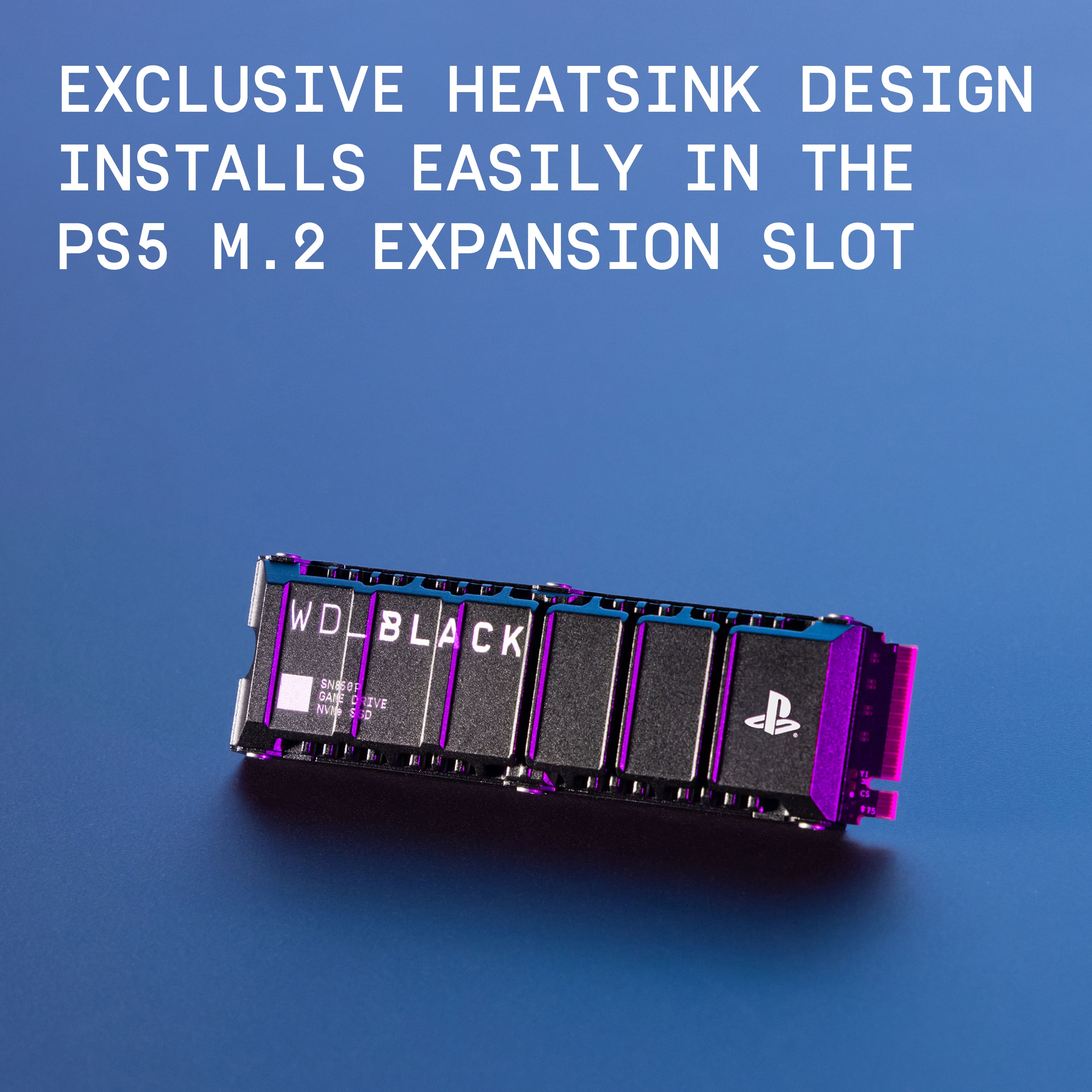
|Posted .This reviewer received promo considerations or sweepstakes entry for writing a review.I received this SSD about a week ago for my PS5. I have always wanted to add more storage since day one, for the PS4 back catalog, if anything. There have been 2 options available for adding more storage, internal or external. No doubt, the internal option is the preferred way to go here, but more expensive. Also, internal SSD's need a heatsink as well, due to the heat generated. Some may be turned away from installing something like a PC, but the process is fairly easy from start to finish. Please know that the WD Black SN850P comes with the attached heatsink and is *already included* and is an officially licensed PlayStation product too, so that takes some guess work out of the mix right away. I have included some pics showing what the PS5 system shows after initial install & what shows from installing 41 games(!). Couple COD's, several PS5 games from the new Diablo IV to GOW Ragnarök, Spiderman, etc. I chose 400GB plus available for upcoming games this year like FF 16 (91gbs) and future PS plus titles as well. The software install process was automatic with a confirmation button press to initially reformat for the PS5, then the downloading started for many hours to add games. I included the hardware install section here last due to the process requiring me to look online on how to properly install the SSD inside the PS5. Nothing too scary, use a small Phillips screwdriver and only takes 5 minutes. I think I struggled getting the PS5 side covers off more, to be honest. The following is a review of the actual numbers this SSD provides: I added 41 games that filled about 1.5 TB that averaged out to 36.5 GBs per game. There is something to be said for having this many games at your fingertips. I played games I haven't in years, simply because of convenience. Lastly, the transfer rate seemed to go about 1.5 GB/s from PS5 internal SSD to the WD SSD as well. A 60 GB game only took about 20-30 seconds! Even if you don't necessarily need extra storage, I love having all my favorite games in one place, I don't have to download again, just a quick 5-minute install. My tip is to make folders asap, trust me. Highly recommend this product to everyone.
I would recommend this to a friend - Pros mentioned:Performance
Ez sent up
||Posted . Owned for 3 weeks when reviewed.This reviewer received promo considerations or sweepstakes entry for writing a review.Title: Top-tier performance and easy installation I recently picked up the WD - BLACK SN850P 2TB from Best Buy, and it has been a game-changer for my storage needs. Since this model comes with the integrated heatsink, the installation process was incredibly straightforward and literally took just a few minutes. What I Like: • Speed: The PCIe Gen 4 x4 interface delivers lightning-fast load times, which is exactly what you want for high-performance gaming. • Capacity: 2TB is the "sweet spot" for storage, providing plenty of room for a large library without needing to constantly delete and reinstall software. • Build Quality: The PlayStation-licensed branding gives me extra peace of mind regarding compatibility and long-term reliability. Final Verdict: If you are looking to expand your storage with a drive that is fast, reliable, and runs cool thanks to the built-in heatsink, this is easily one of the best options on the market. It’s worth the investment for the performance boost alone. Reviewer Info:
I would recommend this to a friend - Pros mentioned:Ease of use, Storage
Fast NVMe SSD for the PS5 for a good price
|Posted .This reviewer received promo considerations or sweepstakes entry for writing a review.I want to thank Best Buy and Western Digital for giving me an opportunity to review this NVMe SSD drive. I previously used a Western Digital SN850 1 TB for the PS5. It has served me well and haven't caused any issues. Figured the SN850P would be a good upgrade for the added storage of 2 TB. Moreover, it is slightly faster at 7300 MB/s for reading and 6300 MB/s for writing as opposed to the SN850's 7000 MB/s for reading and 5300 MB/s for writing. The added bonus is that the SN850P comes with a heatsink, while the old SN850 didn't have one. This saves you some time and effort with installing the NVMe inside the PS5 (which is a snap). Granted I have only used the NVMe for only a week or so, but so far it has worked without any issues. When I was transferring data from the PS5's internal drive to the NVMe, it did it at blazing speeds. Games running off of the SN850p encountered no issue. I did not run any hard tests to gauge the difference in speed in terms of loading between the SN850, SN850p, and PS5's internal NVMe, but in terms of real world usage I spotted no difference. Also keep in mind that even though this NVMe SSD is for the PS5, you can easily use it with your computer too if you motherboard supports it. NVMe SSDs have certainly come down a lot in price given how the price for a 2 TB right now was what I similarly paid for a year ago for a 1 TB drive.
I would recommend this to a friend - Pros mentioned:Installation, Speed, Storage
Perfect for storing many of my games.
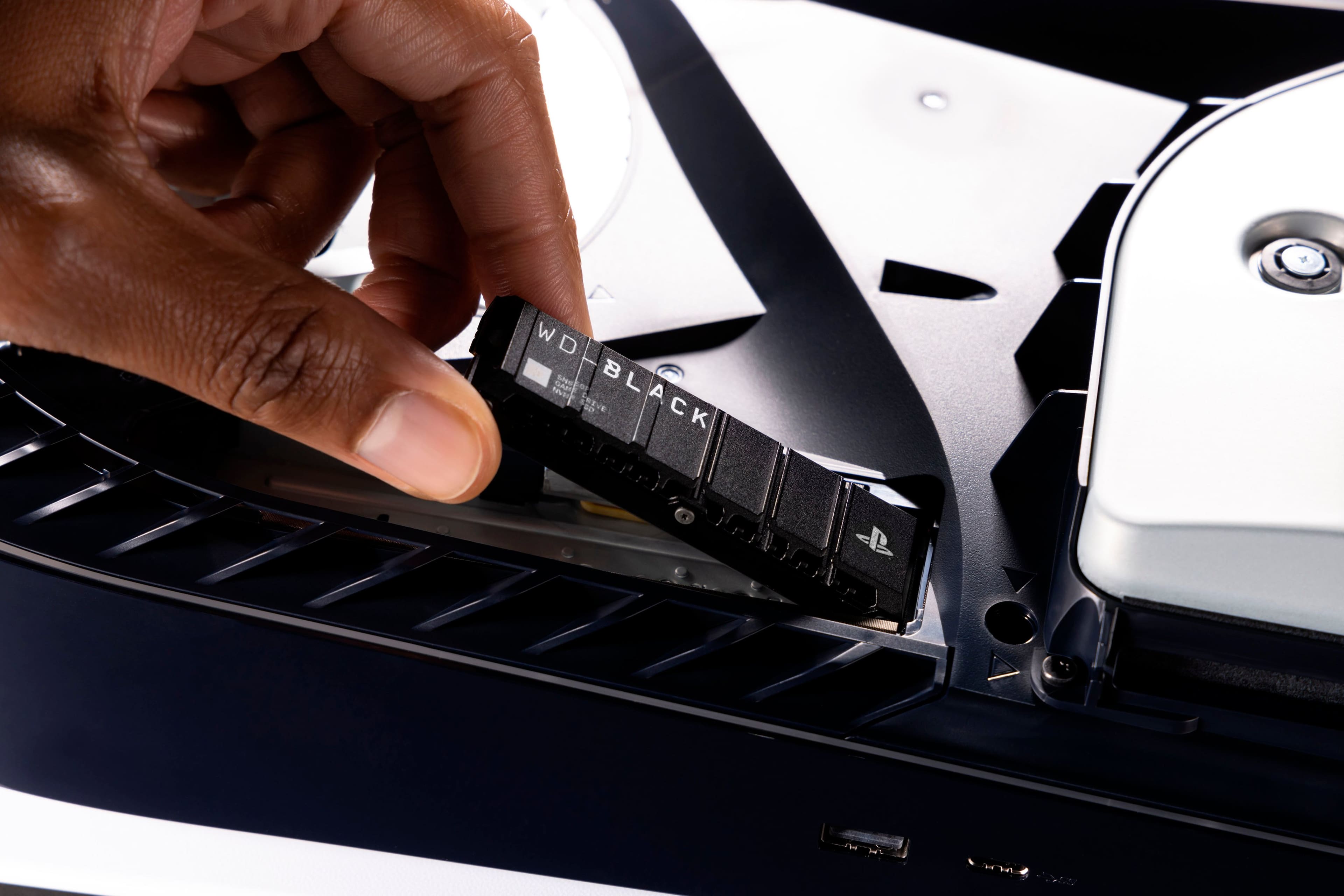
|Posted .This reviewer received promo considerations or sweepstakes entry for writing a review.I just got this 2 tb m.2 Western Digital drive for my PS5. This took me a total of 5 minutes to install,that's counting unplugging my PS5 and plugging it back in. This in my opinion is the best upgrade for the PS5 available. The recent M.2 price drops are incredible and make this a now more affordable option for gamers to upgrade they're internal storage option via diy. This 3rd gen m.2 has really good speeds rated at 6533 mb, which is nice and quick for game downloads and transfers. Install of this m.2 is simple, pop off the right side cover by tapping from the top of the panel to disengage the snap hooks. Then remove the screw from the m.2 compartment cover. Next remove the m.2 screw and standoff, and move 1 slot down to the correct 80mm slot. Now insert the m.2 drive into the slide in connector, install the screw to hold down the m.2 drive. Now reinstall the m.2 cover with it's screw and reinstall the right side PS5 cover. You now have a extra 2tb of fast storage for your console. I've only had this drive installed for one day, so I can't comment on how long it will live. I'm hoping for the life of my console, let's say 5 more years possibly...
I would recommend this to a friend - Pros mentioned:Installation, Performance, Storage
Easy Installation – WD BLACK
||Posted . Owned for 1 week when reviewed.This reviewer received promo considerations or sweepstakes entry for writing a review.I purchased the WD BLACK SN850P 2TB Internal SSD in March 2025 to expand my PS5’s storage, and it has been a fantastic upgrade. The installation process was incredibly easy—just a few simple steps, and the console immediately recognized the drive. The performance is outstanding. With PCIe Gen 4 speeds, games load almost instantly, and there’s no lag or slowdown, even with the most demanding titles. The built-in heatsink ensures optimal cooling, preventing overheating and maintaining stable performance during long gaming sessions. The extra 2TB of storage is a game-changer, allowing me to keep more games installed without constantly managing storage space. It seamlessly integrates with the PS5, providing the same high-speed performance as the internal SSD. If you’re looking for a reliable and high-performance SSD upgrade for your PS5, I highly recommend the WD BLACK SN850P. It delivers top-tier speed, efficient cooling, and hassle-free installation—an excellent investment for any PlayStation gamer!
I would recommend this to a friend Wasnt recognized by my ps5
||Posted . Owned for less than 1 week when reviewed.This reviewer received promo considerations or sweepstakes entry for writing a review.Installed, and reinstalled about 8 times. Watched mulitple videos to troubleshoot errors on my end. Went on reddit, found multiple people with the same issue and no clear answers. “Push it in at an angle til it clicks” was the best I got and it didn’t work.
No, I would not recommend this to a friend- Pros mentioned:Installation
Must-Have & Easy Add-on for Any PS5
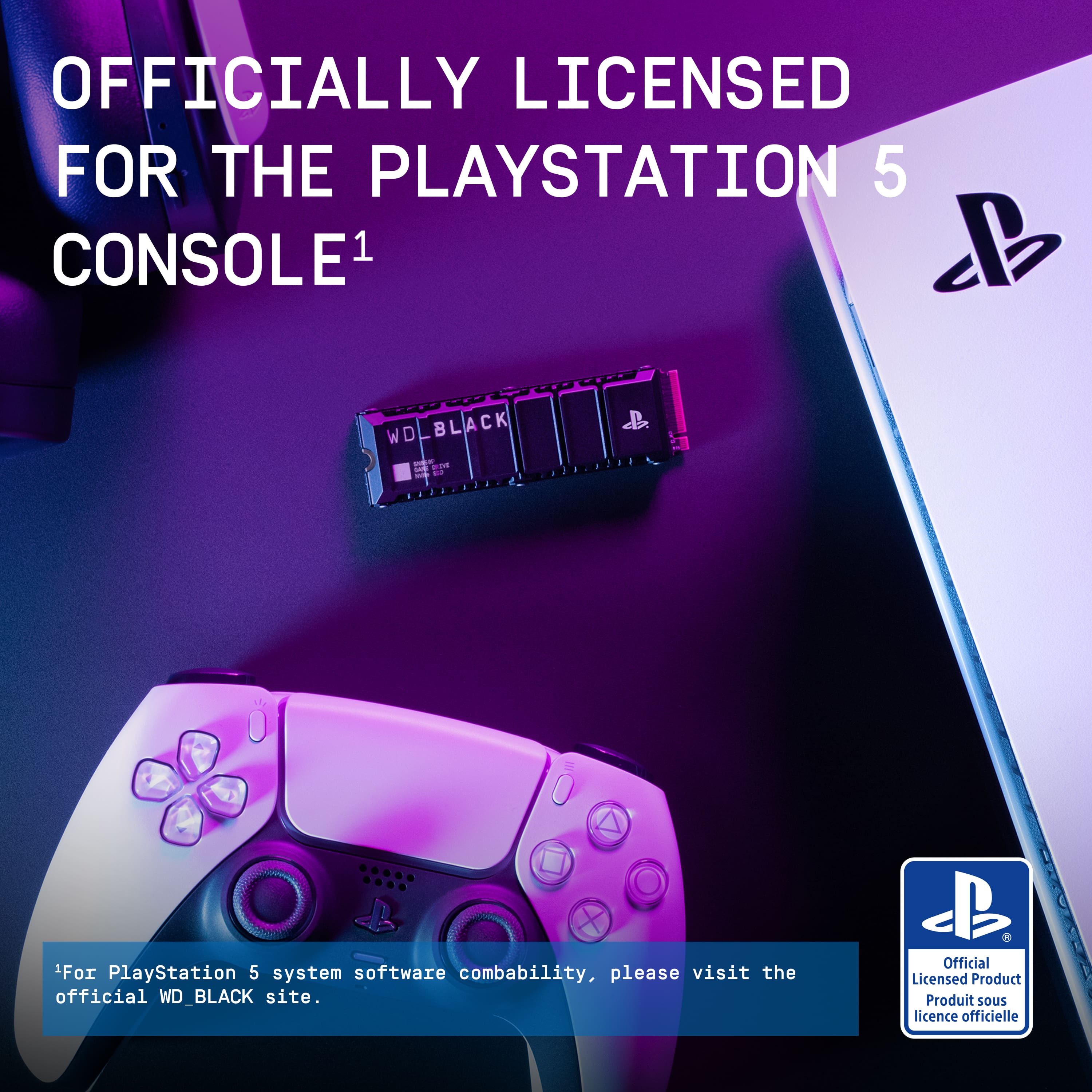
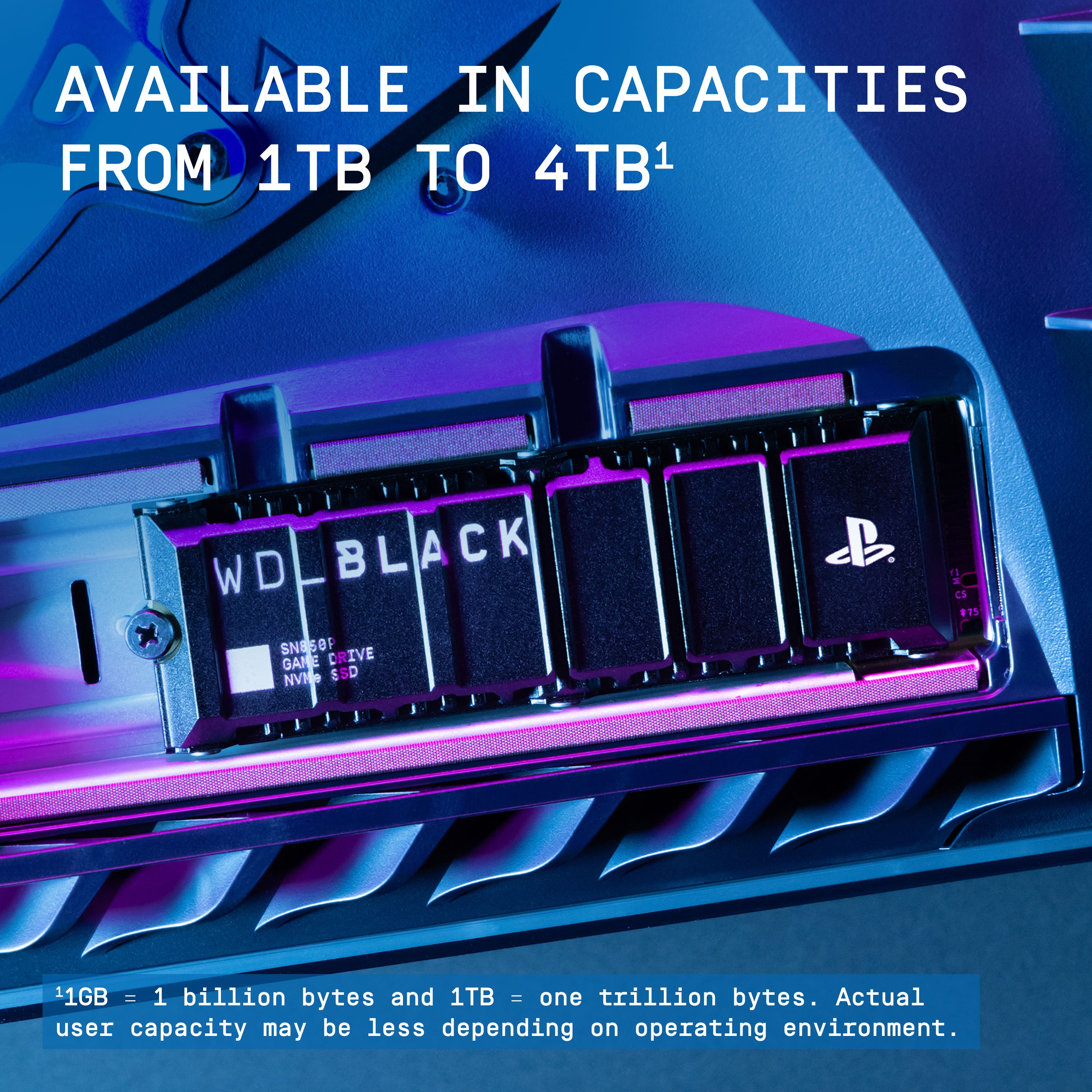
|Posted .This reviewer received promo considerations or sweepstakes entry for writing a review.Western Digital and PlayStation have teamed up to create the PS5 officially-licensed SSD addition to add space for games/apps/etc. The box includes the SSD module and user guide. The SSD comes with a manufacturer's 5-year warranty. PROS: ----------- * This officially licensed product is all you need to increase "hard drive" space on your PS5. It comes in 3 TB sizes: 1, 2, or 4 TB. * The built-in heatsink will help keep it ventilated to help prevent overheating. * Installation is super easy, plug-and-play basically. Pop off the PS5 top/side panel, remove the SSD slot cover with small Phillips head screwdriver, unscrew the existing screw/spacer, insert SSD, put the spacer under the end of the SSD, screw in, put SSD cover back on, put the PS5 side cover back on. There are youtube videos that show this easy process if you search for one. * The system automatically sees the new drive and prompts the user to format it, which only takes less than 10 seconds or so. * High write/read speeds (6.6GB/s & 7.3GB/s respectively). Once installed, the PS5 will give you the actual rate your hardware is providing you on-screen. * This hardware will also work in a PC that accepts M.2 2280 form factor. * The 5-yr warranty is very good and should last until the PS6 arrives or close to it. CONS: ----------- N/A - this product has been solid and will typically only benefit the user with more space. OTHER OBSERVATIONS: ----------- * Once you install the drive, you will have another option in your STORAGE menu that shows the drive in addition to asking where you want to install new games/apps. You can select either the console or the new drive you installed. * While you're changing out the SSD, if you have a vacuum handy with a brush on the end, it would be good to give it a good vacuuming while the panel is off if your fan area is dirty. CONCLUSION: ===================== Since most PS5's include only 825GB of storage, this extra space is exactly what every gamer needs. It will help free up the console drive which in turn can help overall performance improve. I have the 2TB version, and this has instantly given me nearly 3 times the original "gaming" space I have on my console. Keep in mind that 825GB is in the console storage, but a bit of that is used for the operating system. The new storage will give you room for more games, apps, and videos. Depending on how many games you have to download, just choose between the 3 sizes (1, 2, 4TB) to get that sweet spot because it's not cheap. Highly recommend due to easy installation and the fact that the original 825GB fills up quickly!
I would recommend this to a friend - Pros mentioned:Installation, Storage
Quick and easy way to upgrade your PS5!!
|Posted .This reviewer received promo considerations or sweepstakes entry for writing a review.I was lucky enough to pick up my PS5 about a year ago, and like most people I've been running it with an external drive. The internal SSD is obviously spec'd as Sony intended, but having both new PS5 digital games and a sturdy backlog of PS4 games, it just falls short on capacity. Hence the external drive - splitting the PS5 games on the internal SSD , and running the PS4 games from the external drive. It generally involves a lot of shuffling things around after install , so I decided it was time to upgrade to a 'real' solution using the SN850P First of all , don't be intimidated but the install.Once you've got the case of the PS5 its a single screw to open up the drive bay, and then another single screw to hold the SSD in-place. All in all takes about 5 minutes (no accounting for the time it takes you to unplug all the cables of course!) Next thing to note, is that I installed this SSD with the primary goal of simplifying the storage layout and removing the need for an external drive. at 2TB It obviously achieved that, but what I wasn't expecting was the improvement in drive access speed. Obviously compared to the external USB drive, its not a huge surprise that the internal SN850P is faster, but with some fairly large game copies as part of my upgrade, it seems to be quick a bit quicker than the internal storage too. I don't have any official benchmarks to prove it beyond my own observations of moving files on and off the drive, but safe to say this is an upgrade for both capacity AND performance - now I use the SN850P as my default location for all the active games, and the internal PS5 to handle all the game save data. Easy install , vast improvement and enhances my PS5!
I would recommend this to a friend - Pros mentioned:Ease of use
Speedy and Efficient
|Posted .This reviewer received promo considerations or sweepstakes entry for writing a review._____ *Pros: -Comes with a cool-looking and efficient heatsink. -Easy installation. -Games install and run fast. _____ *Cons: -More expensive than brand-name alternatives. I’ve been using Western Digital storage products since I started using, upgrading, and building my own PCs since the early 2000’s, and I’ve always had a great experience with them. I’ve never experienced a sudden and unexpected drive failure (knock on wood), and they’ve always been very reliable. When the company pivoted into the NVME storage market from their traditional platter storage platform years ago, I didn’t hesitate to try them out and had a great experience with their NVME offerings inside my laptops and desktop PCs as well. So when I learned that WD is also offering official PS5-licensed drives with a 5-year warranty, I didn’t hesitate to give them a shot and I’m glad I did. The SN850P drive was very simple and easy to install. If this is your first time upgrading your drive on the PS5, there are plenty of tutorial videos online. The airflow-optimized heatsink looks cool and performs well. If you want to inspect what it looks like underneath the heatsink, you just take off the six T5 screws and peel the top heatsink cover off (see pic). I benchmarked the SN850P via CrystalDiskMark 8.0.4 before installation on my Windows PC, and it scored 5994.46 MB/s sequential read and 6326.89 MB/s sequential write. The rest of the stats can be viewed from my screenshot. What this means is that the SN850P lives up to its marketing claims and is fast and efficient. With the SN850P’s great performance, long 5-year warranty, and efficient and cool-looking heatsink, I was initially going to rate it as 5-Stars. I feel inclined toward a 4- or 4.5-Stars ratings, however, due to its current price. At $0.11/GB for the 2TB SN850P, it’s almost twice as expensive as other brand-name 2TB PCIe Gen4 x4 drives. Even the slightly older 2TB WD SN850X with a 5-year warranty is currently selling for $0.07/GB. If you got the coin, then by all means get the latest and greatest SN850P for the PS5 from WD. But if you’re price-conscious like me and want better value, then either wait for the price to come down or get the older Western Digital SN850X.
I would recommend this to a friend - Pros mentioned:Storage
RELIABLE PS5 ADDITIONAL STORAGE
|Posted .This reviewer received promo considerations or sweepstakes entry for writing a review.Western Digital was the first officially licensed SSD by Sony. WD offers 3 options for the PS5 (1TB, 2TB and 4TB) All promising speeds up to 7,300MB/s2 read and 6,600MB/s2 With the heat put out by the PS5 a heatsink is imperative to ensure top performance and prevent memory failure. All the WD licensed PS5 drives come with an exclusive heatsink. Using an internal SSD with the minimum Sony requirements unlocks the ability to store and play PS5 and PS4 games directly to and from the SSD. Even if you have an external SSD that surpasses Sony's requirements you will not be able to play PS5 games from it. only PS4 games are allowed to run from external storage units. Adding an internal SSD is very easy. I would recommend checking out the directions on Sony's website or looking up a qualified video that shows the process. The toughest part of the whole procedure is removing the PS5 cover. You have to unplug all cables, and turn the PS5 over. Pull up gently on the corner opposite the disk drive and pull down, the cover slides right off. After that, you just have to remove the metal cover plate, and then the mounting screw. Make sure that you are very cautious about static electricity. You should take as many precautions as possible to prevent electrical damage. There are easy methods to ground yourself and prevent an unwanted charge. Make sure that the SSD is inserted into the slot at a 45 degree angle. You can not lay it flat and insert it into the slot, that could cause damage as it is not the correct method. Once everything is installed properly, all you need to do is plug the PS5 back into it's original place and turn it on. The PS5 will direct you on everything else that needs to be done. Once formatted the PS5 will show a read test on the new SSD. Mine was 6513MB/s which is less than the advertised speed, but still 1000MB/s faster than what Sony requires. Sony's minimum SSD speed accepted is 5500MB/s. Once the new SSD is finalized the PS5 will set up to install new games directly to the SSD. It informs you on how you can get back into the system settings to change the install location if desired. After that you are all set. The whole process takes less than a minute if you have done this before, and less than 5 minutes for a newby. So far the SSD has worked great, I have not noticed any difference in gameplay or performance from the games I had on the system storage vs the games installed on the new internal SSD. Everything has been working perfectly! And now I have the storage capacity to install a lot more games!!
I would recommend this to a friend - Pros mentioned:Ease of use, Performance
Fast SSD and simply plug and play
|Posted .This reviewer received promo considerations or sweepstakes entry for writing a review.Its hard to get excited about buying a new SSD. Once installed you won't likely give it much thought unless it fails or is too slow. Well, since you are here looking at the new WD_Black SN850P drive. Welcome to taking an extremely cool looking stick of gum and easily inserting into your PS5. And sadly, never seeing it again. If you're like me and you buy Western Digital because they are reliable and failure is rarely ever a problem. I suspect this drive we be no different. Granted its designed to be a ultra high performance drive that could run hot, but likely won't given the awesome heat sink WD included. And so far after having installed several games to it and playing those games. I am not let down. Performance is as good or better than the stock drive my PS5 came with. And "maybe" there was a moment or two of extra fan noise, I could not be sure if it was more than normal or if it just happened at a quiet spot in the game. It is still very early in the life of the drive and my time having it installed in my PS5. I see no reason this will not last for as long as the PS5 keeps being used. I have never had a failed Playstation, or Western Digital Drive. I hope to not start now. I just wished Sony had made a window on the front of the PS5 where this could have been installed to see it. Maybe with some RGB lights. Maybe an upcoming model. Info for those new to installing SSD in PS5. Just know that installing this drive couldn't be any easier. A screwdriver and the ability to say yes when prompted on screen is all it takes to get this drive running. And for those who don't know how to. Unplug the PS5 power. Pull the bottom cover off. With screwdriver, remove black screw in silver plate. Inside drive bay, remove black screw and silver spacer. Insert drive by lining up the notched side. Replace spacer under end of drive and screw down. Replace drive door and cover. Plug in again, start PS5 and say yes to format drive and decide if you want the drive for storage or as main play drive. Super easy compared to anything PC makes you do. Literally Plug and Play.
I would recommend this to a friend - Pros mentioned:Performance
Simple and incredibly fast!
|Posted .This reviewer received promo considerations or sweepstakes entry for writing a review.There's nothing really too complicated about this M.2 SSD. It's not just PlayStation branding on a SSD. It takes away a lot of the guesswork with compatibility for the PS5 because it's made for the PS5. It's designed with a heatsink and fits inside the PS5 with no issues. What's impressive is the speed! Everything loads up so quickly! Unfortunately, if you're transferring games from an external drive to the SSD, it will only go as fast as the external drive, so it'll be MUCH slower and not indicative of the speed performance the SN850P delivers, so keep that in mind. Installing games after downloading them was noticeably quicker than the stock SSD the PS5 comes with. And playing them immediately after, I didn't experience any slowdown, not even after 2 hours of continuous gameplay of Spider-Man Remastered in 4K, 120Hz VRR. To get a better idea of the SSD's capabilities, I temporarily installed the SN850P on my desktop PC to run a CrystalDiskMark benchmark test on it. The results were surprising. Sequential Read: SEQ1M Q8T1: 7377.19 MB/s SEQ128K Q32T1: 7376.76 MB/s Sequential Write: SEQ1M Q8T1: 6693.06 MB/s SEQ128K Q32T1: 6695.91 MB/s Random Read: SEQ1M Q8T1: 4816.91 MB/s SEQ128K Q32T1: 88.99 MB/s Random Write: SEQ1M Q8T1: 4718.49 MB/s SEQ128K Q32T1: 300.34 MB/s The random write speeds are fantastic! So, not just for the PS5, it makes a great M.2 SSD for a PC as well. Be aware that the heatsink is just under 0.5" so you'll need the clearance. It's also slightly wider than the average M.2 SSD because of its heatsink design. I'd say about 1mm wider. Price competitively, will absolutely fit the PS5, and just incredibly fast, I can definitely recommend getting this SSD. I'd even go as far as recommending it for PC. The fantastic random write speeds make transferring a large size of a numerous amount of small files more speedy and less of a chore.
I would recommend this to a friend - Pros mentioned:Performance, Speed
Excellent performance and easy installation
||Posted . Owned for 3 weeks when reviewed.This reviewer received promo considerations or sweepstakes entry for writing a review.This SSD works perfectly and delivers very fast performance. Installation was quick and easy, and my system boots much faster now. Great value for the price and highly recommended for gaming and everyday use.
I would recommend this to a friend - Pros mentioned:Installation, Performance, Speed
PS5- kid loved it
||Posted .This reviewer received promo considerations or sweepstakes entry for writing a review.The WD SSD card for PS5 is a fantastic upgrade! It delivers lightning-fast load times, seamless gameplay, and ample storage for all your favorite titles. Installation is quick and easy, and performance is top-notch. If you want to maximize your PS5’s potential, this SSD is an absolute must-have!
I would recommend this to a friend - Pros mentioned:Ease of use, Speed
Good SSD for PS5
||Posted . Owned for 1 month when reviewed.This reviewer received promo considerations or sweepstakes entry for writing a review.Works perfect for my Playstation 5. Installation was easy. The PS5 detected and reformatted it without any issues. Games are loading off this SSD successfully.
I would recommend this to a friend