Customer Ratings & Reviews



- Model:
- WDBBYV0020BNC-WRSN
- SKU:
- 11530045
Rating by feature
- Value
Rating 4.8 out of 5 stars
- Quality
Rating 4.9 out of 5 stars
- Ease of Use
Rating 4.9 out of 5 stars
Customers are saying
Customers value the product's ease of installation, which makes transferring files straightforward. Its storage capacity is also a positive aspect, with some users anticipating they will need even more, indicating the product's usefulness.
This summary was generated by AI based on customer reviews.
- Pros mentioned:Performance, Storage

Great way to boost your PS5
|Posted .This reviewer received promo considerations or sweepstakes entry for writing a review.Investing in a high performing, large, Solid State Drive for your PS5 is an excellent way to make sure that you have plenty of memory to play several games at once. My son has a PS5 that he got for Christmas and I've also added my account to it and downloaded some titles on it, with a stock system having 10 titles downloaded is a real stretch, and easy to accomplish with two different profiles on the same hardware. I found that it was relatively easy to install, Sony has a youtube video that walks you through the process in less than 5 minutes: Super helpful when the company themselves releases a video so you're not relying on some random dude who did it when you're opening up over $500 in hardware and looking to make sure you don't void your warranty. After the install we have plenty of space so that it will be a couple years before either my son or I have to make a hard decision about letting go of a game that we no longer play. You could look at the 4TB instead but I actually think that this is the right blend of size and price. As far as performance, A final note: I couldn't tell what loaded from the SSD and what loaded from original storage, any differences in performances are beyond my aging perception. I don't play competively so I can't comment on milliseconds of load difference, but things load comparable to original storage which is good enough for me
I would recommend this to a friend - Pros mentioned:Speed, Storage
Nice upgrade!
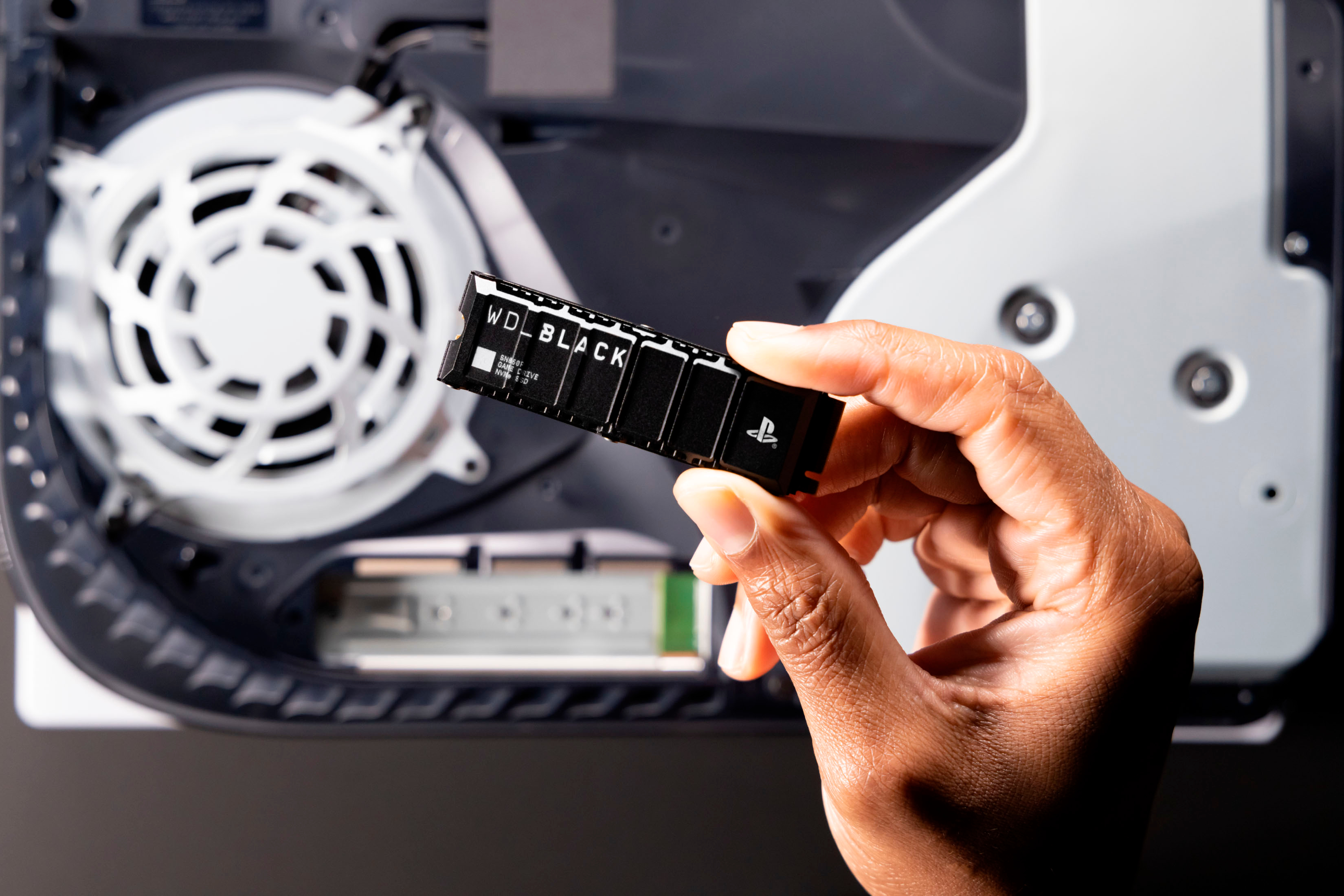
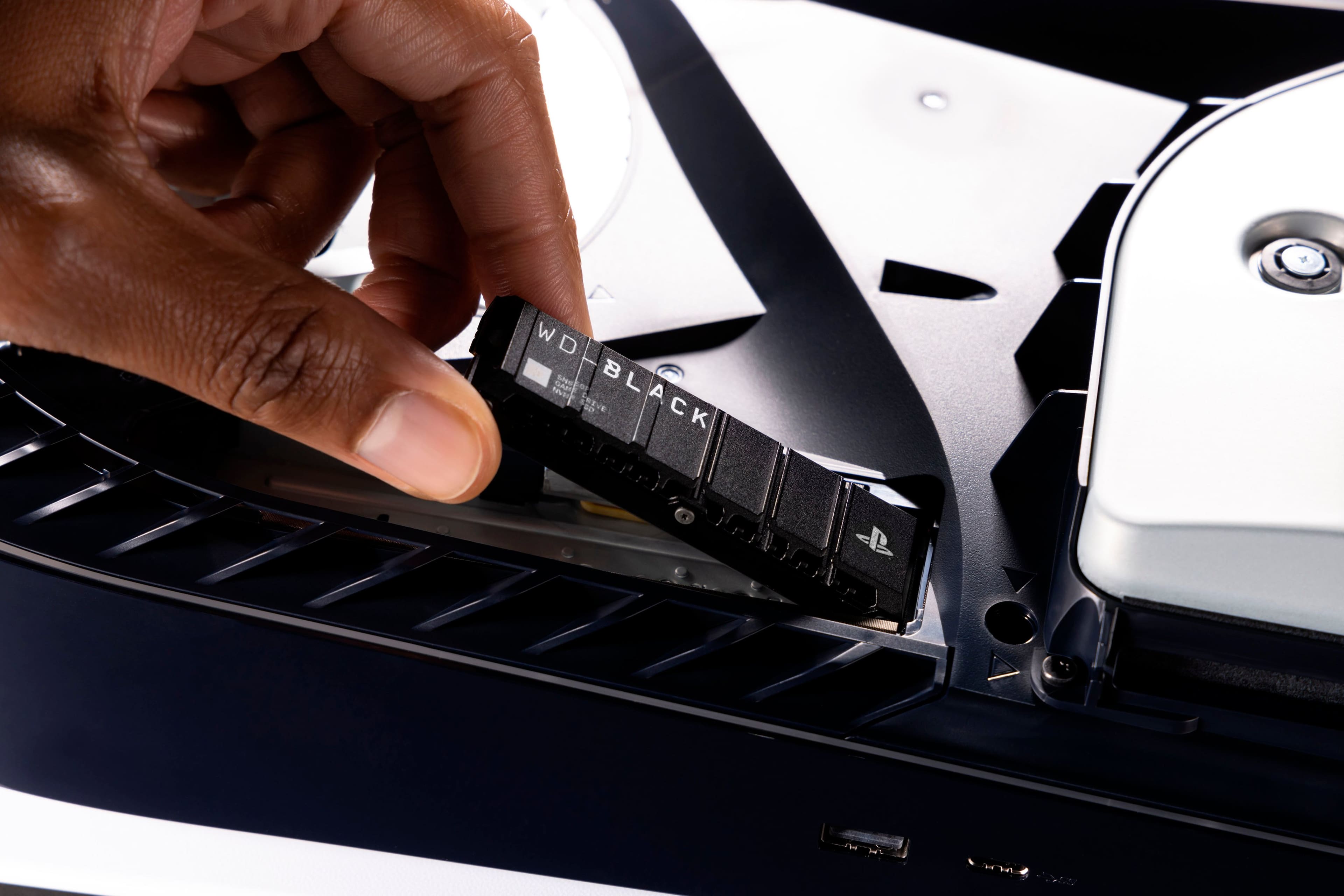
|Posted .This reviewer received promo considerations or sweepstakes entry for writing a review.Review for Western Digital WD_Black 2TB SN850P Internal SSD for PS5 This NVMe is designed specifically to work in my PS5 and it does a great job! Its built-in heat synch means I don't have to worry about its blazing speed causing a real blaze or messing up the system’s performance. Installation was very easy. After disconnecting the system from power, I carefully popped off the cover. (I checked out a YouTube video for this part, because I was afraid of breaking the cover. It’s a little tricky to open, so it helped to know this in advance.) One screw held the cover over my existing (smaller) memory SSD. I unscrewed the retaining screw (hang onto it!) and noted the hole that would be used for the new memory. The NVMe is easy to insert at a slight angle and then screw down to the board. From there, I reattached the memory card’s cover and screw, and popped the cover back on the PS5. It took me all of five minutes! After powering up my PS5, it asked me if I wanted to format the new drive, which was quick and easy. After I downloaded my existing games, I was very pleased to see that loading and performance was amazingly fast! I now have four times the capacity for games, without having to worry about offloading older ones to fit new games. It’s also great to have all my PS4 and PS5 games in one place.
I would recommend this to a friend - Pros mentioned:Installation, Performance
WD meets PS5: A Love Story
|Posted .This reviewer received promo considerations or sweepstakes entry for writing a review.Installation of this product was a breeze. Sony put out a video a while ago on installing the expansion NVMe drives. From start to finish, only took about 5 minutes. After plugging the PlayStation 5 back up to everything and turning it on, the system automatically recognizes the new drive and allows you to format it. First time format took about 3 seconds, no exaggeration. From there, the drive is ready to install games on. I decided to install all of my PS4 games on the expansion drive and leave the main drive for my PS5 games. You can even go into the storage options for the PS5 and set the default location that you wish for PS4/PS5 games/game data to save to. I saw no difference in launching my PS4 games from the WD 2TB SSD compared to what I saw on the main system drive. Games functioned as expected without any issues. With the limited storage space on the PS5 and the size of some of these new titles, a product like the Western Digital 2TB SSD for the PS5 is a necessity for the gamer that retired their PS4 to enjoy backwards compatibility on their new-gen system without the need for external drives that can take up valuable space in one's entertainment setup.
I would recommend this to a friend Disappointed
||Posted . Owned for 1 month when reviewed.This reviewer received promo considerations or sweepstakes entry for writing a review.Item was delivered to a different address was never refunded
No, I would not recommend this to a friendBrand response from Western Digital Team
Posted .Hi, As of February 2025, Western Digital has separated into two independent companies and the support process for your Western Digital and Sandisk branded products may have changed. All Hard Drive products remain with Western Digital, and all SSD and Flash products are now supported by Sandisk. We apologize for any confusion or inconvenience. For support of your SSD or Flash product, please contact the SanDisk support team on Social Media handle @sandisk

- Pros mentioned:Ease of use, Storage
Easy expansion
|Posted .This reviewer received promo considerations or sweepstakes entry for writing a review.Came nicely packaged in the mail. The package is small as is the actual memory stick. Open it up and the stick is protected by two plastic pieces molded into each other. There is a pamphlet inside however it is totally useless and has no instructions for installation. After I opened it up and found out how to instal it by watching videos and reading online , I opened up my PlayStation and of course by mistake opened the wrong side! Anyways it’s the one opposite of the fan or the PlayStation logo down. Inside there is a small plate locked in with hardware. Removing the plate and installing the memory was an easy and straightforward process. Putting the PlayStation back together seemed more difficult than installing the memory itself., Anyways it works as intended. It has heat sync and using the extra memory is seamless. I was worried about buying the PlayStation and feared I would have to delete games to make room for new ones so I’m relieved to no longer have to worry and can add more games to my video system. Overall I recommend just wish there was instructions provided.
I would recommend this to a friend - Pros mentioned:Performance, Storage
A great storage upgrade for PS5
|Posted .This reviewer received promo considerations or sweepstakes entry for writing a review.If you are looking for an amazing SSD for additional PS5 storage, I can't recommend this one enough. Sony has directions on how to remove the cover to install the SSD. Once you install the SSD and place the cover back on, you just turn the PS5 on and it will detect the SSD. Formatting happens within a few minutes then you are ready to use it to store games. I have had no issues with moving games over to the new SSD and playing from there. There is no difference in how the games run and operate from the onboard PS5 storage and the SSD. I would recommend that you get extra storage when you buy a PS5 so that you don't have to worry about deleting games from your library to make room for new ones. With games climbing to 80-100GB, this is a no brainer. With all the games I've downloaded and installed, I have yet to remove anything from my library that I'm currently playing. There's not much else to say about this product other than it works as intended and is a great solution for extra PS5 storage. I'd highly recommend this to anyone that needs it, because who doesn't?
I would recommend this to a friend - Pros mentioned:Ease of use, Storage
Extremely useful
Posted .This reviewer received promo considerations or sweepstakes entry for writing a review.I always have trouble with having free space on my playstation so this came in very handy. The 2 terabytes allowes me to not have to delete games to download new ones and the heatsink is just a bonus to that. What's even better is that it is pretty easy to install. I am very happy with this product.
I would recommend this to a friend Bad
||Posted . Owned for 1 week when reviewed.This reviewer received promo considerations or sweepstakes entry for writing a review.Haven’t delivered it, haven’t given me a refund, no help at all
No, I would not recommend this to a friend- Pros mentioned:Ease of use, Storage
This is a game changer
Posted .This reviewer received promo considerations or sweepstakes entry for writing a review.This is a Game changer for my Playstation 5. it was so easy to install and right away I have more memory for gaming.
I would recommend this to a friend - Pros mentioned:Performance, Storage
Best SSD Out there!!
Posted .This reviewer received promo considerations or sweepstakes entry for writing a review.Great SSD. With 2 GB I was able to download around 20 games. Now I can download all the games I always wanted to play, and have enough space for a couple call of duties haha. Overall the memory storage is incredible, it’s probably more than you need, and it runs just as good as the OG PS5 SSD if not better. If you are interested in this product, I would recommend no other manufacturer. Also, Best Buy has great quality product so you can’t go wrong.
I would recommend this to a friend - Pros mentioned:Speed
More space to play and instant speed
|Posted .This reviewer received promo considerations or sweepstakes entry for writing a review.I'm not the gamer that I used to be, but I still enjoy getting online and competing. And as everyone knows, the PS5 doesn't really have enough memory inside to store alot games, especially if the files are huge. It's in your best interest to have additional internal memory. The WD BLACK SN850P 2TB Internal SSD is exactly what you need. It's made specifically for the PS5. Installation: Let me be honest. Opening the PS5 was the hardest part of the installation. I'm not exaggerating. You have to pull up on one corner of the PS5 and push on the opposite end to side the cover off. That took about 5 minutes because I wasn't doing it correctly. Once the cover was off, the entire process took about 3 minutes to complete and I could have been faster but I wanted to make sure it was done correctly. There is a 2-minute video on the website created by WD to show you how to install the internal drive. There are also YouTube videos that will show you how to install it as well. Once the cover was back on, I fired up the PS5 and there is one final step before playing again; the drive has to be formatted and this also a quick process of about 60 seconds for the formatting to be complete. Now that all the work has been completed, I tested out the internal drive. I went to Settings and then to Storage. You will see "M.2 SSD Storage" right below Console Storage. You now can move games and data from the console drive to the WD drive. Quick and easy to move on. I then went below on the same screen to Installation Location and made the WD drive the location for the latest games I'm playing. Now, I'm ready to play. I did notice that was faster start up and loading of the game after I moved all the files to WD drive. There are still some pauses while pausing, but that's from the game uploading and downloading from the online servers rather than delays from the WD drive. Now that I have this 2TB internal drive, I no longer have to make a decision of what games I have to delete to create more space. This will be a great investment to add to your PS5.
I would recommend this to a friend - Pros mentioned:Installation
Nice memory upgrade
|Posted .This reviewer received promo considerations or sweepstakes entry for writing a review.So really difficult to write this review because not sure how much it’s increasing the performance in load time for games. I got to say, though that the installation was very simple. Although it did not come with instructions, it was very easy to look up a YouTube video on how to install and there’s plenty out there. Make sure you power off the unit and unplug the PS 5. Next actual installation, It takes five minutes. Hardest part in doing that was taking off the top plastic cover. The best advice I could give you is make sure you have the right orientation of the PlayStation unit to disengage the clips of the cover From the slots underneath. Then it’s the next few steps are easy using a Phillips screwdriver and maybe a tweezer to remove the screw from the cover plate, and another smaller screw and metal spacing grommet. Snapping in the SSD was easy and fits like a glove only one way. Very nice that it comes with its own heat sink so that you don’t have to install one since some hard drives don’t have the heat sink. Next step you format the drive. Then make sure you select the SSD as the default drive in the PS 5 storage settings. The results should be faster load times for the games saved on the SSD but we haven’t downloaded and played games to truly test it but I’m sure it will perform as intended
I would recommend this to a friend - Pros mentioned:Ease of use, Storage
Extra storage inside the console
Posted .This reviewer received promo considerations or sweepstakes entry for writing a review.This SSD is exactly what I needed. Lots of extra storage inside the console. I won't need to deal with some of the drawbacks of external storage. Installed it before turning on my new PS5. Used a LAN cable to transfer data from my PS4 Pro. The PS5 even allowed me to watch a streaming video apps while it did the transfer. It helps to have a screwdriver meant for small screws. I didn't but it still worked.
I would recommend this to a friend - Pros mentioned:Ease of use, Speed
Great item
Posted .This reviewer received promo considerations or sweepstakes entry for writing a review.Very easy to install and loads really fast just like the original stock that comes with the ps5 where it’s hard to notice the diff. Only hard part is taking off the ps5 cover as it feels like it’s super glued together. The trick is to use a strong sliding down force vs prying the cover open without a downward force. so be careful you could break the plastic inside hooks if you forcefully just pry the ps5 cover open like I did.
I would recommend this to a friend - Pros mentioned:Storage
Fast, compact and ready to game!
|Posted .This reviewer received promo considerations or sweepstakes entry for writing a review.The Western Digital Black SN850P 2TB NVMe SSD for the PS5 is just what the doctor ordered. This SSD drive will breathe new life into the PS5 with ample storage and fast loading times for all your games and applications. Installation was a breeze. Power off your PS5 and disconnect the power cord and HDMI Cable. Lay the PS5 on its side on a table or other flat surface. Grab the bottom of the PS5 and with your opposite hand grab the top cover and pull up and away from the base. It will take some patience, however with some gentle prying the cover will pop up and you can remove it then. Once you have the top cover off, you will see the silver cover on the SSD Drive. Grab a Phillips screwdriver and remove the retaining screw securing the SSD. Once you have the screw removed, tilt the installed SSD up slightly and wiggle gently to remove from the M2 Slot. Next, unbox your new Western Digital 2TB SN850P drive and install into the M2 Slot and make sure it clicks in securely. Place the screw and fasten the SSD drive down. Next step is to install the SSD cover and then reinstall the top cover placing it over the PS5 chassis and pushing down until it snaps into place. Reconnect the power and HDMI Cables, then power on your PS5 Console. On screen you will see a prompt to format the new 2TB SSD Drive. Once the format completes you will be returned to the main screen. Next you will need to specify the location for your PS5 Games. Scroll down to Installation location option in menu. Once this final step is complete you are all set. You now have more space to store your favorite games and applications. Grab the Western Digital 2TB SN850P today for your PS5 and get your game on!
I would recommend this to a friend - Pros mentioned:Ease of use, Performance
good
Posted .This reviewer received promo considerations or sweepstakes entry for writing a review.great price and so easy to install.runs great on my system
I would recommend this to a friend - Pros mentioned:Speed
Perfect storage upgrade for today's giant games
|Posted .This reviewer received promo considerations or sweepstakes entry for writing a review.I had used an external USB drive for a while to store games, but this upgrade is cleaner (no USB drive hanging off the back) than that, and clearly much faster as well. I didn't notice much difference when playing games and their load times, although I'm sure that's faster too. However, this capacity is fantastic - the USB drive I had previously was only 1TB. This should be more than enough for a long time, even with new games requiring more storage. The packaging was very minimal which is good; however, the included information sheet didn't have any installation instructions. It did have a QR code which I couldn't get to scan on multiple devices - when I went to the WD website to search for this model, there still were no instructions as to how to open the PS5 to install. I finally found a link in one of the support articles referring to a YouTube video from PlayStation regarding how to install. Once I found that, installation was a cinch and everything worked on the first try. I moved my games off of the external drive and onto the new internal drive (which took about 30 minutes) and everything was done. Overall I'm satisfied but I wanted to call out the lack of install instructions so others don't experience the same frustration I did.
I would recommend this to a friend - Pros mentioned:Ease of use
Perfect for PS5.
Posted .This reviewer received promo considerations or sweepstakes entry for writing a review.Was delivered a little early which is always a plus. The installation was easy and it works like a charm. Having the heatsink already on is helpful too. Would recommend if you're wanting to upgrade your console storage.
I would recommend this to a friend - Pros mentioned:Installation, Storage
Just as described
Posted .This reviewer received promo considerations or sweepstakes entry for writing a review.Purchased this to expand memory on PS5. It works great and super easy install! Definitely recommend!
I would recommend this to a friend - Pros mentioned:Ease of use, Storage
Great Product / Great Service
Posted .This reviewer received promo considerations or sweepstakes entry for writing a review.Fantastic after-market product. It was very easy to install. All you need is a small Phillips screwdriver, YouTube, and 5 minutes. I am also extremely pleased with its ability to store more games/apps on the console.
I would recommend this to a friend