Last-Minute SavingsLimited quantities.Shop now

Skip to content
Gift Ideas
Main Content

Customer Ratings & Reviews
Last Minute Deal
Your price for this item is $139.99
The comparable value price is $194.99

Customer reviews

Rating 4.9 out of 5 stars with 866 reviews

Rating Filter

Rating by feature

  • Value

    Rating 4.6 out of 5 stars

  • Quality

    Rating 4.9 out of 5 stars

  • Ease of Use

    Rating 4.9 out of 5 stars

Pros mentioned filter

Cons mentioned filter

There aren't enough negative mentions yet.
99%would recommend to a friend

Customers are saying

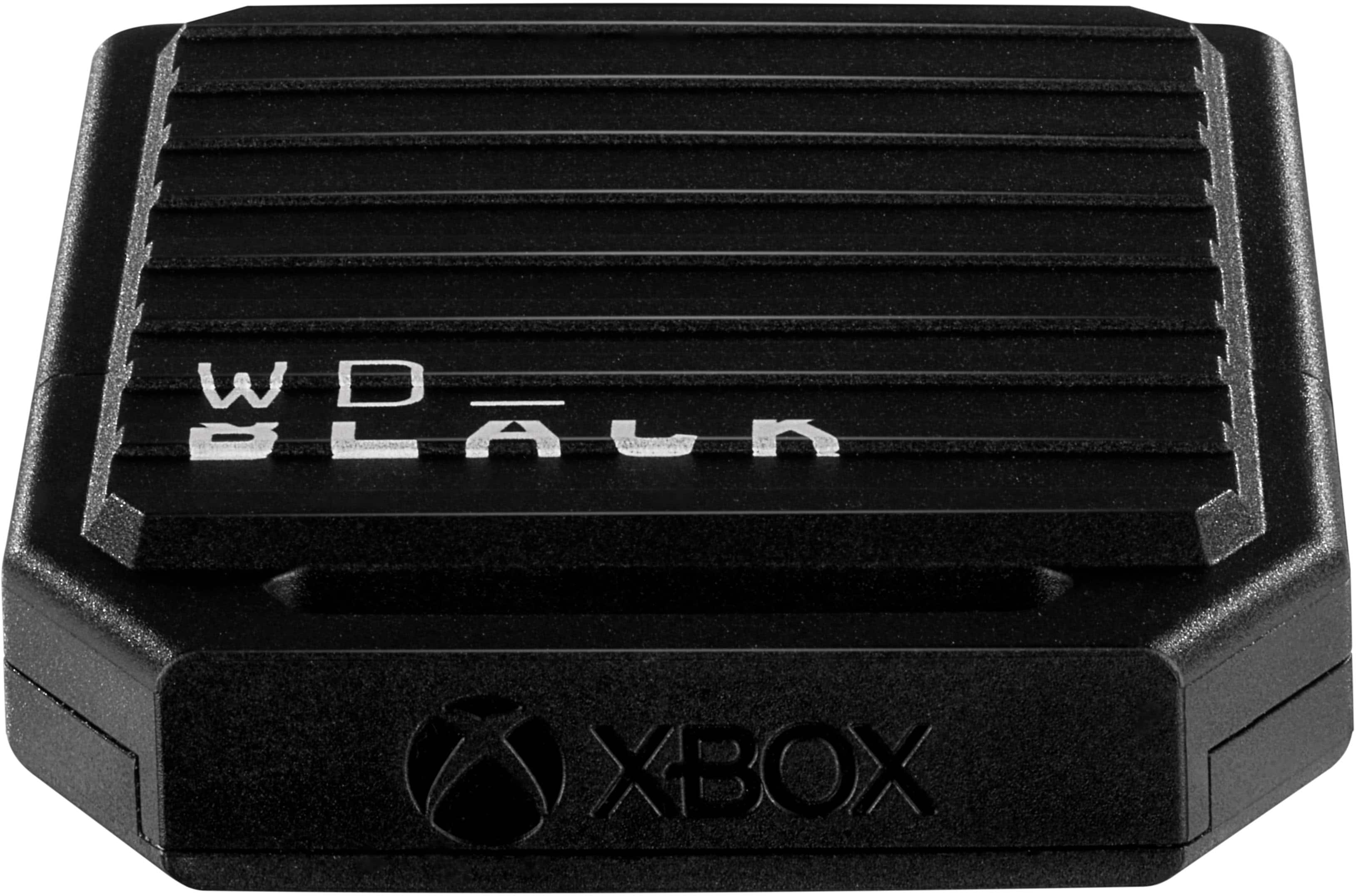
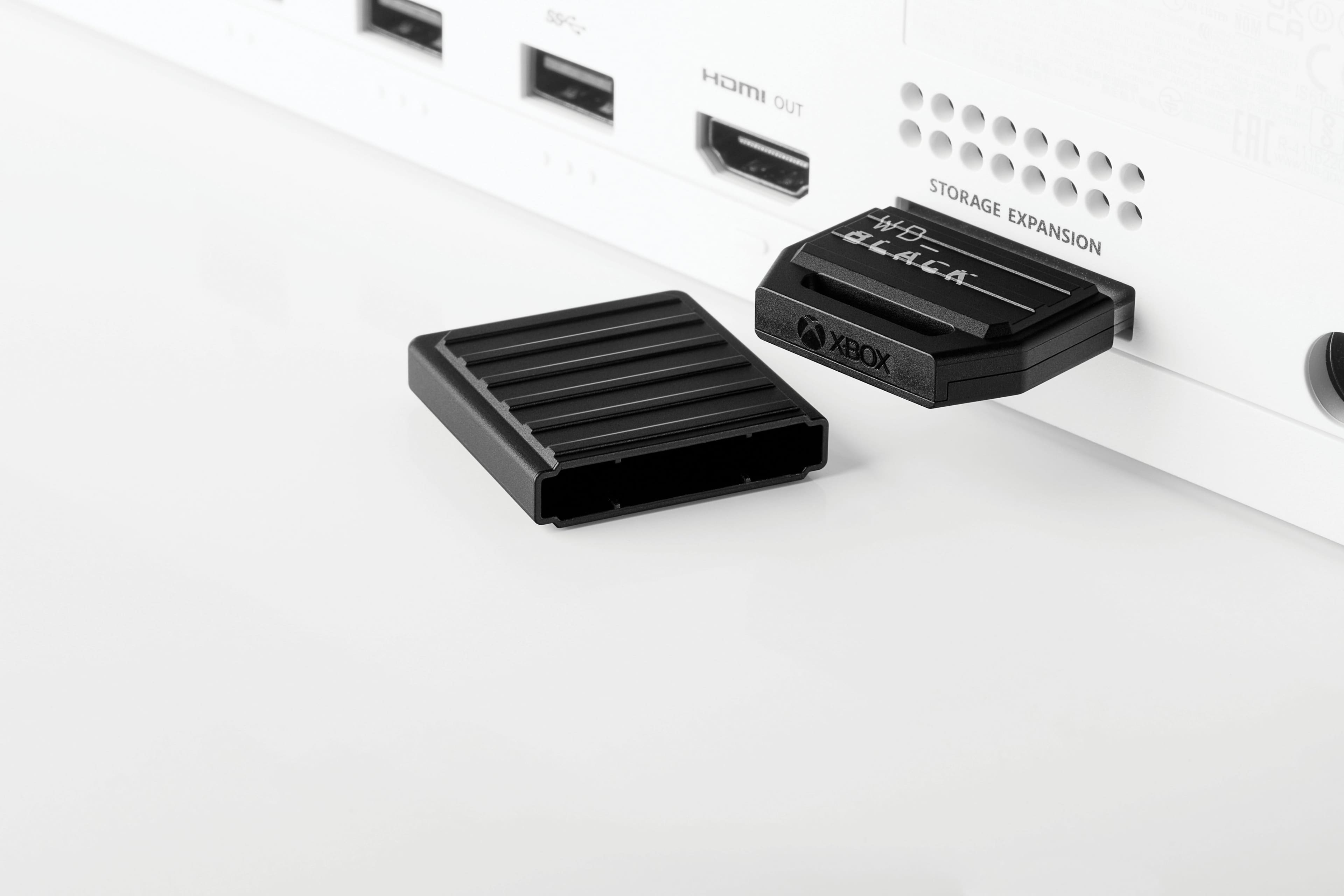
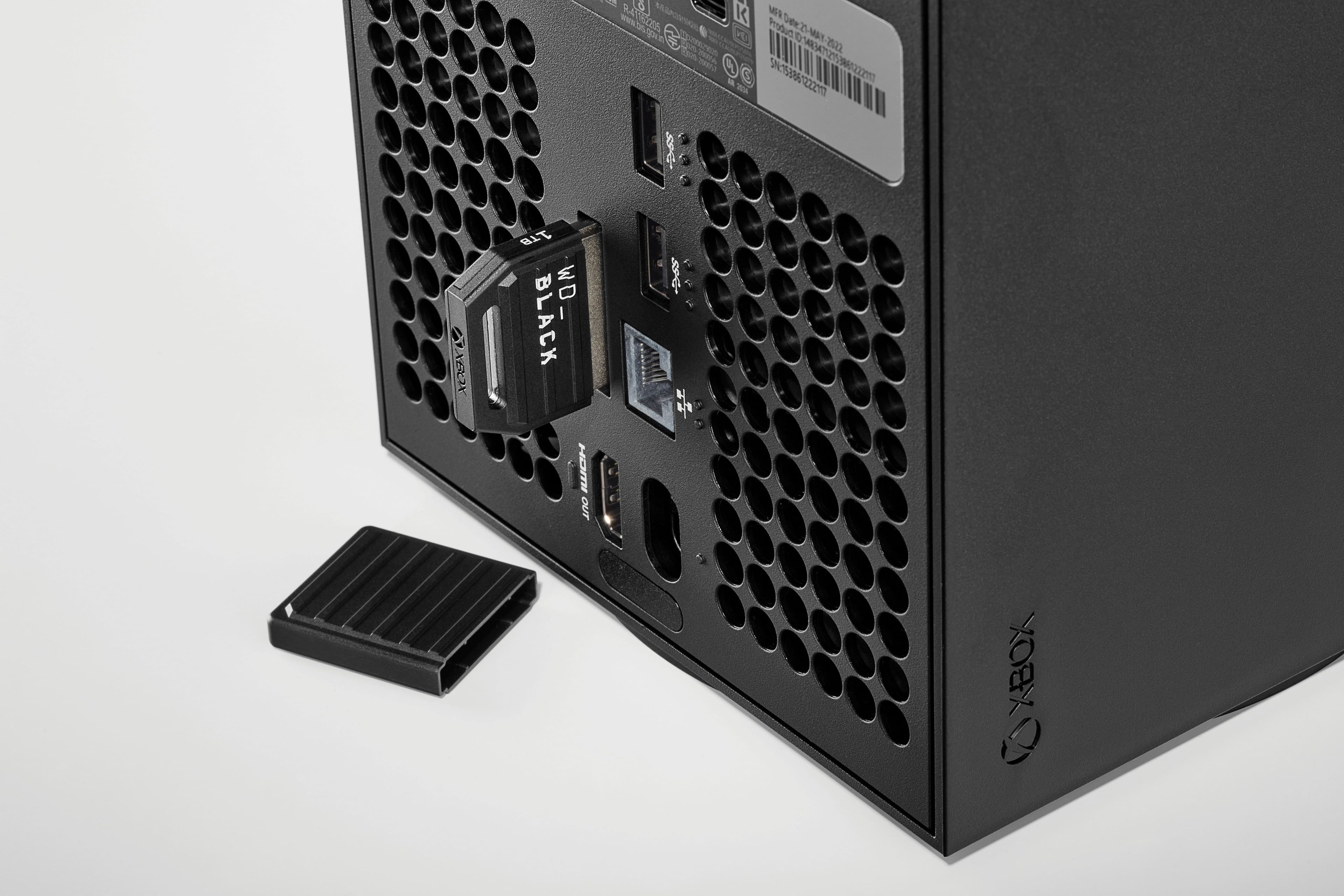
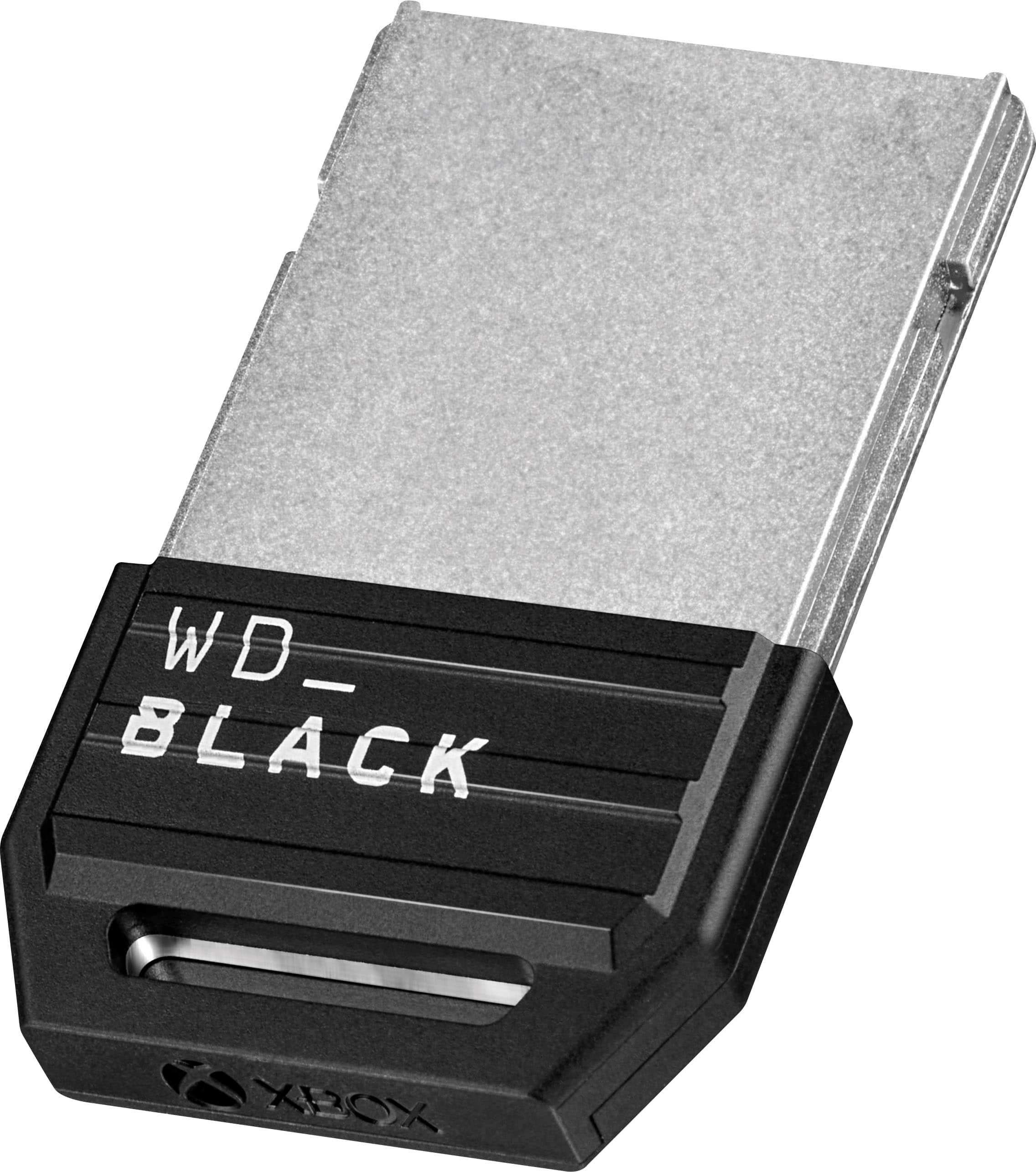
Customers consistently note the C50 1TB Storage Expansion Card's impressive storage capacity and ease of use, praising its seamless installation and performance. Many appreciate its compact size and compatibility with Xbox Series X|S consoles. However, some customers find the price to be a significant drawback.

This summary was generated by AI based on customer reviews.

The vast majority of our reviews come from verified purchases. Reviews from customers may include My Best Buy members, employees, and Tech Insider Network members (as tagged). Select reviewers may receive discounted products, promotional considerations or entries into drawings for honest, helpful reviews.
Page 41 Showing 801-820 of 866 reviews
  • Pros mentioned:
    Installation, Overall performance, Storage capacity
    Tech Insider Network Member

    Rated 5 out of 5 stars

    All the space!

    |
    Tech Insider Network Member
    Posted .
    This reviewer received promo considerations or sweepstakes entry for writing a review.

    When it comes to smaller sized form with high capacity storage I'm usually skeptical about the quality. As in how good it will be, how fast and/or how long it will last. The Western Digital black 1TB Expansion Card for the Xbox series X/S so far seems to be perfect. Pretty much indistinguishable from the onboard hard drive. No lag time loading or when playing games. This expansion slot drive was easy to set up and configure. Tech novices should have no issue adding additional storage to their Xbox gaming system. Halo Infinite ran flawlessly, just as if it was on the internal hard drive. Mechwarrior 5 and Forza Horizon 5 also ran flawlessly. My only real complaint, and this has happened twice so far, is that when starting my Xbox Series X, the drive doesn't show as loaded. A simple console restart fixed it both times, but it's a concern I'll keep an eye on. Not enough of an issue to take away a star, but definitely something to notate. FO extra storage space at a reasonable price, this is hard to beat.

    I would recommend this to a friend
  • Rated 1 out of 5 stars

    Team stinks

    |
    |
    Posted . Owned for 3 weeks when reviewed.
    This reviewer received promo considerations or sweepstakes entry for writing a review.

    Item is great best buy team is no help what so ever.

    I would recommend this to a friend
  • Rated 1 out of 5 stars

    Xbox storage card

    |
    |
    Posted . Owned for 1 week when reviewed.
    This reviewer received promo considerations or sweepstakes entry for writing a review.

    Never got my package i contact bestbuy they said they will email me never did.

    No, I would not recommend this to a friend
    • Brand response from Western Digital Team
      Posted .

      Hi Johnjohn, As of February 2025, Western Digital has separated into two independent companies and the support process for your Western Digital and Sandisk branded products may have changed. All Hard Drive products remain with Western Digital, and all SSD and Flash products are now supported by Sandisk. We apologize for any confusion or inconvenience. For support of your SSD or Flash product, please contact the SanDisk support team on Social Media handle @sandisk WDConnections

  • Rated 1 out of 5 stars

    Causing Xbox to have issues.

    |
    |
    Posted . Owned for less than 1 week when reviewed.
    This reviewer received promo considerations or sweepstakes entry for writing a review.

    Got the card, installed it, put my games on it. Seemed fine. But since i got it the xbox has started to have issues taking 15 minutes plus to shutdown or restart. Never had an issues before i got the card. Probably will return and order the seagate, seems to be some issue here.

    No, I would not recommend this to a friend
  • Rated 1 out of 5 stars

    Bestbuy is not what it used to be

    |
    |
    Posted . Owned for 2 weeks when reviewed.
    This reviewer received promo considerations or sweepstakes entry for writing a review.

    I was sent a hard drive not a ssd. It has been over 10 days and im still waiting on a refund. Bestbuy has really went downhill in the last few years.

    No, I would not recommend this to a friend
  • Pros mentioned:
    Overall performance, Storage capacity
    Tech Insider Network Member

    Rated 5 out of 5 stars

    A (literal) game changer

    |
    Tech Insider Network Member
    Posted .
    This reviewer received promo considerations or sweepstakes entry for writing a review.

    This expansion card is a game changer - literally. If you've been at all on the fence about adding some storage to your Xbox, do it. I've been a gamer for 30 years and I don't think anything else has transformed the way that I use my console like this has. For context, I have an Xbox Series S. It's the base model, which means the onboard storage is pretty minimal. I use the Xbox Game Pass service for my games, so I have access to a pretty big library. The downside? Before this expansion card, I could only have a few downloaded at a time. My internet speeds aren't the greatest, so sometimes I can take a few hours to download and install a game if I want to try something new. Now, with this extra 1 TB of storage, I've been able to literally triple the library of games I have installed. As far as performance, I have not noticed a discernible difference between games installed on the onboard hard drive and the expansion card. Setup also couldn't have been simpler: I literally plugged the card into the Xbox and the software did the rest. If you're in the same boat as me - base model, low internal storage - then this card is 100% worth your investment.

    I would recommend this to a friend
  • Pros mentioned:
    Ease of use, Installation
    Tech Insider Network Member

    Rated 5 out of 5 stars

    Extremely Simple to Install and Use

    |
    Tech Insider Network Member
    Posted .
    This reviewer received promo considerations or sweepstakes entry for writing a review.

    At a time when video game storage requirements are getting larger, it becomes more important to get the right performance when installing extra storage. The WD C50 Expansion Card for the Xbox Series X & S is a great way to increase your console’s storage capacity. FEATURES: - Can be installed into your Xbox with no tools, literally in seconds. - Comes already formatted to begin use immediately. - When plugged in, it immediately connects directly to the same section of the motherboard as the soldered-in internal storage using proprietary Xbox Velocity Architecture™ - All data you store on this card becomes “Quick-Resume” compatible for extremely quick game startup even after the console has been powered off and later on again. - 5-year Limited Warranty - Comes with a secure dust cover so the card can be removed from your home Xbox and taken to another Xbox to resume game-play. - Comes with a coupon for 1 month of Xbox Game Pass Ultimate. PROS: • No tools needed for installation or removal • Maintains the same high access speed of the console’s OEM internal motherboard memory • Easy to access from the Xbox’s “Settings” page to move or delete old files. • Small, lightweight and dust-proof for transport when the included dust cover is installed CONS: • Not yet available in sizes bigger than 1 Terabyte CONCLUSION: The Western Digital C50 Expansion Card is a new entry into Series X & S Third Party Storage Solutions. Competition always improves the breed for consumers like us.

    I would recommend this to a friend
  • Pros mentioned:
    Overall performance, Storage capacity
    Tech Insider Network Member

    Rated 5 out of 5 stars

    Works Great in My Xbox Series X

    |
    Tech Insider Network Member
    Posted .
    This reviewer received promo considerations or sweepstakes entry for writing a review.

    I received the 1TB version of the WD_Black C50 Expansion Card for the Xbox Series X|S a few days ago. The expansion card is well built and blends in well with the look of my Xbox Series X console. It also comes with a cover to keep it protected, if it is not being used. I installed it in my Xbox Series X and so far, it looks to be a solid product. The expansion card is super easy to install by just plugging into expansion slot in the back of the Xbox. The drive is ready to go out of the box. No formatting is required. It was recognized by my Xbox upon powering up after the install. Transferring games from the Xbox internal storage to the expansion card was fast. There was no lag or issues when playing games from the expansion card. There was no difference in play between playing from the expansion card and playing games from the built-in storage. It was nice to be able to essentially double the size of my Xbox Series X storage capabilities, so easily and seamlessly. I no longer have to pick and choose which of my select favorite Xbox Game Pass games that I keep installed on my Xbox. I can now keep all my favorites installed without having to pick and choose which ones to keep due to storage space limitations. So nice! To me, it one of those must-have accessories that every Xbox Series X owner should have and is highly recommended.

    I would recommend this to a friend
  • Pros mentioned:
    Ease of use, Overall performance
    Tech Insider Network Member

    Rated 5 out of 5 stars

    Fantastic new option

    |
    Tech Insider Network Member
    Posted .
    This reviewer received promo considerations or sweepstakes entry for writing a review.

    Honestly this has been one of the simplest and easiest storage expansions I've ever had the pleasure in partaking in bar just sticking in a memory card like the olden days. Design wise you get the standard WD Black design for better or worse. I personally don't care either way but I can see why some wouldn't like how it looks. As an added bonus, there is a slot for you to stick it on something for some added portability. Moving on to the setup experience, I've had no issues whatsoever with this expansion card. Plugging the card in and booting up the console it was immediately available for use. There were no prompts to format or do anything and while id appreciate there being a prompt to specify it as the new default storage location instead of needing to root around and figure out how to do so, that's more an issue with the Xbox itself and a small nitpick Finally getting to the actual performance, there's essentially no difference between it and the main ssd. Playing games directly on the card I've noticed no performance degradation of any sort and transferring games to the card has been some of the fastest transfers I've ever seen. Overall, I think this card is a fantastic new offering bringing in some much needed new storage options for the Xbox at a much more attractive price point.

    I would recommend this to a friend
  • Pros mentioned:
    Ease of use, Storage capacity
    Tech Insider Network Member

    Rated 5 out of 5 stars

    Fast and reliable

    |
    Tech Insider Network Member
    Posted .
    This reviewer received promo considerations or sweepstakes entry for writing a review.

    The WD Black C50 1TB expansion card for XBOX is a great option if you are looking to expand your storage capabilities. It's no secret that the onboard storage in today's consoles is lacking. With games pushing 100GB in size, you will definitely want some more space to store your games. The WD Black C50 1tb is very solidly built and super easy to install. For most people, the internal storage and this 1TB expansion SSD should be enough. If you are like me and just like to have all your games downloaded and ready to go, you may want to opt for the larger 2TB size. With internet providers capping data in some markets the larger storage may be something to consider so you don't find yourself deleting and re-downloading a game when you decide to play it again later. The size you choose will depend on your needs as a gamer. Some people are probably fine with the onboard storage size and others may want the largest amount of space possible. Either way, going with WD is a smart choice. I own several of their drives across multiple devices and rigs, and have never been let down. I definitely recommend this expansion card.

    I would recommend this to a friend
  • Rated 1 out of 5 stars

    Failure.

    |
    |
    Posted . Owned for 1 month when reviewed.
    This reviewer received promo considerations or sweepstakes entry for writing a review.

    Fails to initialize, then when fixed crashes XBox.

    No, I would not recommend this to a friend
    • Brand response from Western Digital Team
      Posted .

      Hello, We are sorry for the inconvenience caused to you. In order for us to provide the best assistance to resolve this issue, please provide a detailed description of the issue along with screenshot. This will help our technical team troubleshoot and resolve your concern efficiently. You can open a support ticket at https://support-en.wd.com/app/askweb, and our customer support team will respond promptly. WDConnections

  • Pros mentioned:
    Installation, Storage capacity
    Tech Insider Network Member

    Rated 5 out of 5 stars

    Definite necessity for your Xbox Series X/S

    |
    Tech Insider Network Member
    Posted .
    This reviewer received promo considerations or sweepstakes entry for writing a review.

    The WD-BLACK 1TB expansion card is a great addition to the Xbox Series X/S. The drive is easily installed in seconds adding the additional space for downloading the newest games with hardly any issues. Now that exclusivity has ended WD provides an alternate manufacturer for adding a storage upgrade to your Xbox Series X/S. I installed and formatted the immediately moved all locally stored games to this drive. Moving the data from internal to the this storage drive was simple and very fast. When playing games installed on this card they load and play seamlessly as if they were installed on the internal storage. The only error I have experienced is when the device was not recognized by my Xbox, but removing and reinserting the card back into the Xbox this issue was solved and none of the data was corrupted. I have been playing games installed on this card for a while now and this was the only time experiencing any issues with the card. I would definitely recommend this card to anyone who is looking at adding storage to their Xbox Series X/S.

    I would recommend this to a friend
  • Pros mentioned:
    Ease of use, Storage capacity
    Tech Insider Network Member

    Rated 5 out of 5 stars

    Expand your gaming variety!

    |
    Tech Insider Network Member
    Posted .
    This reviewer received promo considerations or sweepstakes entry for writing a review.

    Western Digital delivers a solid and reliable expansion for the newest Xbox iterations. Offering up one terabyte of extra storage space on a series X it doubles capacity and series S it triples it. That’s a lot of extra games! Formatting is a breeze and transfer time isn’t even an issue as it’s practically seamless. It also comes with a handy loop on the back for clipping to smaller clips, and a cover to protect the input for transporting. I do have one gripe as to an add on with this product. The drive came with a free month of Xbox game pass ultimate. However when I entered the code in (and checked it twice) it came up as the code wasn’t found. This has happened to me on other occasions with other products and it’s usually because the code was already used or it was invalid. Either way having to contact the seller and then get shuffled to Microsoft to get a new code. That aside, as it’s not the main product, it is a great product and would highly recommend it for anyone looking to expand their storage for games, clips, and saves.

    I would recommend this to a friend
  • Pros mentioned:
    Overall performance
    Tech Insider Network Member

    Rated 5 out of 5 stars

    A MUST BUY For Any Xbox!

    |
    Tech Insider Network Member
    Posted .
    This reviewer received promo considerations or sweepstakes entry for writing a review.

    This is my second expansion card for my Xbox One Series X. I bought one of the original cards when it launched and now that that one is full, I needed another and being a fan of Western Digital products, this new Xbox expansion card was a no-brainer. Despite having a Series X, I actually do not own any physical games. All of my games are downloaded either from the Microsoft Store or are a part of the Xbox Game Pass program. Being an old-school PC gamer, I tend to keep my primary drive installations to they system and my most played games, while I use secondary drives for everything else. In this case, I have Star Trek Online, Minecraft, MS Flight Simulator, and No Man's Sky on my main drive. All of the other games are on my original 1TB card and it is now full (it is at 943GB right now). I will be downloading Diablo IV soon and while that one will be on the main drive I will want to move Flight Sim to an external drive and later with some of the recent games that were announced (Starfield WOOT!), Diablo IV will join it on this new drive. While it may stink that you have to buy cards like this to store your library, I like the fact that you don't take a performance hit by using them and fortunately they have come down in price. The WD-BLACK C50 works perfectly straight out of the box, and is a MUST HAVE for any Xbox, plus I got an additional month of Game Pass Ultimate added to my subscription!

    I would recommend this to a friend
  • Tech Insider Network Member

    Rated 5 out of 5 stars

    Perfect accessory for your Xbox

    |
    Tech Insider Network Member
    Posted .
    This reviewer received promo considerations or sweepstakes entry for writing a review.

    I love my XBox X, I made the switch from Playstation last year and I'm really glad I did. I knew it included a slot for a Hard Drive like this, but I kept putting off buying one. I have my console standing up on my TV stand and I hate having a bunch of wires coming out of it, thanks OCD. Games, either physical or digital, take up a ton of space, especially COD. The 1TB hard drive was filling up fast, so I was excited to receive this wonderful little piece of tech. It could not be easier to set up and use. It's packaged easily and pops right into the Expansion Box slot in the back of the Xbox. After I popped it in, I turned on my console and headed to the storage section in settings. The card was immediately accepted and nothing had to be done to set it up. The first thing I did was move all of my existing game data to the card. I was really surprised by how fast the data transferred over, way less time than I expected. I then changed the settings to download all future game data to the card. I know have a close to empty hard drive on the console and space for 2-3 more games on the expansion card. Gameplay off the card was perfect, I played the new Jedi Order game and it was flawless. You should get this!

    I would recommend this to a friend
  • Pros mentioned:
    Overall performance
    Tech Insider Network Member

    Rated 5 out of 5 stars

    Best Time to Utilize This Series X/S Feature

    |
    Tech Insider Network Member
    Posted .
    This reviewer received promo considerations or sweepstakes entry for writing a review.

    These integrated memory card slots were a nice touch by Microsoft. They take up no physical room and the console treats it as just an extension of storage as if it's just one unit. The only downside was, cards were proprietary and up until now, there was a monopoly on them from another company. The Western Digital C50 1 TB card is already at a better price point than the other guys, helping to make these cards a lot more affordable and worth it. So far, this card is working great in my Series X. Moving games between the internal drive and the card was very fast, even for the biggest of games. I played a couple of games from the card and everything ran exactly the same as if it was on the internal hard drive. Setting up was as easy as sliding it in and then choosing whether it will be dedicated for the current console or if you intend to use it on multiple consoles. If you choose to transport it because of the latter, it does come with a card cover to keep it safe. It also comes with a 1(?) month subscription to Game Pass Ultimate, however this is for new members only. While I find it simple to manage my games and what I keep on my console at any given time, it's nice to be able to keep more installed in case I either want to pick something up again at a moments notice when I'm feeling like it or to play several different games with my family or friends that we may only play once in a while. Installing most games doesn't take too long (with a good internet connection) but some of the bigger titles, of course, are large enough where it can steal precious time away from playing with them.

    I would recommend this to a friend
  • Pros mentioned:
    Installation
    Tech Insider Network Member

    Rated 5 out of 5 stars

    Seamless upgrade!

    |
    Tech Insider Network Member
    Posted .
    This reviewer received promo considerations or sweepstakes entry for writing a review.

    I have been getting tired of late having to constantly delete games from my series X hard drive every time I want to install a new one. This is particularly a problem if you’re someone like me, who tends to play multiple games at a time. I have family members who each have their own favorite game to play online, so I have to have all of those installed, as well. Thankfully, Microsoft built in an expansion slot to allow for SSD storage upgrades, which I found myself in need of. Of course it is a proprietary connector, but Western Digital- a company that was been in the external hard drive market for as long as anyone- has thrown their hat in the ring with this product. Plugging it in is a simple as inserting a USB key, just slide it into the vertical slot on the back of the series X. Turn the Xbox on and, voila! You now have doubled your storage! The best thing about using that slot is that it fits seamlessly into the existing storage (the Xbox doesn’t treat it as separate external storage), so need to be transferring things from one drive to the other. It literally takes thirty seconds to install and reboot. Couldn’t be easier! I’d definitely recommend this to anyone with a series S or X that finds themselves bumping into their storage ceiling.

    I would recommend this to a friend
  • Pros mentioned:
    Ease of use
    Tech Insider Network Member

    Rated 5 out of 5 stars

    Great alternative to the official Xbox Card

    |
    Tech Insider Network Member
    Posted .
    This reviewer received promo considerations or sweepstakes entry for writing a review.

    This memory card seems to be every bit as good as the official Xbox card at a lower price point. Setup is super easy as you just plug it in to the dedicated port and you are good to go. When booting up the Xbox, it will ask you if you intend for this memory card to stay entirely on the Xbox connected or if you intend to move it between Xboxes. If you are in a family household with multiple systems, moving between boxes can be very helpful if you are managing limited storage space. As large of an install as some games are (I'm looking at you Call of Duty/Warzone) coming in at 150+ GB being able to save space moving between systems is huge if you play in multiple rooms. The speed of this is much faster than connecting a traditional USB hard drive. The games will load faster and run more smoothly from the WD Black card rather than traditional USB drive. As an avid gamer, this has been a huge help in expanding my Xbox Series X's storage capacity while maintaining the smooth and quick load times and graphical fidelity.

    I would recommend this to a friend
  • Pros mentioned:
    Installation
    Tech Insider Network Member

    Rated 5 out of 5 stars

    Super Easy to install and utilize

    |
    Tech Insider Network Member
    Posted .
    This reviewer received promo considerations or sweepstakes entry for writing a review.

    At first, when I saw that it was an expansion card, I did not bother looking at the back of the Xbox X and seeing if there was a slot, I was under the illusion that I was going to have to install it internally like on previous Xboxes. However, that was not the case at all. All that is needed for this to work is an Xbox X/S. This was so easy to install that it was easier than setting up a new controller on the Xbox. First thing first, was unpacking the item. Then making sure the Xbox was off, you install it into the expansion slot in the back of the Xbox X/S. Once installed turn on the Xbox and go into your settings and make sure that you have the expansion card option, if you do, then great, it's installed. Now you can set up the expansion slot to be the primary installation spot for your new games/ applications. This was so easy I can't stress enough how great this little expansion drive is especially for a lot of these larger games. It was easy to install and easy to set up. I would definitely recommend this to a friend.

    I would recommend this to a friend
  • Pros mentioned:
    Storage capacity
    Tech Insider Network Member

    Rated 5 out of 5 stars

    Nostalgic and effective "memory cards"

    |
    Tech Insider Network Member
    Posted .
    This reviewer received promo considerations or sweepstakes entry for writing a review.

    This expansion card is the perfect addition to the Xbox series X|S. Thanks to the powerful processing of the Xbox and this generation of gaming, you find that most video games can range from 75-200GB so you quickly run out of storage. I have always been the one to uninstall and re-download games when I want to play them but that starts to become a hassle after a while. Especially if you are paying for data service. As far as I can see, the card does read and write at 5GB per second. Which is on par for standard m.2 storage on a PC (and matches the PS5's speeds of their expansion cards) Installation was a simple "plug-and-play" as you follow the prompts on your Xbox after you first plug in your expansion card. It's a bit humorous that we have went full circle back to small "memory cards" sticking out of our systems. If you find yourself wanting 5 or more games available on your system at all times, this expansion card is perfect for you. Personally I like being able to have more options when gaming.

    I would recommend this to a friend