Customer Ratings & Reviews
- Model:
- WDBCTL0030HWT-NESN
- |
- SKU:
- 1766022
Customer reviews
Rating 4.2 out of 5 stars with 905 reviews
(905 customer reviews)Rating by feature
- Ease of Use3.1
Rating 3.1 out of 5 stars
Customers are saying
Customers are satisfied with the My Cloud 3TB External Hard Drive's ease of use, ample storage, and relatively easy setup process, as well as its remote access capabilities. However, some users experienced issues with the product's reliability and found the software and instructions to be less than intuitive. The price point was frequently praised. A few users also noted that streaming performance was generally positive.
This summary was generated by AI based on customer reviews.
- Pros mentioned:Setup, Storage
Rated 5 out of 5 stars
My personal cloud!
Posted .This reviewer received promo considerations or sweepstakes entry for writing a review.The WD My Cloud was very easy to set up and use and one of the first times I didn't have a hiccup with the setup and it setup as described! For the price this is a steal since 3TB's is a lot of space however if this was my only backup I would go for the mirror my cloud to avoid issues which has two drives.
I would recommend this to a friend - Pros mentioned:Ease of use, Storage
Rated 4 out of 5 stars
Lots of Storage Capacity
Posted .This reviewer received promo considerations or sweepstakes entry for writing a review.This product has a lot of storage capacity and able to back up the files from several computers and it was fairly easy to set up.
I would recommend this to a friend - Pros mentioned:Setup
Rated 4 out of 5 stars
Seems Great So Far
Posted .This reviewer received promo considerations or sweepstakes entry for writing a review.Purchased this unit as a way to share files between multiple locations. At home local setup was a breeze, with the only trouble being from outdated documentation in regards to Western Digital's website and software you have to download. Once I downloaded WD Access I was off and running. The only sticking point I have in setup lies squarely on my ISP and router configuration. But Western Digital has a great community support site that helped me wade through the process.
I would recommend this to a friend - Pros mentioned:Ease of use
Rated 5 out of 5 stars
great cloud
Posted .This reviewer received promo considerations or sweepstakes entry for writing a review.pretty quick for a home user. easy to set up and create users. I like how you can create multiple users and they all have there own passwords. great way of sharing pictures and videos. you can also stream videos and music
I would recommend this to a friend - Cons mentioned:Software
Rated 1 out of 5 stars
Media Support is Useless
Posted .This reviewer received promo considerations or sweepstakes entry for writing a review.I bought this drive because I wanted access to my media files (music and pictures) from my iPad. It is totally useless for that. First. the drive's media indexing service finds and indexes everything on the drive no matter what folder it is in. This is not configurable. My plan was to keep my entire photo library on the drive and then make only the best visible to iOS by copying to another folder. You can't do that! In addition, their mobile app chokes on folder structures that are only moderately complex, giving irrelevant error messages instead of navigating them. I also planned to keep my entire music library on it. I have worked long and hard on this library. Apple's iTunes displays it correctly. The server for my Squeezebox radio displays it correctly. The indexer for this drive displays a mess. Albums are broken into separate albums for no apparent reason. Album art is displayed for some tracks and not others. There is no support for playlists. The drive itself may be reliable and but from what I have seen of the media support, I do not trust their software. For instance, I have had bad experiences with backup software in the past. It appears to work but, when it comes time to restore you can't. I can not say if WD's backup software is trustworthy but I do not intend to find out the hard way.
No, I would not recommend this to a friend - Cons mentioned:Reliability, Software
Rated 3 out of 5 stars
A great device but poor software
Posted .This reviewer received promo considerations or sweepstakes entry for writing a review.I have used this product for about a month and what I have noticed is that the included software needs to be improved on to make this into a great product. I would rate the hardware a 4/5, while the included software a 2/5. I am using a PC with Windows 7, an android phone and a ipad 2 and all seem to work well in accessing files. What I do notice is that for some strange reason, on every third day the device becomes inaccessible and stays in sleep mode. I can access the drive using ftp programs, but if I use the included WD software its shows the device as offline. WD Mycloud dashboard only shows the firmware and leaves the others blank. I have tried the dashboard on chrome, firefox and safari with the same issue. Unplugging and plugging the device is the only remedy that seems to work (at least for another 3 days). Performance tends to be slow uploading files to the device. It has taken 2 days and 15 hours to backup 209GB of data (done wireless). Movies, music and pictures seem to go quicker than other files. I have no issues watching streaming videos or listening to music on my devices. For Itune users - you can stream music on all your devices without problems, but for movies, you do need itunes on your device. So I was able to stream movies to my ipad and PC, but unable to stream to my android (it was worth a shot). Noise issues depends on where you put your device. Some areas echo the sound more than others. If you do notice a sound, place a thin piece of rubber underneath the WD which helps dampen the sound. With software issues aside, I do think that this is a great alternative for online storage sites. It does what I want.
I would recommend this to a friend Rated 4 out of 5 stars
Consumer Level NAS Works Great
Posted .This reviewer received promo considerations or sweepstakes entry for writing a review.I'm pretty surprised by some of the negative reviews, Maybe those folks had some bad units or some other issues, but I have to say this unit works great for me. (WD already had a firmware upgrade and it updated after my initial setup) I've been tearing apart PCs since 1990 so I guess I'm not a novice, but I was pleased overall with the automatic configuration except for the fact it defaulted to relay mode since router portion of my Mac Time Capsule does not do UPNP. I had to do a little bit of digging to find info on forwarding the ports for it but once I did my speeds increased and they are decent (streaming music and music videos with no problem) albeit you need to be on a good wifi/ethernet connection with good speeds like anything else. The setup ran without a hitch. I have accessed the unit from my portable devices, mobile devices, and through a work pc with no issues. It does what it advertises. I have had no connectivity problems as of yet. I have 3 Desktop PCs, 2 Laptops (Win and Mac) and about 6 Apple/Android mobile devices (phone and tablets) and they all can get in and out of this "Bad Larry" just fine. You get access to your stuff without having to pay extra fees for extra cloud storage space. This is a consumer unit folks not a NAS for serious business, and it's priced low so you get what you pay for. The apps are very basic and could use some polish and better features. I'm thinking some constructive requests to WD might bring that about. Having dealt with Hard Drive warranty replacements with WD over the years my experiences with them have been good. So far so good here, shame other folks are having issues...
I would recommend this to a friendRated 2 out of 5 stars
NOT as advertised
Posted .This reviewer received promo considerations or sweepstakes entry for writing a review.WD My Cloud. The good, the bad and the ugly. Really, there is no "bad." There is good, and with respect to media "management" there is ugly. Mind you, I think Western Digital drives are the best. Better than the competition. Quiet, reliable. Regarding My Cloud - there essentially is no media management. Use of the word "management" by Western Digital in promoting My Cloud is inaccurate. If by management they mean creating folders in the My Cloud app and moving media into them, then yes, there is a modicum of management. Beyond that, since there is virtually no access to metadata, there is no management. Setup of the system works great. Data transfer also works well. However, if you want to manage your music in My Cloud with a phone, tablet or PC as I expected to do, you can forget it. All you get is one long list of music tracks in track number (!) order. They call this default sort column "Name." Totally and completely useless. Yes, there is a button for sorting by Artist, but that sort is totally screwed up. All I get in Artist sort is rock. I have no idea why. Classical music artists are nowhere to be found. Nowhere. One or two out of many (I have tons of classical music) show up. When they do, the My Cloud app shows no music under that artist. Again I have no idea why. I used the search function for "Cleveland" (as in Cleveland Orchestra), "Boston" (as in Boston Symphony Orchestra), etc ... and no results are returned. WD My Cloud is great if you want to access individual video files wherever you may be, or if you want to access random individual music files (for what reason I have no idea) wherever you may be. It's fine as a backup also. However, unlike online backup services, if your house burns down or the hard drive fails or if a burglar absconds with your My Cloud drive or if the My Cloud unit spontaneously combusts or if it is abducted by aliens, your backups are gone. Goodnight Irene. Summary - Western Digital has a long, long way to go in media management software. The purpose of this product is to access and manage media at home or wherever. It is supposed to replace the online cloud. It largely fails in that purpose. The product was released before it was ready to be functional.
No, I would not recommend this to a friendRated 2 out of 5 stars
Make Sure You Know What You Are Getting Into
Posted .This reviewer received promo considerations or sweepstakes entry for writing a review.First of all, let me say this product looks nice. But as with most computer-related products, the devils in the implementation. I can't count how much frustration I have had with this. Look this up on WD's own discussion board "slow transfer times USB". You'll see what I mean. Users have been reporting issues with the USB 3.0 connection and the backup program since January 2014. I have a 3 TB WD MyBook attached using the prescribed USB 3.0 cable that came with the MyBook. Running through the interface to the WD MyCloud I peak at about 2-3 MB/s on file copies. Running the USB drive straight into my laptop I get about 20-80 MB/s, OVER THE NETWORK TO THE SAME WD MyCloud. If you have large amounts of data, that is the difference between hours and DAYS. I cannot, and will not, leave my laptop plugged in all the time just because WD chose to poorly implement 3.0. One last thing on that, while you are on the WD discussion board look for responses to frustrated customers. WD is silent on this issue. When you inquire you actually get notes from them that say the discussion board is for customers only and that they don't reply to the discussion board. That is their choice I guess, but ask yourself "Do I really want to buy from a company that ignores valuable customers' opinions and feedback and leaves them on their own to vent to each other. Now, on to "Safepoints". This is the WD back up system based on the Linux RSYNC command. If you are lucky you can back up 20-80 GB per day. If you have a lot of pictures and/or music, it could take a week or more for this function to fully back them up. Again, don't believe me, check WDs own discussion board on the topic "Safepoint speed". When I finally did get ahold of support - it took a while - they sent me running everywhere - back to the store to get new cables - even though I told them my cables were brand new Cat6. Back to the store to get a new router - even though I told them my router was Gigabit. When neither of these worked I called back. They asked me for my case number. I had misplaced it. They said they couldn't look it up and would have to start a new ticket. Guess what questions they asked me then? "Did you get new cables? Is your router Gigabit?" This after I had told them less than 5 minutes earlier I had. When they started a new ticket I guess it takes them to a prompt screen and even though they are "humans", they have to fill our their fields. I hung up. So far I have wasted more than a week trying to get 1 TB of data to back up automatically. I was backing up by manually copying files to an old network attached USB drive before. Since I waited so long after purchase (I waited until I had 3 days free to do this, I can no longer return the drive. I have been in IT for 20+ years. I hold a Bachelor's degree in IT. I have purchased WD products for a good share of that time. I am an Elite Plus member with Best Buy. Trust me when I say I will never buy anything with WD on it again.
No, I would not recommend this to a friend- Cons mentioned:Software
Rated 3 out of 5 stars
Great concept, frustrating performance
Posted .This reviewer received promo considerations or sweepstakes entry for writing a review.I've had this hard drive for quite some time now and it really is a fantastic idea. Being able to back up all of your devices or media to one hard drive on the network is convenient and being able to access your files remotely from a phone or tablet or computer is even better. That being said, apart from backing up the computers, this device has been one of the most frustrating electronics purchases simply because of the software. It will freeze or crash when you try to pull backup data off of the drive and restarts over and over again. If it was one particular computer having trouble with the software or a certain install it would be less frustrating. But I've used this on over four computers, uninstalled, reinstalled, and run updates. I'm writing this on my brand new Windows 8 laptop with all updates already performed and there's still problems pulling files from my backup from another PC. The restarting is annoying because you receive an e-mail /every/ time it does so (I have 20+ sitting in my inbox just from the last month or two) and if you're pulling data off of it you have to start all over again. It disconnects on basic transfers too, particularly if it's a lot of data (there have been times I've moved segments or certain folders across just because if I did multiples it would crash). Final verdict: Great idea, it's awesome to tap into my comics or music or school files remotely. Convenient automatic backup. Very frustrating software and limited recovery functionality... which is kind of the whole point of a backup drive.)
I would recommend this to a friend - Cons mentioned:Instructions
Rated 1 out of 5 stars
Not for non-tech people.
Posted .This reviewer received promo considerations or sweepstakes entry for writing a review.I am fairly adept at setting up electronics and doing installations, but I was given this as a gift in October 2014 and now it's January of 2015 and the thing is still sitting next to my computer - uninstalled. I've called WD support twice and basically this thing is a total mystery to me. It has no written directions and unless you know how to get into all the inner workings of your computer on your own, good luck setting it up. The WD tech support guy, took 30 minutes on the phone with me and it's still not working. There is NO WAY I could have known to do everything he told me to do. It's not user-friendly. Also, I feel that WD uses Apple's good identity as a user-friendly company, by making this storage device in the standard white of Apple products. I was fooled by that marketing twist. This is nothing like Apple products and you will not have a point and click ease of use. I hate this product. Waste of money and I cannot return because my son scribbled all over the box and papers. Advice: If you're a normal Jane or John, without tech skills, looking for storage, move along.
No, I would not recommend this to a friend - Pros mentioned:Storage
Rated 4 out of 5 stars
Good personal media server
Posted .This reviewer received promo considerations or sweepstakes entry for writing a review.The name MyCloud is a bit of a misnomer. It's really a personal media server. I was torn between this and the comparable Seagate model. The deciding factor was the web interface and phone app. Western Digitals are simply better than Seagate. That may change over time. Also, if you can afford it, I'd recommend the higher end of the line over this one. It gives you the ability to back up the drive in case of failure, which this model does not. Always buy more storage space than you need. It goes fast.
I would recommend this to a friend Rated 5 out of 5 stars
nice HDD, personal cloud
Posted .This reviewer received promo considerations or sweepstakes entry for writing a review.This hard drive is nice, I love the ability to stream movies from my hdd to any smart tv, or pc. I have had some issues with transferring files. I am assuming it is because I have it connected to my router via a cat5 cable, and not the USB 3.0. But seeing as it didn't come with one, I am waiting for mine to ship to me. Hopefully that will alleviate the transfer issues I am running into. Also, trying to access it through www.wd2go.com has not worked on any computer I've tried to access it on. Easy workaround, is to download the windows specific app. Then, no problems. I would have like to set it as a default save point for new downloads, but since it is not a local hard drive, it won't let me. All in all, great product, would recommend. Unless you don't need the cloud access, then wd makes many other cheaper options.
I would recommend this to a friend- Pros mentioned:Storage
Rated 5 out of 5 stars
Great for any user!
Posted .This reviewer received promo considerations or sweepstakes entry for writing a review.I really love the fact that Best Buy was able to honor their own online price for this in store. This machine is extremely responsive. I have a webcam setup as a security cam on my desktop that saving the data to this. I can then access the content from that along with my entire 120 GB music collection and 1 TB collection of videos on my Windows Phone Lumia 1520. This device works well enough with my 90 mpbs download 20 upload cable internet signal. Makes it fun to watch the videos in true 1080p on the 1520, My Surface RT, TV, XBOX One and 360. This technology is extremely versatile and worth the investment. I now can move my desktop to a smaller form factor as I won't need the huge HD space that's so expensive in all in one technologies. Anyone doubting this, put it aside and five this a try. I'm glad I did. I would also do this over the Seagate Central, this HD is supposed to be faster and I could believe them.
I would recommend this to a friend - Pros mentioned:Ease of use
Rated 2 out of 5 stars
Complicated not for beginners
Posted .This reviewer received promo considerations or sweepstakes entry for writing a review.So I recently purchased WD My Cloud to back up my computer. I found the WD My Cloud Not user friendly. I'm no I.T expert, but I do know enough to get by, and trust me when I say this was the most complex thing to figure out and set up. I'm still not completely set up as we speak. I might just return it for the Seagate it seem a lot more user friendly from all the videos I've seen on YouTube.
No, I would not recommend this to a friend Rated 4 out of 5 stars
Overall Good Drive, Easy Install
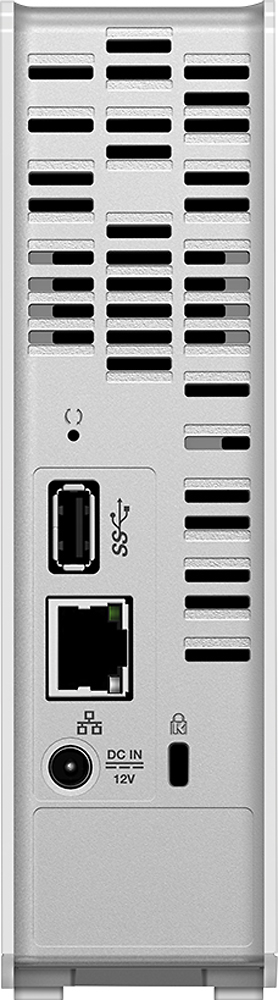
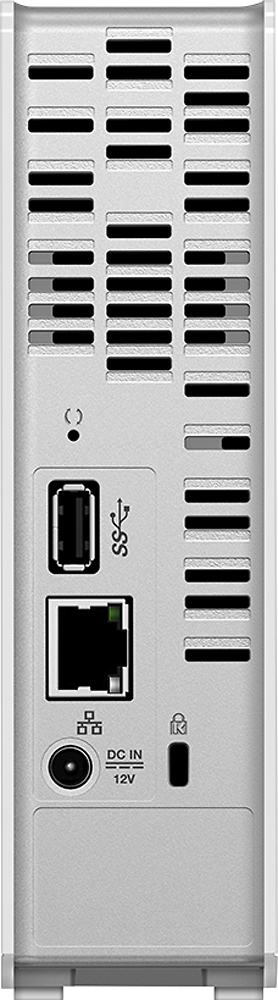
Posted .This reviewer received promo considerations or sweepstakes entry for writing a review.Overall this is a good drive. From your tablet or smartphone if you download the Wd Mycloud app you can access (stream videos and listen to music without having to download the file to your device) your files from anywhere there is an internet connection. I have not tried to access my drive from my laptop remotely but it can be done. The only thing I do not like about this drive is the fact that you can only load files onto the drive via Ethernet connection (or wirelessly). The drive has a USB port on back but it is only for expansion of a secondary drive (which is a nice feature). All of my computers have 10/100 Ethernet and my transfer speeds are around 11.5/MBs, which is slow but bearable. I do like this drive but I think a little more thought should've went into it by Western Digital.
I would recommend this to a friend- Cons mentioned:Reliability
Rated 1 out of 5 stars
DRIVE DIED AFTER 5 MONTHS!!!
Posted .This reviewer received promo considerations or sweepstakes entry for writing a review.SOLID RED LIGHT. I'M ON THE PHONE WITH CUSTOMER SUPPORT WHILE I WRITE THIS REVIEW AND THE DRIVE IS DEAD. EVERYTHING IS GONE. ALL MY MOVIES. ALL MY PICTURES. ALL MY DOCUMENTS ARE GONE. WHAT'S WORSE, THEY WANT ME TO PAY TO TRY TO GET THE DATA RECOVERED. THE CS PERSON IS GOING TO ESCALATE THIS TO HIS SUPERVISOR TO SEE IF THEY WILL PAY TO RECOVER THE DATA BUT NO GUARANTEES. THIS UNIT IS NOT EVEN 5 MONTHS OLD AND IT BROKE! OF COURSE THEY ARE GOING TO SEND ME ANOTHER ONE BUT SERIOUSLY, SHOULD I USE IT? SHOULD HAVE TO HAVE 2 OR 3 DIFFERENT BACK UP DRIVES JUST TO KEEP MY DATA SAFE? IS THAT SUPPOSED TO BE A REASONABLE EXPECTATION? I WOULD NOT BUY THIS PRODUCT AGAIN IF I HAD THE CHANCE. I SUGGEST YOU LOOK FOR BETTER RESOURCES.
No, I would not recommend this to a friend Rated 4 out of 5 stars
great productt
Posted .This reviewer received promo considerations or sweepstakes entry for writing a review.love this product easy to assemble and works well. used it in multiple states great waY TO ACCES my files
I would recommend this to a friendRated 4 out of 5 stars
Does What We Need It to Do!
Posted .This reviewer received promo considerations or sweepstakes entry for writing a review.Great option for us; easily acquired and does what we need it to do which is to back up our computers!
I would recommend this to a friendRated 4 out of 5 stars
personal cloud
Posted .This reviewer received promo considerations or sweepstakes entry for writing a review.Setup was a little awkward due to limited documentation. Backup procedure works well.
I would recommend this to a friend