Customer Ratings & Reviews
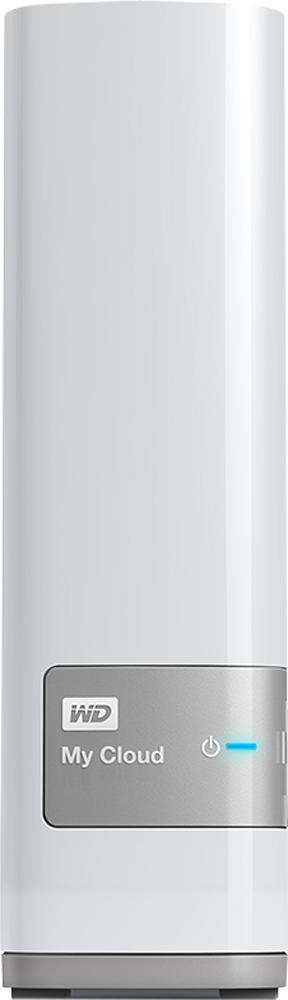
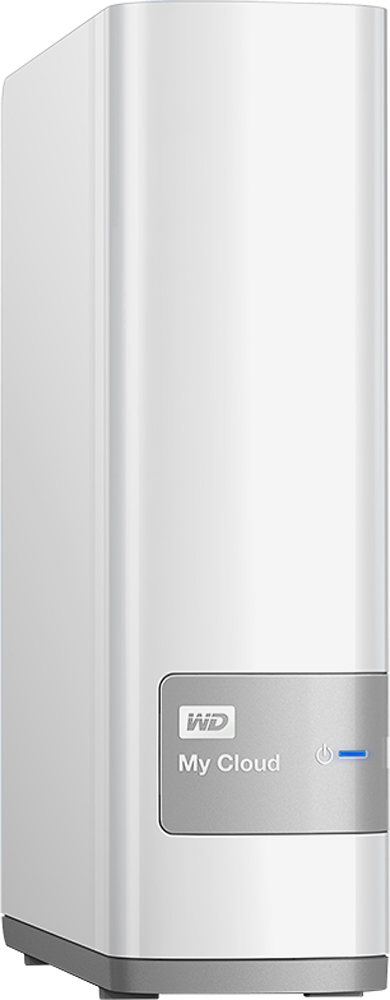
- Model:
- WDBCTL0030HWT-NESN
- |
- SKU:
- 1766022
Customer reviews
Rating 4.2 out of 5 stars with 905 reviews
(905 customer reviews)Rating by feature
- Ease of Use3.1
Rating 3.1 out of 5 stars
Customers are saying
Customers are satisfied with the My Cloud 3TB External Hard Drive's ease of use, ample storage, and relatively easy setup process, as well as its remote access capabilities. However, some users experienced issues with the product's reliability and found the software and instructions to be less than intuitive. The price point was frequently praised. A few users also noted that streaming performance was generally positive.
This summary was generated by AI based on customer reviews.
Rated 4 out of 5 stars
Great backup device overall
Posted .This reviewer received promo considerations or sweepstakes entry for writing a review.I've had this device for about 8 months now and although there have been a few hiccups it has been a great device overall. I use it with Time Machine on my Mac as well as for backing up my Windows 7 computer. I also have backups of all of my pictures, music and movies. Since it supports DLNA I'm able to access all of my media using my Roku with the Roku Media Player which has been great. There was one point where I somehow got myself locked out of it after a firmware update and had to do a settings reset (data is left intact), but since then it has been smooth sailing and I have done at least one other firmware update without issues. I believe the newest firmware has made it even more stable.
I would recommend this to a friendRated 2 out of 5 stars
Files are accessible but not capable of saving
Posted .This reviewer received promo considerations or sweepstakes entry for writing a review.This would be a five star rating except for a serious flaw in that when working away from my home network, after creating a file in a program such as MS Word, it can't be saved directly to the WD Cloud Drive. I can access files already on it but can't save a new one directly to the drive. (I am using a Macbook Pro.) I contacted their support staff and was told to save the file locally and drag it to the WD Clout Drive. That seems cumbersome and therefore, this lack of basic functionality is the reason for my two stars.
No, I would not recommend this to a friend- Cons mentioned:Reliability
Rated 1 out of 5 stars
Very Unstable, Always Disconnects
Posted .This reviewer received promo considerations or sweepstakes entry for writing a review.This is the most unstable, non-user friendly drive I have ever worked with. I have missed numerous day from work due to this device not connecting. I have spent so many hours on the phone with tech support to the point that they replaced the device 3 different times. All the replacement drives performed in the same way. "Cannot Connect" "Error" "Problem Communicating" Etc. The end result is that they sent me a 6TB WD My Book. You are a fool to buy this device. It will never work as advertised.
No, I would not recommend this to a friend Rated 4 out of 5 stars
Regards WD Tech Support
Posted .This reviewer received promo considerations or sweepstakes entry for writing a review.My Cloud challenged installation routines. So, I contacted WD support though a few reviews on BB's site were extremely negative. My experience, based on at least three long sessions, 30+ minutes, treated me to several technicians who displayed patience as well as determination to resolve my connection-to-internet problem. As a consequence of my first sessions, I was able to narrow the problem to an invalid SSL certificate. The last technician, at the tier two level, rather quickly recognized that Port configuration needed manual setting. Now My Cloud works as efficiently as DropBox.
I would recommend this to a friendRated 5 out of 5 stars
Easyest backup I have ever used.
Posted .This reviewer received promo considerations or sweepstakes entry for writing a review.At first I thought that I had to do more to get my computer and devices backed up, then I realized it was all done automatically.
I would recommend this to a friendRated 1 out of 5 stars
Awesome...Paperweight.
Posted .This reviewer received promo considerations or sweepstakes entry for writing a review.Was very excited at first. A wonderful concept. After 3 solid days of loading 2 TB of media (movies, music & pictures) the device would not stay connected to the network. Took vacation time in order to call during the "concierge" hours of service. The tech tried to get it working again enough to get me off the call. After 40 minutes on the phone, it was working temporarily. Quit again soon after. Found 2 threads on the WD Community Forum that directly related to my issue, not one valid fix after hours of reading 100's of posts by disillusioned customers like myself. The few posts by WD promised a fix, but the threads extended over a 5 month period. WD closed both threads promising a fix to the firmware. I bought my product almost 3 months later and still experienced the same issue. Great concept by WD, sloppy execution. Buyer beware...make sure you have plenty of time to troubleshoot and know your way around a computer.
No, I would not recommend this to a friendRated 4 out of 5 stars
Simple, fast and reliable network storage
Posted .This reviewer received promo considerations or sweepstakes entry for writing a review.The product was fairly straightforward to set up, but I did need some guidance from Western Digital. I used their "concierge" phone support (free for the first month); they were very helpful. I'm using the MyCloud to back up three PC's, and as a shared media library accessible at any time to my Sonos system. It has worked reliably for these purposes. It performance has been very good..
I would recommend this to a friendRated 5 out of 5 stars
Very helpful
Posted .This reviewer received promo considerations or sweepstakes entry for writing a review.This product does what it's supposed to do. Little pricey but it's worth it.
I would recommend this to a friend- Cons mentioned:Reliability
Rated 1 out of 5 stars
May not be typical experience, but mine was awful
Posted .This reviewer received promo considerations or sweepstakes entry for writing a review.My MyCloud was extremely slow registering set up changes and loading files. I had never had one before and just assumed that was all that could be expected of a device storing so much information. Then it stopped being accessible. My computer could see it on the network but couldn't get to the dashboard to manage it or to upload/download files. Called WD tech support. The guy actually told me he was going to close our session and hang up because it was taking so long for the device to respond. I persisted and got a better tech the next day. She ran a number of diagnostics and methods to get it to work. Was very patient, methodical, persistent - and after 2 and 1/2 hours non-stop on the phone she said the device was defective and that she would arrange for WD to send me a new one. I already had 100,000+ photos on it so I didn't want to just take it back to BestBuy for replacement - she said WD would send a new one for me to transfer files to and then I could erase the old one and return it to them. Good outcome - but wasted massive amount of time with set up, data transfer, and on phone with tech support. I don't know what percentage of these drives are sent out with defects, so good luck!
No, I would not recommend this to a friend Rated 1 out of 5 stars
failed again less than an hour after reset
Posted .This reviewer received promo considerations or sweepstakes entry for writing a review.I was referred to this product by a family member who is techy and likes his, but ours has been worthless. We set it up 2 nights ago and twice yesterday our entire network went down, we weren't even using the drive! Our wireless router is less than 6 months old and was the Amazon's most popular and has been working fine up until yesterday. When we unplug (power) and plug it back in the drive works for a short time (under an hour) and then it stops working, sometimes mid transfer, both wired and wireless. We chose this because even though Seagate's 3 TB NAS is less than half the price (it is on sale for $80 now) we read many reviews saying Time Machine was failing over wifi and that is the main reason my wife wants a NAS... so we went with this. We have the latest software and the drive's firmware is up to date. We have messaged support yesterday and I will try to call them tomorrow night if I don't hear back from them.
No, I would not recommend this to a friend- Pros mentioned:Ease of use
Rated 5 out of 5 stars
Works great with Apple Time Machine
Posted .This reviewer received promo considerations or sweepstakes entry for writing a review.I bought this for Apple Time Machine backups for my 2 iMacs and MacBook Pro. Had it plugged in and configured within a couple of minutes. My Cloud showed up in Time Machine preferences on all 3 Macs. Backups are running with no issues.
I would recommend this to a friend Rated 1 out of 5 stars
Bad experience from the start!!!
Posted .This reviewer received promo considerations or sweepstakes entry for writing a review.Out of the box, I got errors trying to run the setup file from Western Digital's website saying it wasn't connected to the network. Connection to the web interface worked but it refreshed slowly, plugged an external hard drive, and default shares were set to public for the drive, but I couldn't access it. I updated the firmware, and rebooting took forever, and still didn't have access to the external hd. I ran the test utility and if failed to run, then started getting multiple errors saying there was no network access. Eventually I was unable to access it through the web interface, even though the public folder was accessible via the assigned IP address. I have 20+ years in the IT field, and the experience was horrible. Took it back next day. The problem with these devices is that the only way to interface with them is through a web browser, so if that fails, then you potentially cant access the data. My recommendation is to use an actual PC. I bought a raspberry pi ($70) and was able to set up two usb hard drives as shares, setup was tricky, but at least I can access via keyboard, mouse, and monitor and see whats going on.
No, I would not recommend this to a friendRated 1 out of 5 stars
Limited
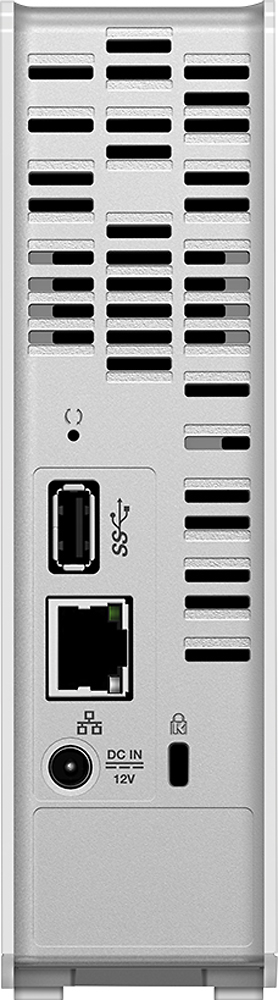
Posted .This reviewer received promo considerations or sweepstakes entry for writing a review.It has Default Folders, which you cannot change share permissions or Delete. Which means someone else could possibly delete data that you wanted, if you use any of the default files. Write speeds over wifi < 2Mb/s (500 MB file about 4 minutes or so) Write speeds wired to router 5-11Mb/s (500 MB file about a minute or so). The fastest consistent speed that I had seen was 11.5Mb/s wired to router. Streams video and music from router to computer quickly, without issue It Has a RJ45 and USB 3.0. Will not work if you plug into your computer and try to use as external HD. Must be plugged into Router It does not "move" files... When you try to move, it Writes the data back to your computer, then back to the storage drive... not a big deal with a word document... but when you are trying to move hundreds of GB as in video or music folders, It's an extremely long process. It should only take a second for the rewrite, but WD had made this a pain in the neck process. (move 1 video, 500 MB, from one folder to another, over wifi will take about 10 minutes +/-) If the free space on your MyCloud drive is less than the amount of data you are trying to "move", the system won't let you move it until you add more storage space or delete content. Remote access to the MyCloud is limited, and through WD. Not sure how secure/private that is. Accessing via app with your phone/tablet is limited. I'm only able to access less than half of my data, and it's all the same type of data. If I'm downloading from the Internet, and at the same time uploading to MyCloud, the router freaks out and stops working; However, this may be a problem with my router, It's about 5yrs old. I've had the 2 latest firmware updates and have the latest update on the mobile apps. Recommend... Depends on why you need it. I wanted storage for my video and music library. It Stores that. Accessing all of my data remotely would be nice, since, on the box, they say it will . That was one of those wow factors that swayed my decision on purchasing. That with the other stuff I mentioned... I'd recommend to hold off until WD fix's those issues. They are a big deal. For the average user, wanting a product to "back-up" their laptop/computer and/or share pictures and what-not. This is good product for that.
No, I would not recommend this to a friend- Cons mentioned:Reliability
Rated 1 out of 5 stars
The Worst Thing to BUY!!!
Posted .This reviewer received promo considerations or sweepstakes entry for writing a review.I purchased this device on a Saturday prior to having my MacBook Pro being checked out at Apple and found that my hard drive was failing. I immediately went home and started backing up files. Went to the Apple Store Monday evening to get help with Time Machine backup was at the store past 9:00PM and still no back up. Stopped the Time Machine Backup, left my MacBook Pro at the store to replace the drive and still keep the old drive as I am a computer expert and can take anything and everything apart and fix it. That's why I was shocked that my hard drive was failing but I was like - okay I just got the WD My Cloud Device I'm covered. Nope. Tuesday morning I picked up my MacBook Pro with the new hard drive and was handed the old drive. I went home Tuesday and swapped out the drives to back up the failing drive. I had over 100GB of data already transferred over to the WD My Cloud device. Sent more stuff to be copied over and woke up Wednesday morning to a RED light on the WD My Cloud device. It FAILED!!!! I just got it Saturday and it's now Wednesday with most of my data on the supposed back up device and it FAILS!!!!. I immediately called Western Digital as I've been using Western Digital drives since 1995 when I used to build my own computers. I stopped building them 10 years ago. But a computer is still a computer and I just can't believe that the WD My Cloud device failed so fast. On the flip side because of my background and experience I did get an email from Western Digital authorizing me to take apart the WD My Cloud device without voiding my warranty in order to recover my data. It is now Sunday (over 1 week since my ordeal started) and I'm still recovering data. I recovered what I could on my failing drive on a Seagate Back up device which I think is a lot better and I am going to give it glowing reviews. I still have yet to get my data off of my WD My Cloud device as it apparently does not work with Macs using a USB sleeve. So, I have to back up all of my Mac stuff first and then install Windows on my Mac (yeah Windows runs better on a Mac!!!) and then attempt to restore the data on the WD My Cloud device in Windows. If it doesn't work in Windows then I'm totally toast (trying to be 'G' rated here). But do not buy this device I found the manual for it and it states that if you need to move the device in any way that you need to unplug it and then turn it and then plug it in. Then when you want to move it back, unplug it and then move it back and plug it in again!!! That is crazy!!! That takes me back to the 286/386 processor days when you had to PARK your drive before you moved it. Then with the 486 processor you could move your computer with it on and not PARK the drive. This is ancient technology and means!!! I wouldn't recommend this device to my own worst enemy. Get the Seagate device, it's cheaper and better. I always thought that Western Digital was number 1 and Seagate was number 2. But I'm now finding out and realizing that Seagate is #1!!! Stick with Seagate you won't go wrong!!!
No, I would not recommend this to a friend - Cons mentioned:Reliability
Rated 1 out of 5 stars
Extremely Upset with this Product
Posted .This reviewer received promo considerations or sweepstakes entry for writing a review.I have a WD 3TB mycloud for my IMAC and it has given me nothing but problems. I have a Gigbit network so speed is not an issue with the network. But i constantly have a problem with the drive dropping offline in the middle of operations i am doing. I have drive sleep turned off and my computer is set not to go to sleep. But for some reason it drops very often it is very frustrating. I would throw it out the window but I have my entire photo album on it(over 100,000 pictures/memories) I have spent over a week trying to move 100 pictures at a time because that is all I can do before it drops offline. I have done a system only restore on it several times even plugged it directly into the computer. Nothing works. Time machine backup is even worse. I am constantly having to rebuild the database from scratch almost everyday. I hoped for something more reliable from a company like this instead I got a piece of SH&$!!!!!!!!!!!!!!!!!!!! I bought this product thinking it was a reliable company and product but it severely lacking. I would bring it back but I have my entire photography album (over 100,000 pictures/memories) I have spent over a month so far trying to copy these images off 15 images at a time then a complete computer reset remount the drive and start the process all over again.
No, I would not recommend this to a friend - Cons mentioned:Reliability
Rated 2 out of 5 stars
Great concept - lacks execution
Posted .This reviewer received promo considerations or sweepstakes entry for writing a review.Great concept. Love the idea of being able to back-up personal photos, etc. on a recurring basis (and in fact set it up to back-up my photos and docs on a weekly basis). This works across PCs, tablets and mobile phones. The user interface is sorely lacking. Very difficult to use, and not totally intuitive. This is probably an exception as few people have had this issue. I had a hardware problem where it stopped working after a few months. Western Digital did a nice job of quickly replacing the device, but this issue meant that I was not able to recover the previous backup and needed to set it up again to backup from those devices. They sent me a replacement, but I am not totally confident in this solution anymore.
No, I would not recommend this to a friend Rated 1 out of 5 stars
Nice Idea - Difficult Implementation
Posted .This reviewer received promo considerations or sweepstakes entry for writing a review.Set up was frustrating - not very "Apple-like." It appeared to set-up correctly but I couldn't access it through the Internet. Dashboard said everything was OK. Web message said it needed a software update but couldn't do the update. Called tech support (very helpful). Told me I needed a software update even though the dashboard indicated I didn't. What????? Any way, I was able access the drive just fine after that. I thought I would be able to sync files the way Dropbox and OneDrive does. Well, that doesn't work, I followed all of the instructions precisely, and on five different computers running the sync software NOT ONE syncs. I will need to call HP again to see what's up. For me at least, this was not a friendly plug 'n play device.
No, I would not recommend this to a friend- Pros mentioned:Storage
Rated 5 out of 5 stars
Very nice option to save family photos
Posted .This reviewer received promo considerations or sweepstakes entry for writing a review.MyCloud is a perfect solution for my family in keeping up with all the photos from our mobile devices.
I would recommend this to a friend Rated 3 out of 5 stars
Excellent
Posted .This reviewer received promo considerations or sweepstakes entry for writing a review.Having my own cloud is the best decision I have ever made.
I would recommend this to a friendRated 4 out of 5 stars
Good storage
Posted .This reviewer received promo considerations or sweepstakes entry for writing a review.Not the easiest to use once installed. It also runs a little slow and takes some time for things to load. Tried using it remotely and it didn't work, still trying to figure that one out. Otherwise, does the job in storing and accessing on different computers within the home.
I would recommend this to a friend