Customer Ratings & Reviews
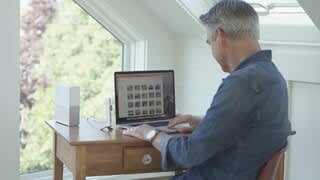
- Model:
- WDBVXC0020HWT-NESN
- SKU:
- 5990206
Rating by feature
- Value
Rating 3.9 out of 5 stars
- Quality
Rating 4.2 out of 5 stars
- Ease of Use
Rating 3.8 out of 5 stars
Customers are saying
Customers recognize the My Cloud Home 2TB Personal Cloud for its user-friendly setup process and reliable storage capabilities. Many users appreciate the convenience of accessing their files from the cloud, while others highlight the ease of use and attractive design of the desktop and mobile apps. However, some customers have expressed concerns regarding compatibility issues and occasional connectivity problems.
This summary was generated by AI based on customer reviews.
Needed a device to function as a NAS this ain't it
||Posted .This reviewer received promo considerations or sweepstakes entry for writing a review.I purchased this device to replace a broken MyCloud that was doing the job in working as a NAS on a network. This piece of garbage does only internet sync and it was not what I wanted. I am returning this unit then order a real NAS system online.
No, I would not recommend this to a friend
Great device to automatically back up wirelessly
|Posted .This reviewer received promo considerations or sweepstakes entry for writing a review.The WD My Cloud Home 2TB drive came well packaged with form fitting inserts around the device. The box included the 2TB drive, a power cord, an Ethernet cord, and instructions for setup. Setup was easy. Just attach the power cord and plug the device into a wall plug, then connect the Ethernet cord from the device to your wireless router. Then go to the website written on the setup instructions and either sign in or create an account. It also gives instructions to install an app to your smart phone or tablet. Once this portion of setup is complete, you have access to the complete User Guide in a PDF format. Of course, if you have any problems, customer service is available to help. Also the User Guide is available on their website. As soon as I setup the device, it showed up on my laptop as an external drive. It was easy to drag and drop my files and folders onto the My Cloud Home device to back them up. For my initial set up, I backed-up all of my documents, videos, photos, and music from my laptop onto the My Cloud drive. By keeping the My Cloud Home drive plugged into my router, it will continue to backup everything wirelessly as I edit or create new files. During the initial backup phase, due to the wireless connection, the transfer time was slow and tedious. I had approximately 1.25 TB of documents and photos to transfer. Just transferring the smaller “document” files (10.8GB) took hours. When I began to transfer the photo files, my first folder had about 162GB of photos and it showed a transfer estimate of “more than 24 hours.” My data was transferring at approximately 2mb or less per second wirelessly. Since wireless takes so long, I decided to use my older WD My Book external drive, so I plugged that into the USB port of my laptop and it transferred at over 20 mb per second with some peak periods up to 80mb per seconds. Since the initial transfer time was more than 10 times faster, I got the files copied over to the My Book drive in a reasonable length of time. (You could use a jump drive to do this as well, but I already had the 4TB My Book.) After I transferred everything, I plugged the WD My Book into the USB port on the My Cloud drive and told it to copy the contents of the My Book to the My Cloud Home drive and that worked. It was able to transfer everything “in the background” without bogging down my laptop. After transferring everything over, it put it in a separate folder, so I just moved the folders into usual backup folders. Now I have a copy of everything on my laptop as well as on my backup drive. I also downloaded the phone app which not only allows me to see my files “on the go,” but I could turn on the Auto Backup feature and any files or photos on my phone will automatically be backed up into their own folder on the My Cloud Home drive. Then I took off in my car to see if I could access the files on the go and they were all present. You can save everything from your computer and/or laptop, and mobile device onto this storage device and access it from anywhere. Another feature that I like is the ability to share the My Cloud device with other users. I can send an invitation to other users and they can back up their files on the device as well. PROS: Keeps everything backed up and you don’t have to rely on remembering to do a backup. Allows you to keep multiple devices backed up on the same drive and keeps those backups in separate folders. Allows multiple users to make their own back ups. Has USB port for attaching jump drives or hard drives and allows you to copy from those to the My Cloud Home Allows access to your files while on the go using the smart phone app CONS: Initial backup is slow if you do it wirelessly, as in the instructions (but read my review for another way) Doesn’t allow you to connect directly to a computer or laptop for the initial backup When using the USB port on the My Cloud Home, you can’t look at the files and folders on that drive in order to pick and choose what files to copy over. It’s all or nothing. However, once copied, you can delete unwanted files from the My Cloud Home drive.
I would recommend this to a friend- Pros mentioned:Setup
A must have in every home
|Posted .This reviewer received promo considerations or sweepstakes entry for writing a review.The western digital cloud my home 2 TB is an amazing and gorgeous looking device. I was iffy about getting one of these due to the word cloud always made me weary. This device comes in super simple packaging no waste, device, power supply, ethernet cord and pamphlets for quick setup. The setup is really super simple, plug in the ethernet cord to your router and power supply to the wall, leave the device connected for 10 mins before connecting a device. The system self-updated and came right up. The papers tell you the website to visit in order to connect to it. You set up your computer through a web browser and can download a desktop app from there. The one downside I had was I was trying to add another user to the cloud, I tried the website app and desktop app, I could not find the add a user option, (I could've missed it). The online services said it was available to do, however, I did not find it. I downloaded my cloud home app for my cell and it was an easy setup as well. I was able to add a second user through the cell phone app which was super simple as well. The app gives you options to back up your devices, how you want to back it up and the interface is super simple and easy to use for the cell phone. I would suggest going through the cell phone over the desktop first. The cell phone app has an activity, files, actions photos and settings icons on the bottom. They do what they say. Activity shows you options for auto backup, desktop app, backup cloud content and invites users. Files are where you can set up folders for your pictures. Actions allow you to search, add and select photos is thumbnails of your pictures set up like your phone, you can do all, photos and videos. Settings have settings for your device and app settings. It is super simple and works great out of the home. I am super happy with the device and glad that the interface is so simple. Pictures upload pretty fast. I only did short videos which uploaded quickly too haven't done a long video. The app states that each user can have separate files and you can see who has access to what. I have not tested this out as of yet. I would most definitely recommend for every families household. a nice way to back up your devices, photos, and files and have control over them.
I would recommend this to a friend Returned item
||Posted .This reviewer received promo considerations or sweepstakes entry for writing a review.With this storage device, you can only move pictures from computer to device wirelessly. This is challenging when you have thousand of photos. Returned item.
No, I would not recommend this to a friendVery Picky
||Posted .This reviewer received promo considerations or sweepstakes entry for writing a review.bought this hoping for an easy NAS setup. Come to find out that it is picky about which routers it wants to talk to, and mine was not one of them. Returned for a different brand purchased through Amazon.
No, I would not recommend this to a friendNot what I expected
||Posted .This reviewer received promo considerations or sweepstakes entry for writing a review.I thought this would behave exactly as an external hard drive to backup all of my devices. However that is NOT what I experienced. I may have set it up wrong, but I took it back.
No, I would not recommend this to a friendSoftware lacking
|Posted .This reviewer received promo considerations or sweepstakes entry for writing a review.WD MY CLOUD HOME drive 2TB. The installation was as easy as it says. Plug it in and wait 10 minutes for it to update its internal software. The issue starts with the software you then need to install on your desktop. Immediately after installing the desktop software I got the pop up that a new version was available. Now this software was installed from the WD site. So the software on their site is not up to date. Ok I let it update. After the update I finished the startup operation. After creating my main user, I noticed that the controls that are indicated on the web site do not exist in the software. There is no ribbon in the desktop software allowing you to control the drive, add users, manage the drive in any way. I downloaded the correct Android software on my phone and sure enough I can "Invite" users from there. So the Home version of this drive doesn't allow you to add users on your desktop, but you can "Invite" users from your phone. Making sure I wasn't doing something wrong I contacted WD. After describing what I was seeing from my desktop I was informed that this is correct. The desktop software can not manage the drive or add users for the Home version of the drive. Only the Phone App can Invite users. Also all activities on the drive are done through the Web Interface. Upon rebooting my computer I noticed a 30 second black screen on start up. It was never there before. When the desktop finally shows up the WD software is asking you to log into the drive. Once you log in, the computer continues to run normally, but just a bit slower. I also noticed mapped network drive with my information in it. I did not care for the mapped network drive so I unchecked the Start on Startup check box in the desktop software. I restarted the my computer again and got the same 30 second black screen, but without WD asking me to log in. Checking what was being started I found WD had added 23 entries into the startup section of my computer. The mapped drive was still showing up. The mapped drive is what WD is using for the backup function. I disabled all 23 items WD added and restarted again. My computer now starts normally, no mapped drive, no delay on startup. Logging into the drive from the website it continues to work normally. Since I do not intend to use this drive for backup, I see no reason to allow it to slow my computer down. Also, the desktop software, doesn't log into the drive locally. When you click on My Cloud in the desktop software it just takes you to the website. There is no local Administrator log on, even in the software running on your computer. While uploading and downloading files there are no lights that flash on the drive to let you know it's being accessed. The only time the light flashes on the drive is when its lost its internet connection to WD. Bottom line. WD needs to seriously address the amount of overhead this drive takes on startup. 23 items added to the startup menu is outrageous. No local management of the drive or users. Phone to add users, and wed access to manage the drive are serious enough that I can not recommend this drive. If they would do something about the start up and management for the desktop software I could see this as a usable device for home users. As it is, I would say to just by a backup drive for your backups. If you want to access files from the internet make sure you stop all the startup processes that they add. You can then upload your files you want access to and use it without slowing down your computer. My computer is not slow. i7 12 gigs ram and a ton of disk space. From turn on to log in is no more than 30 seconds. And I have a lot of things that need to load at startup. So adding a 30 second black screen doubled my startup time and was disconcerting to have the screen black while it's doing it. During my normal startup there are no black screens that last for more than 1 second. Look into the reviews of the non home version of this drive. See if people are saying the same things about it. Having a local management console would go a long way into making this drive truly usable.
No, I would not recommend this to a friend- Pros mentioned:Ease of use, Storage
Perfect for a family with lots of picture and musi
|Posted .This reviewer received promo considerations or sweepstakes entry for writing a review.First impressions: wow this this is small (2TB Version) I was expecting a big bulky plastic box, instead I received a very slim and pleasant looking storage drive. It's nice enough that you can place it on your desk without being too distracting, it does make some noise while you're looking up or adding files to the drive. Unboxing & First set up: Wow this was so EASY to setup! Your non techy friends or family member could do this! Only 3 steps and 2 of those sets are plugging in power & Ethernet the last step is going on the cloud website and your done! Unboxing was simple as well and was well packaged. Pros: Easy set up 2TB of strange is more then enough for me Not a ugly unit to look at Simple and easy to use Fast file grabbing Fast file transfer Cons: Makes a lil noise while accessing files
I would recommend this to a friend - Pros mentioned:SetupCons mentioned:Usb port
Easy set-up but...
Posted .This reviewer received promo considerations or sweepstakes entry for writing a review.Loved how easy the setup was but the options to edit the settings was very limited. Also after reviewing the online manual I found that if I wanted to upgrade my hard Drive at a later time, I couldn't. Also I assumed that I could add a HD or mirror the drive with the USB port. I didn't find any information about creating a Raid 1 configuration through the USB port on the manual. It does what I need it to do which is create a cloud backup for my families cellular plan but why should I have to worry about the HD failing without a redundancy? If I missed something about the feature let me know cause I looked everywhere.
I would recommend this to a friend - Pros mentioned:Setup
No WiFi Support, but Somewhat Decent Features
|Posted .This reviewer received promo considerations or sweepstakes entry for writing a review.The lack of WiFi support is a huge thing. Having to plug this directly into a router negates the ability to plug it into a laptop or desktop and still access it via the web or app. In terms of setup, initial setup was not difficult - I plugged it into my router and plugged it into the wall and I was able to set it up quickly. However, there are multiple sites and apps (apparently there is a legacy version of My Cloud) that created some confusion when I tried to set up the app on my iOS device. I've rated it three stars due to the lack of WiFi support and also the confusion with multiple apps. It is fairly fast in syncing files uploaded via phone or the web, which is why I didn't rate it lower. Adding that feature into a future device would make this a four or five star product. The older version of the WD My Cloud app also had expanded third party support (including Dropbox) which is missing from the My Cloud Home app.
No, I would not recommend this to a friend Do not buy if you need local network access
||Posted .This reviewer received promo considerations or sweepstakes entry for writing a review.Terrible home user product. No local interface. Does not allow any config. DHCP only. Avoid
No, I would not recommend this to a friendCrap
||Posted .This reviewer received promo considerations or sweepstakes entry for writing a review.was never able to connect, then th eproduct support was discontinued
No, I would not recommend this to a friend- Pros mentioned:Setup, Storage
Great little home cloud storage device
|Posted .This reviewer received promo considerations or sweepstakes entry for writing a review.I have never been a fan of Google Drive or Dropbox and was very excited to get the WD My Cloud. Set up was easy as I plugged it into my wireless router via the provided ethernet cable. The online setup is simple and it was very easy getting all of our devices on board. We are using it to backup our devices, store photos, and I use it for keeping a ton of school files which used to take up so much space on my laptop. This definitely freed up a lot of space on our devices. Overall, this is a very food product that performs exactly as it should and with ease. I would definitely recommend.
I would recommend this to a friend - Pros mentioned:Ease of use, Storage
The Best
Posted .This reviewer received promo considerations or sweepstakes entry for writing a review.This new WD my cloud home hard drive is amazing! I have access anywhere I go and it is so simple and so fast. I have unlimited data on my cell phones network and I have my iphone set so it will back up anywhere at anytime (ease of mind). I have a new PC Desktop and 2016 macbook pro also connected. I was able to successfully back up both computers and add my own files. I can view all three devices uploads anywhere at anytime with simple ease. I actually first bought the seagate personal cloud which was horrible, the app crashed every few minutes and would not allow me to easily upload files from cell phone. The seagate personal clouds just waste your time! Western Digital is the way to go for ease of use and ease of mind.
I would recommend this to a friend - Pros mentioned:SetupCons mentioned:Reliability
Big disappointment
|Posted .This reviewer received promo considerations or sweepstakes entry for writing a review.I have been trying to use the My Cloud Home for 7 days, and so far it is a big disappointment. Setup was straightforward, but that’s where things pretty much ended. First, I tried connecting to my Dropbox account. Connecting it was easy, but the sync was a bust. It slowly – very slowly – performed a sync function, but after 3 DAYS of sync activity, only a small percentage of my Dropbox files had made it onto the My Cloud Home. I was actively using my computer for 12+ hours each of those days, so if the problem is that the My Cloud Home can’t sync while the computer is asleep (which would be a bad thing), it had plenty of “awake” time to do its job. Next, I disconnected the Dropbox account and tried to sync a folder on my desktop computer. The instructions say that, “You can sync content from a Windows or macOS/OS X system to a My Cloud Home device with the Desktop Sync feature.” I have an iMac, so I followed the next part of the instructions, which state, “From within the operating system, Right-Click a folder and select the option Sync to My Cloud.” That’s where things ended. There was no “Sync to My Cloud” option available. I was able to simply upload a single file (no folders -- just single files) onto the My Cloud Home. However, in addition to being incredibly tedious and time consuming, putting single files on the My Cloud Home doesn't activate the sync feature. Any changes I make to those files on my desktop computer will not be transmitted to the My Cloud Home copy of the file. I rebooted my computer, but that didn’t help. I uninstalled the My Cloud Home software, rebooted the computer, reinstalled the My Cloud Home software, and rebooted the computer. That didn’t help. Still no option available to "Sync to My Cloud." Finally, I contacted WD Support, and the only message I have gotten from them is that my support case has been received. That was several days ago. It appears that the users who have found the My Cloud Home useful have used it only as their backup drive. I do not have enough faith in this device to rely upon it for that and will continue to send my Time Machine data to my direct-connection external hard drive.
No, I would not recommend this to a friend - Pros mentioned:Ease of use, Storage
Excellent external photo album
|Posted .This reviewer received promo considerations or sweepstakes entry for writing a review.Easy set up for computer, need to be careful, when setting up phone or tablet, to select "MyCloudHome" NOT "MyCloud" or incorrect password/user name error will occur. Easy photo/video transfer but it its recommended to use memory stick to transfer large files/folders. Perfect storage device for someone who takes a lot of pictures or videos on their phone.
I would recommend this to a friend - Pros mentioned:Setup
Personal cloud storage
|Posted .This reviewer received promo considerations or sweepstakes entry for writing a review.This is your personal cloud storage. Easy setup, just connect to your Wi-Fi router and you should be able to access this drive from anywhere. When you connect it for the first time, be prepared for it to run software update. It could take up to 10 min. Once it is online, you can sync the files wirelessly. The drive can be accessed using the mobile app or desktop app. You can also login to Mycloud.com to access and upload files. When setting up on phone, make sure to select My Cloud Home. Another good feature is that you can selectively share files with others without giving access to the entire drive. You can also setup auto upload from your phone. While syncing with my PC, i have noticed that it is kinda slow. Not sure if its because of the first time syncing of huge number of files. I would use a USB drive to connect to it directly to transfer large files so that your PC is not running slow. The design and the look and feel of it is nice. Another great feature is that you can backup multiple devices and the files are not mixed up. Overall, I would definitely recommend this to anyone who need a drive for automatic backup and access the storage from anywhere.
I would recommend this to a friend awesome but user interface difficult to maneuver
|Posted .This reviewer received promo considerations or sweepstakes entry for writing a review.This is an outstanding idea but difficult to navigate. First of all being able to find pics and docs on my phone that were only on my desktop at home was awesome. I moved all my desktop pictures to the "My Cloud Home" desktop app then was able to see all of them on my phone without having to take up any space on my phone. I was also able to load personal documents from my desktop to the "My Cloud" and open them on my phone. This was a little tricky though and not really a WD My Cloud problem as my phone isn"t able to open excel or word doc's. I was able to download them on my phone to Google Drive and see them from there. so this is real cool. I have had external drives before but could never access them from my phone wherever I am. With the "WD My Cloud Home" I am able to see anything that is on my home computer on my phone from anywhere I am.
I would recommend this to a friend- Pros mentioned:Setup
Easy backup solultion
|Posted .This reviewer received promo considerations or sweepstakes entry for writing a review.The best backup solution is the one you don't have to think about. The WD My Cloud Home is just that kind of backup solution. Setup is super easy through a browser. You just create an account, then enter the code on the product card that comes with the My Cloud, and the device is connected to your network and ready to go. You can set your devices to back up automatically, including computers and Android or iOS mobile devices. To allow others to use your My Cloud, just send them an invite through the app. So, set it up and forget about it knowing your stuff is safely backed up. It doesn't get much easier than that.
I would recommend this to a friend - Pros mentioned:Setup
Super Easy Setup
|Posted .This reviewer received promo considerations or sweepstakes entry for writing a review.I have been meaning to back up my network drive for a while. When I saw this I thought it would be a good product. I was not disappointed. Literally with a small card with a few pictures and a special code I had the device on my network in minutes. I copied and pasted 1.1GB of pictures music (essentially my life) and pasted it into the device. It did take over a day to copy everything but as I added devices I was able to access the data easily, even with my windows phone using the web interface.
I would recommend this to a friend