Customer Ratings & Reviews









- Model:
- F7C059
- SKU:
- 5794511
Rating by feature
- Value
Rating 4.2 out of 5 stars
- Quality
Rating 4.4 out of 5 stars
- Ease of Use
Rating 4.2 out of 5 stars
Customers are saying
Customers recognize the Wi-Fi Smart Dimmer Switch (2-Pack) for its ease of use and simple installation process. The dimmer switch is also appreciated for its dimming capabilities and compatibility with Alexa. However, some customers have expressed concerns about its compatibility, price, and size.
This summary was generated by AI based on customer reviews.
Great features when they work
||Posted .This reviewer received promo considerations or sweepstakes entry for writing a review.Product is just what I was looking for and is great when it works. That is about 50% of the time. All of the functions are operable from a mobile device but unreliable with Amazon dot. Have been unable to find a resolution so will keep at it.
No, I would not recommend this to a friendBrand response from BelkinStaff
Posted .Hi, Olib,
To ensure proper functionality, we recommend updating your Alexa devices with a new Wemo Skill as this will change the way Alexa interacts with your Wemo Dimmer. Should you need assistance, we're just an email away at WemoCares@belkin.com. Indicate your contact details and the link to this review for reference.
Jay
Wemo Support
- Pros mentioned:Dimming, Ease of use

Easy Install, buggy software.
|Posted .This reviewer received promo considerations or sweepstakes entry for writing a review.The switch installation was fairly simple. All in all, it took about 15 minutes to install the physical switch. If I were to rate the switch on its own I would give it 5 stars. However, without the software, it is nothing more than an expensive light switch. The WEMO app is very buggy, on many occasions required a force close of the app and start over. One lockup occurred during the initial switch setup, which resulted in not being able to establish a connection to the switch. I performed a factory reset on the switch and started the installation process again. Thankfully the app did not lock up during the second attempt and the installation was successful. Once the app established a connection to the switch, it seemed very responsive, that is until the app locks up. According to WEMO, "IFTTT and WEMO are friends". Unfortunately, their friendship is on the rocks right now, because they are not on speaking terms. I attempted about 20 times to get the switch to connect to IFTTT with no success. Hopefully, there will be an update soon that enables this functionality, as this was one of the main reasons I chose this device. The app again locks up almost every time I try to connect the two services wich always results in a force close. The WEMO app thankfully has some limited automation settings, however, its functionality of this switch is severely hindered by not connecting to IFTTT. This switch does not recognize mesh networks, thus will only connect to a single point on the mesh network. It is also not supported by Google Wifis On.here connected device sharing service. Since Belkin does not specify compatibility, these are not deal breakers, but it is something to take note of if you plan on utilizing this service. Overall I am fairly disappointed with the functionality of this switch. It has dimming capabilities and an overall excellent build quality, it features standalone automation functions; which are all bonuses. But unfortunately, the buggy software overshadows all of the good things about this device, and for that reason, I cannot recommend this product. Positive (+) ~Easy Install ~Remote Access ~Dimming function ~Night Mode ~Automation Functions (Limited) Negative(-) ~Software locks up requiring force close ~Does not recognize mesh networks ~Unable to connect to IFTTT ~Changing Wifi network requires factory reset of the switch
No, I would not recommend this to a friendBrand response from BelkinStaff
Posted .Hi,
Thank you for sharing this detailed review. It is very odd for the Wemo Dimmer to not work with IFTTT, since it was tested for this feature. Make sure that "Remote Access" is enabled for associate IFTTT to the Wemo app. As for the mesh network, we'd like to get more information about this challenge so that we can address this.
Just send us your contact details at WemoCares@belkin.com and we'll have our Escalation Engineers check on your challenges with the device. Also, include the link to this post for our reference.
We hope to hear from you soon.
Regards,
Thaddeus
Wemo Support
- Cons mentioned:Connectivity
Would not recommend!
||Posted . Owned for 1 year when reviewed.This reviewer received promo considerations or sweepstakes entry for writing a review.Did not work well at all. Connects sometimes I use it as a dummy plate now Very disappointed
No, I would not recommend this to a friend Currently not Apple HomeKit compatible
||Posted . Owned for 3 weeks when reviewed.This reviewer received promo considerations or sweepstakes entry for writing a review.Despite what the description states under Specifications, the WeMo - Wireless Dimmer Switches are not currently Apple Homekit compatible. There is no HomeKit setup barcode on the actual switch itself and when trying to add the dimmers to Apple Homekit with the wemo app, the "connect" button is greyed out. Under "Hardware Info" for the dimmer switch it has "Homekit Setup Code Not Available Yet".
No, I would not recommend this to a friendBrand response from BelkinStaff
Posted .Hi koyaj,
This is definitely not the experience we want for our customers. Allow us to have our Second Level Technicians to get in touch with you for further troubleshooting.
Just send us your contact details at WemoCares@belkin.com so that we can escalate your case. Don't forget to include the link to this post as a reference.
We hope to hear from you soon.
Regards,
Thaddeus
Wemo Support
- Pros mentioned:Alexa compatibility, Ease of use
Great product, best Wemo yet
|Posted .This reviewer received promo considerations or sweepstakes entry for writing a review.I love this thing! I have a few Wemo Light Switches installed in my house and also have Wemo Switch Smart Plugs around the house. Having tried this new Wemo dimmer installed in my bedroom I can say this is their best product yet and they have a hit. Installation is exactly the same as any other Wemo Light Switch if you are familiar. You will need to ensure your switch only has one feed and the cables will need to be a ground (green or copper), neutral (white), load (red or black) and hot (black). If you are not familiar, some YouTube videos can easily teach you but if you are uncomfortable working with electricity safely, please get a professional to help install. The box comes with absolutely everything you need to get this working including instructions, face plate, the device, wire caps, and wire labels. The only thing I added to this was some electrical tape to ensure no exposed wires. After an install in my bedroom, I reenergized the unit and saw the nice glow of the unit. I used the easy to use Wemo App to set up the device to my wifi and it was up and running very quickly. I then got it synced up with my Alexa to test it further. I knew it was a dimmer but I did not expect the great smart dimmer functions. My favorite one being that you can set a rule to have it at a certain brightness in the evening and the morning is full power. I have mine set to 20% brightness after 9pm and full after 7. This is just great for some extra comfort. It looks cool, is easy to use, works with devices like Alexa and Google home and is an overall easy install. What else is there to love?
I would recommend this to a friend Had to return due to lack of support with android
||Posted .This reviewer received promo considerations or sweepstakes entry for writing a review.Purchased and would connect at first then fail during setup with android device. Called support and they kept asking me to try with iPhone device which I do not own. Returned to store.
No, I would not recommend this to a friendBrand response from BelkinStaff
Posted .Hi,
The setup process for the Wemo Dimmer switch via the app should have been fast, easy, and straightforward. Should you need further assistance or have any other inquiries about our products, hit us up anytime at WemoCares@belkin.com.
Hoping to hear from you soon.
Harvey
Wemo Support
- Cons mentioned:Compatibility
Frequently stops working
||Posted . Owned for 1 month when reviewed.This reviewer received promo considerations or sweepstakes entry for writing a review.This dimmer will randomly and frequently stop working. Only fix is to cut the power at the breaker to restart it.
No, I would not recommend this to a friend - Pros mentioned:Installation
It's OK
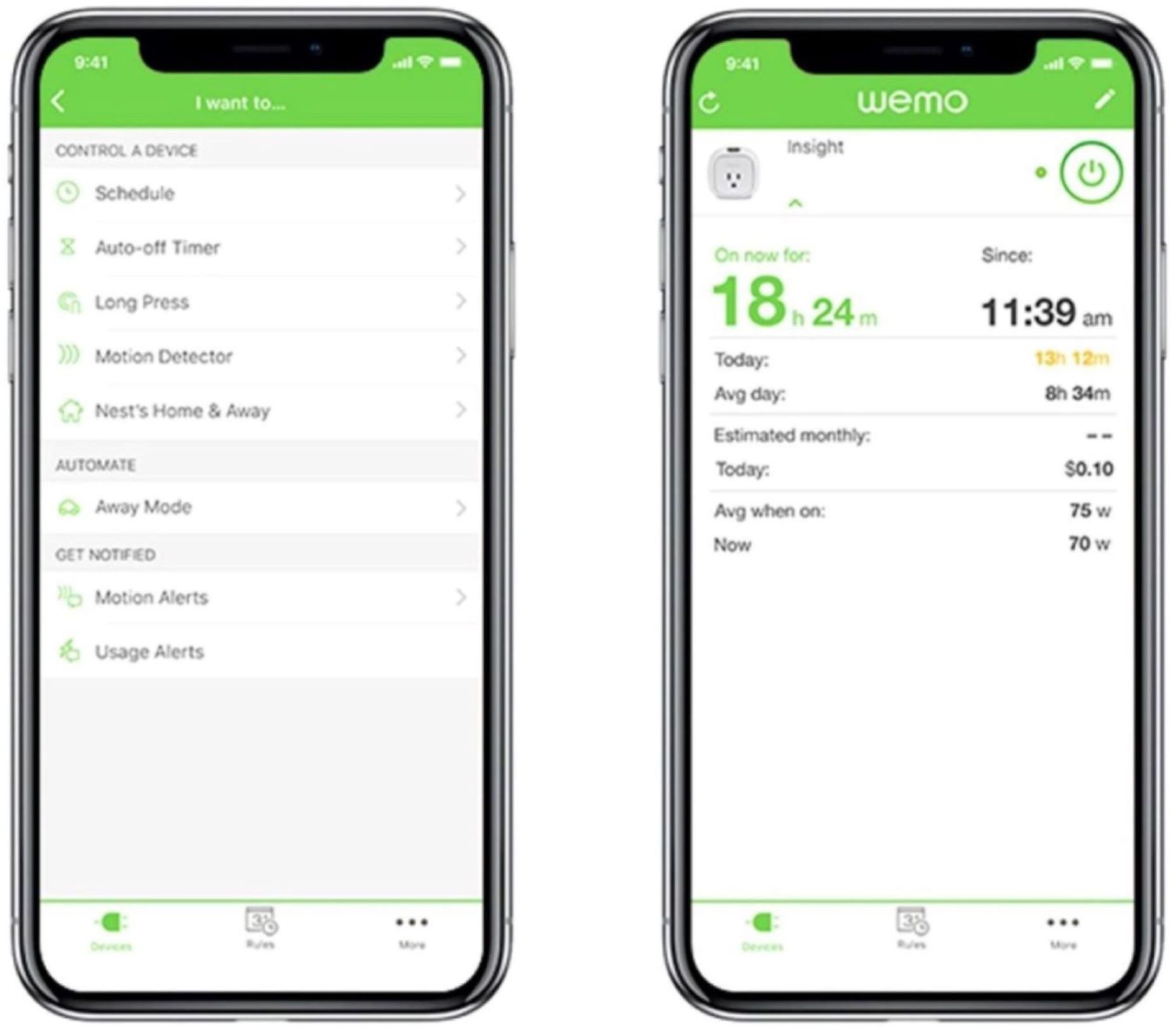
|Posted .This reviewer received promo considerations or sweepstakes entry for writing a review.The Belkin WeMo dimmer light switch is a product that is just adequate. It functions reliably, but does nothing else to exceed expectations. There are just enough nuisances that I cannot justify giving it higher than three stars out of five. To begin, let's talk about the pros, because there are some: PROS - To my surprise, it was actually quite easy to set up. I like the idea of the screwless faceplate, and the instructions were very straight forward. Connecting the switch to the network took a few tries, but they were to the point when it failed - this saves a lot of wait time. The switch itself was also able to work with LED lights, including ones which I had problems with dimming in the past. Overall, very good experience on that end. The switch itself was way more configurable via the app, which includes things such as a timer, night mode for dimmer lights at night, sleep timer, and even the option to simulate someone being home. All of these features are easily configurable through the app. CONS - There are two things that truly annoy me with this light switch. First, is the switch itself. I cannot understand why I am able to adjust the brightness levels when the lights are off. The amount of times I have accidentally adjusted my preferred brightness because I was looking for the switch in the dark, or accidentally touched the lowest setting, is too high. I really wish they would change this in the future because it is completely frustrating having to fidget with the dimmer until it's correct again. My second complaint, is the app itself. The version I'm using is on Android, and it is very unresponsive. Usually, in most apps, there is feedback to let the user know that you've pressed the buttons and they are working. Here, however, because pressing anything takes at least a second to respond, it has become a waiting game to see if the app has died or it's running slowly. Using the app to turn on my lights takes more than a second. I can adjust temperatures on my WiFi thermostat faster than I can turn on my lights. You can also guess that dimming lights with the app is pain. Want to see if your brightness level is correct? Well, you better wait a second between each adjustment before anything happens. I don't see why it has to take this long, because I can dim the lights instantaneously with the switch. My only assumption is that the light rely on Belkin servers to do its thing before the actions are applied on the switch. If that's the case, then that's highly inefficient. If I'm at home, then the lights should turn on, and then send information to the server. In the end, it is an advanced piece of technology that really should have gone through some more quality assurance before releasing to the public. If you must have a WiFi controlled dimmable light switch, then yes, it is a decent product. However, I would hold off until a new firmware is released, or version 2.0.
No, I would not recommend this to a friendBrand response from BelkinStaff
Posted .Hi,
Thank you for sharing this detailed feedback. The Wemo app should be responsive than what you have mentioned. Allow us to escalate your case to our Engineers so that they further isolate and troubleshoot your current challenges. Rest assured that we will forward your feedback regarding the features of the device.
Just send us your contact details at WemoCares@belkin.com along with the link to this post.
We hope to hear from you soon.
Regards,
Thaddeus
Wemo Support
- Pros mentioned:Ease of use
Great product for home automation! Try this!
|Posted .This reviewer received promo considerations or sweepstakes entry for writing a review.Great piece of technology if you are into home automation. It plays well with Alexa and Google Home. I like being able to use voice commands is the biggest plus. Aesthetics are beautiful and seamlessly blends into the house. It works with my LED bulbs and my CFC bulbs that are also dimmable without flickering! Easy to use app and setup. If you are uncomfortable you may need to hire an electrician, but instructions are simple to use and anyone with basic DIY knowledge can complete the task. The touch bar can be difficult to use but I love the timer and schedule functions in the app. Must buy for techy people or someone who is not home much but wants to make people think you are. Grade A product. Here are some features: -Works with Amazon Alexa and Google Home, so your lights will respond to your voice. -Control from anywhere: control the dimmer switch from the wall, the WeMo app, and even your voice with both Amazon Alexa and Google home. Only needs Wi-Fi. No Hub or subscription required. -Syncs with your schedule: easily set schedules and timers so your lights do what you want when you want. You can even sync lights to adjust with the sunset and sunrise. -Seamlessly replaces your existing dimmer and works with any one-way connection light. -Optimize your lights: WeMo dimmer will calibrate to the bulbs you’re using to provide the maximum amount of dimming range with no flickering.
I would recommend this to a friend Not for 3-way applicatuon
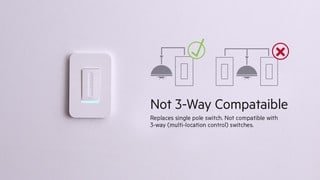
||Posted .This reviewer received promo considerations or sweepstakes entry for writing a review.I bought 2, though had to return after discovering there is no support for a 3 way application and most of the places I desired automation needed that
No, I would not recommend this to a friendLasted 2 weeks
||Posted .This reviewer received promo considerations or sweepstakes entry for writing a review.I'm an electrician I'm a professional at Wiring things like this. It lasted 2 weeks. Worked great for the 2 weeks but now it only works as a regular switch, it won't even connect to the wemo app anymore. I did everything I could to reboot it to reset it and still nothing. But i didn't get the protection plan that you have to purchase extra on every item at Best Buy, so I'm screwed and I'm probably done shopping at Best Buy because of it.
No, I would not recommend this to a friendBrand response from BelkinStaff
Posted .Hello Zachariah,
We hear you and we'd like to lend you a hand with this matter. Please email us at WemoCares@belkin.com along with your phone number and the link to this review; we'll have our Escalation Engineers lend you a hand.
We hope to hear from you soon.
Regards,
Princes
Belkin Support
Dissapointment
||Posted . Owned for 10 months when reviewed.This reviewer received promo considerations or sweepstakes entry for writing a review.I'm not impressed. after 2 tries I stopped using it. Connection to Bluetooth/wifi was not easy.
No, I would not recommend this to a friendDidn’t work
||Posted . Owned for 3 weeks when reviewed.This reviewer received promo considerations or sweepstakes entry for writing a review.I bought 2 of these in a bundle. The first worked just fine. The other one was defective. I tried to return just one but Best Buy couldn’t take it. I totally understand that so I call Belkin. Their customer service is horrible. They made me wait almost two hours and at the end they wanted my credit card until they receive the defective unit. I just disconnected the one working and returned to best buy
No, I would not recommend this to a friend- Cons mentioned:Compatibility
Not compatible
||Posted .This reviewer received promo considerations or sweepstakes entry for writing a review.It won't work on my 2-way switches, once you install this, the other switch is just a dummy.
No, I would not recommend this to a friendBrand response from BelkinStaff
Posted .Hello Charlie,
We hear you and we understand where you're coming from. We'll make sure to take note of your feedback and relay it to our engineering team so they can hear your thoughts regarding this matter. Should you need our assistance, please don't hesitate to tap us at WemoCares@belkin.com along with your phone number and the link to this review for our reference.
Regards,
Princes
Wemo Support
- Pros mentioned:Installation
Simple Setup and Hi-Tech Looks
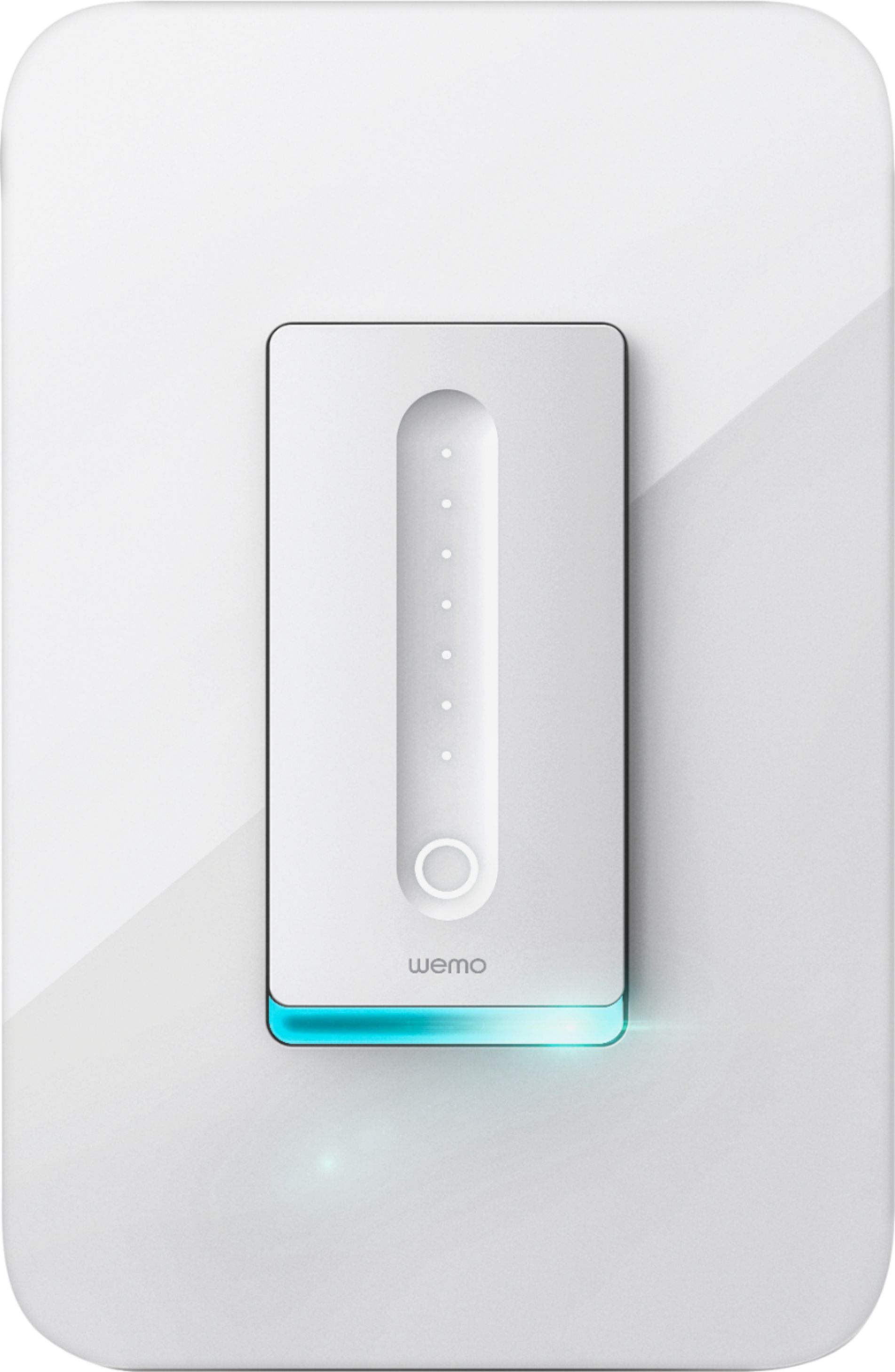
|Posted .This reviewer received promo considerations or sweepstakes entry for writing a review.Compared to the last WiFi-enabled switch I installed (a different brand) installation was quite a bit easier and setup was a snap! First, keep in mind you will need to be sure the switch you're replacing has a neutral (white) wire available. This is used to power the switch itself. One of the things I appreciate that the back of the switch is closed and clean looking with the wires needed for hookup already attached and clearly labelled. The switch includes four wire nuts, Just match colors, twist together and you're done. If the switch you're replacing doesn't have a lot of extra length in the junction box (like my house) this is a lot easier than pulling what little slack is available out of the wall and trying to attach them to screw terminals on the switch. Setup is easy in the app. If you have other Wemo devices the process is essentially the same. The switch looks cool and high-tech on the wall. Keep in mind this takes up a "decorator switch" space on the faceplate. It comes with a faceplate, but if you're putting it into a multi-gang box with normal size switches you may need to find a mixed-size faceplate.
I would recommend this to a friend - Pros mentioned:Design, Installation
Nice addition to any connected home.
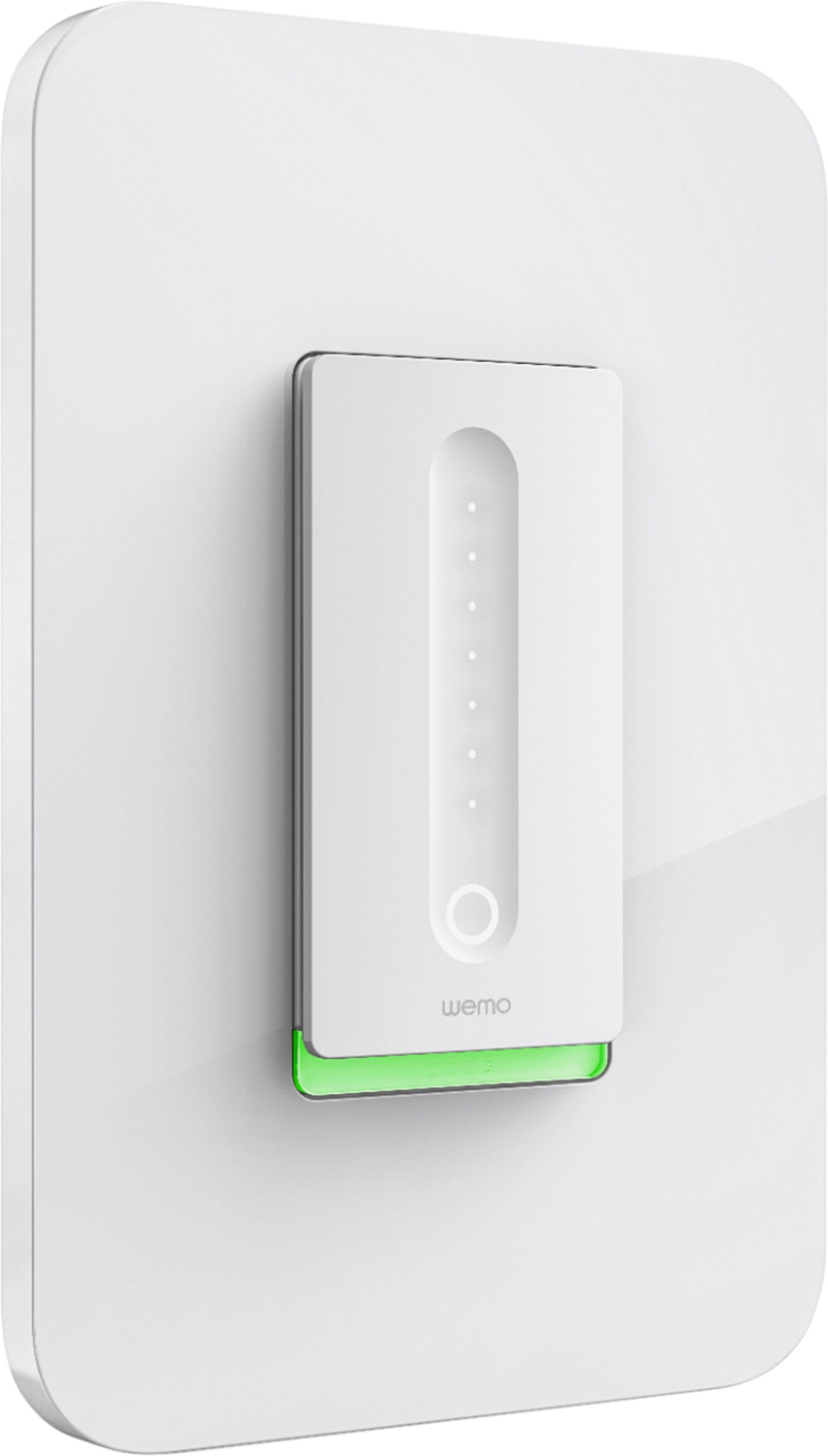
|Posted .This reviewer received promo considerations or sweepstakes entry for writing a review.I have now become a Belkin fan. The WEMO wifi dimmer switch is the neatest design for a wall switch I have ever used. Compared to the 2 other brands I have tried, the WEMO dimmer switch beats them with its features and clean design. Install was simple, wire nuts are included and it installs like any other switch would. Setup is easy, download the app and connect to the switch directly. Once connected, setup the wifi to your home network and now you have control, from anywhere. I had no issues with connection, it was seamless on my Linksys router. No more coming home to a dark house because we forgot to leave a light on, I know can turn on the light in the car and walk into a lit area. Also, when on vacation or away for an extended day, it is nice to set it to come on to give a little added security to the yard or inside the house, depending on what you use it for. I have nothing bad to say about the Belkin WEMO WiFi dimmer switch. The sleek design and easy operation has made me decide to add more to my home. Thanks Belkin!
I would recommend this to a friend Loud humming
||Posted . Owned for 1 month when reviewed.This reviewer received promo considerations or sweepstakes entry for writing a review.I returned this after one day it created feedback noise very noticeable humming.
No, I would not recommend this to a friendBrand response from BelkinStaff
Posted .Hello, Gramsay,
It is an odd behaviour of your Wemo F7C059 and it shouldn’t act that way. We could have it checked with our Escalation Engineers about the issue. However, in case you have other concern with our products, please do not hesitate to send us an email with its details at WemoCares@belkin.com. You may send along with your contact info and the link of this review, for reference.
Regards,
Elyza
Wemo Support
WiFi will not stay connected.
||Posted . Owned for 2 months when reviewed.This reviewer received promo considerations or sweepstakes entry for writing a review.This is the third Wemo product I have owned that has caused constant frustration in trying to keep it connected to the internet. The first was an older Wemo switch, so I gave the brand another chance. New product, same old reliability issue in staying connected. Would not recommend anything in this brand.
No, I would not recommend this to a friendBrand response from BelkinStaff
Posted .Hi,
The physical obstruction could cause the Wemo Dimmer to lose connection. You can try to update the firmware of the dimmer and, remove any object that can cause wireless interference.
For further assistance, please send us an email at WemoCares@belkin.com with your contact details and the link to this review for our reference.
Regards,
Jan
Wemo Support
- Pros mentioned:Alexa compatibility, Installation
Awesome Switch
|Posted .This reviewer received promo considerations or sweepstakes entry for writing a review.Easy to install switch. Wish they would have explained in directions difference between load and line. I googled it and found the answer. Love the features of this dimmer. Touch control lets you select the exact dim setting with your finger. I have other WEMO Plugs and it's nice to have this controlled with the others with Alexa. Only reason I gave it 4 stars is becasue it is not a 3 way switch. I live in a newer house where most of the switches are 3 way (can turn on a light at more than one switch). I was limited on the room I could install this on. . .
I would recommend this to a friend - Pros mentioned:Ease of use, Installation
Works well
|Posted .This reviewer received promo considerations or sweepstakes entry for writing a review.I wanted to write this after getting it installed and using it for a short period of time.That was delayed partially because the instructions are not complete. I had to research several items. You cannot install this device on a three-way switch and it requires three wires. On an older home, you many not have what you need. After overcoming those obstacles, it was an easy installation and came with everything needed to complete the install. Actual operation was exactly as described. I connected it to my Google Home device for additional controls.
I would recommend this to a friend