Customer Ratings & Reviews
- Model:
- YRL226-WF1-BSP
- SKU:
- 6563911
Rating by feature
- Value
Rating 4.2 out of 5 stars
- Quality
Rating 4.2 out of 5 stars
- Ease of Use
Rating 4.4 out of 5 stars
Customers are saying
Customers are impressed with the Assure Lock's ease of use, straightforward installation, and responsive backlit touchscreen keypad. The lock's connectivity is reliable, and users appreciate its overall performance, security features like Privacy Mode, and the convenience of the auto-lock function. However, some customers have expressed concerns about the battery life.
This summary was generated by AI based on customer reviews.
- Pros mentioned:Connectivity, Ease of use, Keypad

Nice, Functional Smart Lock
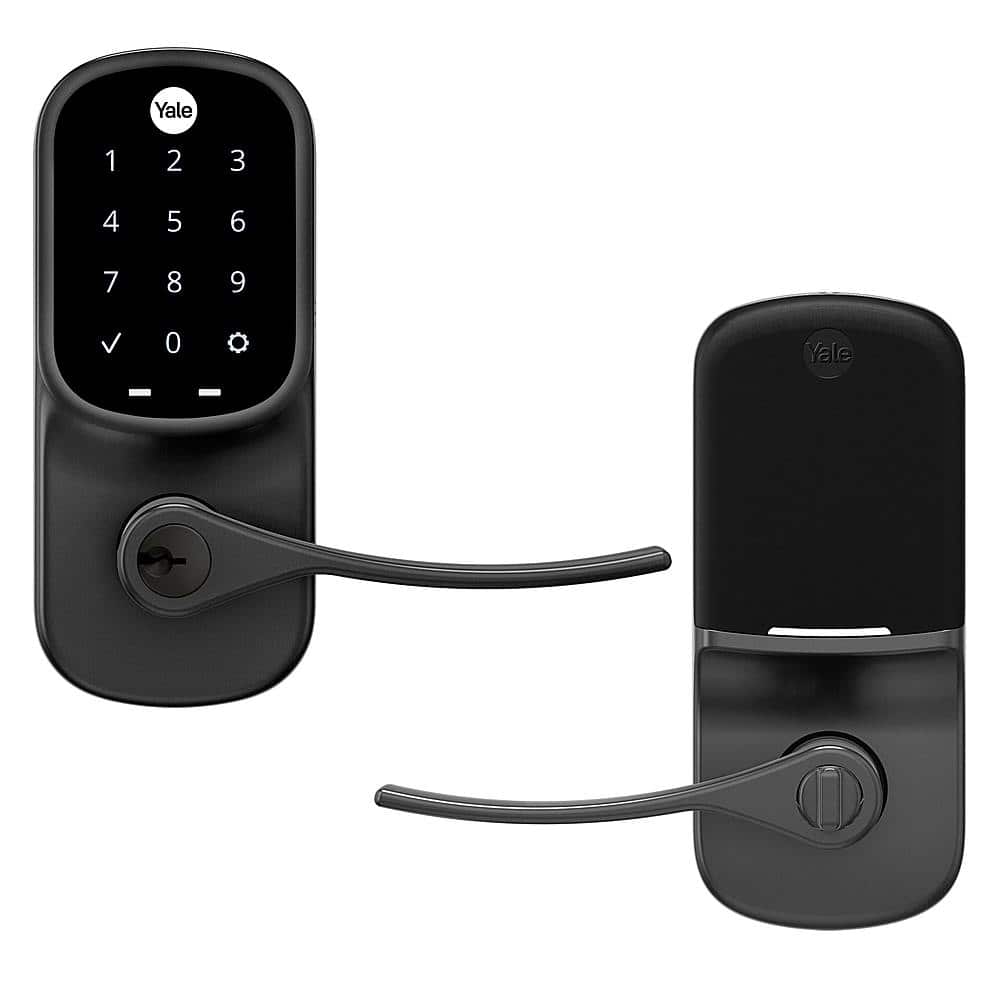
|Posted .This reviewer received promo considerations or sweepstakes entry for writing a review.Yale has made it very easy and straightforward to install and set up their Smart Lock. Instructions for setting it up come in the packaging but there is also an app available that walks you through the actual install and setup step-by-step. Using the app for the setup guide helped me get through trouble I was having with updating the lock’s firmware and a separate issue once I installed the lock on the door. (Which brings up another point; issues you could have during the setup are listed within their website and the app takes you to it and helps you find a solution). Overall, the install and setup took me about 40 minutes and I was ready to go. I also happened to like that the lock came with several pieces that come in handy such as a sensor, to detect if the door is open (this is part of the “Yale Network” module and the “Connected by August Kit” module and is installed separately and instructions on how to install it come within the app), and an additional optional door handle key hole blank (can switch it out for the door handle key hole if you would prefer not to have a key lock on the handle). This particular lock comes with the Yale Network module but can be upgraded easily (simply switched out) in the future. One of the biggest reasons I liked this specific Smart Lock was its capability to be integrated with Apple Homekit and voice assistants like Alexa, Google, and Siri as well as its ANSI Grade 2 lock level. To do this, you will need the “Connected by August Kit” module and install it on the door lock. August's module also has integrations for Airbnb, SimpliSafe (home security), Google Assistant, Apple Homekit and more. As for the lock grading, according to Park Avenue Locks, an ANSI Grade 2 lever lock should sustain 400,000 opening and closing cycles, 4 strikes to the door with a hammer, and a 250 lb. weight test. I found not only the lock and lever finish to be durable, but with its grading, the internal lock mechanism should last for years to come. If it doesn’t, Yale backs the finish and the mechanical aspect of the lock with a lifetime warranty! :) Other nice details I noticed it have is how responsive the backlit touchscreen is (do not have to fumble around and tap on a number multiple times for it to register), how easy it is to set up additional key codes (can do it from the lock itself rather than just using the app and you can also do it remotely with the “Yale Network” and “Connected by August Kit” module), and the auto lock or unlock function where the door locks itself after a set amount of time or unlocks itself based on your phone’s location and proximity to the lock’s location. Lastly, I would also like to mention a few extra details to avoid any confusion about this specific lock. This smart lock comes with Yale’s own Network module and not the “Connected by August Kit” module. Using the Yale Access app, you are able to lock/unlock the door remotely, add users that can have the ability to lock/unlock the door through the app, remotely add users that have temporary access to unlock the door via an entry code, setup DoorSense (sensor that lets you know if the door is open/closed), see a history of the lock’s activity, and setup notifications. While Yale’s Network module is compatible with Apple Homekit and voice assistants like Google and Alexa, the “Connected by August Kit” module has the capability for Google Assistant home automation as well as other automations like through Airbnb and Simplisafe. Overall, this is an aesthetically nice and functional smart lock that just works. After installing it, if for whatever reason the battery dies, I also have the option of opening the door with a key. It is a nice replacement for those that do not want to make a hole on their door for a deadbolt and would like a smart door handle lock.
I would recommend this to a friend - Pros mentioned:Ease of use, Installation, KeypadCons mentioned:Battery life
Beautiful and Responsive
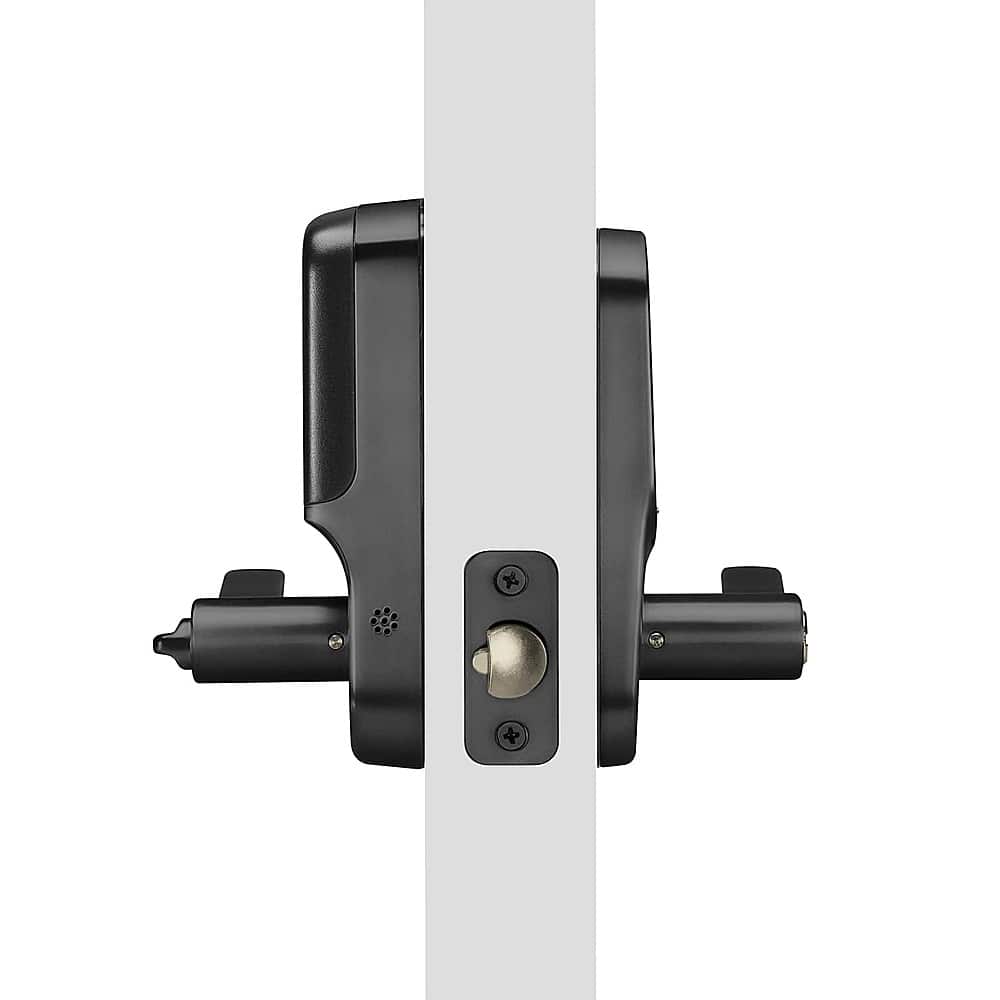
|Posted .This reviewer received promo considerations or sweepstakes entry for writing a review.The Yale Assure Smart Lock Wi-Fi Lever with the touchscreen keypad is a beautiful and very well made lock. The packaging was great. All the parts that were needed to make the installations were easy to find. Be aware that this is a lever lock and not a deadbolt. That being said, this lock is mostly for indoor types of doors unless you use a lever lock on your entry door. Fortunately, I was replacing an existing door lever in my garage with this Yale lock. However, if you are installing it on a new door, the instructions include the necessary measurements for drilling the required opening. I only needed a phillips screwdriver to uninstall the old lever and install this one. The parts include all the screws, latch, strike plate and the Wi–Fi module to enable locking/unlocking via Wi-Fi. You will need 4 AA batteries which are also included. There are a total 9 steps to follow to fully install the lever. Once installed, you’ll want to create a master passcode using the touchscreen keypad. Then download the Yale app which is available for iOS and Android. Create and account and connect the lever lock to your home Wi-Fi. Upon completion, I was very satisfied with how responsive the lock was when using the app to lock and unlock. The touchscreen is very responsive and has a bright backlight that illuminates each number keys beautifully. The physical key works just like any other non-smart lock. Unfortunately there’s no information on how long the batteries will last. However, I owned other Yale smart locks that work in similar ways and the AA batteries last for a few months. Another great thing about this lock is that if you don't want to use it with Wi-Fi you have the option to buy other wireless technology modules like Zigbee and Z-Wave. Overall this is a very well made lever lock that is very responsive. It is so easy to install that you will only need a phillips screwdriver. If you happen to install it on a new door it also includes the drilling diagram. I can be remotely controlled and also integrate well with voice assistants like Google, Alexa and Siri. You have the option to unlock with pin code, remotely or with a physical key. Unfortunately the only thing missing for this to be complete is a fingerprint scanner. In the box you get the lever lock, set of keys, batteries, Wi-Fi module, installation kit and instructions manual.
I would recommend this to a friend - Pros mentioned:Installation, Keypad
Easy to use, install, and segregate your spaces
|Posted .This reviewer received promo considerations or sweepstakes entry for writing a review.Yale is well known for their locks. A few years ago, they branched out to include electronic locks. They brought their customer focused approach with them while incorporating some impressive technology. This lock is designed for interior doors only which latch when closed. If you have a deadbolt on the door, this lock will likely not fit beneath the deadbolt. I set this up as a replacement for the latch between our us room and garage. There are times when we let others into the garage (i.e. Amazon key delivery), but we don’t want to provide access to the whole house. This lock makes it possible for us to have better control. Installation was fairly straight forward. Taking the old lock off was the most difficult part as the screws were very close to the handle, requiring the screwdriver to be at an odd angle. Installing the Yale lock was easy by comparison, as the interior of the lock attaches to a bracket which screws easily with the outside. All told, the new installation took about half the time as uninstalling the hold set. Connecting the lock to your network is as simple as scanning a QR code. Once connected, usage is easy. The app is the same which controls Yale’s deadbolts, so there’s an option to auto lock the door behind you. This can be disabled if you only occasionally need to keep the garage door locked. The numbers are clear and respond to touches. No hard pressing needed. There’s audible feedback when the lock code is accepted. The lock can also be set to prevent too many unsuccessful attempts within a short period. The technology is all contained in the lock, which significant compared with a Lockly lock I ended up getting rid of. Yale includes a plug in module to enable both WiiFi and Bluetooth on the lock, depending on how close you are to it. The only external part is a small magnet that mounts to the door frame and allows the lock to know if you accidentally left the door open. As our houses become smarter, this lock fills a need. It adds style and security that’s easy to live with.
I would recommend this to a friend - Pros mentioned:Keypad
One Smart Lock to Rule Them All!
|Posted .This reviewer received promo considerations or sweepstakes entry for writing a review.THIS… Is the Yale Assure Series Smart Lock that is for interior doors without a deadbolt - for me, this was my garage door! I frequently leave (forget) my garage door open when I am running around the house and backyard doing tasks and yardwork; so I wanted a smart lock that I could lock without having to lug around my keys and could unlock anytime from my phone. I am especially picky with my smart door locks, from smart features to security features, I am trusting this to keep my family safe. With all the certifications and features packed into this Yale lock, let's see how it executes them. Setup and unboxing is admittedly a little intimidating at first glance, it's more than just two sides of a door handle and some screws. That being said, the instructions are pretty well laid out and once I had everything sorted, it was only a five-step process. It was as simple as replacing the old lock with this new Yale lock, a few more screws, and aligning everything up straight. I had to insert the smart module, which is interesting because I had never had a detached smart module to insert, but I love Yale for having the Apple smart home pairing numbers on that module. My front door lock required me to disassemble the lock completely to the interior mechanisms to find the Apple home pairing code, future headache prevented! I had this lock installed and set up in under twenty minutes, which I feel is pretty fair for a smart door lock installation and app setup. The thing that I love about this door, is also the only thing that tripped me up when I was installing the door. You can always open the door from the inside, locked or unlocked to the same resistance. This might lead you to believe it is still ‘unlocked’. On the outside of the door, it will also move as if it is ‘unlocked’ as in when it is locked, there is no physical mechanism stopping the door handle from moving, it just either opens the door or doesn't. That’s when I found out that this door lock disengages the exterior door handle so it can’t be ‘muscled’ open. This is actually a five-star feature that I didn’t know I wanted, but something that is now a requirement moving forward. I locked myself out of my house previously and was able to muscle open my old garage door handle easier than I would have thought, and that’s not a credit to me. Which is what led to my initial smart door search in the first place! The app is one of the best smart home product apps I have ever used and you can tell that the people over at Yale use the locks they make. There was further set up in the app after the initial installation of the door handle/lock, a magnet I had to screw in (tape provided also) to the door frame, and a couple of other steps to set up the app/door connection. After that, my door was up and operational. Just to note, any future settings changes to the door have to be made within Bluetooth distance, which is industry standard. That being said, I can lock/unlock the door from anywhere I have WIFI access. The exterior keypad is just as easy as the app, allowing a 4-8 digit master code along with other codes assigned to people following the same 4-8 digit parameter. The exterior numbers light up upon press and disappear to a black glossy screen. Something nice about the door is that it uses geofencing to auto-unlock the door, so I don’t have to worry about keying in my code every time I come home, which is always nice. This is a nice, well-thought-out smart door lock and has every feature I can think of and more, with a great app backing it as well. I really can’t find anything to gripe about or any apparent security flaws as it is obvious that Yale has been perfecting this for a while now. Every setting that I really don’t care for, such as auto lock, can be adjusted or turned off completely in settings which is something I enjoy about this lock - how customizable it is. From the door handle position to the settings on the app, you can custom-tailor it to your own preferences. I also love that it comes in a SLEEK black suede which is pretty close to matte black (matte black everything). The best part of the whole thing is when you buy this at Best Buy… you never have to worry about getting the wrong door lock, they have this model and several other variations as well to fit all needs and setups. I love this door lock, but it is a very subjective item … which is what makes Best Buy awesome as they probably have it on display to be tested as well as several other options. Best Buy has an excellent return policy and even better customer service, so you never have to worry about buying a product that you don’t like… so why not test it out!?
I would recommend this to a friend - Pros mentioned:Keypad
Good lock for inside your home.
|Posted .This reviewer received promo considerations or sweepstakes entry for writing a review.Good lock for inside your home. In my case, this lock was installed inside my garage on a door that leads into my home, not a door that faces the outside of the home. This works great for that use, or possibly if you share an area with people you need to restrict access to, but don’t need a full deadbolt. Installation was fairly easy since I have a standard size door in my garage. Lock can be installed either on the left or right side. Though the door does have wifi and app capabilities, because it is inside my home, I mostly just find it easier to just use the keypad code I chose to manually open it. The keypad illuminates, as the lock uses batteries for power. There is also a physical key as well. I already have a main door to my home covered with another Yale lock, that one is a full deadbolt lock, and I already had the app ready, so I just needed to add in this additional lock to the app. The app allows you to create lock codes, that can even be temporary, for something like guests or people doing work in your home, etc. It also allows you to know who has opened your lock, etc. It will also let you know if your lock didn’t actually lock. I had this happen, and when I went to look, the bolt hadn’t been able to close into the hole in the door frame, but then I readjusted the lock bolt and have not that issue again, but it is good to be able to know in the app just incase I don’t close the door behind me, etc. Overall, this is a pretty good and versatile smart lock. If you need something for an interior door in your home, and already have an outdoor Yale lock, I would get this one to have one less app to have to deal with.
I would recommend this to a friend - Pros mentioned:Ease of use, Keypad
Perfect for a garage or shop door.
|Posted .This reviewer received promo considerations or sweepstakes entry for writing a review.This lever handle Yale lock is fantastic! Install was simple and app set up was a breeze, it did however ask me twice to register the wifi module but on the second try it said it was already set up, who knows. I was able to skip the step at least. The matte black finish is very nice and will hide those dirty finger prints. I installed mine at my shop door. It would also be great for a home office, garage entry, private room for vrbo or rental, etc. You can use the keypad, app, or the supplied key to lock and unlock the door. You can also set it up to lock and unlock as you approach the door and when you close the door and leave, with your phone in your pocket of course. Its also smart compatible so you can use your voice if need be as well. I havent found a use for that yet though. You can set codes for guests and delete them at will. The app will let you know who comes and goes, if the the door was left open, and the handle even has an alarm if its tampered with by a forced entry. I plan to grab another one for my garage entry as well.
I would recommend this to a friend - Pros mentioned:Keypad
Directions need work
|Posted .This reviewer received promo considerations or sweepstakes entry for writing a review.I was excited to try this lock. After years of using smart locks by another company and struggling with connection issues and hardware failures, I finally tried a Google Nest Yale smart lock for my front door. It was super easy to set up and works great. When I needed to replace the lock on our "he shed" I thought this Yale Smart lock would be a great choice. This is a knob only lock, there is no deadbolt so you don't want to use this for a main access door. It'd be a great choice for an interior service garage door or something like our "he shed" that doesn't use a deadbolt. It is a nice black suede color and comes with a single key. I wish it came with an extra. Maybe that shows my age. But I can have an extra made. Set-up was moderate. I have put in 7 other smart locks before, including a different series of Yale lock, which I thought was really great. The instructions just seemed difficult to follow to me. It was difficult to get the inside portion of the lock to mount straight because of the hardware. I had to have help holding it to make it easier. This unit comes with a smart module which allows you to use the Yale Access App and control it online. But you have to go though a bunch of other set-up before you even get to any of that. It seemed like with a smart lock, set-up should have been done once and through the app. While I understand that this lock is available without the smart module, it just seemed that if you didn't have the smart module, then you could do the set-up the regular way. There is also a door sensor piece that monitors if the door is left ajar. This is a really nice touch. Unfortunately, this piece was just in a baggie in the box. I spent a lot of time trying to figure out what it was and concluded it must have been something put in the box accidently. Only later, when I was programming the smart module portion, did I learn that it was a door sensor. Programming and connecting was easy. It did take a little extra time because the instructions don't say which Yale app to download and use. You can connect your lock to your Google Home after set-up. I have my Yale Nest lock connected to my Google home as well as my Nest. But this lock does not connect to Nest. Once set-up, the lock is easy to use and intuitive. You can set multiple codes (permanent or temporary) for others to access, such as rental, cleaning, etc. The keypad lights up and makes noise that you can control the volume of. The paddle handle is easy to grab and manipulate, making this handle useful for someone with dexterity or mobility issues. Not needing to use a key helps a lot too. Overall, I really like this lock. If the instructions were better, I would have given it a 4.5 or 5.
I would recommend this to a friend - Pros mentioned:Ease of use, Installation, Keypad
Easy to use interior door lock
|Posted .This reviewer received promo considerations or sweepstakes entry for writing a review.If you're looking for a nice looking and functional interior door lock, you could do worse than this. With somewhat easy installation and setup and dead simple functionality, this is just a nice door lock for something like a garage or closet you might want to keep the kids out of. Installation wasn't too terrible. We ran into a couple snags that stemmed from the lack of included instructions. The Yale app shows you a video during the setup process for the installation but I had to find a quick little installation instruction sheet online to help because I'm just better with printed instructions. Installation probably took an hour after needing to carve out a little bit of the door frame for the door stop and had to take everything apart when we didn't feed the wire through the right hole. Without those hiccups, I assume it would have taken closer to 20 minutes. The biggest problem with not having included instructions was not fully understanding what to do with the optional WiFi module that was included. I felt a little silly when I finally figured out what to do with it but it definitely had me thinking about it through the entire installation procedure. Setup was pretty easy. The app asks you during every step if you need some instructions to help you install that step or if it's already installed so you can skip over it. The app did a good job just walking you through the whole process, even if some of the steps felt a little strange (like the "registration" of the WiFi module?). Either way, once the lock is set up, there aren't a ton of settings (this is just a door lock) but it has all the ones you'll likely want. Auto-unlock can unlock the door for you when you're nearby. Auto-lock if you want the door to lock itself. You can assign different users with different keypad codes. The codes can be 4-8 digits so it's not just a simple 4 digit code. Also, with the WiFi module, you get a sensor for detecting when the door is open or closed so the app can tell you if the door is closed as well as locked. There's also a log that shows you every instance of the door locking or unlocking as well as whenever the door is opened or closed. All the information you could want. On top of all that, it automatically linked to HomeKit during the setup process so it's accessible in iOS Home. So if you're looking for a lock that you don't need to carry a key around for inside your house, this could be a good fit for you. It's easy enough to install. Easy to setup. Functions without any hassle. I like it.
I would recommend this to a friend - Pros mentioned:Installation, KeypadCons mentioned:Battery life
High-quality, feature-packed smart lock
|Posted .This reviewer received promo considerations or sweepstakes entry for writing a review.The Yale - Assure Lock - Smart Lock Wi-Fi Lever with Touchscreen Keypad and Key Access is a high-quality smart lock that works great if you have a room that you want to better secure and the door to your room does not use a deadbolt. I have a home office that I use to work from home and I have a lot of sensitive information in there that needs to be kept safe. This Yale Assure Lock was the perfect solution for me since the door to my home office does not have a deadbolt. I needed some sort of locking handle to better secure the room and the Yale Assure Lock provides this and so much more. Installation was very easy and straightforward since I use a standard door. If you aren’t sure whether or not your door is a “standard” door, included in the packaging is a convenient “Check Your Door Guide” which will help you confirm if your door is compatible. If you have a brand new door that does not yet have the hole cut out for the handle, a “New Door Marking Template” is also included. After following the well-written step-by-step instructions for installing the device to your door, the next step was to activate the smart features which was easily done via the Yale Access app. One of the things I really like about the app and the smart features the Yale – Assure Lock offers is the key-free entry. Once properly setup, the lever will unlock automatically when you approach the door and will even relock once the door is closed. This is an awesome feature since I go in and out of my office pretty often and it would be annoying if I had to constantly use the keypad, key, or app to manually unlock the door every time I need to re-enter my office. Speaking of keypads and keys, it should be noted that the Yale – Assure Lock does come with a backlit keypad which opens up so many more features such as the ability to assign individual codes to others if you want to give additional people access and you can even set a schedule for when certain codes will allow access. All electronic features are powered by 4 AA batteries although you do also have the option of using a 9V battery to power the keypad if the AA batteries you are using die before you can replace them. This is a nice backup addition although it should be noted that you do have one other backup method for entry and that is by standard key that also comes with the unit. Overall, the Yale - Assure Lock - Smart Lock Wi-Fi Lever with Touchscreen Keypad and Key Access is a high-end, high-quality smart lock with tons of great features and I highly recommend it!
I would recommend this to a friend - Pros mentioned:Connectivity, Keypad
Wireless connected door access...
|Posted .This reviewer received promo considerations or sweepstakes entry for writing a review.The Yale - Assure Lock - Smart Lock Wi-Fi Lever with Touchscreen door lock offers alternative access without the needs for have a key in a world where everything is keyless and remote access. The touchpad allows you to enter specific codes for the primary users and secondary codes for one-time or less frequent access. This interior-only smart-lock offers remote access via connected Wi-Fi to review access data and to allow access when offsite or away. I found this item to be a nice addition to our garage door entry to our house. Our garage is enclosed and not accessible to the elements making this a perfect door lock for those we need to allow access to our home when we travel. The multiple code access is a great feature as we have several family members who may need access from time to time and it allows us to pull data on who has accessed the house if there is a question. PROS - Yale brand and quality - Great color options that matches your needs and unique style needs - Multi-code access - Wireless connectivity - Keyed or combo access CONS - Not designed for exterior use, not weatherproof
I would recommend this to a friend - Pros mentioned:Installation, Keypad
A Stylish and Secure Upgrade for Your Home
|Posted .This reviewer received promo considerations or sweepstakes entry for writing a review.I recently installed the Yale Assure Lock 2 in my home office, and I couldn’t be happier. Here’s why: Sleek Design: The black suede finish adds a touch of elegance to my office door. It seamlessly blends with my home’s aesthetic, making it a stylish addition. Easy Installation: Even if you weren't handy, like I am, the installation process was straightforward. The step-by-step instructions were clear, and I had it up and running in no time. Keyless Convenience: Say goodbye to fumbling for keys! The touchscreen keypad allows me to enter my office effortlessly. Plus, I can create unique PIN codes for family members and guests. Wi-Fi Connectivity: The built-in Wi-Fi lets me control the lock remotely using the Yale Access App. Whether I’m at work or on vacation, I can lock or unlock the door with a tap on my phone. Guest Access: I love that I can share access with trusted guests. Whether it’s a friend stopping by to reboot a server, or to grab a document off of my desk, I can grant temporary access without sharing physical keys. Auto-Unlock: As I approach my door, the lock senses my phone and unlocks automatically. It’s like magic! No more juggling boxes while searching for keys. Security Features: The lock keeps track of who comes and goes, providing peace of mind. If the door is left ajar, I receive an alert on my phone. In summary, the Yale Assure Lock 2 combines style, convenience, and security. It’s a smart investment for any homeowner.
I would recommend this to a friend - Pros mentioned:Keypad
NICE YALE ASSURE LEVER SMART LOCK
|Posted .This reviewer received promo considerations or sweepstakes entry for writing a review.First off, I was impressed with two (2) things: >>>The packaging for the YALE ASSURE SMART LOCK WITH WI-FI LEVER AND TOUCHSCREEN was impressive. Very organized package, everything labeled and secure in the fitted package, and the instructions were thorough and easy to read and understand. YALE also has online help available which came in handy. >>>The weight of the lock! Quite heavy which shows it’s well-made. No plastic in any of the lock mechanism that I could see. I’m hopeful that it will last for a long time. This was my first SMART LOCK and especially one from YALE. I was apprehensive at the outset if I’d be able to do the install myself (… I’m a 70 year old female but with a tech background …) because I’m not the person that does this type of install work, my husband does but he doesn’t do anything “tech”! Having a Lifetime Warranty on the lock’s mechanical aspects was a really nice feature. It makes the user comfortable that spending a lot for this smart lock is going to be money well-spent since the vendor backs the purchase up with a good warranty. Backlit touchscreen keypad is very responsive. No lag time while it “wakes up” making it ready for your use. While the lock has the capability, I did not setup additional key codes right now. I will do at a future date when I reinstall this lock late this year in our new home under construction. I really liked the YALE SMART LOCK’s ability to unlock itself utilizing my phone’s proximity to the lock’s location. Handy feature that saves time when you have an armful of items that you can’t put down to enter the key code in order to enter the home. One capability of the YALE SMART LOCK that should be a “blessing” for our wireless society, is also a cost-concern for me. I had planned to initially install this smart lock on my rental home, so I don’t have to worry about physical keys floating around with my many seasonal guests. However, I don’t always have the internet accessible (… I turn off service between guests if there is more than a few weeks between them…). Without having live internet access 24/7, the “smart” of the lock – either guest using or my remote access to it – is useless and then I have to resort to keys once again. With these issues, it made me reconsider installing the smart lock at my rental, and to put it in my home, Overall, I like the YALE SMART LOCK but I found that with the current configuration – meaning INSIDE USE ONLY – I found it very limiting and concerned about the effectiveness of having a smart lock on an interior door, especially since only adults are in our home. My biggest concern and home access is at an exterior door, namely the front door, which is where I would really like to use a smart lock. Very nice product, however!
I would recommend this to a friend