Customer Ratings & Reviews
- Model:
- R-YRD226-CBA-0BP
- SKU:
- 6418243
Rating by feature
- Value
Rating 4.3 out of 5 stars
- Quality
Rating 4.5 out of 5 stars
- Ease of Use
Rating 4.3 out of 5 stars
Customers are saying
Customers recognize the Assure Lock Touch Screen Smart Lock's ease of use, straightforward installation, and auto-locking features as significant advantages. Positive feedback also highlights the keypad's functionality, the lock's quality and design, and its security features. However, some users experienced challenges with battery life, connectivity issues, and the app's user-friendliness. A few customers also found the instructions could be improved for clarity.
This summary was generated by AI based on customer reviews.
- Pros mentioned:Auto lock, Installation

Beautiful Lock; Difficulties with Wi-Fi
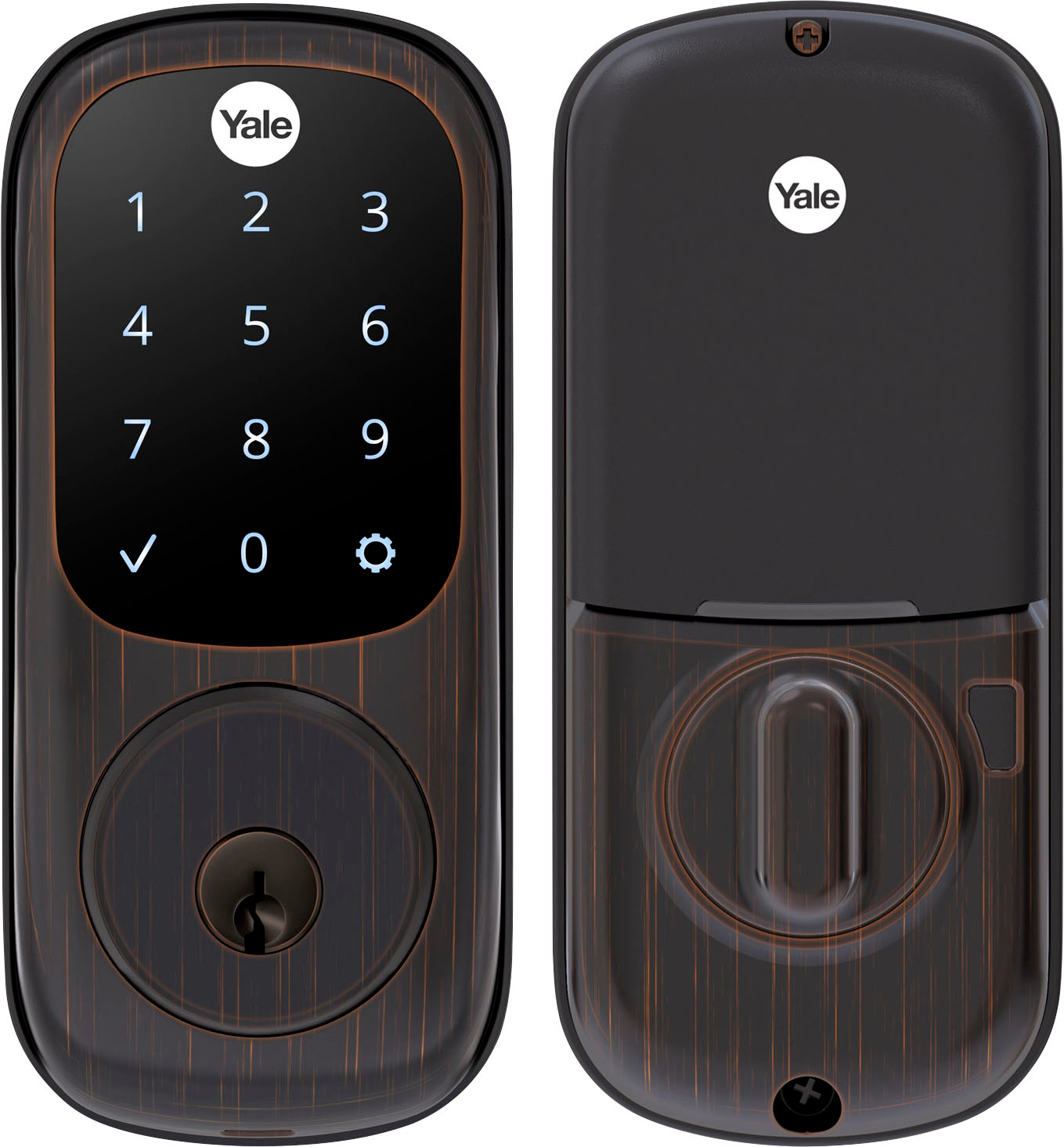
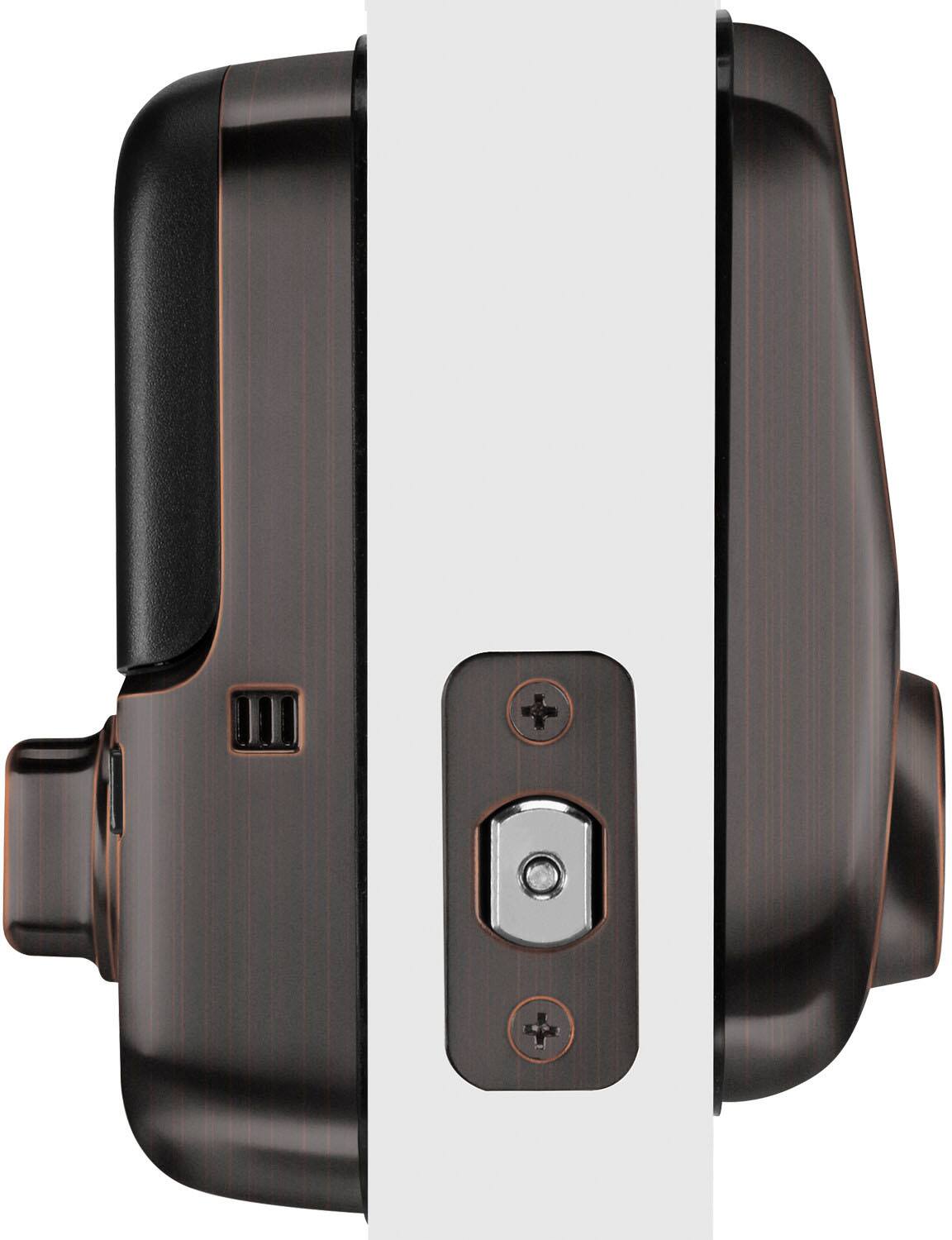
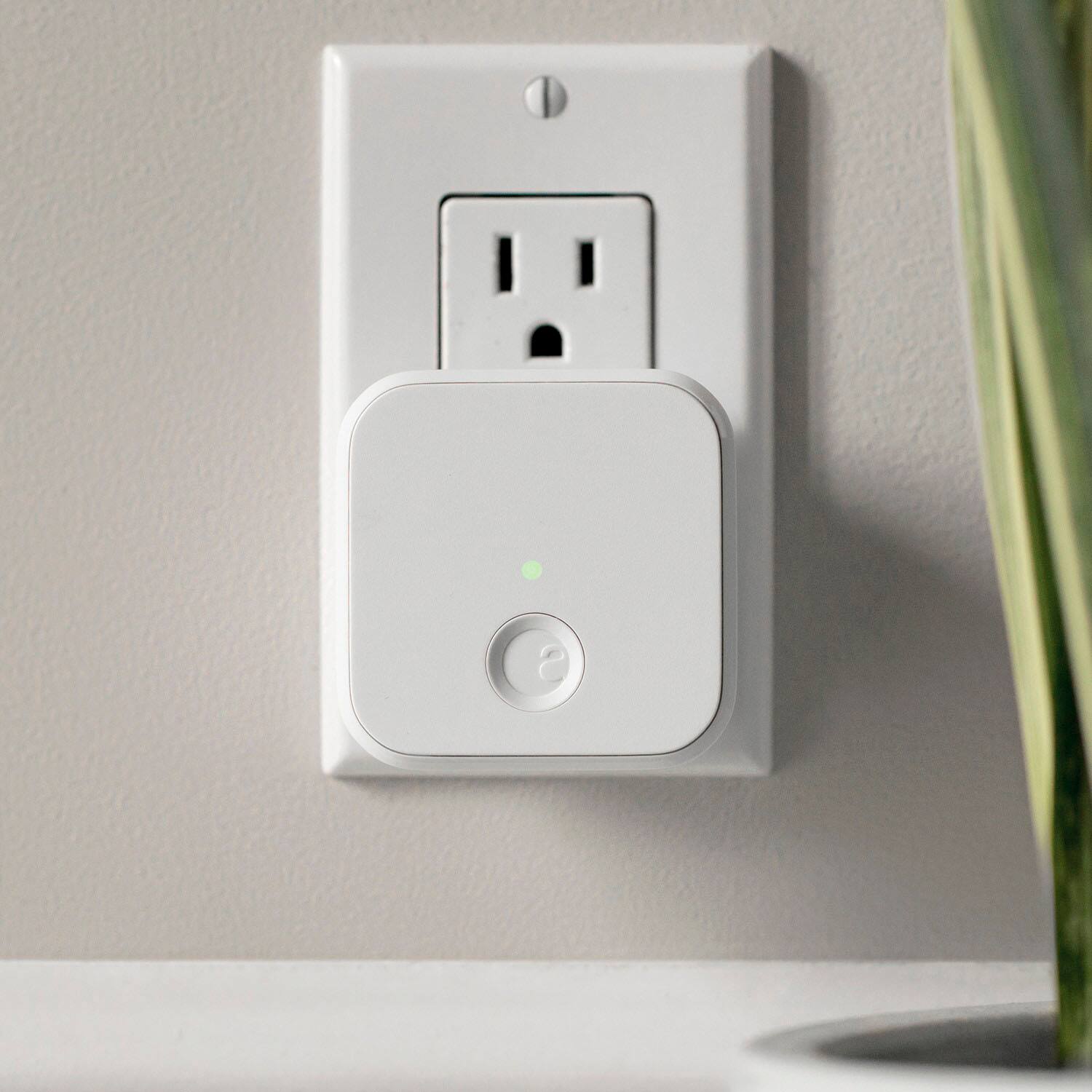
|Posted .This reviewer received promo considerations or sweepstakes entry for writing a review.This lock is the tale of two halves. The physical installation was super easy and the instructions easy to follow. But the setup on the app to connect the August Connect just didn't work for me. I've tried all of the suggestions in the app but no dice. I now have a beautiful touch screen lock that I can't operate outside of my home. INSTALLATION OF THE HARDWARE If you've installed a deadbolt before, this process is familiar. If you haven't don't worry, it's really simple. The hardest part if you've never done it before is to take off your existing lock. And I can't comment on drilling the correct size holes on a new door, I've never done that. I simply took off my old "dumb" lock and put this one in. You simply remove the old deadbolt from the inside and remove the strike plate on the door. Once you get it off you simply follow the written instructions (although I highly recommend watching the video tutorial on your phone). It literally took me 15 minutes for the physical install. Granted, the holes were the correct size and everything fit perfectly (as in I did have to modify my door in anyway to get it to fit). After I installed it in the door, I didn't have any issues using the app to find it. There was a firmware update, and then the app walks you through setting up the touchscreen and a master code. Then you are instructed to lock the deadbolt (while open) and closed so that the door sense sensor gets an idea of where the door is (in relation to the lock itself) so it can tell your phone whether it's locked or if your door has been left ajar. INSTALLATION ON THE APP At this point, everything was going smoothly for me until I tried installing the August Connect, which connects the lock to the Wi-Fi. I'm assuming, although can't confirm, that the lock can communicate with your phone directly (I'm thinking Bluetooth) if you are in range. So when I'm in my house, my phone tells me if the door is unlocked and allows me to unlock it from my phone. The August Connect is a small white device that plugs into an outlet near your door. I had a plug 9 feet away (I measured it) and August recommends an outlet be within 10 feet. On the app, you add the connect (then push the only button on the device) my phone finds it, then connects it to Wi-Fi. From there your phone does a signal analyzer to see if the August Connect is communicating with the lock itself. For me, despite numerous attempts and resets, I simply couldn't get the August Connect to communicate with the lock. So now I have this beautiful lock (I'm happy with having touchpad access) without all of the features and connectivity of a true smart lock. FEATURES If you've read this far, you'll know that I'm unable to access all of the lock's features. Inside my house, everything seems to work fine (assuming I'm close enough to the door). If someone comes in or leaves while I'm home, I'm notified. But that doesn't happen when I'm not. The lock will open without me touching it after setting up auto-lock (but it takes a minute) and I like how it auto locks when you're leaving the house, although you can simply touch the touchpad to lock it when you're leaving. It's nice to have that little piece of mind. But again, without being able to connect to the lock via August Connect, I can't check my phone to see that it did in fact lock when I left, I just have to trust that it did. The other BIG issue this cause me is my inability to link my August account with Google Home. I have tons of smart devices that I typically manage through Google Home (with 16 different apps for smart home devices, it's nice using one, Google Home, to manage them). I would liked, and assumed that it could, to tell Google Home to lock my house at night which would turn the lights, close the garage and lock the doors. First world problems I know, but it seems silly to have a smart lock that I can't incorporate into the rest of my smart home. CONCLUSION I'm still holding out hope that with August's help I can get my situation resolved. It's a beautiful lock and the touch pad works great, so it's not like it's completely useless, but I've lost a lot of functionality. And in terms of installation, it really was a breeze to install it in the door. I can't praise August enough for the easy to follow instructions. Right now I cannot recommend it (I'd recommend the touch pad lock on its own) given my difficulties incorporating it in my smart home. Again, I'm hopeful that I will be able to correct the issues and if so, I'd likely give it 5 stars based on its feature set and ease of installation.
No, I would not recommend this to a friend Check door size prior
||Posted . Owned for 1 month when reviewed.This reviewer received promo considerations or sweepstakes entry for writing a review.Unfortunately my door was not the right size but I was looking forward to it.
I would recommend this to a friendProduct is good. Did not work for me
||Posted . Owned for 1 month when reviewed.This reviewer received promo considerations or sweepstakes entry for writing a review.Did not work for me. Lock did not complete close so App shows as open even though it is locked
I would recommend this to a friend- Cons mentioned:Connectivity
FRUSTRATING
||Posted .This reviewer received promo considerations or sweepstakes entry for writing a review.Most frustrating device I’ve ever purchased! Keeps disconnecting from WiFi and keeps getting jammed even though it is correctly installed. Eventually it will start working properly until the next time. Tech support was useless and rude. It was a $300 dumb lock. I took them back!
No, I would not recommend this to a friend - Pros mentioned:Installation
An OUTSTANDING smart deadbolt
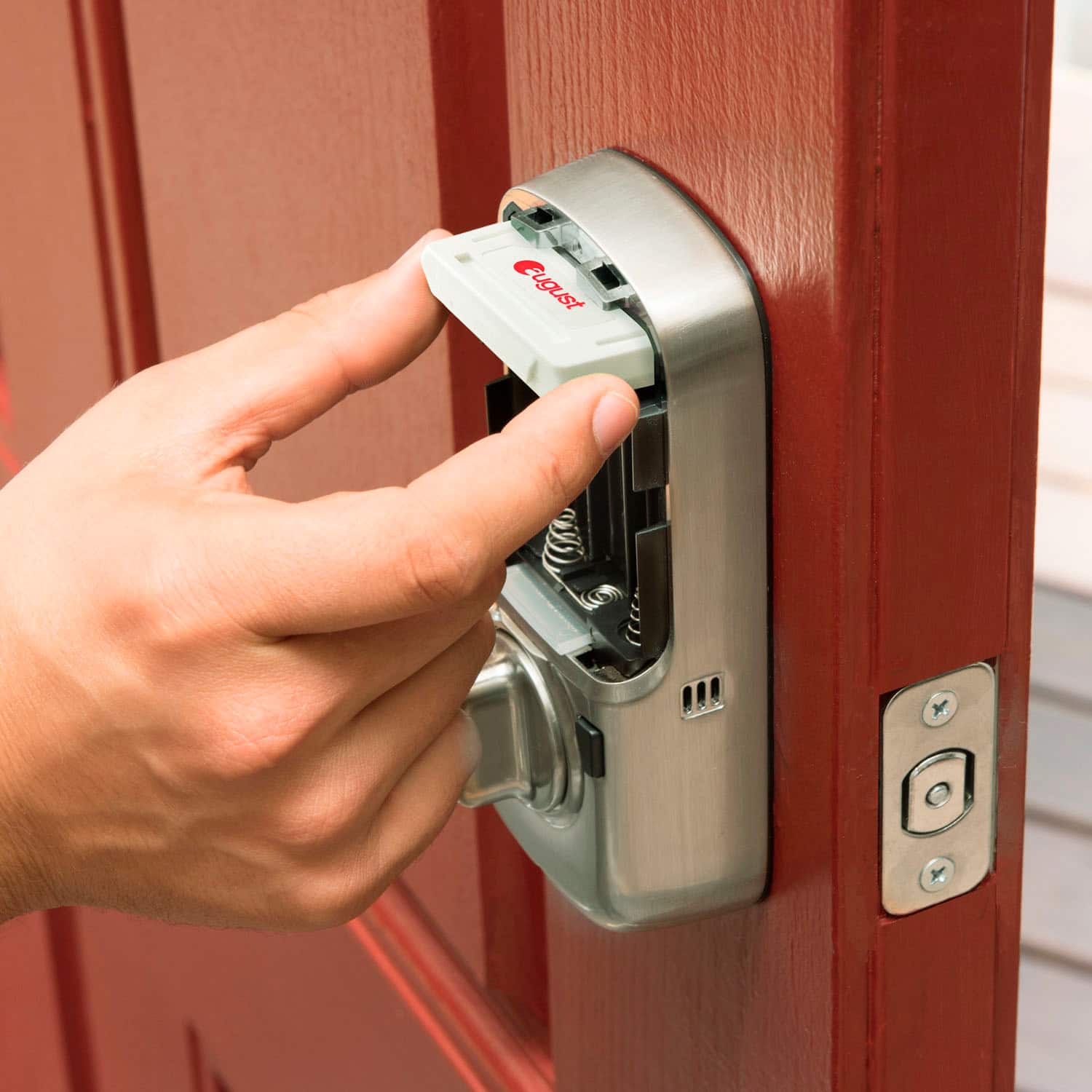
|Posted .This reviewer received promo considerations or sweepstakes entry for writing a review.BEWARE: This is NOT meant to add, or detract, from the review…it is meant PURELY as an “informative” statement. Yale Lock Manufacturing, a subsidiary of Yale & Towne, was sold to Assa Abloy in 2000. Additionally, August Home was purchased by Assa Abloy in 2017. This matters for a very particular reason. If you have a problem with one half of the product (say, the August Home module), and August support refuses to help you, you can’t contact Yale’s support department to inform them of the situation…because the two different support phone numbers go to the EXACT SAME support department. Unfortunately, while their support is handled by a single department, warranty-related matters, such as replacing a defective component (in my case, the August Module), are handled by separate departments, complicating matters. UNBOXING, AND INITIAL IMPRESSIONS: Everything comes packaged inside a box which contains two other boxes, one containing the lock, and the other containing the August Home items. Everything is well packaged, and well organized. In short, Yale/August has done an excellent job in their packaging. INSTALLATION: Installation is divided into two parts – installing the Yale lock, followed by installing & connecting the August module via the August app (for those with Google Home & Alexa accounts, you link your August account AFTER everything else is completed). Installation of the Yale lock is pretty straightforward…as long as your door already has a 2-1/8” hole. If your door is a newer one, chances are, you’ll already have a 2-1/8” hole for your current deadbolt. However, if you have an older door (as I have), then you might have a 1.5” hole, which means you’ll need to cut a larger hole (most home improvement stores have kits to do this, such as the Milwaukee Hole Dozer), or have it professionally done. Once you have the correct size hole (and have removed the previous deadbolt, if applicable), installation of the Yale lock, itself, is extremely simple, and something you should be able to complete in less than 10 (possibly less than 5) minutes. The ‘installation’ process for the August module is a simple plug-and-play matter…unfortunately, that’s when the problems began. SETUP: As with installation, set-up also consists of two parts – setting up the Yale lock, followed by setting up the “Connect by August”. The first part is extremely simple, as long as you follow the instructions that come with the lock. Setting your ‘master’ code can take less than 10 seconds, while setting ‘user’ codes takes 5-10 seconds. Accessing other areas of the locks menu system can take a little longer, such as enabling Network Access, but it’s recommended to set these things before proceeding with the ‘Connect by August’ part of the setup. Unfortunately, this is where I ran in a serious problem…SO serious, in fact, that it caused a COMPLETE failure on the August side of things. As I type this sentence, my deadbolt is no smarter than your typical deadbolt with a bush-button access. During the connection process, which is done entirely through the August app on your phone, among the first steps is a firmware check, and, if the August Module, or Yale lock, has an older firmware, it performs a firmware update…or, should I say, you HOPE it completes said update. In my case, there was an update for the lock, and it must failed, which, in-turn, corrupted the August Module, making it COMPLETELY useless. I won’t go into an extended diatribe, providing a point-by-point of all that happened…to keep it short, after several phone calls, a replacement was finally shipped, which I am waiting on. Ok…replacement August module received, plugged in, app reset, and lock reset (yes, you have to reset BOTH the app, and the lock), followed by programming (again) the master code. Once the lock had the master code reprogrammed, I went about connecting (more like “pairing”, via the app) the August Module to the lock. This time around, everything worked. The app walks you though every step. Once everything’s connected, you can send “invites” to your family members, either assigning a randomly-selected code, or manually setting codes (either way, the recipient of the “invite” can set his/her own code. At this point, you’re good to go…unless you want to enable any advanced features (auto-lock, auto-unlock, notifications, etc), all of which are fairly simple, and quick, to set up. However, before enabling them, you will need to add another device, the August Connect (included), into the configuration. As with the August Module, the app walks you through everything. ADDITIONAL INFORMATION: Although I have yet to link them, you can link your August account to your Google Home, Alexa, or Apple Siri account (if you have more than one, take note that you can ONLY connect the August account to one of them). Once connected, I assume you can give verbal commands to lock/unlock the Yale lock, as well as other lock-related commands. However, I can no state what commands, exactly, will work, for, again, I have not yet linked my accounts. I am adding additional functionality through the August app, one function at a time (as suggested/recommended by August support), so as to first make certain everything works. So far, I have set up notifications, and enabled auto-unlock…and, so far, everything is fantastic. THE GOOD: Once properly set up, and configured, everything works extremely well. The (updated version of the) app is well-designed, and simple to operate. The lock, itself, is extremely easy to install, and can be done in under 10 minutes. As long as the August Module isn’t defective (as my first one was), getting the module connected via the app, as well as all of the initial settings, can also be completed in less than 10 minutes. THE BAD: Support – While combining Yale Lock, and August Home, support into a single department, it simplifies, as well as complicates matters Reset button – The reset button is only accessible by removing the entire back half of the lock mechanism (held in place, to the door plate, by three bolts), which you can only do by removing the two outermost batteries first. A smarter/better design would have been to have the reset button located under the battery cover, accessible without having to remove the entire unit from the inside of the door. Additionally, resetting the unit requires removing the batteries twice, once to remove the unit from the door & to reset the unit, and again to reinstall the unit to the door. THE UGLY: Nothing that I’ve been able to determine, so far. FINAL THOUGHTS: I rarely give a 5-star rating, typically giving 4-star ratings, saving 5-star reviews for “the best”. Despite the problems I encountered, this could happen with anything, as there will always be ‘lemons’. The Yale Lock with Connect by August is, truly, an outstanding product, and one I can highly recommend. There are several other companies producing smart deadbolts, but Yale is not only a well-known company, but a well-respected one to boot. They’ve been making door locks for over 100 years, and is known to be not only one of the best, but also one of the most secure. If you’re in the market for a smart deadbolt, you can’t go wrong with this one. Even though the 226 (this model) is older than their 256 model, I would recommend getting this one. While the 256 is newer, and has a better-designed reset button, it lacks a physical key. If the battery dies, you could find yourself locked out. With the Yale Real Living Assure Lock Touchscreen (model 226), you’ll never have to worry about that. Disclaimer: This product was provided free, or at reduced cost, for the purpose of reviewing the product. Nevertheless, the above review, be it positive, negative, or somewhere in-between, is a 100% honest review, and the price paid played absolutely no part in my review.
I would recommend this to a friend package arrived broken
||Posted . Owned for 1 month when reviewed.This reviewer received promo considerations or sweepstakes entry for writing a review.the package arrived broken. Looks like it has tampered with, so returned the product.
I would recommend this to a friendSome Okay but lock was broken on 1
||Posted .This reviewer received promo considerations or sweepstakes entry for writing a review.I ordered 5 locks and one of the locks had issues with the manual key. I could lock electronically but the manual lock didn’t work and I have tried everything but it still won’t work. The items were shipped wrecklessly as they came in a large box and the locks got banged around quite a bit. I wonder if that caused an issue?
No, I would not recommend this to a friendNot good
||Posted . Owned for 1 week when reviewed.This reviewer received promo considerations or sweepstakes entry for writing a review.I have the Yale nest and is great but this is not easy to use or program
No, I would not recommend this to a friendOkay lock
||Posted . Owned for 1 week when reviewed.This reviewer received promo considerations or sweepstakes entry for writing a review.The lock was good, unfortunately it kept disconnecting from my phone.
No, I would not recommend this to a friendInstallation issue
||Posted . Owned for 2 weeks when reviewed.This reviewer received promo considerations or sweepstakes entry for writing a review.Product did not align straight. Not very happy with this purchase
No, I would not recommend this to a friend- Cons mentioned:App
Junk
||Posted . Owned for less than 1 week when reviewed.This reviewer received promo considerations or sweepstakes entry for writing a review.This is the most complicated set up (app and network wise). Directions are horribly unclear the bridge does not link to the lock. The older generation of the lock it is much better
No, I would not recommend this to a friend - Pros mentioned:Auto lock, Installation, Keypad
Excellent Addition to Security for Home
|Posted .This reviewer received promo considerations or sweepstakes entry for writing a review.This lock was very easy to install. It quickly connected to home network and to Apple HomeKit. It also will work with Alexa and Google Assistant devices. It is also compatible with Nest security systems. A very helpful installation app made the process easy peasy. The lock can be set to lock and unlock automatically at various times, or when you leave or come home (based on your phone's location.) There are a couple of different ways to to operate the door lock: There is the old-fashioned key, a keypad, or by using the August app, or by telling Siri to unlock the door. The look is clean and crisp. A great addition to any home.
I would recommend this to a friend - Pros mentioned:Ease of use
The best Digital Door Lock and it is a YALE!
|Posted .This reviewer received promo considerations or sweepstakes entry for writing a review.First at all, what a great finish, it looks wonderful on my door and even better, it really feels sturdy and reliable, and for me that is the most important feature, because when it is about home security, I really want to have a door lock I can trust. For some time I was looking for this kind of door lock that can have Smart capabilities, good looking, REALIABLE, secure and this is so far the best I have seen, and it is a YALE! There are many features and details that makes the differences from other brands and technologies. It has a key backup, we all know that electronics, power, or even human mistakes may happen, so to have this option it is always a great plus. The lock comes with two extra keys and a door sense. The touchscreen pad allows me to put in a master code that unlocks the door when I put it in. Keypad for people to enter code to unlock the door lock, you can create a Master code and then different sub codes that you can enable or disable through the app to grant access whenever you want to different people. The coolest part about this is that there is a feature in the app the app that automatically locks the door 30 seconds after being closed in case I forget to lock it myself. There is also a red flashing light on the lock that flashes red which lets me know from the inside of the house that the door is locked. Another cool feature is that if I’m connected to WiFi I can use the app to lock or unlock the door from anywhere. We have a lot of family that likes to visit so it’s a good idea to give them an access code and then I can enable or disable it without providing the Master Code. Automatic lock and un-lock functionality (It lock automatically after 30 seconds once it detects the door is closed (you will need to have the door sense installed). Wi-Fi connectivity (notifies of anyone entering or exiting through the app). You will have to install a unit connected to the electrical wall outlet close to the door lock to manage the lock via Wi-Fi. The unit comes with 4 AA batteries for the Door lock to operate. And when the unit starts to run out of battery, the app will tell you so you can replace them on time. You will see how easy is to operate, even if you don’t like to deal too much with the app, you still can sense a feeling of reliability and secure with this unit. This touchscreen lock is simple and practical. It is easy to install and again, it looks great on my door. It gives me a sense of security that I didn’t have before, with all the features that allows me to have this sense of full control of access granted and logs. The app is called "August app" that connects to the lock and it sends notifications when the door is unlocked/locked or opened and closed manually, amount of entries and allows to grant access remotely, this feature working in conjunction with my door bell camera are a great team. Honestly, turning my home little by little in a Smart home, so far, this is one of the coolest things I have in my home
I would recommend this to a friend Good
||Posted . Owned for 6 months when reviewed.This reviewer received promo considerations or sweepstakes entry for writing a review.So far it’s work good. Love that lock automatically when you close the door
I would recommend this to a friendGreat lock, bad customer service at Yale
||Posted . Owned for 5 months when reviewed.This reviewer received promo considerations or sweepstakes entry for writing a review.I don’t regret my purchase as I like the lock. If someone unplugs Bluetooth sensor, I find I often have to completely reset the lock. I figured it out on my own as Yale is terrible. If you have a question or concern, don’t waste your time calling. Guarantee they will not answer or return your call
No, I would not recommend this to a friendBad Customer Service
||Posted . Owned for 2 weeks when reviewed.This reviewer received promo considerations or sweepstakes entry for writing a review.Had to return the item. Came with no QR code or Serial number which are required for installation. Called Customer Service, waited for 50 min. Finally, some guy picked up the phone and as soon as I started talking, shut me up rudely. I asked why he yelled, he said because I INTERRUPTED him. Contacted company on FB, wrote them message, they apologize, no action. Kids yelling on the background... incomplete packaging, rudest agent ever.... NO, thanks. They can keep their bad quality to themselves.
No, I would not recommend this to a friend- Pros mentioned:Auto lockCons mentioned:App
super cool addition to my house
|Posted .This reviewer received promo considerations or sweepstakes entry for writing a review.I have been wanting to move to electronic door locks for a while. Deciding which one to use has been hard. This was a good choice. There are 3 apps to install: Yale Assure, BILT, and August. If you have installed a door lock before, you can do the hardware portion pretty easy. I went ahead and followed the directions (you can get the online step by step version from BILT). It took about 10 minutes. for the app portion, don't follow BILT, after you set your master code. Go to the August app and add the lock. I had to move the hub a few times to connect to my WiFi then again to connect to the Bluetooth for the lock itself. Once you have the lock connected, you can add people from the August app. I got these connected to Siri, Alexa, and Google pretty easy. You can ask them to unlock/lock your door by voice. You do need a pin code you have to say out loud I do not care for. You can choose to receive alerts every time the door is unlocked or even when it is left open. No alerts for failed pin attempts though. There is an auto lock feature, but not turned on by default To unlock as you come up to the door, there is no perimeter sensing. You have to 3 finger tap or whole hand to wake it up. enter your code, then ok. A lot to do with groceries. You can also do a hand twist to unlock once the app is open. Pros: easy hardware setup I can add different types of users. some can have app access, and some just a pin code. The pin code can be permanent or timed (for AirBnB) I don't see any monthly fees compatible with Siri, Alexa, and Google, Honeywell thermostat, Nest voice controls, phone controls and even a key will auto lock will alert you when the door is left open Cons: app(s) setup can be tedious the connection to WiFi and Bluetooth can be time consuming. My august device is 2 feet from the lock and still has a poor connection (-69 says the app) auto lock not turned on by default no alerts for failed pin attempts. So a person can keep trying pin codes (breaking in) and the lock wont alert you. No perimeter sensing. the lock wont auto lock when you leave or unlock when you walk up to it. this goes to one of my biggest security concerns, they numbers are in a fixed location. So you need to clean the key pad so a thief cant see the numbers you regularly push. the benefits for this lock are amazing, yes there are some concerns. Some can be fixed with software updates some are part of the hardware and less likely to be fixed. Yes buy this and try it for yourself
I would recommend this to a friend - Cons mentioned:App
Buy Z Wave version instead
||Posted . Owned for 3 weeks when reviewed.This reviewer received promo considerations or sweepstakes entry for writing a review.Do not recommend this one. Better off buying the Z Wave version. You have to download the Yale app and it sucks. Doesn't work with smartthings.
No, I would not recommend this to a friend - Pros mentioned:Installation
Simple, yet Smart
|Posted .This reviewer received promo considerations or sweepstakes entry for writing a review.I have looked at these smart locks for a while as I am fascinated with all things Smart Home. I have a video door bell, so if a member of the family came around I would know they were there, but I have found myself on numerous occasions wishing I could let them in as I was either just a few minutes away from the house or tied up busy with a project and couldn't get to the door. Enter the Yale Assure Smart Lock, Powered by August. After taking delivery of this door lock, I immediately gathered a few tools and got started on the install. Overall, install was very simple. From accepting delivery to completed install with everything programmed and linked to my Alexa devices was approximately 2 hours. If your current door lock functions well without hangups, this is a plug-and-play install*. Do not be intimidated about the install. You can do it! The August App is pretty helpful. It has directions for the physical install of your lock, walks you through installing sensors that tell you whether your door is ajar, and programming both your lock and your Smart gadgets that it will work with. You have all kinds of setting that you can control, including using your phone's locations to lock/unlock the door, set a timer that will automatically lock the door after it is shut, and allow you to give unique entry codes to specific people and control when or for how long they can use the code. Overall, I think this is a great smart lock that lives up to its price tag with both security and convenience features. I love being able to check anywhere I am if my door is shut and locked, or who/when someone entered my home. This is a Good Buy at Best Buy. Note: I did have to use my rotary tool to open up the lock catch on my door frame. My old lock use to hang up a little, and I had to push the door slightly as my door insulation is a little thick. When I installed this lock, it would lock and unlock, but the lock could sense that it was getting feedback from the catch on the door frame and didn't like it. After about 2 minutes of grinding with my rotary tool (which was a problem I needed to address with my old lock anyway), this lock was running like a watch.
I would recommend this to a friend App has problems!
||Posted . Owned for 1 month when reviewed.This reviewer received promo considerations or sweepstakes entry for writing a review.Sometimes connect to the network, sometimes doesn't!
I would recommend this to a friend