Customer Ratings & Reviews
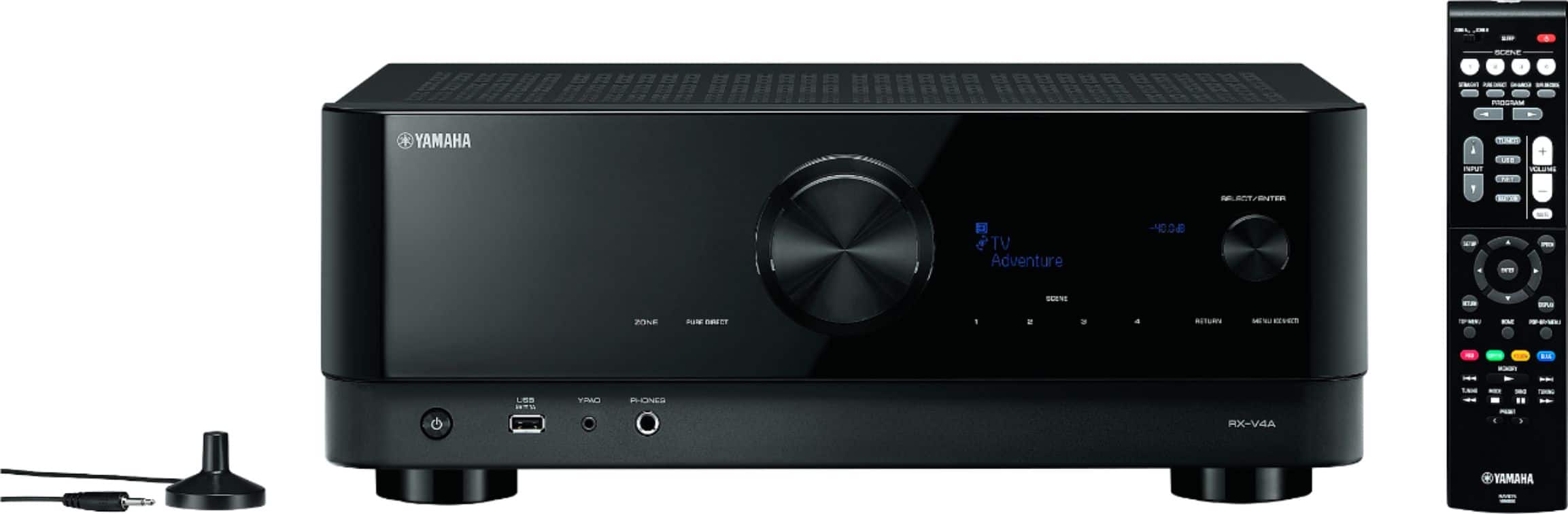
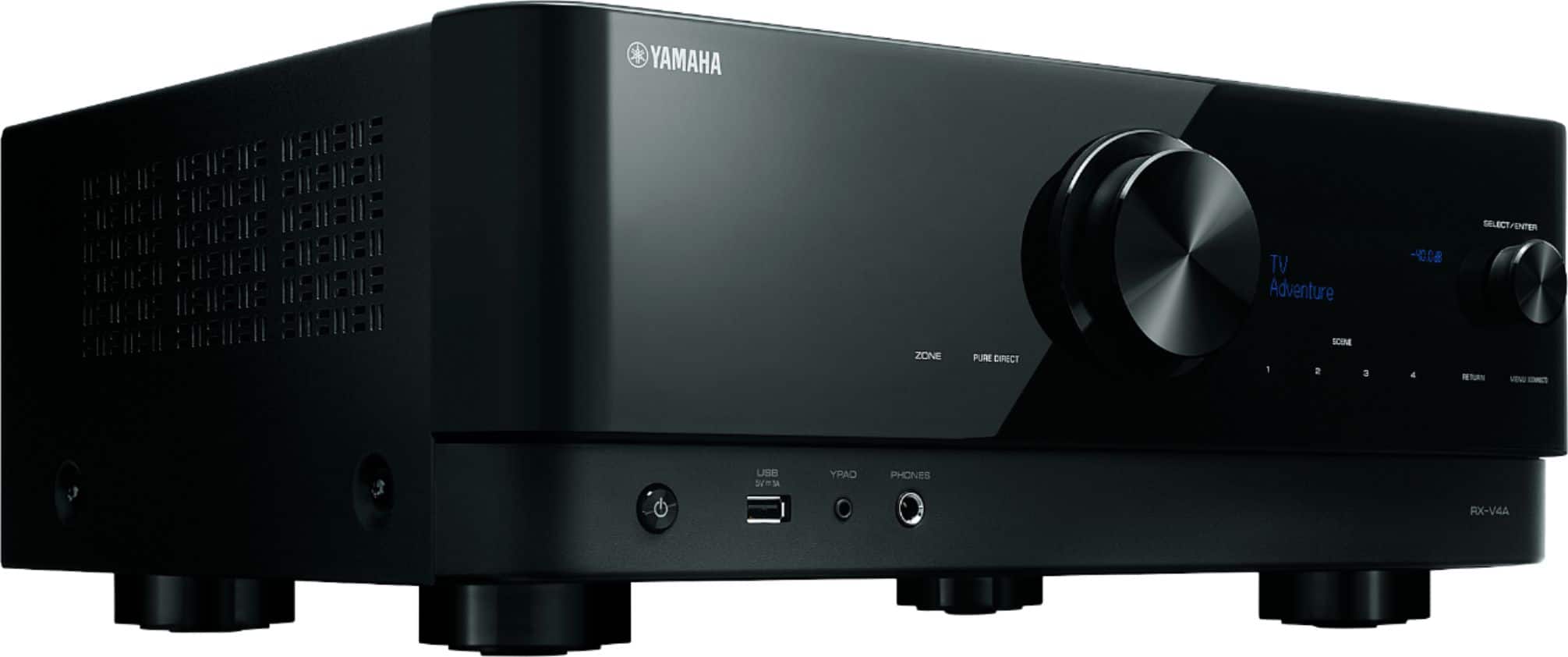
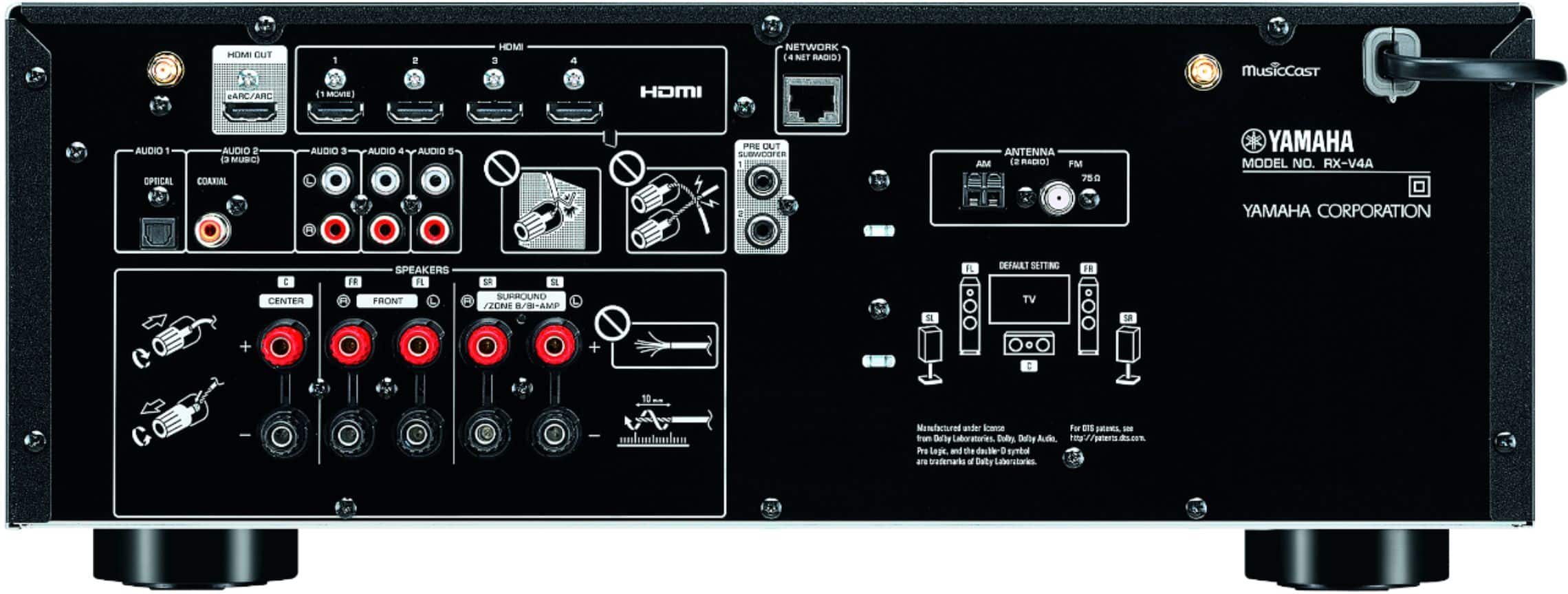
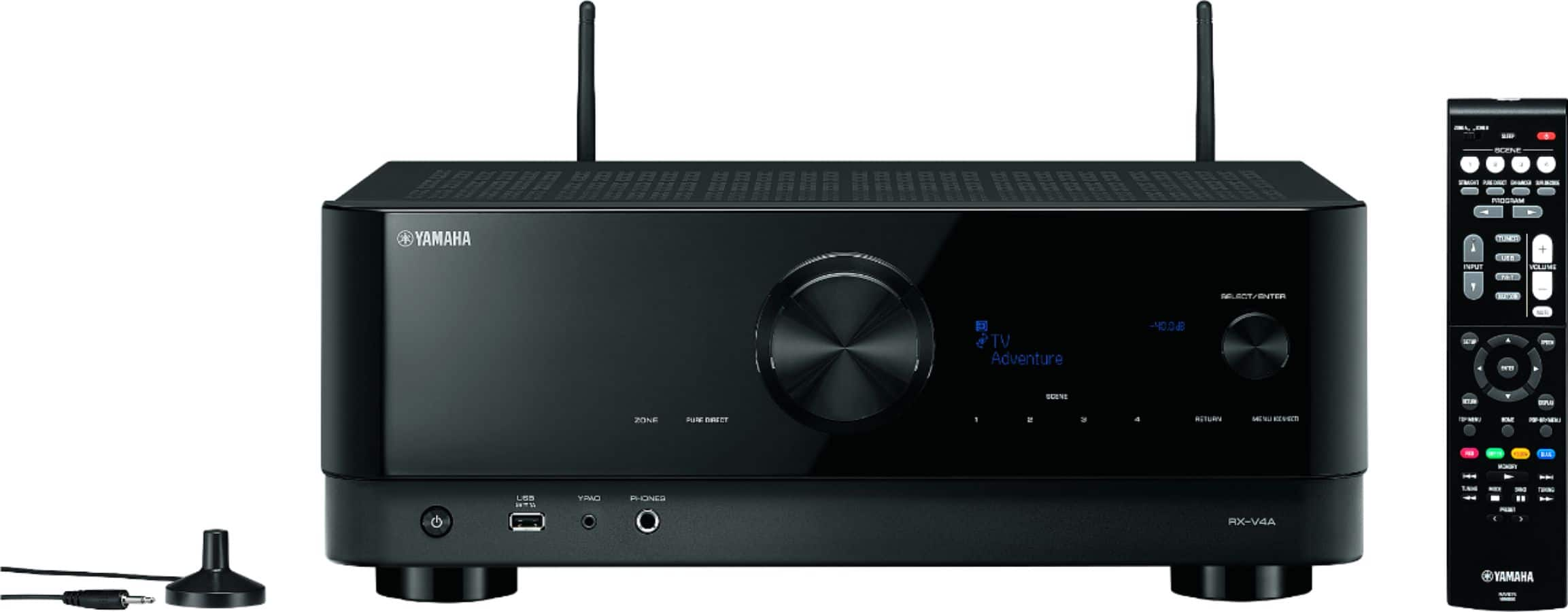


- Model:
- RX-V4ABL
- |
- SKU:
- 10894144
Customer reviews
Rating 4.3 out of 5 stars with 445 reviews
(445 customer reviews)Rating by feature
- Value4.4
Rating 4.4 out of 5 stars
- Quality4.5
Rating 4.5 out of 5 stars
- Ease of Use4.3
Rating 4.3 out of 5 stars
to a friend
Rated 4 out of 5 stars
Receiver
Posted .This reviewer received promo considerations or sweepstakes entry for writing a review.Had an excellent team member (Hiep) great product knowledge
This review is from Yamaha - RX-V4A 5.2-channel AV Receiver with 8K HDMI and MusicCast - Black
I would recommend this to a friendRated 5 out of 5 stars
Excellent receiver
Posted .This reviewer received promo considerations or sweepstakes entry for writing a review.This item was purchased because our old receiver did not work with the new TV we purchased from the Burlington store. We paid extra to have the Geek squad install our new set and walk us through accessing the apps. One of the men who came to the house suggested we purchase this particular receiver. We received excellent service from the Geek Squad employers who were sent to our house!!!
This review is from Yamaha - RX-V4A 5.2-channel AV Receiver with 8K HDMI and MusicCast - Black
I would recommend this to a friendRated 5 out of 5 stars
Yamaha audio receiver .
Posted .This reviewer received promo considerations or sweepstakes entry for writing a review.Excellent theater surround receiver , easy to setup and use.
This review is from Yamaha - RX-V4A 5.2-channel AV Receiver with 8K HDMI and MusicCast - Black
I would recommend this to a friendRated 2 out of 5 stars
Technical flaws make it NOT worth it.
Posted .This reviewer received promo considerations or sweepstakes entry for writing a review.I am writing this review after a couple of weeks of using the RX-V4A. My current amplifier is an RX-V579 and this review is a comparison of the two. If you don't want to read the entire review, you can skip to the bottom and read the BOTTOM LINE. My goal is to use the amplifier as the hub of the overall entertainment system, and experience 4K TV with some form of Dolby Digital or DTS sound, and full use of all menus from all devices. Only HDMI connections (and new HDMI 2.1 compliant cables supporting 48 GB bandwidth) will be used throughout. Here is a list of the primary functionality which I tested with all devices plugged directly into the amplifier(s). Using the remote of any HDMI-connected device; a. does the amplifier AND the TV turn on? (if they were powered off) b. does the amplifier auto switch to the correct HDMI port? (after powering on or if already powered on) c. does the video of the device display on the TV? d. does the amplifier setup and option menu display on the TV? e. does the amplifier option menu report the correct audio format from the connected device? e. is the sound and video in sync? f. does the TV menu display on the TV screen? Repeat all appropriate tests using the amplifier's remote. My prior setup was a Yamaha RX-V579 7.2 amplifier (7 HDMI ports at 1080p only) with an LG 75UN70 TV (4K). Into the RX-V579 I connected (1) the 4K TV - via ARC, (2) a 4K Roku Premiere, (3) a 4K Sony PS4, and (4) a 4K Chromecast Ultra. The speaker setup was the front 3 plus one subwoofer. Using the V579 as the hub limits all video output to the TV down to 1080p resolution. (a) CEC control worked for power on and off of the V4A and TV across all HDMI ports; (b1) With the V579 and TV already powered on, using the V579 remote to switch to the HDMI port of a connected device successfully turned on that device AND; (b2) the V579 displayed the device's video signal on the TV AND; (b3) the audio from the device could be heard through the speakers (c1) With the V579 powered off, turning on any connected device successfully turned on the V579 and the TV AND; (c2) the V579 successfully switched to the appropriate HDMI port AND; (c3) the port successfully sent the video signal to the TV AND; (c4) the audio from the device could be heard through the speakers; (d) the audio and video were in sync for all devices; (e) the V579 on-screen display overlayed all devices; (f) using the V579's Option button displayed accurate details about the audio signal AND video signal on the TV; (g) using the TV's info button gave accurate details about the video signal (but gave incorrect info about the audio); (h) the mobile app used to operate the V579 is relatively easy to use and the most common settings are readily available. This includes the ability to view and change stations in Pandora. The only annoyance was an overzealous PS4 which booted up at the slightest provocation and subsequently overrode the current input into the TV. My alternative to upgrading to the V4A is to use the 4K TV as the hub and continue to use the RX-V579 for its advanced audio capabilities. However, the TV only has 3 HDMI ports which further limits the number of HDMI-connected devices down to 2, since one TV HDMI port must be used for eARC. Also, in such a setup, the on-screen menu and settings display from the V579 will not display back through the eARC on the TV screen. --- About the RX-V4A as the hub... To the V4A, I directly connected (1) the 4K LG 75UN70 TV (via eARC), (2) a 4K Roku Premiere, (3) a 4K Sony Playstation 4 and (4) a 4K Chromecast Ultra. The good: The on-screen menus and options from the V4A are improved over the V579 and setup was easy and simple. The software update was auto-initiated as soon as the V4A was able to connect to the internet and perform a self-check. The menu option for manually initiating a network update since the prior update has been disabled. Update via USB is still available. Using the mobile app required to operate the V4A is easy to connect using the connect button on the amplifier. Logging into my various music apps was simple after finding the proper menu. Logging into the V4A settings via a web browser on the network was easy one I learned which IP address it had been assigned. Backup and Restore of the settings was also easy. The bad: 1. CEC Control between devices is VERY spotty: (a) With the V4A in the OFF state, using the remote of any connected device successfully turns on the V4A and the TV AND switches the V4A to the appropriate HDMI port on the amplifier display panel (if it was not already switched to that HDMI port before power up). (b) With the V4A is already powered on, using any devices remote will switch to the appropriate HDMI port on the amplifier display panel. (c) With the V4A and TV powered on, using the V4A remote to switch to another HDMI port will switch to the appropriate HDMI port on the amplifier display panel. However, for both (b) and (c) above, the video from the device may or may not display on the TV. The video signal displayed on the TV may be that of the prior input / device or may be a blank screen. One workaround is to power the V4A off and on again. (If the V4A is already switched to the desired HDMI port when powered on, then the video from the device will display on the TV.) Another workaround is to restart the connected device. For the Roku, this means disconnecting, then reconnecting the power; for the Chromecast Ultra, this means doing the same as with the Roku, OR using the Home app on your phone to restart it OR using the Home app on your phone to cast the phone's screen to the Chromecast Ultra. Other observations: 1. GOOD: Using the V4A remote to cycle through the inputs to reach Pandora OR using a color-coded button preset to go directly to Pandora successfully switches the audio AND video on the TV. The song can be heard as expected and current station and song with artist information will display on the TV. The current song and artist display on the V4A panel. Using the V4A remote to access the option menu successfully displays the menu and current settings of the Pandora input. 2. BAD: With the Roku Premiere, on the Peacock app, at or near the transition into and out of commercials, the screen blacked-out and the V4A reported on-screen that the video signal did not conform to proper HDMI 2.1 parameters and it was essentially the Roku's fault (or the HDMI cables). After a few seconds, the picture would return and behave as normal. Remember, I used new HDMI 2.1 compliant HDMI cables in this setup. 3. BAD: With the Roku Premiere, the sound and video were out of sync by a VERY significant amount. This was the case across ALL apps, (Netflix, Amazon Prime, Disney+, Peacock, etc.) The workaround to #2 and #3 is to connect the devices directly to the TV. This eliminates all the problems with the audio out of sync and the on-screen report by the V4A that the video does not conform to proper HDMI 2.1 parameters. The downside to the workaround is that the V4A is no longer the hub and some functionality is lost. V4A menus for setup are still available if you switch to an empty HDMI port on the V4A but the display of audio and video signal via the Option button becomes useless since only the video and audio information from the V4A's HDMI ports out to the TV is reported, not from the TV back to the eARC HDMI port on the V4A. 4. BAD: The mobile app required to operate the V4A is cumbersome and a bit clunky. The volume control is not as good as the one on the app used to operate the V579 and viewing the Pandora station menu seems impossible. Trying to get to the station menu using the remote and on-screen display seems equally impossible. BOTTOM LINE: Using the mentioned workaround to avoid the technical problems with the V4A essentially renders its 4K / 8K capabilities useless. Users will be able to use the TV's info button to validate that the TV is receiving the desired video and audio signal and the TV will successfully pass the advanced audio signal to the V4A in order to take advantage of the advanced audio capabilities in a surround sound setup. This is essentially the same as using an existing non-4K amplifier with equivalent audio capabilities (in my case it’s my V579) in the same fashion. The things the V4A does well are done equally well by my V579. So... because of the problems with the V4A, it NOT worth the money and I would NOT recommend it.
This review is from Yamaha - RX-V4A 5.2-channel AV Receiver with 8K HDMI and MusicCast - Black
No, I would not recommend this to a friendRated 5 out of 5 stars
AV receiver
Posted .This reviewer received promo considerations or sweepstakes entry for writing a review.All as advertised, easy to understand an ease of operation
This review is from Yamaha - RX-V4A 5.2-channel AV Receiver with 8K HDMI and MusicCast - Black
I would recommend this to a friendRated 5 out of 5 stars
Yamaha receiver
Posted .This reviewer received promo considerations or sweepstakes entry for writing a review.Excellent receiver with great sound and a ton of settings. Very easy to set up and use.
This review is from Yamaha - RX-V4A 5.2-channel AV Receiver with 8K HDMI and MusicCast - Black
I would recommend this to a friendRated 4 out of 5 stars
Bought the kids one, too!
Posted .This reviewer received promo considerations or sweepstakes entry for writing a review.I picked one up for my daughter and told her I really liked it and my next one would be this. It looks and sounds great.
This review is from Yamaha - RX-V4A 5.2-channel AV Receiver with 8K HDMI and MusicCast - Black
I would recommend this to a friendRated 5 out of 5 stars
Very Capable Unit
Posted .This reviewer received promo considerations or sweepstakes entry for writing a review.After looking at many very competitive options I grabbed this Yamaha. eARC, 2 subs, plenty of power and the more current HDCP make this very convenient.
This review is from Yamaha - RX-V4A 5.2-channel AV Receiver with 8K HDMI and MusicCast - Black
I would recommend this to a friendRated 5 out of 5 stars
Love this
Posted .This reviewer received promo considerations or sweepstakes entry for writing a review.This component updated our old system in moments and we love the additional viewing options it has provided and its ease of use
This review is from Yamaha - RX-V4A 5.2-channel AV Receiver with 8K HDMI and MusicCast - Black
I would recommend this to a friendRated 5 out of 5 stars
Yamaha RX-V4A 5.2 channel AV receiver
Posted .This reviewer received promo considerations or sweepstakes entry for writing a review.Excellent products, supports latest television sets such as LG OELD G! which operates at 120Hrz, Good visual instruction for easy hookup. Since I have it only for couple weeks I did not get a chance to learn more about this receiver.
This review is from Yamaha - RX-V4A 5.2-channel AV Receiver with 8K HDMI and MusicCast - Black
I would recommend this to a friendRated 5 out of 5 stars
My Yamaha Receiver
Posted .This reviewer received promo considerations or sweepstakes entry for writing a review.The receiver has all the requirements I was looking for. I hooked it up and a started with out any problems.
This review is from Yamaha - RX-V4A 5.2-channel AV Receiver with 8K HDMI and MusicCast - Black
I would recommend this to a friendRated 5 out of 5 stars
Yamaha is the AV receiver to buy
Posted .This reviewer received promo considerations or sweepstakes entry for writing a review.Entry level, but sounds good. It replaced a Denon AV receiver that didn’t last 2 years—-the Yamaha sounds much better.
This review is from Yamaha - RX-V4A 5.2-channel AV Receiver with 8K HDMI and MusicCast - Black
I would recommend this to a friendRated 1 out of 5 stars
Power Supply Problems
Posted .This reviewer received promo considerations or sweepstakes entry for writing a review.The sound quality is your typical great Yamaha sound signature, and is actually much better than my old, 15 year old Yamaha receiver. However this is my second unit with this model and I'm getting the same problem with the power supply. For the first unit I sent to Yamaha for repair, it was taking a long time for them to get the replacement part, they decided to purchase me a brand new unit supposedly with the latest manufacturing parts even with the new HDMI board. However the second unit is exhibiting the same symptoms as the first unit before it failed. the power supply is starting to rattle / vibrate, that's very noticeable especially on quite scenes. I hope Yamaha resolves this issue in their future models.
This review is from Yamaha - RX-V4A 5.2-channel AV Receiver with 8K HDMI and MusicCast - Black
No, I would not recommend this to a friendRated 5 out of 5 stars
yamaha
Posted .This reviewer received promo considerations or sweepstakes entry for writing a review.great receiver if your looking to upgrade to bluetooth. excellent for the price.
This review is from Yamaha - RX-V4A 5.2-channel AV Receiver with 8K HDMI and MusicCast - Black
I would recommend this to a friendRated 5 out of 5 stars
Great Tuner!
Posted .This reviewer received promo considerations or sweepstakes entry for writing a review.This a great tuner! The sound is fabulous and I'm enjoying everything about it!
This review is from Yamaha - RX-V4A 5.2-channel AV Receiver with 8K HDMI and MusicCast - Black
I would recommend this to a friendRated 5 out of 5 stars
Nice receiver.
Posted .This reviewer received promo considerations or sweepstakes entry for writing a review.So far so good. It doing all that I ask it to do. Have had Yamaha for years
This review is from Yamaha - RX-V4A 5.2-channel AV Receiver with 8K HDMI and MusicCast - Black
I would recommend this to a friendRated 5 out of 5 stars
Good product
Posted .This reviewer received promo considerations or sweepstakes entry for writing a review.I like it ¡!!!!!!!!!!!!!!!!!!!!!!!!!!!!!!!!!!!!!!!
This review is from Yamaha - RX-V4A 5.2-channel AV Receiver with 8K HDMI and MusicCast - Black
I would recommend this to a friendRated 5 out of 5 stars
Good brand
Posted .This reviewer received promo considerations or sweepstakes entry for writing a review.Good quality music and a good brand for the amount of money that I paid for this product.
This review is from Yamaha - RX-V4A 5.2-channel AV Receiver with 8K HDMI and MusicCast - Black
I would recommend this to a friendRated 5 out of 5 stars
Receiver
Posted .This reviewer received promo considerations or sweepstakes entry for writing a review.Received fast shipment. Very happy and pleased with product
This review is from Yamaha - RX-V4A 5.2-channel AV Receiver with 8K HDMI and MusicCast - Black
I would recommend this to a friendRated 5 out of 5 stars
VERY HAPPY
Posted .This reviewer received promo considerations or sweepstakes entry for writing a review.This is our SECOND Yamaha Receiver. Our old one was OLD and finally after almost 20 years has gone to greener pastures. We are pleased with the new one. Yamaha DOES build nice equipment.
This review is from Yamaha - RX-V4A 5.2-channel AV Receiver with 8K HDMI and MusicCast - Black
I would recommend this to a friend