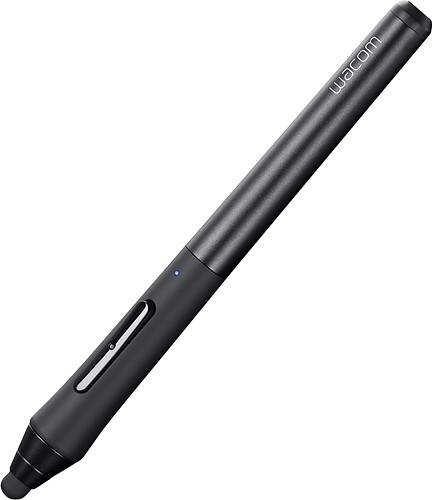


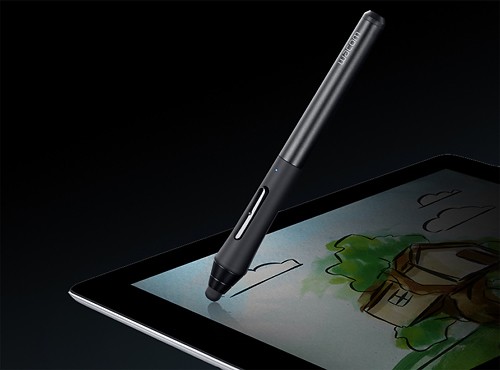
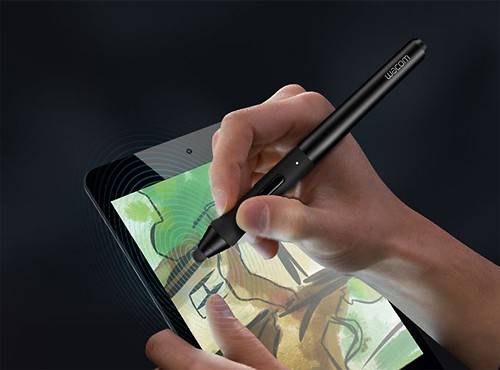
Wacom - Intuos Creative Stylus for Apple® iPad® 3rd Generation and iPad mini - Black
This item is no longer available in new condition.
See similar items below.
Description
Features
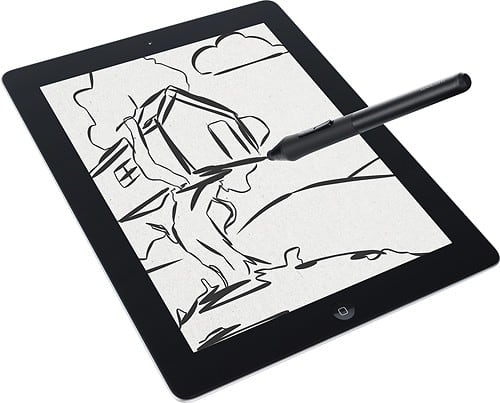
Compatible with select Apple iPad models
Including Apple iPad 3rd generation, iPad mini and later models for use with your existing device.
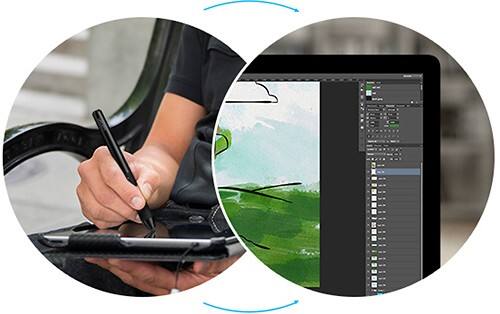
Creative app support
Includes Bamboo Paper, Adobe Ideas, Autodesk SketchBook Pro, ArtRage and Procreate.
Pressure-sensitive pen tip
Recognizes 2048 levels of pressure to offer the realistic feel of brushes, markers and pens on paper.
Bluetooth 4.0 connectivity
Transmits pressure, tilt and rotation information for a true-to-life feel.
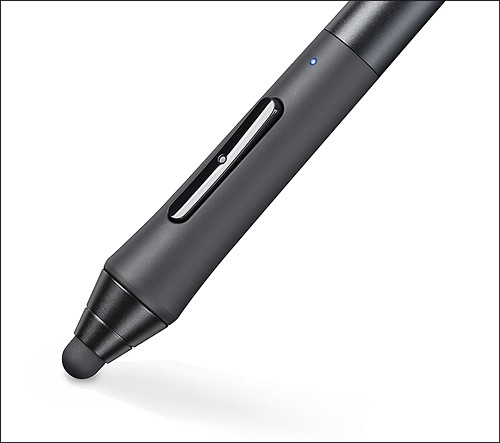
2 programmable buttons
For customized use.
Ergonomic, weight-balanced design
Along with a smooth brushed-aluminum body and soft silicon grip for a comfortable, professional grip.
Included 4A battery
Offers up to 150 hours of operation time.
iPad is a trademark of Apple Inc., registered in the U.S. and other countries
What's Included
Wacom Intuos Creative Stylus for Apple® iPad® 3rd Generation and iPad mini
2 replacement nibs
4A battery
Case
Owner's manual
Other
- MaterialAluminum, silicon
- Brand CompatibilityiPad 3|iPad mini
- UPC753218991065
Customer reviews
Rating 4.1 out of 5 stars with 50 reviews
(50 customer reviews)to a friend
Customers are saying
Customers enjoy the pressure sensitivity, finding it extraordinary and adding a new dimension to their drawings. The stylus itself is praised for its ease of use and accuracy in various apps, making it ideal for writing and drawing. However, some users experienced issues with battery life and the stylus tips wearing down quickly. Concerns were also raised about the placement of the buttons, leading to accidental clicks.
This summary was generated by AI based on customer reviews.
- Pros mentioned:Pressure sensitivity
Rated 4 out of 5 stars
Great product, limited applications
||Posted .This reviewer received promo considerations or sweepstakes entry for writing a review.It's an expensive stylus and you really need to use specific apps to get the most out of it. We ended up going through several apps before we found one that 1) we liked the best and 2) supported the stylus. If you don't use one that supports the device, it's just a really expensive stylus. The degree of sensitivity is really amazing. It's almost like having a regular Wacom Bamboo or Intuos tablet. But you get the feel as if you are drawing directly on the iPad. But again, this is one of those devices that I wouldn't recommend for just anyone. An artist will love it! A casual sketcher, not so much.
I would recommend this to a friend - Pros mentioned:Pressure sensitivityCons mentioned:Tips
Rated 4 out of 5 stars
Good Pressure Sensitive Stylus
||Posted .This reviewer received promo considerations or sweepstakes entry for writing a review.I've used this stylus with Procreate running on my 3rd generation iPad and have been very happy with the results. There were some issues at first getting the Bluetooth connection established, but these were resolved by removing and reinserting the battery. The tip is still thicker than I would prefer, but it's not a big factor when I'm actually using it. Pressure sensitivity adds a whole new dimension to drawing that was not available before on an iPad. The iPad running Procreate with this stylus is now my preferred drawing method.
I would recommend this to a friend - Cons mentioned:Battery life
Rated 3 out of 5 stars
Good stylus, but with issues
||Posted .This reviewer received promo considerations or sweepstakes entry for writing a review.I like what the Intuos Creative stylus, my two biggest complaints are 1)power on and off and 2)battery cap. You can't power it on or off with a button. Instead, it comes on with the touch of the two programed buttons. So if you accidently touch them or if trigger in your backpack then the battery life is diminished. Secondly, the battery cap doesn't stay closed. Movement, in my bag's pen sleeve, causes the cap to loosen. One day I grabbed it for use and notice the cap was gone....forever.
No, I would not recommend this to a friend - Pros mentioned:Pressure sensitivity
Rated 4 out of 5 stars
Very easy to use
||Posted .This reviewer received promo considerations or sweepstakes entry for writing a review.I like this stylus. I have the regular Bamboo stylus as well, and I like that very much. But this is even better. The tip is very sensitive, so little pressure needs to be applied. And it works as a pressure sensitive stylus with quite a number of apps on my iPad. The only possible thing I could ask is for a finer tip, but that's getting nit-picky.
I would recommend this to a friend - Pros mentioned:StylusCons mentioned:Battery life
Rated 5 out of 5 stars
Excellent for Note Taking
||Posted .This reviewer received promo considerations or sweepstakes entry for writing a review.As a college student, I take a LOT of lecture notes. This stylus lets me use Bamboo Paper (an app I was already using) to a higher potential. I can easily erase areas or click to undo without ever moving the pen. The palm-detection is excellent and does well to prevent random stray marks or interaction with my hand rather than the pen. The device is Bluetooth, but doesn't connect to the iPad directly. Instead it connects within the application. The auto-power off feature is nice for saving battery, however it frequently means that I am waiting to reconnect the stylus before taking the next section of notes.
I would recommend this to a friend Rated 5 out of 5 stars
Can't beat price and pressure points works air2
||Posted .This reviewer received promo considerations or sweepstakes entry for writing a review.So I actually have the original creative stylus as well and the bamboo fineline stylus. And thought the creative stylus 2 is the best of the set it is catered specifically to the artist. Like the fineline which is meant to be used as a pen for taking notes. The creative stylus, original one, has a thick tip so it's really good for painting and drawing but not so much for sketching and definitely useless for taking notes. Creative stylus 2 - artist, sketching, drawing, may be okay for note-taking. Creative stylus original - good for drawing, works with iPad Air 2 better than other 2, not good for sketching or note-taking Bamboo fineline - best for note taking, okay for drawing slightly better for sketching but half the pressure points of the creative stylus so may not be great for actual artistic drawing.
I would recommend this to a friend- Pros mentioned:Pressure sensitivity, Stylus
Rated 4 out of 5 stars
Great for sketching out ideas in iPad apps
||Posted .This reviewer received promo considerations or sweepstakes entry for writing a review.I love Wacom tablets and was drawn to the stylus because it is pressure-sensitive. I have tried different styli in the past, and I found this stylus to be the most pen-like. Is it perfect? No, but it is great for sketching ideas.
I would recommend this to a friend - Pros mentioned:Stylus
Rated 4 out of 5 stars
sturdy -- haven't had to replace the tip yet
||Posted .This reviewer received promo considerations or sweepstakes entry for writing a review.Until a pen is made (that feels like a traditional one) with a tip that doesn't wear off or break (as has happened multiple times with Targus, Bamboo styluses, Apple styluses, and the Jot), this will be my main stylus for writing on iPad. Just wish bamboo tablet programs could be used on iPad, you know, like the bamboo drawing tablet that I can write comments on any word or Page document I pull up. Can't you guys negotiate something with Apple? Hope so!
I would recommend this to a friend
Be the first to ask a question.
We’ll try to get your question answered within 24 hours by a Best Buy customer or brand representative.
Ask a Question