Rating 4.4 out of 5 stars with 7679 reviews
4.4- Ease of use (3974)
- Compatibility (546)
- Price (307)
- Setup (166)
- Customization (65)
- Battery Life (174)
- Button Size (89)
- Response Time (38)
Customer Images
The vast majority of our reviews come from verified purchases. Reviews from customers may include My Best Buy members, employees, and Tech Insider Network members (as tagged). Select reviewers may receive discounted products, promotional considerations or entries into drawings for honest, helpful reviews.
- Rated 5 out of 5 stars
Best remote ever
My harmony remote is he best thing since sliced white bread. It is simply amazing to have all the remotes for my TV, satellite, surround sound, and DVR all in one hand and it works wonderfully. I love it!!!
Posted by BestBuyReviews2014
- Rated 5 out of 5 stars
Revolutionary Concept in multi-function remotes
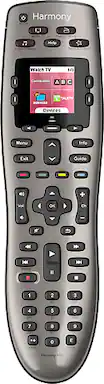
To program the device, you need the make/model of your device, the TV input it is linked to, and a laptop or computer with a USB port that has internet connectivity. The remote has shortcut buttons for key/common devices (cable, dvd, music). It is important to identify the correct TV input for each device, because the remote can be programmed to automatically switch the TV from it's current input to the input you've linked for the shortcut button. Programming occurs via a Harmony website application, and once you go through the initial remote programming, subsequent customization changes are fairly simple to implement. The LED display area is used efficiently, and is the reason the function versatility in this remote is not attainable in basic all-in-one remotes. Device shortcut buttons allow you to link TV functionality with a device type. The remote is smart enough to know certain functions should be linked to the device and others to the TV (ex. using the "Watch TV" shortcut button for your cable/satellite box. Changing channels are linked to the cable box, while changing volume is linked to the TV). However, you are able to switch to device only control if some commands/functions are not available from the device shortcut menu. Once you understand how to access the device specific menu, then the true power and genius of this remote is realized. Don't be surprised if one remote for the living room/entertainment room turns into one remote for each room in the house with multiple remote controls.
Posted by SpockLogic68
- Rated 5 out of 5 stars
Best way to simplify your life!
I am so happy I finally gave in and got the Harmony 650. It is also extremely easy to set up using the online site. I simplified my tv, Sonos system, cable box, bluray player with smart prog, and an older dvd player. I only have to use one instead of 5 separate remotes. Also the price was a steal at $50.
Posted by RandyBru
- Rated 5 out of 5 stars
does everything I want it to do
Setting up the remote was more difficult than I thought it would be, so I had to ask our son to come over and set it up for me. The prompts to follow were confusing and so he went to a chat room to see how other people set it up. So, initially, to set it up was NOT and easy matter. Of course, once our son saw how others had set it up, he easily completed the task of pairing it with all of our equipment. In the final analysis, it was a SNAP :)
Posted by Randy
- Rated 4 out of 5 stars
The Harmony remote is aptly named.
I got tired of trying to find remotes for each of my devices. I had a unique remote for my Xbox, DVR, av receiver, TV, and HDMI box. I lost one remote, one device didn't come with a remote and finding batteries was a pain. In came the Harmony remote and completely blew me away. Setup via the computer was easy. All I had to do was input the models for my devices and the software set everything up. I subtracted 1 star for the fact that it took several tries to sync the remote the first time. After that it has worked perfectly even with an off brand HDMI switching box and the controls for the Xbox one.
Posted by Arik