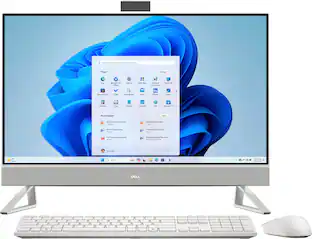
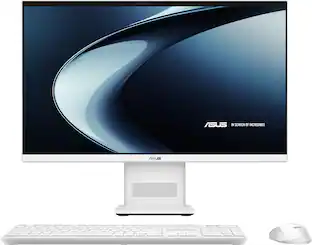
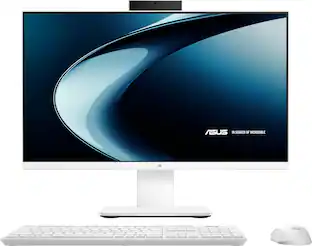
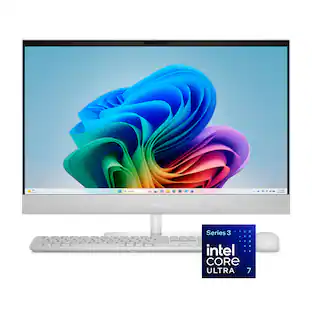
ASUS - A3402T 24'' Touch-Screen All-In-One - Intel I5-1235U - 8GB Memory - 256GB Solid State Drive - Black
- Key Specs
- Screen Size: 24 inches (Size of the screen, measured diagonally from corner to corner.)
- Processor Model: Intel 12th Generation Core i5 (Your computer's processor is like its brain. Working in combination with system memory, the power of the processor determines the complexity of software you can run, how many programs you can have open at the same time, and how fast those programs will run. Most computers feature an AMD, Intel or Snapdragon processor.)
- Storage Type: SSD
- Total Storage Capacity: 256 gigabytes
- System Memory (RAM): 8 gigabytes (Random-access memory (RAM) is a computing device's short-term data storage, which allows active information to be accessed quickly. The size and type of RAM determines how efficiently the device can handle large amounts of information at one time. For example, gaming or video editing requires more RAM for optimal performance.)
- Graphics: Intel UHD Graphics (Often referred to as a "graphics processing unit" (GPU), this device is responsible for displaying image content and decoding/encoding video content in programs and games.)
- General
- Brand: ASUS
- Model Number: A3402T–24I5256
- Product Name: A3402T 24'' Touch-Screen All-In-One - Intel I5-1235U - 8GB Memory - 256GB Solid State Drive
- Color: Black
- Year of Release: 2022
- Display
- Display Type: LED
- Screen Size: 24 inches (Size of the screen, measured diagonally from corner to corner.)
- Screen Resolution: 1920 x 1080 (Full HD) (Screens come in a range of resolutions (measured in pixels, horizontal x vertical). The higher the resolution, the greater the picture quality.)
- Touch Screen: true (Touch-screen devices make navigating more intuitive. Using a touch-screen display, you can do things such as tap to select, hold and drag to move items, swipe to scroll, and pinch to zoom.)
- Processor
- Processor Brand: Intel
- Processor Model: Intel 12th Generation Core i5 (Your computer's processor is like its brain. Working in combination with system memory, the power of the processor determines the complexity of software you can run, how many programs you can have open at the same time, and how fast those programs will run. Most computers feature an AMD, Intel or Snapdragon processor.)
- Processor Model Number: 1235U
- Storage
- Storage Type: SSD
- Total Storage Capacity: 256 gigabytes
- Solid State Drive Capacity: 256 gigabytes (The amount of data that can be stored on the device's solid state drive (SSD). SSD is a flash-based storage with faster speeds than a hard disk drive (HDD).)
- Memory
- System Memory (RAM): 8 gigabytes (Random-access memory (RAM) is a computing device's short-term data storage, which allows active information to be accessed quickly. The size and type of RAM determines how efficiently the device can handle large amounts of information at one time. For example, gaming or video editing requires more RAM for optimal performance.)
- Type of Memory (RAM): DDR4 (Each type of RAM delivers a different level of speed, bandwidth, energy efficiency and performance.)
- Number Of Memory Slots: 2
- Graphics
- Graphics Type: Integrated (Dedicated graphics uses a separate graphics card for processing video images. Because it does not use memory from the system's RAM, there is no extra burden on the CPU and graphics are processed more efficiently. Integrated graphics shares system RAM to process video images.)
- GPU Brand: Intel
- Graphics: Intel UHD Graphics (Often referred to as a "graphics processing unit" (GPU), this device is responsible for displaying image content and decoding/encoding video content in programs and games.)
- Compatibility
- Operating System: Windows 11 Home (The operating system manages all software and hardware, including files, memory and connected devices. Most importantly, it lets you interact with your device and your programs in a visual way; otherwise, you'd be typing computer code to get anything done.)
- Connectivity
- Display Connector(s): 2 x HDMI (The number and type of connectors used to connect to an external display.)
- Number of HDMI Outputs (Total): 2
- USB Ports: 4 x USB-A 3.2 (The number and type of USB ports the product has.)
- Number of USB Ports (Total): 5
- Wireless Connectivity: Wi-Fi (The manner in which a device sends data to another device over a short distance without the use of wires or cables.)
- Wireless Standard: AC (The wireless networking protocol used by the device. Each iteration of the protocol is based on the 802.11 standard developed by the Institute of Electrical and Electronics Engineers (IEEE) Standards Association. Denoted by letters following 802.11 (802.11a, 802.11ac, etc.), each version, published in alphabetical order, encompasses all previous versions.)
- Number Of Ethernet Ports: 1
- Camera
- Built-In Webcam: true
- Front-Facing Camera: true
- Built-In Microphone: true
- Dimensions
- Product Height: 0.59 inches (The out of box height of the item. Height is measured as the vertical distance from the bottom of the item to the top as it would be primarily used or placed.)
- Product Width: 21.22 inches (The out of box width of the item. Width is measured as the horizontal distance from one side of the item to the other as it would be primarily used or placed.)
- Product Depth: 16.65 inches (The out of box depth of the item. Depth is measured as the distance from the front of the item to the back as it would be primarily used or placed.)
- Product Weight: 1 pounds (The out of box weight of the item.)
- Certifications Listings & Approvals
- ENERGY STAR Certified: true (Devices carrying the ENERGY STAR service mark, such as computer products and peripherals, kitchen appliances, and other products, generally use 20% to 30% less energy than required by federal standards.)
- EPEAT Qualified: true (The Electronic Product Environmental Assessment Tool (EPEAT) was designed to provide an environmental assessment tool for purchasers. In order to qualify for EPEAT, a product must meet all 23 required criteria.)
- EPEAT Level: Bronze (The Electronic Product Environmental Assessment Tool (EPEAT) was designed to provide an environmental assessment tool for purchasers. In order to qualify for EPEAT, a product must meet all 23 required criteria. Products are rated Bronze, Silver or Gold based on how many of 28 optional criteria they meet (below 50%, 50%, 75%).)
- Included
- Optical Drive Type: None (An optical disk drive (ODD) uses a laser light to read data from or write data to an optical disc. These discs include CDs, DVDs, and Blu-ray Discs. This allows you to play music or watch movies using prerecorded discs.)
- Wireless Keyboard: true
- Wireless Mouse: true
- Speaker(s) Included: true
- Warranty
- Warranty - Parts: 1 year
- Warranty - Labor: 1 year
- Other
- UPC: 195553816007
ASUS AIO is a precision-crafted masterpiece inspired by the spirit of future. It combines the simplicity of pure aluminum with the sophistication of advanced technology to create timeless yet practical beauty for your home.
- Operating System: Windows 11: Windows 11 has all the power and security of Windows 10 with a redesigned and refreshed look. It also comes with new tools, sounds, and apps. Every detail has been considered. All of it comes together to bring you a refreshing experience on your PC.
- Type of AIO: A3402T Touchscreen All In One: Beautiful by design. Imagination truly expanded.
- Screen Size: 24-inch FHD (1920 by 1080): With 24-inch FHD (1920 by 1080) touchscreen display, everything you do is rendered in vivid detail, with amazing color and contrast for work or play.
- Processor: Intel I5-1235U: Powered by the latest energy-efficient Intel Core I5-1235U processor, ASUS A3402 benefits from both performance and efficiency cores to cope with any workload.
- Memory: 4GB DDR4 SO-DIMM x 2: Delivers effortless performance for responsive multitasking
- Storage: 256GB SSD: Get up to 15x faster performance than a traditional hard drive.
- Vibrant and vivid: The NanoEdge display on ASUS A3402 features wide 178° viewing angles to ensure that colors and contrast remain vivid and bold, even when viewed at sharp angles, and 100% sRGB color gamut for vivid and realistic-looking colors.
- Sleek and Elegant: ASUS A3402 has a fresh new look with the classic yet elegant integrated stand to complement your chic lifestyle.
- Fast, reliable connectivity: There are four USB 3.2 Gen 1 ports for connecting all your peripherals, an HDMI-out port for attaching an external display and an SD card reader for everyday convenience.
- WiFi 6: For ultra-fast connectivity, ASUS A3402 features up to dual-band 2x2 802.11ax WiFi 6 for speeds that are 3x faster than 802.11ax WiFi 5.
Whats Included
- A3402T 24' Inch Touch-Screen All-In-One - Intel I5-1235U - 8GB Memory - 256GB Solid State Drive
A: Yes, you can have up to 2x 8GB DDR4 for a total of 16GB system memory.
A: Since I've received some unhelpful reviews to my previous answer, I decided to open it up and upgrade the memory and add a HDD. It comes with 2 DDR4 banks hidden under what I can only assume is a heat dissipation cover. There is a SATA connector which is blocked by a piece of foam. I removed the foam and added a 1 TB HDD. The PC worked much better after the upgrade. To access the motherboard, you only have to remove 4 screws on the bottom of the screen and pop the cover open. I hope this answer will be more helpful than my previous one.
A: Tony, there are 4 screws at the bottom of the device. Once you have those removed, you'd need to pry the screen from the rear of the device. You cant just pull it off, there's cables for the power, speakers and USB port. If you are determined to do this, you'll need to remove all the screws connected within; the memory is located on the bottom of the motherboard. There's also a 2nd SATA slot, you'd see the foam that is supporting the cage around the motherboard. Good luck!
A: Hi there, we recommend you contact our support team at https://www.asus.com/us/support/callus/ for further assistance.
Q: Can the stand be removed from this computer?
A: There are no VESA mount holes on the outer shell. If you really want to open up the device, you can remove the mount from the chassis, but i wouldn't recommend it.
Q: Can you add a 2.5" HDD to this system? If so, is it a SATA 7200 or something else? Thank-you.
A: No, you cannot add a 2.5" HDD or a SATA 7200 SSD.
Q: Can you post a link to some external CD drives for me that would work good ?
A: For a list of compatible external CD drives that would work good on the All-in-One PC, please check at: https://www.asus.com/motherboards-components/optical-drives/all-series/.
Q: Is there a CD drive so I can install my turbo tax from the disc each year?
A: Intuit has the download available using the code inside. No need for the CD to install.
Today's top picks
 $949.99The price was $1,219.99
 $1,069.99The price was $1,369.99
 $599.99The price was $689.99
 $1,369.00The price was $1,429.99
 $1,069.99The price was $1,309.99