Rating 3.8 out of 5 stars with 190 reviews
3.8- Camera Quality (44)
- Screen Size (25)
- Ease of use (12)
- Kickstand (9)
- Storage (8)
- Battery Life (21)
- Processor Speed (21)
- RAM (15)
- Heat (14)
- Performance (12)
Customer Images
The vast majority of our reviews come from verified purchases. Reviews from customers may include My Best Buy members, employees, and Tech Insider Network members (as tagged). Select reviewers may receive discounted products, promotional considerations or entries into drawings for honest, helpful reviews.
- Rated 4 out of 5 stars
Mobility in a Tablet that Resembles a PC
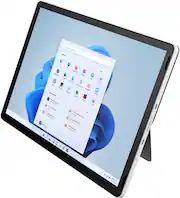
Almost identical in size to the latest 11” iPad Pro, the HP 11” Tablet PC is a good choice for the student or person who likes to work on the Microsoft Windows Operating System and have accessibility to documents on the go in a smaller device. Equipped with Windows 11 Home in S Mode, a Quad-core Intel Pentium N6000 processor, and Wi-Fi 6 (2 x 2) and Bluetooth wireless connection, one can easily use their Microsoft 365 account across hardware from desktop to laptop to tablet. The silver tablet and its touchscreen of durable Corning Gorilla Glass can display a resolution up to 2160 x 1440, and the colors are vivid and bright. It is an attractive, solid, dependable mobile device equipped with Intel UHD Graphics that can easily stream 4K content that is both clear and crisp. The tablet is packaged with a magnetic rear board and kickstand which sets it at a perfect angle in either portrait or landscape mode for viewing its screen or collaborating with colleagues, friends, or family through use of the internet. The HP True Vision 13 MP Rotatable Camera and built-in microphone makes it perfect for ZOOM meetings, Skype, etc., and the HPGlamCam widget allows for various camera configurations and automatic positioning of the front and rear camera. The power button also serves as a fingerprint reader which doubles as security for the device The tablet has 4 GB of internal RAM memory and a 128 GB SSD internal storage. It charges quickly and comes with a USB Type-C 5Gbps SuperSpeed Charging cable. The microphone is designed with a noise filter that reduces background noise which is very helpful when communicating by internet in a video conference or call. The Tablet PC works well, and users will find the progression of its use in line with all products that operate on the Microsoft Windows OS. The setup is identical to a desktop or laptop. One of the first things that I did was update the operating system with Windows Update, and then set it to do so automatically just like my desktop. The tablet is not only an Energy Star Product, but it also was designed to meet the Electronic Product Environmental Assessment Tool’s rating of “Silver” status which means it easily meets 23 of the required 28 categories that measure electronic equipment and how each device individually affect our environment. It does not come with a stylus but has a magnetic edge to keep one on board or to keep the HP Rechargeable MPP 2.0 Tilt Pen attached (an optional purchase). It will not charge the Tilt Pen, but it will keep it with the device. There is also an optional keyboard that works with the Tablet PC in both landscape and portrait mode. With the use of “Duet” software from HP, this device can be used to connect to a secondary larger display, or it can be used to send files across any devices using Windows OS or HP QuickDrop. Set up your printer to work directly with the tablet and print directly from the tablet to your printer. For all of the HP Tablet PC’s many positive features, it does have a few questionable features which makes me give it a 4-star rating instead of 5-stars. The tablet doesn’t appear to have cellular included on board, and I cannot find anything in the system that indicates it can be connected to cellular; however, it does have a place for a sim card which is confusing. The battery charges rapidly with the type-C charging cord, but the battery life is not as good as I would have hoped for. I have searched around in the system to find ways to preserve the battery longer, but I haven’t found anything that I have done to noticeably help to increase the longevity of the battery’s life. The tablet is also noticeably slower than what I am used to using. Still, despite these negatives, it is a very good tablet for the money and is a perfect choice for many segments of society whether one’s needs involve education, business, work, or simply entertainment pleasure. In any of these scenarios, I think that most people would find this to be a good and viable choice.
Posted by SwigglesMilam
- Rated 3 out of 5 stars
Potential to be a winner, lost to cost cutting
A well built tablet with a superb screen that runs Windows 11 but, don’t expect high performance. This basic tablet is generally fine if your needs are web browsing, watching videos, viewing photos, word processing, playing simple games or other light duty jobs. However, it has some limitations. I’ll be covering the usual things like setting it up and such but not quoting specs as the product description covers that. I took mine out of Windows S mode so I could calibrate the display and run Crystal Disk Mark on it to check the SSD speed. Including photos of all my results. I also compared it to my 9th Generation iPad in certain areas. Setup is typical Windows but a little simpler. Once you have connected to the internet it will update itself. The tablet is in Windows S (Safe) Mode which limits you to the “safe” apps from the Microsoft Store. Anything not there that you might want to run such as Chrome, then you will need to switch out of Windows S Mode to Windows Home. Once you do this you can’t go back to S Mode. Pros: Build quality, stylish looks, superb 2.1K IPS screen, motorized camera, 128 GB storage, micro SD slot, WiFI 6, magnetic 2 position stand, auto dimming & auto color tone display, speaker placement, USB-C, robust charger included. Average: Sound quality, battery, performance for basic tasks. Cons: CPU can be sluggish for certain tasks and web pages, only 4GB of RAM, “stunningly” poor image quality from the coolest camera on any tablet, and fingerprint reader is inconsistent. Where the HP tablet shines is its build and screen. The HP tablet feels as good as my iPad. It’s the same size but slightly thicker and heavier. The stand’s build feels good too. The display is its best attribute. It’s on par with my iPad with color, contrast & resolution. PPI is a bit denser on the iPad since the screen is smaller, 10.2” vs 11”. HP claims 100% sRGB. My datacolor Spyder X Pro calibrated it to 98% sRGB. See photos. After calibration I think it slightly edges out the iPad’s color. You can set the display to automatically vary brightness & color temperature to suit the ambient lighting conditions. It looks like the HP has a laminated screen too. That means no gap between the glass and the LCD panel. Corning® Gorilla® Glass 5™ and a smaller bezel than the basic iPad. The motorized 13 MP camera is a cool innovation. Sadly, the iPad’s basic rear 8MP camera blew it away in every respect. See photos. Can firmware or drivers fix it or just a cheap camera module? Bringing up the camera app brings up HP GlamCam Widget which controls the camera’s tilt and zoom among other things. But it can get in the way. The camera app offers quite a bit of manual control. When you touch the shutter button it does take the photo that instant, I tested to see, but the feedback “Click” it makes, comes over 2 seconds later. This is unacceptable in 2022! If the camera’s images were as good as the iPad’s it would be very impressive. Sound quality is ok. Not much in the bass department compared to the iPad but clean highs. I do like the speaker placement around the display. Especially when watching videos full screen in landscape position. Beats iPad here. Fingerprint reader worked about 20% of the time for me. Even after rereading fingers 3 times in case I didn’t do it correctly the first 2 times. WiFi works perfectly with my Asus gaming router. Bluetooth worked with anything I tried with it. Earbuds, sound bars, headphones and Logitech BT keyboard. Speaking of keyboards, HP makes one that mates up with this tablet. You can buy them bundled too. As for the Windows Ink - stylus, I looked everywhere to see exactly which stylus worked on this tablet. No luck. I did find out that not all HP styluses work on all HP stylus enabled devices. So I didn’t buy one to compare it to the Apple Pencil and Samsung S-Pen. Battery life is quoted by HP: “Battery life mixed usage: Up to 6 hours and 45 minutes. Video Playback Battery life: Up to 9 hours and 30 minutes”. I would tend to agree with the mixed usage figures. Including a micro SD slot is never a bad thing. Performance is mediocre at best. 4GB of RAM is barely enough. It’s sluggish to rotate the screen when you rotate the tablet. Everything is a bit slow on it. Even my old Samsung Galaxy Note 10.2, 2014 edition tablet is as fast and takes better photos. Even has a flash. As for the 9th gen iPad, it’s snappy, has much better battery life and is $170 cheaper. However, it only has 64GB of storage and No micro SD slot. I wanted to install Adobe Photoshop Elements 2022 on it but 4GB of RAM isn’t enough and it probably would perform poorly. If you’re pretty familiar with using Windows, then using this tablet will be pretty much the same except for getting used to how Windows works with a touch screen. There are a few things that annoy me such as the size of the areas where you touch are very small and sometimes I have to touch them several times for it to acknowledge it. I did go through the personalization settings and display settings among others, to try to make those elements larger but, with little success. Trying to touch those tiny little boxes to select multiple files with a finger is about useless. Maybe there's a setting I haven’t found yet. Anyways, that’s a Windows issue and not an HP issue. I think Android and iOS have the edge with touch screen interfaces. Concerning the photos I posted. You can only post 6, so I do composites when I need to post more. You can right click to open them in a new tab or window and view them full size. My conclusion is that this HP tablet should sell for no more than $350 considering what it does or doesn’t do / lacks depending on how you look at it. I hate that I can’t recommend it considering how well it’s made and how good the screen looks. If they had put in a stronger CPU, 8GB of RAM and a better camera module in that very cool motorized mount, I would highly recommend it at $500.
Posted by MrLowNotes
- Rated 1 out of 5 stars
sadness
I am disappointed that after a year the tablet began to deform on the sides. It is a very good product in its software but it heats up terribly and the battery does not last long. And now who is going to give me a guarantee?
Posted by Alejandrobj
- Rated 4 out of 5 stars
Good price to performance but lacking a bit!
This HP tablet with windows is new for me. I have/had windows laptops and desktops. Never a windows tablet?! So I wanted to try it out since I love windows devices and because you have full functionality with apps and software(almost all). I also wanted something so my wife and kids can use when they want the portability. This 11 inch tablet fits perfectly in the hand and the weight is just right for me and my wife. My 8 year thinks it’s a bit heavy. But it’s the nice HP build quality. And not some cheap plastic. Nice and very clean design. This acomes with a soft touch but sturdy backside foldable kickstand. A very Beautiful QHD screen that has great colors and great viewing angles as well the PPI count is super high. Netflix and YouTube videos look great, so do games as well. The camera is very cool with the automatic button to pop up and down. Is it absolutely needed? No but is it cool? Yes yes it is lol. Video quality is good but not perfect. Better than most I think. But not a huge deal unless less you work from home and zoom all day. Still pictures look solid as well. My daughter likes that feature. That’s probably the main selling Points with this windows tablet. I say that because while I will recommend this for its price point(or sale price),build quality and screen. The limited Ram of only 4gb and processor(not bad actually) maybe it’s the Ram that does slow this tablet down and kinda stops it from being even better. I do understand that the low-ish price would go up significantly if they add more Ram and maybe an i3. So it makes sense. I wish you could upgrade. Aside from minor hiccups, it does serve a purpose for regular everyday task like YouTube web surfing social media and light gaming. As far as gaming I will say the graphics processor can run most games smoothly. albeit only from the windows store. That’s another issue. This tablet runs in “s mode” which only allows for apps downloaded through windows store. You can change that i believe but I don’t need the hassle. So it’s fine. The windows store has almost everything. Though my wife was hoping to play sims 4 on the couch. She has it on her desktop so she will live obviously. Fingerprint scanner works great. That’s an important feature for me because I am sometimes lazy and don’t want to have to type in a very long password every time. Kickstand is cool as well but we all said we like this in our hands since it is a perfect size imo! Not too small not too big. So if you aren’t looking for a power house of a tablet or your kids want to step up from their old chromebook, then this is a solid option for sure. If you are a power user I would find something with at least an i3 and 8gb of ram and you should be set.
Posted by Bestbuyguy210
- Rated 5 out of 5 stars
Managing Expectations yields a 5 Star Review
It performs at least as well as I expected, based on the hardware. For the $199.00 sales price, it is stellar, an actor cast for the right part. Not the leading Lady, but the winner for Best Supporting Actress. I have a nice desktop in my home office to do the heavy lifting. I will use this one mostly as a tablet, so I passed on the one with the keyboard and saved $100.00. I already have a Logitech K480 which I purchased to use with Fire Tablet I got in 2019, and it turns out the Logitech keyboard is perfect for this HP Tablet. It easily pairs to the tablet using Bluetooth and mouse pairs simultaneously. The slot on the keyboard is a perfect fit for the tablet and works well with or without the kickstand. (Using the kickstand provides additional viewing angles.) .... After trading in that 3-year-old Fire Tablet for $30.00, my final price for this sweet HP Tablet is $169.99. I love BestBuy!
Posted by SnyderCountry