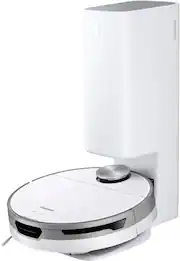
Rating 4.3 out of 5 stars with 45 reviews
4.3- Battery Life (8)
- Cleaning (7)
- Suction Power (7)
- Mapping (6)
- Navigation (6)
- Dust Bin (4)
- App (3)
Customer Images
The vast majority of our reviews come from verified purchases. Reviews from customers may include My Best Buy members, employees, and Tech Insider Network members (as tagged). Select reviewers may receive discounted products, promotional considerations or entries into drawings for honest, helpful reviews.
- Rated 4 out of 5 stars
Great vac, small hiccup with map
I had my eye on the Neato D9, but everyone kept mentioning how buggy it is. I have an older Neato that's just plumbed tired, not a Smart vac, but served well for years. Since I have multiple Samsung products at home, figured I'd give this one a chance. I don't regret it. It arrived discharged so, after a good 3 hours to fully charge, I let it loose. It mapped the house fairly well, although it didn't identify a couple rooms as actual "rooms", as you can see in the picture, and there's no way to manually identify them as rooms. I'll do a re-run of the mapping cycle, maybe it will fix that. It cleaned really well and is quiet. I'm hoping a future update will fix the "room" issue. It's also a little bigger than I thought it would be but maybe because I'm used to the smaller, older Neato.
Posted by Toffee
- Rated 4 out of 5 stars
A Capable, Convenient Robot Vacuum
My first impression of the Samsung Jet Bot+ while I was unboxing it was that it had a very good build quality. The design was clean, giving it a pleasant aethetic, and the white only extended this impression. Setting it up was fairly simple. As I have other smart devices in our home, I already had Samsung's SmartThings app, and it took me a minute to select adding the Jet Bot, whith SmartThings downloading the required software. I took a couple of minutes to pair it to the app and complete the Wifi setup, and it was ready to go. One of the main features of the Samsung Jet Bot+ is the Clean Station where the robot vacuum automatically empties its dust bin after a cleaning session. The Clean Station holds 2.5 L of debris. It contains a disposable dust bag which makes it easy as well as convenient to empty, however is a recurring expense as it will have to be replaced after each use. The whole process is quite loud, but it only lasts about 15-20 seconds, and I really like the convenience of having to empty it contstantly. The vaccum has a built-in self-cleaning system that is designed to remove the strands of hair that get caught in the brush which makes life much eaiser for a dog owner like myself. The brush is made of soft woven textiles and antistatic silver threads that perform well on carpets and even better on hardwood floors such as mine. The vaccum also has a feature that automatically adjusts to the type of floor. For example, if it detects a carpet, it will increase the suction power to provide deeper cleaning and return back to normal when it senses hard floors. In practice though, it seemed to work better on hard floors as the fabric brush doesn't seem to agitate the carpet as well to get that deep clean, though it did a good job of picking up surface dirt. Overall it did a good job of keeping the floor free of dirt and pet hair. The side mounted brush did a good job of pulling dirt away from the edges of the floor, though at times it didn't perform as well in corners due to its round shape. The Jet Bot+ uses a Light Detection and Ranging (LIDAR) navigation system. The LIDAR is housed on top of the unit, and I found it doesn't do a great job of avoiding low obstructions, such as cords. There have been several times where the Jet Bot+ has become stuck due to phone charge cords or such that had ended up on the floor. Using LIDAR system the Jet Bot+ maps your home, helping the vacuum plan an efficient cleaning path and identify the areas it has and hasn’t cleaned. You can create virtual boundaries around the areas you don’t want the robot vacuum to go or clean, and it also comes with magentic tape which you can create physical boundaries. The Jet Bot+ also supports integration with Alexa and Google Assistant. Overall, the Samsung Jet Bot+ is a powerful robot vacuum that does its job well. It maps out it's cleaning run and runs a much better route than my prevous robot vaccums which seems to just roam around randomly. The self-emptying feature convenient. It is fully automated (though you do eventually have to empty the 3.5L bag) making it a great choice for those who have busy schedules but still want their floors clean without a lot of time and effort.
Posted by hahanson
- Rated 5 out of 5 stars
Sleek and Stylish - A Well Made Robovac
The Samsung Jetbot+ is the self-emptying version of their newest Jetbot robovac. The Jetbot+ is controlled via the Samsung SmartThings app. The design is a big departure from the now discontinued Powerbot. The design brings together a look that is reminiscent of other robovacs on the market like offerings from Roomba and Shark (among others). I have robovacs from Roomba, Neato, Shark, and Deebot so I have pretty good familiarity with them and I know what I should expect out of them. Design and Features The Jetbot+ departs from its predecessors D-shaped design and returns to the recognizable round robovac shape. It measures in at 13.75Ø” x 3.9”. The cleaning path (roller head width) is 6” while its side brush collects debris along the edge. The overall look of the robot can be easily described as clean and precise. The robot itself feels fairly lightweight even though it is slightly larger than some of my other robovacs. The robot design features a single edge brush that works to sweep debris to the roller. There’s only a couple of controls located on the robovac body – start/stop button, a return home button, and the main power switch. On top of the main body is the LIDAR transmitter that the vacuum uses to navigate and map your house. The docking station on the Jetbot+ incorporates a self-emptying design. It’s a taller design – similar to the Roomba i7+ that popularized this setup a few years ago. The tower that makes up the dock is a little over 20 inches tall. This taller design can impact where you locate the vacuum since it may not fit under some things. The external dustbin in the dock has a 2.5L capacity which significantly expands the somewhat small 0.3L dust compartment This is my 5th robovac, and in my experience the app interface and workability can greatly affect your experience with the machine. I initially tried to setup the Jetbot+ with my LG V40 through the SmartThings app. I was not able to connect to the vacuum at all – I have ran into issues with this phone setting up other items, but I have always been able to connect after a little fiddling. I had to get my partner to assist via her new S22+. She was able to set it up immediately and configure it on the WiFi. Once setup in the app both of us ran into issues getting the app to communicate with the robot. I just manually started the Jetbot+ with the button on the machine, and it started mapping/vacuuming. After this run we started to get updates via the app. It was really weird – it took 2 times of running the Jetbot+ for it fully communicate with both of our phones, and even my Tab S8 Ultra. It was odd that the Samsung devices didn’t have a perfect pairing right away. Maybe updates were running in the background affected its communication? After overcoming this hurdle, controlling the Jetbot+ is done solely through the SmartThings app. We can use it on our phones, the tablet, and even through my partner’s Galaxy Watch 4+. The controls on the watch are a lot more slimmed down, but it was fun to see. Inside the app you can configure all of your settings, label rooms on the map, set no-go, zones, and scheduling. The app also pushes notifications to give you status updates – like it being stuck, battery ran low, or it finished cleaning. You can view its location in real time, which I found to be really awesome. You can see the path it has taken and what areas are still up for cleaning. You can tell it to clean a particular room or set of rooms and it follows the instructions without issue. Cleaning Cleaning is easy to setup. You have 3 levels of suction – normal, smart, and max. Smart mode toggles the cleaning power depending on the surface detected – a carpeted surface we get a higher suction setting than a hard floor. There’s another 3 movement patterns to choose from where the Jetbot+ can start with the walls/perimeter and then do the middle, or save the walls for last. The final mode is a zig zig pattern that eventually covers the area. We used the smart suction mode and used the mode to clean all the area first and then do the walls. You can also choose to set the Jetbot+ to clean until it runs out of power in order to get a deeper clean. The vacuum routinely makes a stop or 2 during cleaning to empty thanks to a shedding husky. We have it on a floor with mostly hard floors, but a couple area rugs and a carpeted room. Cleaning time seems to max out at about 1.5 hours when its ran until the battery is depleted. Otherwise it takes about 50-60min to do a full clean of the floor which is about 480 ft2. Performance wise the Jetbot+ seems to do a good job on hard floor picking up stray pet fur and dirt. It was able to pick up small rocks, and cereal crumbs. I didn’t toss a lot of larger items for it to pick up, but it seemed to be on par with my other robovacs. On carpet it again did a nice job. I didn’t notice much in the way of debris being left behind. However, it did have some issues with the debris along the wall in the carpeted room. Since the roller brush sits between the wheels it relies on the side brush to sweep things into it. Unfortunately things like pet hair and other stubborn debris aren’t easily cleaned up by the side brush on carpet. This is an issue I have found with the round robovacs where the roller brush doesn’t extend to the edge. My Neato D7 is the only robovac I have that doesn’t have this shortcoming due to its full width brush and “D” shape. The round shape also works against the robovac in corners, which is a shortcoming of any round robovac. Maneuverability of the Jetbot+ was great. It handle small obstacles like cords and kitchen/bath rugs without any issue. I think it actually handles the bath rugs better than any of the other robovacs I have – it doesn’t seems to push them around or scrunch them up like the others, which is a relief. Object detection and avoidance was solid as well. It did a great job of navigating around small obstacles like a mechanical pencil or small toys/figurines. I can even see in the maps where it circled around the objects during its cleaning cycle. Walking around or moving things on the Jetbot+ doesn’t trip it up at all. It handled the edge of the steps without issue and had no issue crossing any thresholds or up onto the area rugs. Other Observations Cleaning the rollers is pretty easy to accomplish. There is a cleaning guideline that you can easily follow in order to maintain your vac. Changing the filter is also straightforward – pull out the dustbin and the paper filter is under a flap. The dustbin can be rinsed out for easy cleaning as well. There are a couple of extra parts included – an extra side brush, an extra filter, extra dustbin bag, and magnetic boundary marker. I didn’t need to use the boundary marker, but it’s a simple and easy way to cordon off an area without having to mess with your app boundary settings. The LIDAR works really well for mapping. By far the fastest I have ever had a robovac map my house. I was able to watch it in action by checking in on one of my home cameras at night – the nighttime infrared camera picked up the LIDAR beams as it navigated around. I have a Google Home ecosystem setup, so it was important to me that it worked well with Google Assistant. It was very responsive to commands (once I figured out the keywords). Since my partner has invested herself in Samsung’s ecosystem with the S22+ and the Watch 4+ she was able to try out the integration with Bixby and get the most out of the SmartThings ecosystem. Both Google and Bixby worked well and provided us other avenues of controlling the Jetbot+. Overall, I have really liked the Jetbot+. The initial impression with the app was not so great, but that could be due to my device? After the first few hours it started behaving normally and has since worked like a champ. We have had zero issues after the initial setup. Performance wise it seems to do a nice job on the hardfloors and carpeted areas. It hasn’t had any issues traversing the house, avoiding objects, or getting caught up. The app interface works well and I really appreciate the path tracking that the app displays. This is a well made device that fits in well with Samsung’s ecosystem of products.
Posted by DaveW
- Rated 4 out of 5 stars
Great navigation and great cleaning ability
The Samsung Jet Bot+ has made a huge difference in state of my hard floors in my house. First, I really don’t like to empty the dust bins on these things, and I really enjoy the clean station that comes with this model. With daily usage I think the clean station will be able to hold up to a year’s worth of dirt from my floors, but my dog’s do not shed and there isn’t much dirt tracked into the house from my yards. Samsung has included two bags so I may never have to buy a bag at this rate. When Sammy (my 5-year-old named him) goes back to the clean station to empty himself, it is pretty loud for about 18 seconds, but it does a good job of removing the dust from the bin. There are some occasional dust and debris that is left in there, but I feel it’s acceptable. So far, the soft brush roller has not had a huge build up of hair on it, there are three girls in my house and the previous robot would always get a little hair caught, but so far, Sammy’s roller has been clear of that. Run time on my hard floors has been in line with the rated run times in the manual of 90 minutes on normal mode, between 60-90 minutes on Smart mode (automatically adjusts the suction based on dirt), and 60 minutes on Max mode. Charging does take it about 4 or so hours. Setting up Sammy was a bit of a challenge, and he came fully discharged from the factory, so I had to wait a few hours to set him up. After the initial charge I was able to use the Samsung Smart Things app to set him up. The process was a little clumsy and at times I wasn’t sure if anything was happening in the app. After some trial and error, I was able to set him up. I can use Google Home to start and stop him with my voice, but I am not sure about more advanced commands such as clean a certain room. I was not able to figure that out. The robot has the new LiDAR precision mapping that on the first run will map out the house. This process took less than 30 minutes in my house, and it did a decent job of mapping out the floor plan. I had to edit the map a little to make it more to my liking, but over all it was a good map. The app will actually show you where the robot is when cleaning and you can see the cleaning path that it has done. I find this very useful. You can easily set up no-go zones in the app and this feature works great. This is a fantastic robot vacuum that cleans, navigates, and is a great way to help keep the floors clean in your home. Unfortunately, it will still get tripped up by small items on the floor such as socks and power cords, but they do have a more expensive model that has more advanced navigation and can actually avoid those smaller items. However, for me this is just what I need in my home.
Posted by Jago
- Rated 4 out of 5 stars
Sleek and modern and almost perfect robot vacuum
This Samsung Jet Bot+ is most likely not your first robot vacuum but an upgrade from your less featured ones given the premium price. This Jet Bot+ is advanced with LIDAR room mapping and the self emptying clean station. Pros: *Looks fantastic and blends in with your decor. *Nice straight carpet lines *Set and forget Cons: *Super premium pricing *Refill bags are $40 for 5 *Mediocre app *Expensive refill bags for the clean station I consider myself to be pretty tech savvy and I still struggled with the initial app setup. You don’t necessarily need the app for the vacuum to work but to unlock all the features, you will need to download the accompanying phone app. After an hour of diagnosing my setup issues, it turned out that I had to disconnect from my home wifi after the initial link to the robot to finish the process. Was a pain but got it working. The app allows you to adjust the room it scanned, set up no-vacuum zones, and schedule your cleanings. The app does let you see live coverage of where the vacuum is going and what’s left to be done. After a cleaning, you can see the exact path it took and where the dirty zones were. The Jet Bot+ and cleaning station is sleek and modern that easily blended in with my home decor. With LIDAR technology, initial room mapping is fast, easy and accurate. The suction is automatically adjusted and the battery life is fantastic. What drew me to this robot vacuum is that it is self emptying. I had to empty my last robot vacuum every 2-3 days or it was full. This Jet Bot+ with Clean Station can hold 1-3 months of vacuuming. This is truly a set-it-and-forget-it system. I did try the “dry cheerios test” on hard floors and on carpet. While the Jet Bot+ didn’t scatter the cheerios on the hard floors, it did miss about 10% of the cheerios and needed a second pass for both the hard floor and carpets to fully clean. See picture for examples. In summary, I do love waking up to freshly vacuumed carpets with nice straight carpet lines. I also love the fact that I don’t have to worry about emptying the dust bin for months. I couldn’t give it 5 stars because of the initial set up issues and the failed cheerios test. Besides these 2 downfalls, I still overall recommend the Jet Bot+ with the Clean Station if you're tired of emptying your old robot vacuum every couple of days and love straight carpet lines.
Posted by TonyMSP