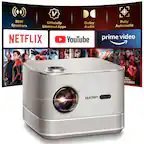
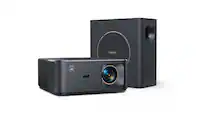
Yaber - K2s Pro 700 ISO WiFi6 Bluetooth Projector,JBL, Subwoofer, Dolby Audio, Auto Focus & Keystone, 1080P 4K Projector - Black
- Key Specs
- Product Weight: 14.33 pounds (The out of box weight of the item.)
- Light Source: LED
- Resolution: Full HD (1080p) (Refers to the number of pixels, both horizontally and vertically, used to capture video/images. The higher the resolution the finer the detail that can be seen.)
- White Brightness (ISO): 700 lumens (Measurement of the device's white light output measured in accordance with standards established by the International Organization for Standardization (ISO). The more lumens, the brighter the output. In large and/or well-lit environments, such as auditoriums or rooms with plenty of natural light, a higher brightness improves the quality of the projected image.)
- Contrast Ratio: 1000:1 (Measured difference between a displayed image's brightest whites and darkest blacks. The larger the first number, the more detail and color that can be displayed.)
- Projector Use: Home Theater, Educational (Classroom), Business, Gaming
- Projector Throw Type: Standard Throw (The distance from the screen that the projector can be placed to project images. Standard throw projectors typically need to be at least 6 feet away while short throw and ultra short throw projectors can be placed closer to the screen for use in smaller rooms.)
- Portability: Fixed (Fixed projectors are ideal when creating an authentic theater atmosphere in your home. Often designed to stay in one place they may require significant recalibration if moved. Portable projectors, weighing around 5 pounds, are easy to move, but will still require set-up calibration and often have technology to reduce the complexity. Ultra-portable projectors are very light, often battery-powered, and ideal for on-the-go use.)
- Wireless Connectivity: Bluetooth, NFC, Wi-Fi (The manner in which a device sends data to another device over a short distance without the use of wires or cables.)
- Display Connector(s): 1 x HDMI (The number and type of connectors used to connect to an external display.)
- Works With: Amazon Alexa (Compatible with or able to be connected to other smart devices or applications.)
- Power Source: Plug-in
- General
- Brand: Yaber
- Model Number: K2s Pro
- Product Name: Yaber K2s Pro 700 ISO WiFi6 Bluetooth Projector,JBL, Subwoofer, Dolby Audio, Auto Focus & Keystone, 1080P 4K Projector
- Color: Black
- Projector Mount Pattern: Universal (Universal mounts can be adjusted to support a variety of devices. Dedicated mounts are designed to fit a specific device.)
- Dimensions
- Product Height: 13.46 inches (The out of box height of the item. Height is measured as the vertical distance from the bottom of the item to the top as it would be primarily used or placed.)
- Product Width: 14.09 inches (The out of box width of the item. Width is measured as the horizontal distance from one side of the item to the other as it would be primarily used or placed.)
- Product Depth: 13.62 inches (The out of box depth of the item. Depth is measured as the distance from the front of the item to the back as it would be primarily used or placed.)
- Product Weight: 14.33 pounds (The out of box weight of the item.)
- Display
- Light Source: LED
- Display Technology: LCD (Denotes the product’s visual process, sometimes manufacturer specific, used to display an image.)
- Resolution: Full HD (1080p) (Refers to the number of pixels, both horizontally and vertically, used to capture video/images. The higher the resolution the finer the detail that can be seen.)
- Resolution (Native): 1080 x 1920 (Native resolution of a screen refers to its single, fixed resolution. Sometimes screens must scale an image up or down in order to fit the native resolution. This can cause a loss of resolution or detail.)
- 3-Chip Technology: false (Projectors with this technology are able to display images with optimal brightness, color, and detail. Because of their high-performance design, these projectors are primarily used in large venues and digital cinemas.)
- White Brightness (ISO): 700 lumens (Measurement of the device's white light output measured in accordance with standards established by the International Organization for Standardization (ISO). The more lumens, the brighter the output. In large and/or well-lit environments, such as auditoriums or rooms with plenty of natural light, a higher brightness improves the quality of the projected image.)
- High Dynamic Range (HDR): false (An HDR-compatible 4K TV or other HDR-compatible product displays HDR video content when it's available from sources like 4K Ultra HD Blu-ray Discs and 4K streaming services.)
- Light Source Life (Economy Mode): 20000 hours (The light source's estimated length of operating time when economy mode is enabled.)
- Light Source Life (Normal Mode): 20000 hours (The light source's estimated length of operating time when normal operating mode is enabled.)
- Contrast Ratio: 1000:1 (Measured difference between a displayed image's brightest whites and darkest blacks. The larger the first number, the more detail and color that can be displayed.)
- Aspect Ratio: 16:9 (The measurement of the width of a screen compared to the height of a screen, expressed as a ratio.)
- Throw Ratio Range: 1.5:1 (This measurement indicates what size of projected image can be produced from a certain distance. The smaller the ratio, the closer the projector can be to the screen while still producing a large image.)
- Digital Keystone Correction: true ("Keystone effect" refers to the distortion of an image when it is projected on an angled surface or when the projector is positioned too high or too low from the center of the display. Projectors with a digital keystone correction feature are able to scale the image as needed before it is projected, resulting in the correct image orientation no matter where it is displayed.)
- Viewing
- Screen Included: false
- Minimum Projector Distance: 4.5 feet (Minimum distance that the projector can be placed from the screen to produce a display with acceptable visual performance.)
- Maximum Projector Distance: 22.4 feet (Maximum distance that the projector can be placed from the screen to produce a display with acceptable visual performance.)
- Minimum Viewable Screen Size: 40 inches
- Maximum Viewable Screen Size: 200 inches
- Features
- Projector Use: Home Theater, Educational (Classroom), Business, Gaming
- Projector Throw Type: Standard Throw (The distance from the screen that the projector can be placed to project images. Standard throw projectors typically need to be at least 6 feet away while short throw and ultra short throw projectors can be placed closer to the screen for use in smaller rooms.)
- Portability: Fixed (Fixed projectors are ideal when creating an authentic theater atmosphere in your home. Often designed to stay in one place they may require significant recalibration if moved. Portable projectors, weighing around 5 pounds, are easy to move, but will still require set-up calibration and often have technology to reduce the complexity. Ultra-portable projectors are very light, often battery-powered, and ideal for on-the-go use.)
- Remote Control Included: true
- TV Tuner: false
- Featured Streaming Services: Disney+ (Streaming services and other programs are available on this device. Keep in mind, there may be more services supported than just those shown here.)
- Screen Mirroring: Mobile to screen (Casts the screen of one device onto another wirelessly, using a common protocol (typically Bluetooth).)
- Screen Mirroring Technology: Apple AirPlay
- Exposure Control
- Focus Adjustment: Auto (The method used to focus the device in order to view or display a sharper image.)
- Connectivity
- Number of HDMI Inputs (Total): 1
- Wireless Connectivity: Bluetooth, NFC, Wi-Fi (The manner in which a device sends data to another device over a short distance without the use of wires or cables.)
- Bluetooth Version: 5.1 (The Bluetooth specification formalized by the Bluetooth Special Interest Group. All versions of the Bluetooth standard are backwards compatible with previous versions.)
- Display Connector(s): 1 x HDMI (The number and type of connectors used to connect to an external display.)
- Network Connector(s): No network connectors
- Audio Only Outputs: 2 x 3.5mm audio
- HDMI Audio Return Channel (ARC): ARC
- Audio
- Sound Mode: Stereo
- Integrated Speaker(s): true
- Speaker(s) Included: true
- Watts Per Channel: 10 watts
- Compatibility
- Works With: Amazon Alexa (Compatible with or able to be connected to other smart devices or applications.)
- Operating System Compatibility: Android, Apple iOS
- Power
- Power Source: Plug-in
- Voltage: 110 volts (Amount of power needed to support an electrical current.)
- Warranty
- Warranty - Parts: 1 year
- Warranty - Labor: 1 year
- Other
- UPC: 198715020366
Experience immersive entertainment like never before with the Yaber Smart 4K Android Projector. This state-of-the-art projector combines stunning 4K resolution, advanced Android capabilities, and premium audio features to elevate your home movie nights, gaming sessions, and presentations to new heights. An additional independent subwoofer is provided to deliver a even better sound quality. Transform your living room into a cinematic oasis with the Yaber Smart 4K Android Projector. Whether you're hosting movie nights with friends, gaming with family, or delivering presentations for work, this projector delivers stunning visuals and immersive audio that will leave everyone in awe. Upgrade your home entertainment setup today and embark on a journey of endless entertainment possibilities.
- 1000 ANSI Lumens & Native 10800: Enjoy crisp, vibrant visuals with 1000 ANSI brightness and native 1080P resolution, with support for 4K content playback.
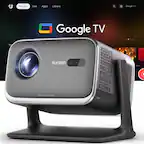
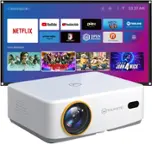
- Google TV with Netflix & 7000+ Apps: Built-in Google TV offers seamless access to Netflix, YouTube, Prime Video, and over 7000 apps for endless entertainment.
- JBL Sound with Subwoofer & Dolby Audio: Elevate your audio experience with powerful JBL-tuned sound, an integrated subwoofer, and immersive Dolby Audio.
- Auto Focus, Keystone & WiFi 6 + Bluetooth: Get perfect projection in seconds with auto focus and keystone correction, plus smooth streaming with WiFi 6 and Bluetooth.
- 1000 ANSI Lumens & Native 10800: Enjoy crisp, vibrant visuals with 1000 ANSI brightness and native 1080P resolution, with support for 4K content playback.
- Google TV with Netflix & 7000+ Apps: Built-in Google TV offers seamless access to Netflix, YouTube, Prime Video, and over 7000 apps for endless entertainment.
- JBL Sound with Subwoofer & Dolby Audio: Elevate your audio experience with powerful JBL-tuned sound, an integrated subwoofer, and immersive Dolby Audio.
- Auto Focus, Keystone & WiFi 6 + Bluetooth: Get perfect projection in seconds with auto focus and keystone correction, plus smooth streaming with WiFi 6 and Bluetooth.
Whats Included
- 1. K2s Projector
- 2. Remote Control
- 3. Remote Control
- 4. TV Dongle
- 5. Lens Cover
- 6. PowerCord
- 7. 3-in-1AV Cable
- 8. Quick Start Guide
- 9. Subwoofer
- 1. K2s Projector
- 2. Remote Control
- 3. Remote Control
- 4. TV Dongle
- 5. Lens Cover
- 6. PowerCord
- 7. 3-in-1AV Cable
- 8. Quick Start Guide
- 9. Subwoofer
Disclaimers
- For safe and optimal use of the device, please follow these guidelines: Do not face the lens towards your eyes because the strong projector light may cause injury to the eyes.
- Make sure that the device is used in a dry, well-ventilated environment: Do not store the device in excessively hot or cold places, as this can reduce the lifespan of electronic components. Use and store it within a temperature range of 0°C-40°C.
- Do not put the device into any heating equipment (e.g., dryer or microwave) for drying. Do not press down firmly on the device or place objects on top or behind it to avoid damaging the device.
- Do not throw, drop, or strongly shake the device to protect its internal circuit board. Make sure to clean the dust filter every six months to a year to keep the machine runningcool.
- • Do not block the air inlet or outlet of the device to prevent overheating, which could damage internal components.
- For safe and optimal use of the device, please follow these guidelines: Do not face the lens towards your eyes because the strong projector light may cause injury to the eyes.
- Make sure that the device is used in a dry, well-ventilated environment: Do not store the device in excessively hot or cold places, as this can reduce the lifespan of electronic components. Use and store it within a temperature range of 0°C-40°C.
- Do not put the device into any heating equipment (e.g., dryer or microwave) for drying. Do not press down firmly on the device or place objects on top or behind it to avoid damaging the device.
- Do not throw, drop, or strongly shake the device to protect its internal circuit board. Make sure to clean the dust filter every six months to a year to keep the machine runningcool.
- • Do not block the air inlet or outlet of the device to prevent overheating, which could damage internal components.