“Problem with Modem or Cable I have a Arris Cable Modem SB6183 on Time Warner Cable, problem is that its resetting itself constantly,anybody else have this problem, if so how did you fix it!!!”
Answer This Question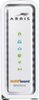
1-5 of 5 Answers
Try unplugging it from the wall for 30 seconds to reset it. Any time you make a new cable connection you have to reset it that way. Also try using the Arris online site as well to refine your actual use of the modem. All info is in the package on that. If resetting it doesn't work it could be defective.
Sorry, there was a problem. Please try again later.ours does that too. Its over heating. we keep a fan blowing on it.
Sorry, there was a problem. Please try again later.You have a signal to noise loss problem Either too many splitters on the line or your cable wire is too old to handle the higher frequencies Remove splitters use just one straight wire to the outside connection and only one splitter there I had the same problem, had to run one wire only to outside and use it just for cable modem because of the line loss. If you call the cable company they will do anything to get money out of you and still not fix your problem. No splitters One line to outside connection for modem If your line loss is greater than 35 -db on the modem stats page, your going to loose connection
Sorry, there was a problem. Please try again later.I had that problem and had to buy another
Sorry, there was a problem. Please try again later.it happened to me a couple of years ago with my motola called Motorola they worked on it through the internet then it was working fine for a day than it start doing it again then they sent me a new one
Sorry, there was a problem. Please try again later.