“I forgot my wifi password. Can i request a password change? Belkin router- Model F9 K1113b4”
Answer This Question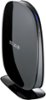
1-5 of 5 Answers
There should be a reset button on the router that resets the router to factory settings and you'll be able to make a new password.
Sorry, there was a problem. Please try again later.Just reset it. Should be a red button on the bottom
Sorry, there was a problem. Please try again later.You may check the wireless password by accessing the router's setup page: http://www.belkin.com/us/support-article?articleNum=8129 If it still doesn't work, then that's the time you need to manually reset the router.
Sorry, there was a problem. Please try again later.There should be functionality to do a password reset via email if you configured it during the router's setup, but you don't have to do that if you have Windows Vista, 7, or 8/8.1 (haven't tried with XP). Google for 'windows vista, 7, 8 find wifi password'. The result from 'howtogeek' will show you. Doing a factory reset of the router will also work, but you'll lose all of your settings.
Sorry, there was a problem. Please try again later.no but you can reset your router which will make it have the default password which will be in your manual
Sorry, there was a problem. Please try again later.