“why wont my router connect via ethernet but will connect via wifi? bought n600db but it wont connect to internet thru ethernet. wireless setup was easy and simple, but no idea how to make ethernet connect. Tried http://router and ip address”
Answer This Question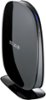
1-3 of 3 Answers
I set up the wireless first, then connected my laptop whenever I'm in the office to get uninterrupted service. You should be able to plug in the Ethernet cable to your computer, then to the back of the router. IF you don't connect directly, Go to "Settings>Control Panel>Network and Internet. In there, you will find where to test the settings and make sure the computer is talking to the router. You can also go to your router website as there is settings for your unit there. The information is on the paper under your router.
Sorry, there was a problem. Please try again later.By any chance is your Ethernet disabled on your PC?
Sorry, there was a problem. Please try again later.Hi. Try to further isolate the matter by using another Ethernet cord or another computer. You may also check if the computer is getting an IP address wired to the router. Here's how: http://www.belkin.com/us/support-article?articleNum=10756 In case that didn't help, please send us an email at BelkinCares@belkin.com with your contact details and the link to your post.
Sorry, there was a problem. Please try again later.